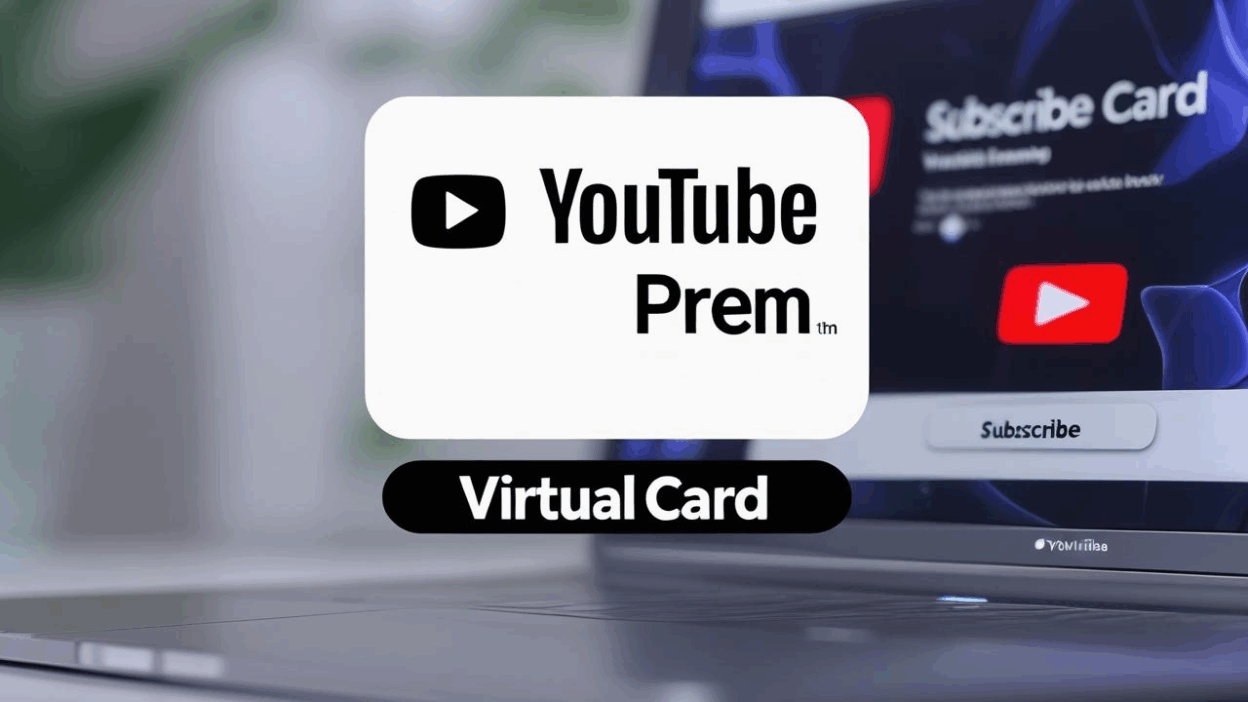
With premium video content on the rise, YouTube Premium has become the go-to service for ad-free viewing, offline downloads, and background playback. However, many users face obstacles during subscription—ranging from card rejections to regional restrictions.
This is where virtual credit cards step in. As a secure, flexible, and globally accepted payment method, they enable seamless international transactions and give users full control over subscription billing and security.
Getting started
Apply for a virtual card that supports international payments
-
Make sure the card supports 3D Secure authentication
-
Top up with at least $100 to cover subscription and potential transaction fees
-
We recommend using Buvei Virtual Card for its flexibility, multi-currency support, and compatibility with major digital platforms
Prepare a valid Google account
-
Use a new or actively used Google account
-
Ensure the account’s region matches the virtual card’s issuing country
-
Use a VPN if needed to align IP and card location

Ensure a stable internet connection
-
A reliable VPN is recommended to avoid regional blocks during the payment process
Step-by-step setup
-
Log in to your YouTube account Go to youtube.com and sign in with your Google account.
-
Access the Premium subscription page
Click your profile picture → “Purchases and Memberships” → “YouTube Premium” Or directly visit: https://www.youtube.com/premium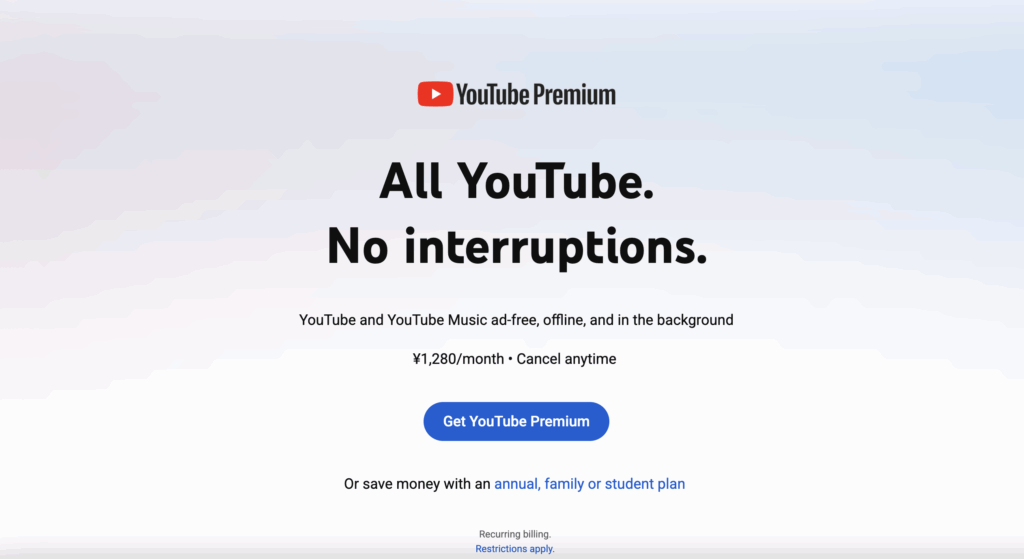
-
Choose a subscription plan
Pick your preferred plan—individual or family—and click “Try it free” or “Subscribe now.”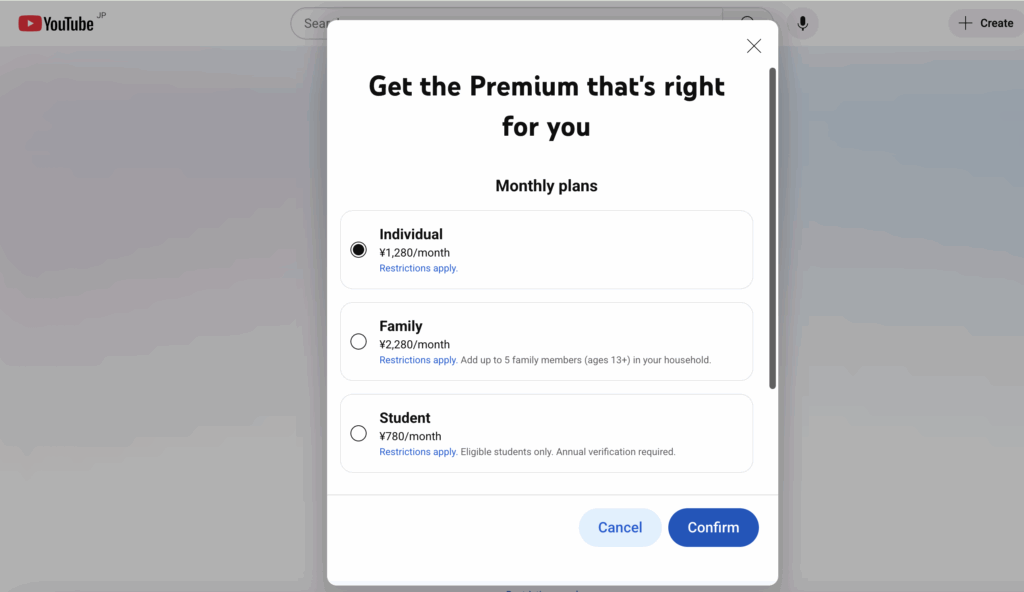
-
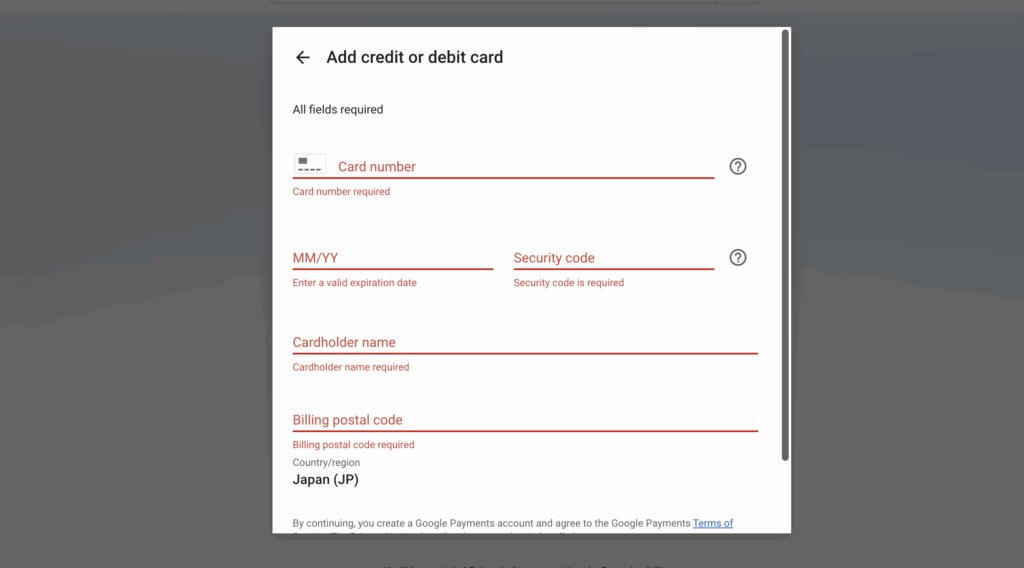
Enter your virtual card details
-
Fill in card number, name, expiry date, and CVV
-
For billing address, refer to the information provided in your Buvei card dashboard
-
Subscription success
Once processed, you’ll see a confirmation message—YouTube Premium is now active on your account
New to Buvei? No worries—this quick guide will walk you through setting up your account in minutes.
1. Register and Fund Your Buvei Account
- Visit buvei.com and create an account.
- Go to the “Wallet” section and top up your balance: Supports USDT (TRC20 / ERC20) .
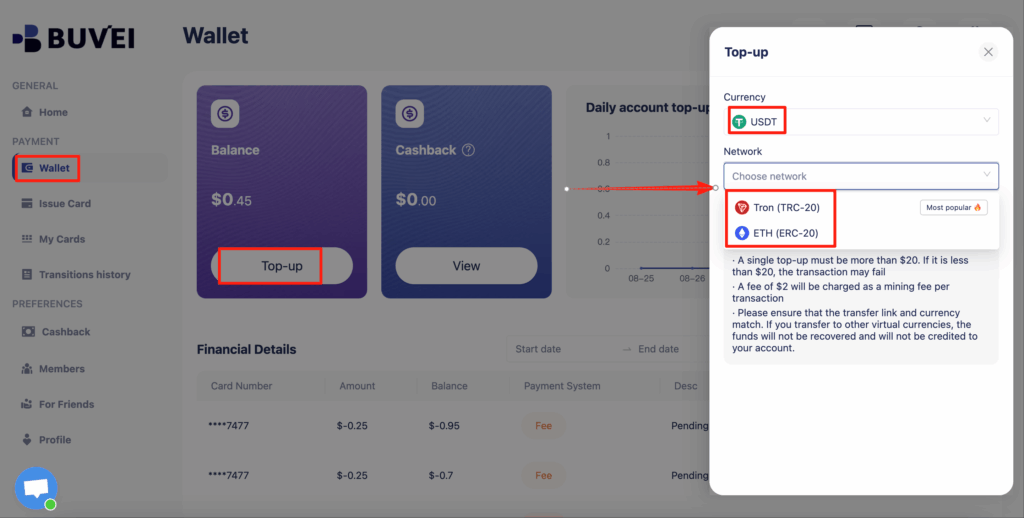
2. Create Your Shopify Virtual Card
- Navigate to “Virtual Card” in the Buvei dashboard.
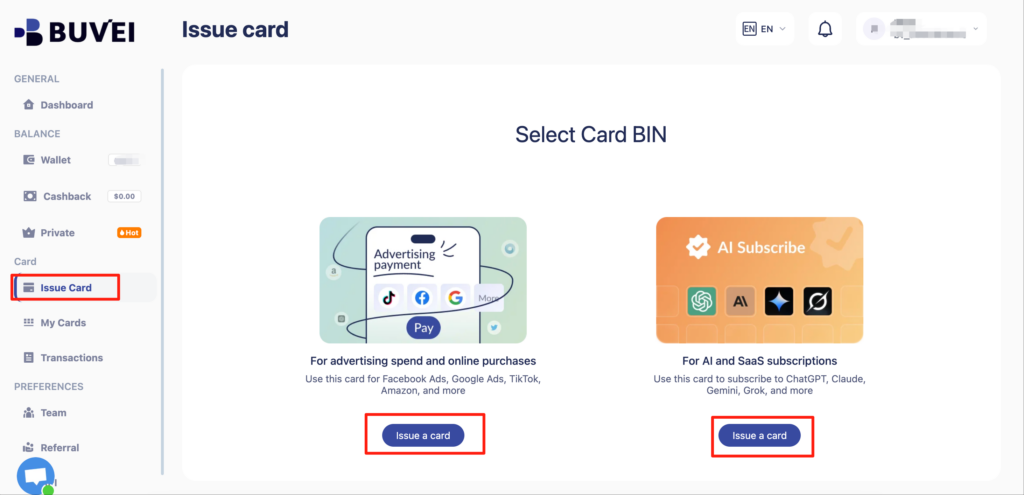
3. Enter card setup details:
- Name
- Verification method
- Quantity
- Amount per card
- Add tag (e.g., "Premium")
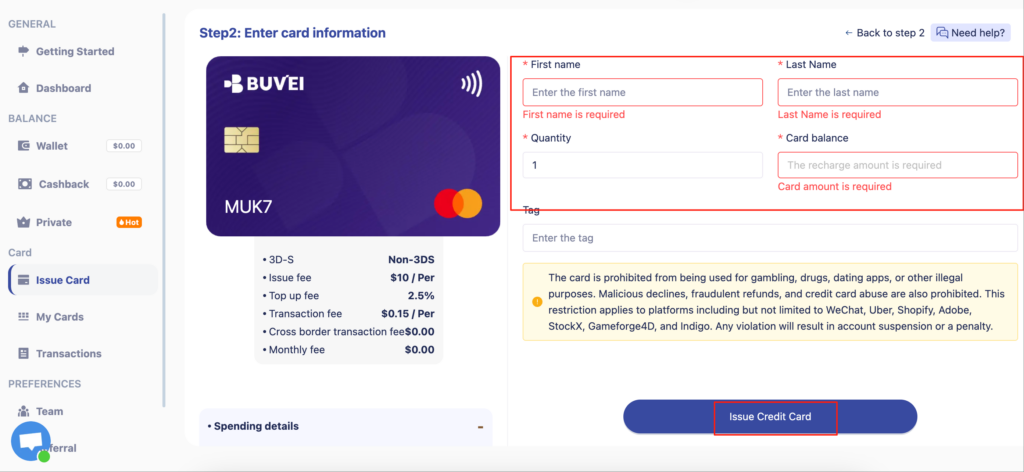
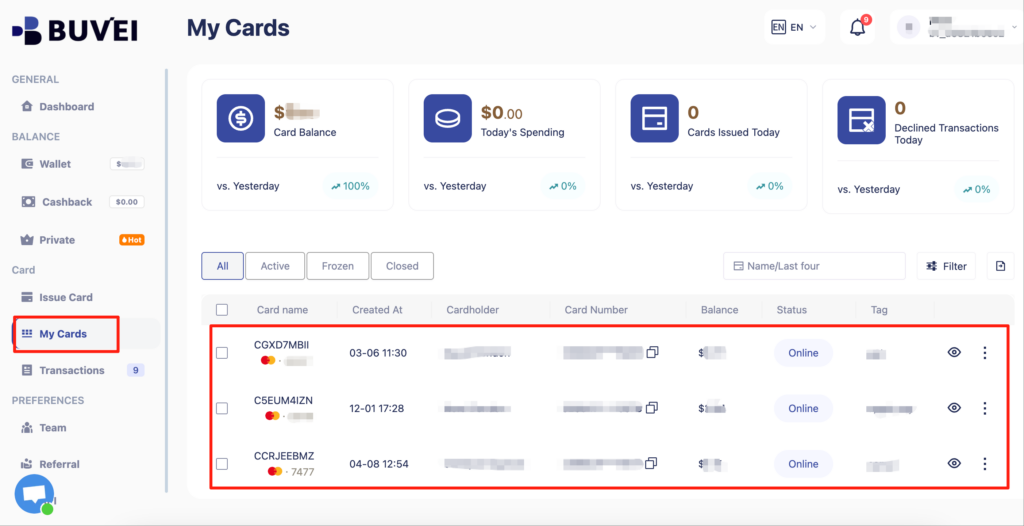
- Click “Issue Credit Card” to generate the card.
- View card details (number, expiry, CVV) on the My Cards page.
Important tips
Payment issues? Common causes include:
-
Insufficient balance
-
Invalid billing address
-
Card lacks 3D Secure support
-
VPN mismatch or unstable connection
Why use Buvei virtual cards?
-
Custom billing addresses
-
Adjustable spending limits
-
Compatibility with YouTube and other global platforms
Manage auto-renewal YouTube Premium enables auto-renew by default. To cancel, go to your Google account’s “Payments & Subscriptions” section and disable the subscription anytime.
Stay safe with one-time or limited-use cards Using Buvei virtual cards allows you to enable one-time payments or disposable cards, reducing the risk of fraud or unauthorized charges.

By using a virtual credit card, you can easily bypass geographic restrictions and access YouTube Premium from anywhere in the world. Whether you’re managing multiple subscriptions or simply looking for a safer way to pay, virtual cards offer a smarter solution.
Want a smoother experience?
👉 Follow Buvei’s official virtual card guide or get started on the Buvei platform to enjoy secure, flexible payments for all your favorite services.
FAQ
Q1: What services can I subscribe to using a virtual credit card?
A: In addition to YouTube Premium, virtual cards work with Spotify, Netflix, Telegram Premium, ChatGPT Plus, Facebook Ads, and more.
Q2: What if the payment fails?
A: Check for sufficient balance, international payment support, correct billing address, and VPN/IP consistency.
Q3: Can I use a virtual card for the YouTube Premium family plan?
A: Yes. As long as the card is valid and accepted, it can be used to subscribe to a family plan with up to 5 members.
Q4: Can virtual cards be reused?
A: It depends. Platforms like Buvei offer both one-time and reusable cards tailored to different usage needs.
Q5: How do I cancel auto-renewal after subscribing?
A: Go to your Google Account → Payments & Subscriptions → Manage subscriptions → Cancel.