Whether you're running an e-commerce business, managing a cross-border campaign, or working as a digital marketer, Facebook Ads remain one of the most effective ways to reach a global audience. But before you launch your campaign, you need to set up a reliable and secure payment method.
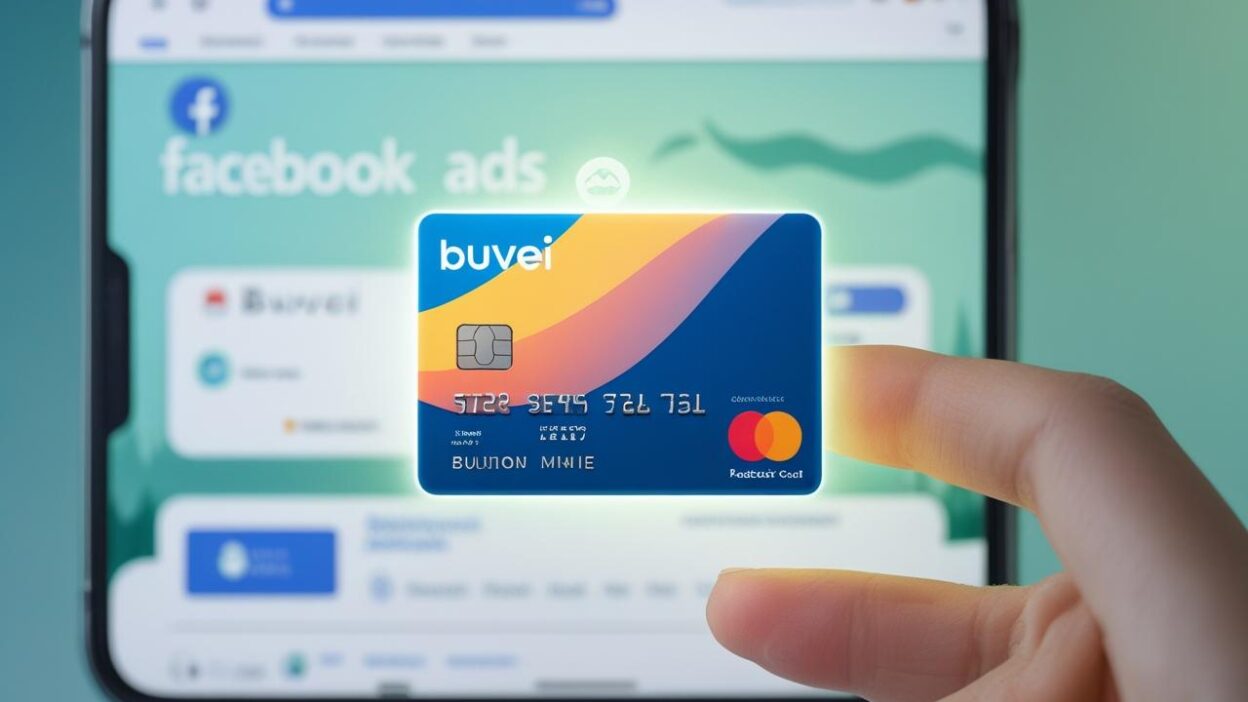
In 2025, with growing concerns over payment fraud, overcharges, and data exposure, using a Buvei virtual card offers an added layer of protection and control. It’s the smart way to manage ad spending while minimizing financial risk.
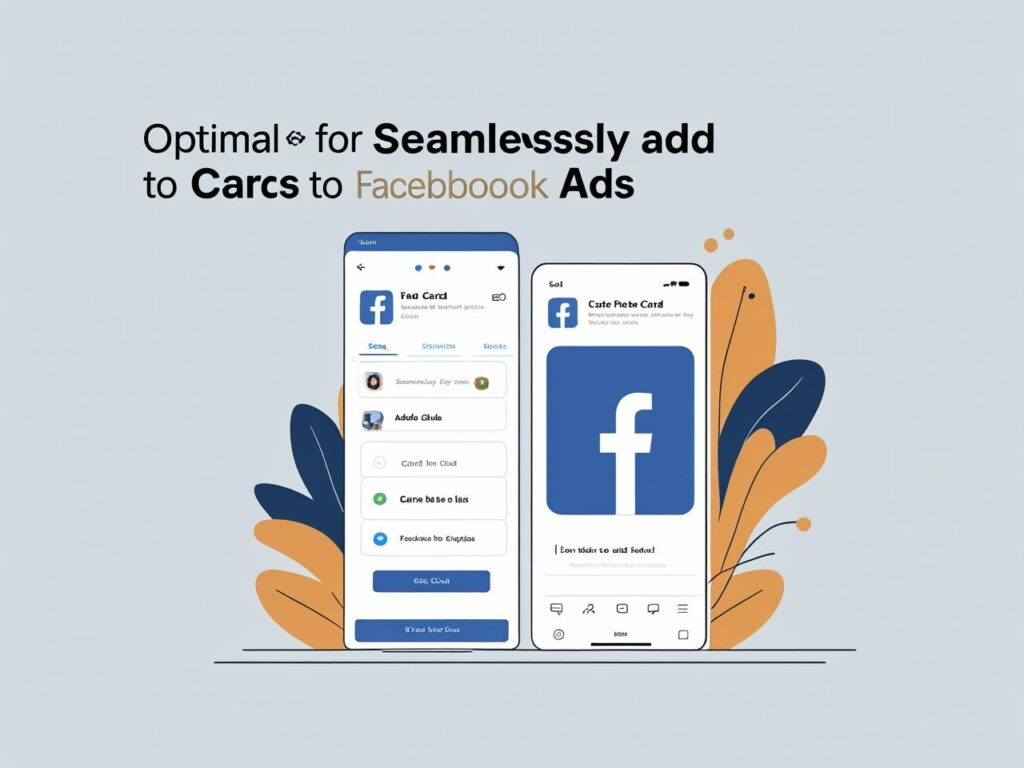
How to Add a Credit Card to Facebook Ads Manager (Web Version)
We recommend using Facebook on a web browser (not via iOS apps) to avoid the 30% commission fee charged by Apple on in-app payments.
Step 1: Access Your Billing Settings
👉 Go to the official Facebook billing page: Make sure you're signed into the correct ad account.
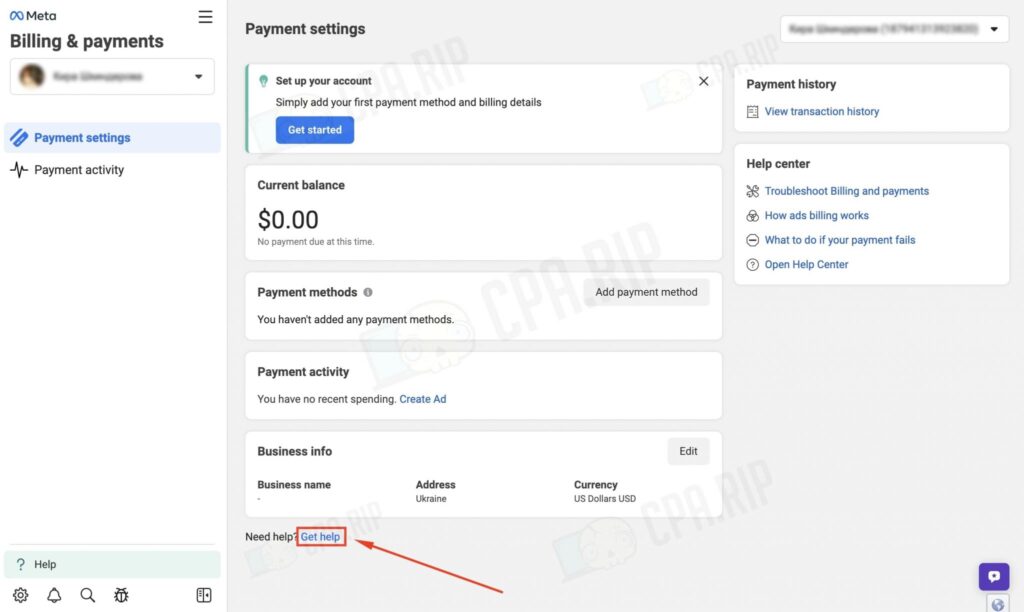
Step 2: Open the Help Menu
Click the “Get Help” button on the billing page Select the option: “My Payment Methods”
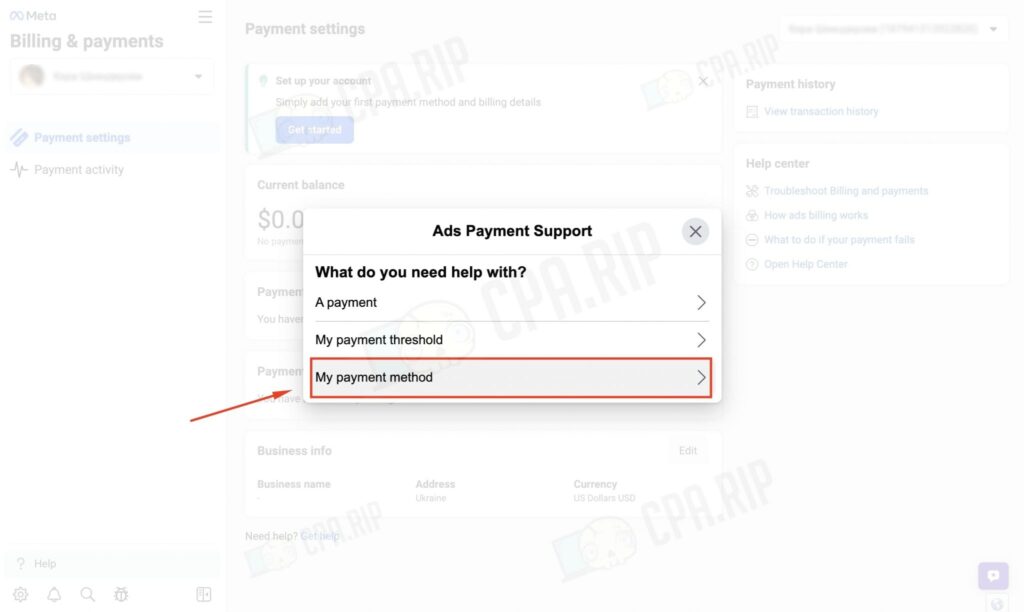
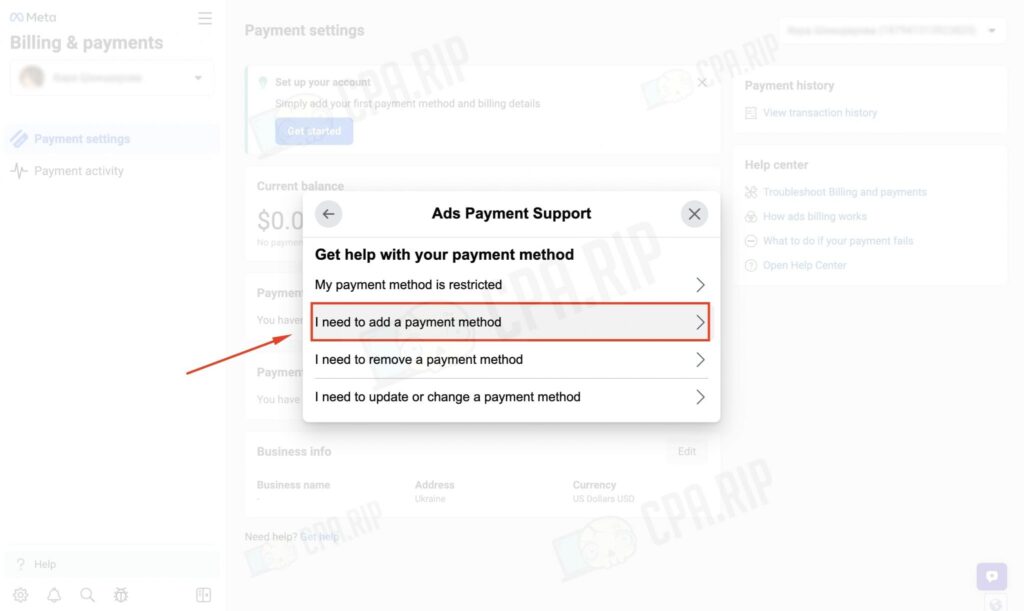
Step 3: Add a New Payment Method
Click “I need to add a payment method”
Then, click “Add Payment Method” to continue
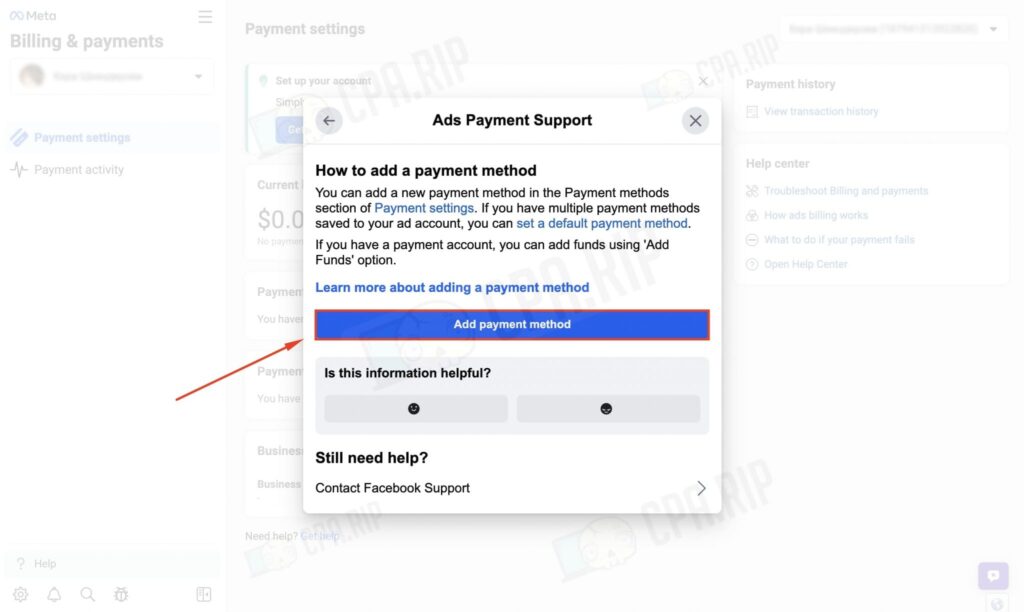
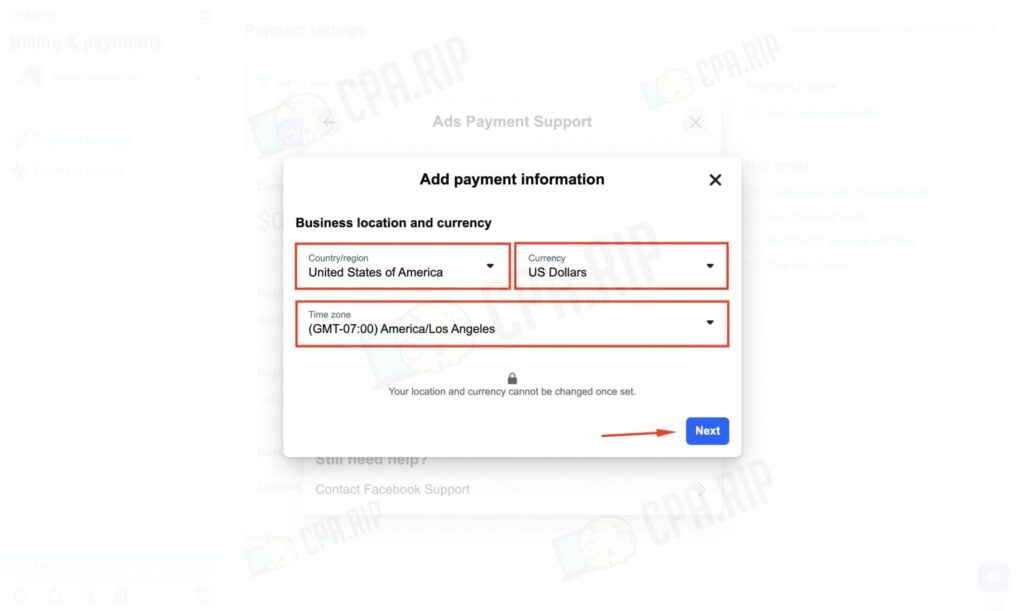
Step 4: Enter Your Billing Information
Facebook will ask you to input the following details:
Country/Region
Preferred currency (match it to your card’s currency if possible)
Time zone (based on your business location or market)
Once completed, click Next
Step 5: Add Tax Information
Depending on your country, you may need to provide one of the following:
-
A business tax ID (e.g., VAT, GST)
-
Or personal taxpayer details (for individuals running ads)
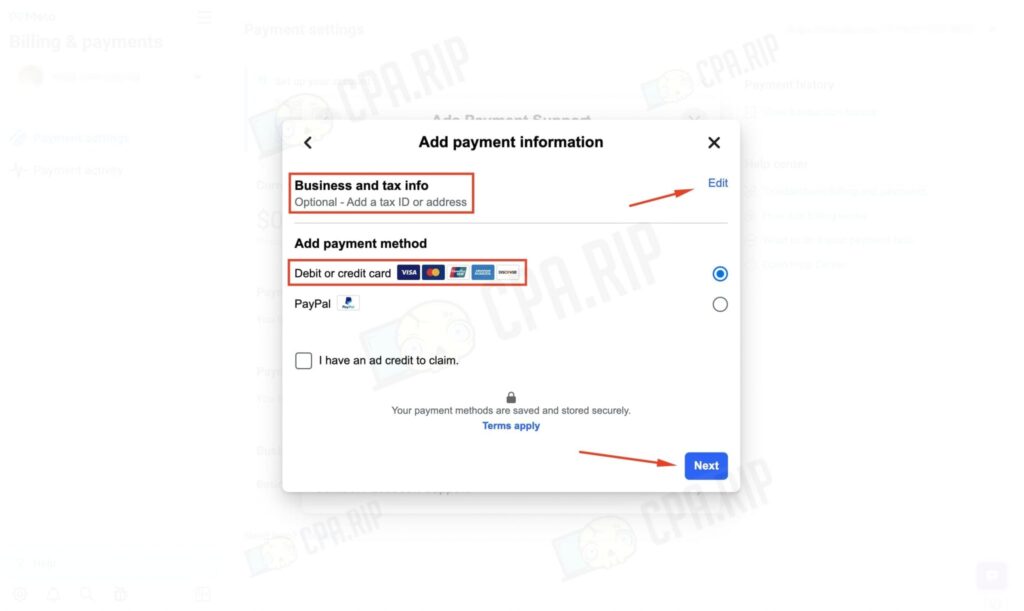
Step 6: Select Your Payment Method
Choose “Debit or Credit Card” as your payment method We recommend using a Buvei virtual Visa or Mastercard for greater security and control
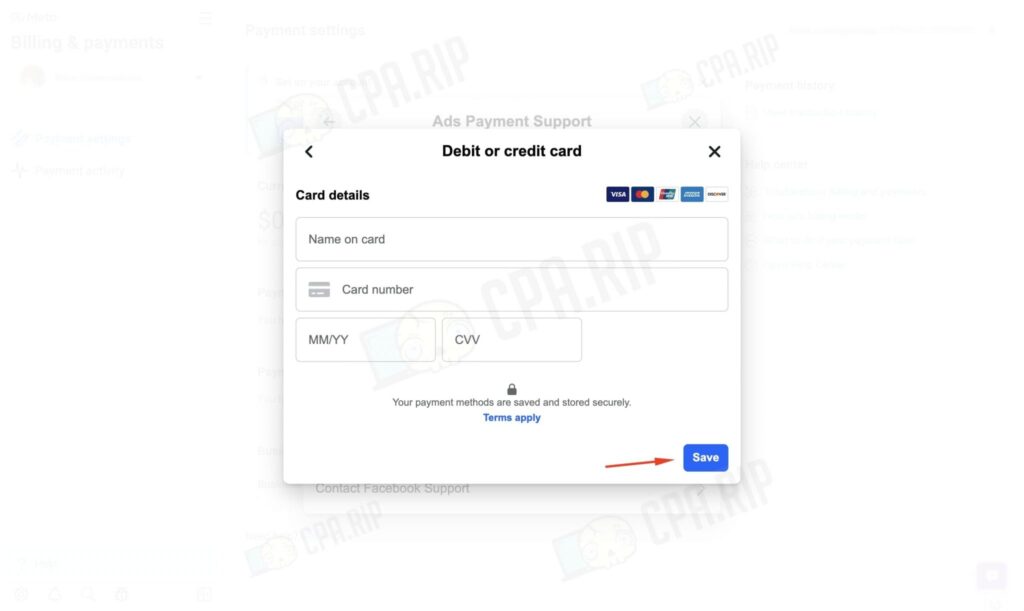
Enter your card details:
-
Card number
-
Expiration date
-
CVC security code
-
Cardholder name
Click Save to confirm
✅ Your card has now been added successfully. You’re ready to launch your campaign.
Why Buvei Virtual Cards Are the Smarter Choice for Facebook Ads
Adding a card is just the first step. Choosing a secure, flexible virtual card ensures better protection and control over your advertising budget.
Benefits of Using Buvei Virtual Cards for Ads:
🔐 Isolate Your Primary Bank Account Avoid exposing your main account. Buvei virtual cards are merchant-specific and reduce the risk of data leaks.
🎯 Set Spending Limits Per Campaign Control your budget with per-card spending caps. Say goodbye to surprise charges.
📊 Label and Track Cards Easily Create separate cards for each project, client, or ad region — perfect for digital teams and agencies.
🛑 Freeze or Delete Instantly End a campaign or suspect unauthorized use? One tap freezes or removes the card — no need to replace your main card.

Create Virtual Credit Card
If you don’t already have a Buvei virtual card, here’s how to set one up in minutes:
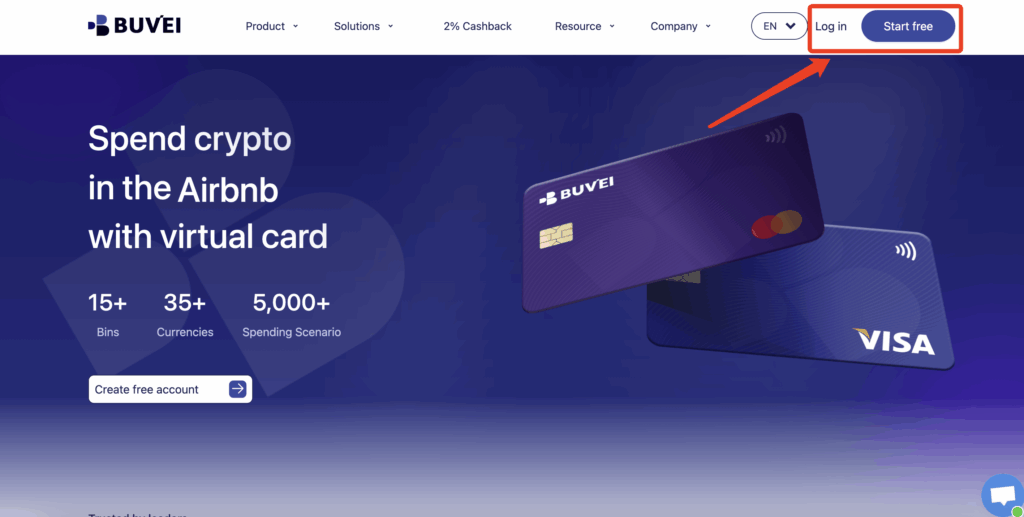
- If you haven’t registered yet, visit https://buvei.com and create a free account.
- After email verification, log in to access the Buvei dashboard.
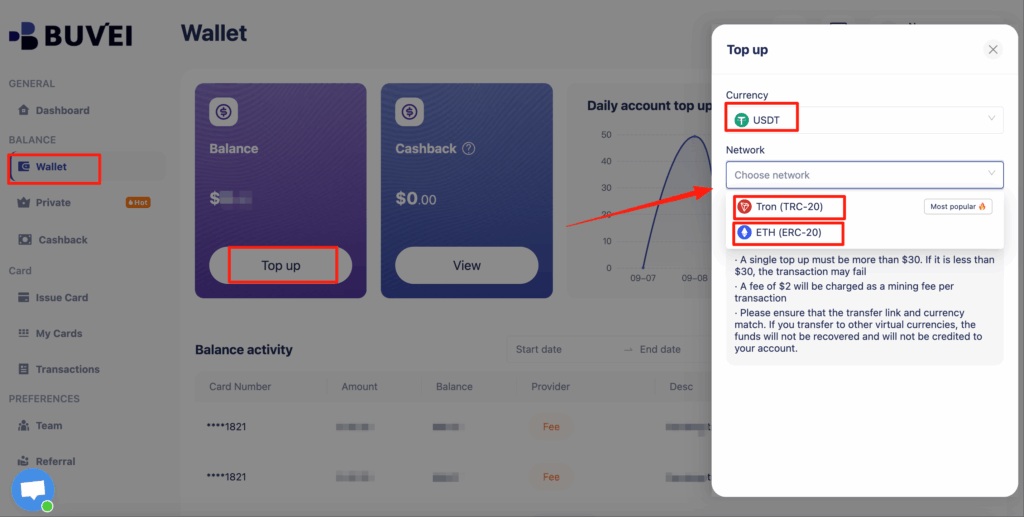
- Navigate to the Wallet tab and top up using supported stablecoins like USDT (TRC20/ERC20). You’ll receive a unique address—copy it and send your funds.
- Once confirmed, your balance will appear in the wallet for immediate use.
Create a Virtual Card
-
Go to the Card tab
-
Choose your preferred BIN region
-
Select your card type (Visa/Mastercard)
- Click Issue

- Fill in the virtual card details, including name, amount, and number of cards.
-
Click Issue Card

Once created, navigate to My Cards to access your card details:
-
Card Number
-
Expiration Date
-
CVV
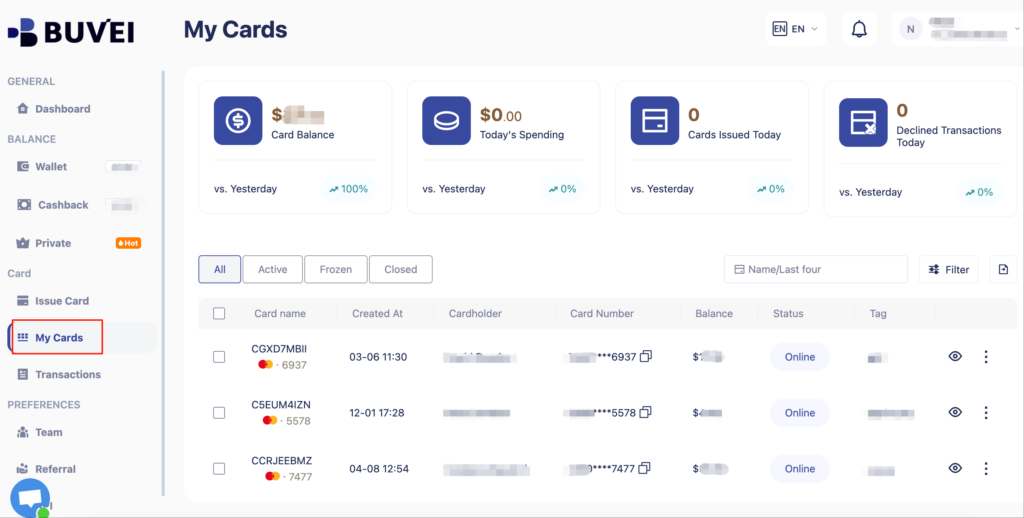
Now you’re ready to use it for Facebook Ads or any global digital platform.
🔄 When Should You Update Your Facebook Payment Method?
Here are common scenarios that require updating or re-adding your payment card:
-
The card has expired
-
A payment attempt was declined
-
You’re switching markets or currencies
-
Facebook requests account re-verification
How to update:
-
Reopen your billing settings at Facebook
-
Remove the outdated card
-
Add a new Buvei virtual card by repeating the steps above
🙋 Frequently Asked Questions
Q1: Can I use a virtual card on Facebook Ads?
Yes. Facebook accepts valid Visa and Mastercard virtual cards, including those from Buvei.
Q2: What happens if my card is declined?
Your ads will pause. You can add a new Buvei card instantly to resume the campaign.
Q3: Can Buvei cards handle recurring payments?
Absolutely. Buvei supports recurring billing and is compatible with Facebook, Google Ads, TikTok, and other global platforms.
Q4: Are there any fees to add a Buvei card?
No. There’s no cost to generate or link a Buvei virtual card — just ensure your wallet is funded.
Secure Your Ad Spend with Buvei
In digital advertising, your payment method can make or break your operations. Buvei virtual cards give you full control, real-time visibility, and rapid response options when you need them most.
Ready to take control of your Facebook Ads payments? 👉 Create your Buvei virtual card now