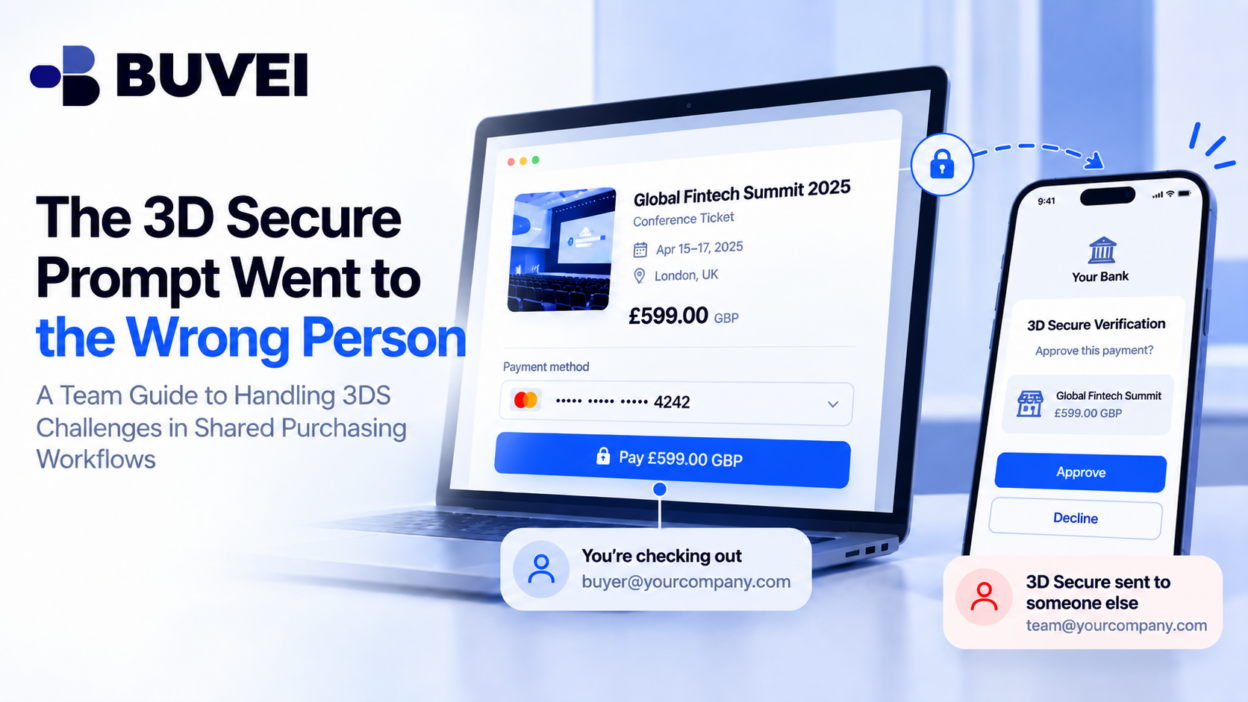
A colleague is buying a conference ticket with a company virtual card. Checkout reaches a 3D Secure screen, but the approval request lands on a phone held by a finance manager who is unavailable.
At that moment, forwarding the one-time code through a group chat may seem convenient.
But that can undermine the control that 3D Secure is designed to provide.
The real issue is not simply that the payment failed. It is that the team has not clearly aligned three things:
- Who is allowed to make the purchase
- Who approves the spending
- Who can complete the issuer authentication
This guide explains how teams can prepare for 3D Secure before checkout, what to do when the challenge reaches the wrong person, and how to recover without creating duplicate orders or sharing sensitive authentication details.
Understand What the 3D Secure Challenge Is Asking
3D Secure is part of the card authentication process between the merchant and the issuer.
Depending on the setup, the challenge may require:
- A one-time code
- An app approval
- Biometrics
- Another issuer-supported authentication method
The purpose is to verify that the person completing the payment is authorized to use the card.
This is separate from the company’s internal spending approval.
A manager may already have approved a €400 conference ticket, but the issuer may still require a valid authentication response before the card payment can proceed.
Before approving any request, check:
- Merchant
- Amount
- Currency
- Time
- Whether the purchase was expected
If the challenge shows €4,000 when the buyer expected €400, stop.
If nobody is currently making a purchase, treat the request as suspicious and verify it through official account activity.
The Three Roles in a Company Purchase
In many teams, one person does not control every step.
There are usually three roles:
Requester
The employee who needs the product or service.
Spending Approver
The person who decides whether the company should pay.
Authentication Controller
The person who can access the issuer-supported 3D Secure method.
Sometimes one employee fills all three roles. In other cases, they may sit in different departments or even different countries.
The important thing is to know who owns each step before the card is entered at checkout.
A policy that says “finance approves payments” is not enough if nobody knows who can respond to a 3DS request at the actual purchase time.
Do Not Share OTPs or Authentication Credentials
Teams should avoid solving the problem by forwarding one-time codes, passwords, login sessions, or authentication credentials through chat.
That weakens accountability and can expose other card or account information.
A better approach is:
- The buyer tells the authorized controller that a payment attempt is underway
- The controller opens the official issuer app or authentication method independently
- The controller checks the merchant, amount, and currency
- The controller approves only if the request matches the authorized purchase
For example:
“I’m at the conference checkout for €400. Please check the issuer app for a matching request.”
This communicates the purchase context without transmitting the authentication secret.
Prepare the Device Before Checkout
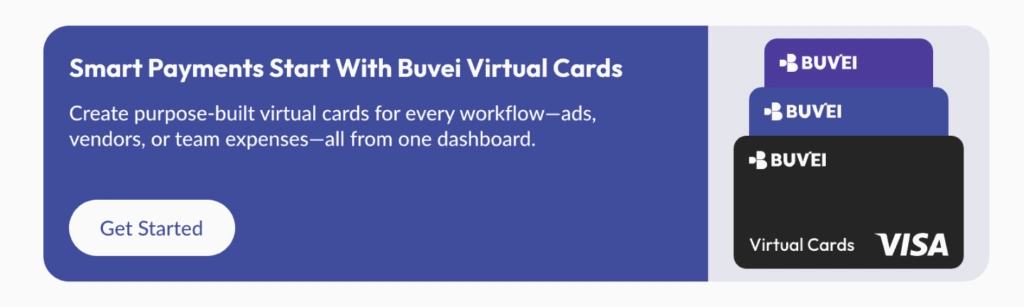
A valid card is not enough if the authentication device is unavailable.
Before a time-sensitive purchase, check that the authorized person can actually access the relevant authentication method.
Possible problems include:
- The registered phone is offline
- The app session has expired
- Push notifications are disabled
- The registered number belongs to a former employee
- The user no longer has access to the required account
- The authentication method needs to be updated
If the authentication channel is wrong, use the provider’s official process to update it.
Do not wait until the checkout timer is already running. Some access changes require verification and cannot be completed instantly.
What to Do When the Prompt Goes to the Wrong Person
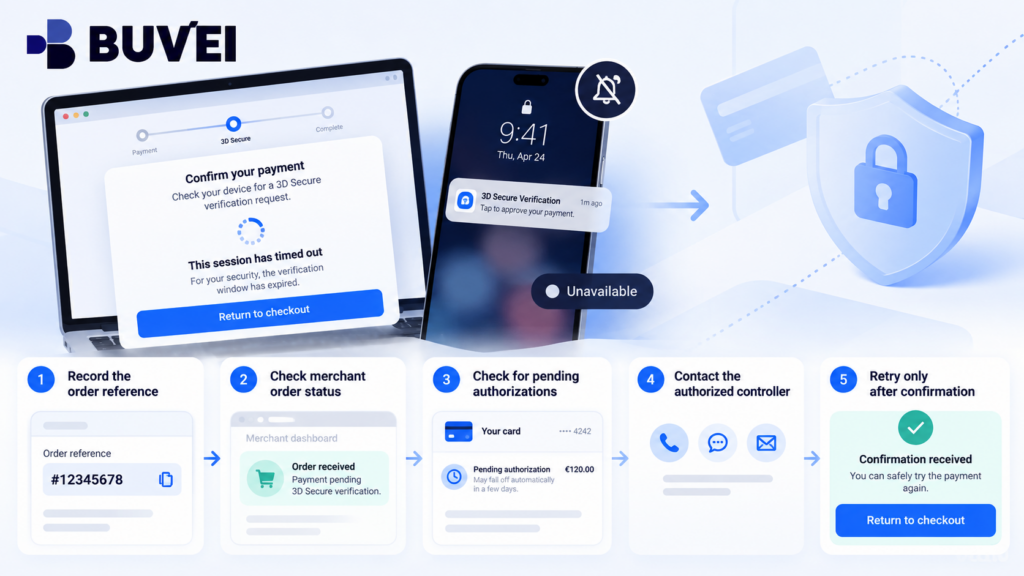
If the 3DS request goes to someone who is unavailable, avoid repeatedly submitting the same payment.
Instead:
- Record the order page and reference.
- Contact the authorized authentication controller.
- Ask them to check the official issuer interface.
- If they cannot respond before the challenge expires, let the attempt end.
- Check whether the merchant created an order or whether the card shows a pending authorization.
- Retry only after the team understands the status of the first attempt.
A timed-out 3DS challenge does not automatically mean nothing happened.
The merchant may still have created an order, and a card authorization may still exist.
If the Prompt Goes to a Former Employee
This is not just a payment problem. It is an account-control problem.
Do not ask a former employee to forward codes after they have left the company.
Instead:
- Remove obsolete access through the provider’s official process
- Confirm the current authorized user or administrator
- Review whether other cards or accounts use the same old contact
- Update internal ownership records
For an urgent purchase, the business may need to use another approved payment method while the account access issue is being corrected.
When the Prompt Is Approved but Checkout Still Fails
A successful 3DS approval does not necessarily mean the merchant accepted the order.
Authentication is only one step in the payment process.
If the controller approves the request but the checkout still shows an error:
- Record the time
- Save the merchant order reference
- Check whether the merchant created an order
- Check the card account for pending or completed activity
- Contact the merchant about the order status
- Contact the card provider if authentication or card status needs review
The merchant and card provider may see different parts of the payment flow.
Avoid Repeated Payment Attempts
One of the most common mistakes after a failed 3DS step is submitting the payment again and again.
That can create:
- Duplicate merchant orders
- Multiple authorization attempts
- Temporary holds
- Risk flags
- Several authentication prompts
If several requests arrive within a short period, do not approve all of them just to see which one works.
Stop the checkout, identify the active order, and compare the merchant, amount, and timestamp of each request.
The Checkout Timer and the Order Status Are Different
A merchant may reserve a ticket for ten minutes, while the 3DS challenge has a shorter timeout.
The merchant may also create an unpaid order before authentication finishes.
That means teams should distinguish between:
- Checkout timer
- Authentication timer
- Merchant order status
- Card authorization status
Before retrying, confirm what actually happened to the first order.
This is especially important for conference tickets, travel bookings, limited inventory, or software purchases with time-sensitive pricing.
Where Buvei Fits
If the card is managed through Buvei, check the authentication instructions and account roles available for that specific card and account.
For a failed or misrouted authentication attempt, provide support with:
- Date and time
- Merchant
- Amount
- Currency
- Masked card details
- Error message
- Whether a challenge appeared
- Whether anyone approved it
Do not include live OTPs, full card numbers, or security codes in screenshots.
A dedicated virtual card can help teams identify which supplier, project, or budget a transaction belongs to, but it does not replace issuer authentication or internal approval.
Build Coverage Without Sharing One Identity
One finance manager cannot always be available for every purchase.
Teams should plan for:
- Holidays
- Different time zones
- Employee departures
- Urgent event purchases
- Recurring subscriptions
- Out-of-hours payments
Where supported by the provider, use properly authorized roles or administrators rather than sharing one employee’s login or authentication method.
If the provider does not support a backup authentication owner, the team may need to schedule sensitive purchases earlier or use another approved payment method.
The solution should be operationally supported, not improvised.
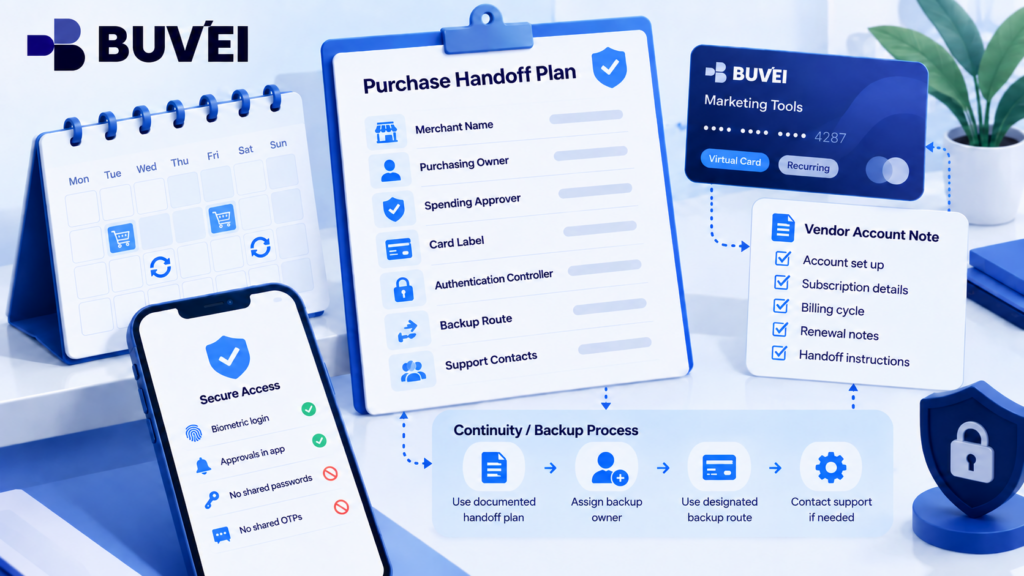
Keep a Lightweight Team Record
For important merchants, keep a simple internal record containing:
- Purchasing owner
- Spending approver
- Card label
- Authentication controller
- Approved backup process
- Supplier account URL
- Support contact
Do not store:
The purpose is not to create a large compliance document.
It is simply to make sure the buyer knows who to contact before checkout starts.
Three Similar Problems That Need Different Fixes
A few 3DS situations may look similar but require different responses.
The prompt goes to the correct person but shows the wrong amount
Reject it and check the basket, merchant, and any duplicate checkout sessions.
The prompt goes to a former employee
Update account ownership through the official provider process.
Nobody receives a prompt
Check the browser redirect, provider app, card settings, and ask support whether an authentication event was triggered.
Treat the exact event you saw rather than assuming every issue is simply “3DS failed.”
After an Authentication Problem
A short review can prevent the same issue from happening again.
Record:
- Merchant
- Time and time zone
- Card label
- Amount
- What appeared on the buyer’s screen
- What appeared on the controller’s device
- Whether the challenge was approved
- Merchant order status
- Card authorization status
Then assign one person to fix the underlying issue.
That might mean updating an outdated phone number, changing an account owner, adding an authorized role where supported, or improving the internal purchase process.
The Rule to Take Into the Next Checkout
Before entering the card, know:
Who is buying?
Who approved the spend?
Who can complete the 3D Secure authentication?
The authentication controller should verify the request independently in the supported issuer interface and confirm the merchant, amount, and currency.
If the details do not match, or the correct person is unavailable, stop and reconcile the order before retrying.
A successful process is not simply “the code worked.”
It is: A valid purchase + correct authentication + confirmed merchant order + clear ownership of each decision.