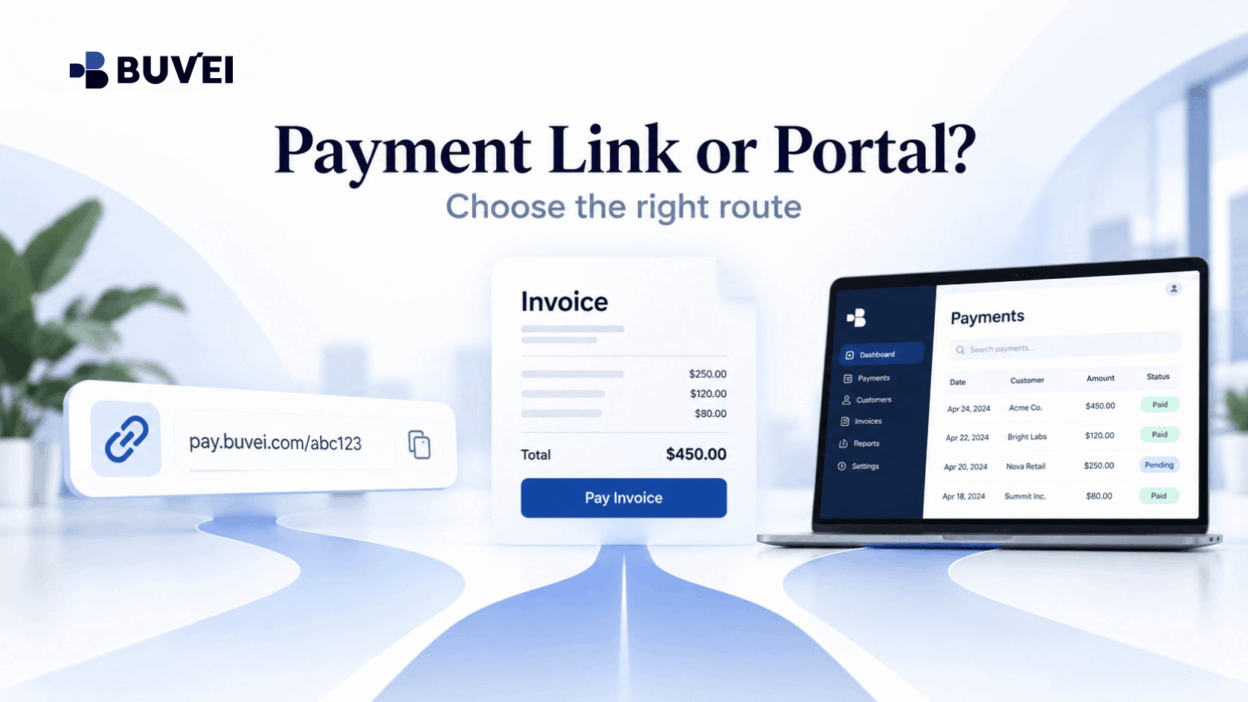
A supplier says an invoice is ready and then sends a payment link by email.
The link opens a branded checkout page, but the domain is different from the supplier’s main website.
Should the buyer pay through the link, search for the invoice in the merchant portal, or ask the supplier for another payment route?
The safest answer comes from verifying the commercial obligation and the payment route separately.
A payment link is not automatically suspicious, just as a familiar merchant portal is not automatically correct.
European businesses commonly receive payment links from:
- Payment processors
- Invoicing platforms
- Marketplaces
- Regional billing entities
- Merchant payment providers
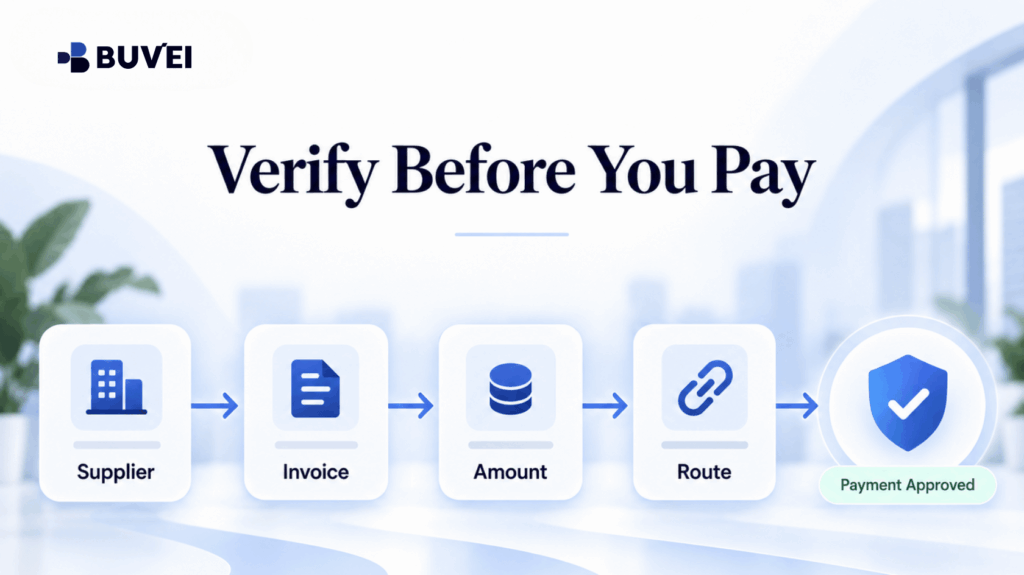
The practical task is to connect four things:
the supplier, the invoice, the amount, and the authorised payment page.
Verify the obligation first. Then verify the route used to collect it.
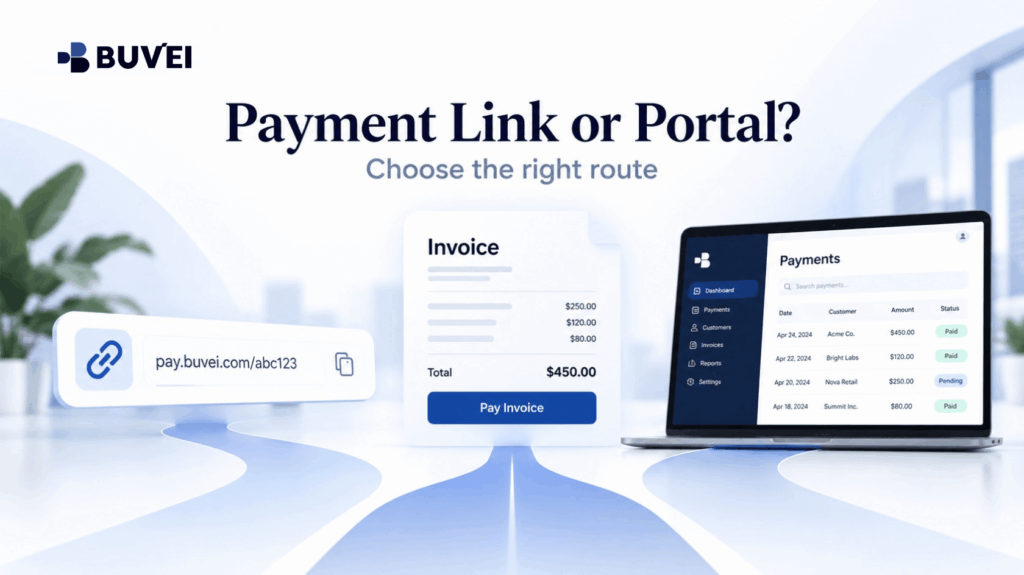
Three Payment Routes That Look Similar but Serve Different Purposes
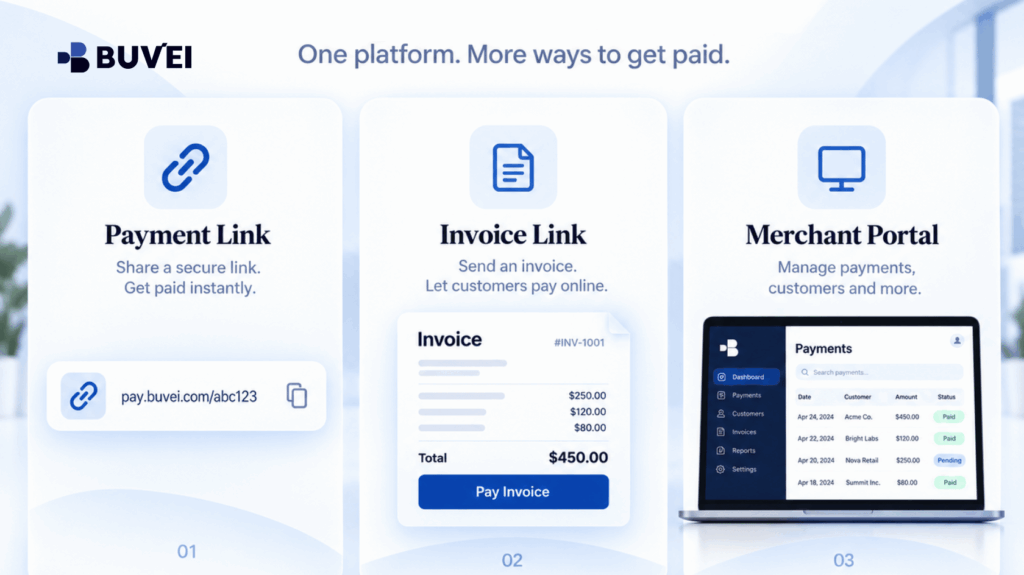
Standalone Payment Link
A standalone payment link opens a hosted checkout page for a specific amount, product, deposit, or open-ended payment.
It may be generated by the merchant through a payment processor and sent via:
- Chat
- Quotation
- Support ticket
The page can be legitimate even when its domain belongs to the payment provider rather than the merchant itself.
Invoice Payment Link
An invoice payment link connects the payment directly to a numbered commercial document.
It may display:
- Supplier name
- Invoice number
- Due date
- Line items
- Tax
- Currency
- Amount due
before opening the card-payment form.
For finance teams, this often provides a clearer reconciliation trail—as long as the invoice itself is authentic and still unpaid.
Merchant Account Portal
A merchant portal is an authenticated area where customers may be able to review:
- Orders
- Subscriptions
- Invoices
- Saved payment methods
- Credits
- Billing contacts
- Account balances
For recurring suppliers, the portal is often preferable because the buyer can navigate from a known website or saved bookmark rather than relying on each incoming payment message.
These payment routes can also work together.
For example:
Merchant portal → Invoice → Payment processor checkout
Seeing several domains during the process does not automatically indicate a problem.
What matters is whether the transition between them and the displayed payment information make sense.
Begin With the Obligation, Not the Payment Button
Before entering card details, establish why the money is due.
Match the payment request to a legitimate business record such as:
- Purchase order
- Signed quotation
- Subscription renewal
- Delivered service
- Booking
- Approved expense
- Existing contract
Confirm:
- Legal supplier
- Amount
- Currency
- Invoice number
- Due date
If the requester cannot explain the underlying transaction, a polished checkout page should not be treated as proof that the payment is legitimate.
Also check whether the invoice has already been paid through:
- Another employee
- Bank transfer
- Direct debit
- Card
- Merchant balance
Duplicate payments can occur when procurement, operations, and finance all receive the same reminder.
Search by invoice number and supplier reference, not just by payment amount.
If bank details have changed, the request is unusually urgent, or the supplier suddenly uses a new payment route, confirm the change through a previously known contact or an independently located merchant support channel.
Do not rely solely on contact information contained in the unexpected message.
How to Verify a Payment Link
Use a structured process rather than guessing.
- Check the sender context.
Was the message expected, and does it continue a real commercial conversation? - Preview the destination.
Look for misspellings, misleading subdomains, suspicious URL shorteners, or unrelated domains. - Navigate independently when possible.
Open the merchant’s known website or application and check whether the same invoice appears in the billing portal. - Match the payment details.
Supplier identity, amount, currency, reference, and description should match the approved obligation. - Confirm the hosted-payment relationship.
If checkout occurs on another domain, verify that the platform is an authorised payment provider used by the merchant. - Keep evidence.
Save the invoice and final payment confirmation. A screenshot can document a temporary payment page, but it does not replace an invoice or receipt.
HTTPS and the padlock icon protect the connection to a website.
They do not prove that the site belongs to the supplier you intend to pay.
Likewise, a company logo can be copied.
Commercial matching and independent verification remain essential.
When the Merchant Portal Is the Better Route
A merchant portal is generally useful when:
- The supplier relationship is recurring
- The company already has a verified customer account
- Multiple invoices may be outstanding
- Billing history needs to be reviewed
- Credits or plan changes may affect the amount due
The portal can reduce ambiguity by showing account history and the current balance.
It can also prevent businesses from paying an obsolete payment link after:
- A credit note
- Cancellation
- Plan change
- Account adjustment
Navigate through a trusted bookmark or the merchant’s official public website.
Confirm that the account belongs to the correct legal entity and region.
Large suppliers may operate separate portals for different countries, subsidiaries, or product lines, so an invoice may not appear in every account.
At the same time, do not assume:
“No invoice visible = nothing is due.”
The invoice could belong to another:
- Workspace
- Billing profile
- Subsidiary
- Customer number
Ask the merchant to identify the correct account rather than creating a new login simply because payment is urgent.
When a Payment Link Is Reasonable
Payment links can be convenient for:
- One-time suppliers
- Event deposits
- Professional services
- Telephone orders
- Manual invoices
- Small businesses without customer portals
They may also reduce the risk of manually copying bank details.
The important controls are:
Expectation + Traceability + Exact Commercial Match
Prefer payment links that clearly identify:
- Merchant
- Purpose
- Amount
- Currency
before requesting card information.
If the payment amount can be edited, confirm the correct amount from the invoice.
If the checkout offers:
- Gratuity
- Donation
- Optional services
- Add-ons
make sure the final total still matches the approved amount.
An expiring link is not automatically unsafe.
Expiry simply limits how long the payment page can be used.
If the link expires, request a new one through a known merchant channel rather than modifying the URL or attempting to reuse cached checkout data.
Invoice Links Still Require Invoice Verification
Even a genuine payment processor can be used to collect an incorrect or fraudulent invoice.
Review:
- Supplier legal name
- Company information
- VAT information where applicable
- Line items
- Quantity
- Service period
- Tax
- Currency
- Total
Compare these details with the underlying contract, purchase order, or approved expense.
If the supplier name on the invoice differs from the card transaction descriptor, record both.
The statement may display:
- Payment processor
- Platform
- Trading name
- Regional billing entity
instead of the main supplier brand.
If the relationship cannot be explained clearly enough for reconciliation, ask the supplier before paying.
Credit notes and partial payments also require attention.
A payment link may still show the original invoice amount even after the supplier has issued a credit.
Confirm the current balance due and request an updated document where necessary.
A Controlled Virtual Card Workflow
Once the supplier and payment route have been verified, a virtual card can help create a clearer payment boundary for the supplier or transaction.
Choose a supported card configuration appropriate for:
- Amount
- Currency
- Merchant type
- Payment pattern
- Expected future charges
Card availability, limits, BINs, regions, and merchant acceptance can vary by account and configuration.
A controlled workflow can look like this:
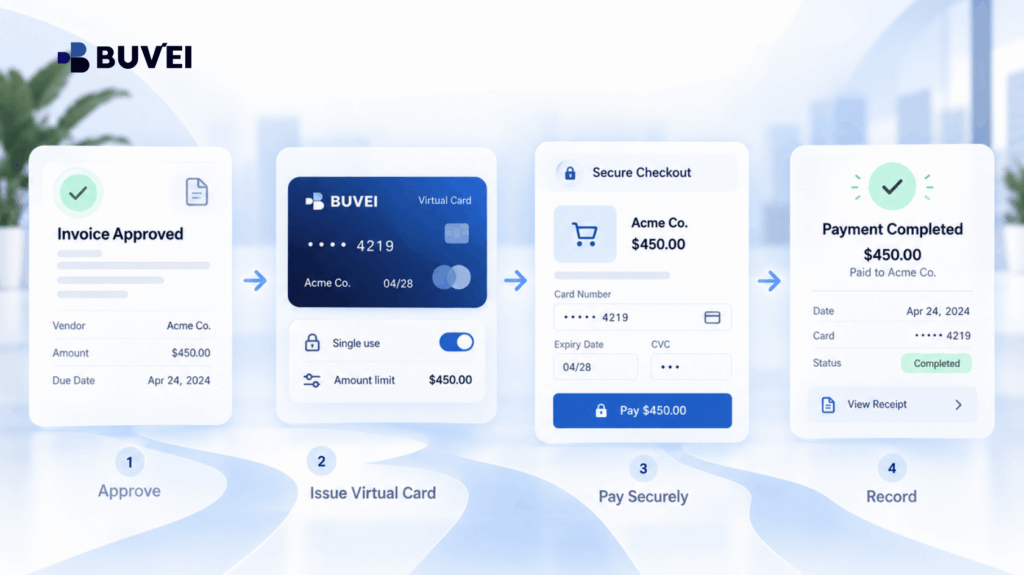
- Create or select the card only after the invoice is approved.
- Set an amount or spending range appropriate to the expected payment where the platform supports such controls.
- Enter card and billing information only on the verified checkout page.
- Complete any required authentication personally.
- Never send OTPs, passwords, CVVs, or full card numbers to the merchant or support.
- Record the merchant reference and card transaction together.
- After the payment posts, decide whether the card needs to remain available for refunds, recurring payments, or later instalments.
A virtual card does not verify the seller or prove that an invoice is legitimate.
Its value lies in helping businesses manage payment exposure and maintain clearer records after the supplier and obligation have been verified.
Red Flags That Justify Pausing the Payment
Stop and verify when:
- The amount or currency changes between the invoice and checkout without explanation.
- The message creates unusual urgency inconsistent with the contract.
- The sender asks for card details, login credentials, or authentication codes through email or chat.
- The domain imitates a known business using extra words, swapped letters, or misleading subdomains.
- The merchant refuses to confirm the payment route through an established channel.
- The page unexpectedly asks for unrelated identity documents.
- Someone requests remote access to the buyer's device.
- The invoice is already marked as paid.
- The payment request cannot be connected to an approved purchase.
Pausing does not automatically mean accusing the supplier of fraud.
A short verification step may reveal:
- Billing error
- Expired payment link
- Incorrect customer account
- Duplicate invoice
- Compromised email thread
What to Do After a Failed or Interrupted Payment
Do not repeatedly click the payment link or rapidly try several cards.
First determine:
- Whether an authorisation was created
- Whether the invoice status changed
- Whether the merchant created a pending order
- Whether the card's available balance changed
Multiple retries may create multiple authorisation holds or duplicate payments.
Record the exact non-sensitive error message and time.
Then check the virtual-card transaction status and available balance.
Contact the merchant through a verified channel and provide:
- Invoice number
- Time
- Currency
- Amount
- Non-sensitive error information
If authentication was interrupted, return through the known merchant portal or request a fresh payment link.
Do not follow a new link sent by an unverified person who claims they can “fix” the original payment.
Subscriptions, Deposits, and Instalments
A payment link that appears to be one-time may also create:
- Stored card credentials
- Recurring billing
- Subscription mandate
Read the checkout wording and merchant terms carefully.
Confirm whether:
- The card will be saved
- Future charges will occur automatically
- The subscription can be cancelled
- Additional payments are expected
For deposits, document the:
- Remaining amount
- Due date
- Expected payment route
A hotel, event organiser, or service provider may legitimately charge the same card later.
A single-use or tightly restricted card may therefore conflict with the agreed payment process.
For instalments, maintain a schedule containing:
- Total contract amount
- Each instalment
- Due date
- Payment status
- Transaction reference
This prevents future reminders from being approved without context.
European Business Records Worth Retaining
For European business payments, retain the supplier's legal identity and VAT invoice where required—not only the checkout confirmation.
A processor receipt may show that money was paid, but it may not contain the tax information required for bookkeeping.
Treat the following as related but separate records:
- Contract
- Invoice
- Card transaction
- Payment receipt
Cross-border suppliers may also use regional billing companies.
The following are not necessarily the same thing:
- Checkout currency
- Acquiring location
- Supplier establishment
- VAT treatment
If tax treatment is unclear, ask an accountant or tax adviser rather than inferring it from the card payment page.
Also follow your organisation's data-retention policy.
Screenshots may expose:
- Names
- Addresses
- Order references
- Partial card information
Store them in approved finance or procurement systems rather than informal chats.
Where Buvei Fits
For supported online-payment scenarios, Buvei can help businesses separate verified supplier payments from other spending and maintain clearer card-level transaction visibility.
Before paying, review the relevant:
- Card option
- Available balance
- Spending controls
- Currency
- Merchant requirements
Card suitability and merchant acceptance may depend on the specific account and transaction context.
Buvei support can help explain card-side transaction status and configuration, but it cannot certify whether an external invoice, payment link, merchant, or tax document is legitimate.
The commercial relationship should always be verified directly with the supplier through an independently trusted channel.
When contacting Buvei support, provide useful non-sensitive information such as:
- Transaction time
- Amount
- Currency
- Merchant name
- Invoice reference
- Error message
Never share:
- Full card number
- CVV
- Password
- OTP
This division is important:
Use Buvei to understand the card side of the payment. Verify the supplier and invoice independently.
A Copyable Payment Approval Note
| Item | Information to retain |
|---|---|
| Supplier and invoice | Legal name, invoice number, service period, amount, currency |
| Business approval | Owner, budget, purchase order or contract reference |
| Route verification | Portal path or link source, destination domain, independent confirmation |
| Payment setup | Card label, intended amount, currency, one-time or recurring purpose |
| Outcome | Transaction reference, receipt, invoice status, follow-up date |
Domain Changes That Can Be Legitimate
A payment page may move from the merchant’s website to:
- Payment processor
- Invoice platform
- Authentication service
- Regional checkout provider
A legitimate transition will normally preserve the expected commercial context, including:
- Merchant relationship
- Amount
- Currency
- Payment purpose
and should lead to a meaningful payment confirmation.
The merchant should also be able to identify its payment provider.
Do not judge legitimacy based only on the final top-level domain.
At the same time, avoid copying sensitive query parameters into public tools or support tickets.
A URL containing a unique invoice token should be treated as confidential business information.
Shared Inbox and Approval Controls
Businesses can reduce confusion by routing invoices to a shared accounts-payable address rather than relying on one employee's inbox.
A simple workflow may use statuses such as:
Received → Verified → Approved → Paid → Reconciled
For higher-risk payments, consider a second-person check of:
- Supplier identity
- Invoice amount
- Currency
- Payment route
The reviewer does not need access to the card credentials.
They need the commercial evidence.
This preserves separation of duties without unnecessarily distributing sensitive payment information.
Mobile Checkout Requires the Same Verification Standard
Mobile email and messaging applications may hide the full destination URL.
Where possible:
- Preview or long-press the link
- Use the merchant's official app
- Navigate from a trusted bookmark
- Use an approved managed browser
If a payment page opens inside an in-app browser, consider switching safely to the organisation's normal browser.
Embedded browsers can sometimes obscure the address bar or interfere with authentication.
Do not submit invoice URLs containing private tokens to unknown online link-checking services.
When Invoice Details Change After Approval
If the merchant changes any of the following after approval:
- Amount
- Currency
- Legal entity
- Line items
- Payment route
send the payment back for review.
Even a small change is a new commercial fact.
The approval record should match what is actually submitted for payment.
Keep the revised document and record why it replaced the earlier version.
Do not manually alter an invoice PDF or spreadsheet simply to make it match the payment request.
After Payment, Close the Loop
A successful checkout message is not the end of the process.
Confirm that:
- The merchant marks the invoice as paid.
- The card transaction reaches the expected status.
- The receipt contains a usable reference.
- Accounting or procurement records are updated.
If checkout succeeds but the invoice remains open, contact the supplier before paying again.
Processing delays and unmatched payment references can occur.
Provide:
- Payment time
- Amount
- Currency
- Receipt identifier
without sending card credentials.
A Simple Verification Script for Staff
Before paying, ask four questions:
Did we order this?
Is this the supplier and legal entity we expect?
Does the amount and currency match the approved document?
Did we reach this payment page through a route we independently trust?
If the answer to any of these questions is no or uncertain, pause the payment.
The value of this checklist is that it is simple enough to use even when a supplier claims that payment is urgent.
Disputes and Evidence Preservation
If fraud or payment error is suspected after the transaction, preserve:
- Original message
- Email headers where available
- Invoice
- Destination details
- Receipt
- Supplier correspondence
- Card transaction information
Report the issue promptly through the appropriate card-provider and merchant channels.
Do not publish full payment URLs containing confidential tokens or card information.
Security, finance, and legal teams may need coordinated evidence, particularly if a company email account may have been compromised.
Train Teams With Realistic Examples
Generic security training helps, but employees often learn faster from sanitised examples based on real supplier workflows.
Useful examples include:
- A legitimate processor-hosted payment page
- An invoice located independently inside a merchant portal
- A changed payment request requiring confirmation
- A duplicate invoice reminder
The lesson should not simply be:
“Never click payment links.”
Many legitimate suppliers use them.
A better rule is:
Connect every payment link to an approved obligation and an independently trusted payment route.
Special Case: Support Sends a Replacement Link
A replacement payment link may be legitimate after:
- Link expiry
- Corrected invoice
- Interrupted authentication
- Merchant support review
Verify that the support conversation began through an official channel.
Then compare:
- Invoice reference
- Amount
- Currency
- Merchant identity
- Payment purpose
Ask whether the original link is now invalid and whether the first attempt created:
- Authorisation
- Order
- Pending transaction
If a pending card transaction already exists, wait for clarification before making another payment.
A new URL does not automatically cancel the earlier payment attempt.
If the replacement follows a commercial change, request an updated invoice or written explanation and repeat the approval process where necessary.
Final Takeaway
Choose between a payment link, invoice payment link, and merchant portal by asking which route provides the clearest verified connection between:
Supplier → Obligation → Amount → Payment → Receipt
A merchant portal is often the strongest option for ongoing supplier relationships.
A properly verified payment link can be perfectly reasonable for a one-time payment or specific invoice.
Do not let a polished checkout page replace commercial verification.
At the same time, do not assume an unfamiliar payment-processor domain is automatically suspicious.
Verify independently, pay through a controlled route, and preserve records that another authorised employee can understand later.