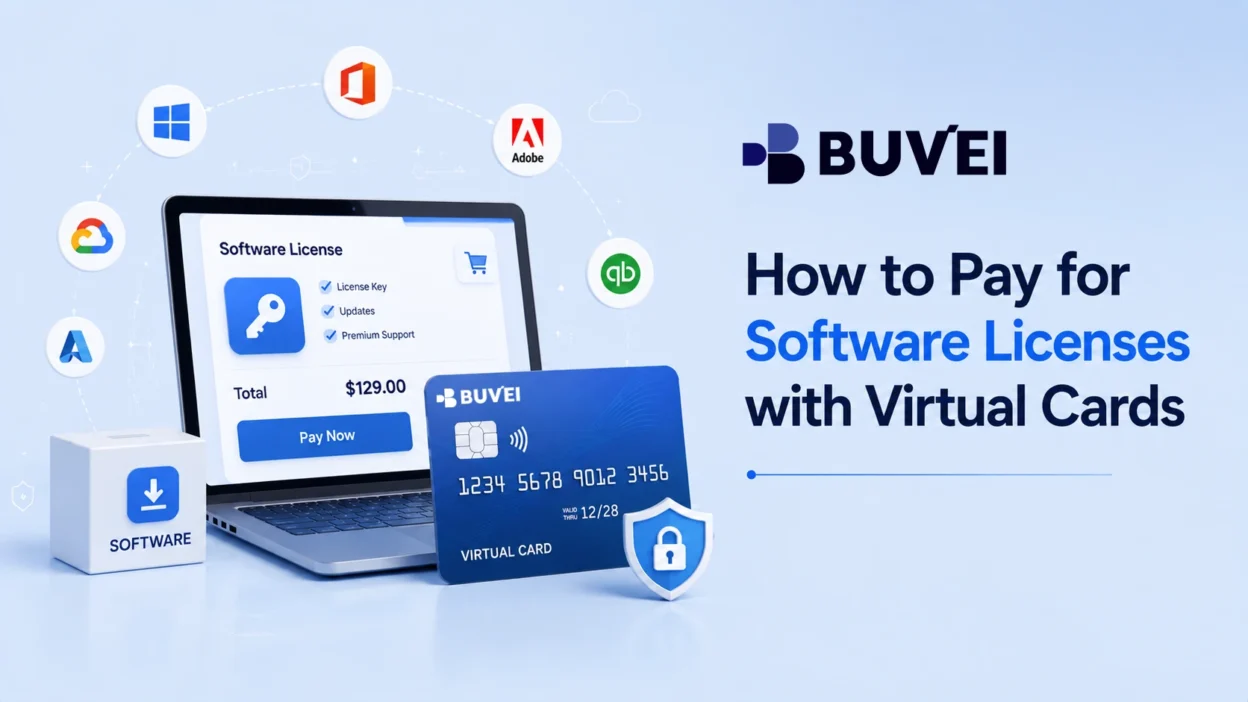
Software license payments are a regular expense for freelancers, developers, designers, and businesses. Whether you are buying a one-time license, paying for an annual plan, or renewing a recurring license, using a virtual card can make the payment process easier to manage. A virtual card can help separate software spending from other expenses, while giving you a clearer way to monitor transactions and manage payment limits.
Why Use Virtual Cards for Software License Payments?
Software licenses can range from inexpensive individual tools to high-value business applications. Using a virtual card for these payments adds an extra layer of control over how you handle software expenses.
One practical benefit is expense separation. Instead of using the same primary payment card for every business expense, you can use a dedicated virtual card for a specific software vendor or license.
Virtual cards can also make spending easier to monitor. When software purchases and renewals appear separately in your transaction history, it is easier to identify what was charged, when it was charged, and how much was spent.
Another advantage is that virtual cards can reduce the need to share your primary card details with multiple software merchants. However, acceptance still depends on the merchant, card type, issuer, and region.
What to Know Before Making a Software License Payment
Before creating or using a virtual card, check how the software license is billed.
| License Type | What to Check |
| One-time license | Total purchase price, taxes, and supported payment methods |
| Annual license | Renewal date, renewal price, and available balance |
| Monthly license | Recurring billing requirements and card acceptance |
| Team license | Number of seats, total cost, and billing frequency |
Also check whether the merchant charges in your local currency or another currency. Taxes, regional pricing, additional seats, and add-ons can increase the final amount.
Understanding these details first helps you choose the right card balance and avoid unnecessary payment failures.
How to Pay for Software Licenses with a Virtual Card
The basic workflow is straightforward: Check the license → Create a virtual card → Fund the card → Pay → Monitor the transaction
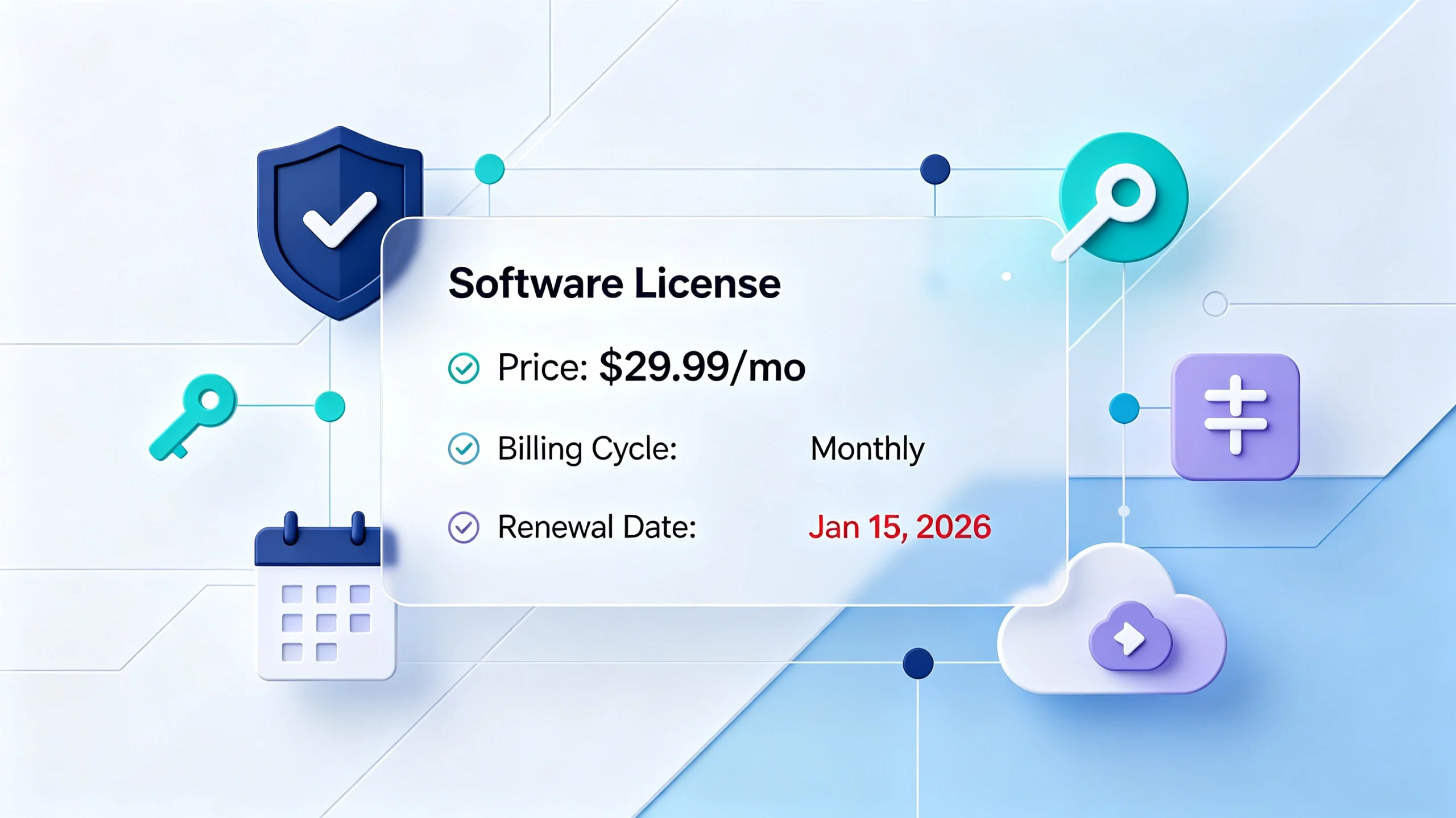
Step 1: Check the Software License and Total Cost
Start by reviewing the software vendor’s checkout or billing page.
Confirm the license price, billing frequency, taxes, number of seats, and currency. If it is an annual or recurring license, also check when the next charge will occur.
This information determines how much money should be available on the virtual card and whether you need to plan for future renewals.
Step 2: Create a Dedicated Virtual Card
If you are using BUVEI, create a virtual card before making the payment. A dedicated card can help keep the software expense separate from unrelated purchases. For example, you could use one card for a design application and another for a development tool.
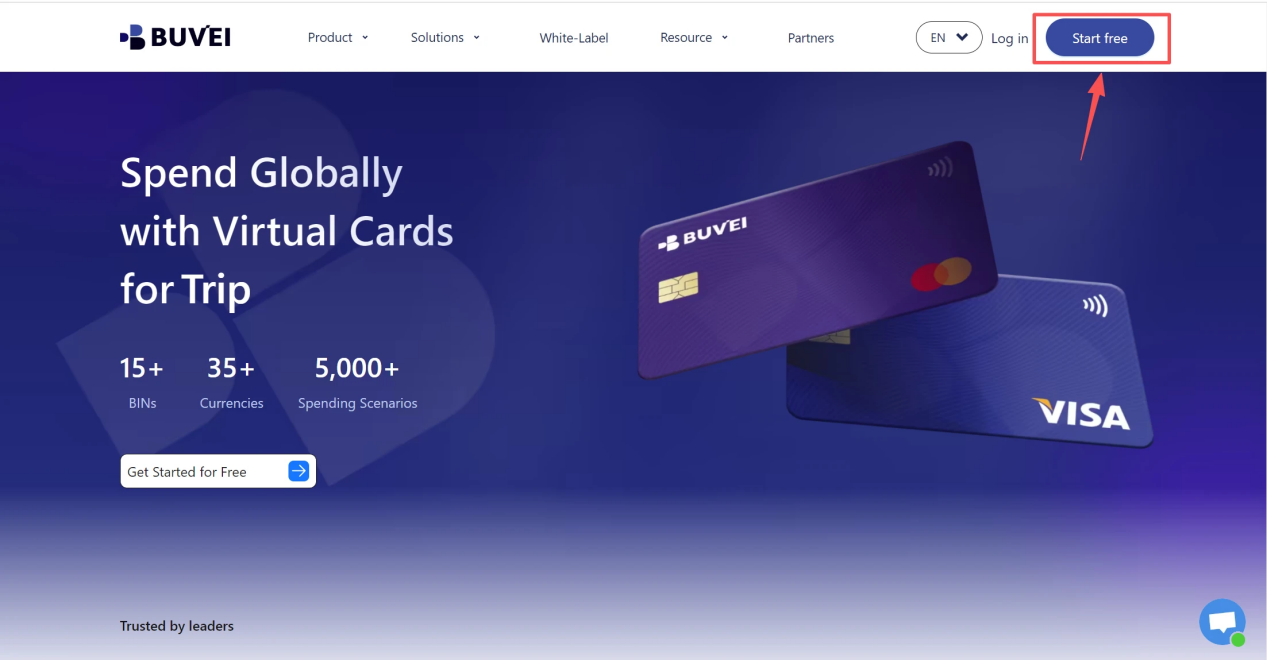
- Sign up/Sign in at buvei.com
- visit https://buvei.com and create a free account.
- After email verification, log in to access the Buvei dashboard.
- Create a Virtual Card
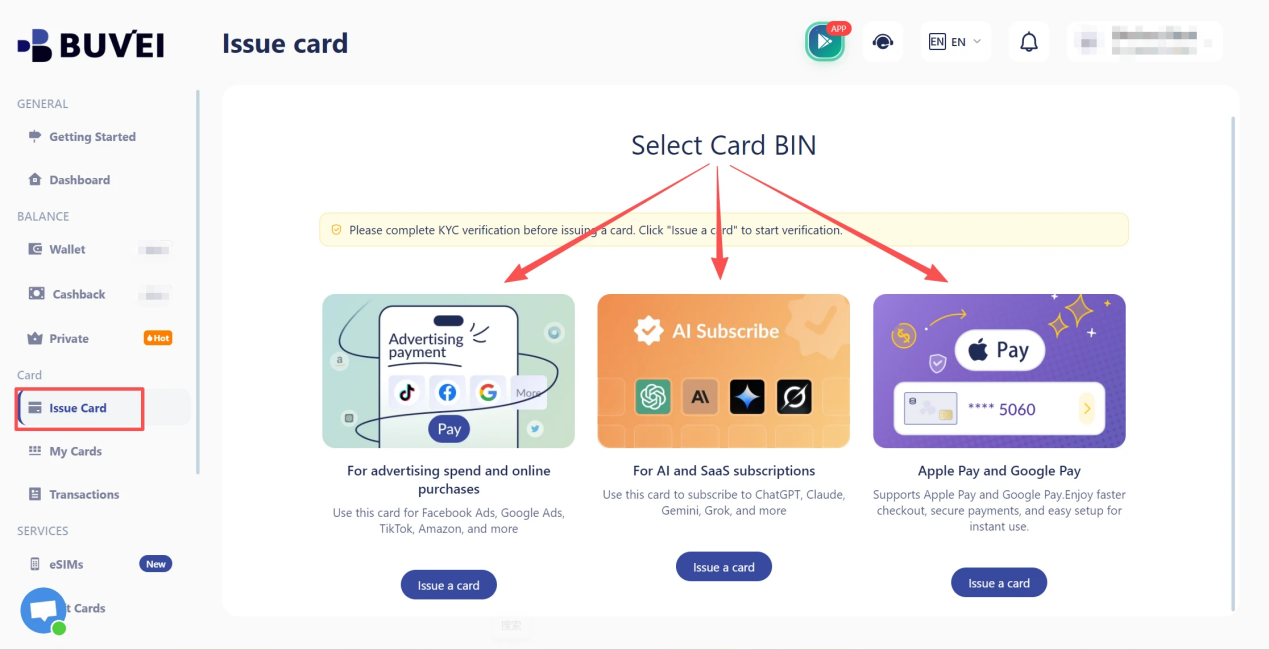
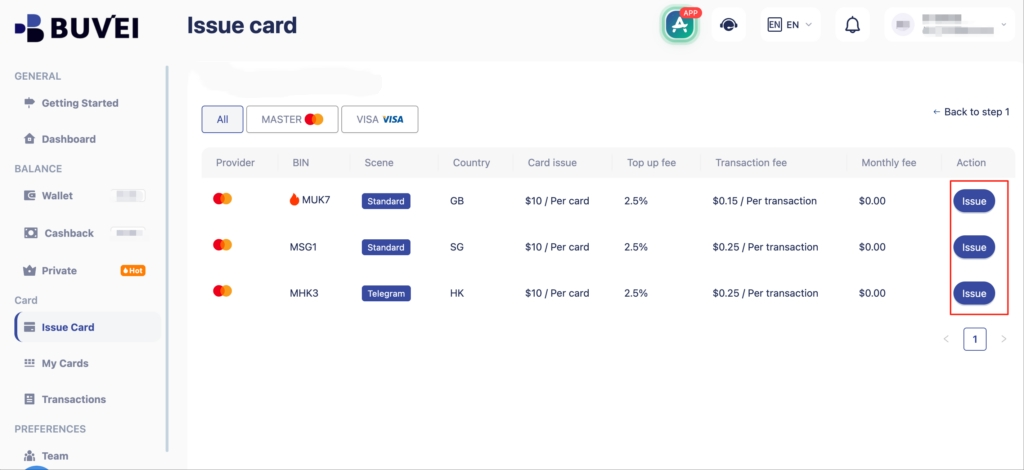
- Fill in the virtual card details, including name, amount, and number of cards.
- Click Issue Card
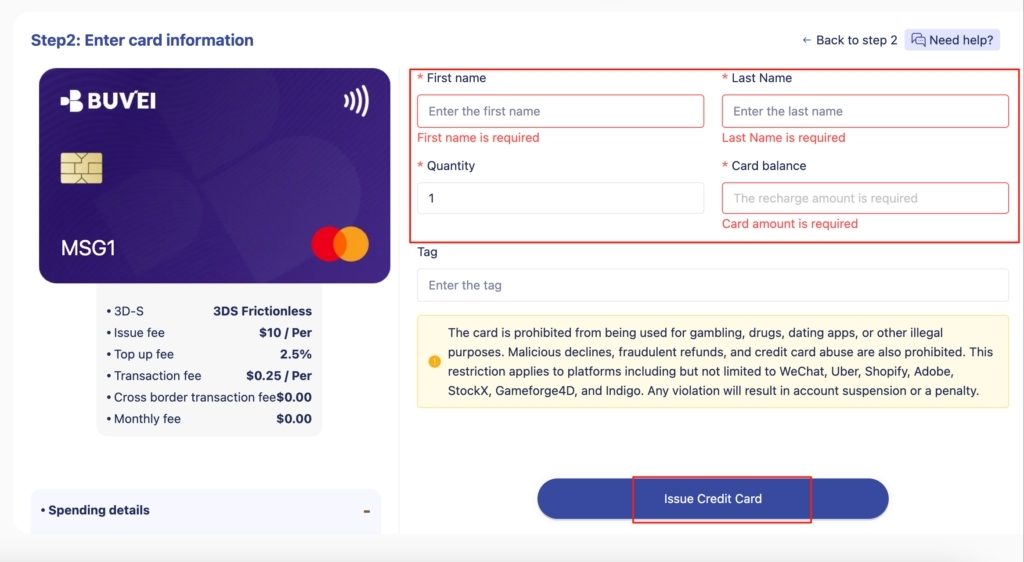
The goal is not to create unnecessary cards for every transaction, but to create a card structure that makes recurring software expenses easier to identify and manage.
Step 3: Make Sure the Card Has Enough Balance
Before submitting the payment, check your available balance.
- Navigate to the Wallet tab and top up using supported stablecoins like USDT (TRC20/ERC20). You’ll receive a unique address—copy it and send your funds.
- Once confirmed, your balance will appear in the wallet for immediate use.
The amount needed may be higher than the advertised license price because the final charge can include taxes, currency conversion, additional seats, or other fees.
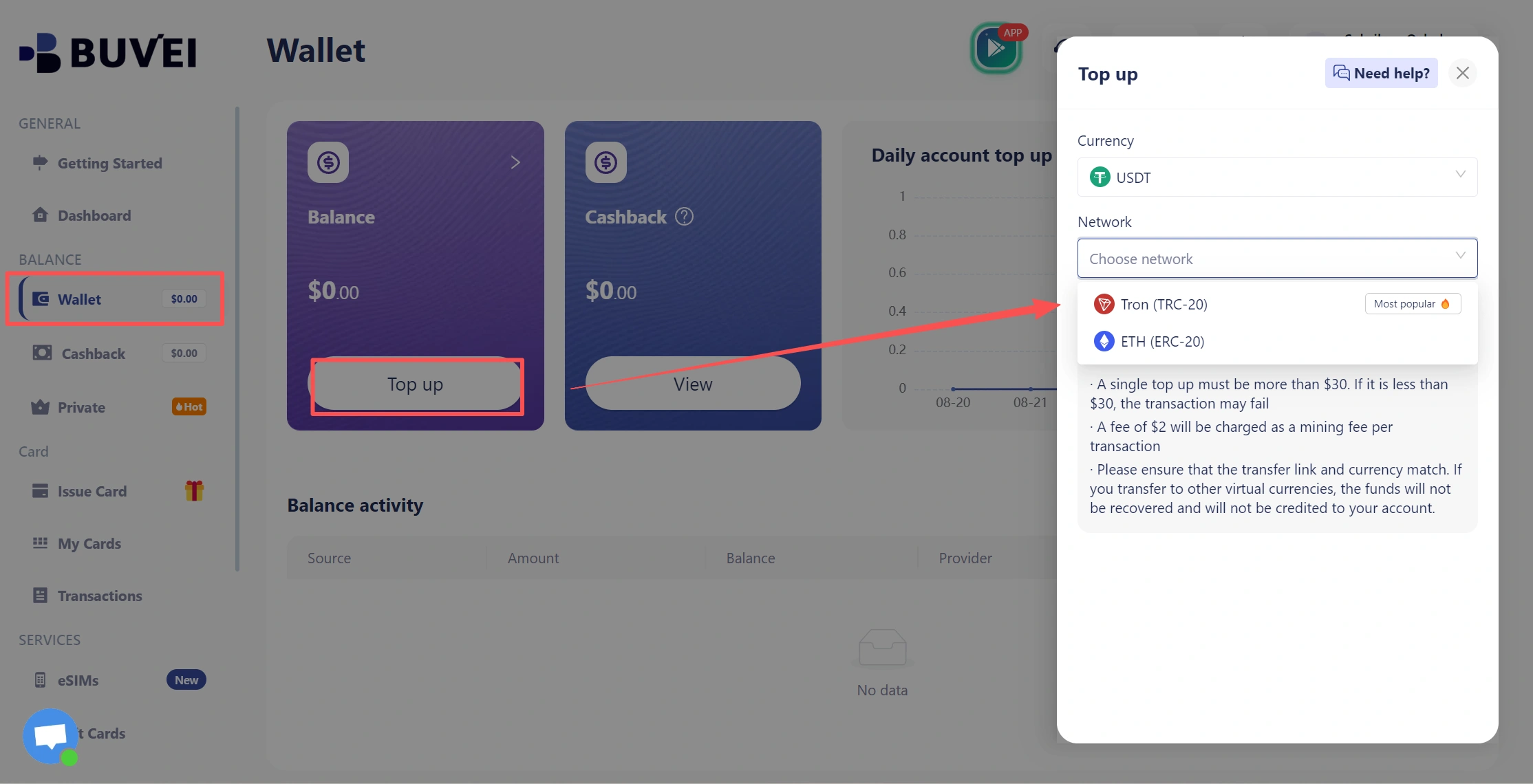
For recurring licenses, also consider the expected renewal amount rather than only the first payment.
Step 4: Enter Your Virtual Card Details
At the software vendor’s checkout page, enter the virtual card information required by the merchant. This may include:
- Card number
- Expiration date
- Security code
- Billing information
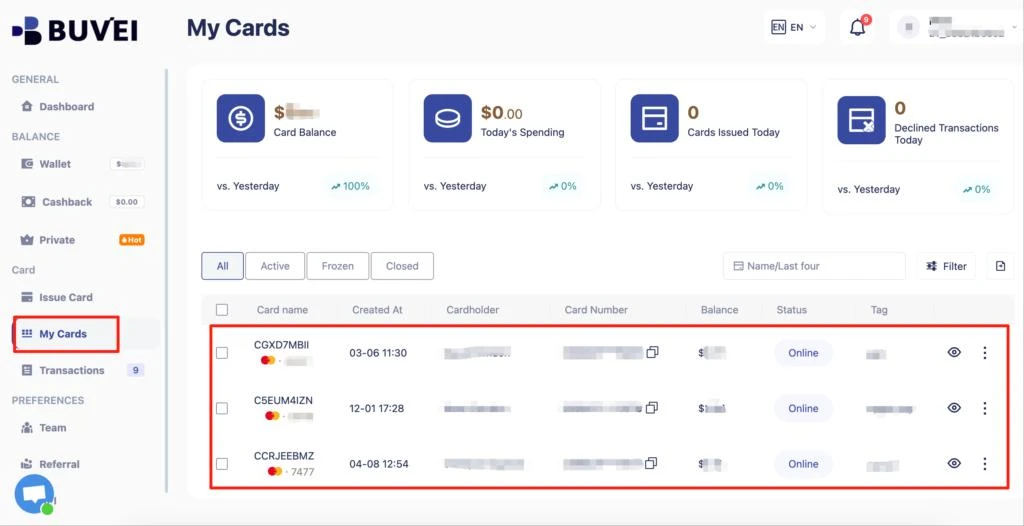
Make sure the billing information matches what the merchant requires. A mismatch between the card information and billing details can cause a legitimate payment to be declined.
Step 5: Complete the Software License Payment
Submit the payment through the software vendor’s checkout system. If the transaction is approved, the license should be activated according to the merchant’s normal process.
Keep in mind that having sufficient balance does not guarantee that every software merchant will accept a virtual card. Some merchants may restrict certain card types, regions, prepaid or debit products, or recurring transactions.
If the payment fails, check the merchant’s payment requirements before repeatedly retrying the transaction.
Step 6: Check the Transaction
After completing the payment, review the transaction in your virtual card platform.
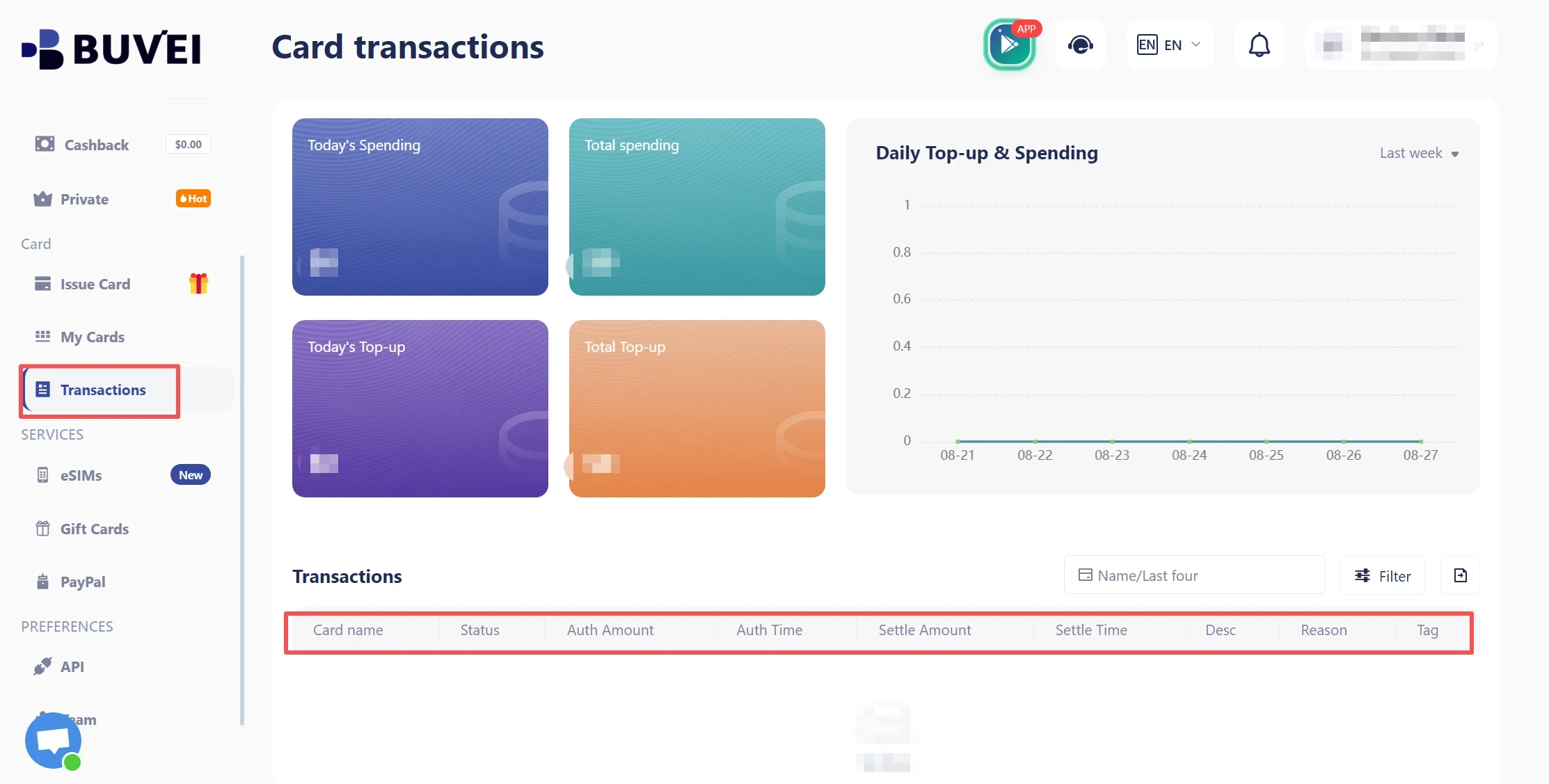
Confirm that the amount, merchant, and transaction status are correct. This creates a useful record for future reconciliation and makes it easier to identify unexpected charges.
How to Manage Software License Renewals
Software renewals require more planning than one-time purchases. For an annual or recurring license, keep track of:
- Renewal date
- Expected renewal amount
- Card balance
- Billing currency
- Whether the virtual card is still active
A renewal can fail even when the original purchase worked. The price may have changed, the card may no longer be available, or the merchant’s billing requirements may have changed.
For important software, review the payment method before the renewal date rather than waiting until the renewal charge is attempted.
Managing Multiple Software Licenses
If you manage several software tools, separating payments can make expense tracking easier. For example:
| Software Expense | Suggested Card Structure |
| Design software | Dedicated virtual card |
| Development tools | Dedicated virtual card |
| Marketing software | Separate card |
| Team software | Card dedicated to the business tool |
The exact structure depends on how many licenses you manage and how detailed your expense tracking needs to be.
For a small number of tools, one virtual card may be sufficient. For larger software portfolios, separating major or high-value licenses can make transactions easier to identify.
Common Problems with Software License Payments
Payment Declined
A payment may be declined because of insufficient balance, incorrect card details, merchant restrictions, regional limitations, or other issuer or payment-network rules.
First, verify the available balance and card information. If everything appears correct, check whether the software merchant accepts the type of virtual card you are using.
The Software Merchant Does Not Accept the Virtual Card
Some merchants may not accept every type of virtual card. Acceptance can depend on factors such as:
- Card type
- Merchant payment processor
- Country or region
- Recurring-payment requirements
- Merchant restrictions
Therefore, a virtual card should not be treated as a universal replacement for every payment method. If a merchant rejects the card, review its supported payment methods before trying again.
Billing Information Does Not Match
Some software vendors verify billing information during checkout. If the billing name, address, country, or other required information does not match the information associated with the payment method, the transaction may fail. Check the merchant’s billing requirements and make sure the information entered during checkout is accurate.
Software License Renewal Fails
A renewal failure can happen when the card does not have enough available funds or when the merchant cannot process the recurring transaction.
Check the renewal date and expected amount in advance. If the merchant requires a supported recurring-payment method, confirm that your virtual card meets those requirements.
Currency or Regional Restrictions
International software vendors may process payments in a different currency or restrict cards issued in certain regions.
Before paying, check the merchant’s supported countries and currencies. If currency conversion is involved, allow some additional balance for possible conversion costs or differences in the final charge.
Best Practices for Software License Payments
A simple process can make software payments easier to manage over time.
| Best Practice | Why It Helps |
| Use dedicated cards when appropriate | Makes software expenses easier to identify |
| Check the total cost before payment | Helps avoid insufficient-balance issues |
| Track renewal dates | Reduces unexpected renewal failures |
| Review transactions after payment | Helps identify incorrect or unexpected charges |
| Check merchant requirements | Reduces avoidable payment declines |
| Keep important licenses organized | Makes recurring software expenses easier to manage |
The goal is not simply to replace a traditional card with a virtual one. It is to create a more controlled payment workflow for software purchases and renewals.
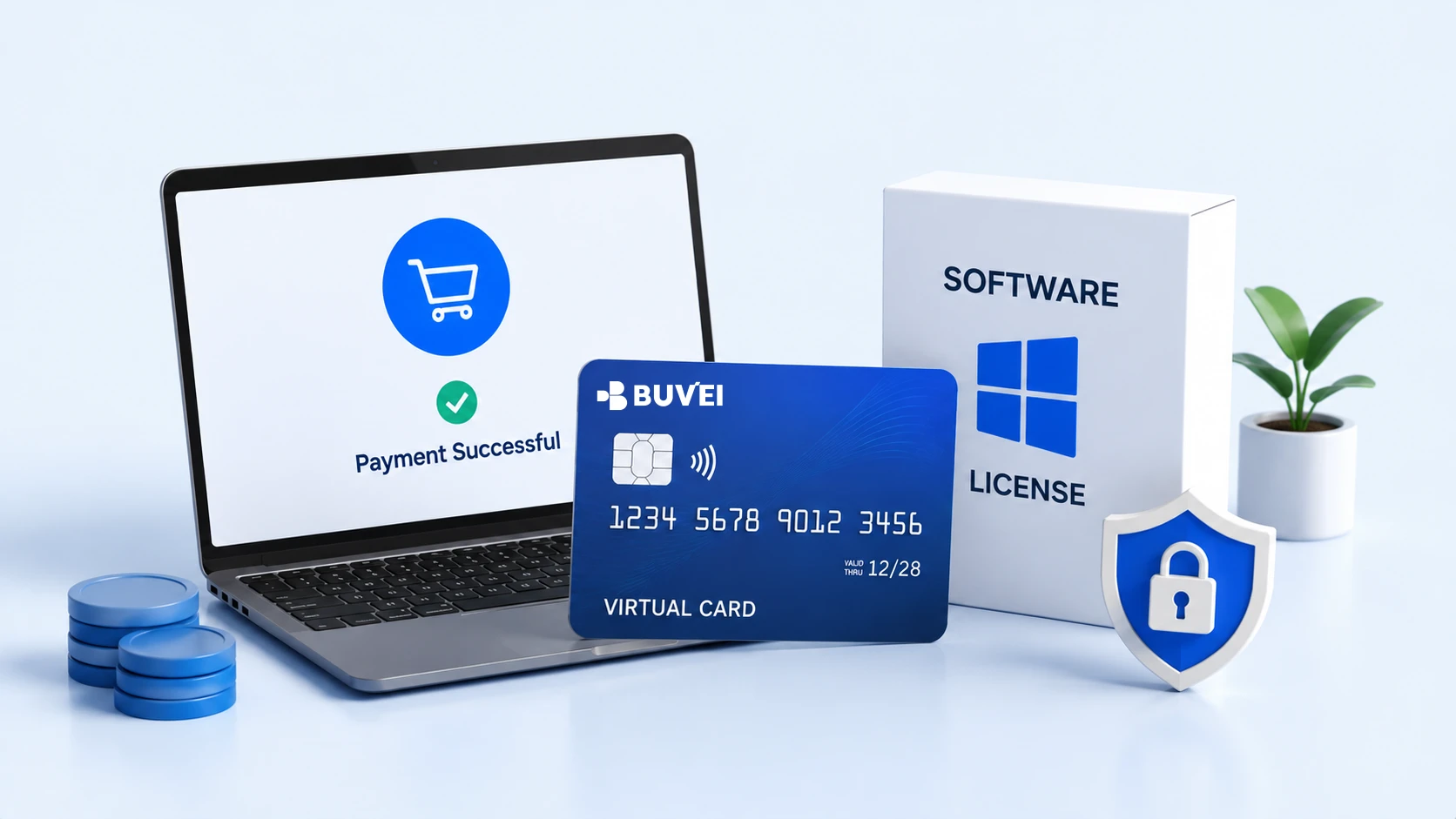
Why Use BUVEI for Software License Payments?
For businesses and individuals managing multiple digital services, BUVEI can fit into a straightforward software payment workflow: Create → Fund → Pay → Monitor
You can create a virtual card for a software expense, make sure the card has sufficient funds, use it at the merchant’s checkout, and then review the resulting transaction.
This approach can be useful when software payments need to be separated from other business or personal expenses. A dedicated virtual card can also make individual software charges easier to identify when reviewing transaction history.
BUVEI can therefore be considered when you want a virtual-card-based workflow for software licenses rather than relying entirely on your primary payment card.
As with any virtual card, however, merchant acceptance can vary. Before purchasing an important license, check the software provider’s accepted payment methods and billing requirements.
Frequently Asked Questions
Can I use a virtual card to pay for a software license?
In many cases, yes. However, acceptance depends on the software merchant, card type, issuer, region, and payment requirements. Check the merchant’s accepted payment methods before purchasing.
Are virtual cards suitable for annual software licenses?
They can be useful for annual licenses because they allow you to separate the license expense and monitor the related transaction. For renewals, make sure the card remains active and has sufficient funds.
Can I use the same virtual card for multiple software licenses?
Yes, depending on your preferred expense-management approach. However, using dedicated cards for important or high-value licenses can make transactions easier to identify.
Why did my software license payment fail even though I had enough balance?
A sufficient balance does not guarantee approval. The merchant may restrict certain card types, regions, recurring transactions, or other payment methods. Incorrect billing information can also cause a decline.
Should I use a virtual card for a one-time software purchase?
A virtual card can be useful for one-time purchases when you want to separate the transaction from your primary payment card or keep software expenses easier to track.
Conclusion
Software license payments do not have to be difficult to manage. Whether you are purchasing a one-time license or maintaining several annual and recurring software subscriptions, a virtual card can provide a more organized way to handle these expenses.
The key is to follow a simple workflow: check the license, create and fund the virtual card, complete the payment, and monitor the transaction. Always verify the software merchant’s payment requirements because virtual card acceptance can vary.
For users looking for a dedicated virtual-card workflow, BUVEI provides an option for managing software-related payments while keeping individual transactions easier to monitor.