


Introduction
Robux allows players to purchase avatar items, accessories, and other content across Roblox. When you buy Robux online, having a convenient payment method can make it easier to manage these purchases, especially if you prefer keeping gaming expenses separate from everyday spending.
A virtual Visa or Mastercard is one option for online gaming purchases. With BUVEI, users can create virtual cards, top up their wallets with USDT, and manage their online spending in one place.
Can You Buy Robux with a Virtual Card?
Roblox supports several payment methods for website purchases, including major credit and debit cards, prepaid credit cards, PayPal, and Roblox Gift Cards. Payments made through the mobile app are generally processed by the corresponding app store, such as Apple App Store or Google Play. Available options may vary depending on the device and region.
Roblox doesn't list virtual cards as a separate payment category. A virtual Visa or Mastercard may work through the regular card payment option, but acceptance depends on the card issuer, transaction restrictions, billing information, and Roblox's payment verification.
Before purchasing, make sure your card supports online transactions and has enough available balance to cover the full order. Roblox also requires each purchase to be paid in full using one payment method, so you can't combine multiple cards to cover a single transaction.
How to Buy Robux with a Virtual Card
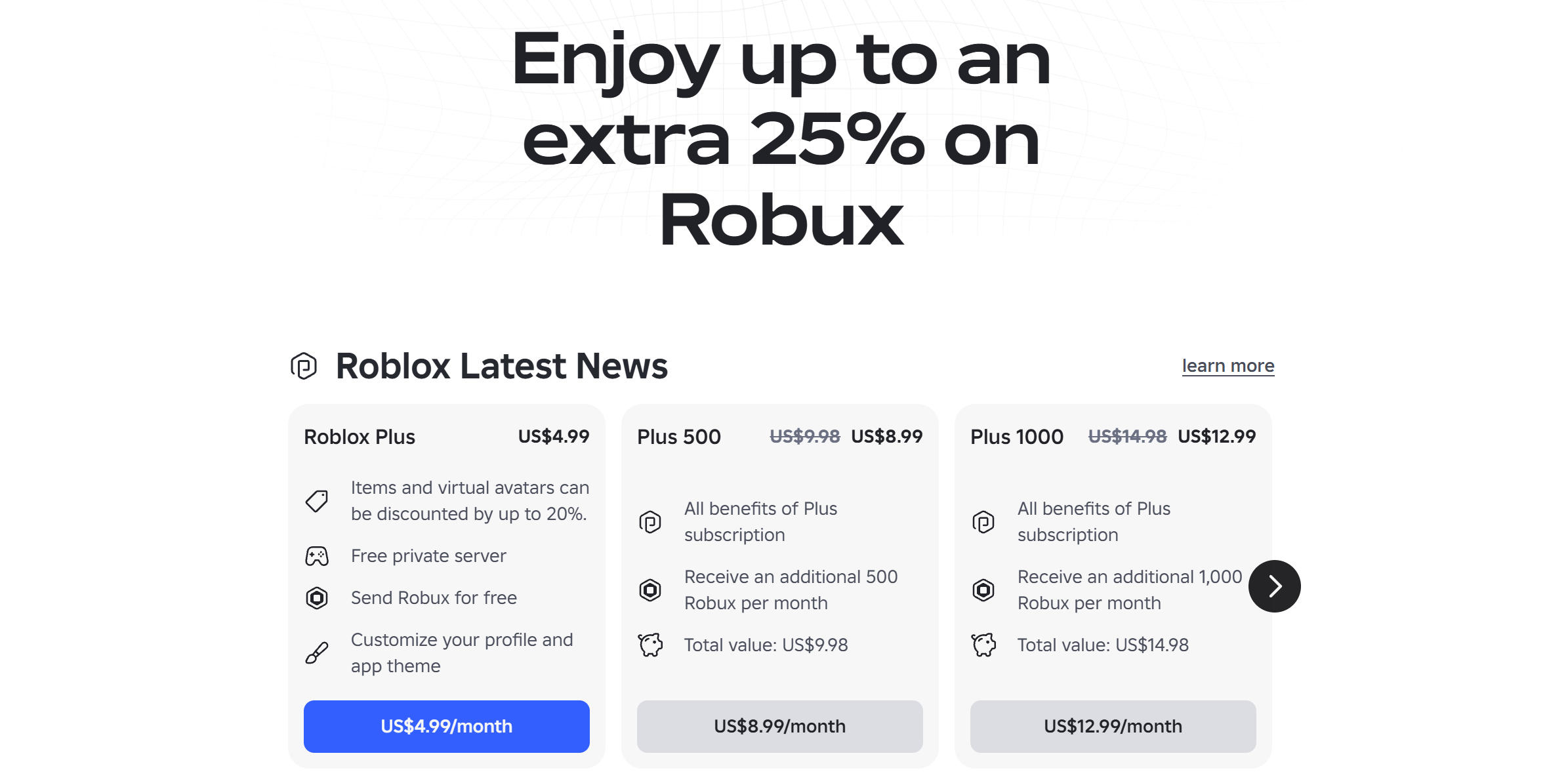
The following steps focus on buying Robux through the Roblox website. Website, computer, and gift card purchases can offer up to 25% more Robux than other purchase methods, depending on the package and options available to your account.
Step 1: Choose a Robux Package
Sign in to your Roblox account and open the Robux purchase section.
You'll find different packages with their corresponding Robux amounts and prices. Choose one that fits your budget and check the amount displayed before continuing.
Roblox offers up to 25% more Robux for eligible website, computer, and gift card purchases. The exact amount depends on the package, so compare the options shown in your account before choosing.
Step 2: Register a BUVEI Account
Start by creating a BUVEI account.
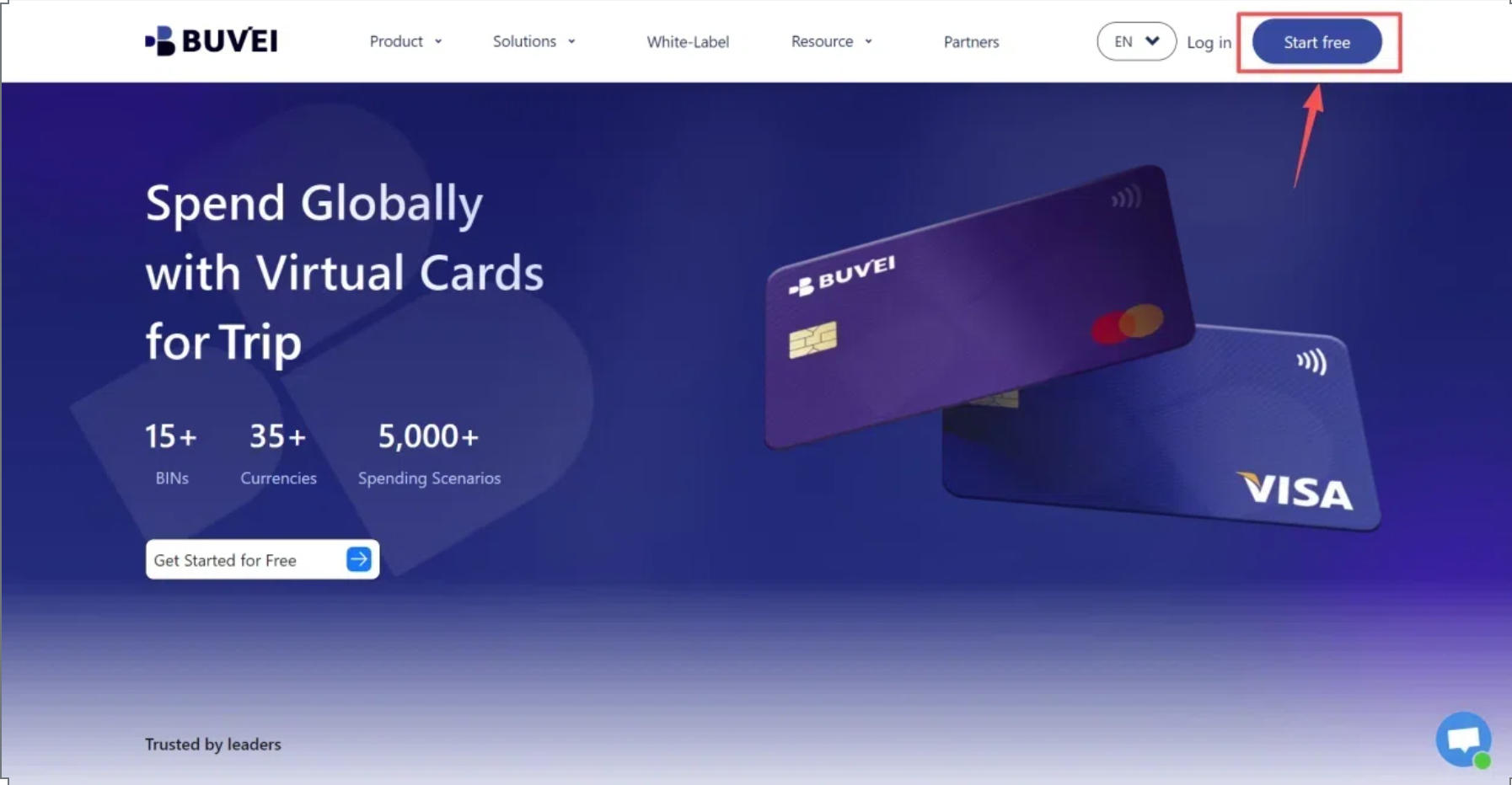
Visit BUVEI, complete the registration form, and verify your email address. After signing in, you'll have access to your wallet and virtual card management dashboard.
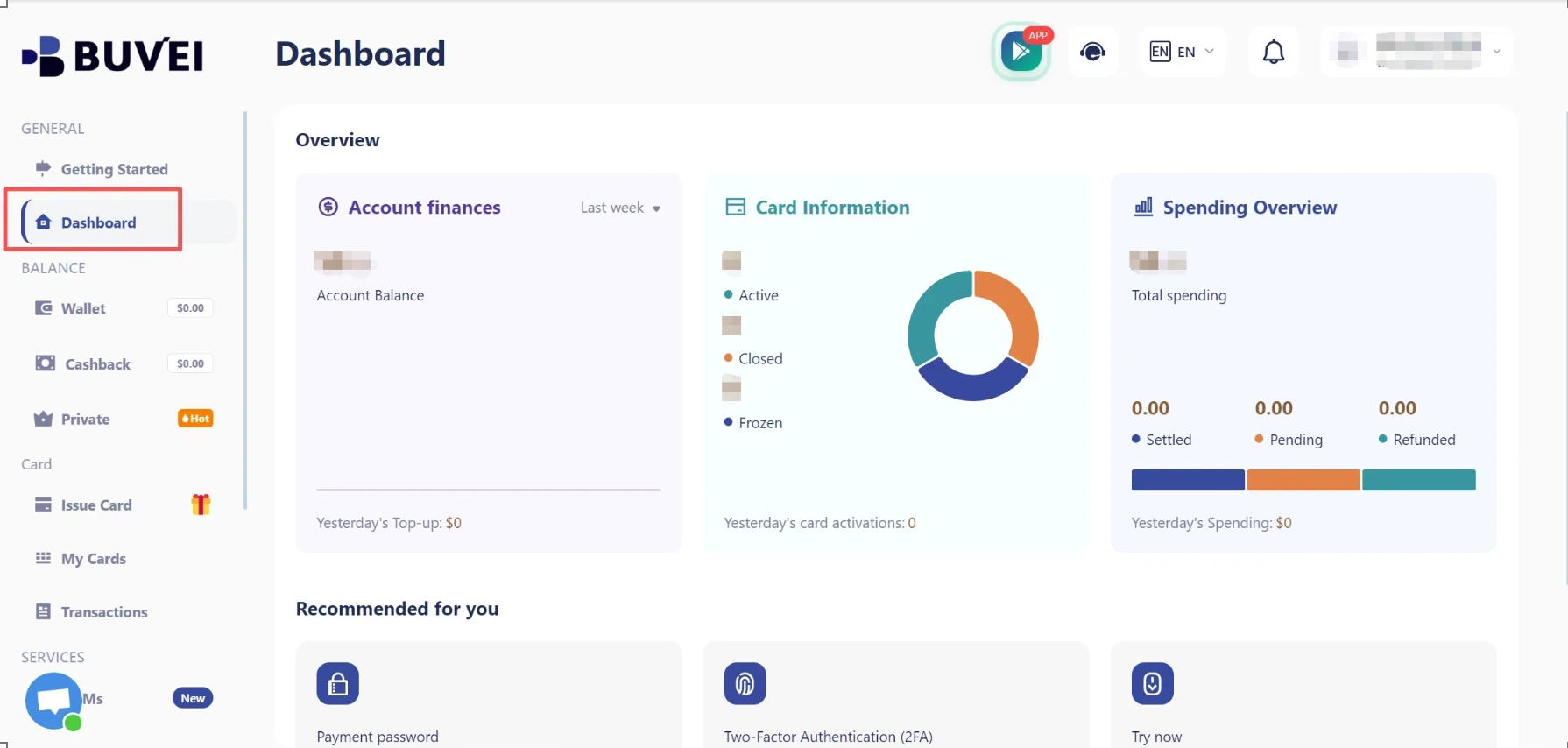
Step 3: Top Up Your BUVEI Wallet
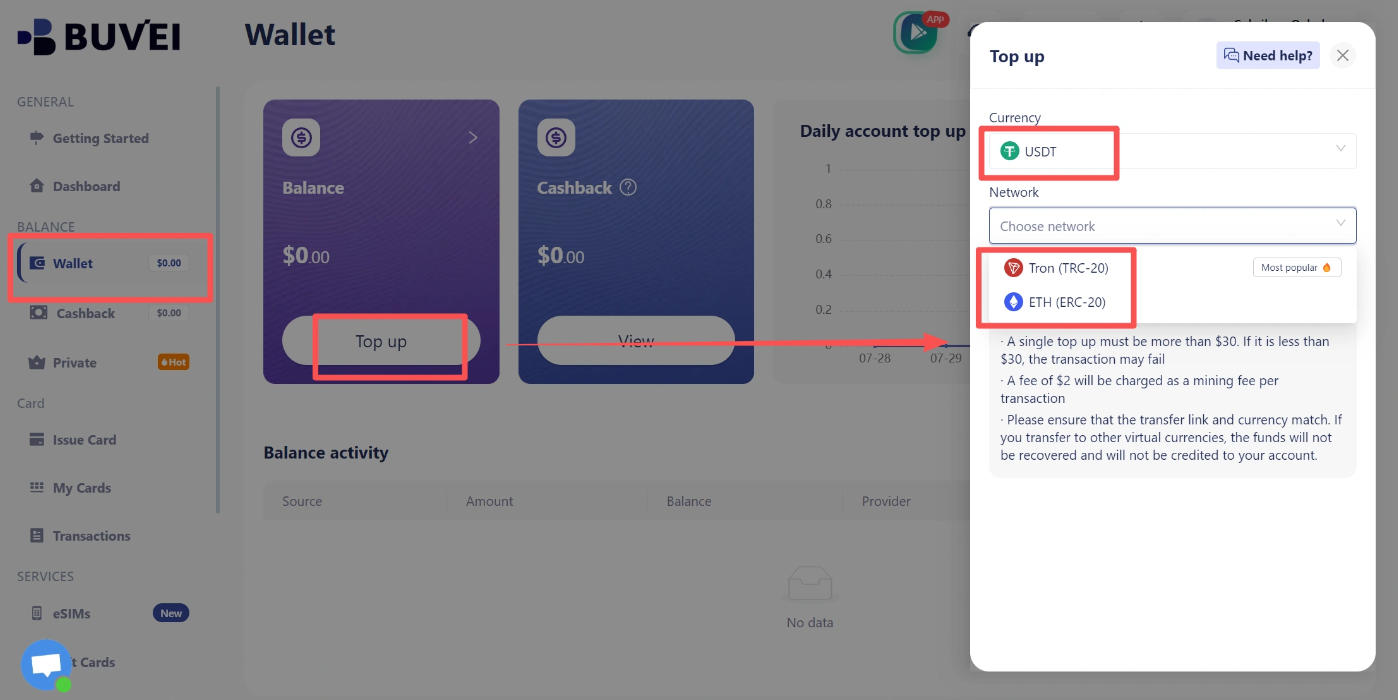
Before issuing a card, you'll need to add funds to your BUVEI wallet.
Open Wallet, select USDT, and choose an available network such as TRC20 or ERC20. Copy the corresponding deposit address and transfer your USDT using the same network.
Once the transaction is confirmed, check your wallet balance to make sure the funds have arrived.
Step 4: Create a BUVEI Virtual Card
With your wallet funded, go to Cards and select your preferred BIN region and card type.
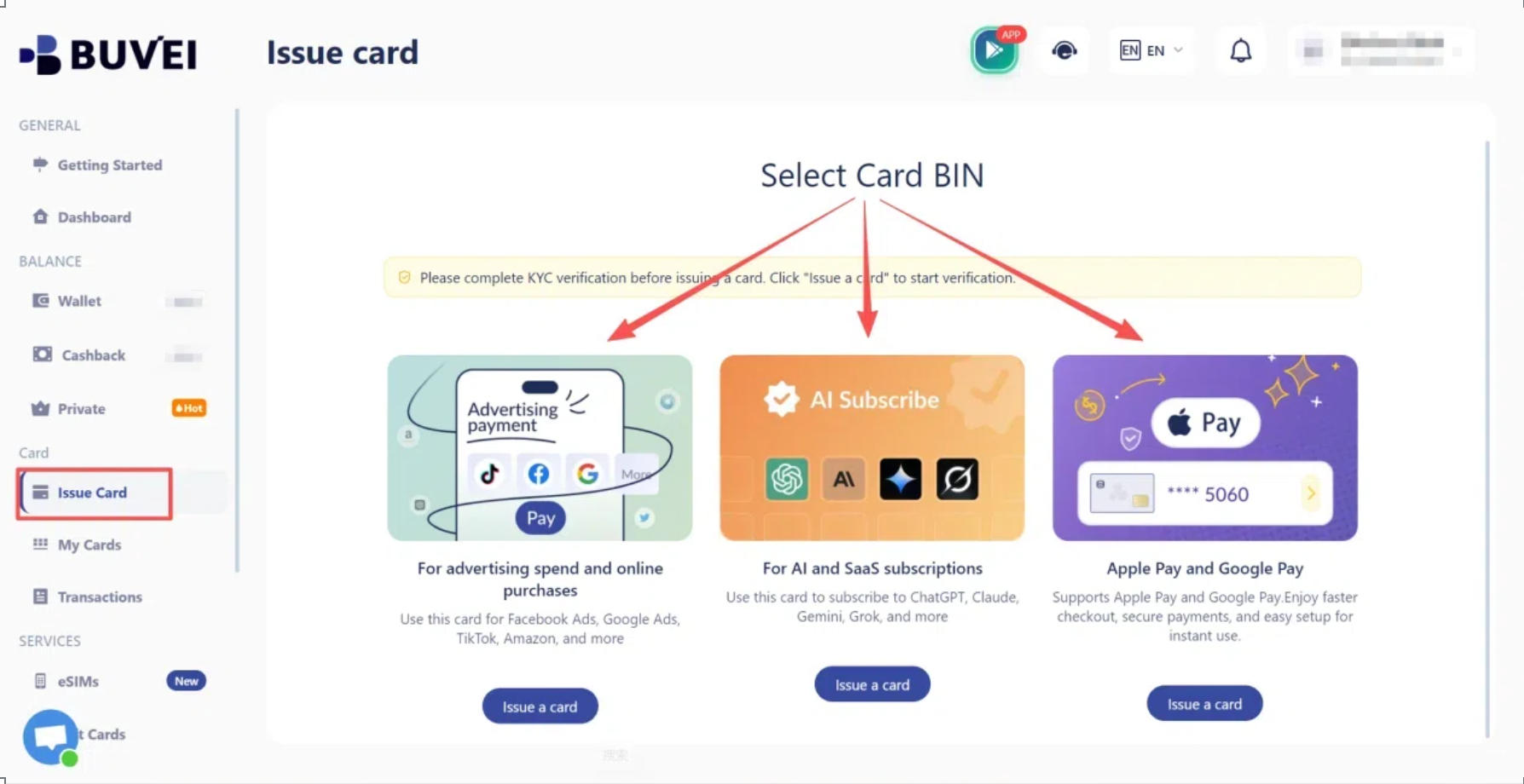
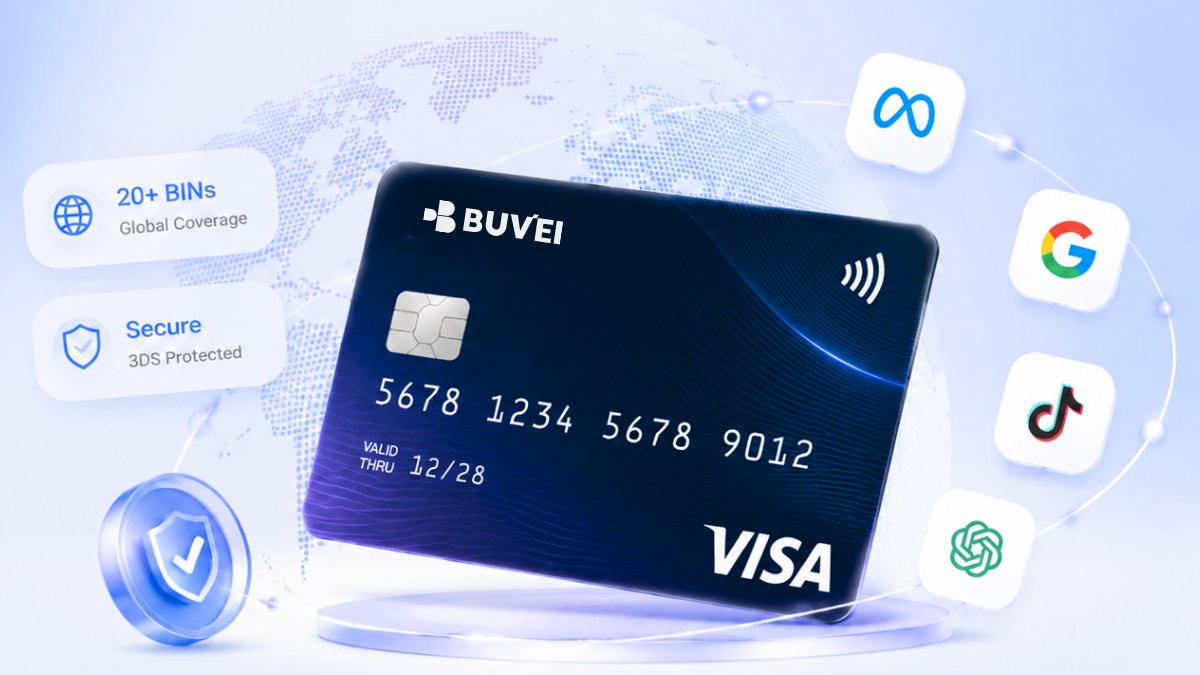
BUVEI supports multiple BIN regions across Visa and Mastercard networks, giving users different options for eligible online payment scenarios.
Enter the card name, amount, and number of cards you want to issue, then click Issue Card.
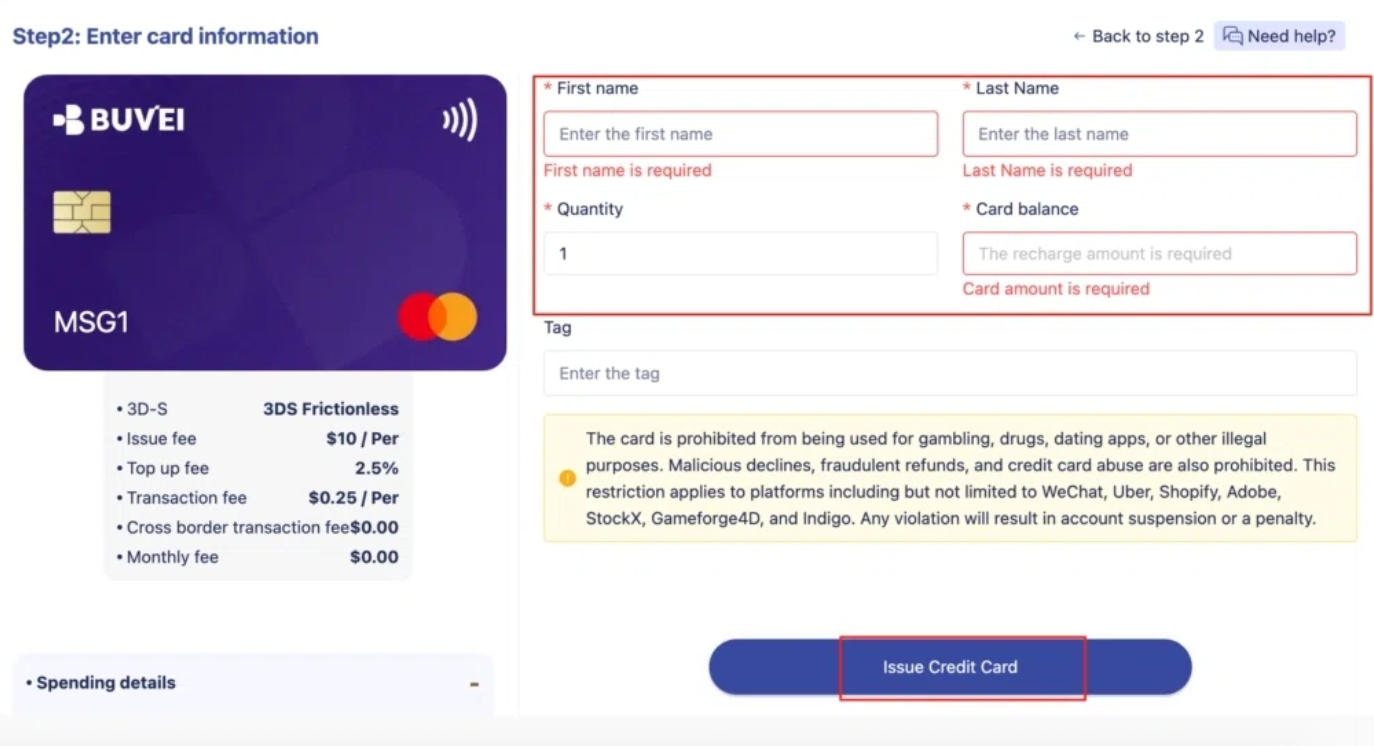
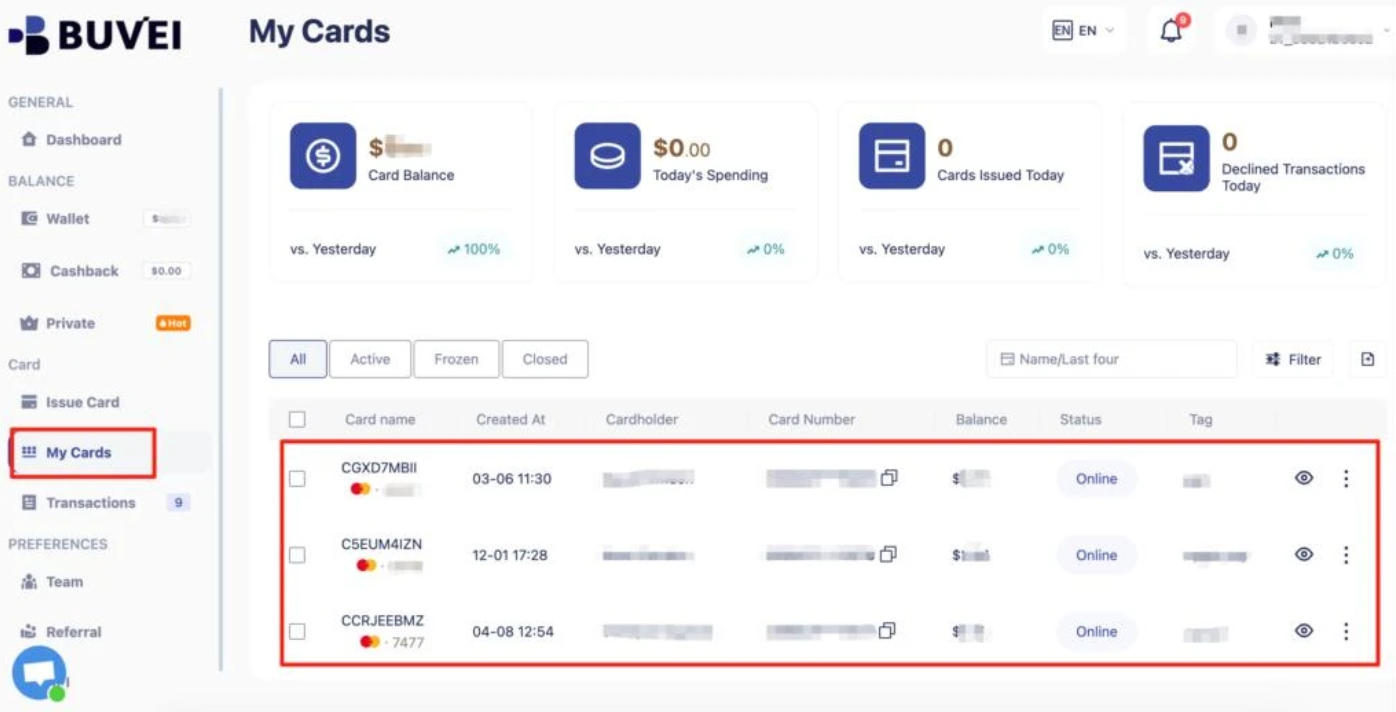
Once the card is created, open My Cards to view its number, expiration date, and CVV. Card issuance is generally quick after registration, subject to availability and applicable account requirements.
Step 5: Enter Your Virtual Card Details and Complete Payment
Return to the Roblox Robux purchase page and select the package you chose earlier.
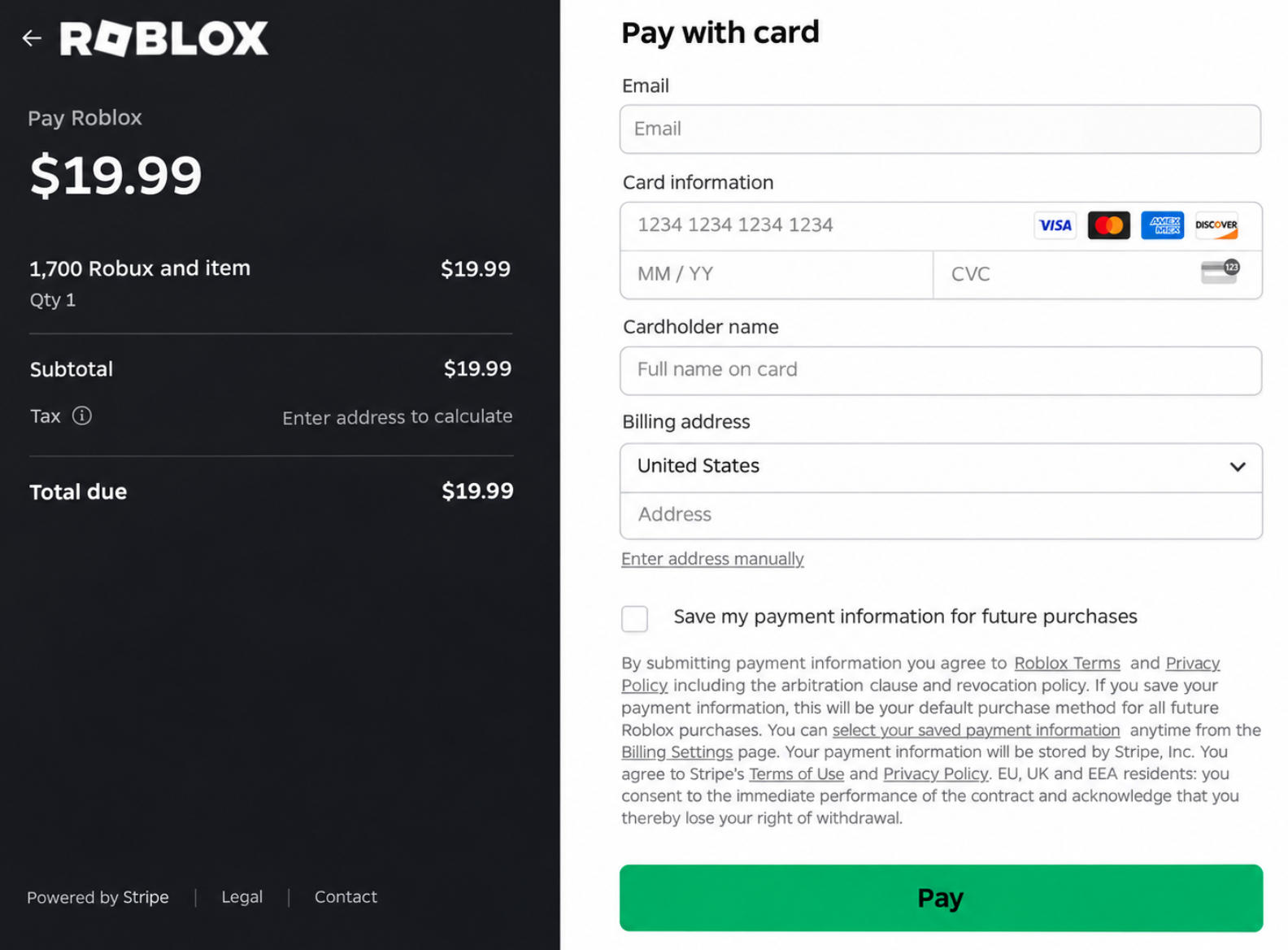
Select the card payment option and enter your BUVEI virtual card number, expiration date, and CVV. If Roblox requests billing information, use accurate details associated with your card.
Review the Robux amount and final charge, including any applicable taxes or fees. Once everything looks correct, submit the payment and wait for Roblox to process the transaction.
If the payment is approved, the purchased Robux should appear in your account balance. Check your purchase history as well if you want to confirm the transaction.
What to Do If Your Robux Payment Is Declined
A declined purchase doesn't always mean there's something wrong with the card itself. Incorrect billing information, bank security checks, and Roblox's payment verification can all affect the result.
Check Your Card Details and Billing Address
Start by comparing the information entered at checkout with your card details.
An incorrect card number, expiration date, or CVV can cause a transaction to fail. The billing address matters too. If the address entered doesn't match the information registered with your card provider, Roblox may reject the payment.
Even when the details are correct, your bank or Roblox's fraud prevention system may still decline the transaction. If that happens, check with your card issuer before trying again.
Check Your Available Balance and Card Restrictions
Your card needs enough available balance to cover the entire purchase, including applicable taxes or fees.
Also consider restrictions that aren't immediately obvious. The card may be frozen, have reached its spending limit, or be restricted from online, international, or certain merchant transactions.
If you're using BUVEI, review the card status and transaction history to see whether the payment was attempted, declined, or left pending.
Check for Pending Charges Before Trying Again
A confusing situation can occur when Roblox reports a declined payment but the amount still appears in your card activity.
A declined payment may still appear as a pending transaction on your card. This is usually a temporary authorization hold rather than a completed purchase. Your card issuer may hold the purchase amount or a small verification charge while processing the transaction. These funds are generally released within 1–10 business days, depending on your financial institution.
Don't immediately submit the same order again. First, check whether the original transaction is still pending. If the amount hasn't been released within the expected period, contact your card issuer or Roblox Support.
Frequently Asked Questions
Does Roblox Accept Virtual Visa or Mastercard Cards?
Roblox accepts major credit and debit cards, but it doesn't guarantee that every virtual Visa or Mastercard will work. Acceptance depends on the card issuer, transaction restrictions, billing information, and Roblox's payment verification.
Is It Better to Buy Robux on the Website or Mobile App?
The Roblox website is worth considering because eligible website, computer, and gift card purchases offer up to 25% more Robux. Mobile purchases are processed through the relevant app store and may have different payment options.
What Should I Do If I Was Charged but Didn't Receive Robux?
Check your Roblox balance and purchase history first. If your card shows a completed charge but the Robux haven't arrived, keep your transaction receipt and contact Roblox Support. Avoid purchasing the same package again until the original transaction has been resolved.
Conclusion
A virtual card can be a useful option for keeping Robux purchases separate from other online spending, but compatibility should always be checked before checkout. Make sure the card supports the transaction, the billing information is accurate, and enough funds are available to cover the full purchase.
For players who also pay for games, digital services, and other online purchases, separate virtual cards can make expenses easier to organize. BUVEI offers virtual Visa and Mastercard cards with multiple BIN options, giving users more flexibility when managing eligible online purchases. With USDT top-ups and centralized card management, users can also keep different spending needs organized within one account.