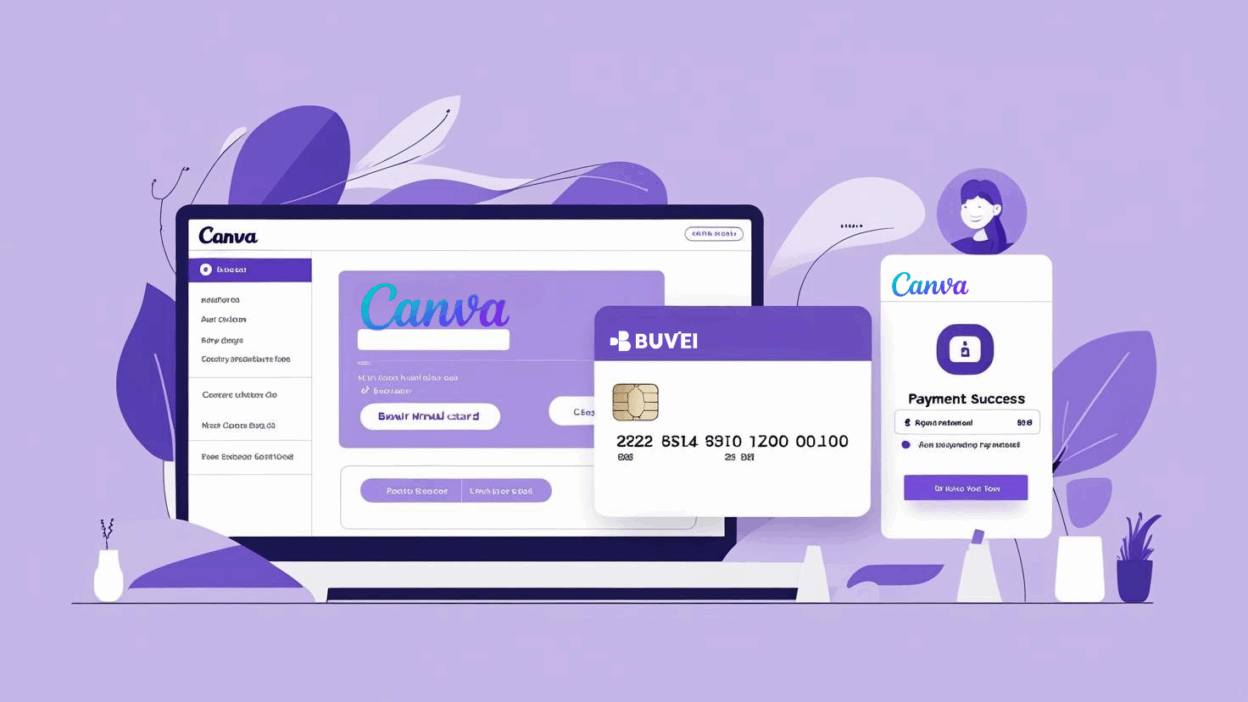
Canva is a leading graphic design platform used by millions of individuals and businesses globally. Whether you're a designer, entrepreneur, or marketer, managing payments for Canva seamlessly and securely is essential. Using a virtual card enhances security, reduces fraud risks, and helps you manage your subscription fees effectively. In this guide, we’ll walk you through the steps to bind and activate your virtual card on Canva for a smoother payment experience.
Step 1: Log into Your Canva Account
-
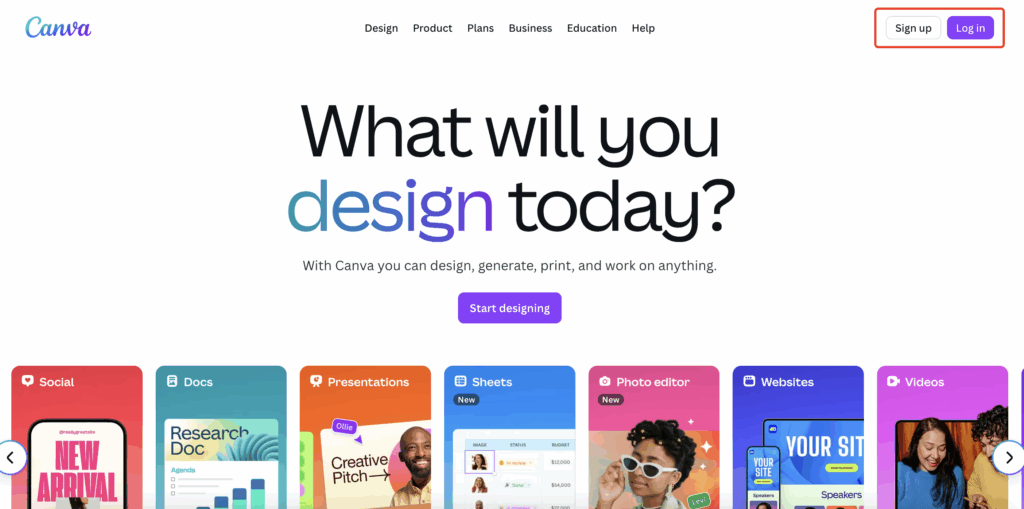
Visit Canva’s Website Open your browser and go to Canva.com.
-
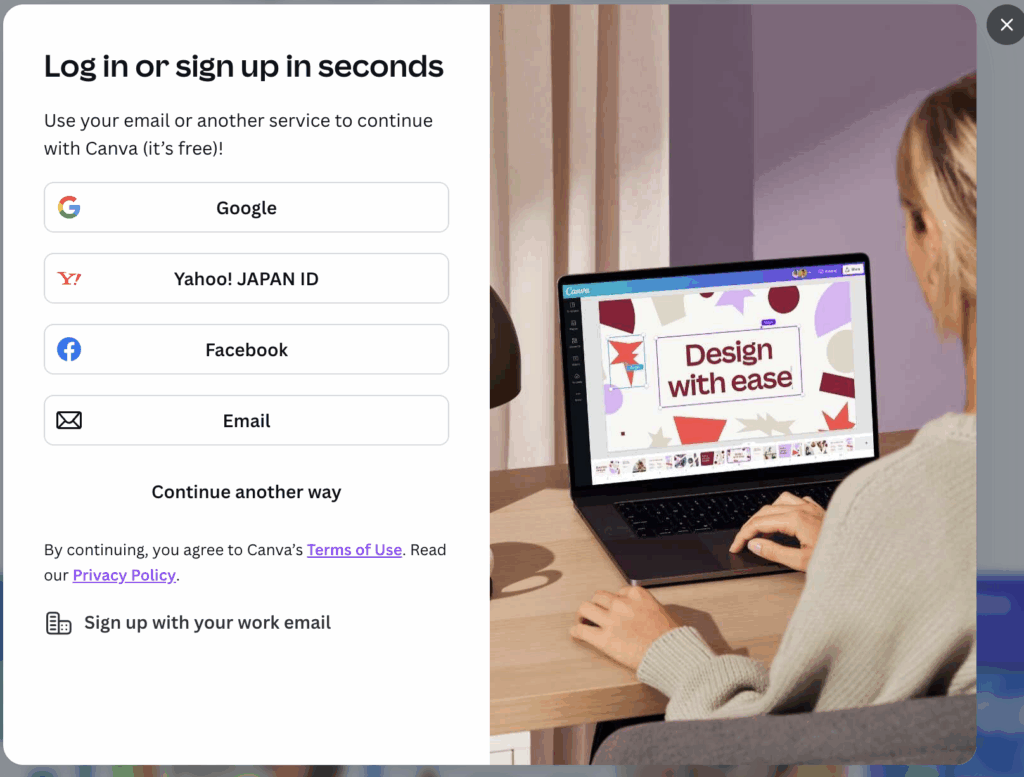
Login to Your Account Use your registered email and password to log into your Canva account. If you don't have an account, you can register using your Google or Facebook account.
Step 2: Access Payment Settings
-
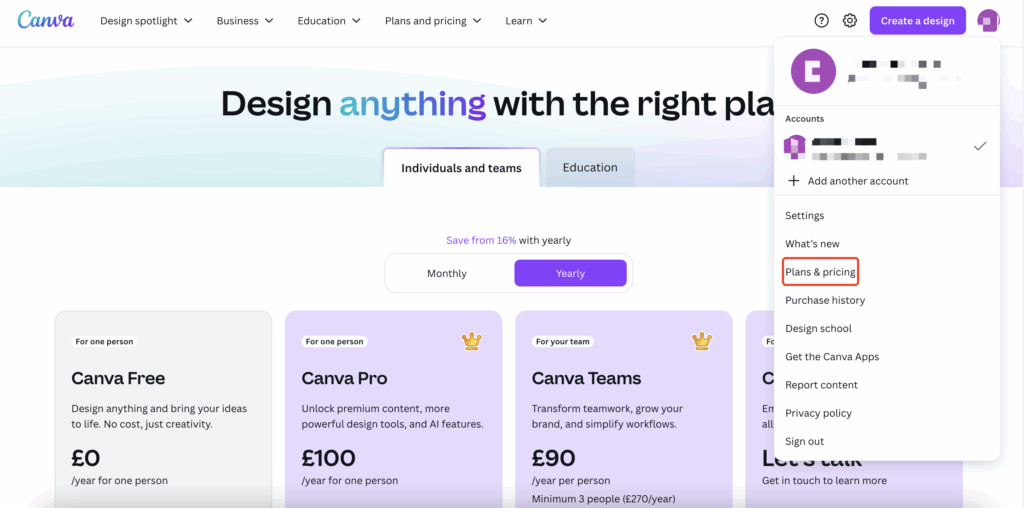
Go to Account Settings After logging in, click on your profile icon in the top right corner and go to the Account Settings page.
-
Visit Billing and Payments In the settings page, select the Plans & Pricing option, where you can manage payment methods and subscription details.
Step 3: Complete the Payment
-
Choose a Canva Plan Select the Canva Pro or Canva for Teams subscription, or any other plan that suits your needs.

-
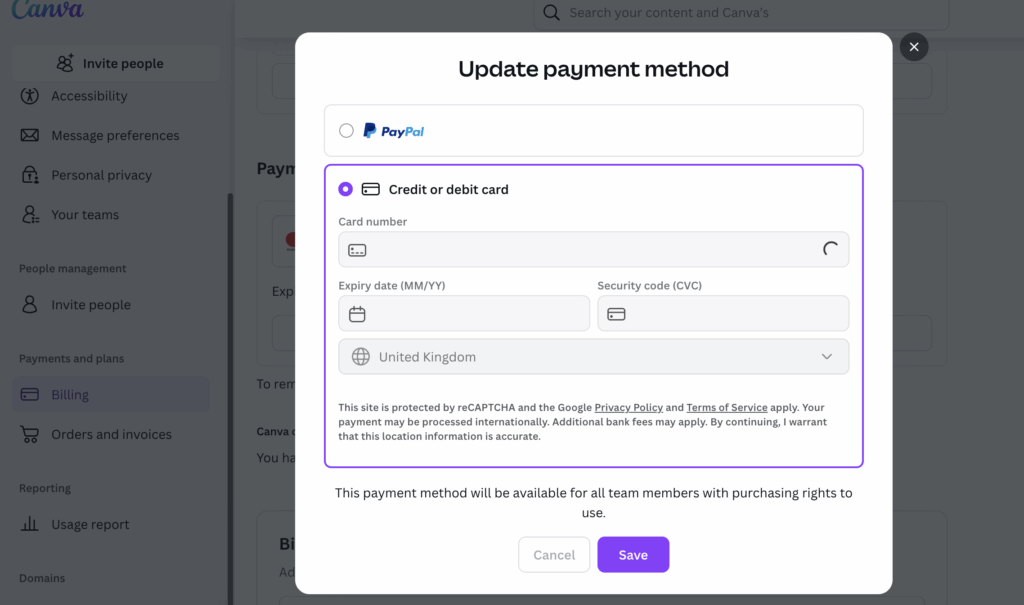
Select Payment Method On the payment page, select your Buvei virtual card as the payment method.
-
Confirm Payment After confirming the payment details, proceed with the payment. Canva will process your payment and send you a confirmation email once it is successful.
-
Payment Successful After the payment is successfully processed, your Canva subscription will be activated immediately, and you can start using Canva's premium features.

Step 4: Monitor and Manage Your Subscription
-
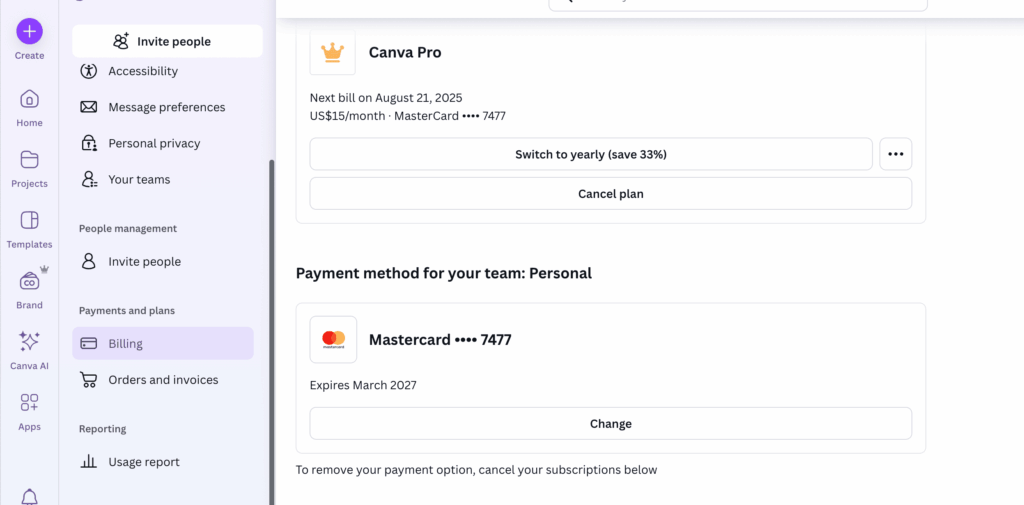
Check Subscription Status You can view your subscription status and renewal dates under the Billing & Payments section in your Canva account settings.
-
Manage Virtual Card If you need to update or change your payment method, you can easily update your virtual card details or add a new payment method.
If you haven't got a Buvei virtual credit card yet, the following steps will help you quickly create your own custom card. Follow the tutorial and get started!
Step 5: Prepare Your Buvei Virtual Card
-
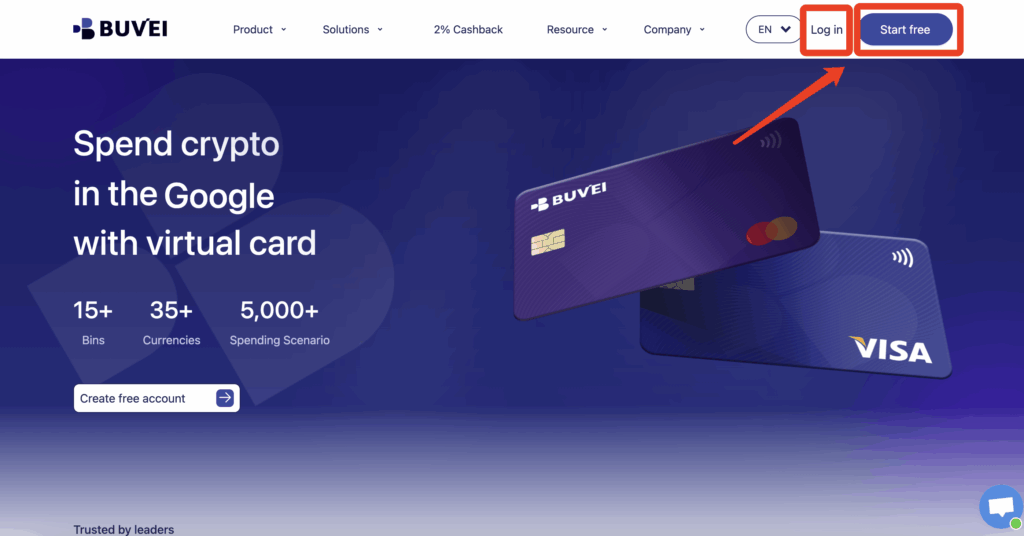
Log in to your Buvei account and open your Dashboard.
-
If you haven’t signed up yet, simply click 'Start Free' to register quickly with your email.
-
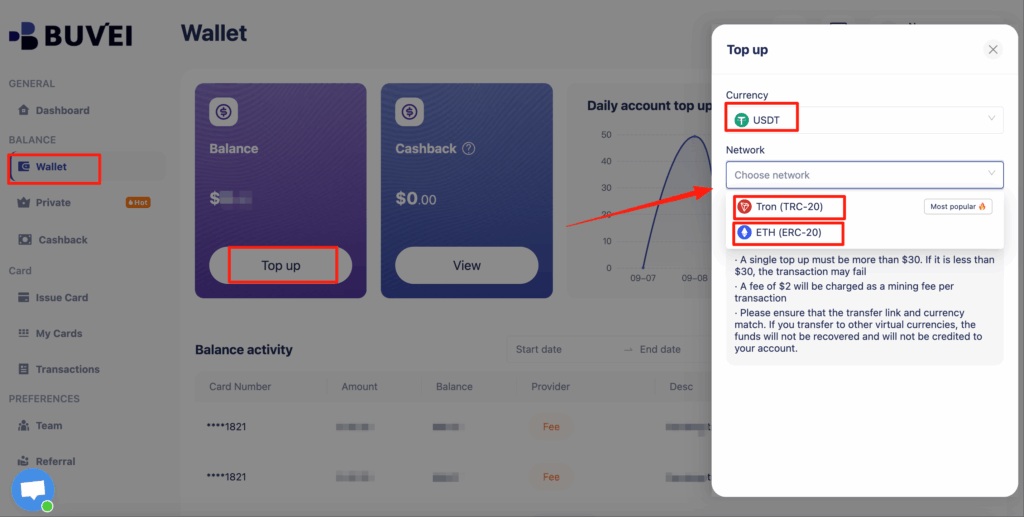
Top up your wallet under the “Wallet” tab
-
Choose TRC20 or ERC20 USDT, Use your crypto wallet to send funds
-
Wait for the balance to reflect (Note: Make sure the network matches your transfer — TRC20 or ERC20)
-
Recharge successful,Click “Issue card”
-
Click Issue and proceed to issue

-
Enter cardholder details:card quantity, and desired top-up amount
-
Click Issue Credit Card to generate your virtual card

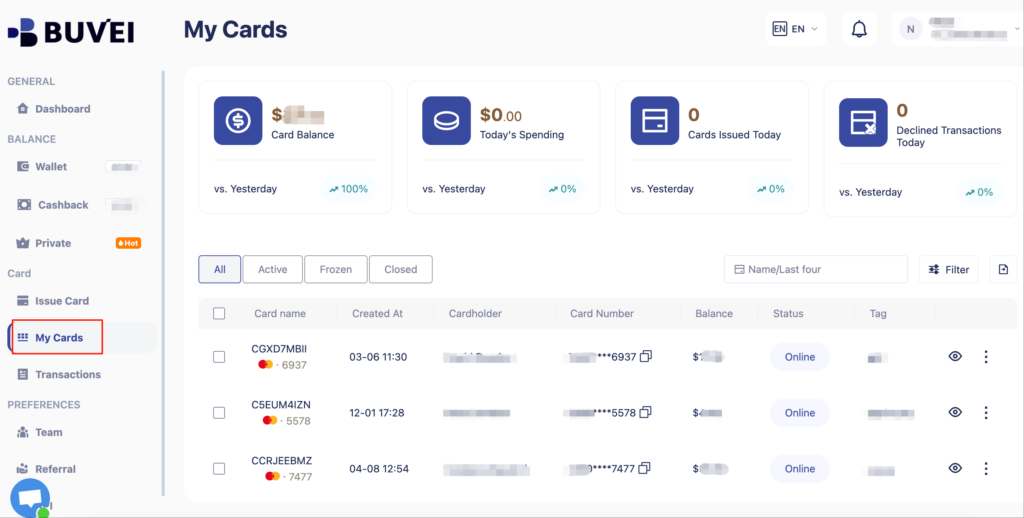
- After generating the card, "My Cards" page to view the card details
- (name, card number, expiry date, CVV).
- You can also recharge, withdraw, or delete the card at any time.
Why Use Buvei Virtual Cards for Canva Payments?
-
Enhanced Payment Security
Buvei virtual cards provide an added layer of security for online payments. Each transaction is processed with a unique virtual card number, significantly reducing fraud and unauthorized charges. -
Privacy Protection
Your real credit card details are never exposed when using a virtual card, ensuring your personal and financial information remains protected during every transaction. -
Convenient Payment Management
Buvei allows you to set up separate virtual cards for different services. For instance, you can use one virtual card for your Canva subscription and another for other services, making it easier to manage your payments. -
Global Payments
Buvei virtual cards support international payments, so you can easily pay for Canva’s subscription services no matter where you are in the world.
Conclusion
Binding and activating a Buvei virtual card for your Canva Pro subscription is a simple and secure way to manage your payments. With enhanced security, privacy protection, and convenient payment management, Buvei virtual cards provide a seamless experience for online transactions. Whether you’re subscribing to Canva Pro, Canva for Teams, or other services, Buvei ensures that your payment information stays secure and the payment process goes smoothly.
Sign up for your Buvei virtual card today and experience a safer, more convenient way to manage your payments for Canva and other platforms!