What You’ll Need
-
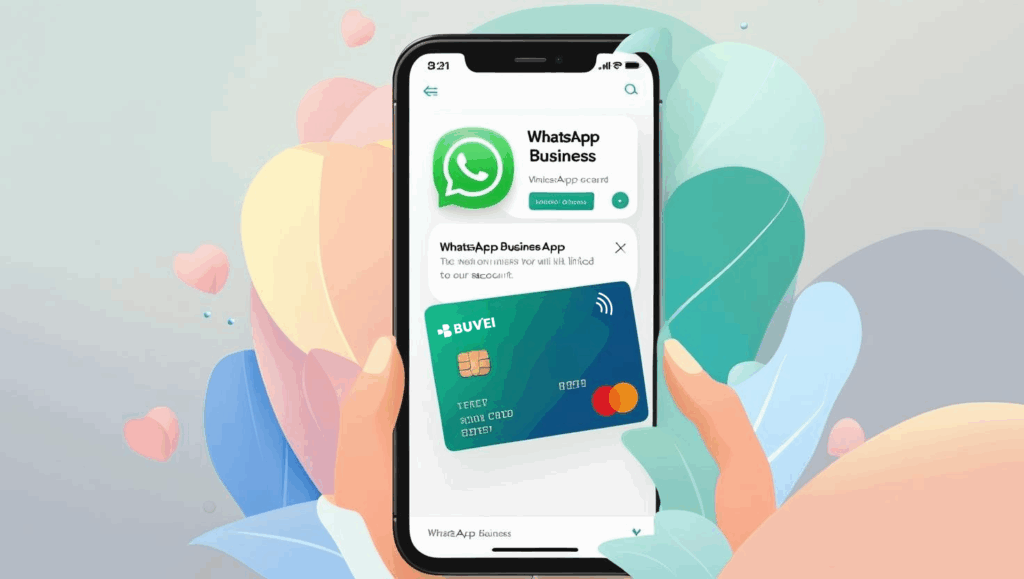
A Buvei virtual card (Visa or Mastercard BIN)
-
A verified WhatsApp Business Account
-
A Meta Business Manager account (linked to your WhatsApp number)

Step 1: Log in to WhatsApp Business
-
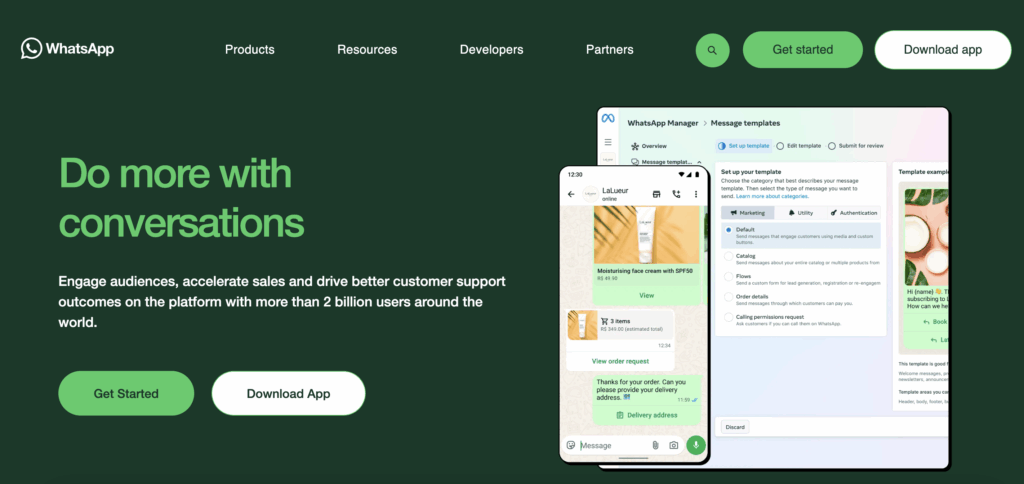
Open the WhatsApp Business app on your phone.
-
Log in to your business account using your registered phone number.
Step 2: Access the Payment Settings
-
Tap on the three dots (menu) in the top-right corner of the screen.
-
Go to Settings.
-
Tap on Payments under the Business Settings section.
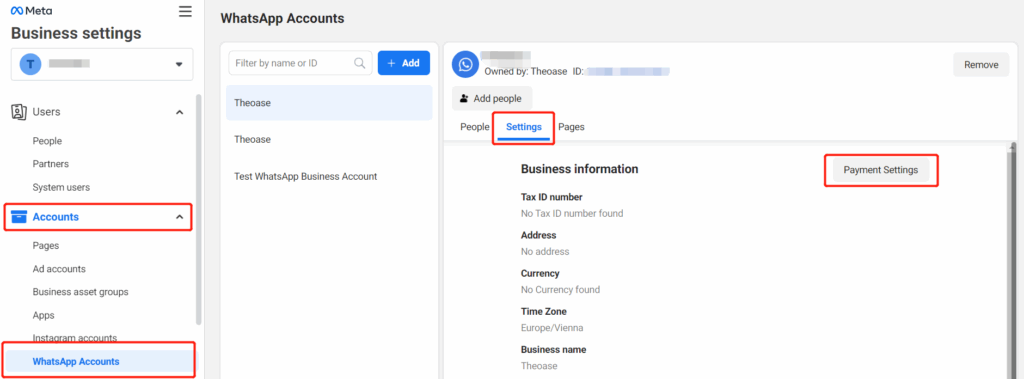
Step 3: Select “Add Payment Method”
-
In the Payments section, tap on Add Payment Method.
- Choose Credit/Debit Card as the payment method.
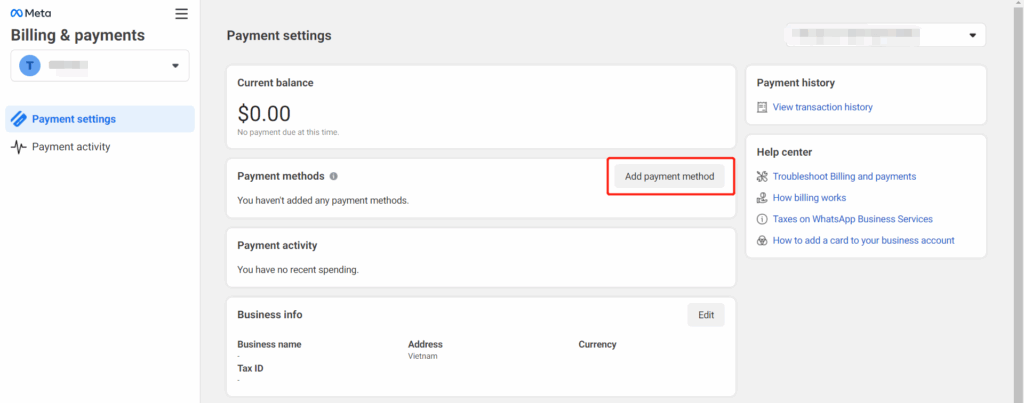
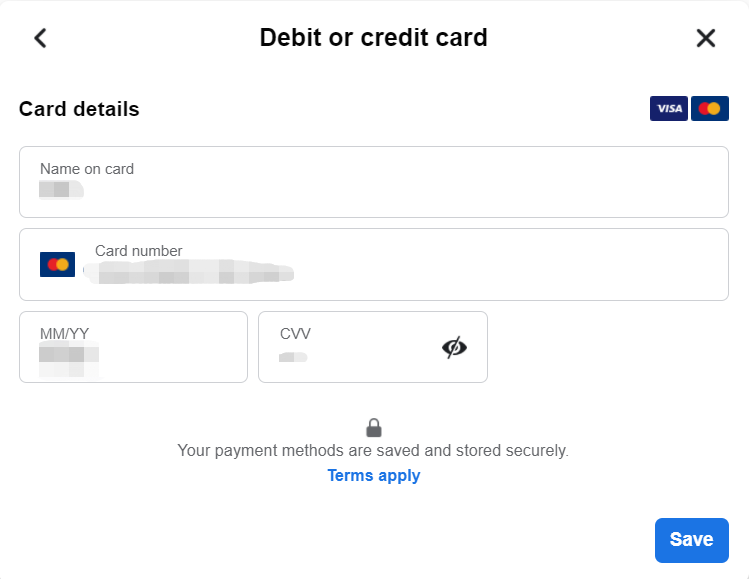
Step 4: Enter Buvei Virtual Card Details
-
Enter the card number of your Buvei virtual card.
-
Fill in the expiry date and CVV code from your Buvei card.
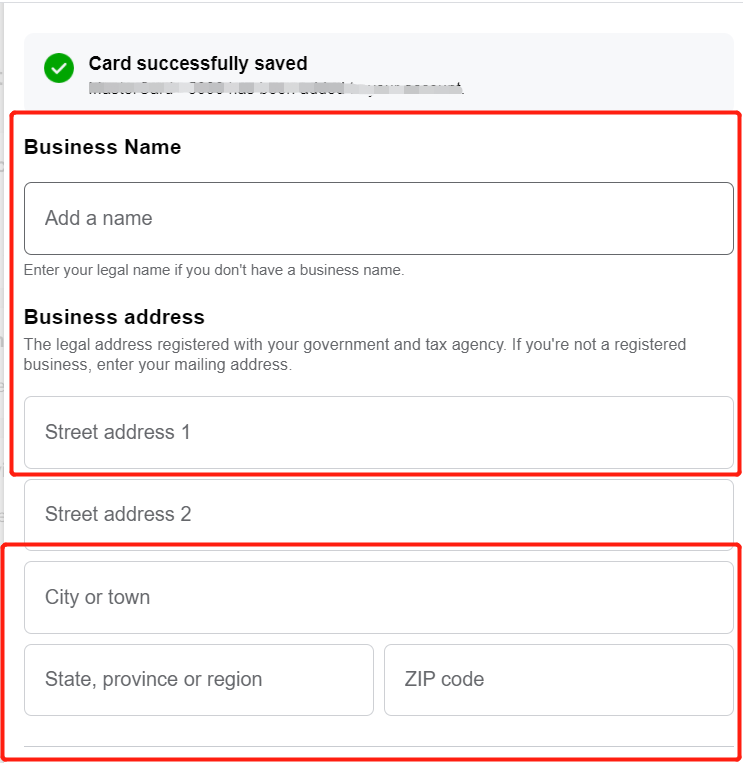
Step 5: Verification
-
WhatsApp may verify your card through a small temporary charge to confirm its authenticity.
-
Once the verification process is complete, your Buvei virtual card will be linked to your WhatsApp Business account.
Step 6: Confirm and Start Using
-
After your card is verified, you can start using your Buvei virtual card for WhatsApp Business payments.
-
You can use it to pay for WhatsApp Business API services, ads, and other business-related transactions.
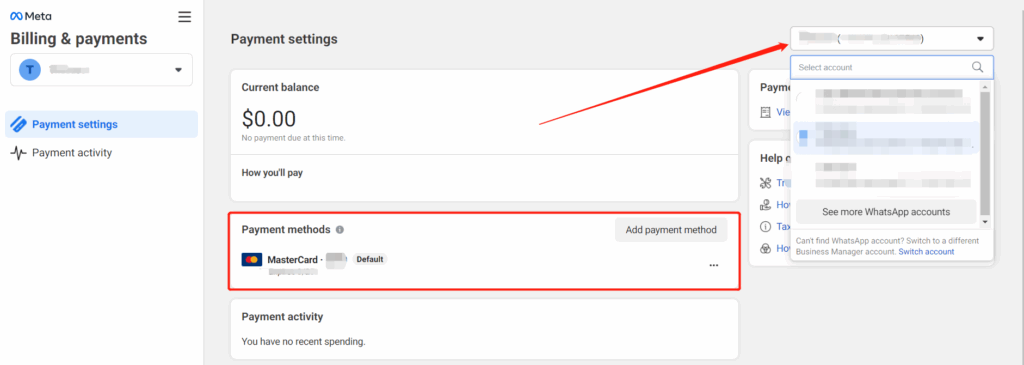
Step-by-Step: How to Add a Buvei Card
-
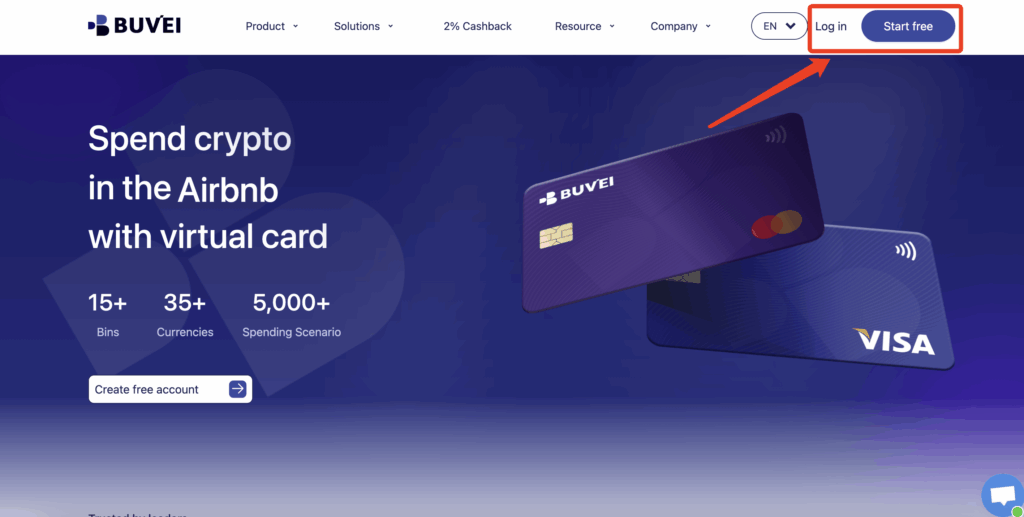
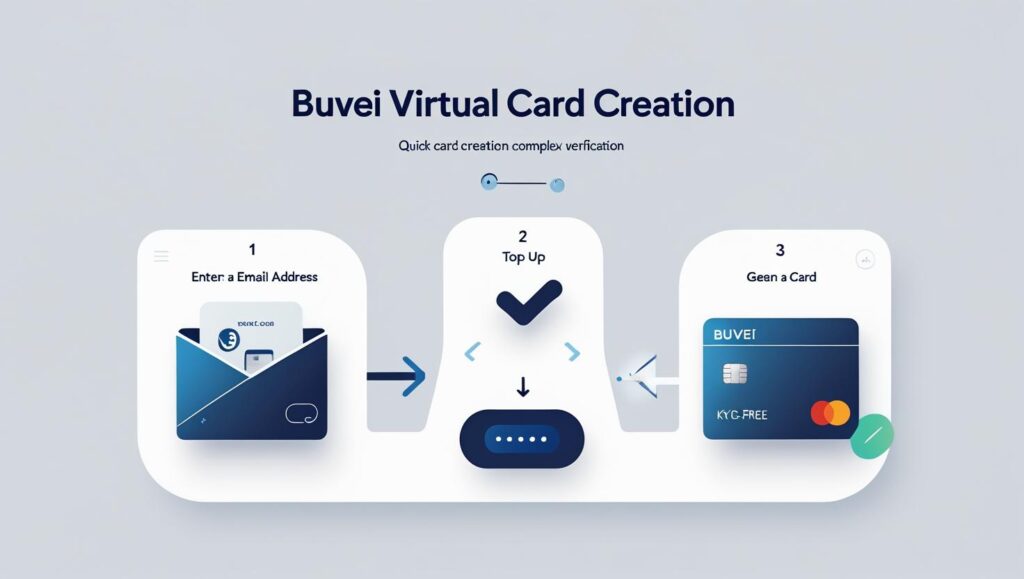
If you haven’t signed up yet, simply click 'Start Free' to register quickly with your email.
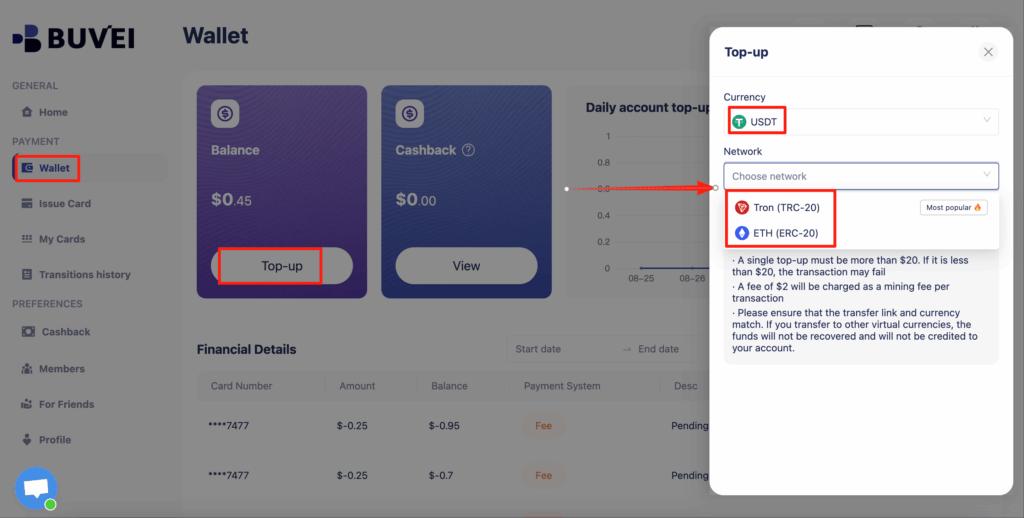
Top up your wallet under the “Wallet” tab
-
Choose TRC20 or ERC20 USDT, Use your crypto wallet to send funds
-
Wait for the balance to reflect (Note: Make sure the network matches your transfer — TRC20 or ERC20)
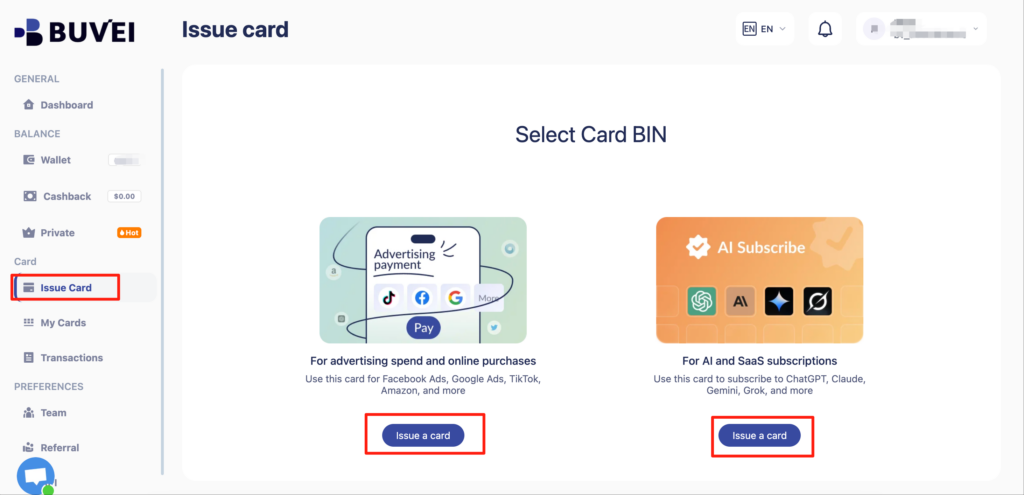
-
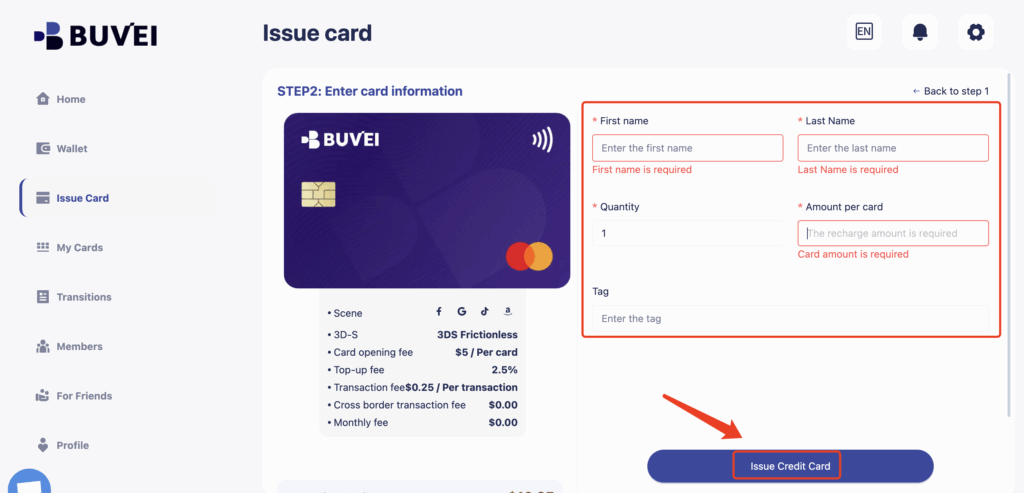
Click Issue and proceed to issue
-
card quantity, and desired top-up amount
-
Click Issue Credit Card to generate your virtual card
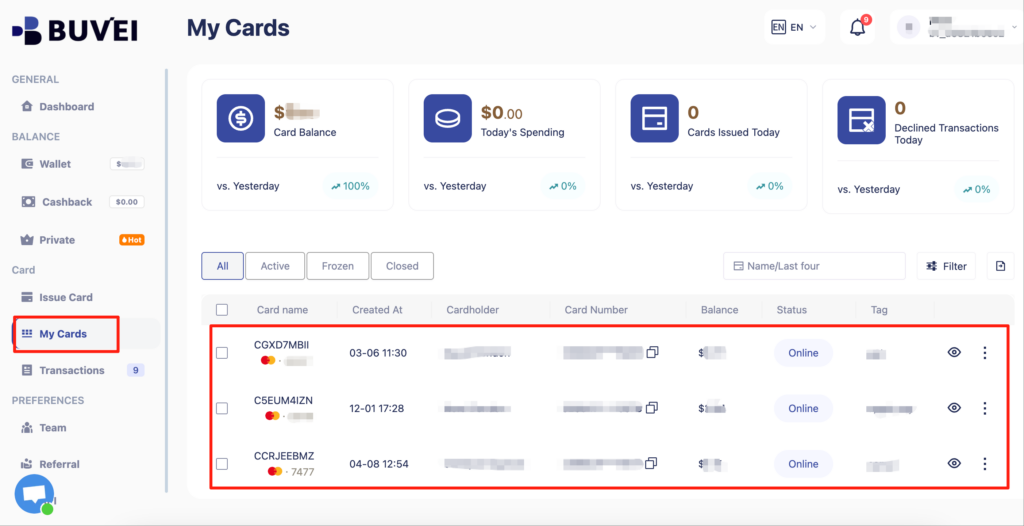
- After generating the card, "My Cards" page to view the card details
- (name, card number, expiry date, CVV).
- You can also recharge, withdraw, or delete the card at any time.
Why Use Buvei Virtual Cards for WhatsApp Billing?
-
⚡ Instant Issuance – Create a virtual card in minutes for immediate use
-
💳 Multi-BIN Support – Get access to advertising-compatible BINs for Meta Ads
-
🔐 No-KYC Option – Issue cards with no identity check for small transactions and quick testing
-
💱 Crypto-Friendly – Fund with USDT (TRC20/ERC20) for flexible, cross-border payments
-
🧩 Multi-Card Strategy – Allocate unique cards per campaign/client for easy tracking
Troubleshooting Tips
-
Card not accepted? → Use Buvei’s ad-optimized BIN ranges pre-approved by Meta
-
Country mismatch error? → Ensure your card region matches your Meta Business country setting
-
Need multiple cards? → Buvei supports bulk issuance and custom limits per card