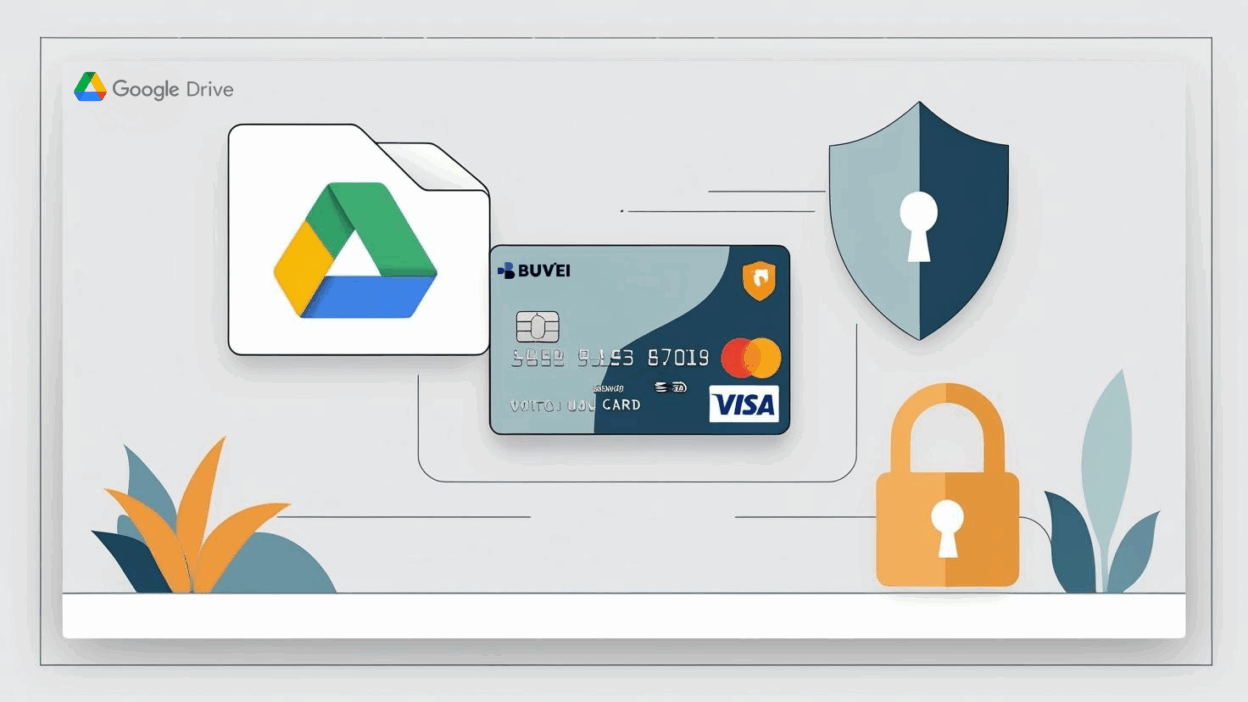
Google Drive is a popular cloud storage service that offers a wide range of plans, from free storage to paid plans with additional features. To get the most out of Google Drive, you may need to subscribe to a paid plan for more storage. Using a virtual credit card for payment provides an extra layer of security and privacy. In this guide, we'll walk you through the process of using a Buvei virtual credit card to pay for Google Drive subscription.
Step 1: Go to Google Drive and Select a Subscription Plan
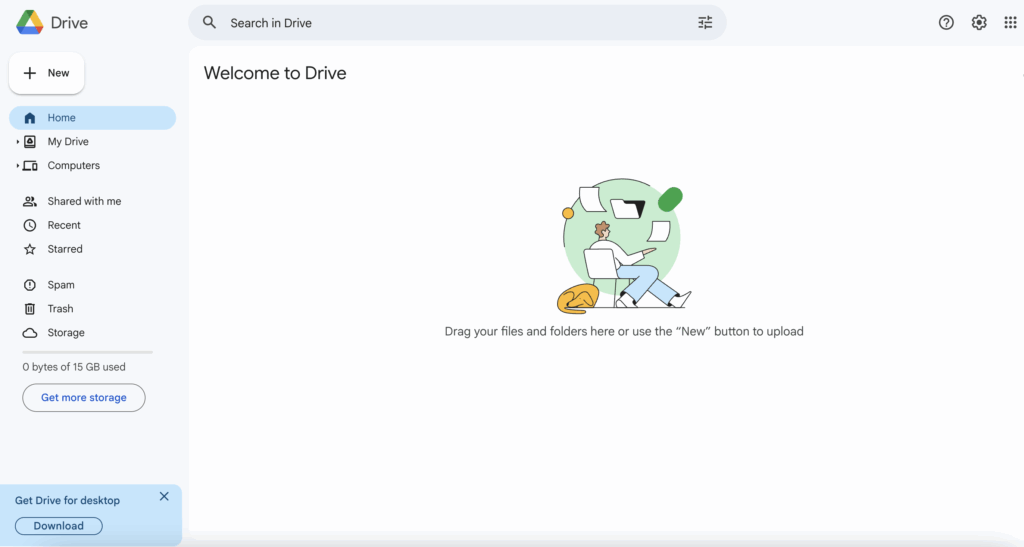
1. Open Google Drive:
- Go to Google Drive and log in to your Google account.
2. Navigate to Google One:
-
Click on the Settings icon (a gear wheel) in the top-right corner.
Under Storage, click on the Upgrade button to open Google One (the paid subscription service for more storage).
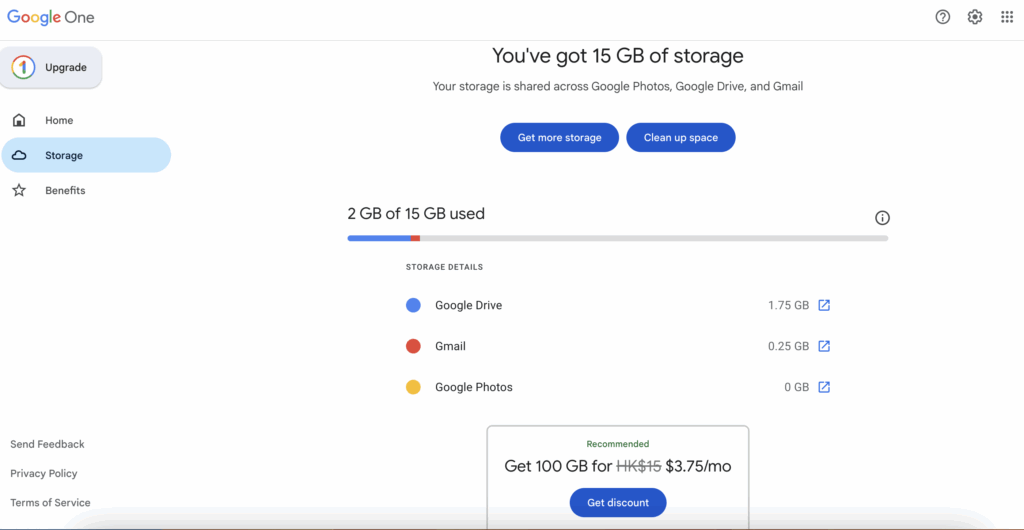
3. Choose a Subscription Plan:
-
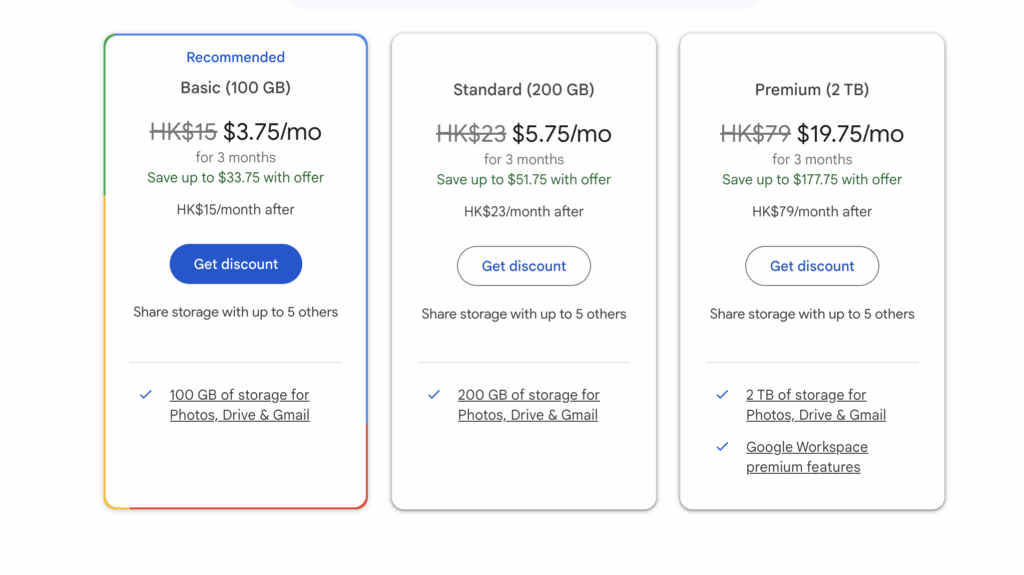
Google Drive offers multiple subscription plans. Select the one that fits your needs. For example:
-
100 GB for a low monthly fee.
-
200 GB or 2 TB for additional storage.
-
4. Click on “Subscribe”:
- After selecting the plan, click on Subscribe or Get discount.
Step 2: Add Your Buvei Virtual Card as a Payment Method
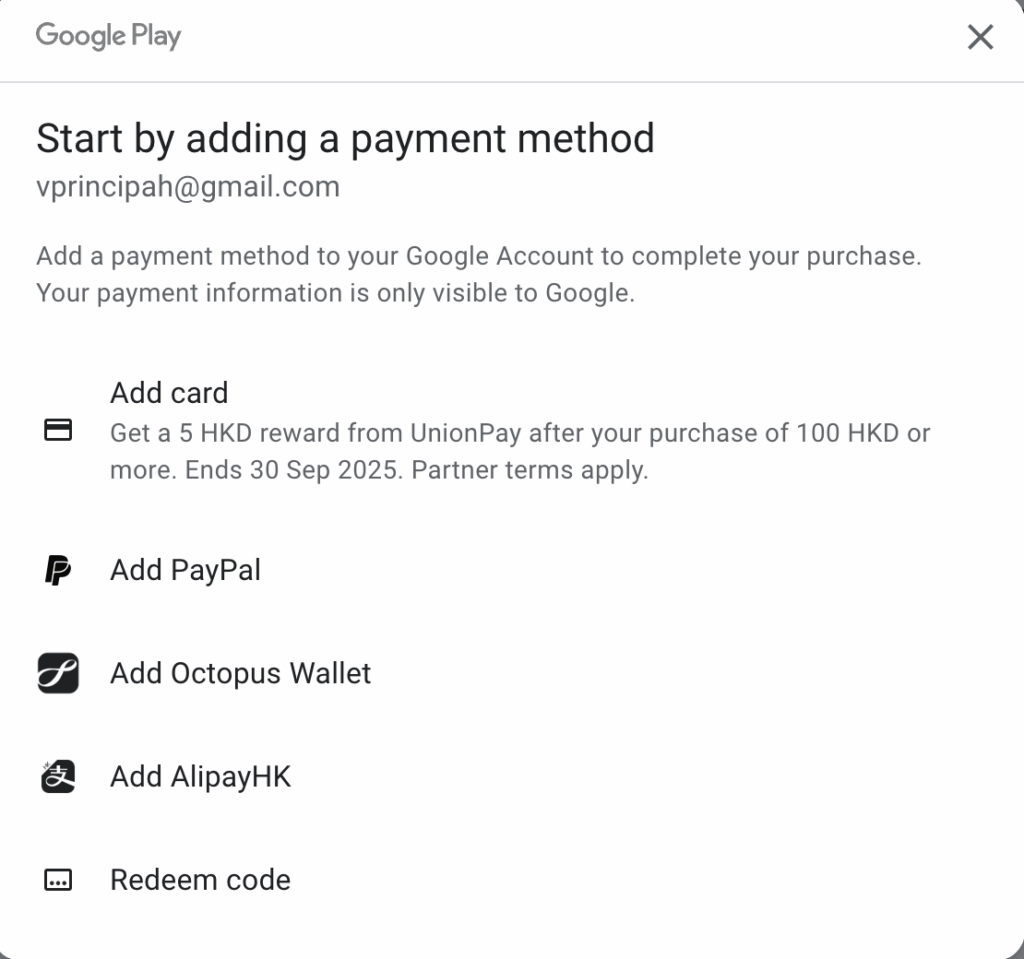
1. Payment Method Page:
- Once you’re ready to pay, you’ll be redirected to a page asking for your payment information.
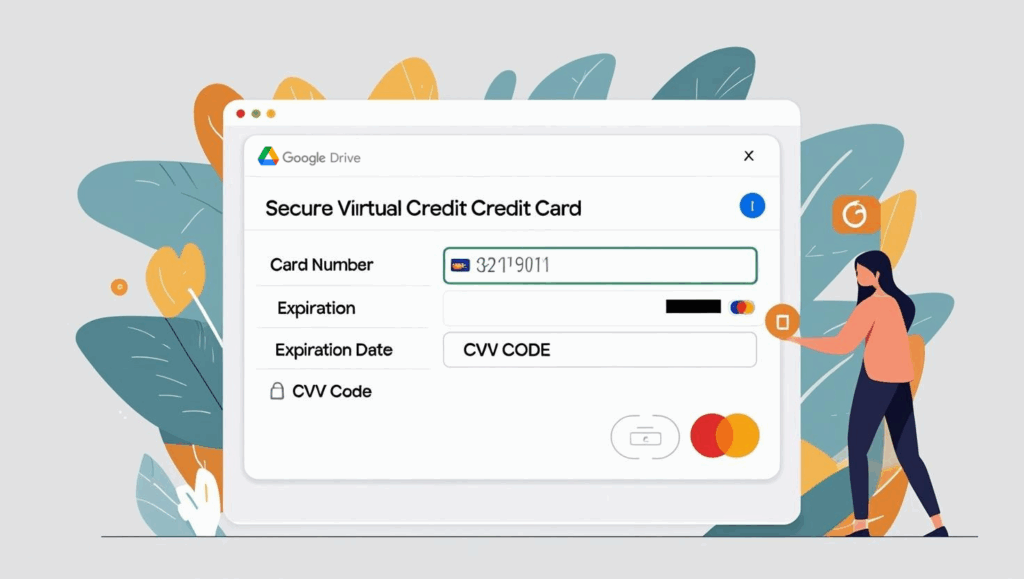
2. Enter Your Buvei Virtual Credit Card Details:
- On the payment page, input the virtual card number, expiration date, and CVV that you received from Buvei.
- Ensure all the details are correct to avoid payment errors.
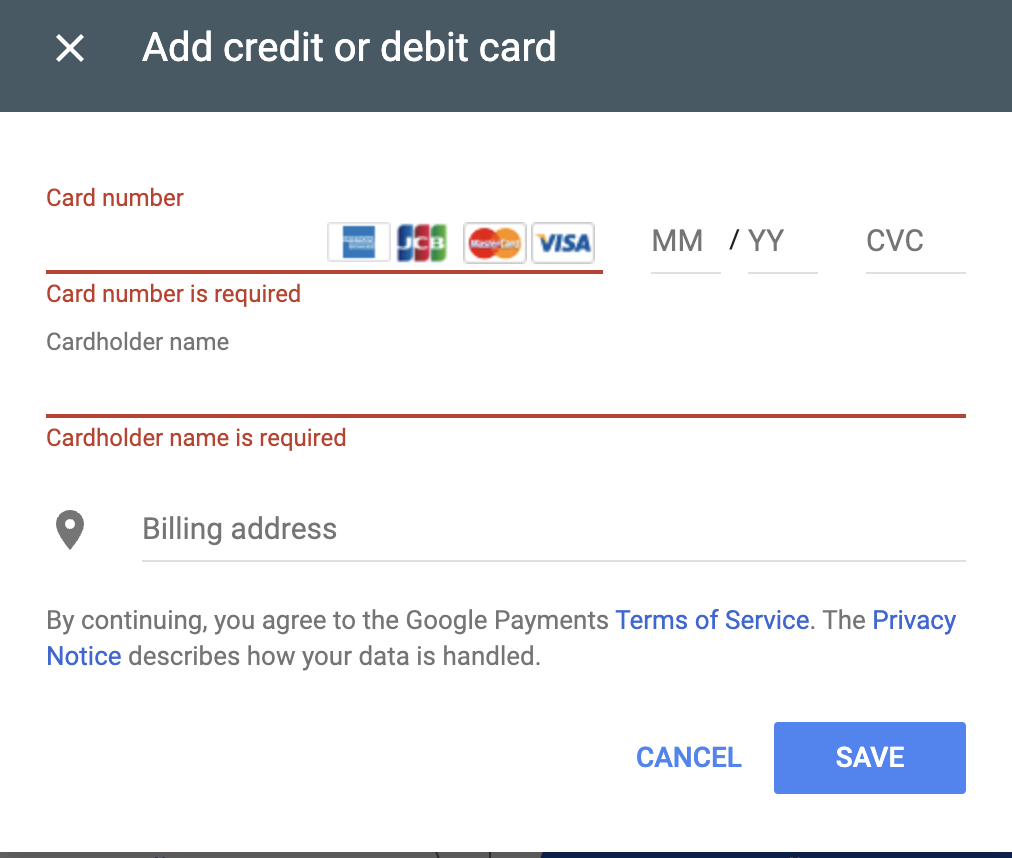
3.Complete the Payment:
- Once you've entered the payment details, click Next or Pay to complete the transaction.
- Google will verify the payment, and you should receive a confirmation email once the payment is successfully processed.
Step 3: Confirm Subscription and Start Using Google Drive
-
Verify Payment:
-
After payment is completed, Google will confirm your new subscription. You should see the new storage limit reflected in your Google Drive settings.
-
-
Enjoy Your Storage:
-
You can now upload more files, share documents, and use Google Drive without worrying about storage limits.
-
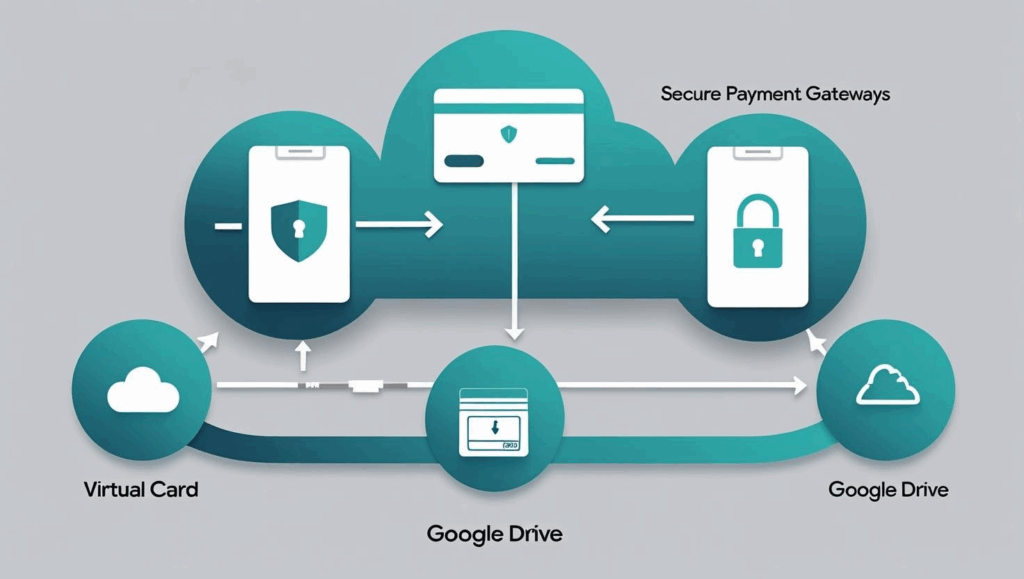
Step 4: Monitor Your Payment and Virtual Card
-
Check Google Drive Subscription:
-
You can manage your subscription through Google One settings. You will receive an email confirming your subscription every month.
-
-
Monitor Your Virtual Card Balance:
-
Be sure to track your virtual card balance to ensure there’s enough money for future payments. You can easily reload the card using Buvei’s platform.
-
-
Security Tips:
-
Keep your virtual card details confidential and only use them on trusted platforms like Google Drive.
-

If you haven't got a Buvei virtual credit card yet, the following steps will help you quickly create your own custom card. Follow the tutorial and get started!
Step 5: Prepare Your Buvei Virtual Card
-
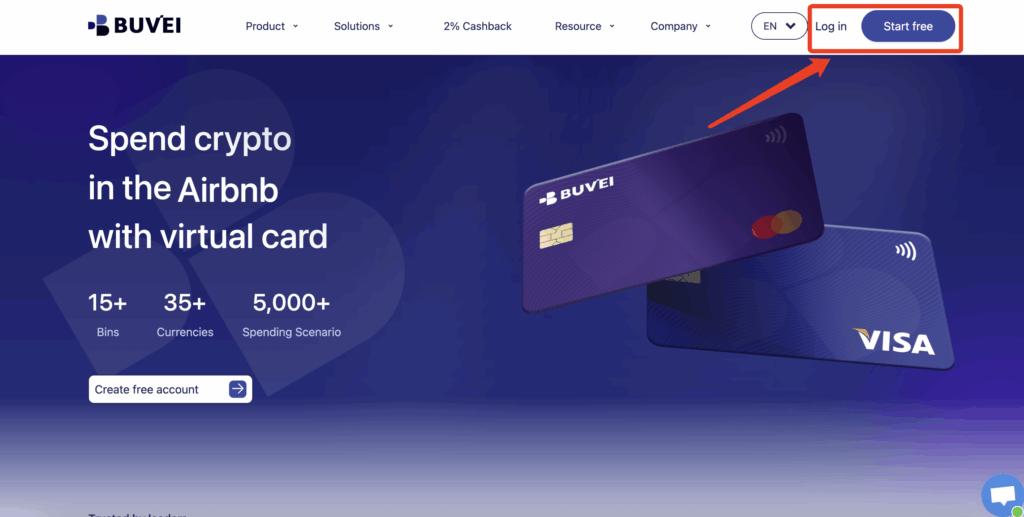
Log in to your Buvei account and open your Dashboard.
- If you haven’t signed up yet, simply click 'Start Free' to register quickly with your email.
-
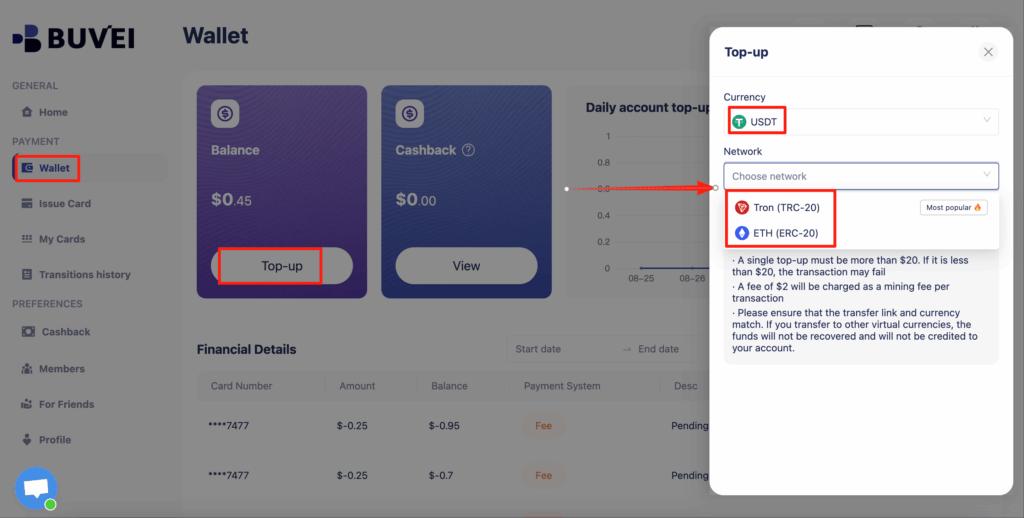
Top up your wallet under the “Wallet” tab
-
Choose TRC20 or ERC20 USDT, Use your crypto wallet to send funds
- Wait for the balance to reflect (Note: Make sure the network matches your transfer — TRC20 or ERC20)
-
Recharge successful,Click “Issue card”
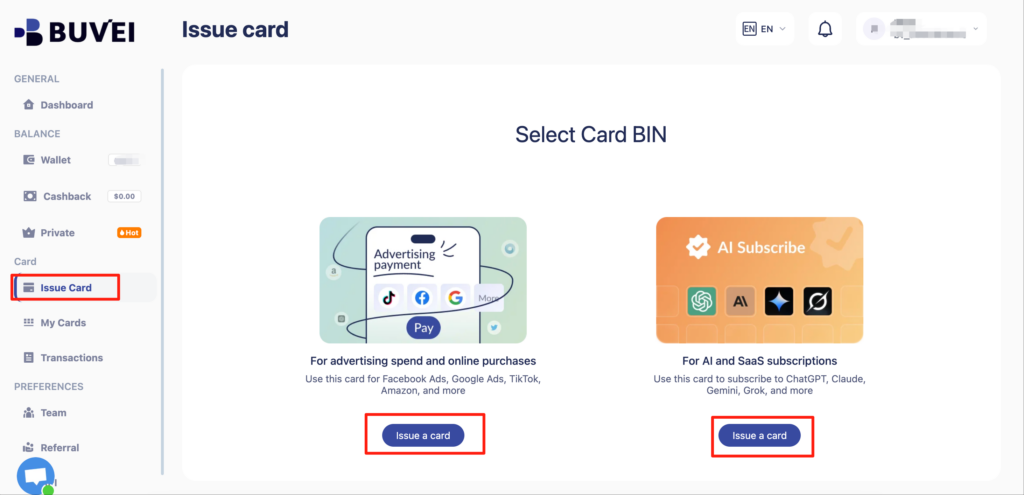
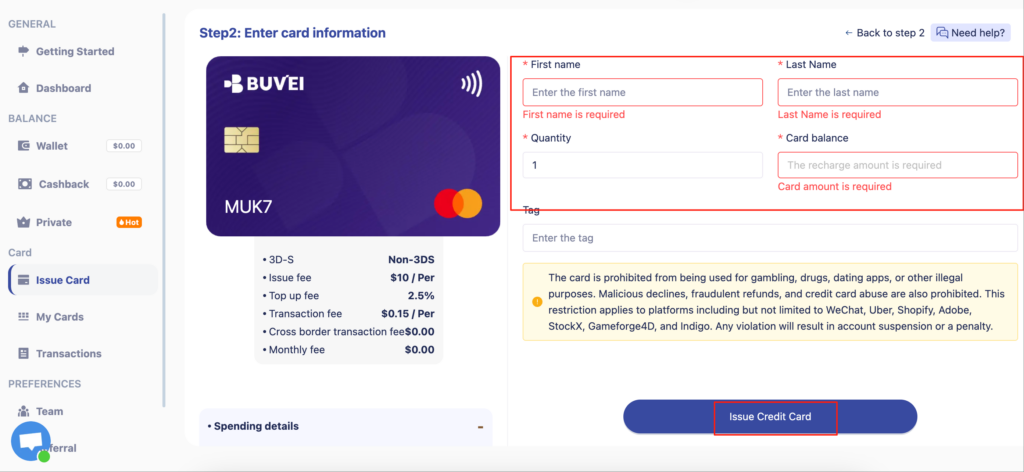
- Enter cardholder details:card quantity, and desired top-up amount
- Click Issue Credit Card to generate your virtual card
-
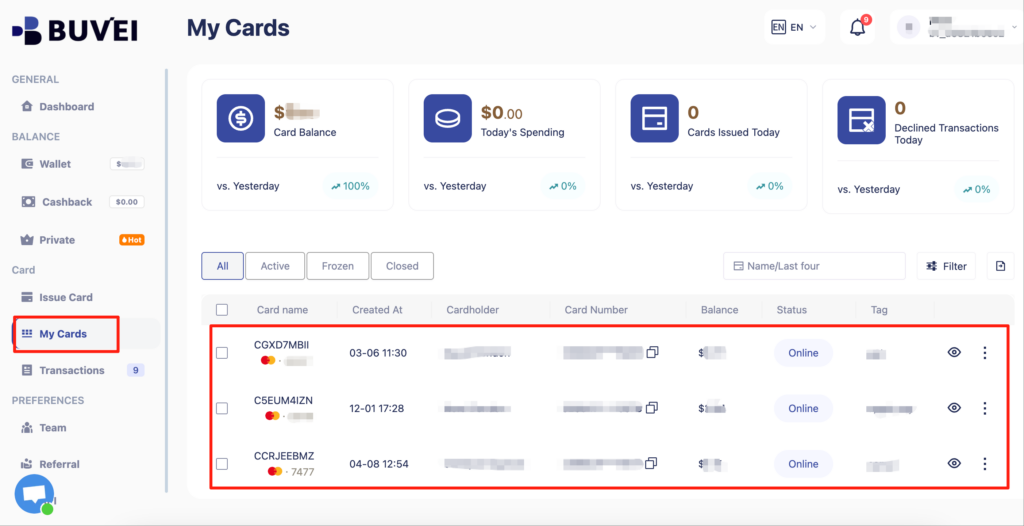
After generating the card, "My Cards" page to view the card details
-
(name, card number, expiry date, CVV).
-
You can also recharge, withdraw, or delete the card at any time.
Why Use a Virtual Card for Google Drive Payments
Using a virtual credit card for services like Google Drive provides extra protection for your payment information. By using a one-time-use or recurring-use virtual card, you minimize the risk of fraud and ensure your sensitive data is kept secure.
With Buvei virtual cards, managing your payments becomes easy and safe. Whether you're subscribing to Google Drive or making any other online payment, a virtual card provides a higher level of privacy and security.
Experience Secure Payments with Buvei Virtual Cards!
Ready to enjoy secure, hassle-free payments? Buvei virtual cards are the perfect solution for managing your online subscriptions, including Google Drive. Protect your personal information and make payments confidently.
Sign Up for Your Buvei Virtual Cardtoday and start managing your digital services securely!