In today’s “one-click subscribe” digital world, you may have unknowingly signed up for multiple services—ranging from Netflix to AI tools and SaaS platforms. And those same services may be silently draining your funds month after month.
According to a survey by Bankrate, over 74% of U.S. users admitted they’ve forgotten to cancel subscriptions that kept billing them. For business users, this problem is even more complex due to multiple platforms and international billing.
The solution? Use virtual cards to precisely manage each subscription.
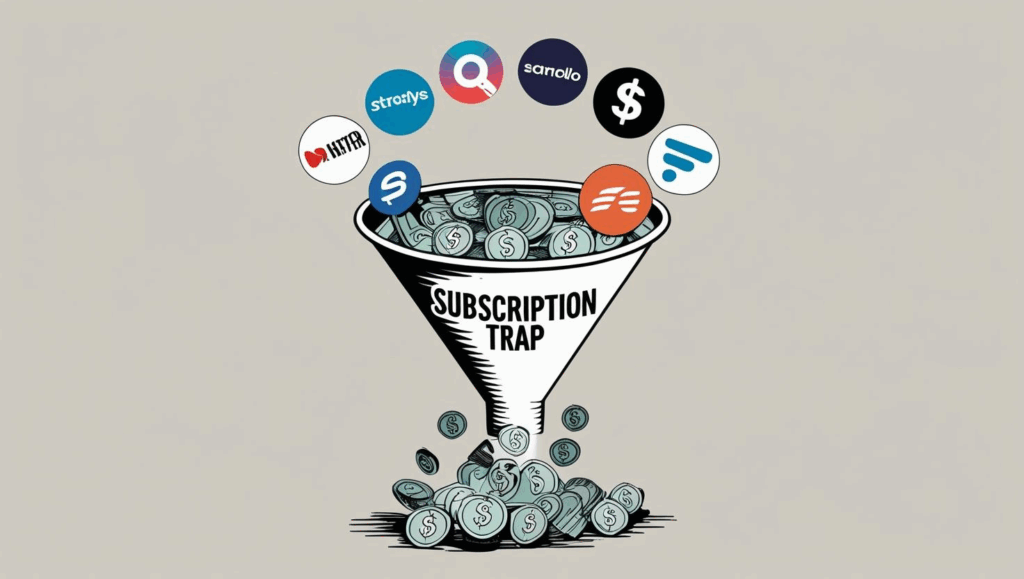
What Is Recurring Billing, and Why Is It a Hidden Trap?
Recurring billing refers to the automatic renewal and periodic payment of subscriptions—monthly, yearly, or otherwise. While it sounds convenient, it comes with significant risks:
-
💸 Forgetting to cancel leads to continued charges
-
📈 Price hikes may go unnoticed
-
🔒 Canceling can be intentionally complicated
-
🔁 Free trials convert to paid plans before you realize
From personal software to business ad accounts and cloud services, these small, recurring costs can quickly add up.
How To Use Virtual Cards To Manage Subscriptions
Unlike traditional bank cards, virtual cards are instantly generated, tied to specific use cases, and come with customizable security controls. With Buvei virtual cards, you can:
-
💳 Create merchant-locked cards for specific platforms
-
⏳ Set spending limits for free trials
-
🚫 Instantly disable cards to stop future charges
-
📂 Assign different cards to different services for clean accounting
One virtual card per subscription. Platform-level control. No more “silent billing traps.”
Step-by-Step: Control Subscription Charges With Buvei
-
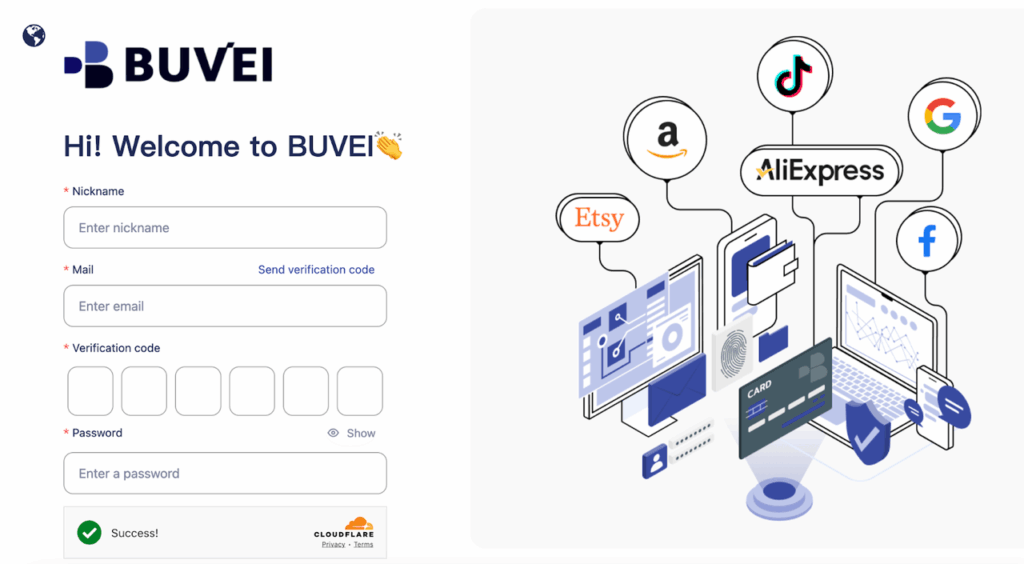
Log In to Your Buvei Account
- Visit https://buvei.com and log in. If you’re new, register by entering your email and verifying your identity.
-
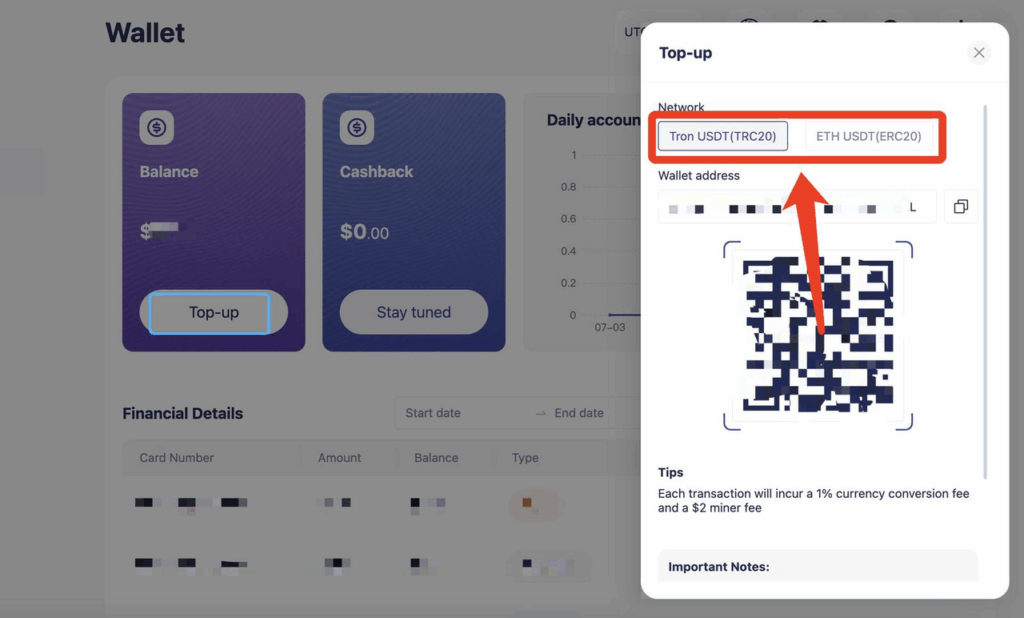
Fund Your Wallet
- Go to the Wallet page. Recharge using USDT via TRC20 or ERC20 network and wait for confirmation.
-
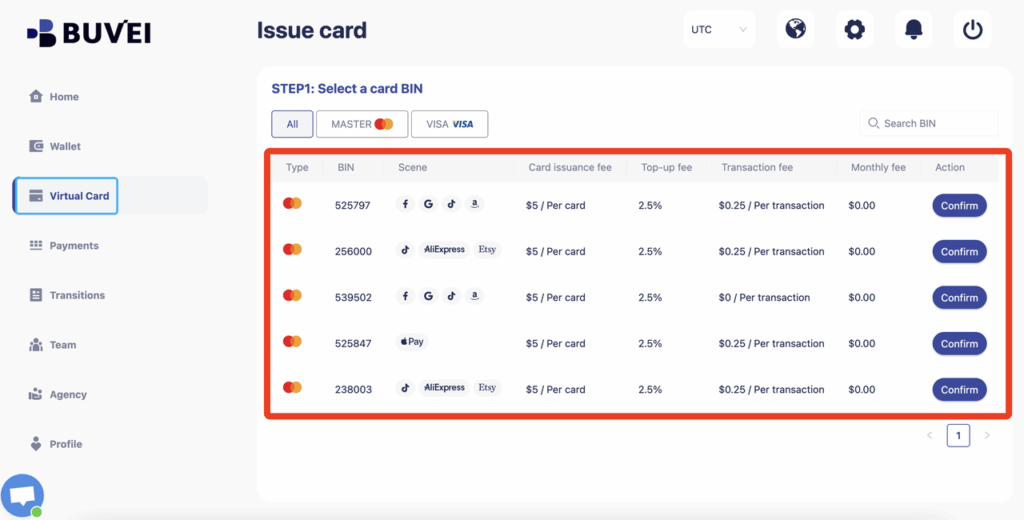
Navigate to "Virtual Cards"
- Once your balance is available, go to the Virtual Cards page and choose a compatible BIN for your target service. Click Confirm.
-
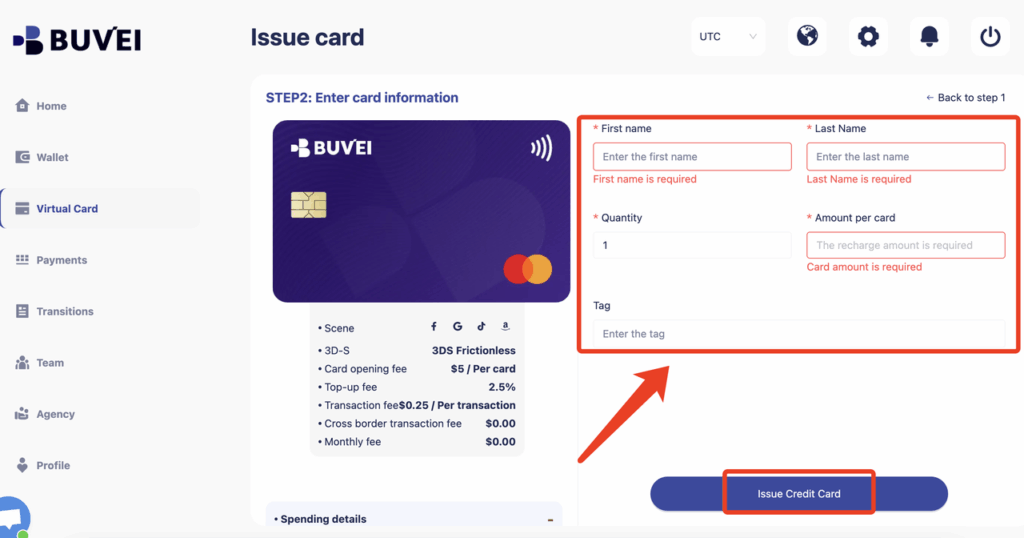
Customize Your Card Details,Fill in the card details on the right panel:
-
Cardholder name
-
Number of cards
-
Amount
-
Tags for easy tracking
Click Issue Credit Card to create your virtual card.
-
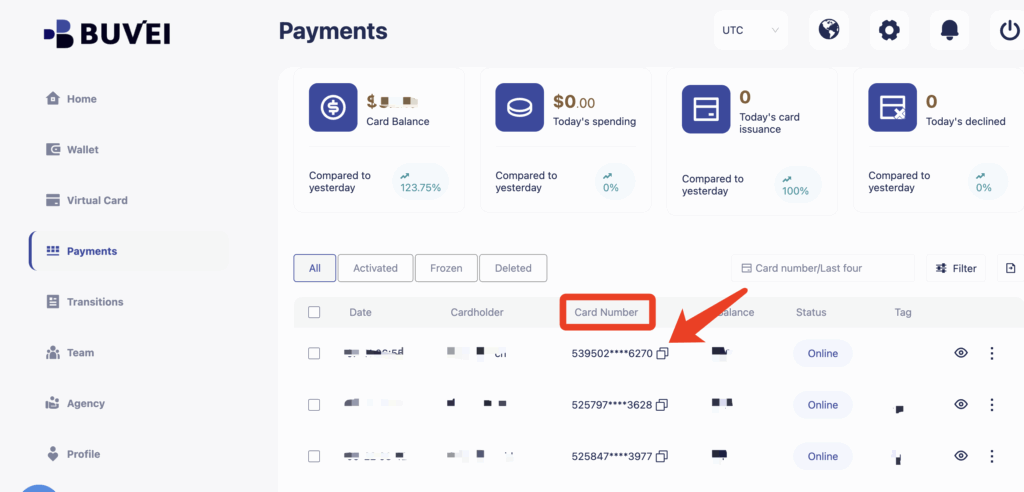
Copy and Use the Card for Your Subscription
- After issuance, go to the Payments page to view your card number, expiry date, and CVV. Use these details to subscribe or renew any service securely.
Buvei Smart Subscription Control Tips
| Action | Benefit |
| Use one card per platform | Track usage and billing clearly |
| Set specific card limits | Prevent overcharges or hidden fees |
| Monitor your Payments page | Spot and stop unwanted transactions |
| Instantly deactivate cards | Halt suspicious or unauthorized charges |
Where Can You Use Buvei Virtual Cards?
✅ Freelancers managing subscriptions like Notion, Canva, Figma
✅ Startups paying for Meta or Google Ads
✅ E-commerce sellers using Shopify, logistics, or reporting tools
✅ Individuals subscribing to ChatGPT, Midjourney, AI services

Why Use Buvei for Subscription Management?
| Feature | Advantage |
| Merchant-locked cards | Only work on authorized platforms, block others |
| Spend controls | Prevent overspending with tailored limits |
| Real-time tracking | See every transaction instantly |
| Multi-currency support | Enable global auto-billing with ease |
| API automation | Automate bulk issuance and smart spending rules |
Final Thoughts
As more platforms default to auto-renewal, traditional cards fall short in controlling recurring expenses. Buvei’s virtual cards give you the power to manage each subscription safely and efficiently.
🎯 Tired of getting silently charged every month? Create your first Buvei virtual card today and take full control of your subscription payments.