


Card declined but have money? A payment can fail even when your account balance looks fine. You might have enough money for the purchase, but your available balance, card settings, or the merchant's payment requirements could be causing the problem.
Before adding more funds or trying the same payment again, check these six common reasons.
6 Reasons Your Card Is Declined Even Though You Have Money
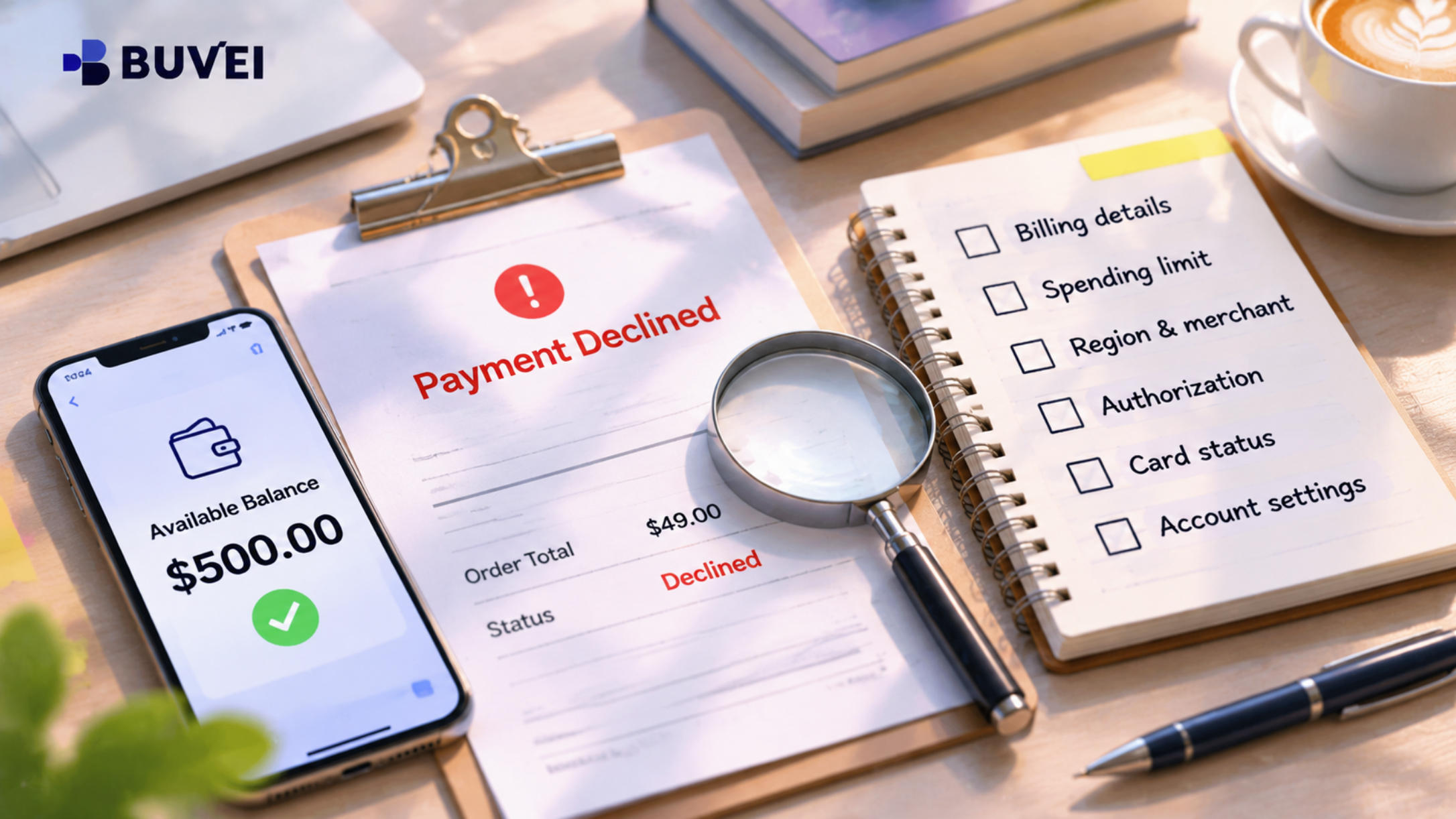
1. Pending Transactions Are Reducing Your Available Balance
Your current account balance and available balance aren't always the same.
Hotels, rental car companies, and gas stations often place temporary authorization holds on cards. These holds reserve part of your money before the final charge is processed.
For example, if you have $300 in your account and a hotel places a $150 hold, you may only have $150 available for another purchase.
Credit cards work similarly. Pending purchases can reduce your available credit before appearing on your statement.
How to fix it: Check your available balance and pending transactions in your banking app. If a hold hasn't been released within the expected timeframe, contact the merchant or your card issuer.
2. Your Card Details or Billing Address Are Incorrect
An incorrect expiration date, mistyped CVV, or billing ZIP code that doesn't match your issuer's records can cause an online payment to fail.
This is particularly common with saved payment methods. If you've received a replacement card, an old card number or expiration date may still be stored on a subscription account.
Some merchants also use Address Verification Service (AVS) to compare your billing address with the information on file.
Before trying again, check:
- Card number
- Expiration date
- CVV/CVC
- Billing address
- ZIP code
An address mismatch doesn't automatically result in a decline, but it can affect the authorization decision.
3. Your Card Is Frozen, Expired, or Over Its Spending Limit
A card may be declined if it's frozen, expired, or subject to a spending limit.
This is particularly worth checking with virtual cards, which may have individual limits separate from your overall wallet balance.
For example, a virtual card with a $100 spending limit won't cover a $150 purchase, even if your wallet contains $500.
Open your card management app and check:
- Whether the card is active, frozen, or closed
- Its expiration date
- Per-transaction and daily spending limits
- Online and international payment permissions
If everything looks correct, contact your issuer to check for additional restrictions.
4. Your Bank Flagged the Transaction as Suspicious
Banks monitor transactions for unusual activity. A large purchase, several payments within a short period, or a transaction from an unfamiliar location may trigger a security check.
Online payments can also require 3D Secure (3DS) authentication. You may need to approve the payment through your banking app, enter a one-time code, or complete another verification step. If you don't finish the process, the payment may fail.
How to fix it: Check your banking app for security alerts or verification requests. Complete the required authentication through official channels. If the card remains restricted, contact your issuer.
5. The Merchant Doesn't Accept Your Card Type or Issuing Region
A card that works perfectly on one website may be rejected by another. The difference may have nothing to do with your balance.
Accepting Visa or Mastercard doesn't mean a merchant accepts every prepaid card, virtual card, or issuing region.
For example, you might use a Visa card successfully for an ordinary online purchase but find that a software subscription service won't accept it. Some merchants have additional restrictions on prepaid cards or cards issued in certain countries.
Your card's BIN (Bank Identification Number), also known as an Issuer Identification Number (IIN), identifies its issuing card range and can provide information about its issuer, country, and card product. Merchants and payment processors may use this information when applying their acceptance rules.
How to fix it: Check whether the merchant accepts virtual or prepaid cards and whether your card's issuing region is eligible. If the requirements aren't clear, contact the merchant or your card issuer.
6. A Payment Processing Error Interrupted the Transaction
Not every declined payment is caused by something you've done wrong.
A temporary problem with the merchant's checkout, payment gateway, or bank authorization system can interrupt a transaction even when your card details and available balance are correct.
If your card works everywhere except one particular website, the merchant's payment system may be responsible. If several merchants reject it around the same time, contact your issuer to investigate.
What Do Common Card Decline Messages Mean?
The error message at checkout can sometimes tell you where to start looking.
| Decline Message | Possible Meaning |
|---|---|
| Insufficient Funds | Not enough available funds or credit |
| Incorrect CVC | Security code doesn't match |
| Expired Card | Card is no longer valid |
| Do Not Honor | Issuer declined without a specific explanation |
| Transaction Not Permitted | The transaction isn't allowed for that card or payment type |
One message worth paying attention to is Do Not Honor. It doesn't identify a particular problem. Contact your issuer with the transaction date, amount, and merchant name so they can investigate.
Managing Multiple Online Payments With BUVEI Virtual Cards
For businesses running advertising campaigns or managing several SaaS subscriptions, putting every expense on one card can make payment management difficult. Separate virtual cards offer a more organized way to handle different accounts and budgets.
BUVEI provides Visa and Mastercard virtual cards with multiple BIN options across different regions.
Manage Multiple Cards and Control Spending
BUVEI lets users issue and manage multiple virtual cards from a single account. This makes it easier to keep advertising accounts, subscriptions, and other online expenses separate.
Key features include:
- Multiple BIN Options: Choose from available BIN regions according to merchant and business requirements.
- Individual Spending Limits: Set separate limits for each card.
- Card Controls: Freeze, unfreeze, or close cards when needed.
- Batch Management: Issue multiple cards and manage batch top-ups.
For example, an advertising team can assign separate cards to different Google Ads or Meta Ads accounts, making individual budgets easier to track.
Track Transactions and Manage Funding
BUVEI provides transaction records showing payment amounts, transaction times, and statuses, helping users keep track of spending across multiple cards.
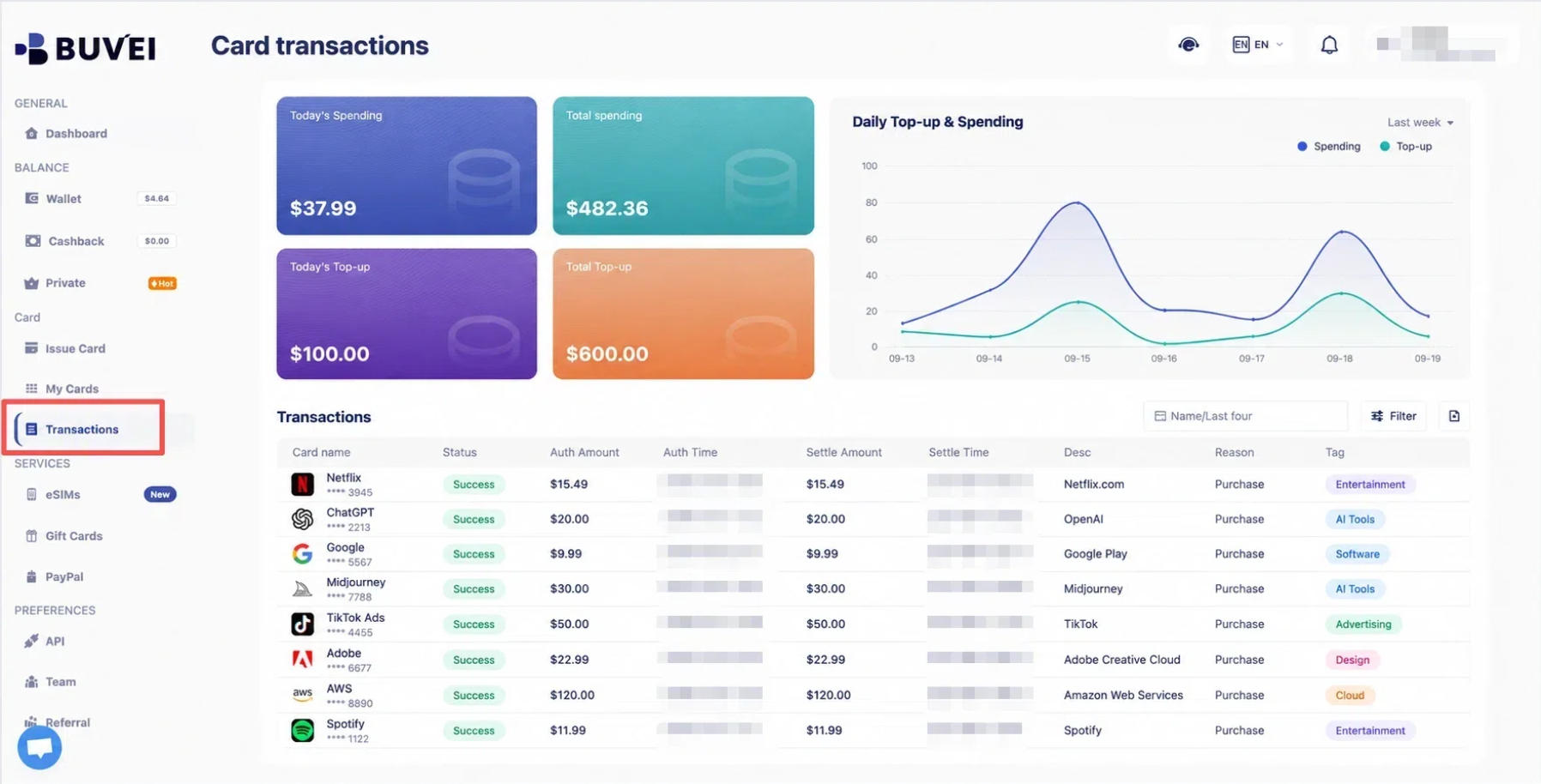
Beyond virtual cards, BUVEI also offers Apple Pay and Google Pay support for eligible cards, PayPal transfers, QR Pay, eSIM purchases, digital gift cards, API integration, white-label solutions, and cashback on selected plans.
How to Get Started With BUVEI
Getting started involves creating an account, funding your wallet, and issuing a virtual card.
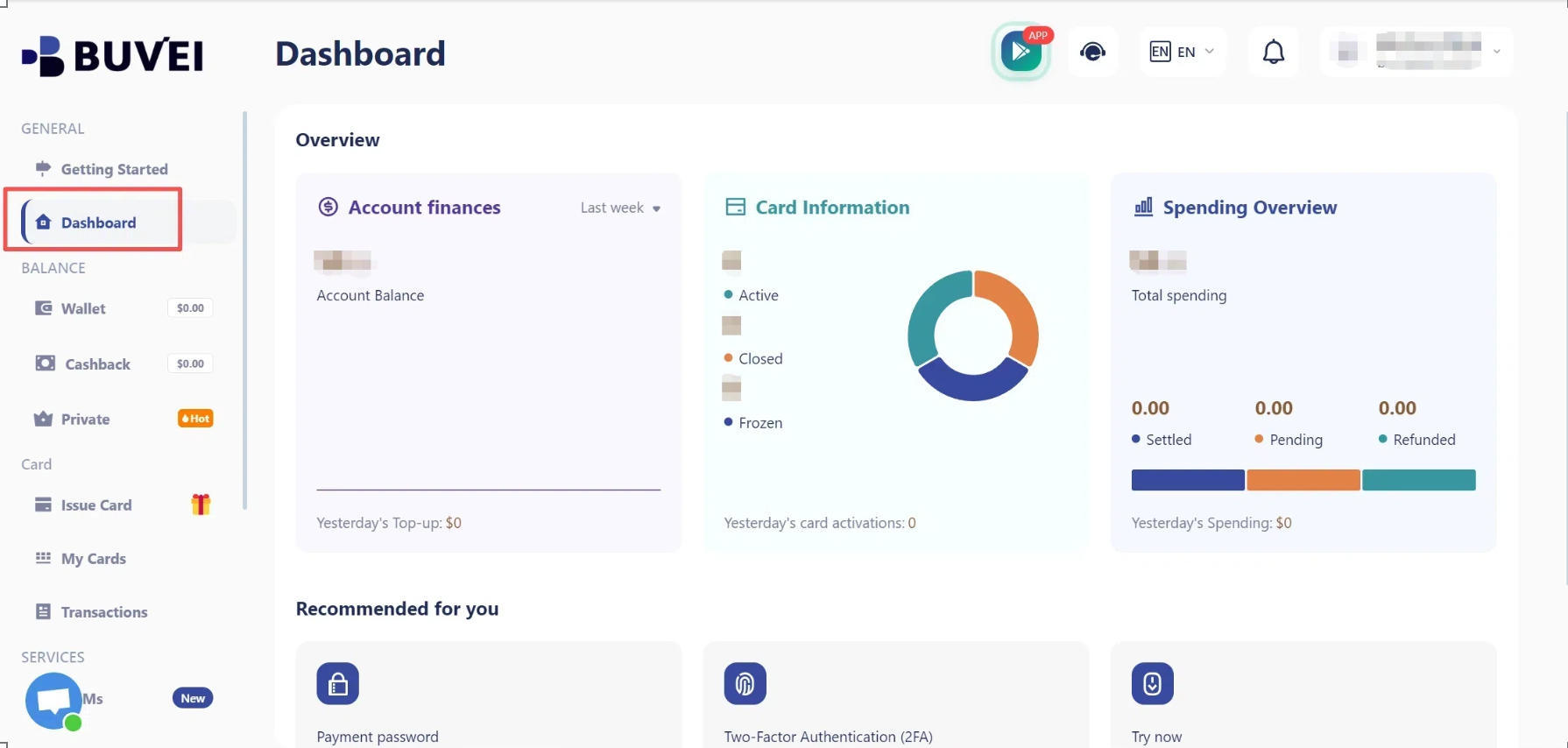
Step 1: Create a Free BUVEI Account
Visit BUVEI and register using your email address. Complete email verification, then log in to access your dashboard.
Step 2: Top Up Your Wallet With USDT
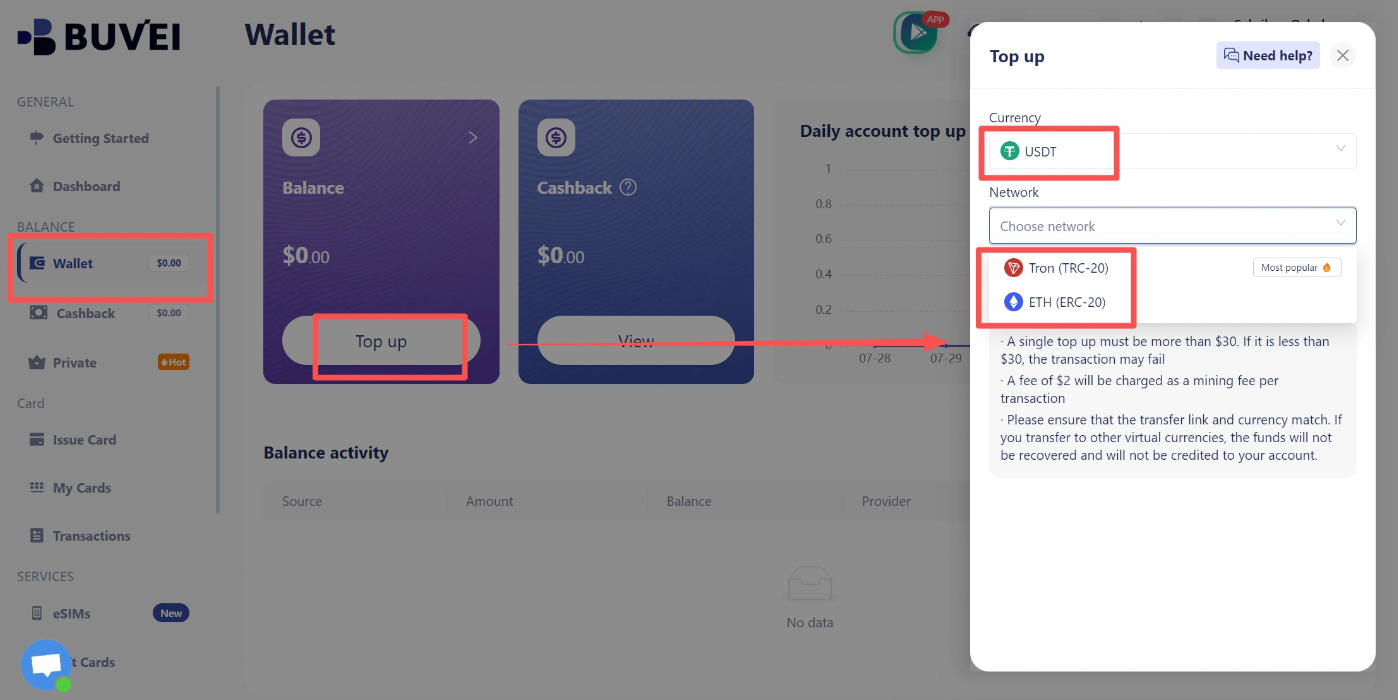
Open the Wallet tab and select USDT. Choose TRC20 or ERC20 and copy the dedicated deposit address displayed in your dashboard.
Transfer USDT from your external wallet using the same network. Once the transaction is confirmed, check your BUVEI wallet balance.
Make sure the deposit address and network match before transferring funds. TRC20 and ERC20 are different networks.
Step 3: Create Your Virtual Card
Navigate to the Cards tab and select your preferred BIN region.
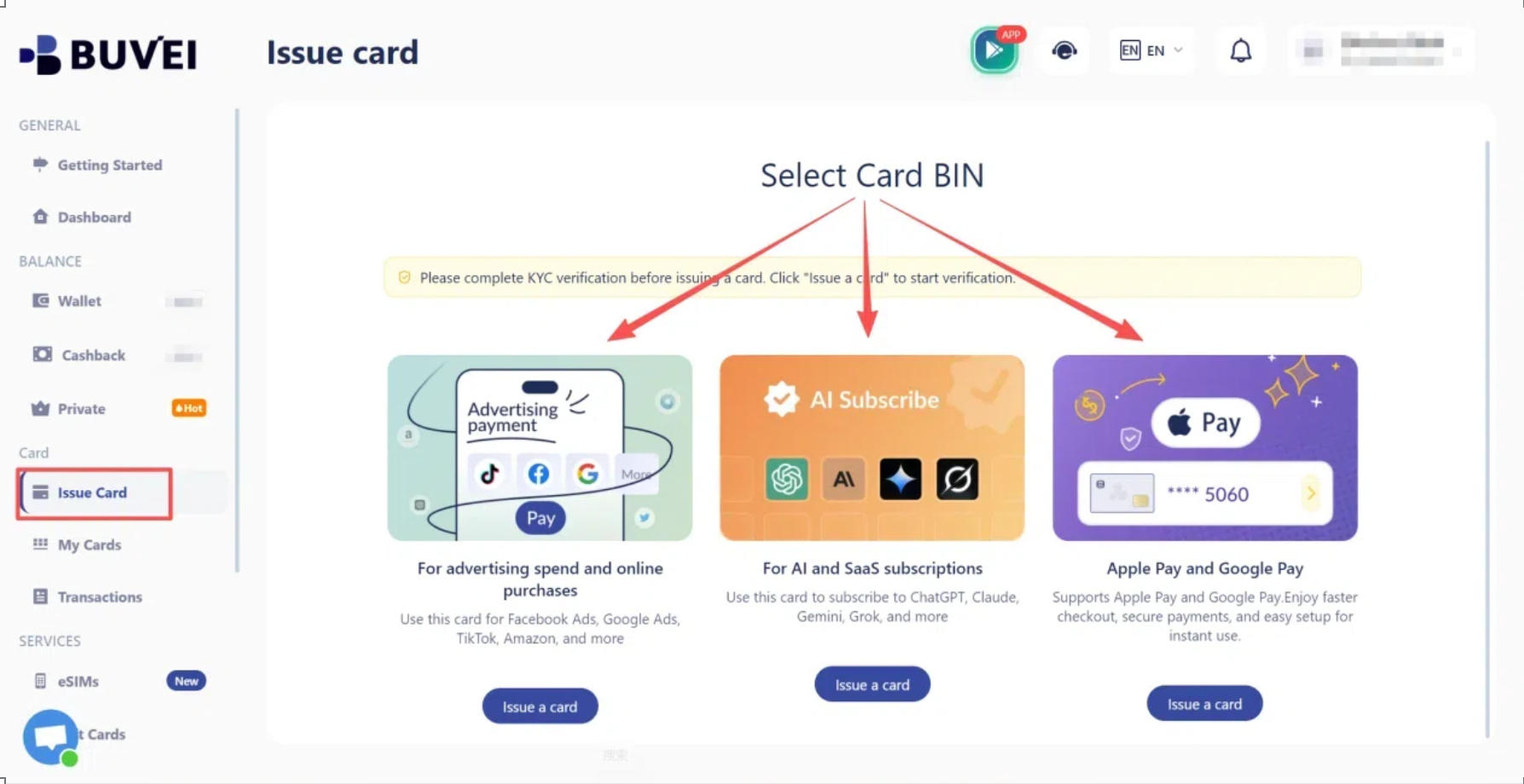
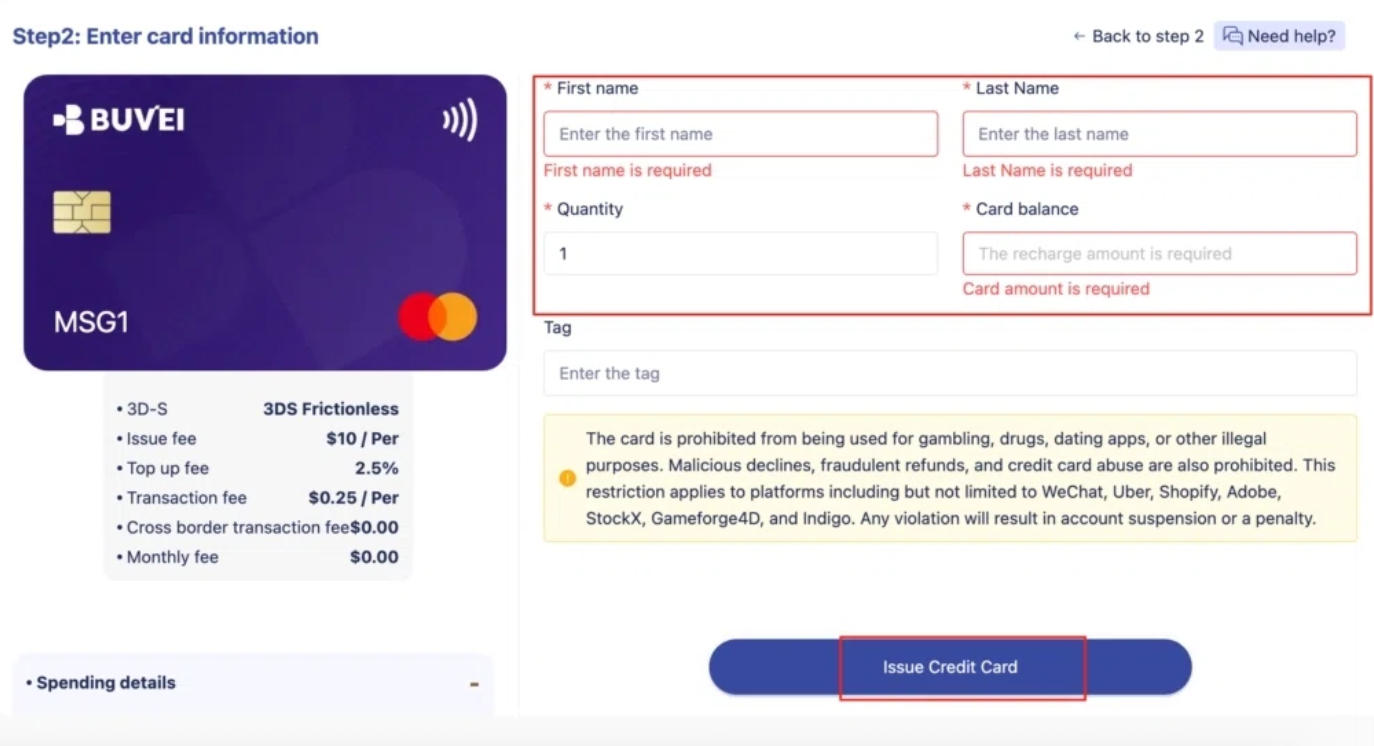
Select your card type and enter:
- Card name
- Funding amount
- Number of cards
Review the details and click Issue.
Step 4: View Your Card Details
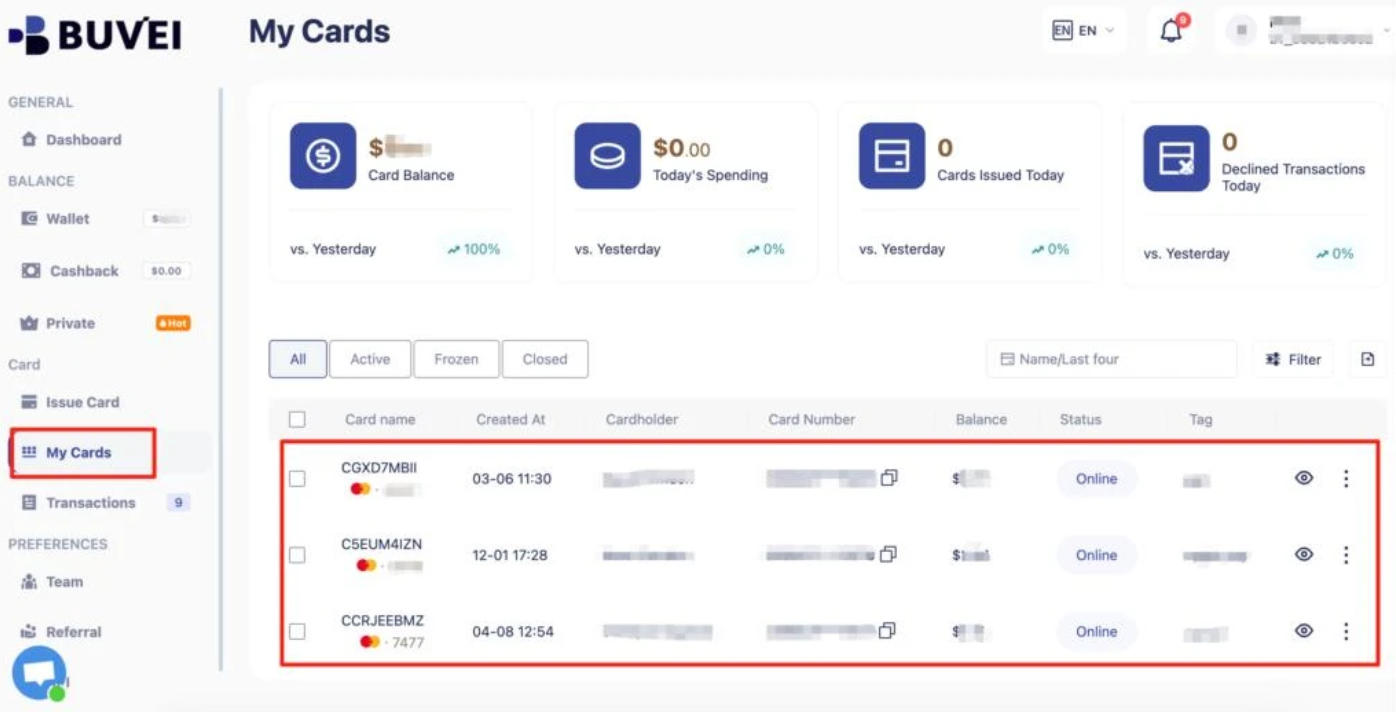
Once your card has been issued, open My Cards and select it to view:
- Card number
- Expiration date
- CVV
You can also review card funding, spending activity, and individual transaction records from this section.
Invite Friends and Earn Rewards
If you're already using BUVEI, you can also share it with friends who need virtual cards. Through BUVEI's referral program, you'll receive $5 cashback when someone signs up through your referral link and successfully issues a virtual card. Your friend will also get a $5 coupon toward an eligible card issuance fee.
You can find your referral link in the app under Invite Friends. For more details, check out the BUVEI Referral Program.
Frequently Asked Questions
Why Does My Card Get Declined for International Payments?
International transactions may be restricted by your card issuer or the merchant's regional payment policies. Check whether international payments are enabled and whether the merchant accepts cards issued in your country.
Can I Use a Virtual Card for Recurring Subscriptions?
Yes, provided the merchant accepts virtual cards and the card supports recurring payments. Make sure the card remains active and has enough available funds to cover future renewals.
Will I Get My Money Back After a Declined Transaction?
In most cases, a declined payment isn't completed. However, a temporary authorization may still appear in your account and reduce your available balance. The hold is generally released according to the merchant's and issuer's processing timelines. If it doesn't clear as expected, contact your card issuer.
Final Thoughts
A "card declined but have money" situation doesn't necessarily mean you need to add more funds. Check your available balance, card details, and merchant requirements before trying again.
For businesses managing multiple online payments, BUVEI's virtual cards and individual spending controls offer another way to keep expenses organized.