


Introduction
Unexpected SaaS free trial charges can catch you off guard when a subscription automatically renews. You might miss the renewal date, overlook the billing terms, or simply stop using a service without realizing that the subscription is still active.
This becomes harder to manage when you're testing several SaaS products at the same time. Each service may have its own trial period, renewal date, pricing, and cancellation policy, making it easy to lose track of upcoming payments.
This guide explains how to avoid unwanted subscription charges, keep track of free trials, and manage SaaS payments more effectively.
Why Do SaaS Free Trials Lead to Unexpected Charges?
Automatic Subscription Renewal
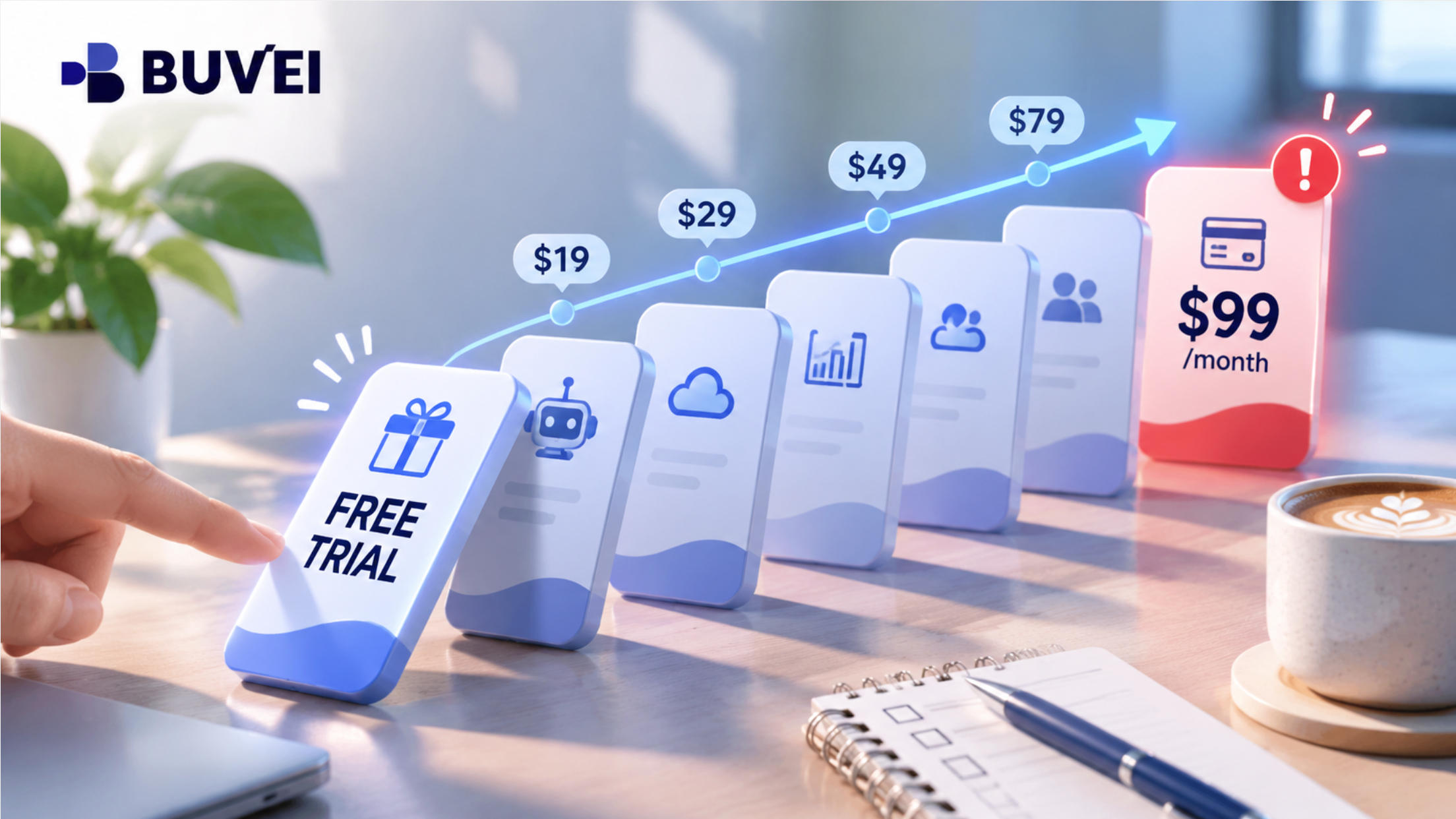
Many SaaS platforms automatically convert a free trial into a paid subscription unless you cancel before the trial ends. Once the trial expires, the payment method linked to your account may be charged according to the selected subscription plan.
Different Trial Periods
Trial periods vary between services. One product may offer seven days, while another offers 14 or 30 days. When several trials are active at once, it's easy to lose track of which subscription is due for renewal.
Unclear Billing Terms
Some users overlook important details when signing up for a free trial, particularly the pricing and cancellation conditions. They may not realize that the service will switch to a paid plan or that the first payment could cover an entire year.
How to Avoid Unexpected SaaS Subscription Charges
Check the Trial Terms and Renewal Date
Before starting a free trial, check:
- The trial end date
- The price after the trial
- The billing frequency
- The cancellation deadline and requirements
Pay particular attention to annual plans, as the first renewal may be significantly higher than a monthly subscription.
Set a Reminder Before Renewal
Set a calendar reminder a few days before the trial ends. This gives you enough time to decide whether you still need the service and cancel it if necessary.
If you're testing multiple SaaS products, keeping all trial dates in one calendar or list makes upcoming renewals easier to manage.
Cancel Unused Trials
If you don't plan to continue using a service, cancel it before the trial ends.
After canceling, check that your subscription status has changed and keep the confirmation email or screenshot. Simply deleting an app or stopping your use of the service does not necessarily cancel the subscription.
How Virtual Cards Can Help Manage SaaS Subscription Payments
Keeping track of renewal dates is important, but organizing payment methods also matters when you're using several SaaS services.
BUVEI offers Visa and Mastercard virtual cards that allow users to manage payments across different subscriptions and projects.
Separate Cards for Different Subscriptions
Instead of putting every SaaS subscription on the same payment card, you can assign separate virtual cards to different services or projects.
For example, if you use ChatGPT, Canva, Notion, and Adobe Creative Cloud, you can assign a separate BUVEI virtual card to each service, provided the merchant accepts the selected card and billing region. This keeps payments separate and makes it easier to identify which service a charge belongs to.
BUVEI supports Visa and Mastercard virtual cards, as well as batch card issuance, making it easier to create and manage cards for multiple subscriptions or projects.
Set Spending Limits and Manage Cards
BUVEI allows users to manage individual virtual cards through several controls:
- Individual spending limits: Set a separate spending limit for each card.
- Freeze and unfreeze: Temporarily disable a card or restore it when needed.
- Close cards: Close cards that are no longer required.
These controls can help keep subscription spending within a planned budget, particularly when different cards are assigned to different services or projects.
Freezing or closing a card does not cancel the subscription itself. If you no longer need a service, cancel it directly with the provider.
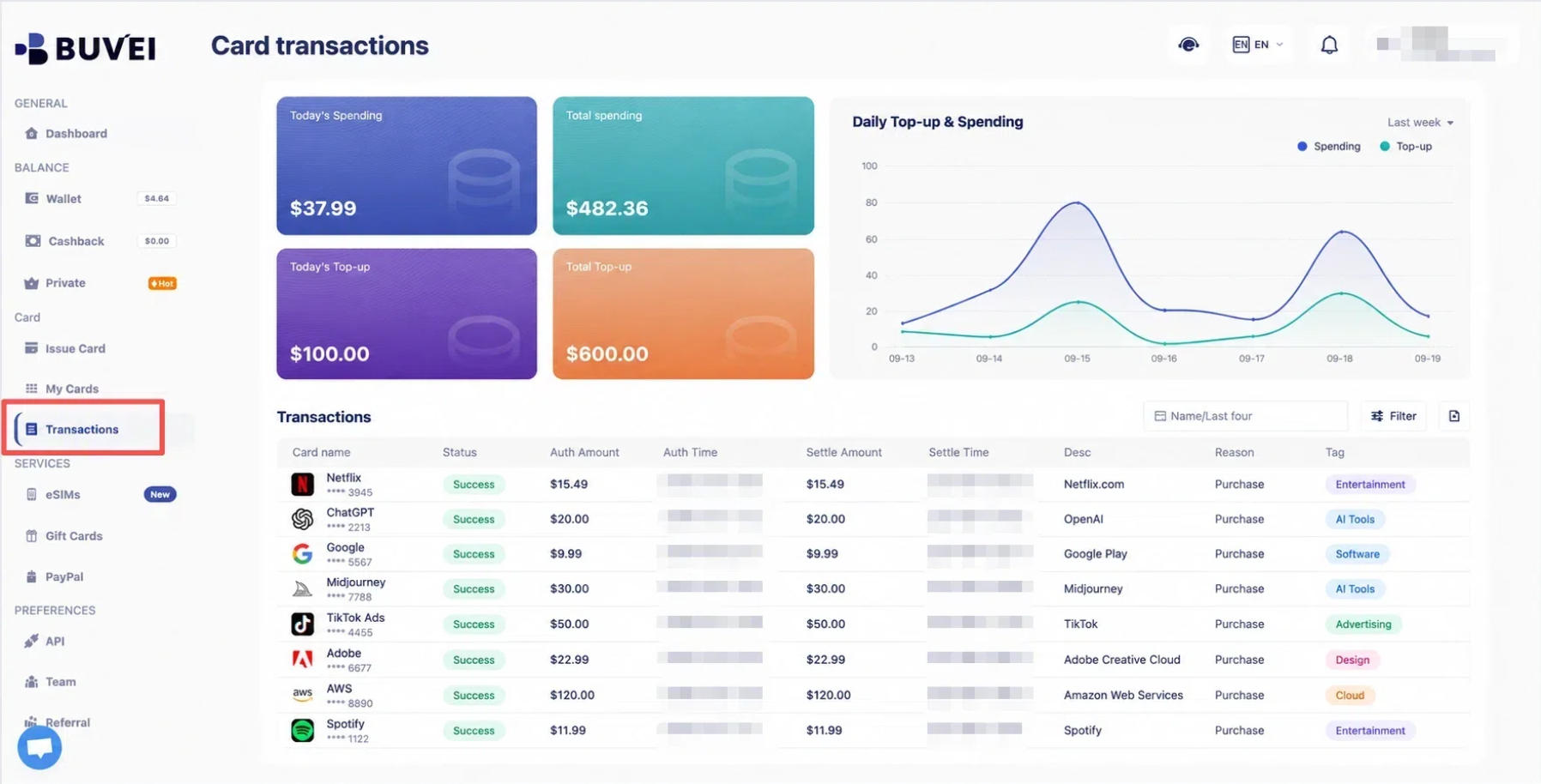
Review Transaction Records
BUVEI's transaction records make it easier to review:
- Transaction amounts
- Transaction times
- Transaction statuses
When different subscriptions use separate cards, you can check the relevant card's activity without sorting through payments from unrelated services.
How to Set Up a BUVEI Virtual Card for SaaS Payments
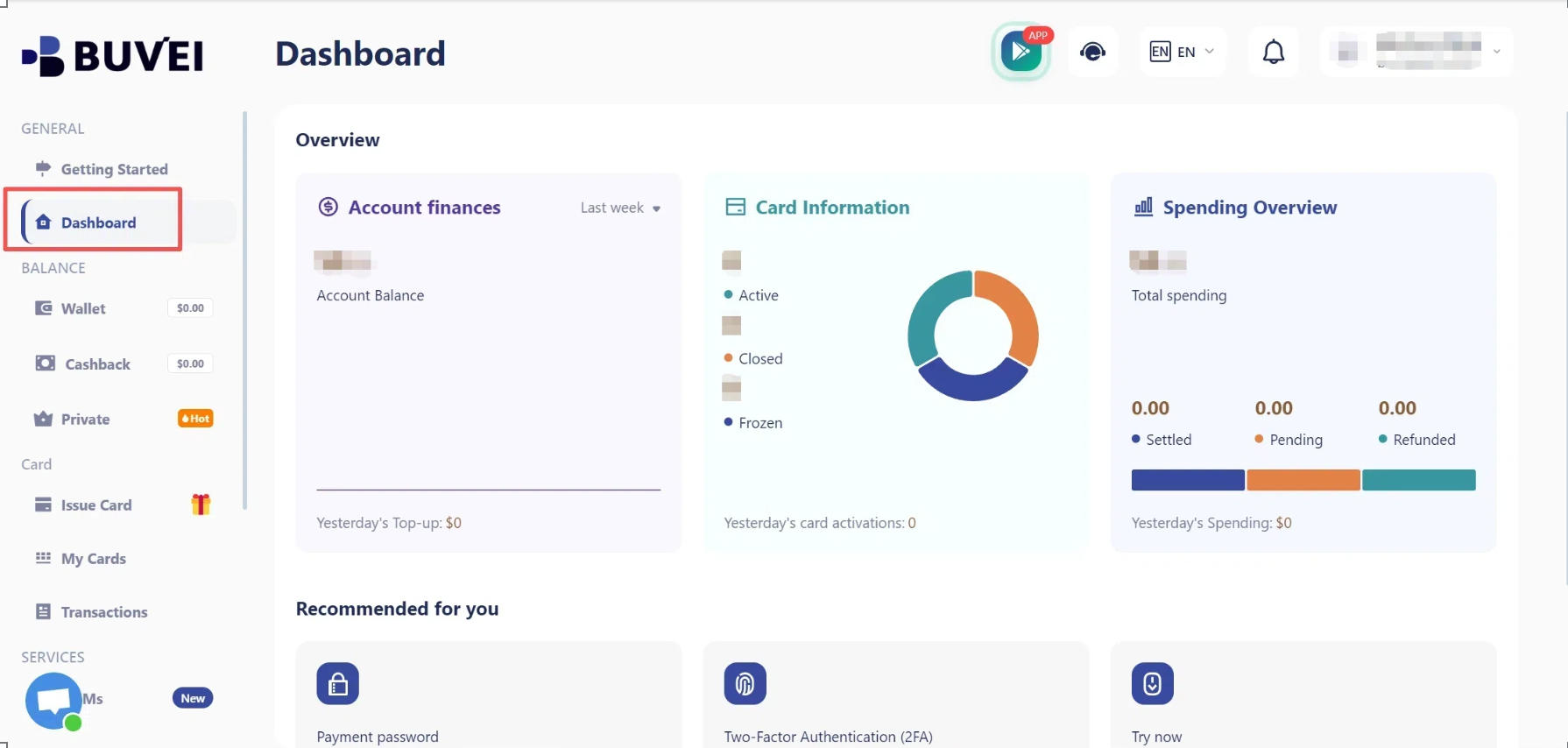
Step 1. Register a BUVEI Account
Go to buvei.com, create a free account, complete email verification, and log in to your dashboard.
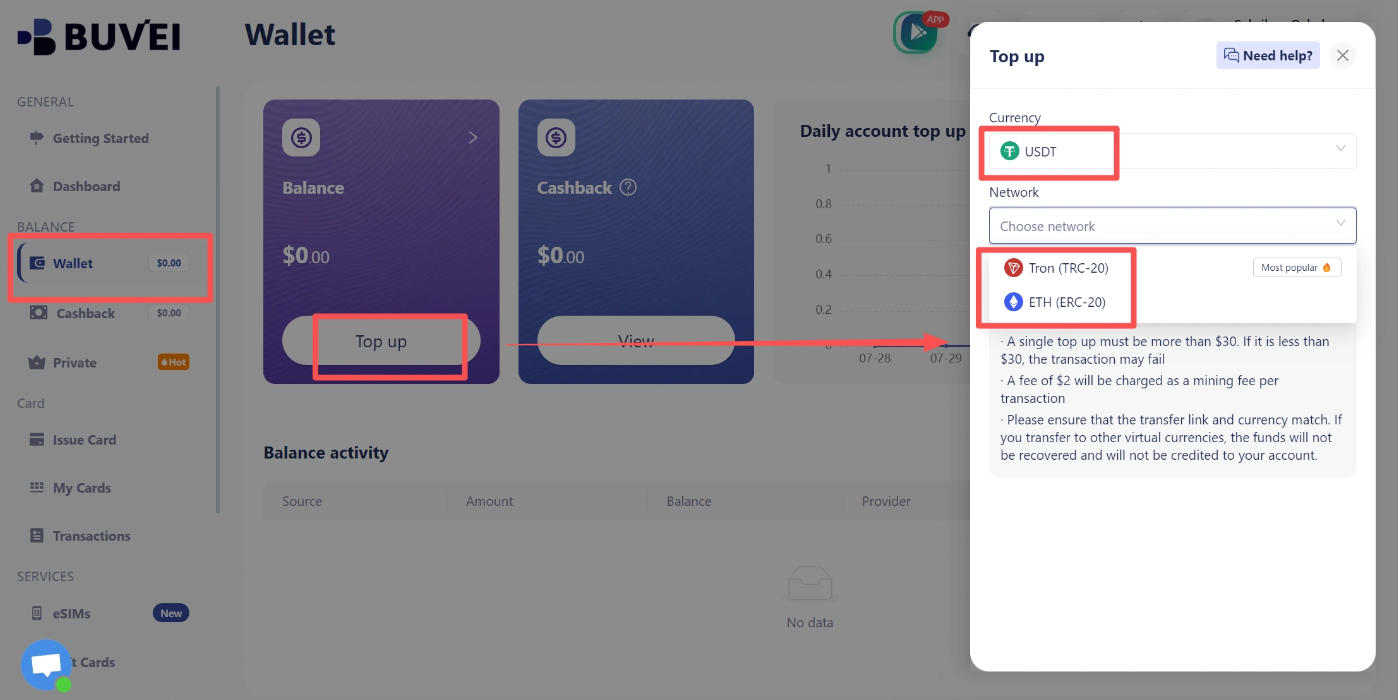
Step 2. Top Up Your Wallet
Open Wallet and select USDT TRC20 or ERC20. Copy the corresponding deposit address and transfer USDT using the same network. Once the transaction is confirmed, the funds will appear in your wallet.
Make sure the sending network matches the deposit network before transferring funds.
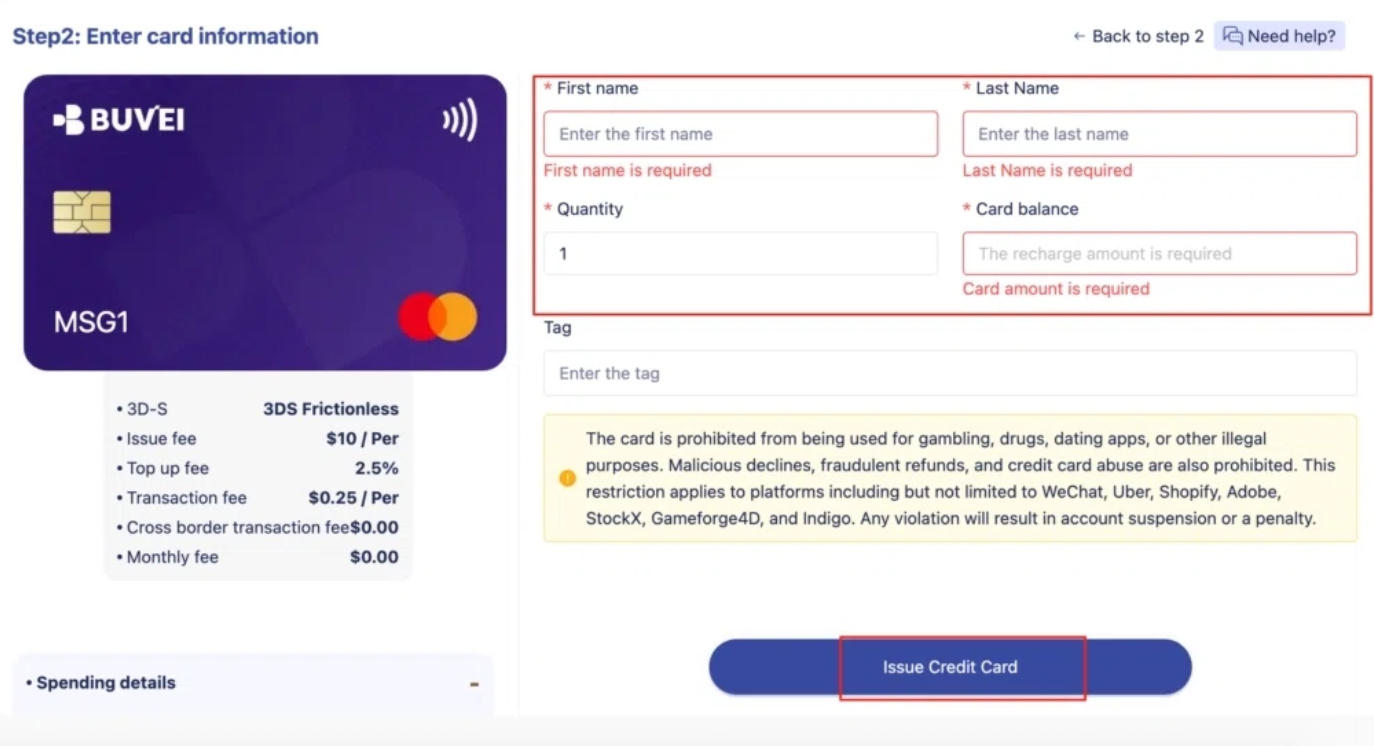
Step 3. Issue a Virtual Card
Open Cards, select an available BIN region and card type (a US BIN is recommended), then enter the card name, amount, and quantity. Click Issue.
Once the card has been created, open My Cards to view the card number, expiration date, and CVV.
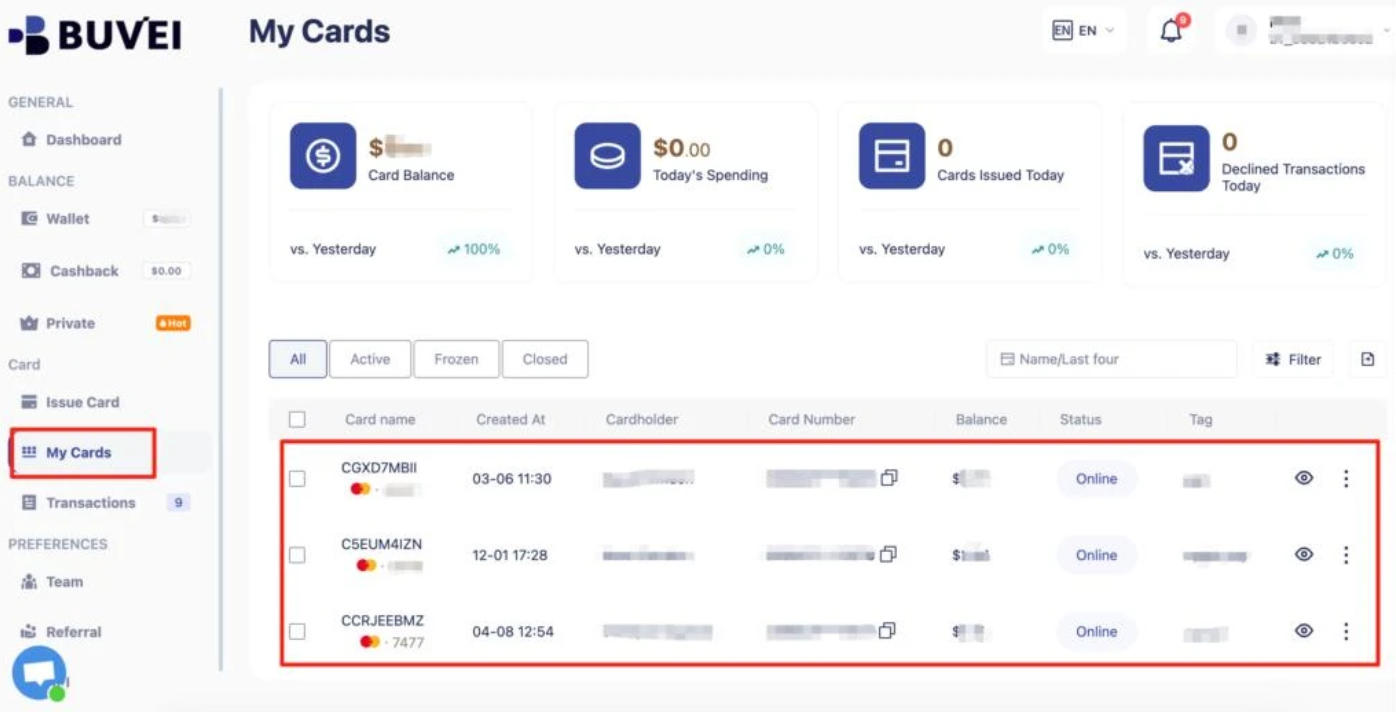
Before adding the card to a SaaS service, check that the merchant accepts it and that the card meets the service's payment requirements.
What to Do If You've Been Charged After a Free Trial
If a free trial has already converted into a paid subscription, first check your subscription status and billing details.
If you don't want to continue, cancel the subscription and contact the provider to ask whether a refund is available. Refund eligibility depends on the provider's policy.
If the charge appears unauthorized or does not match your subscription history, review the transaction details and contact your payment provider for further assistance.
Frequently Asked Questions
Do All SaaS Free Trials Automatically Renew?
No. Renewal policies vary between SaaS providers. Some automatically convert trials into paid plans, while others require users to select a paid plan manually. Always check the billing terms before signing up.
Can I Cancel a Free Trial Without Losing Access?
It depends on the SaaS provider. Some services allow you to keep using the product until the original trial period ends, while others may change your access immediately after cancellation.
Can I Use a Virtual Card for a SaaS Subscription?
It depends on the SaaS provider's payment requirements and whether the selected card is eligible for the transaction. Check the service's accepted payment methods before adding a virtual card.
Conclusion
Avoiding unexpected SaaS free trial charges starts with knowing when each trial ends and understanding what happens afterward. Check the billing terms, set reminders before renewal, and cancel services you no longer need.
For users managing several SaaS subscriptions, separate payment methods can make recurring expenses easier to track and control. BUVEI's virtual cards and card management features offer a practical way to organize payments across different services and projects.