


Introduction
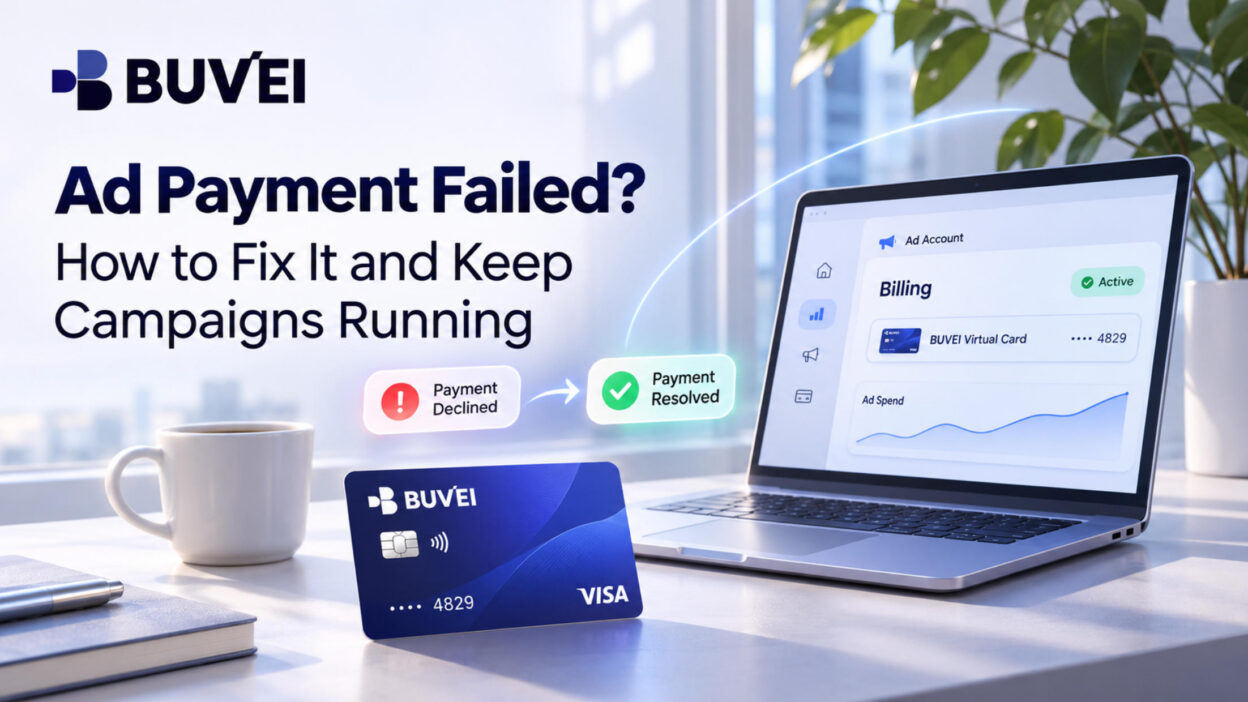
Ad payment failed? A declined transaction can disrupt advertising campaigns at the worst possible time. For advertisers running campaigns across Google Ads, Meta Ads, and TikTok Ads, payment issues can interrupt ad delivery, delay promotions, and affect campaign budgets. The impact can be even greater during peak advertising seasons, when every day of downtime matters.
Common causes include insufficient funds, card spending limits, bank restrictions, incorrect billing details, or advertising account issues. Identifying the cause quickly can help advertisers restore payments and avoid further interruptions.
This guide explains why ad payments fail, how to fix them, and how virtual cards can help businesses manage advertising expenses across multiple campaigns.
Common Reasons Ad Payments Fail
Most advertising payment failures involve the card, the issuing bank, or the advertising account itself. Here are five common causes.
Insufficient Funds or Spending Limits
If a card doesn't have enough available funds or a transaction exceeds its spending limit, the payment may be declined. This often happens when several campaigns generate charges around the same time.
Bank or Card Restrictions
Banks may block advertising transactions because of fraud prevention measures, international payment restrictions, or unusual spending patterns. Even with sufficient funds, a card can be declined if the transaction triggers the issuer's security controls.
Incorrect or Expired Card Details
An incorrect card number, expiration date, CVV, or billing address can prevent a payment from going through. Expired cards and payment methods not supported in the account's billing region can cause similar problems.
3D Secure Verification Issues
Some online transactions require additional authentication through 3D Secure (3DS). If verification fails, expires, or the authentication page doesn't load properly, the payment may not be completed.
Advertising Account Billing Issues
Sometimes the card isn't the problem. Outstanding balances, additional verification requests, or restrictions on an advertising account can also prevent successful payments.
How to Fix a Failed Ad Payment
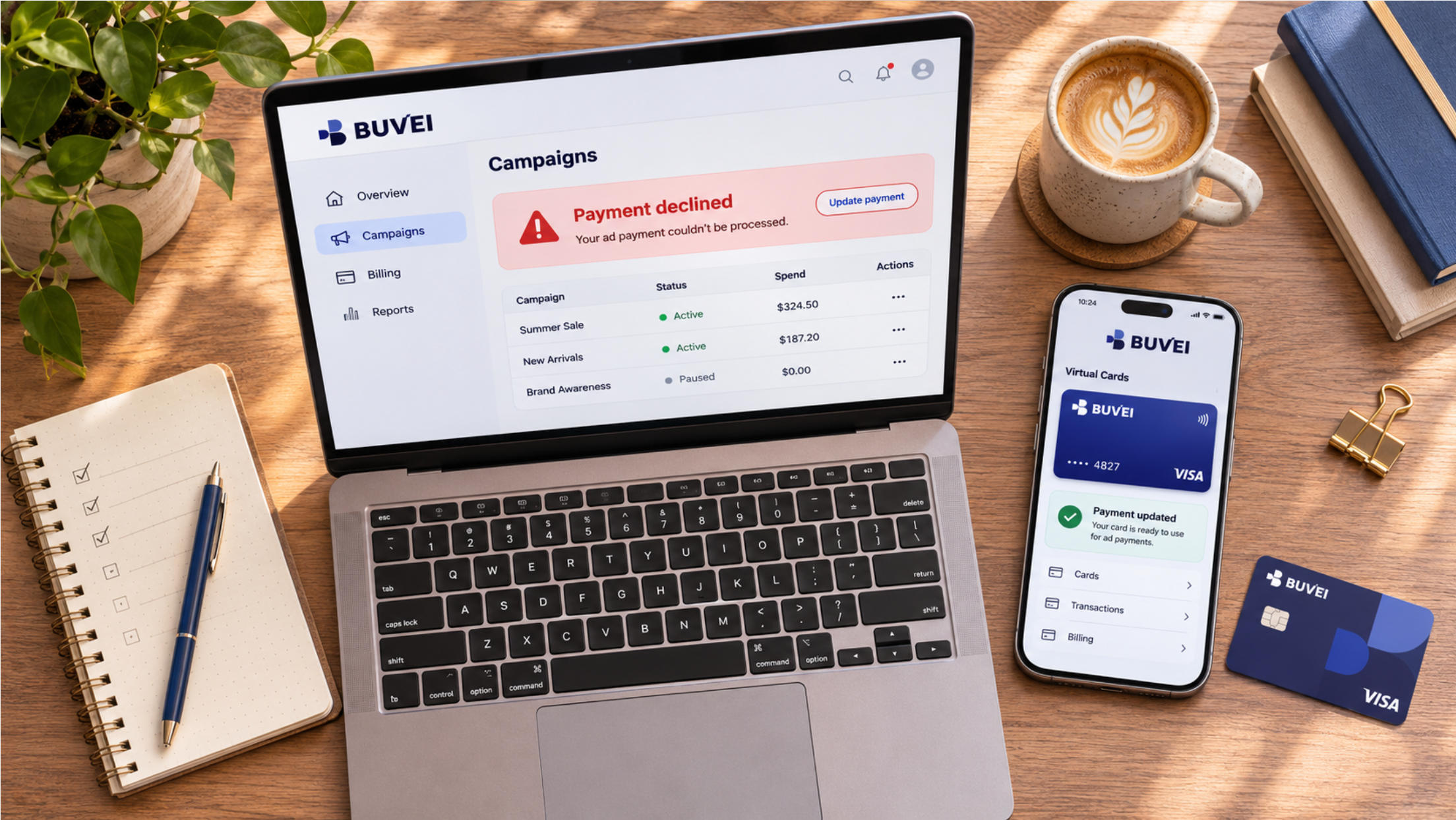
Start with the advertising platform's billing dashboard. Check for declined payment notifications, outstanding balances, and any instructions explaining the problem.
Next, review the following details:
- Available card balance and spending limits.
- Card number, expiration date, and CVV.
- Billing address and cardholder information.
- Online and international payment restrictions.
- Outstanding advertising account balances.
If everything looks correct but the transaction still fails, contact your card issuer. Ask whether the payment was blocked by security controls, international transaction restrictions, or spending limits.
For 3D Secure issues, check your browser and internet connection. VPNs, browser extensions, and blocked pop-ups can sometimes interfere with the verification process.
If the original card cannot be used, add another payment method accepted by the advertising platform. Once the issue is resolved, confirm that the outstanding payment has been processed.
How to Prevent Future Ad Payment Failures
A little preparation can save advertisers from dealing with payment problems in the middle of a campaign.
Keep a backup payment method. Have another supported payment method ready in case your primary card is declined. Where the advertising platform supports backup payments, configure this option in advance.
Prepare before major campaigns. Before Black Friday, Cyber Monday, or other high-spending periods, review:
- Card expiration dates.
- Available funds and spending limits.
- Billing information and outstanding balances.
- Payment arrangements across client accounts.
For agencies, checking these details before increasing campaign budgets can help avoid unnecessary billing interruptions.
How BUVEI Virtual Cards Help Manage Ad Payments
For agencies managing several client accounts, assigning separate virtual cards to different advertising projects can make payment management more straightforward.
BUVEI supports Visa and Mastercard virtual cards, multiple BIN options, and individual card controls. Businesses can organize their payment methods around different clients, accounts, or projects.
Separate Cards for Different Advertising Accounts
BUVEI supports batch card issuance, so agencies can assign individual cards to different clients or advertising accounts instead of putting every expense on one shared card.
For example, an agency managing three clients can issue a separate card for each client's advertising expenses. When reviewing transactions, it's easier to identify which project each payment belongs to without sorting through unrelated charges.
Spending Limits and Card Controls
Each card can have its own spending limit. Agencies can allocate different limits according to individual project budgets rather than managing all payment capacity through one card.
BUVEI also allows users to freeze, unfreeze, or close individual cards. This is useful when a project ends, a card is no longer needed, or a payment method needs to be temporarily disabled.
Transaction Records
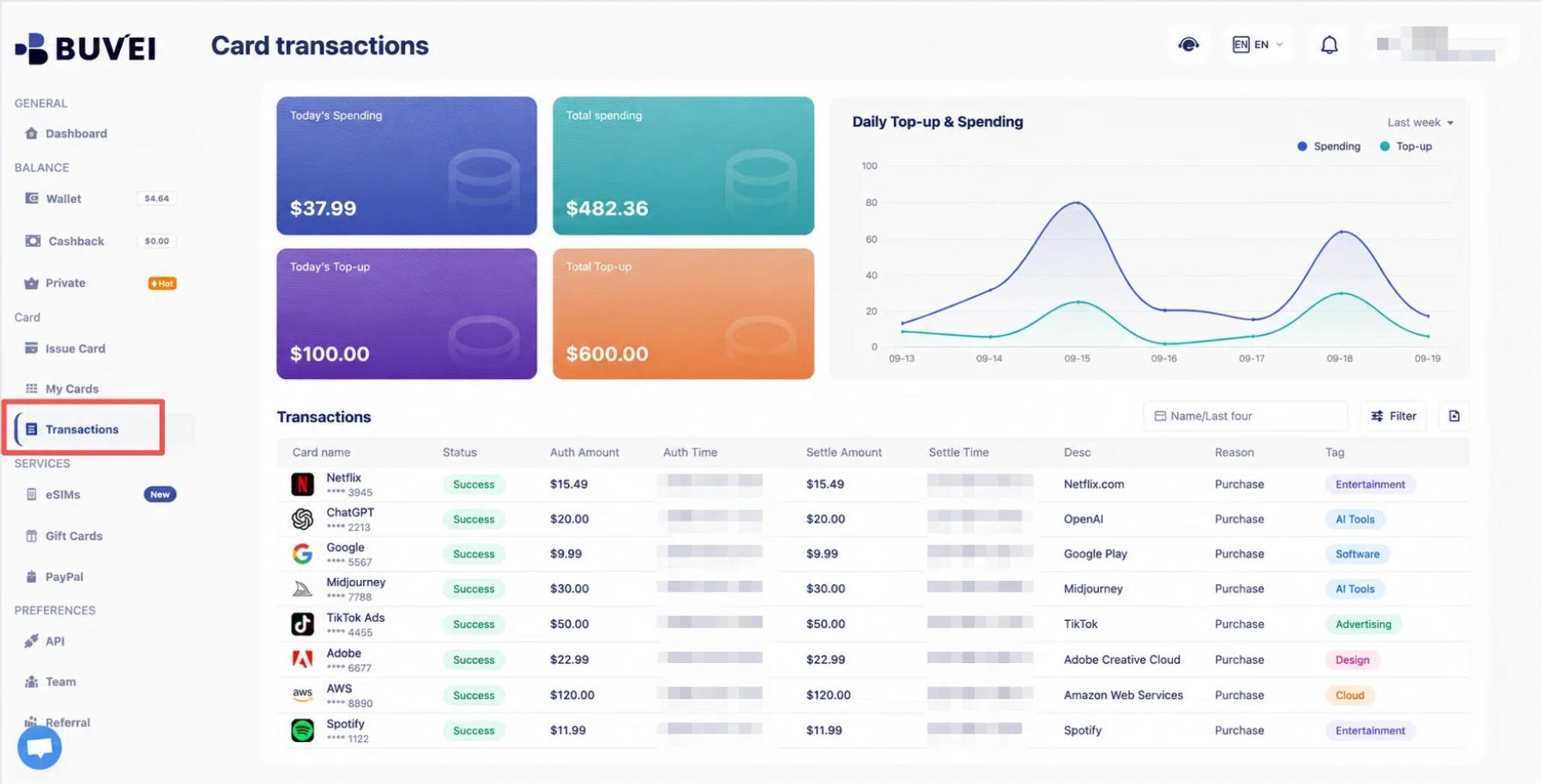
BUVEI provides transaction records showing spending amounts, transaction times, and payment statuses. Agencies can review individual card activity when checking advertising expenses or reconciling project costs.
How to Set Up BUVEI Virtual Cards for Advertising Payments
Step 1. Register a BUVEI Account
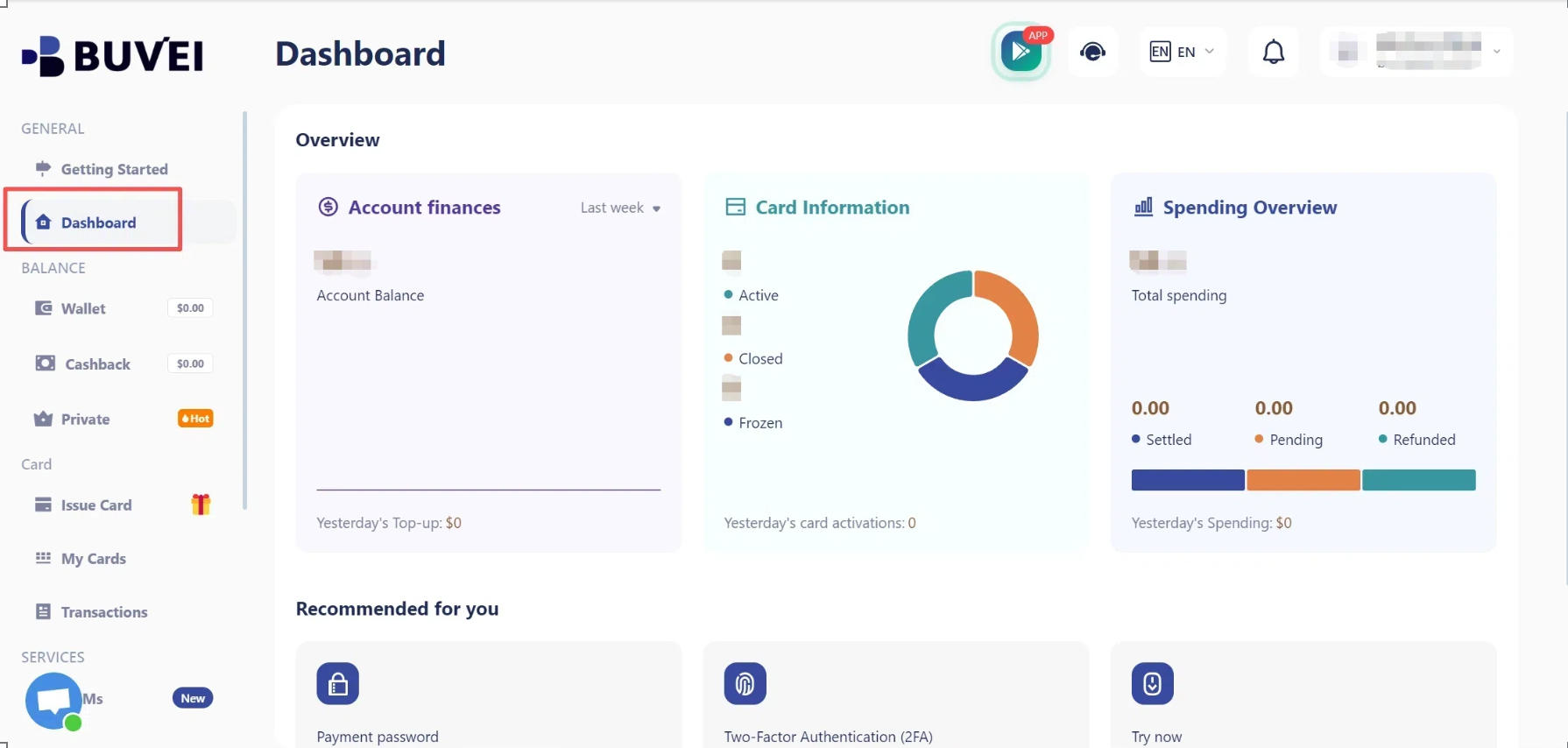
Visit buvei.com, create a free account, complete email verification, and log in to your dashboard.
Step 2. Top Up Your BUVEI Wallet
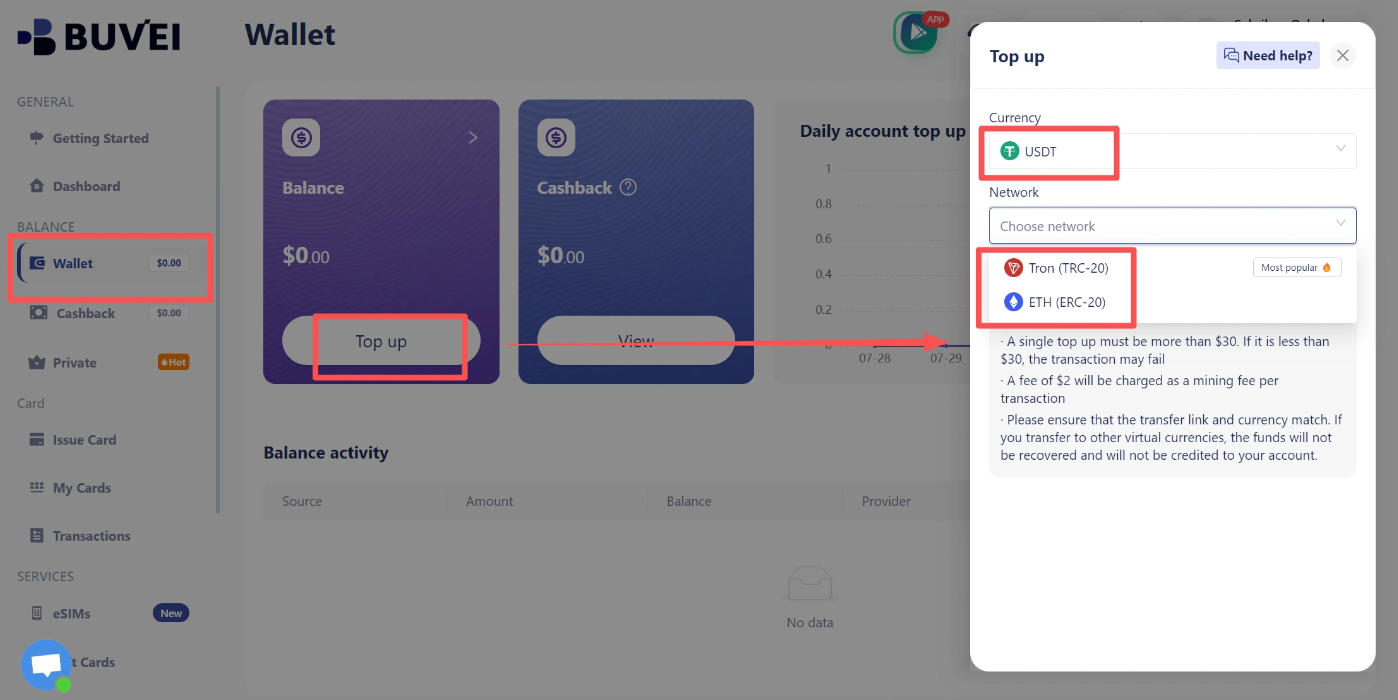
Open the Wallet section and select USDT TRC20 or ERC20. Copy the corresponding deposit address and transfer USDT using the same network. Once the transaction is confirmed, the funds will appear in your BUVEI wallet.
Make sure the sending network matches the deposit network to avoid transfer problems.
Step 3. Issue a Virtual Card
Go to Cards and select an available BIN region and card type. Enter the card name, amount, and quantity, then click Issue.
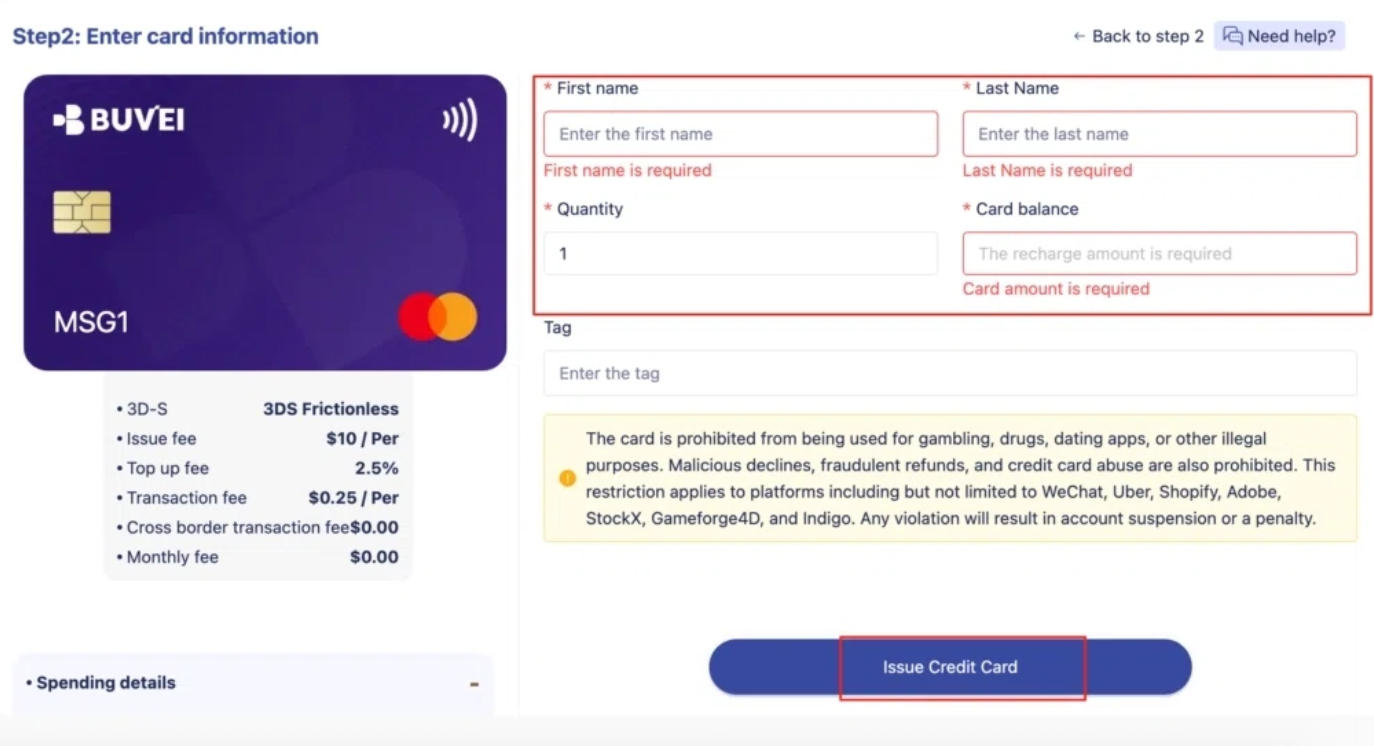
Once the card has been created, open My Cards to view its number, expiration date, and CVV.
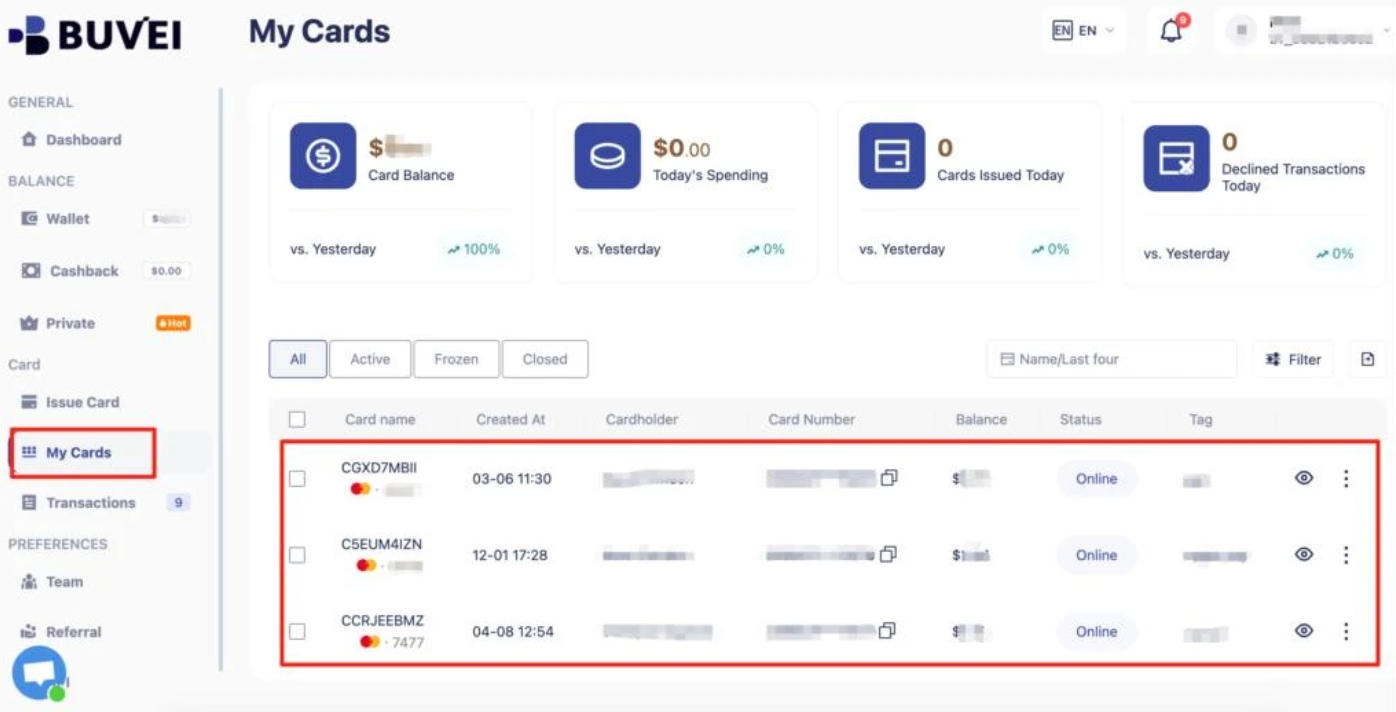
Before adding a card to an advertising account, check that it meets the platform's payment requirements. Acceptance depends on the advertising platform, billing region, and card eligibility.
Earn Cashback on Meta Ads and TikTok Ads Spending
BUVEI also offers a cashback campaign for eligible Meta Ads and TikTok Ads spending.
To participate, register for the campaign, use an eligible BUVEI card for advertising payments, and reach the required spending level during the campaign period.
Cashback Reward Tiers
| Eligible Ad Spend | Cashback Reward |
|---|---|
| $5,000–$9,999.99 | $50 |
| $10,000–$49,999.99 | $110 |
| $50,000–$199,999.99 | $580 |
| $200,000–$499,999.99 | $1,500 |
| $500,000–$999,999.99 | $4,000 |
| $1,000,000 or more | $10,000 |
The campaign applies only to eligible Meta Ads and TikTok Ads spending.
Frequently Asked Questions
Can a Failed Ad Payment Pause My Campaign?
Yes. Depending on the platform and billing arrangement, an unsuccessful payment may lead to paused campaigns or billing restrictions. Check your account's billing status and resolve outstanding payments promptly.
Does Using a Virtual Card Guarantee Ad Payment Approval?
No. Virtual cards can still be declined because of insufficient funds, issuer restrictions, regional requirements, or advertising platform policies. Always check card compatibility before adding a payment method.
Conclusion
Keeping advertising campaigns running takes more than setting the right budgets and choosing the right audiences. Advertisers also need payment methods they can manage and monitor as their campaigns grow. A declined transaction may be unavoidable at times, but having a clear payment setup and backup options can make billing issues easier to handle.
For agencies and businesses managing multiple ad accounts, BUVEI offers a practical way to organize advertising payments. With separate virtual cards, individual spending limits, and transaction tracking, teams can keep client expenses organized without relying on a single card for every campaign.