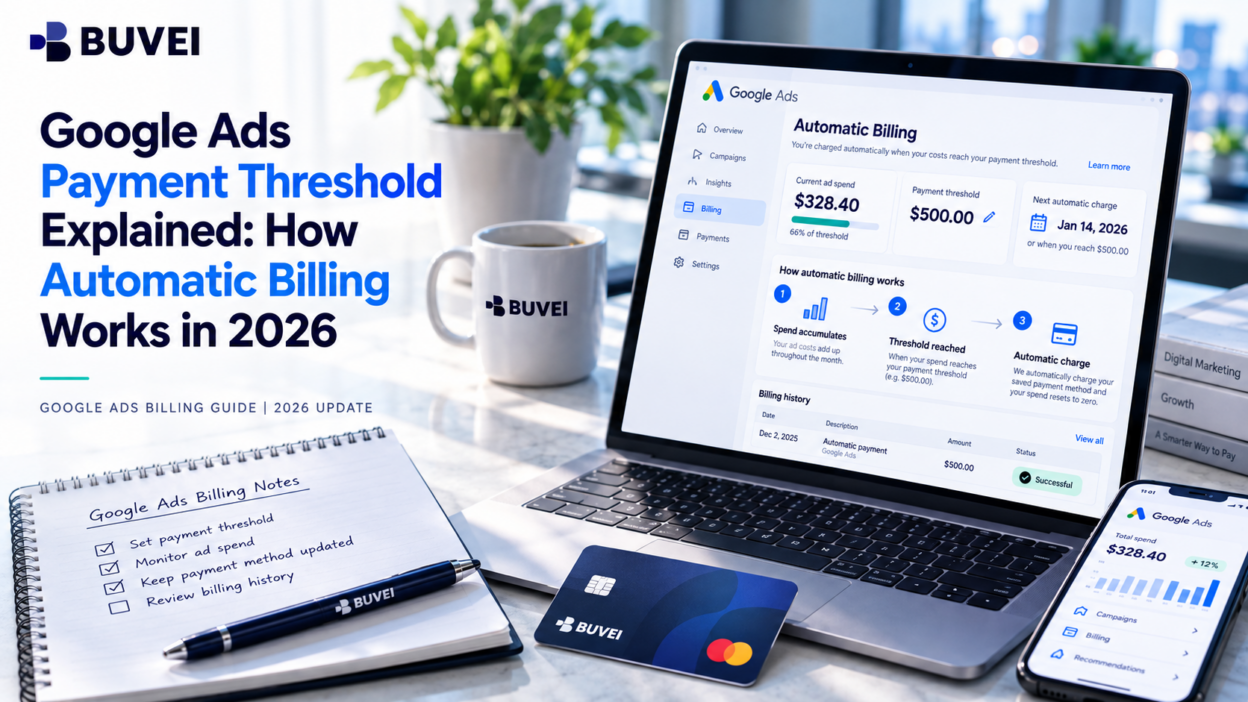
Why did Google Ads charge your card before the end of the month, or take more than the payment threshold you expected? If you're using automatic payments, both situations can be normal. The Google Ads payment threshold determines when Google collects accumulated advertising costs, not how much you're allowed to spend. Here's how to check your threshold, understand your billing schedule, and investigate unexpected charges.
What Is the Google Ads Payment Threshold?
The Google Ads payment threshold is the amount of accumulated advertising costs that triggers an automatic payment on an account using postpay billing. Instead of paying before your ads run, you accrue costs and Google charges your primary payment method when the threshold is reached or the monthly billing date arrives.
Google Ads Payment Threshold vs. Daily Budget
These settings serve different purposes:
| Setting | What it controls |
|---|---|
| Payment threshold | When Google automatically collects advertising costs |
| Daily budget | The budget used to guide campaign spending |
| Card spending limit | The amount your card can authorize under its own terms |
For example, your campaign might have a daily budget of $40 while your payment threshold is $200. The budget helps guide ad delivery; the threshold determines when Google initiates a payment. Your card's spending limit is separate from both.
A higher payment threshold does not increase your daily budget or cap your advertising spend.
When Does Google Ads Charge Your Card?
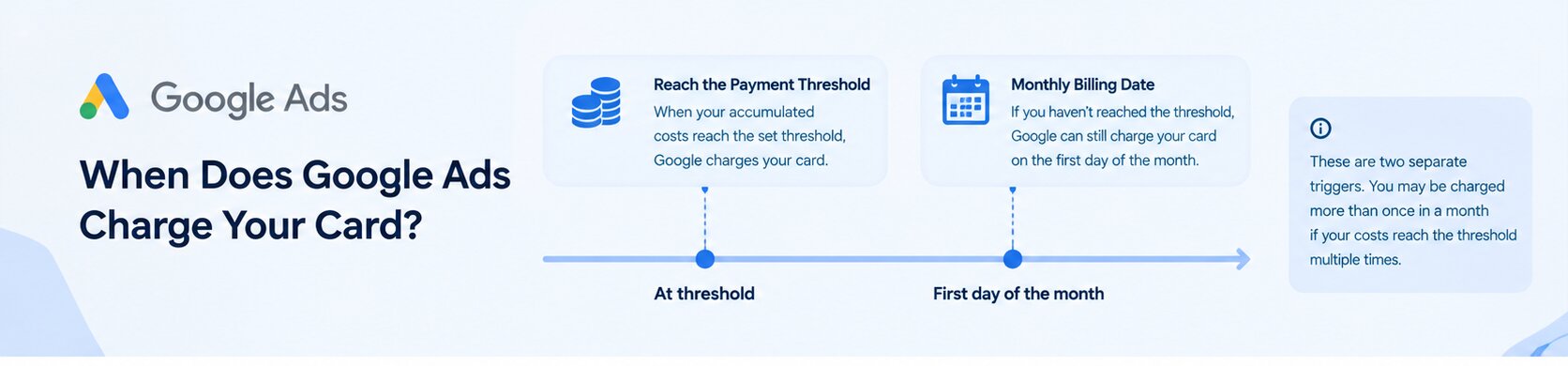
For accounts using automatic postpay billing, Google charges your primary payment method when your accumulated costs reach the threshold or on the first day of the month, whichever comes first. This is why a card can be charged several times in one month.
When Your Account Reaches the Payment Threshold
Google accumulates your advertising costs as campaigns run. Once your account reaches its assigned threshold, an automatic payment is initiated.
For example, if your threshold is $100, reaching that amount can trigger a charge without waiting for the end of the month. The actual charge may be slightly higher if additional advertising costs accrue while the payment is being processed.
The $100 amount is illustrative only; your actual threshold depends on your account and may change over time.
When the Monthly Billing Date Arrives
Your account doesn't need to reach the threshold for Google to collect payment. If your accumulated costs remain below the threshold, Google can still charge the outstanding balance on the first day of the month.
For example, if your threshold is $200 but your account has accumulated $135 by the monthly billing date, the $135 balance may be charged instead of waiting for spending to reach $200.
You can review Google's official automatic billing rules for details.
Why Does Your Google Ads Payment Threshold Increase?
If Google used to charge smaller amounts more frequently but now collects larger amounts less often, your payment threshold may have increased automatically.
Google may raise the threshold when your account repeatedly reaches the current limit before the next scheduled payment. For example, an account with a $50 threshold that reaches it multiple times may move to a higher threshold, such as $200 or more.
The actual amount depends on your account, country, and currency. Google may adjust the threshold automatically, and some accounts also have an option to increase it manually.
To check whether you can change it:
- Open Billing → Settings in Google Ads.
- Find the How you pay section.
- Look for Edit threshold.
- If available, review the recommended amount and save your preferred eligible setting.
If Edit threshold doesn't appear, your account may not support manual changes. In that case, Google manages the threshold automatically.
A higher threshold generally means fewer, potentially larger charges, so consider your cash flow before changing it.
How to Check Your Google Ads Payment Threshold
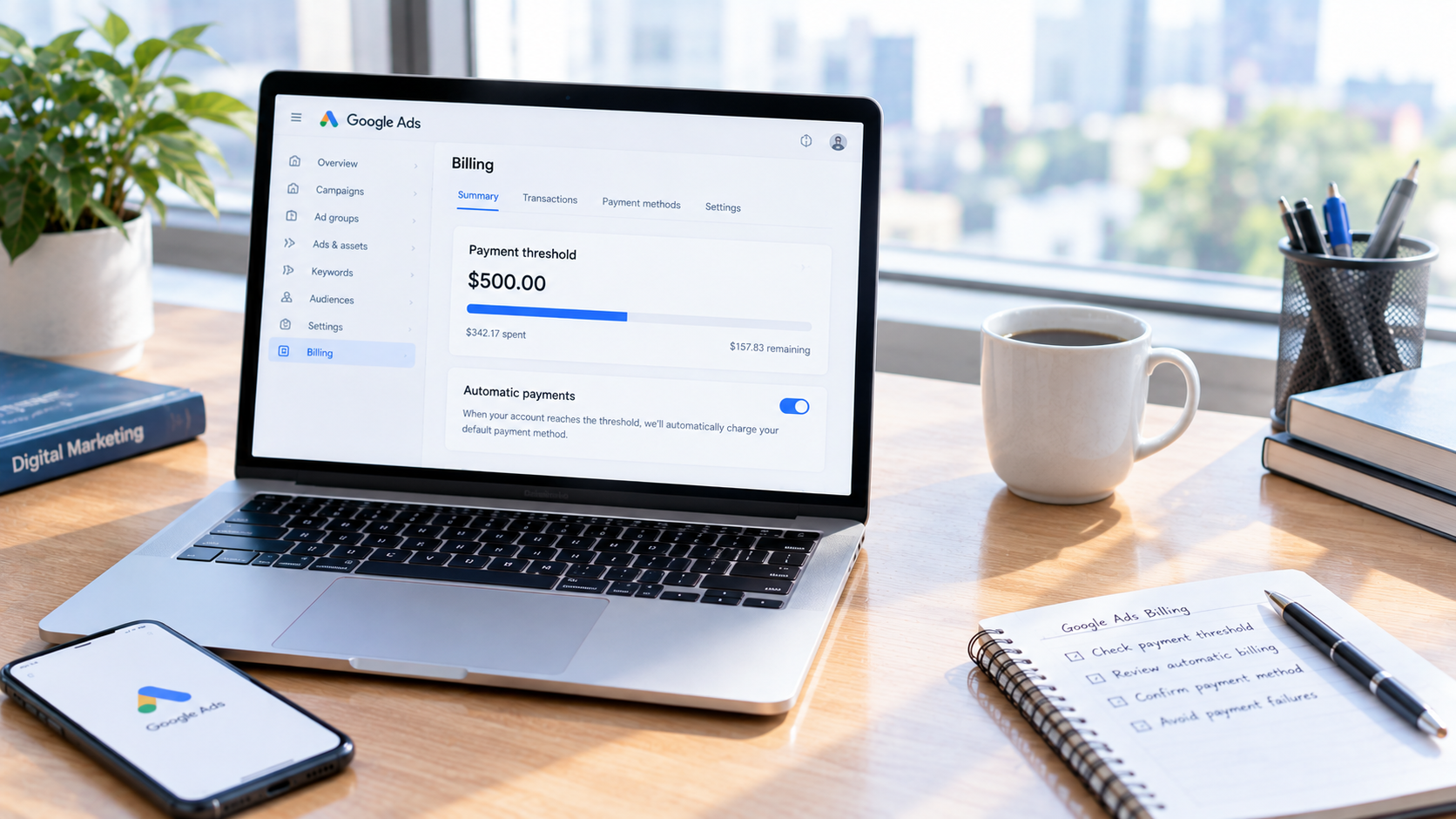
You can find your current threshold and the next scheduled payment directly in Google Ads; there's no need to estimate them from your bank statement.
Step 1: Open Billing Summary
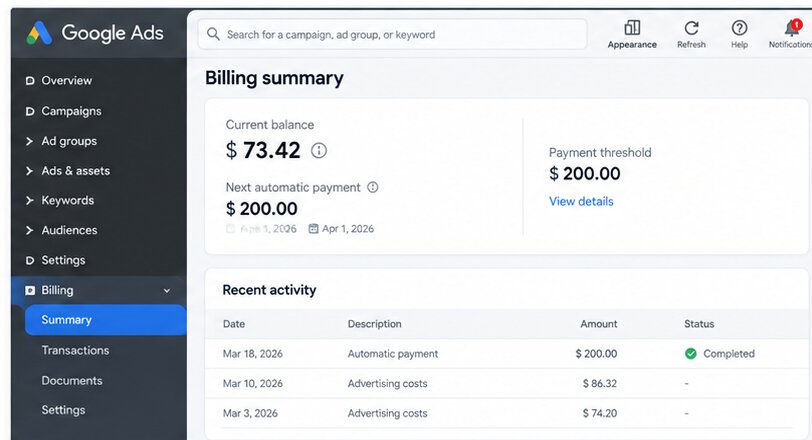
Sign in to Google Ads and select Billing → Summary.
The Summary page shows your account's current balance and a breakdown of billing activity. If you manage multiple advertising accounts, confirm that you're viewing the correct one.
Step 2: Find Your Next Automatic Payment
Look for the Next automatic payment card or tab. For postpay accounts, it can show your threshold amount and the next scheduled payment date.
Also review the Last payment information to check recent payment amounts, dates, and whether a transaction is completed or pending.
Step 3: Review the Current Month's Costs
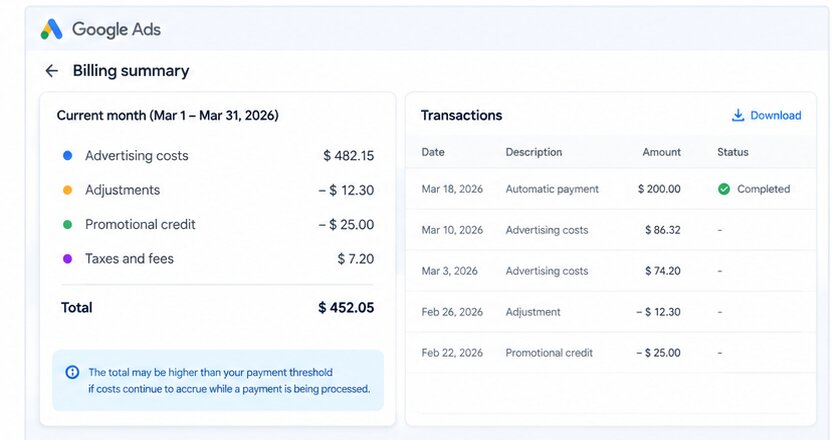
If a charge looks different from what you expected, expand the current month's billing details. Google Ads can show campaign costs, payments, adjustments, promotional credits, and estimated taxes or fees.
This breakdown helps explain how the current balance was calculated and whether a difference comes from previous balances, advertising costs, or adjustments.
Why Is Your Google Ads Charge Higher Than the Threshold?
A charge above your expected threshold doesn't automatically mean you've been overcharged. Check the transaction against the account's billing information before assuming something is wrong.
Three things are worth reviewing:
- Costs accrued during processing: Advertising costs may continue to accumulate while an automatic payment is being processed.
- The billing date: A charge on the first of the month may collect the outstanding balance even if the threshold wasn't reached.
- The current balance breakdown: Previous balances, adjustments, credits, taxes, and fees can affect the amount due.
To investigate a charge, open Billing → Summary, review the current-month breakdown, and check your recent payment activity. Compare the transaction amount and date with the corresponding billing records rather than comparing a single card charge directly with your daily campaign spend.
If the amount remains unexplained, collect the transaction details and review Google's billing and payment help before contacting support.
How to Plan Google Ads Payments and Avoid Failed Charges
Understanding the threshold helps you predict when Google may collect payment, but you still need to ensure that the account's payment method can cover the amount due.
Keep Enough Funds Available
Don't plan your available funds around daily budget alone. Consider your current threshold, how quickly your campaigns accumulate costs, and the next scheduled billing date.
If your campaigns scale up, review your expected payment needs more frequently so that a larger or earlier charge doesn't catch you off guard.
Can You Use a Virtual Card for Google Ads Automatic Billing?
A dedicated card can help separate advertising expenses from other business spending, and its transaction records can make payments easier to organize. However, a virtual card does not change Google's billing schedule or payment threshold.
Important: Google Ads states that prepaid cards aren't accepted for postpay automatic payments. A virtual card isn't automatically eligible just because it has a Visa or Mastercard logo.
Before considering a BUVEI card for Google Ads, confirm the specific card's classification with BUVEI and verify that it meets Google's current payment requirements for your account. If it is classified as a prepaid card, don't use it for Google Ads postpay billing.
If the card is confirmed to be eligible, you can prepare it through BUVEI:
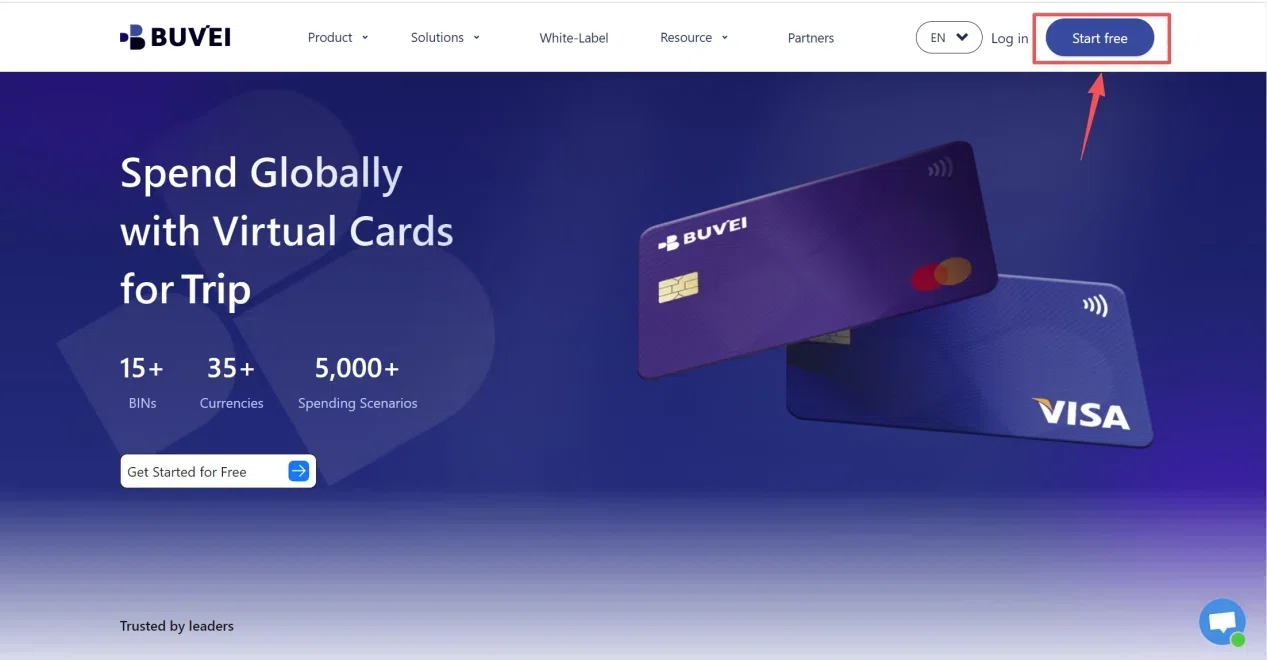
- Visit BUVEI.com, register, complete email verification, and log in.
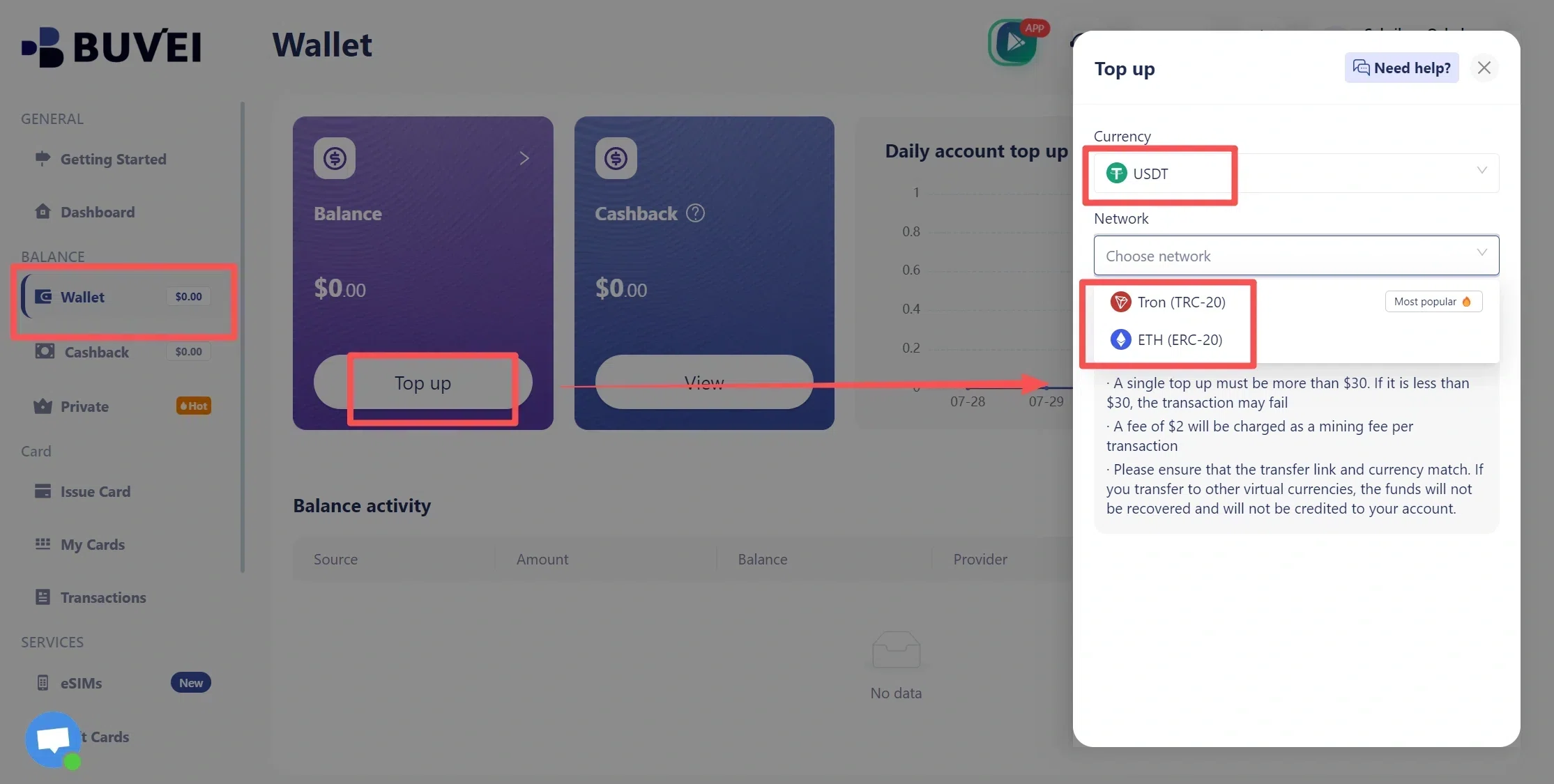
- Open Wallet, select an available funding method such as USDT through TRC20 or ERC20, verify the network, and confirm the funds have arrived.
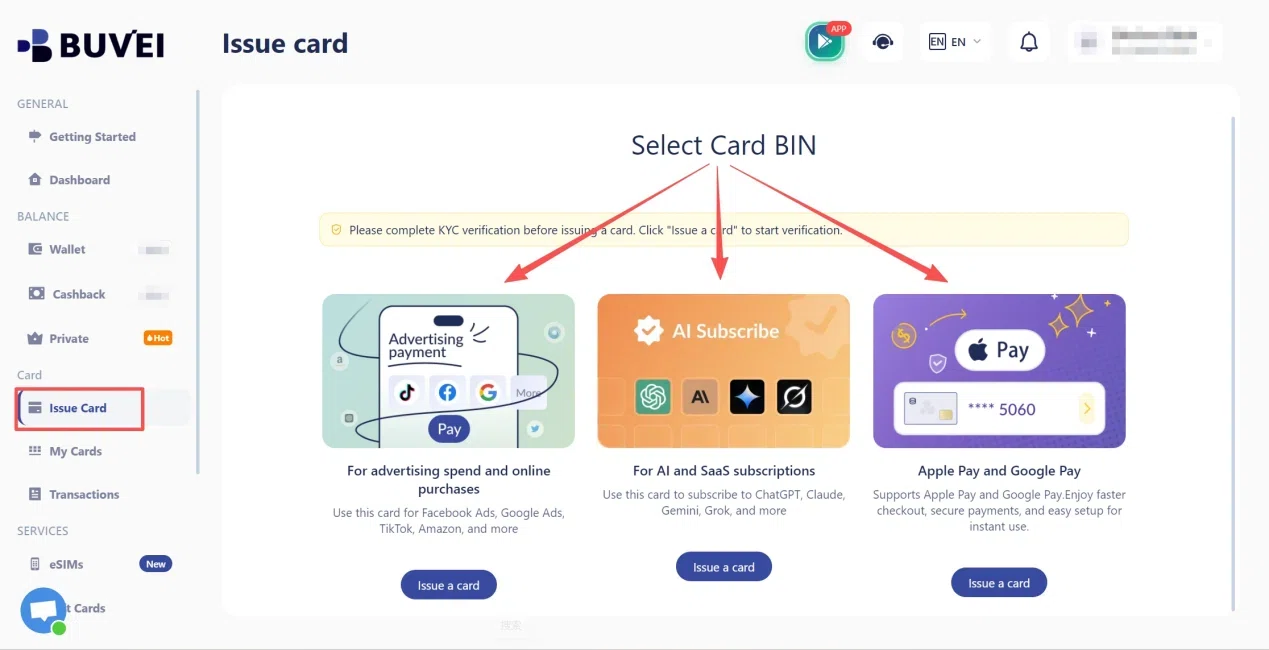
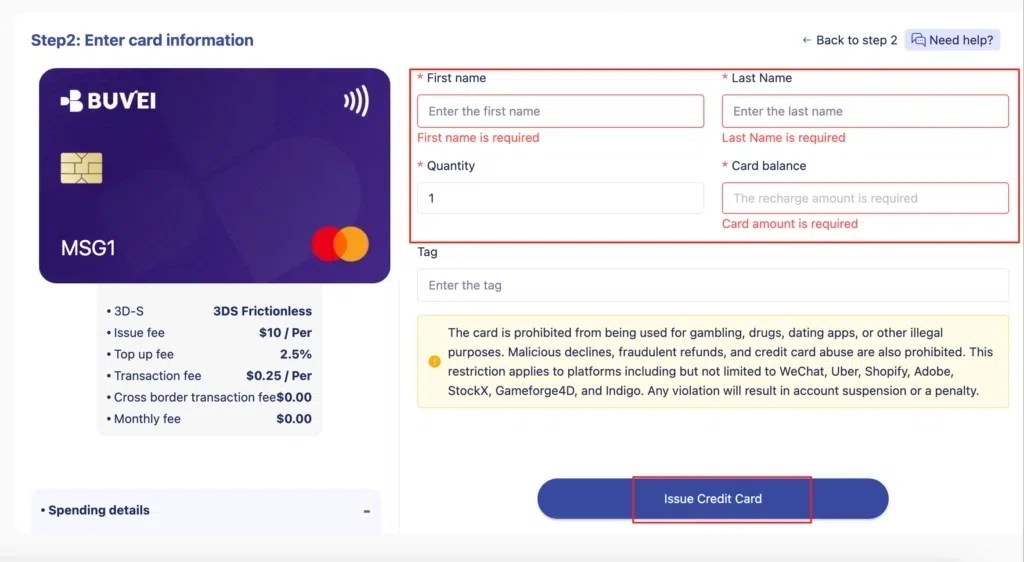
- Open Cards, select an available card type and issuing region, enter the required details, and issue the card.
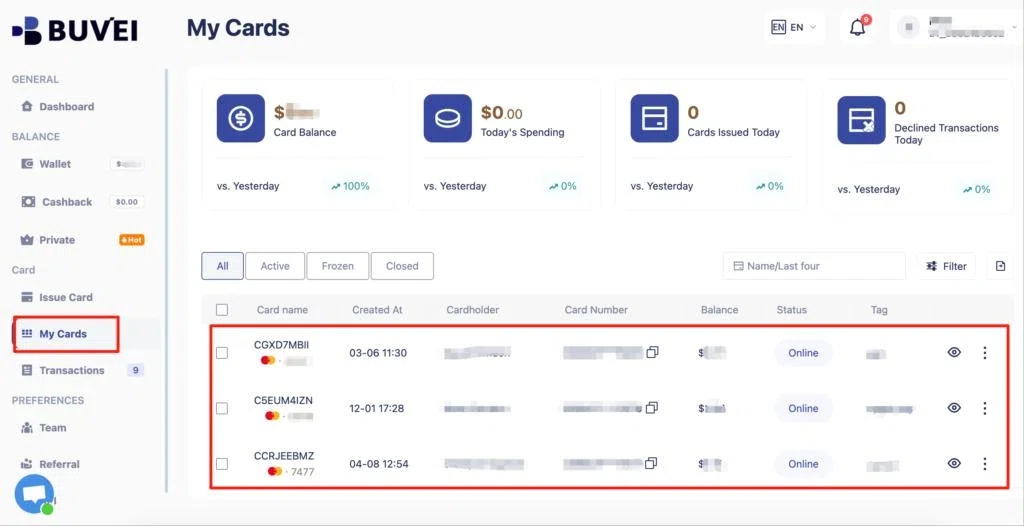
- Open My Cards to review its status and details, then check Google Ads' payment settings before attempting to add it.
BUVEI's card management and transaction records can help organize supported online payments, but they don't override Google's payment eligibility rules. Always use Google Ads billing records to verify the actual charges.
Frequently Asked Questions
Is the Google Ads Payment Threshold the Same for Every Account?
No. Thresholds can vary by account, country, and currency, and may increase automatically as an account repeatedly reaches its current threshold.
Can I Increase My Google Ads Payment Threshold?
Some advertisers can adjust their threshold through Billing → Settings → How you pay → Edit threshold. If that option isn't available, Google manages the threshold automatically.
Why Does Google Ads Charge My Card Twice in One Month?
Google may charge your card each time your accumulated costs reach the threshold. A separate charge may also occur on the first day of the month if a balance remains to be collected.
Does the Payment Threshold Control My Daily Ad Spend?
No. The payment threshold controls when Google collects accumulated advertising costs, while your daily budget guides campaign spending. Your card's spending limit is a separate restriction.
Conclusion
The Google Ads payment threshold determines when Google automatically collects advertising costs, not how much your campaigns can spend. With postpay billing, a charge can occur when the threshold is reached or on the first day of the month, and the threshold may increase as your account consistently reaches it.
Check Billing → Summary to review your threshold, next automatic payment, and current balance breakdown before investigating an unexpected charge. A virtual card may help organize advertising expenses, but only use one for automatic billing if it meets Google's payment requirements.