An 80% discount might look like the deal of the year—until the store disappears with your money. Black Friday shopping scams can hide behind convincing brand ads, fake websites, and payment pages designed to steal your card details.
Before you chase a bargain, learn how to verify a seller, spot suspicious discounts, and protect your payment information. If you’ve already paid a scammer, you’ll also find out what to do next.
6 Common Black Friday Shopping Scams to Watch For
1. Fake Black Friday Deals on Social Media
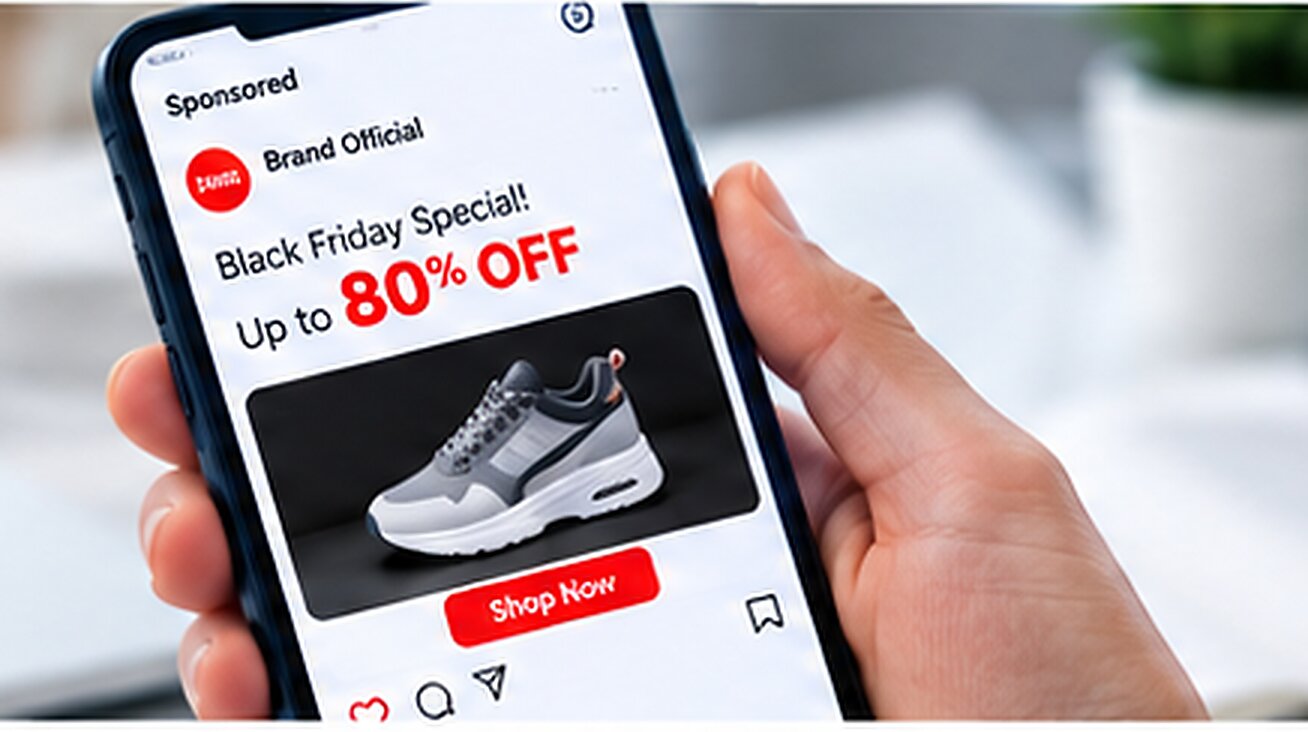
Scammers use Facebook, Instagram, and TikTok ads to impersonate popular brands and promote products at unusually low prices. A familiar logo does not prove that the seller is legitimate.
Red flag: Popular electronics or branded goods are priced far below what established retailers charge.
How to avoid it: Find the promotion on the retailer’s official website or app instead of relying on the ad link. The FTC warns about fake social media shopping ads that direct shoppers to fraudulent stores.
2. Fake Online Stores and Lookalike Websites
Fraudulent stores may copy a legitimate retailer’s logo, product photos, and page layout. Common warning signs include misspelled domains, missing contact details, and vague return policies.
Red flag: You cannot verify the store’s identity or find credible information about the seller.
How to avoid it: Check the domain carefully and search the seller’s name alongside “review,” “complaint,” or “scam.” HTTPS alone does not prove a website is trustworthy.
3. Black Friday Phishing Emails and Fake Coupons
An email promising an exclusive discount, an expiring coupon, or an urgent delivery update may lead to a fake login or payment page.
Red flag: The message pressures you to act immediately or asks you to confirm sensitive information through an unexpected link.
How to avoid it: Visit the retailer’s official website or app directly to verify the offer or order. Don’t sign in or enter card details through suspicious email links.
4. Fake Discounts and Counterfeit Products
Some sellers exaggerate original prices to make ordinary offers look exceptional. Others accept payment for counterfeit goods, inferior substitutes, or products they never intend to ship.
Red flag: The price is far below the market rate, or the product details do not match the manufacturer’s information.
How to avoid it: Compare the exact model across reputable retailers. Check independent reviews, shipping estimates, and return terms before buying.
5. Fake Checkout Pages and Payment Redirects
A website may look legitimate until checkout, when it sends you to an unfamiliar domain or asks you to pay outside a marketplace’s normal process.
Red flag: The merchant name changes unexpectedly, unexpected fees appear, or the seller sends a separate payment link.
How to avoid it: Check the merchant name and final order total before paying. Stop if the payment process changes unexpectedly, and verify the request through the retailer’s official support channel.
6. Gift Card and Unusual Payment Scams
A seller may insist that you pay with gift card codes, cryptocurrency, or a wire transfer to unlock a discount. These payment methods can be difficult to reverse.
Red flag: The seller refuses normal checkout and demands an unusual payment method.
How to avoid it: Never send gift card codes or transfer money to an unfamiliar recipient just to secure a deal. Walk away if the payment request seems suspicious.
How to Avoid Black Friday Shopping Scams Before You Buy
Before ordering from an unfamiliar store, complete these four checks.
Step 1: Compare Prices Across Retailers
Search for the exact product and model at several established retailers. Compare actual selling prices rather than relying on the advertised discount percentage.
If one unfamiliar store is dramatically cheaper than every credible alternative, investigate before paying. A countdown timer is not a reason to skip this step.
Step 2: Verify the Website and Seller
Find the retailer’s official website independently, then check the domain carefully. Search for independent reviews and complaints, and review the seller’s contact details, shipping estimates, and return policy.
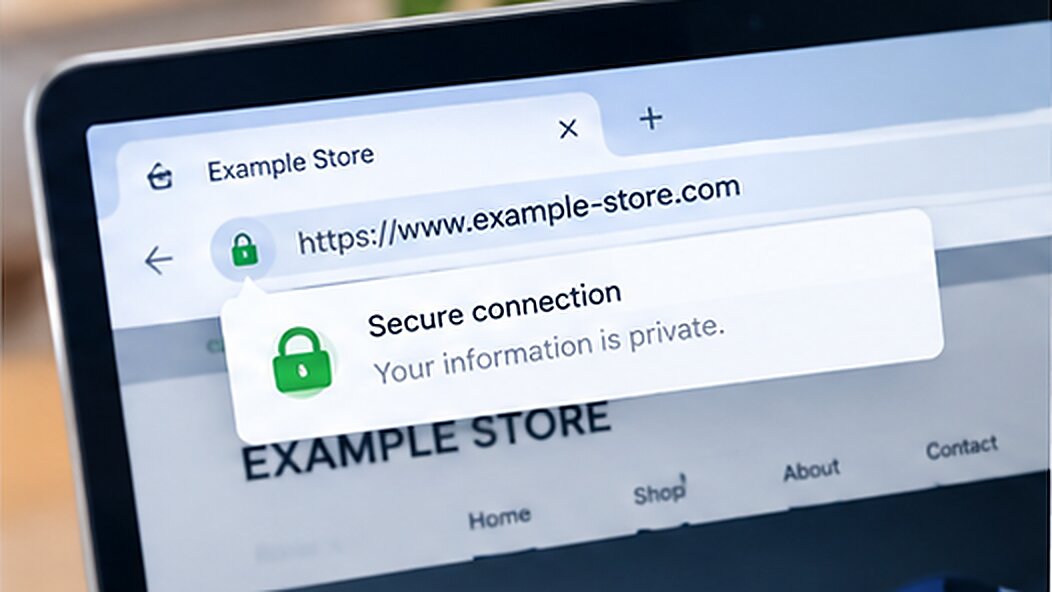
A secure connection does not prove that an online store is legitimate, If you cannot verify the seller or understand the return terms, don’t buy.
Step 3: Inspect the Checkout Page
Confirm the merchant name, product, shipping costs, taxes, and final total. Avoid last-minute payment links or requests to move a marketplace purchase into a private transaction.
Step 4: Save Your Order Records
Keep your receipt, order confirmation, product listing, and seller communications. These records may help if the item never arrives, differs from the description, or you need to dispute a charge.
How to Protect Your Card When Shopping on Black Friday
Choose a Payment Method With Dispute Options
When appropriate, consider using a credit card for online purchases. Eligible transactions may be disputed under applicable rules if an order never arrives or a charge is incorrect. Check your issuer’s procedures and deadlines if a problem occurs.
Avoid entering card details on unverified websites, and contact your payment provider promptly if you notice suspicious activity.
Consider a Virtual Card for Online Shopping
A virtual card can help manage online payments without entering your physical card details at every supported checkout. Depending on the provider, it may also offer spending controls or transaction records.
BUVEI offers virtual card issuance and card-management features. Before using a card for a Black Friday purchase, check its available controls, fees, and whether the retailer accepts that card type.
A virtual card cannot verify a seller or guarantee delivery or a refund. Always check the store before paying.
How to Create a BUVEI Virtual Card
If you choose BUVEI, you can prepare a virtual card before shopping:
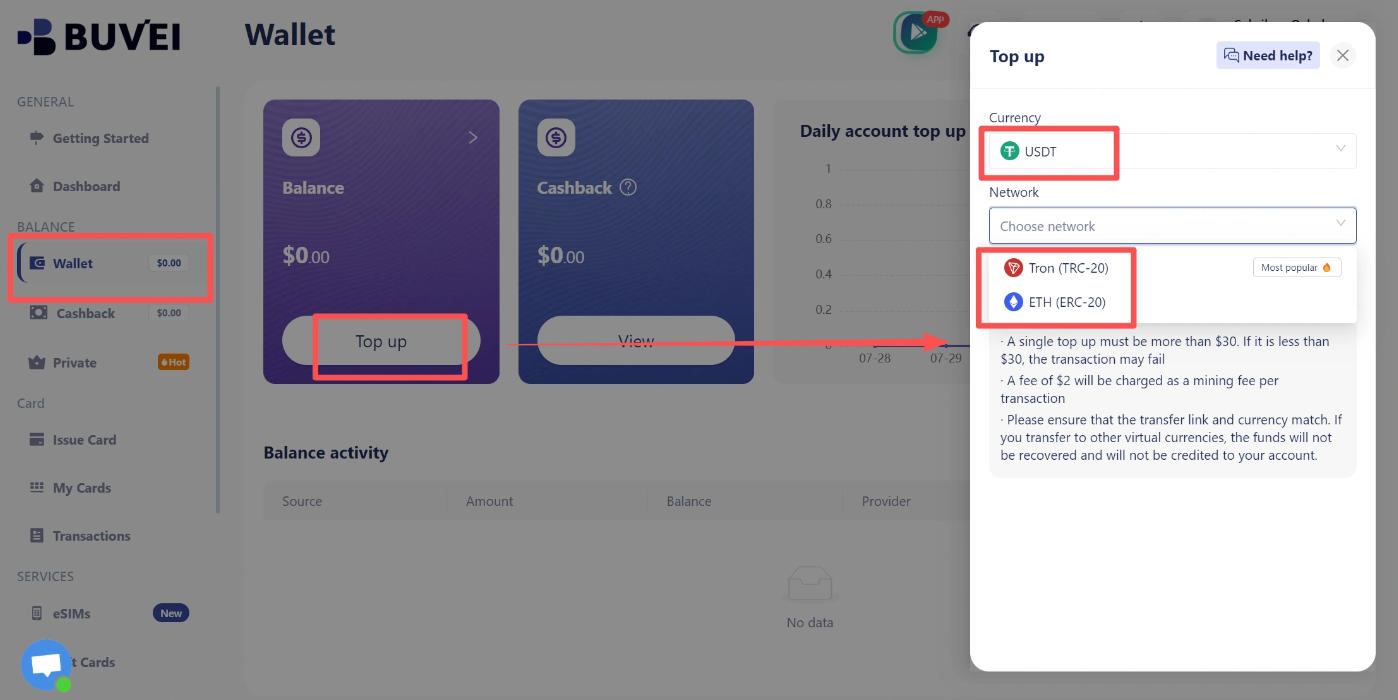
1. Register and fund your wallet. Visit BUVEI, create an account, verify your email, and follow the Wallet instructions to add funds using a currently supported method.
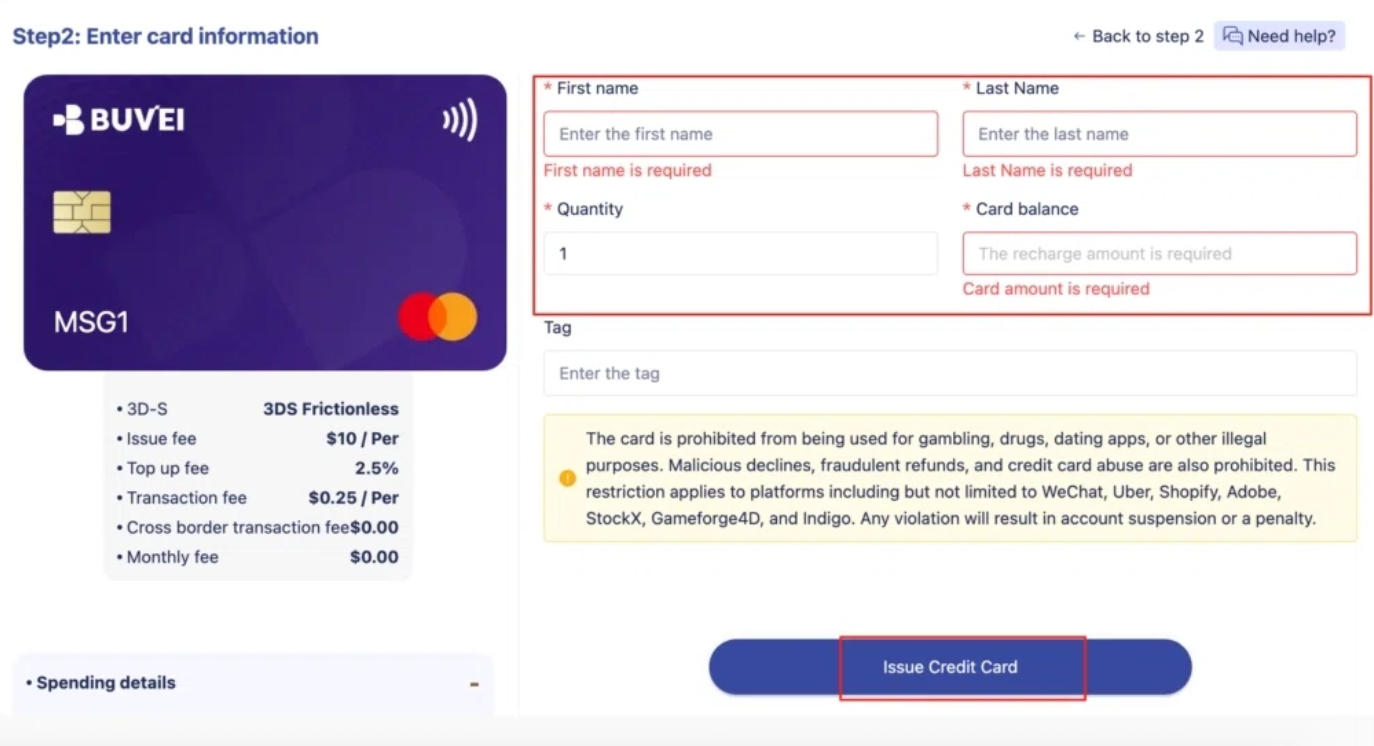
2. Issue your card. Open Cards, select an available card region and type, enter the card name and funding amount, and click Issue Card.
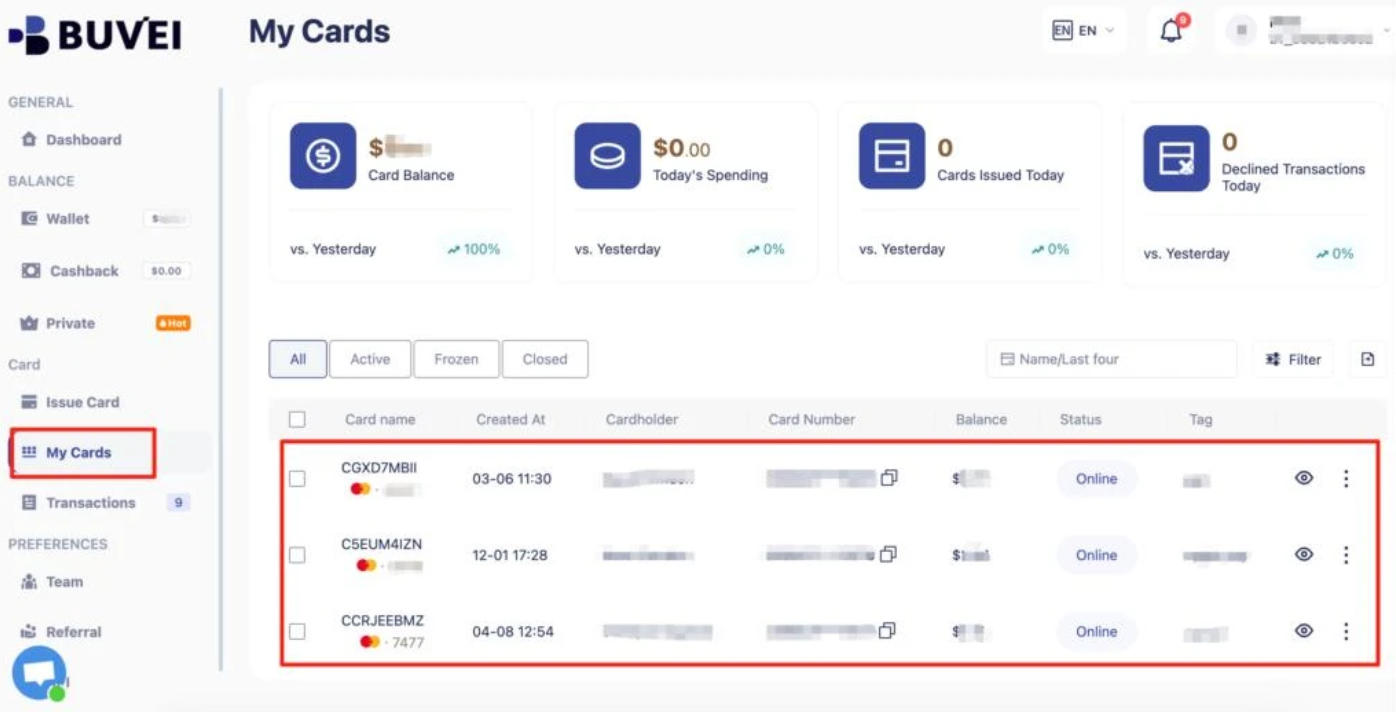
3. View your card. Open My Cards to view the issued card’s available details and check the balance before purchasing.
Check the card’s terms and available balance before checkout, then review your transaction records after paying. A virtual card is a payment-management tool, not a substitute for checking whether a deal is genuine.
Monitor Transactions After You Pay
Review your card activity after shopping. If you see an unfamiliar charge or a payment you did not authorize, contact your card issuer or payment provider through its official website, app, or phone number.
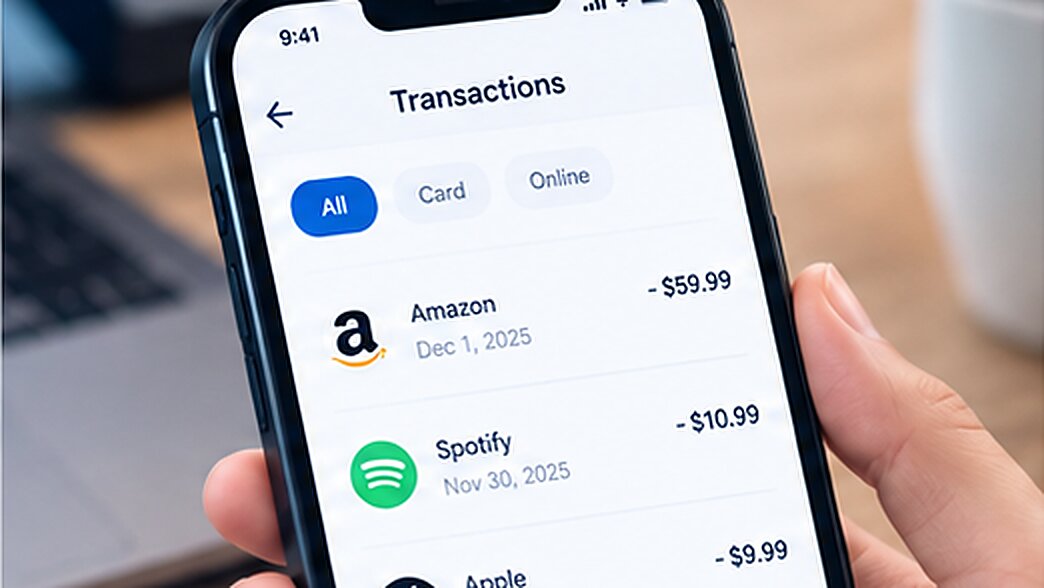
If your card details may have been exposed, ask about locking or replacing the card.
What to Do After a Black Friday Shopping Scam
If you have paid a fake store or entered card details on a suspicious website, act quickly.
- Contact your payment provider. Report the incident and ask whether you can dispute the charge, stop a pending payment, or investigate the transaction.
- Secure your card and accounts. Lock or replace the card if appropriate. Change any password entered on the fake website, especially if you reused it elsewhere.
- Save the evidence. Keep receipts, screenshots, the website address, payment records, and seller communications.
- Report the scam. In the United States, file a report at ReportFraud.ftc.gov. If you purchased through a marketplace, report the seller there as well.
If you paid with a gift card, contact its issuer immediately. For cryptocurrency or payment apps, contact the provider and ask about available options. A refund is not guaranteed, but reporting the incident quickly is still worthwhile.
Be wary of anyone who promises to recover your money for an upfront fee. That may be another scam.
Frequently Asked Questions
How Can You Tell if a Black Friday Deal Is Fake?
Compare prices across established retailers, verify the website domain, look for independent reviews, and check the return policy. Extremely low prices, urgent pressure, and unusual payment requests are common warning signs.
Are Black Friday Deals on Social Media Safe?
Some are legitimate, but scammers can impersonate real brands. Verify the seller independently and confirm the offer through the retailer’s official website before paying.
Is a Virtual Card Safer for Black Friday Shopping?
A virtual card may reduce exposure of your physical card details and offer spending controls, depending on the provider. It cannot verify a seller or guarantee delivery, so combine it with website checks and transaction monitoring.
What Should I Do if I Paid a Fake Online Store?
Contact your payment provider immediately and ask about disputing the charge. Secure exposed card or account details, save your evidence, and report the incident to the relevant platform or consumer protection agency.
Conclusion
To avoid Black Friday shopping scams in 2026, verify the seller, compare prices, and check the payment page before buying. Save your order records and monitor your transactions afterward. A real bargain should save you money—not leave you fighting to get it back.