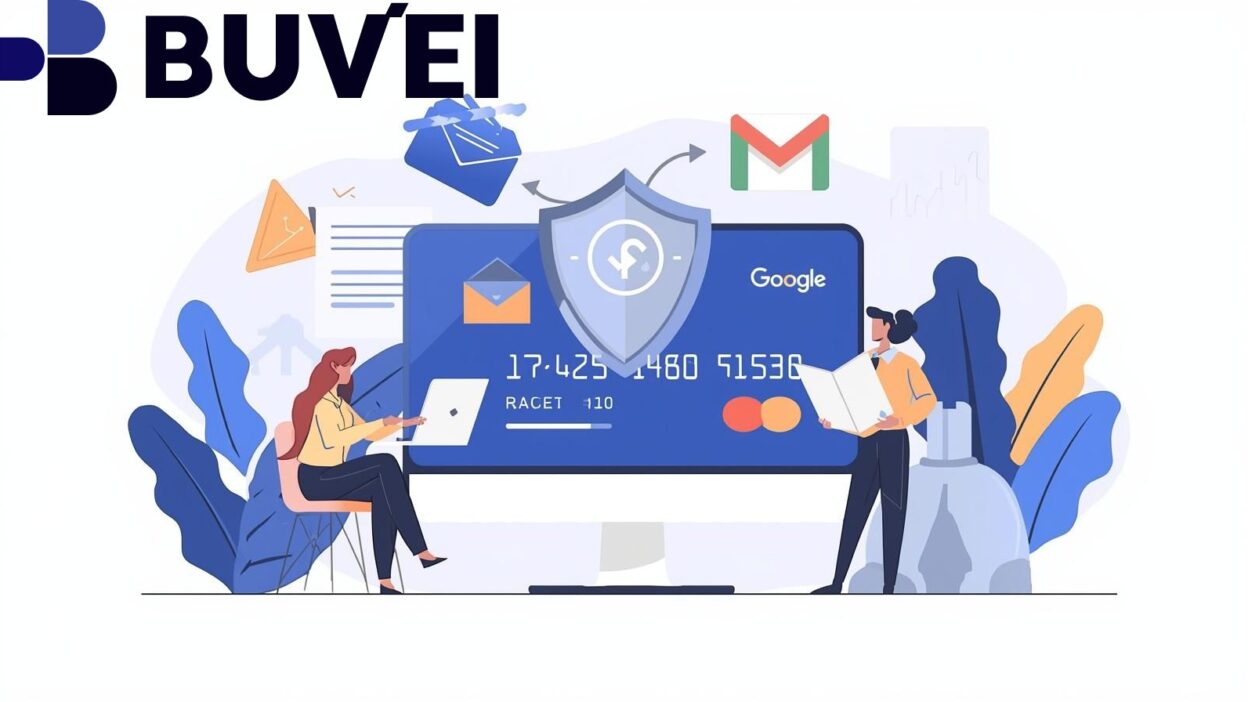
As digital advertising costs continue to rise, advertisers running Google Ads and Facebook Ads are paying closer attention to how their ad spend is funded. Payment failures, card bans, FX fees, and poor visibility into spend can all disrupt campaigns and reduce ROI.
Virtual cards have become a core tool for advertisers, agencies, and e-commerce brands looking to manage ad payments more efficiently. In this guide, we compare 20 of the best virtual card providers for Google and Facebook Ads in 2026, explain what really matters when choosing a provider, and show how to use virtual cards effectively at scale.
Why Virtual Cards Matter for Google and Facebook Ads
Google Ads and Meta Ads both rely on automated billing systems with strict risk controls. Traditional bank cards often create friction due to:
-
Low or inflexible spending limits
-
Frequent declines during high-volume ad spend
-
Slow replacement when a card is blocked
-
Difficulty separating budgets across accounts, regions, or clients
Virtual cards solve these problems by allowing advertisers to issue dedicated cards for each ad account, campaign, or business unit. This improves budget control, reduces operational risk, and simplifies reconciliation—especially for agencies and cross-border advertisers.
Key Criteria for Choosing a Virtual Card for Ads Spend
Not all virtual card providers are suitable for advertising payments. When evaluating options, focus on the following factors:
Compatibility With Ad Platforms
Cards must work reliably with Google Ads and Facebook Ads. In practice, US BIN virtual cards often show higher approval rates and fewer billing issues.
Spend Control and Visibility
The ability to preload balances, set usage limits, and track transactions in real time is essential for managing ad budgets efficiently.
Speed and Flexibility
Instant card issuance and quick replacement help avoid campaign downtime when a payment issue occurs.
Funding Options
Support for stablecoins or multi-currency funding can reduce FX costs and make global ad buying more efficient.
Clear Fees and Reporting
Transparent pricing and detailed dashboards are critical for scaling ad operations without surprises.
20 Best Virtual Card Providers for Ads Payments in 2026
Below is a curated comparison of popular virtual card providers used for Google and Facebook Ads. Providers are listed for reference and comparison, with Buvei highlighted as the top recommendation based on flexibility, speed, and ad platform compatibility.
1. Buvei (Editor’s Pick)
Buvei is one of the most practical virtual card solutions for ad payments in 2026, especially for advertisers funding campaigns with stablecoins.
Why Buvei stands out:
-
US BIN virtual cards with strong Google & Facebook Ads compatibility
-
Crypto-friendly funding via USDT (TRC20 / ERC20)
-
Instant card creation and fast replacement
-
Centralized dashboard for balances and transactions
Buvei is widely used by media buyers, agencies, and cross-border e-commerce brands managing multiple ad accounts.
How to Use Virtual Cards Effectively for Google & Facebook Ads
To minimize billing issues and improve campaign stability, follow these best practices:
-
Assign one virtual card per ad account or campaign
-
Keep a balance buffer above daily spend
-
Use US BIN cards whenever possible
-
Avoid frequent card changes on the same ad account
-
Monitor transactions regularly for early issue detection
If a card fails, issuing a new virtual card is often faster and safer than retrying a declined one.
How to Create and Use a Virtual Card With Buvei
Buvei makes issuing virtual cards for ad payments simple and fast.
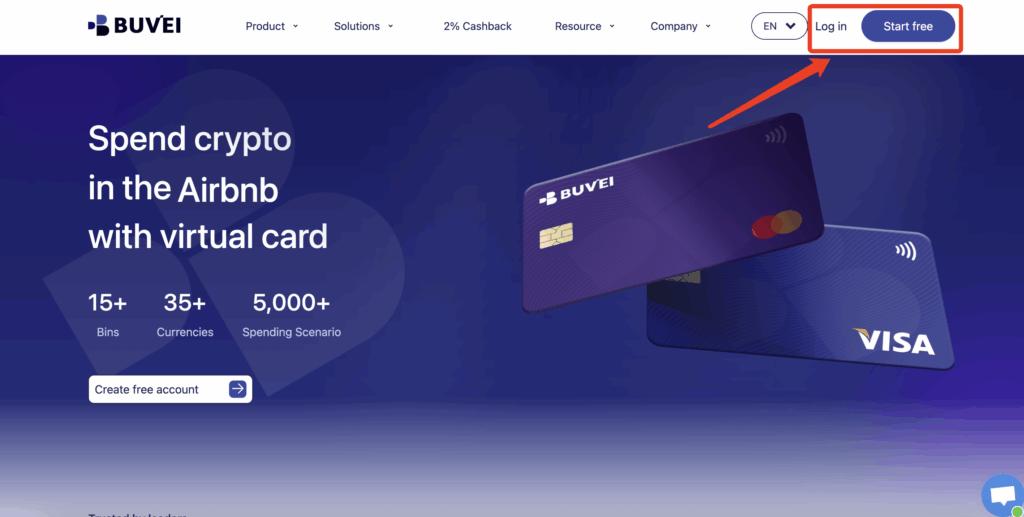
Step 1: Register a Buvei Account
Visit https://buvei.com and create a free Buvei account. After email verification, log in to access the Buvei dashboard.
Step 2: Fund Your Buvei Wallet
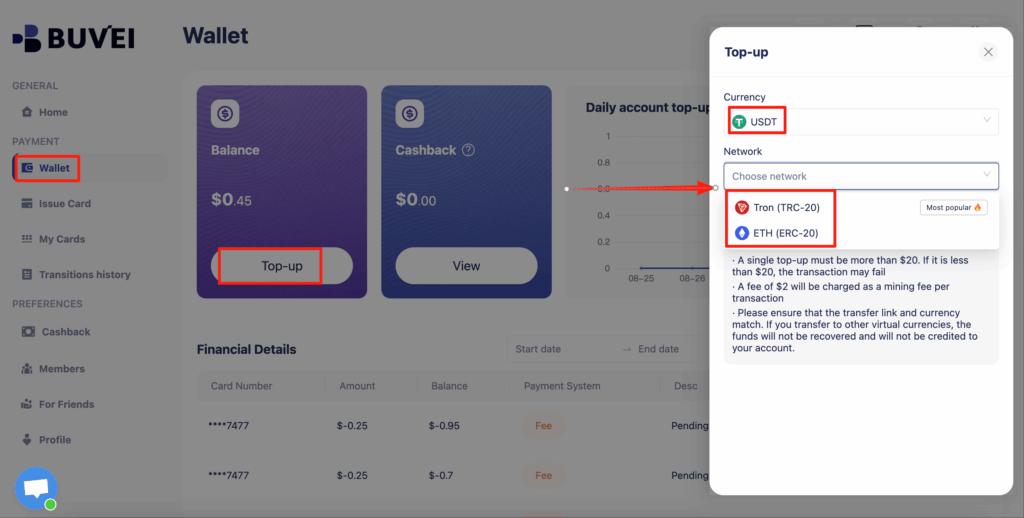
Go to the Wallet tab and select USDT (TRC20 or ERC20). Buvei will generate a dedicated deposit address. Once the transfer is confirmed on-chain, your balance becomes available instantly.
Copy this address and transfer your funds. Once the transaction is confirmed on-chain, your balance will appear instantly and be available for use.
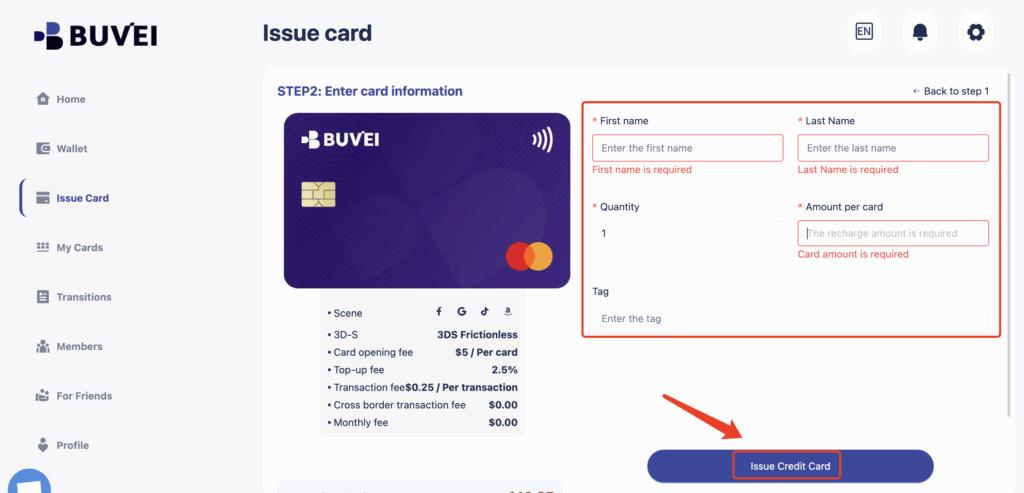
Step 3: Create a Virtual Card
Navigate to the Cards section and click Create Card.
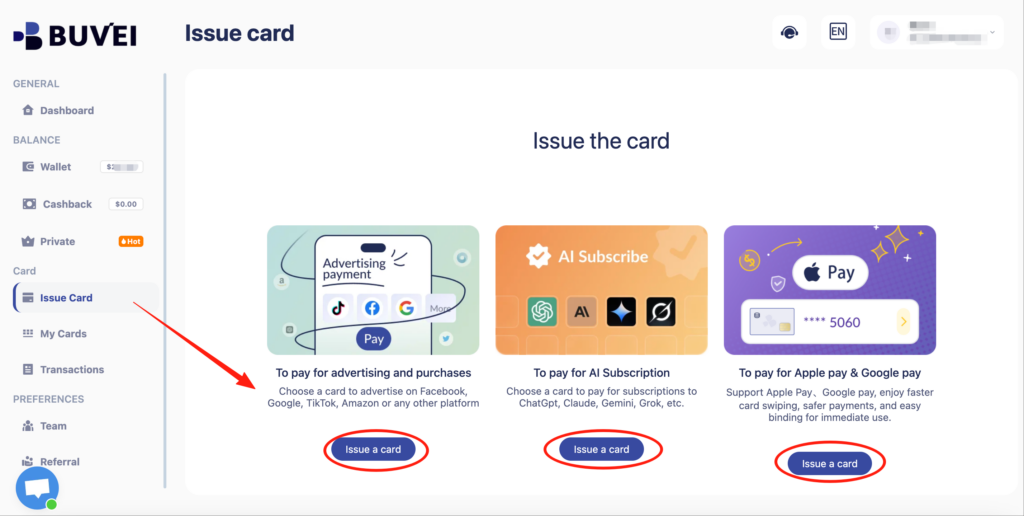
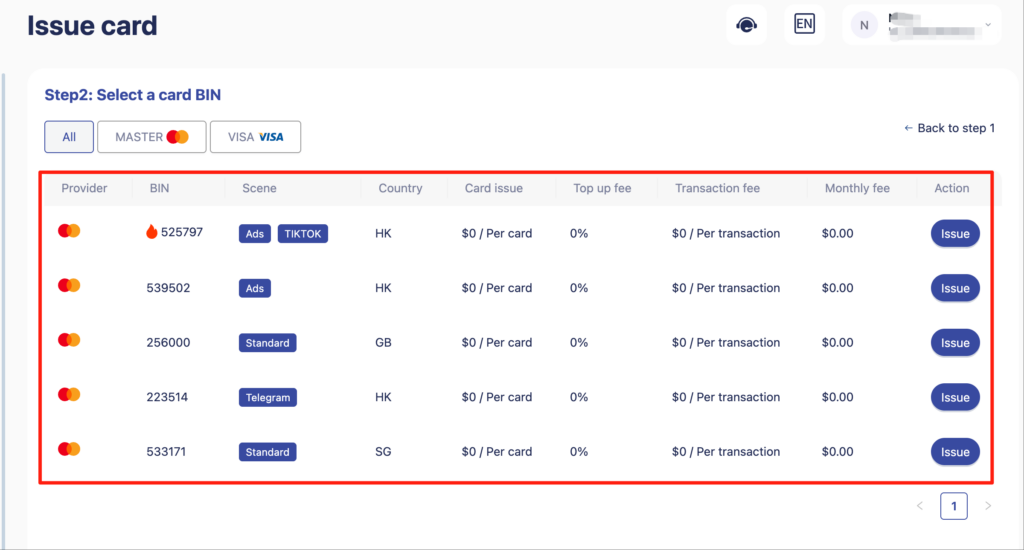
You will need to:
-
Select your preferred BIN region (US BIN is recommended for better compatibility)
-
Choose the card type
-
Enter card details such as card name, card balance, and card quantity
After completing the information, click Issue Card to finalize the process.
Step 4: Use the Virtual Card for Google & Facebook Payments
Once the card is issued, go to My Cards to view the full card details, including:
-
Card number
-
Expiration date
-
CVV
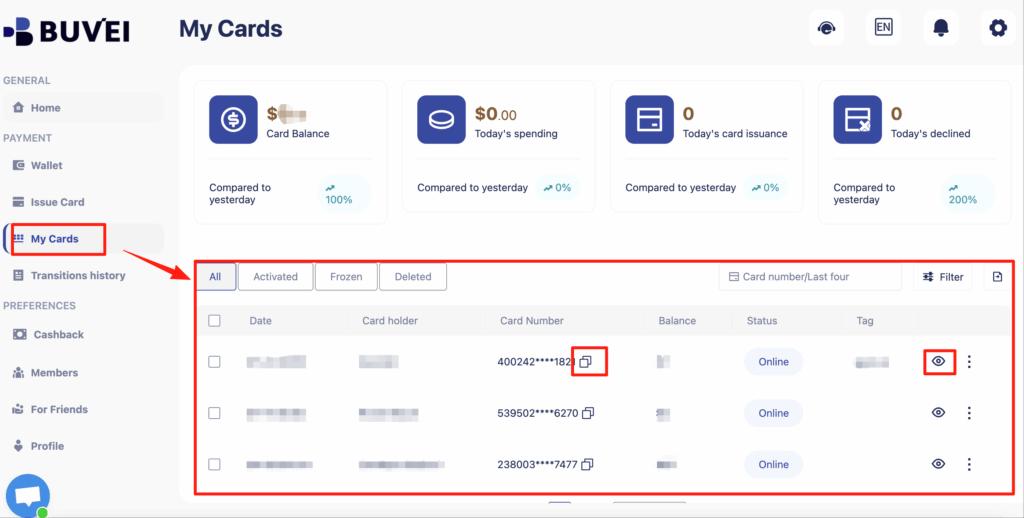
Use these details during checkout on Google & Facebook, just as you would with a regular debit or credit card.
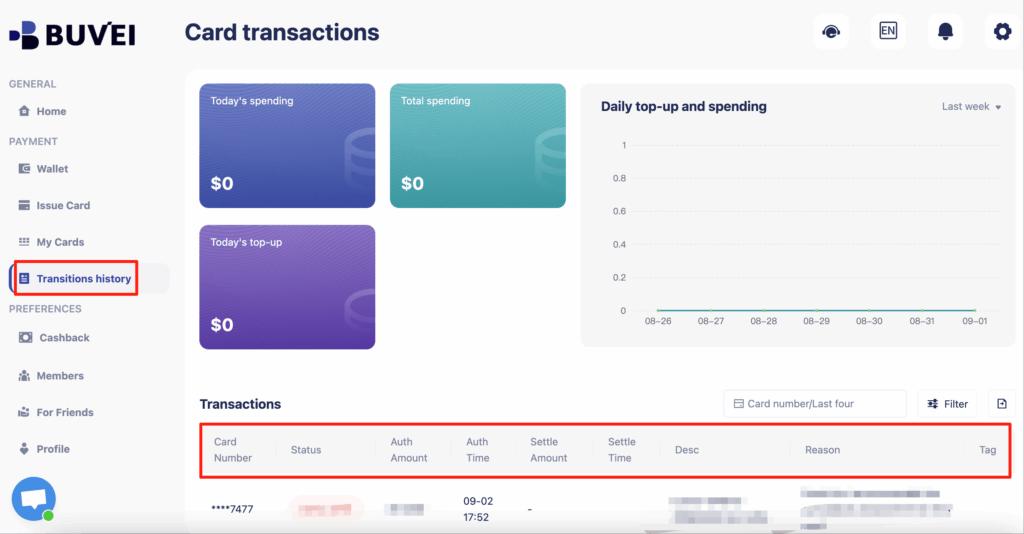
From the same page, you can also track card balances, top-ups, spending summaries, and full transaction history, making it easy to monitor your online shopping expenses in real time.
Final Thoughts
Virtual cards are no longer optional for advertisers running Google and Facebook Ads at scale. They provide flexibility, security, and budget control that traditional bank cards cannot match.
Among the many providers available in 2026, Buvei stands out for its crypto-friendly funding, fast card issuance, and strong compatibility with major ad platforms. For advertisers seeking stable, efficient ad payments, virtual cards are an essential part of a modern media buying stack.