Netflix is one of the most widely used subscription platforms in the world, but payment failures—especially with virtual cards—are a common frustration for users. Many people encounter errors when trying to add or renew Netflix subscriptions using virtual cards, even when the card appears valid.
In this guide, we break down how Netflix processes payments, why virtual cards are sometimes declined, the most common decline scenarios, and how to fix Netflix virtual card payment issues. We’ll also show how to create and use a Buvei virtual card that works more reliably for Netflix payments.

How Netflix Processes Payments and Card Verification
Netflix uses automated billing systems connected to major card networks such as Visa and Mastercard. Each transaction is evaluated in real time using several verification layers, including:
-
Card network compatibility
-
BIN region and issuer profile
-
Available balance and billing authorization
-
Risk and fraud detection checks
For subscriptions, Netflix also places emphasis on recurring billing reliability, meaning cards that frequently fail or appear unstable may be rejected even if they work elsewhere.
Why Netflix Declines Virtual Cards
Virtual cards are not inherently blocked by Netflix, but some are more likely to fail due to how Netflix evaluates payment risk.
Common reasons Netflix declines virtual cards include:
-
Unsupported or high-risk BIN regions
-
Insufficient balance for subscription renewal
-
Cards that do not support recurring payments
-
Multiple failed attempts triggering risk controls
-
Frequent card changes on the same Netflix account
Because Netflix subscriptions renew automatically, cards must be stable, well-funded, and compatible with recurring charges.

The Most Common Virtual Card Decline Scenarios on Netflix
Users typically encounter Netflix virtual card issues in the following situations:
-
The card works for one month but fails on renewal
-
The card is declined immediately when added as a payment method
-
Netflix requests an alternative payment method after repeated failures
-
A new virtual card is rejected due to BIN or issuer restrictions
These issues are especially common with prepaid or disposable virtual cards that are not optimized for subscriptions.
How to Fix Netflix Virtual Card Declines
If your Netflix virtual card is being declined, the following steps often resolve the issue:
-
Use a US BIN virtual card, which generally has higher Netflix acceptance
-
Ensure the card has enough balance to cover the subscription and any taxes
-
Avoid repeatedly retrying a declined card
-
Use one dedicated virtual card only for Netflix
-
Replace the card instead of reusing a failed one
In many cases, issuing a fresh virtual card with proper funding is faster and more effective than troubleshooting an existing decline.
How to Create and Use a Virtual Card with Buvei for Netflix
Buvei offers a simple and crypto-friendly way to create virtual cards suitable for Netflix subscriptions.
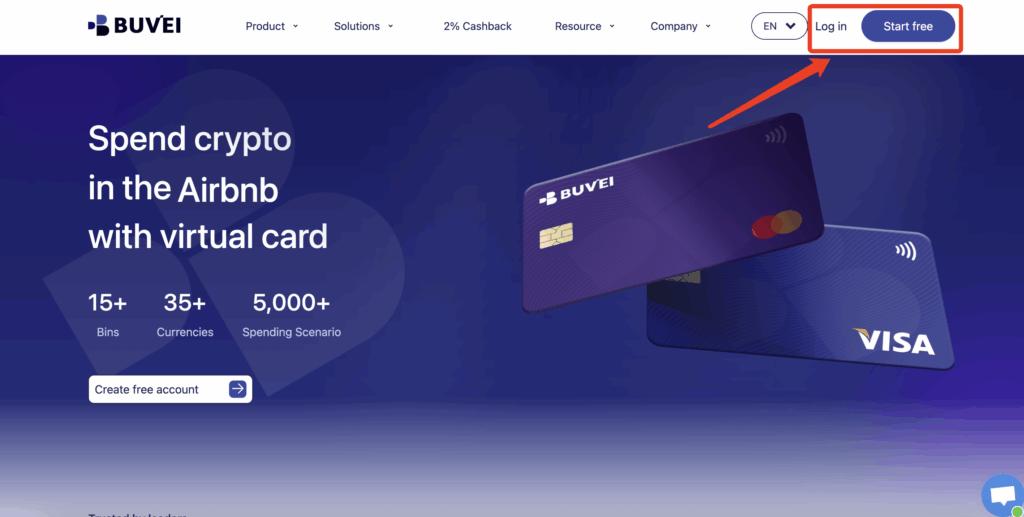
Step 1: Register a Buvei Account
Visit https://buvei.com and create a free Buvei account.
After completing email verification, log in to access the Buvei dashboard, where wallets and virtual cards are managed in one centralized interface.
Step 2: Fund Your Buvei Wallet
Before issuing a virtual card, you’ll need to add funds to your account.
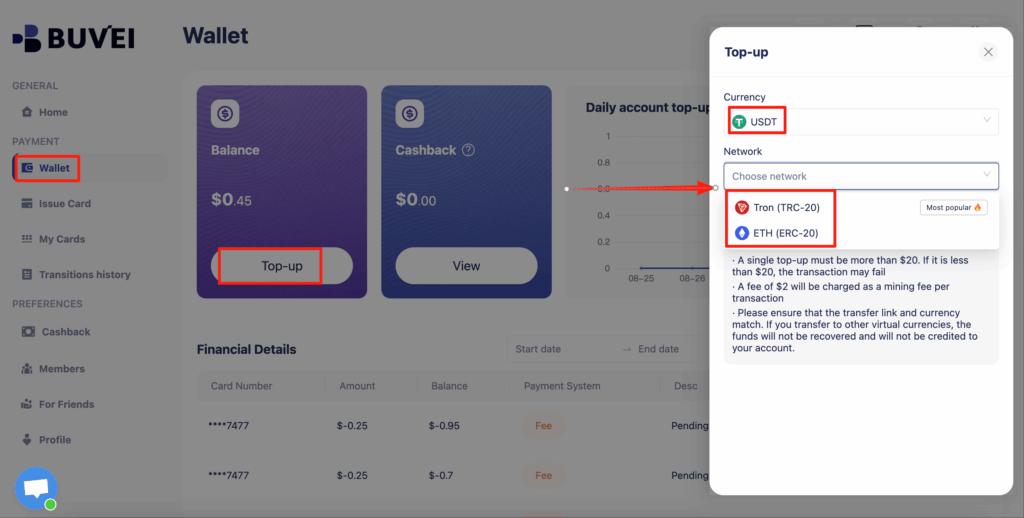
Go to the Wallet tab and choose USDT (TRC20 or ERC20) as your funding method. Buvei will generate a dedicated deposit address.
Copy the address and send your funds. Once the transaction is confirmed on-chain, your balance will appear instantly and be available for use.
Step 3: Create a Virtual Card
With funds available, navigate to the Cards section and click Create Card.
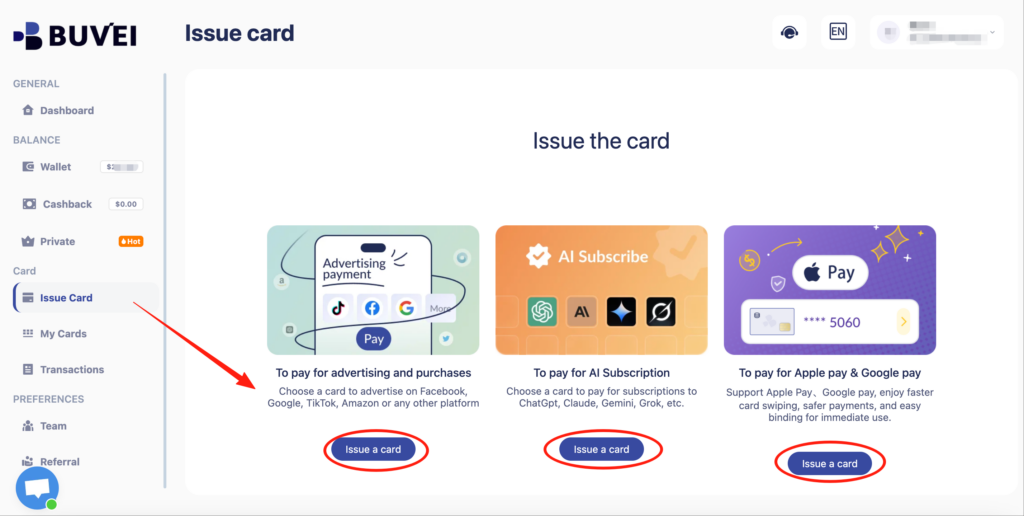
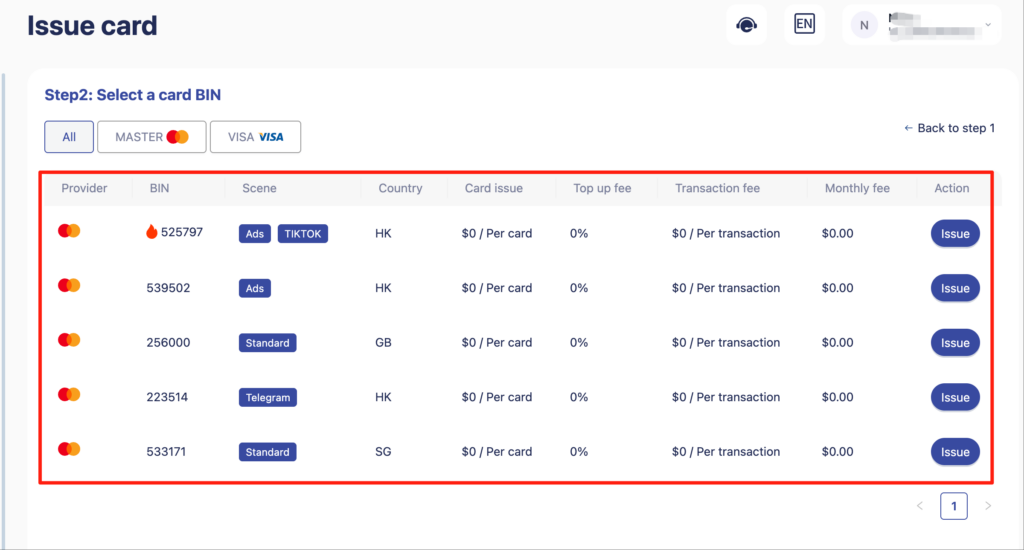
You will be asked to:
-
Select your preferred BIN region (US BIN is recommended for Netflix)
-
Choose the card type
-
Enter card details such as card name, card balance, and card quantity
After completing the details, click Issue Card to finalize issuance.
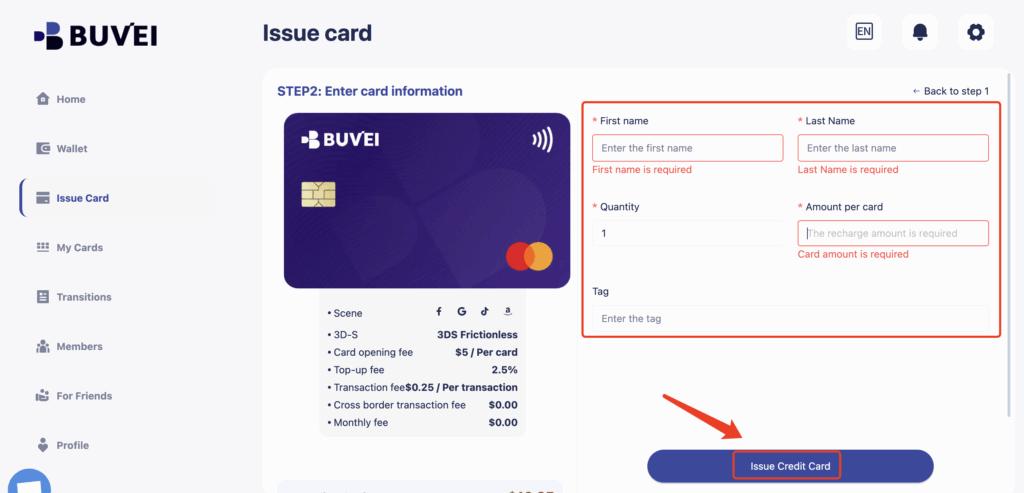
Step 4: Use the Virtual Card for Netflix Payments
Once the card is issued, go to My Cards to view:
-
Card number
-
Expiration date
-
CVV
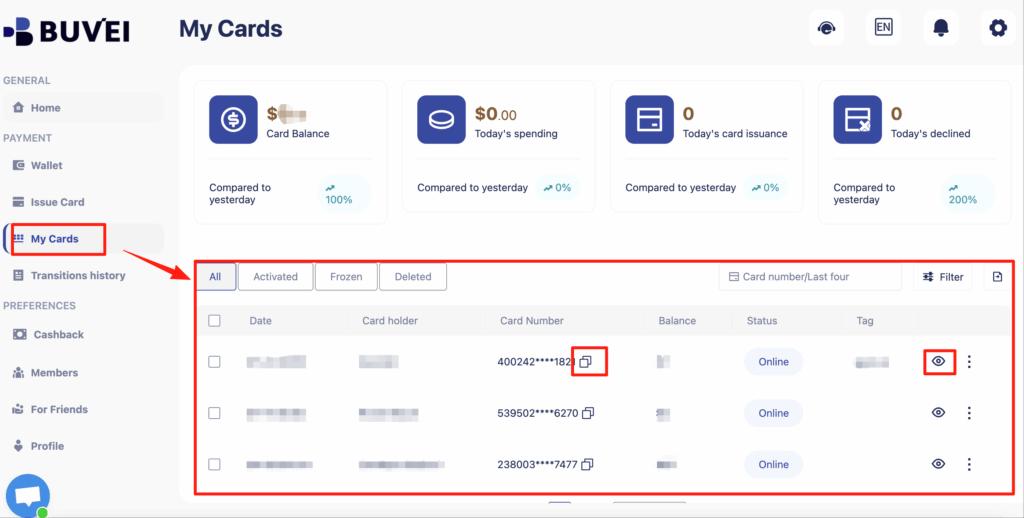 Add these details to your Netflix account under Payment Method and confirm the subscription.
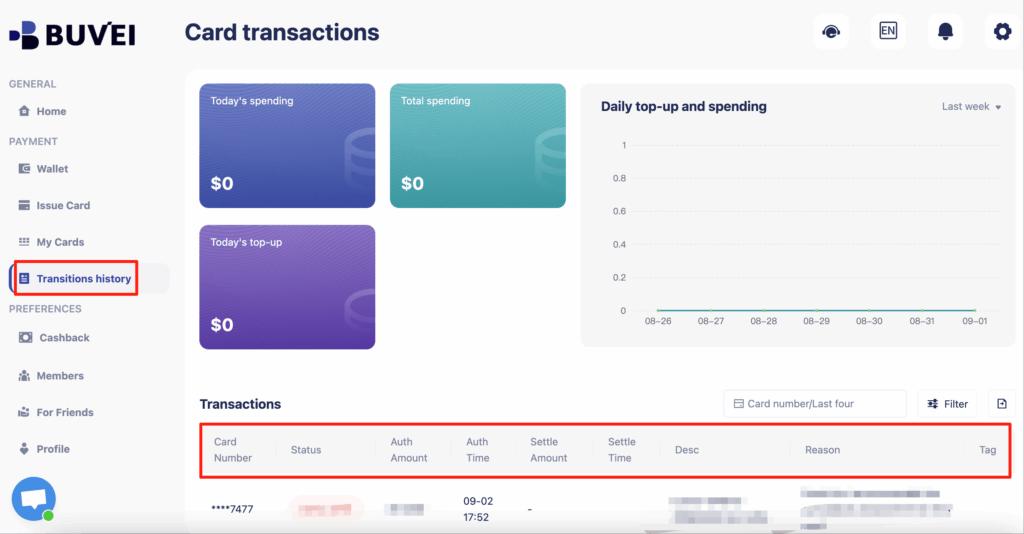
From the same page, you can also track card balances, top-ups, spending summaries, and full transaction history, making it easy to monitor Netflix-related charges and renewals.
Final Thoughts
Netflix virtual card declines are usually caused by BIN compatibility, insufficient balance, or recurring payment restrictions—not because virtual cards are unsupported.
By using a stable, well-funded virtual card and following best practices for subscriptions, most payment issues can be avoided. Buvei makes it easy to issue US BIN virtual cards, fund them with stablecoins, and manage subscriptions from one dashboard.
For users who want greater control, privacy, and flexibility when paying for Netflix, virtual cards are a practical and reliable solution.