A billing address error doesn’t always mean there’s something wrong with your address.
When a virtual card payment fails, the checkout page may point to billing information even though the problem could involve card verification, merchant rules, or another payment restriction. A wrong ZIP code or outdated autofill entry can also create a mismatch that isn’t obvious until the payment is rejected.
This guide explains what can trigger a virtual card billing address error, how to fix the most common issues, and what to check when your billing information is correct but the payment still fails.
Why Does a Virtual Card Billing Address Error Cause Payment Failure?
Online payments are checked against more than the card number, expiration date, and CVV. Depending on the merchant and payment processor, billing information such as the street address or postal code may also be used during payment verification.
Address Verification Service (AVS) is one example. It can compare billing information submitted at checkout with information available to the card issuer, although how these checks are supported and handled varies by country, issuer, and payment processor.
A mismatch doesn’t necessarily mean the virtual card is invalid. The card can be active and have enough available balance while the transaction is still declined because the billing information doesn’t pass the merchant’s verification checks.
The same card may also work with one merchant and fail with another. Merchants can use different payment processors and verification rules, so a billing address error doesn’t always point to a problem with the card itself.
Common Virtual Card Billing Address Errors
Most billing address problems come from a small number of checkout fields.
Incorrect Street Address
A missing apartment or unit number, an outdated address, or a different address format can create a mismatch during payment verification.
If the merchant asks for a full billing address, check the complete entry rather than only the street name.
Wrong ZIP or Postal Code
A ZIP or postal code is another detail that may be used during payment verification. One incorrect digit can be enough to create a mismatch. This is easy to miss when the checkout form is populated automatically.
Country or Region Mismatch
The country or region selected at checkout can also affect payment processing. Depending on the merchant, an inconsistent selection may trigger additional verification or prevent the transaction from being authorized.
Use accurate information rather than changing the country simply to get a payment approved. If the checkout form is unclear, check what the merchant means by the country or region field.
Saved or Autofilled Billing Information
A browser or merchant account may still have billing information saved from a previous card.
When you enter a new virtual card, the old address can be submitted alongside the new card details. If you’ve recently switched cards, review the billing fields manually before paying.
Merchant-Specific Verification Requirements
Not every billing address error comes from a typo. Merchants can have their own requirements for card verification, recurring payments, international transactions, or certain card types. A billing address message may therefore appear during a failed payment even when the address isn’t the only factor involved.
How to Fix a Virtual Card Billing Address Error
Start with the checkout form before assuming the card needs to be replaced.
Check the Billing Information
Review the complete billing information the merchant is requesting, including the street address, city, state or province, ZIP or postal code, and country.
If you’ve changed cards recently, don’t assume the information saved by your browser is still appropriate. Enter the details manually when necessary.
Check the Card Details
If the billing information looks correct, move on to the card itself. Confirm the card number, expiration date, and CVV. Check the card’s current status as well. An expired, frozen, or inactive card won’t become usable just because the billing address is correct.
Clear Incorrect Autofill Information
If the browser automatically inserted an address, clear the fields and enter the information again. This is particularly useful when you’ve used several cards on the same browser or merchant account.
Review the Checkout Form
Before submitting the payment again, look over the entire billing section. Check the ZIP or postal code, country, state or province, and any other required fields. Make sure the billing information you’re submitting belongs with the virtual card you’re using.
Try the Payment Again
Once you’ve corrected a genuine mismatch, submit the payment again. There’s no benefit to repeatedly changing an accurate address just to see whether a different version will be accepted. Billing information should reflect the information required for the payment rather than being altered to bypass a verification check.
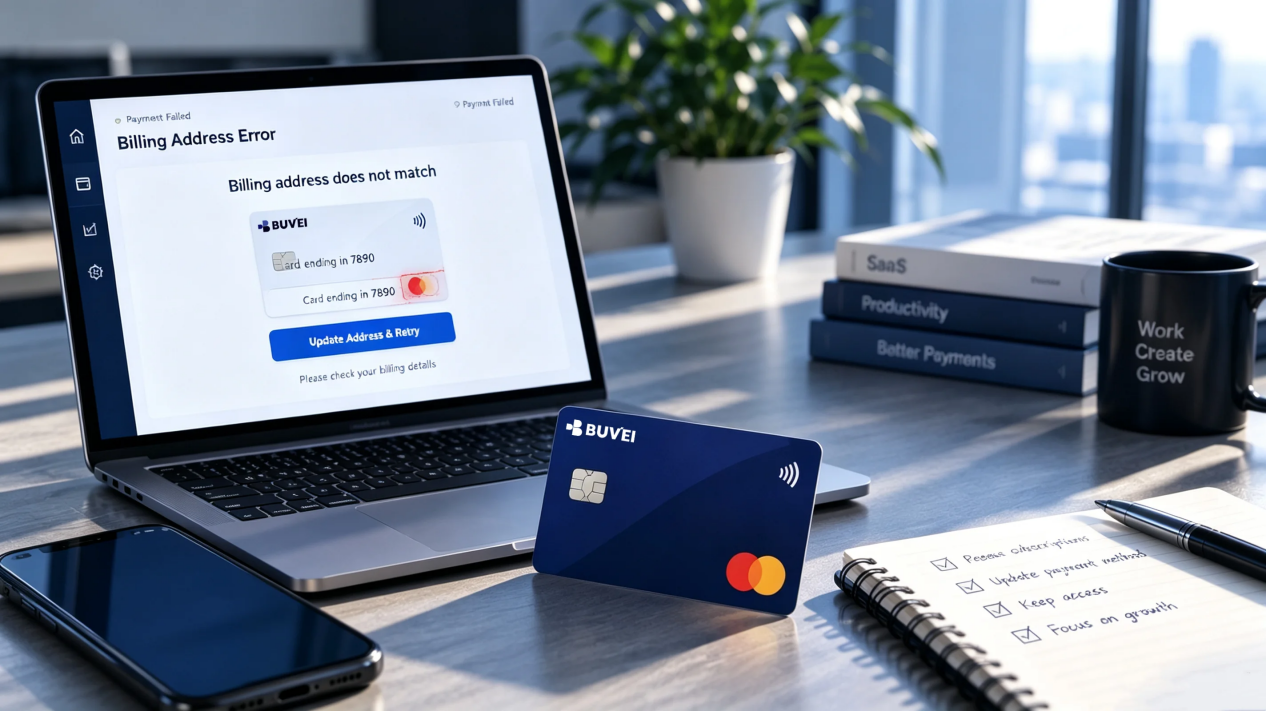
How to Check Your Billing Information in BUVEI
If you’re using a BUVEI virtual card, start by identifying the exact card being used for the transaction. This is especially important when you manage multiple virtual cards.
Log in to your BUVEI account and review the relevant card details and current status. Use the appropriate billing information when completing the merchant’s checkout form.
If the information you’ve entered is accurate and the card is active, the billing address may not be the only reason the payment failed.
BUVEI’s card management and transaction monitoring features can also help you review card activity when troubleshooting a failed payment. Recent transaction information can provide useful context when determining whether the issue may be related to the card or the merchant’s payment process.
What If the Billing Address Is Correct but the Payment Still Fails?
A correct billing address doesn’t guarantee that a payment will be approved. Once you’ve ruled out an address mismatch, look at the card and the merchant.
Start with the available balance. An active virtual card can still be declined if it doesn’t have enough available funds for the transaction.
Then check the card status. An expired, frozen, inactive, or otherwise restricted card may not be available for the payment.
Spending or transaction limits can also affect authorization. If a transaction exceeds a configured limit, correcting the billing information won’t resolve the decline.
The merchant may also have restrictions of its own. Some merchants limit the card types, issuing regions, recurring transactions, or cross-border payments they accept.
For BUVEI users, checking card status, spending controls, and transaction activity can help narrow down whether the problem is related to billing information or another payment restriction.
How to Avoid Billing Address Errors on Future Payments
Accurate and consistent billing information can prevent many address-related payment problems.
When paying with a new virtual card, review the checkout form instead of relying completely on saved browser information. This takes only a few seconds and can prevent an old address from being submitted with a new card.
If you manage multiple virtual cards, keep track of which card you’re using for each payment. Mixing the details of different cards can create an unnecessary mismatch.
Recurring subscriptions deserve extra attention. If a card expires or is replaced, update the payment method before the next renewal rather than waiting for the recurring charge to fail.
And if a payment is declined, don’t change accurate billing information simply to get around the error. If the address checks out, investigate the card status, available balance, limits, and merchant requirements instead.
Frequently Asked Questions
Can a wrong billing address cause a virtual card to be declined?
Yes. Some merchants and payment processors use billing address or postal-code verification during payment processing. A mismatch may contribute to a declined transaction.
What billing address should I use with a virtual card?
Use accurate billing information that meets the requirements of the virtual card and the merchant. If the merchant performs address verification, inconsistent information can contribute to a failed payment.
Why does my virtual card work on one website but not another?
Different merchants can use different payment processors, verification rules, and card acceptance policies. A virtual card working with one merchant doesn’t guarantee that the same transaction will be accepted elsewhere.
What should I enter for the ZIP code on a virtual card?
Use the ZIP or postal code that corresponds to the accurate billing information required for the card and merchant. Don’t enter a random ZIP code simply to get past a payment error.
Conclusion
A billing address mismatch is one possible reason a virtual card payment fails, but it isn’t the only one. Check the billing details and card first. If they match, look at the card status, balance, limits, and merchant requirements.
For BUVEI users, card status and transaction activity can provide additional context when troubleshooting a failed payment.