
Paying for a Runway subscription requires a supported online payment method, and a Runway AI virtual card can be an option for users who want to keep this subscription separate from their primary card. Runway supports card payments through its billing system, although it does not list virtual cards as a separate payment method. Whether a specific virtual card works can depend on the card issuer, card network, region, and billing information.
This guide explains how to prepare a virtual card for Runway, complete the payment, verify the transaction, and troubleshoot common payment problems.
Can You Use a Virtual Card to Pay for Runway?
Runway currently supports credit and debit card payments, along with several alternative payment methods that can vary by location. Its billing system uses Stripe as a third-party payment processor.
Because Runway does not separately identify “virtual cards” as a payment method, compatibility depends on the characteristics of the virtual card being used. A virtual card that functions as a supported card payment may work, but the result can still depend on the card issuer, network, region, and transaction requirements.
Runway subscriptions can also renew automatically according to the selected billing cycle. For this reason, a reusable virtual card is generally more suitable for an ongoing subscription than a disposable or single-use card.
What You Need Before Paying for Runway
Before starting checkout, prepare an active virtual card and make sure it has enough available funds for the selected Runway plan. Check the card status, expiration date, and any restrictions that could affect online transactions.
It is also important to enter billing information accurately. If the payment form asks for billing details, use information that is consistent with the payment method rather than treating the virtual card as completely independent of its billing profile.
If you are using BUVEI, you can check your available balance in the Wallet before proceeding.
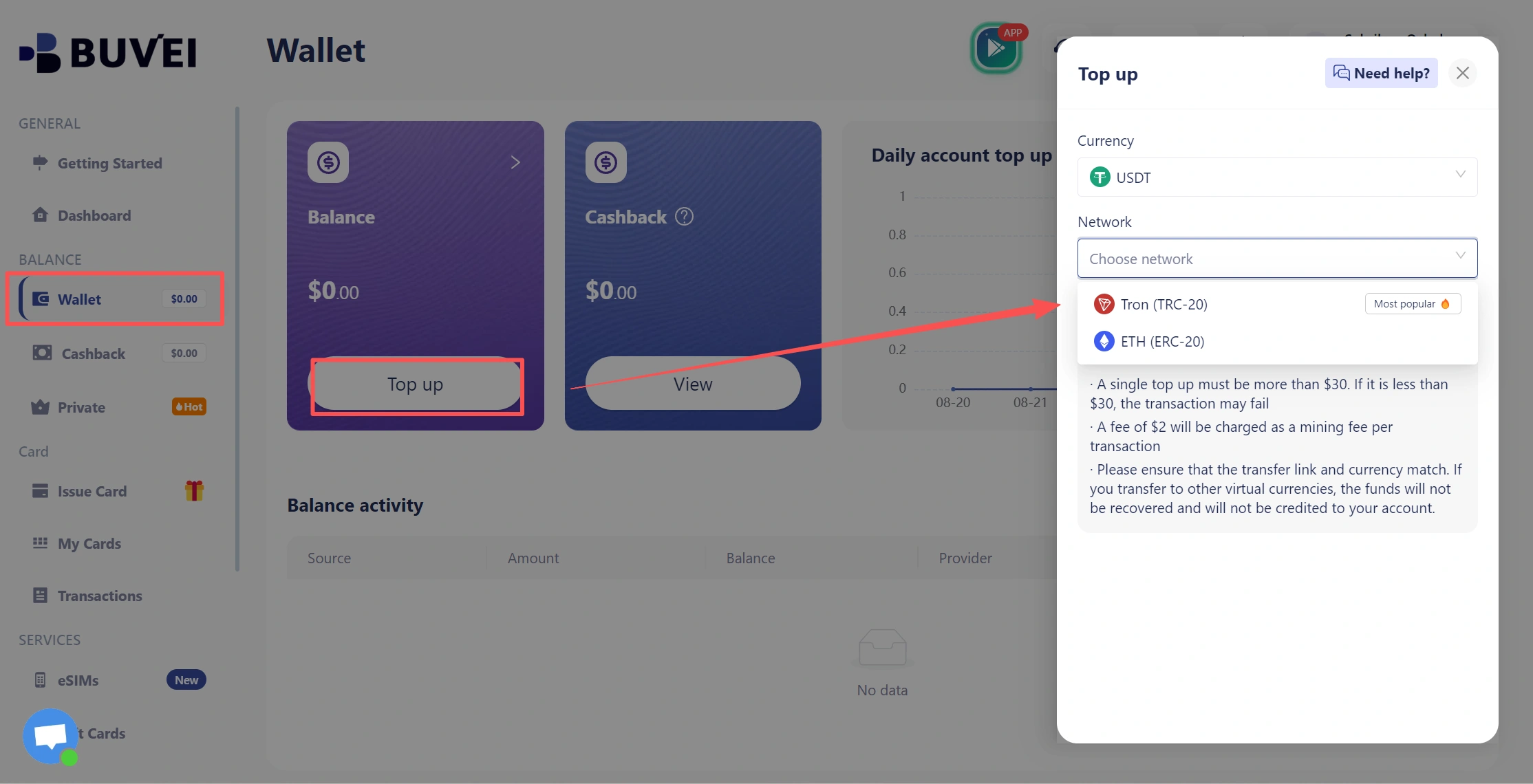
Preparing these details before checkout can help you identify basic payment issues before submitting the transaction.
How to Pay for Runway AI with a Virtual Card
Step 1: Choose a Runway Subscription
Sign in to your Runway account and select the subscription plan you want to purchase. Review the current plan details, billing cycle, and price before continuing to checkout.
Runway’s plans and pricing can change, so it is better to use the current information displayed in your account rather than relying on an older price shown in another article.
After selecting your plan, continue to the payment section.
Step 2: Create a Virtual Card for Runway
If you do not already have a suitable virtual card, create one before entering your payment information.
For a recurring Runway subscription, a dedicated reusable virtual card can make the payment easier to identify and manage separately from other online expenses.
With BUVEI, users can create virtual cards through the card management interface and use a dedicated card for a specific online payment purpose.
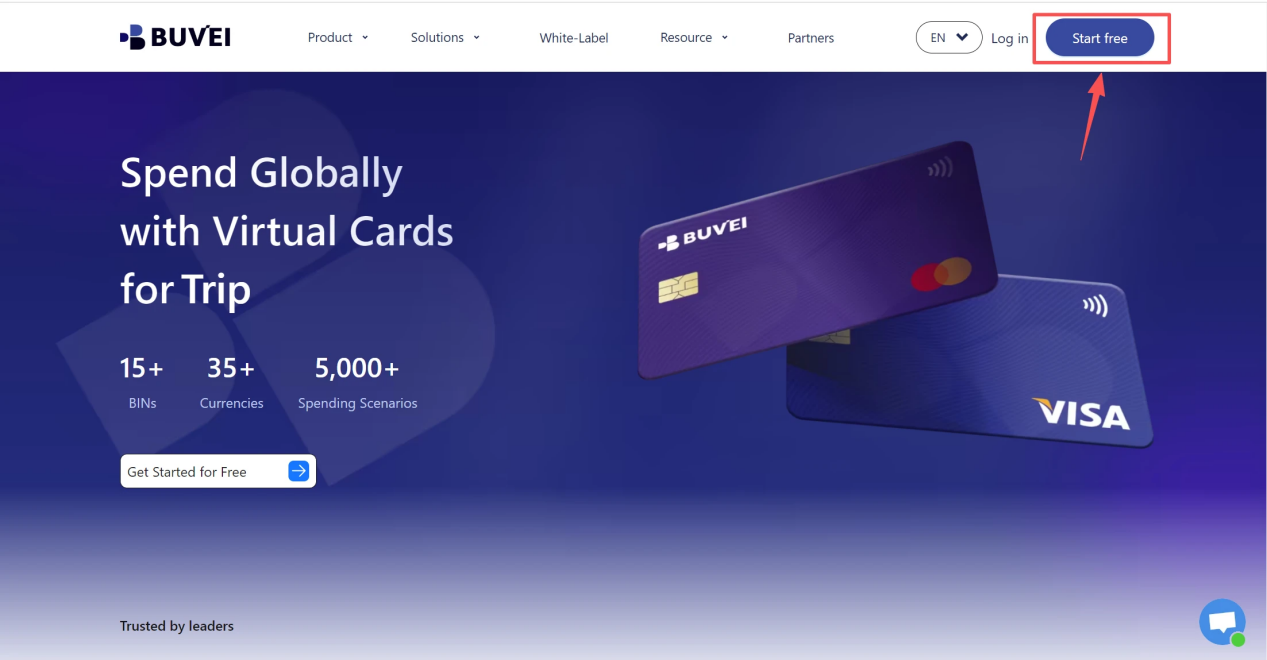
- visithttps://buvei.com and create a free account.
- After email verification, log in to access the Buvei dashboard.
- Create a Virtual Card
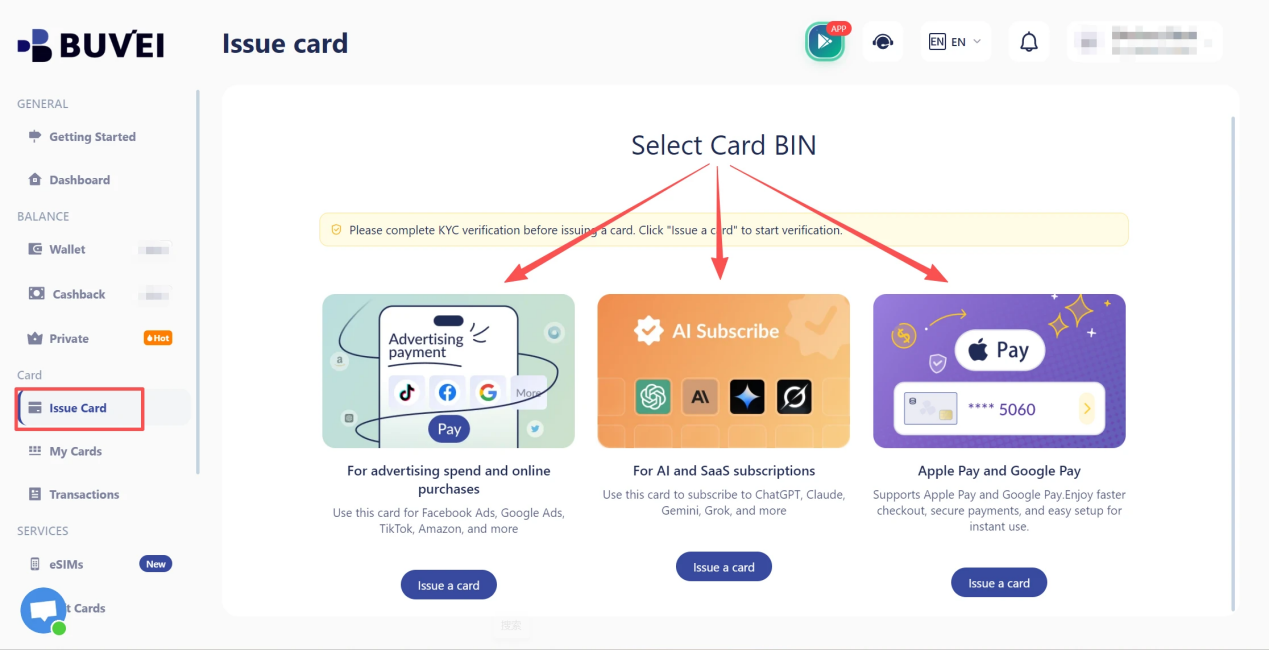
- Go to the Card tab
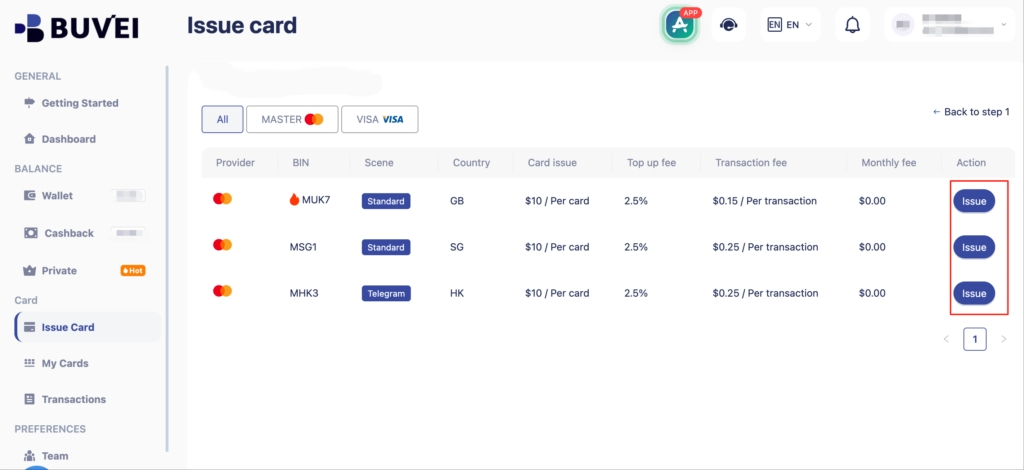
- Choose your preferred BIN region, (recommends using US BIN)
- Select your card type
- Click Issue
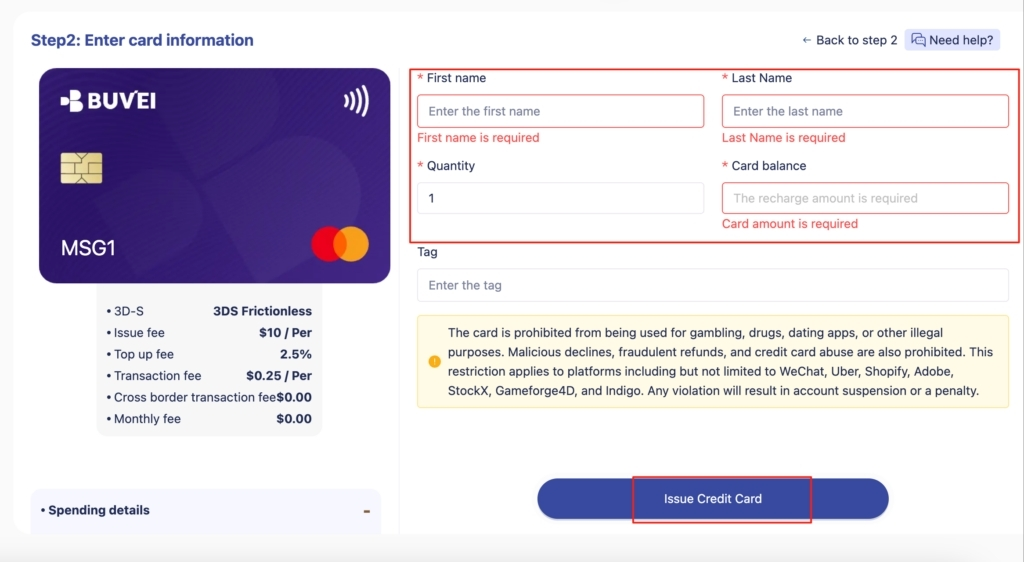
- Fill in the virtual card details, including name, amount, and number of cards.
- Click Issue Card
When setting up a card specifically for Runway, make sure the card is active and configured for the type of online transaction you intend to make.
Step 3: Check Your Card Balance and Status
Before submitting the payment, open the card details and confirm that the card is active and has sufficient available funds.
Also check the expiration date and other relevant card information. This is particularly important for a subscription because the initial payment is not necessarily the only charge. If the subscription renews automatically, the card needs to remain available for future billing.
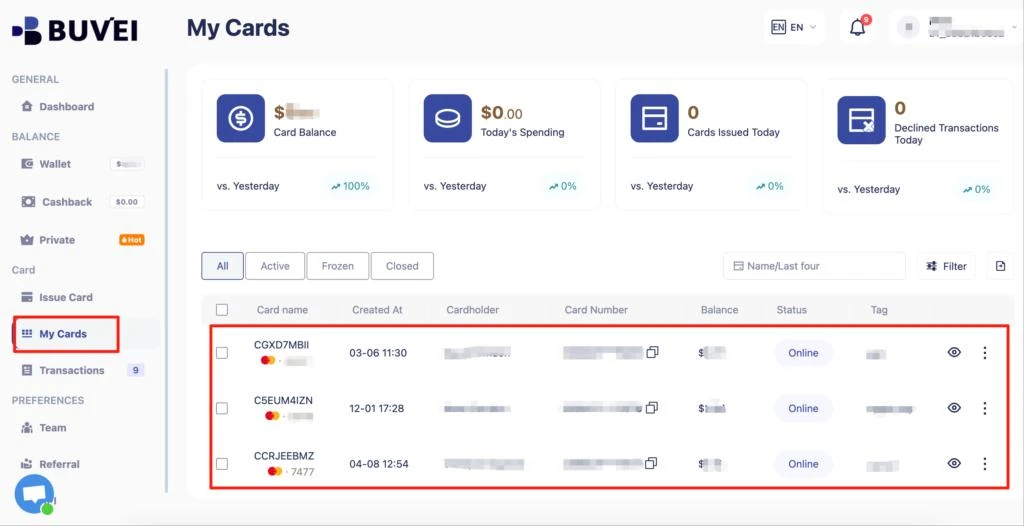
Checking these details before checkout can prevent simple card-status or balance issues from becoming payment failures.
Step 4: Enter Your Virtual Card Details
Return to the Runway checkout page and enter the information requested by the payment form.
Depending on the checkout flow, this can include your card number, expiration date, security code, and billing information. Carefully review each field before submitting the payment.
If you are creating screenshots for a tutorial, never display a complete card number, CVV, or other sensitive information. All confidential payment details should be hidden before publication.
Step 5: Complete the Payment
After reviewing the payment information, submit the transaction and wait for the result.
If the payment page takes time to process, avoid repeatedly submitting the same payment. First check whether the transaction has already been authorized or completed.
Once the payment is processed, confirm the subscription status in your Runway account. This is the best way to verify that the subscription itself has been activated or renewed.
Step 6: Verify the Transaction
After confirming the subscription in Runway, check your virtual card’s transaction history. For BUVEI users, the Transaction section can be used to review payment activity associated with the card.
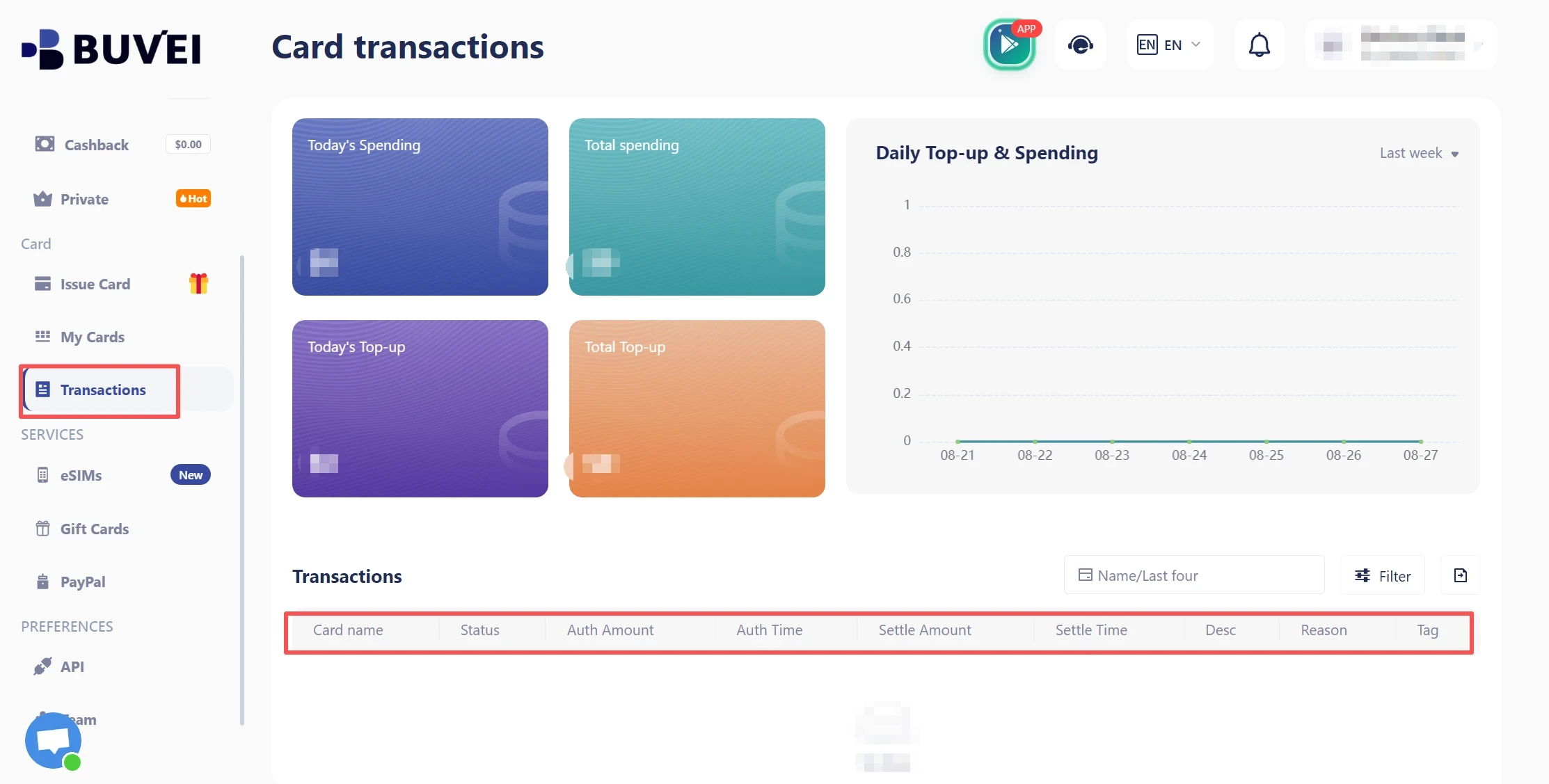
Compare the transaction amount, merchant information, date, and status with the Runway payment you just made. This gives you a second way to verify the payment and makes future subscription charges easier to identify.
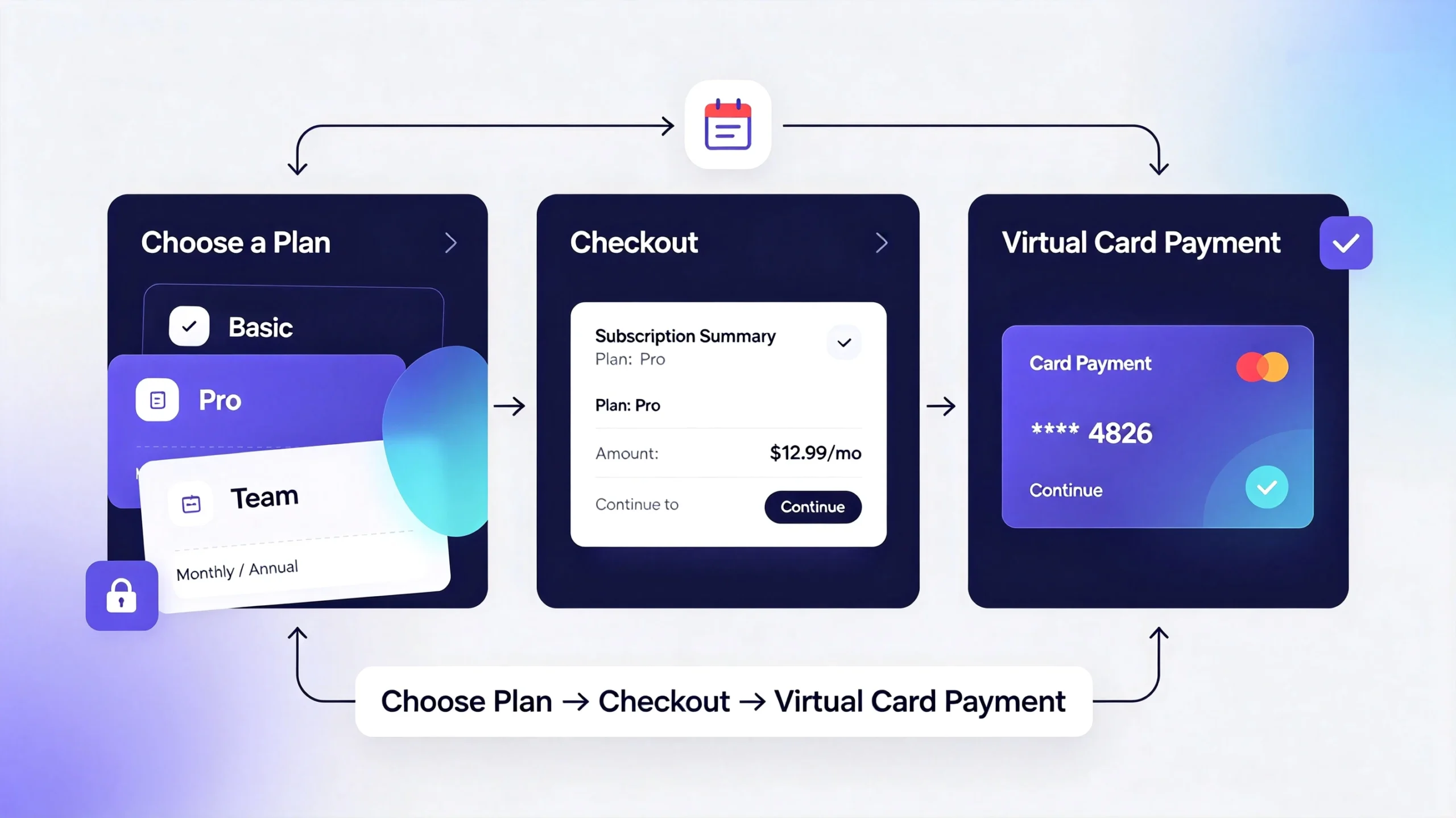
The complete workflow is straightforward: Choose a plan → Prepare the virtual card → Enter payment details → Complete payment → Confirm the subscription → Verify the transaction
What If Runway Rejects Your Virtual Card?
If Runway declines a virtual card payment, the first step is to determine whether the issue comes from the card, the billing information, or the payment environment.
|
Possible Issue |
What to Check |
| Insufficient funds | Check the card’s available balance |
| Card inactive | Confirm the card status |
| Incorrect card details | Re-enter the card information |
| Billing mismatch | Verify the billing information |
| Card compatibility | Check the card network and issuing region |
| Repeated decline |
Contact the card provider or Runway support |
A declined payment does not automatically mean that your Runway account has been suspended or restricted. Payment authorization and account status are separate issues.
If the basic information is correct but the transaction continues to fail, avoid repeatedly retrying the same payment. Check whether the card provider has rejected the transaction or whether another supported payment method is available for your account and region.
Why Use a Dedicated Virtual Card for Runway?
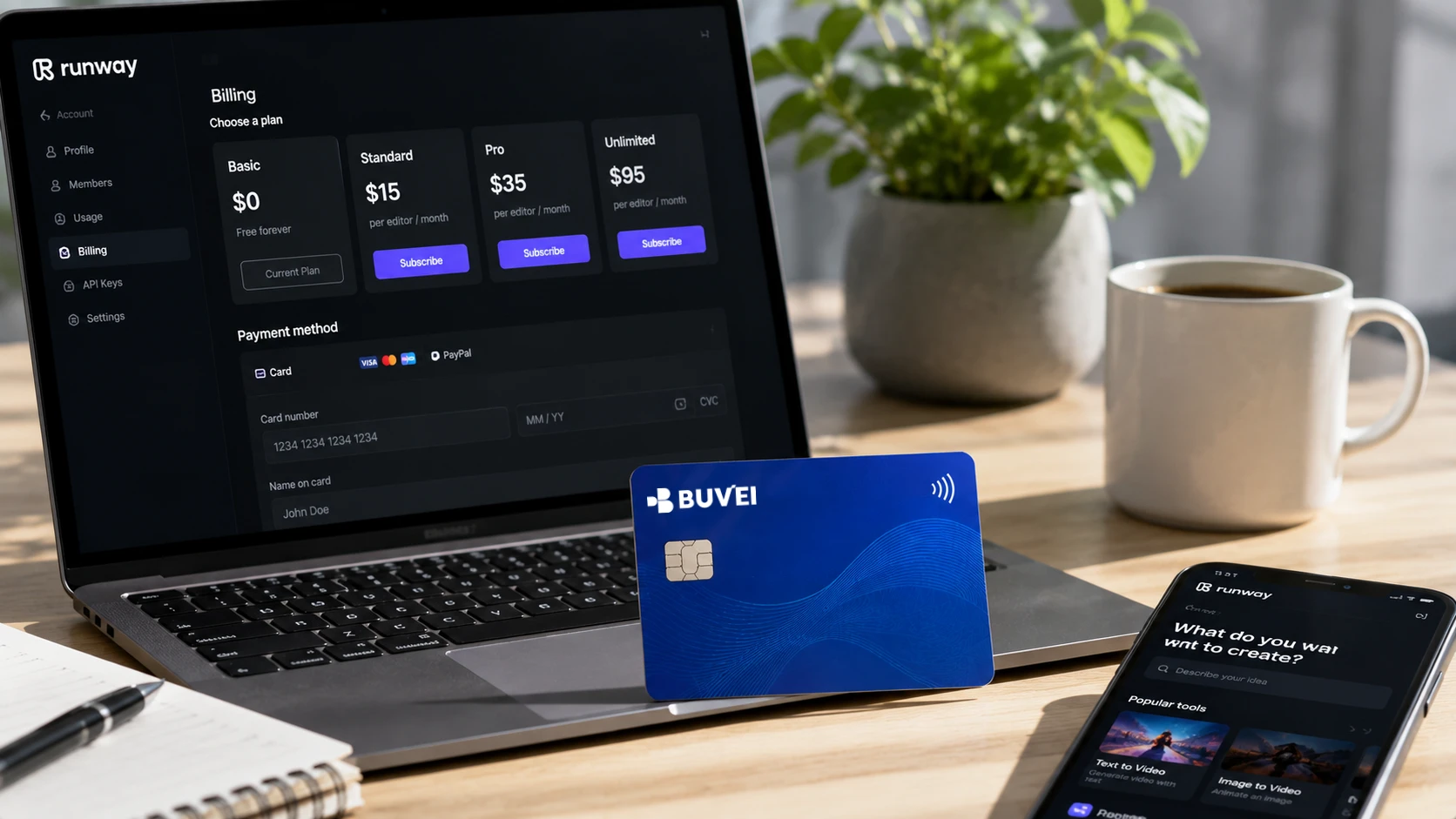
A dedicated virtual card can be useful when Runway is one of several recurring online subscriptions you manage.
Instead of putting every digital subscription on the same payment method, you can use a separate card for Runway and review its activity independently. This can make recurring charges easier to identify and simplify payment management when you have several online services.
BUVEI supports virtual card creation and card management, while its transaction tools provide visibility into card payment activity. For users managing multiple online subscriptions, these capabilities can help organize individual payment methods without mixing every recurring charge together.
The goal is not to guarantee that every Runway transaction will be approved. Payment acceptance can still depend on Runway, its payment processor, the card network, the issuing provider, and regional requirements. Instead, a dedicated virtual card provides a more structured way to manage the payment method associated with the subscription.
Frequently Asked Questions
Does Runway AI accept virtual cards?
Runway supports credit and debit card payments, but it does not list virtual cards as a separate payment method. Whether a particular virtual card works can depend on the card issuer, card network, region, and billing requirements.
Can I use a virtual card for a recurring Runway subscription?
A reusable virtual card is generally more suitable for an ongoing Runway subscription because the same card can remain available for future renewal charges. A disposable or single-use card is less appropriate for recurring billing.
Why is my Runway payment being declined?
Check your available balance, card status, expiration date, payment details, and billing information first. If everything appears correct, the transaction may still be affected by card compatibility, regional restrictions, or authorization decisions from the payment provider. Contacting the card issuer or Runway support can help identify the specific cause.
Conclusion
Using a Runway AI virtual card can be a practical way to keep a Runway subscription separate from other online expenses. The process is straightforward: choose a plan, prepare an active reusable virtual card, check its balance and status, enter the required payment details, complete the transaction, and confirm the subscription in Runway.
For users who manage multiple digital subscriptions, BUVEI provides virtual card and transaction management tools that can make individual recurring payments easier to organize and monitor.