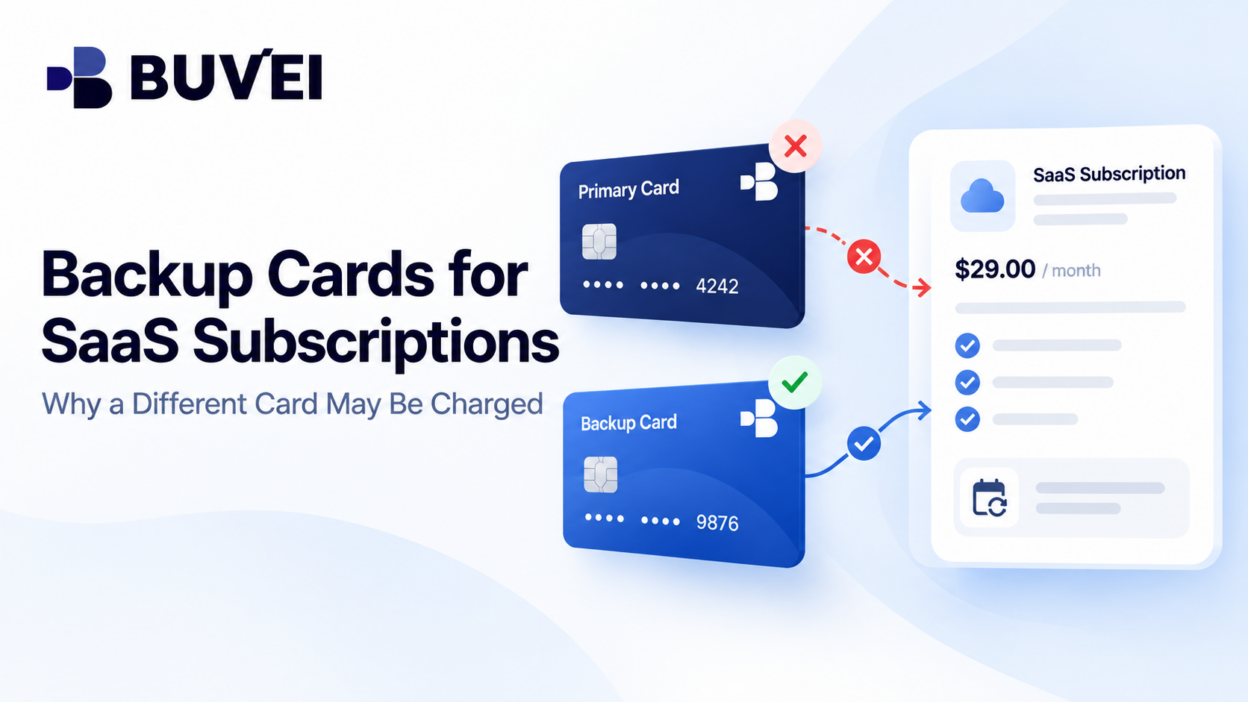
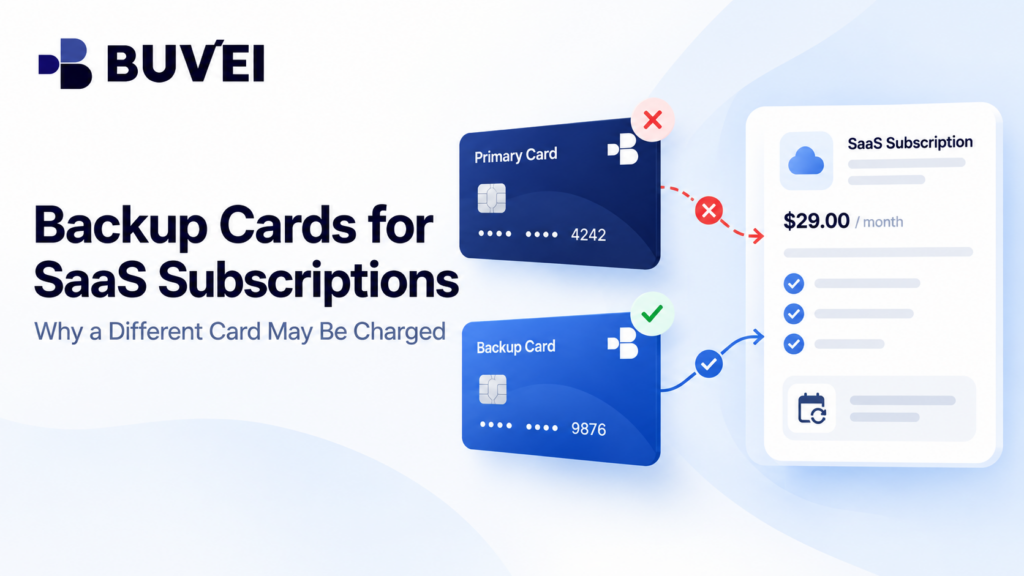
Your finance team assigns a virtual card to a SaaS subscription.
Two months later, a different card is charged for the renewal.
Nobody entered that second card at checkout that morning. Did the supplier ignore the chosen payment method?
Not necessarily.
A merchant account may contain several payment methods with different roles:
- a primary or default method,
- a backup payment method,
- a card attached to a specific subscription,
- or a method already associated with an invoice.
Some services retry failed payments using another eligible method. Others do not.
The reliable answer comes from the merchant’s billing settings, invoices, notices, and transaction records. This guide explains how default and backup cards differ, what can happen after a failed renewal, and how to avoid accidentally paying the same invoice twice.
Where a Payment Method Can Live
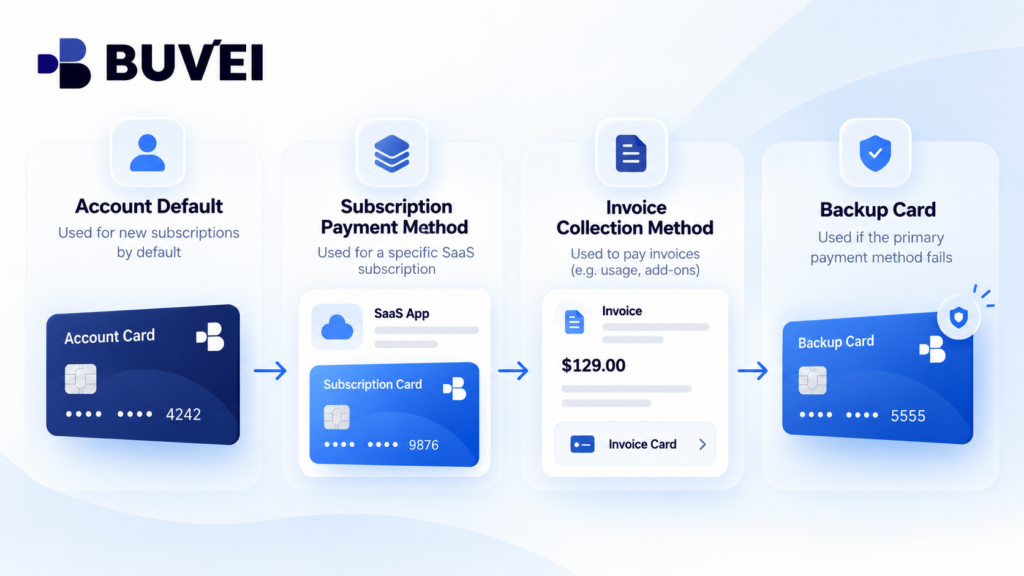
A SaaS account may store payment methods at several levels:
- account-level default,
- subscription-level method,
- invoice-level collection method,
- backup or alternative method.
So seeing:
Default card: •••• 4821
does not prove that every subscription or invoice will use that card.
An older subscription may still be tied to another method. An open invoice may already have its own collection path, while a marketplace may maintain separate backup settings.
For important subscriptions, check the specific plan, latest invoice, next renewal date, and the payment method the merchant says it will use.
The better question is not:
“What is the default card?”
but:
“Which card will pay this specific subscription or invoice?”
What Happens After the Primary Card Fails
When a recurring payment fails, the merchant decides what happens next under its own billing configuration.
Possible outcomes include:
- retrying the same card,
- requesting authentication,
- sending a failure notice,
- leaving the invoice unpaid,
- or attempting an eligible backup method.
The timing and order vary by provider.
A stored backup card does not necessarily mean it will be used for every subscription, and a primary decline does not guarantee a backup charge.
For critical SaaS services, confirm the seller’s actual fallback rules instead of assuming another card will automatically protect the subscription.
Example: One Subscription, Two Cards
Imagine a company uses Card A for a €90 monthly project-management subscription.
Card B belongs to a general operations budget and is stored as an eligible backup.
On renewal day, Card A does not have enough available capacity. The merchant attempts Card A and later charges Card B under its fallback settings.
Finance sees €90 on Card B and assumes it is a duplicate. Meanwhile, the project owner sees a payment-failure email about Card A.
Both events may belong to the same invoice.
Before paying again, check:
- Did Card A complete a payment or only fail?
- Did Card B settle the invoice?
- Does the merchant show the invoice as paid?
If only Card B completed the payment, do not pay the invoice again from Card A simply to move the expense to the preferred card.
Update the merchant’s settings for the next renewal and handle the current expense through internal accounting.
If both cards show completed charges for the same invoice, ask the merchant for a transaction-level explanation.
An Unexpected Backup Charge Is Not Always Unauthorised
A backup payment method may have been enabled months earlier or added during a previous payment issue.
If finance sees a renewal on an unexpected card, gather:
- invoice number,
- subscription ID,
- primary attempt status,
- backup setting,
- amount,
- billing period,
- and merchant payment history.
Then determine whether the charge matches an approved business obligation.
If the backup belongs to another team or cost centre, it may be a budgeting issue rather than an unauthorised merchant transaction.
If the payment cannot be matched to a legitimate subscription or invoice, follow the card provider’s normal security and dispute process.
Default, Backup, and Replacement Cards Are Different
A default card may apply to future purchases or a particular billing profile.
A backup card is another eligible method that may be used when the preferred payment fails.
A replacement card relates to continuity after a card credential changes.
These are not the same thing.
Changing an account-level default may not update older subscriptions. Adding a new card may not automatically make it a backup. Removing a card from a general wallet may not detach it from every existing subscription.
Check the merchant’s settings at the subscription and invoice level before assuming a card update has applied everywhere.
When a Card Alert Does Not Mean the Invoice Is Paid
A card notification alone does not prove that the merchant successfully collected the payment.
A transaction may be:
- pending,
- authorised,
- reversed,
- posted,
- or refunded.
At the same time, the merchant may still show the invoice as unpaid and later attempt another card.
To reconcile the payment, compare:
Card status → Invoice status → Invoice number → Settled payment
If one card shows a temporary authorisation that later disappears and another card shows the posted payment, there may be only one completed charge.
Avoid Paying the Same Invoice Twice
One of the easiest mistakes is reacting too quickly after a failed renewal.
Finance sees:
- a failed notification on Card A,
- then a €90 notification on Card B.
Someone manually pays another €90 from Card A.
That can create a genuine duplicate.
Instead, start with the merchant’s invoice and list every related payment attempt as:
- failed,
- authorised,
- reversed,
- captured,
- or refunded.
If both cards show posted transactions against one invoice, ask the merchant to trace the extra payment and explain whether it will be refunded or credited.
Do not rely only on push notifications.
Three Settings Worth Checking
1. An Old Subscription Still Uses Its Original Card
The account-level default has been changed, but a long-running subscription remains attached to the old card.
Open the actual subscription and check its masked payment method.
2. An Open Invoice Already Has a Collection Method
The company changes the default card after an invoice has already been issued.
That invoice may still use the earlier payment method or retry path.
Check the specific invoice rather than assuming the new default applies immediately.
3. The Subscription Is Managed by a Marketplace
The company updates the payment card on the developer’s website, but the subscription was originally purchased through an app marketplace.
The marketplace may have its own primary and backup settings.
Find the original receipt and billing account before changing the wrong payment profile.
Give Every Critical Subscription a Clear Payment Rule
Not every SaaS product needs automatic fallback.
For a critical infrastructure service, a controlled backup card may help avoid interruption.
For a low-priority or experimental tool, the business may prefer:
Payment fails → Alert team → Require manual approval
For each important subscription, record:
- primary payment method,
- backup method if any,
- expected renewal amount,
- renewal date,
- responsible cost centre,
- and alert owner.
Also review the setup after card rotation, team changes, pricing changes, or failed renewals.
A backup card should not become an unowned “emergency card” available across multiple departments without clear approval.
How Buvei Can Help Track Recurring SaaS Payments
Buvei virtual cards can help businesses separate recurring SaaS spending by vendor, team, or purpose.
Using dedicated cards can make recurring charges easier to identify and reconcile.
Where available, card records can help confirm which card received a payment attempt, the transaction amount, date, and whether the related card entry completed.
The SaaS provider still controls:
- payment-method priority,
- backup eligibility,
- retry behaviour,
- subscription settings,
- and invoice collection.
Keeping the merchant invoice and card record together makes unexpected renewals easier to explain.
A Quick Checklist for the Next Surprise Charge
When a SaaS renewal appears on an unexpected card:
- Identify the merchant and card.
- Find the related invoice.
- Check whether each card entry is pending or posted.
- Confirm which payment method was primary.
- Check what happened to the primary attempt.
- Confirm whether backup payment was enabled.
- Identify which payment settled the invoice.
- Correct future merchant settings if necessary.
If one valid payment settled the invoice on the wrong company card, fix the configuration and account for the expense internally.
If two payments settled the same invoice, ask the merchant for correction.
If the transaction cannot be matched to a valid subscription or invoice, follow the card provider’s security and dispute process.
Final Takeaway
A backup card is not simply an emergency option. It is another possible payment path under the merchant’s billing rules.
A business should know:
- which subscriptions it can cover,
- which card is primary,
- who approved the fallback,
- and who receives the alert.
When an unexpected renewal appears, trace:
Subscription → Invoice → Primary Attempt → Backup Setting → Settled Payment
Once those records line up, the charge becomes much easier to explain without guessing from two card statements.