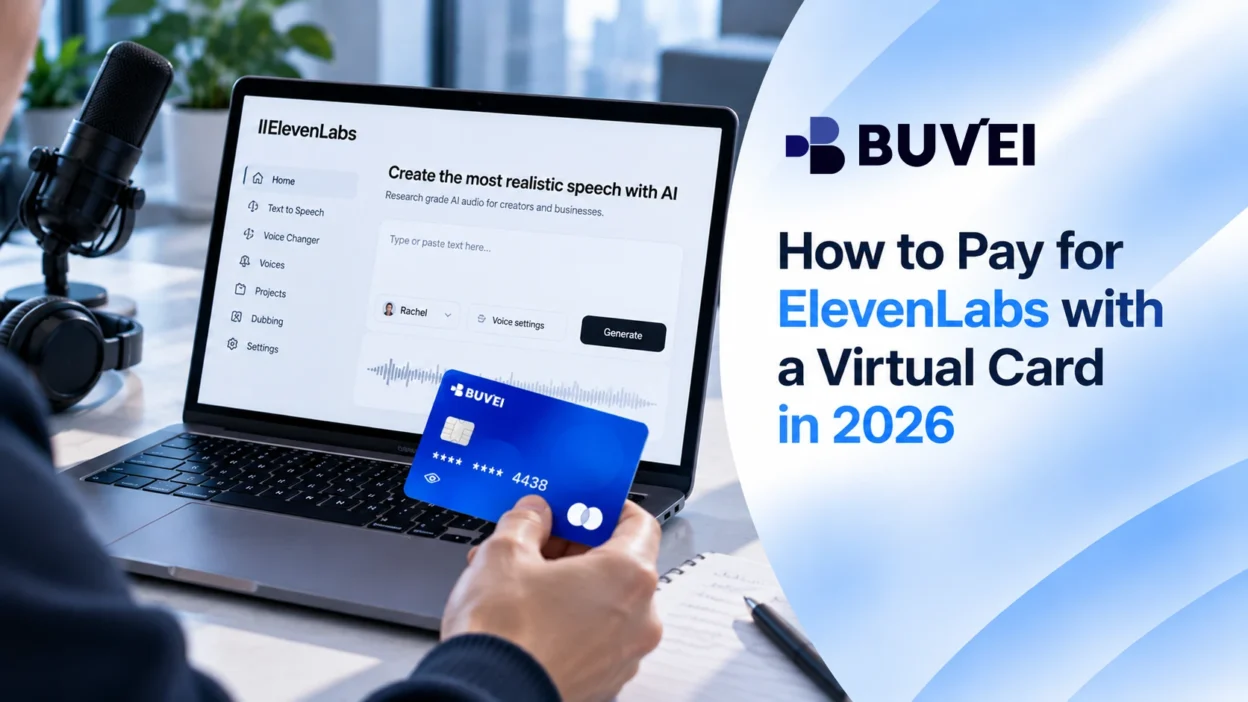
An ElevenLabs virtual card can be useful when you want to keep an AI subscription separate from your primary payment card. The need usually comes up when the free plan is no longer enough, and you decide to upgrade to a paid ElevenLabs plan.
If you want to keep an AI subscription separate from your primary bank card, a virtual card can be an option to consider. ElevenLabs does not specifically list virtual cards as a supported payment method, so acceptance is not guaranteed. However, a virtual card may work when it is processed as an eligible card payment.
This guide explains how to pay for ElevenLabs with a virtual card, what to check before submitting the payment, and what to do if the transaction is declined.
Can You Pay for ElevenLabs with a Virtual Card?
ElevenLabs does not list virtual cards as a separate supported payment method. Its current payment options include credit cards, Apple Pay, Google Pay, and UPI for customers in India.
ElevenLabs also states that prepaid cards are not directly supported. Payment attempts can be affected by the issuing bank or payment processor.
A virtual card is not automatically the same as a prepaid card. Whether a virtual card works depends on how it is issued and processed, as well as the payment requirements applied to the transaction.
If you plan to use one, make sure the card is active, has enough available balance, and can be used for the type of online payment you are making.
How to Pay for ElevenLabs with a Virtual Card
Step 1: Choose an ElevenLabs Plan
Start by choosing the ElevenLabs plan that fits your usage. ElevenLabs offers several subscription tiers with monthly and annual billing options.
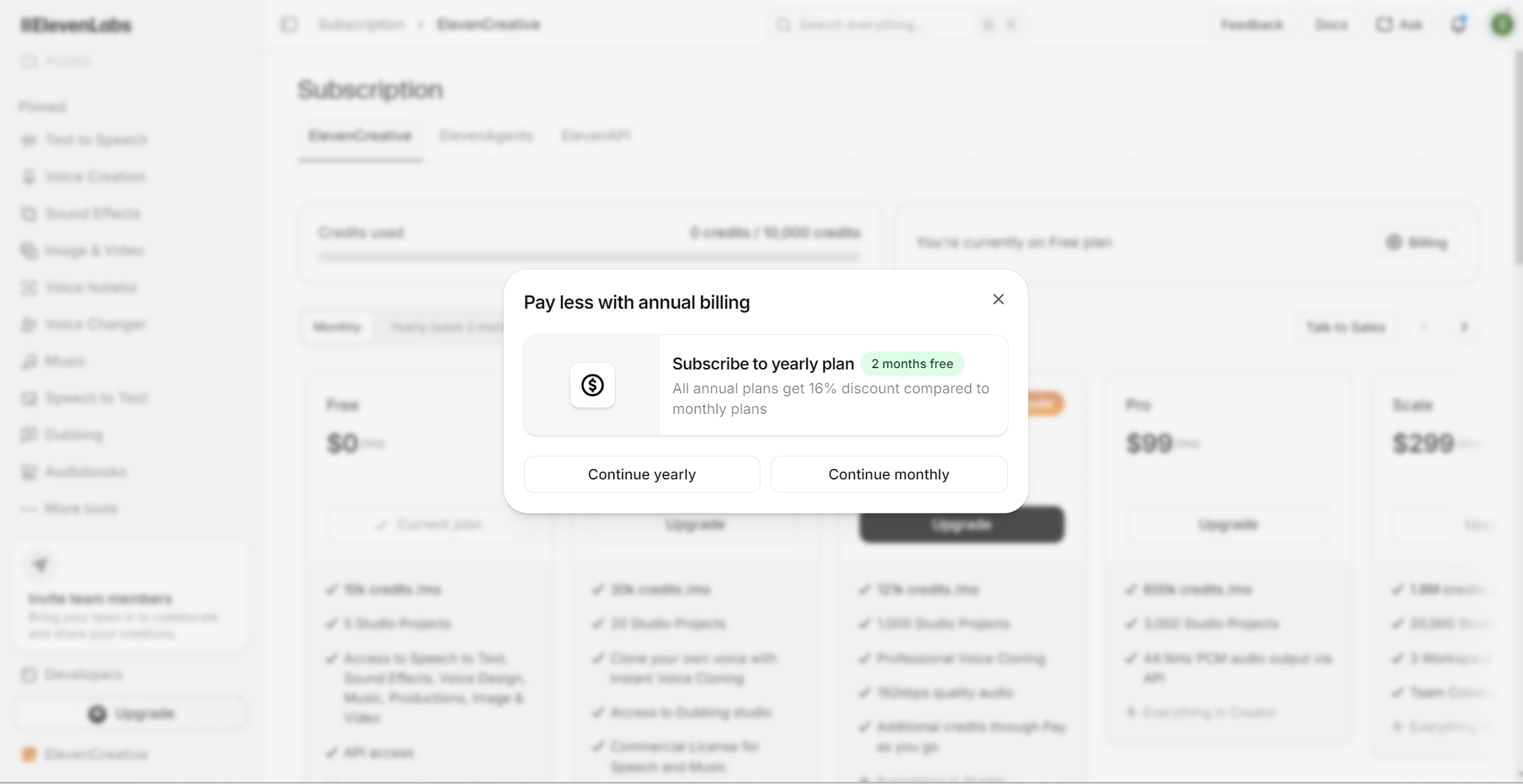
Before continuing, check the billing period and total amount. If you are using a virtual card, make sure its available balance is enough to cover the payment.
Step 2: Open the ElevenLabs Checkout
Continue through the ElevenLabs subscription flow until you reach the payment section.
Review the plan, billing period, and amount before entering your card information. If you are upgrading from a free account, make sure you are using the account you want to subscribe with.
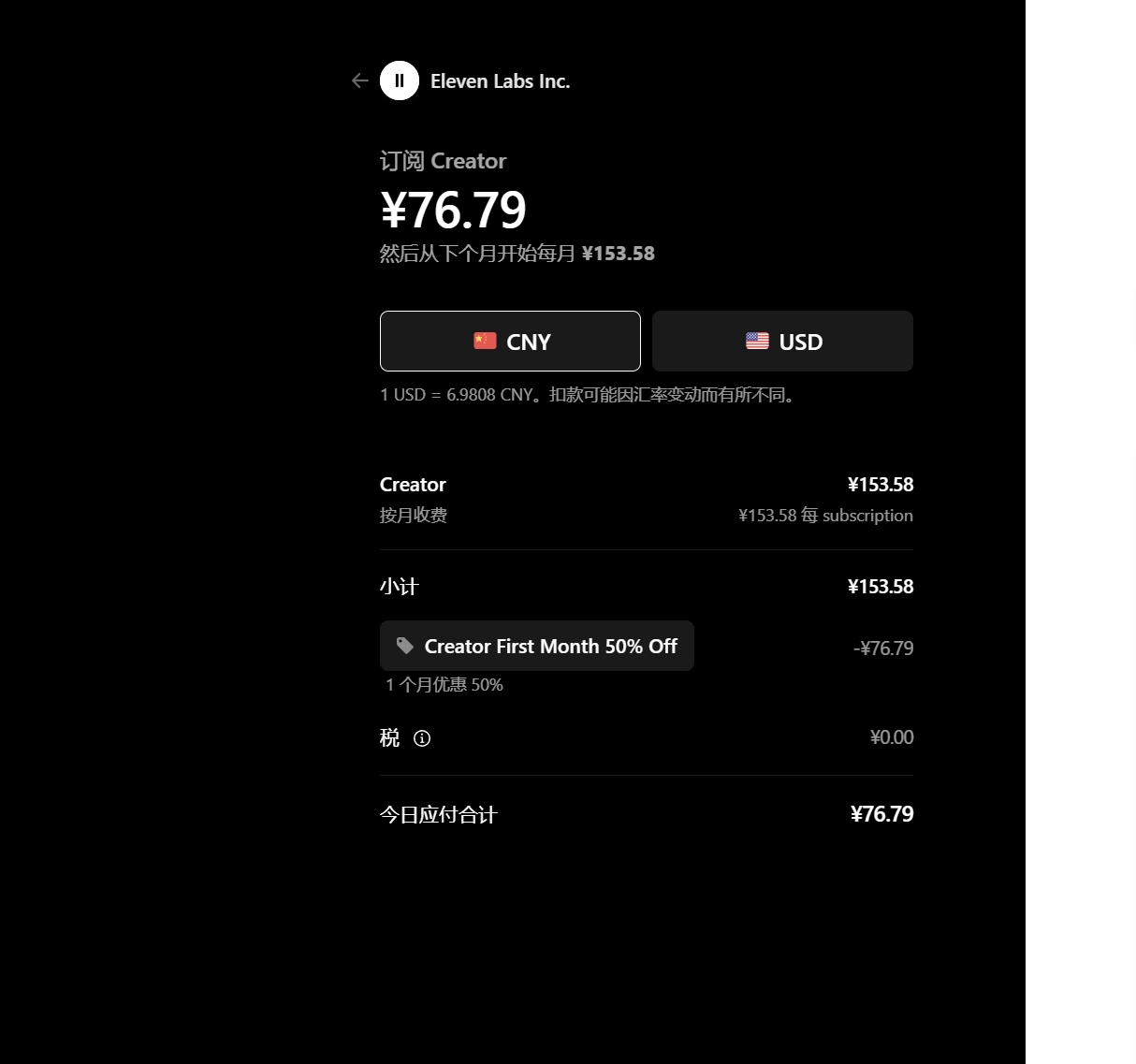
Step 3: Enter Your Virtual Card Details
Enter the card number, expiration date, CVV, and any billing information requested by the checkout page.
Make sure the details match the information associated with your card. You should also check the available balance before submitting the payment.
Having enough funds can prevent a balance-related decline, although it does not guarantee that the transaction will be approved.
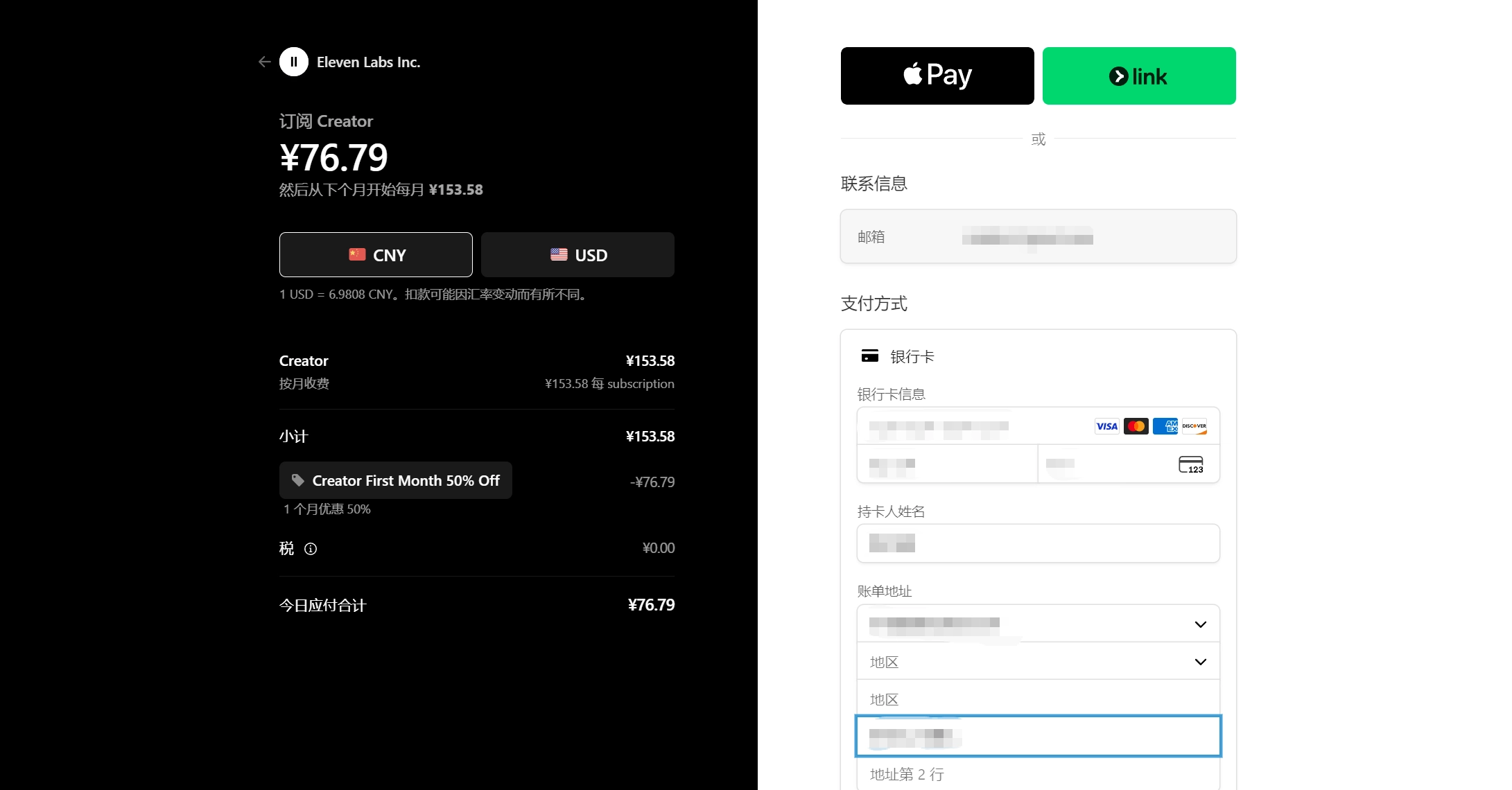
Step 4: Confirm Your ElevenLabs Subscription
Submit the payment and wait for ElevenLabs to confirm the transaction.
After a successful payment, check your subscription or billing area to make sure the paid plan is active. If the subscription renews automatically, keep the virtual card active and funded for future payments.
Paying for ElevenLabs with BUVEI
If you want to use a separate virtual card for your ElevenLabs subscription, BUVEI provides a way to create and manage virtual cards for online payments. If you haven’t created a Buvei virtual card, please follow these steps.
Create a BUVEI Virtual Card
visit https://buvei.com, then click 'Start Free' to register quickly with your email.
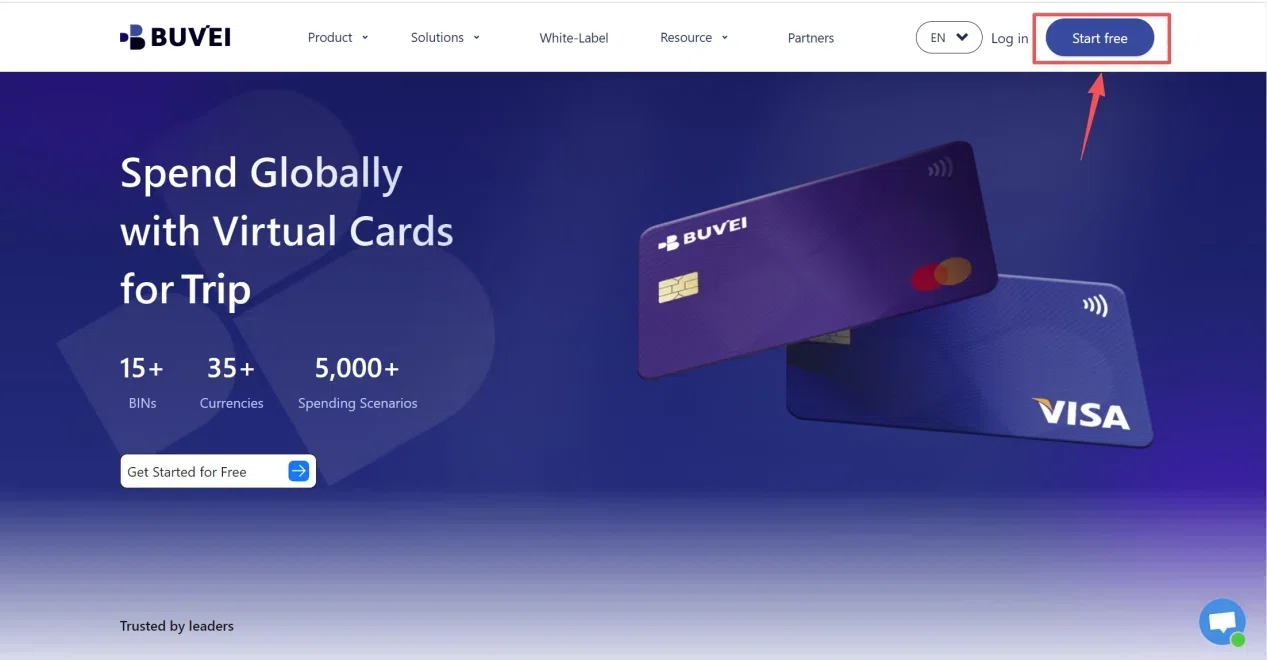
Sign in to your BUVEI account and open the dashboard. From there, go to the card section where you can create and manage your virtual cards.
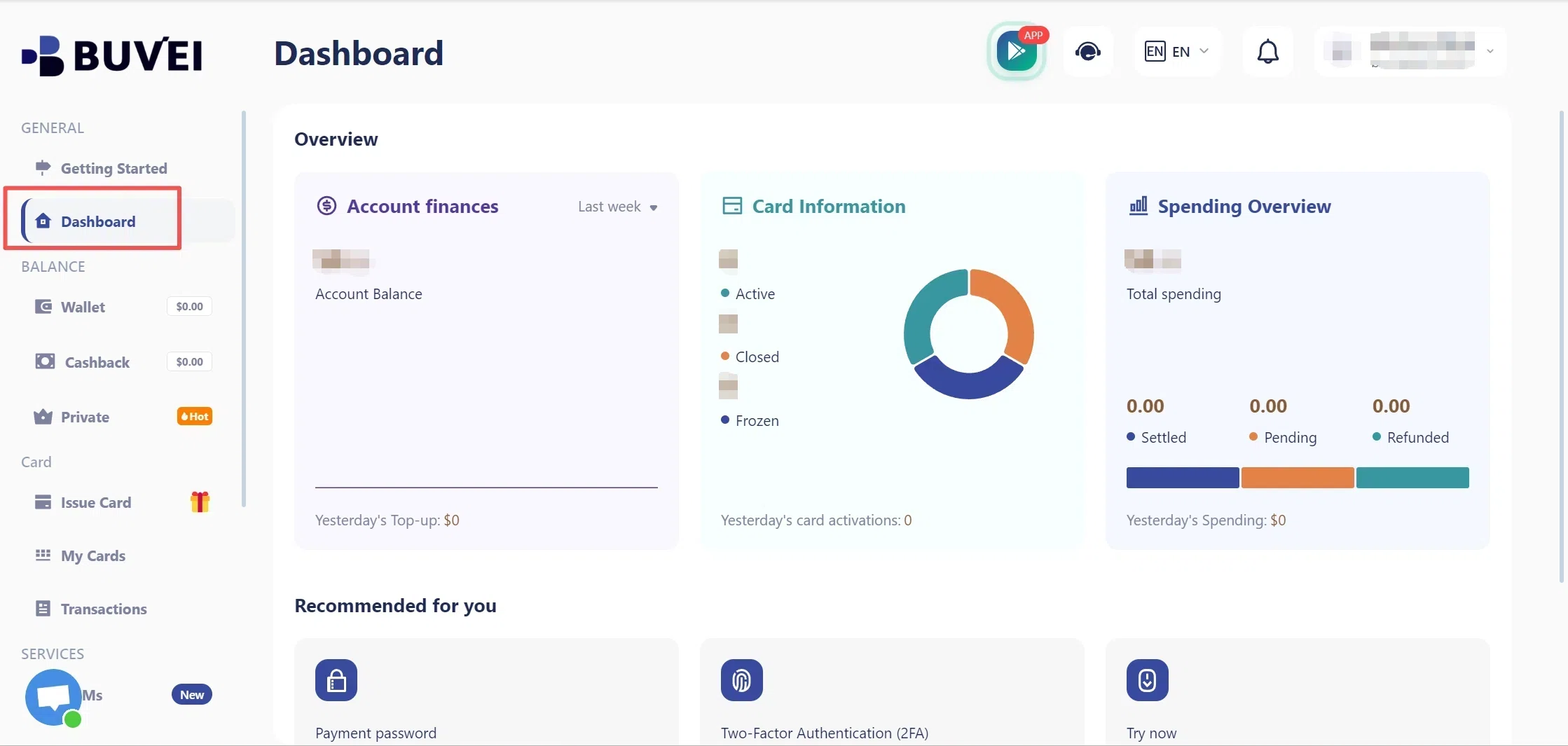
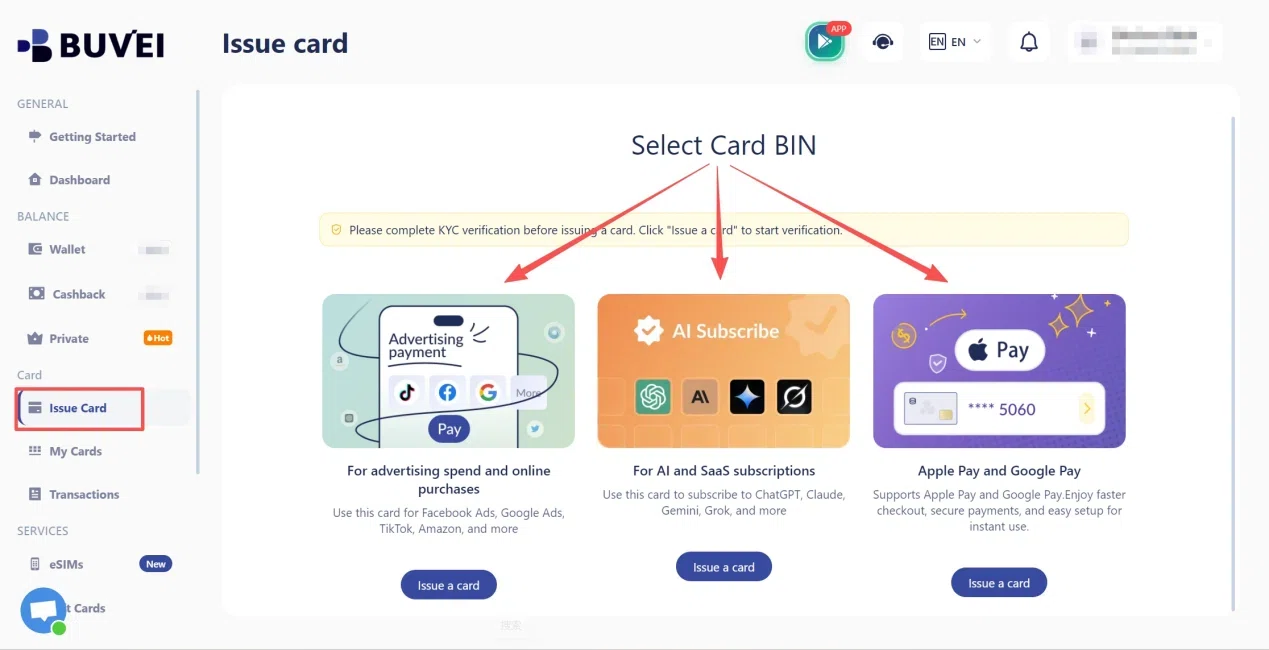
Go to the Card tab, choose your preferred BIN region (a US BIN is recommended), select your card type, and click Issue to create your virtual card.
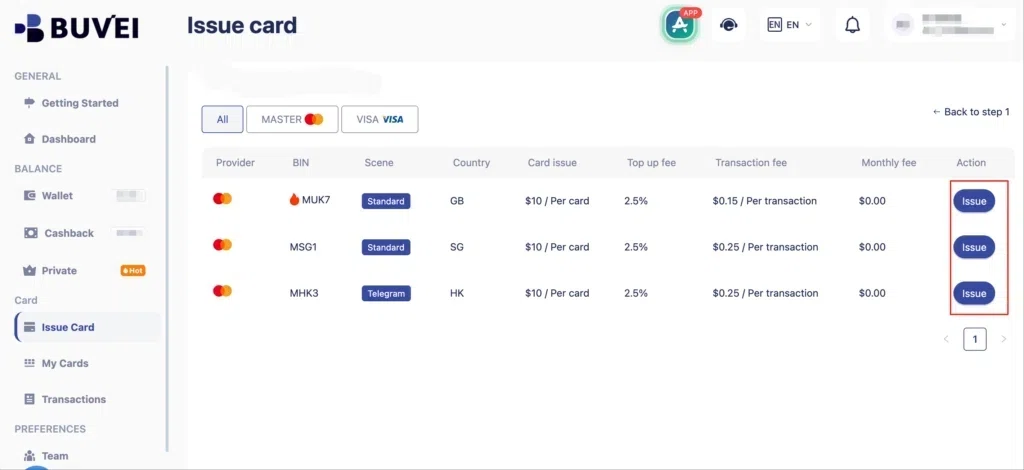
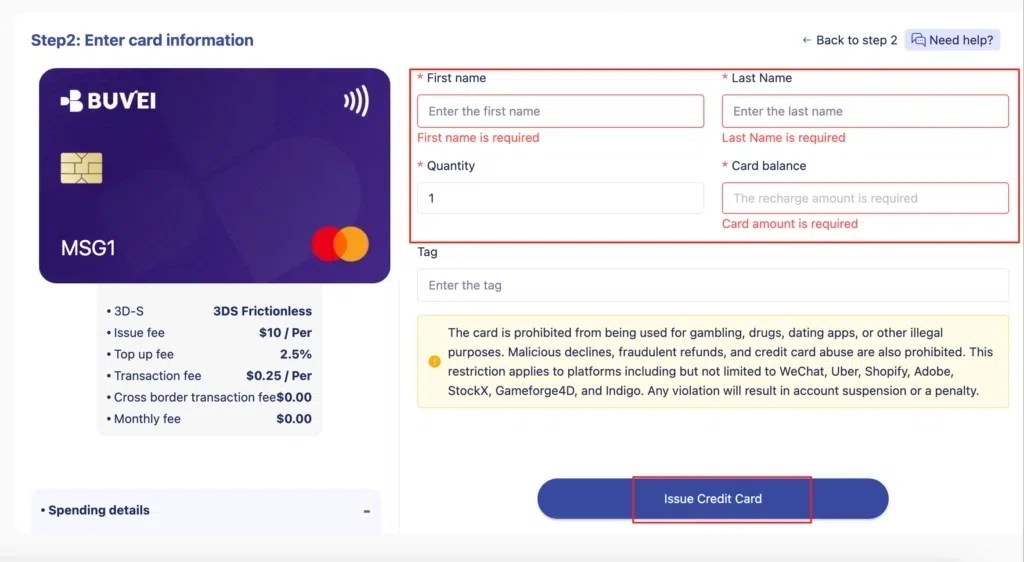
Fill in the virtual card details, including name, amount, and number of cards, then click Issue Card.
Once the card is issued, you can access the card number, expiration date, and CVV needed for an online checkout.
Fund Your BUVEI Virtual Card
Before paying for ElevenLabs, make sure your BUVEI wallet or card has enough available funds for the transaction. The amount you need depends on the ElevenLabs plan and billing period you selected.
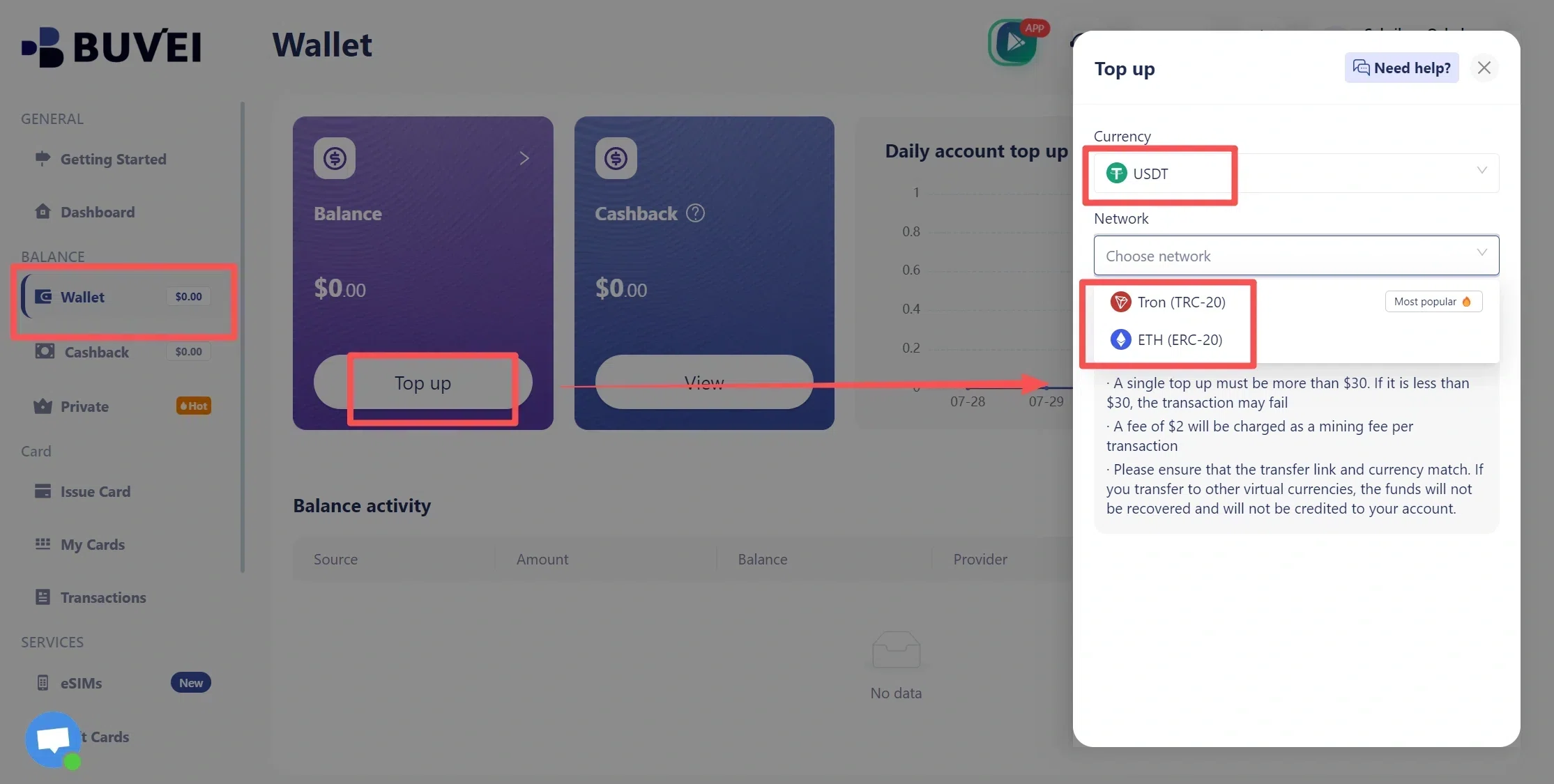
- Navigate to the Wallet tab and top up using supported stablecoins like USDT (TRC20/ERC20). You’ll receive a unique address—copy it and send your funds.
- Once confirmed, your balance will appear in the wallet for immediate use.
Use Your BUVEI Card at ElevenLabs Checkout
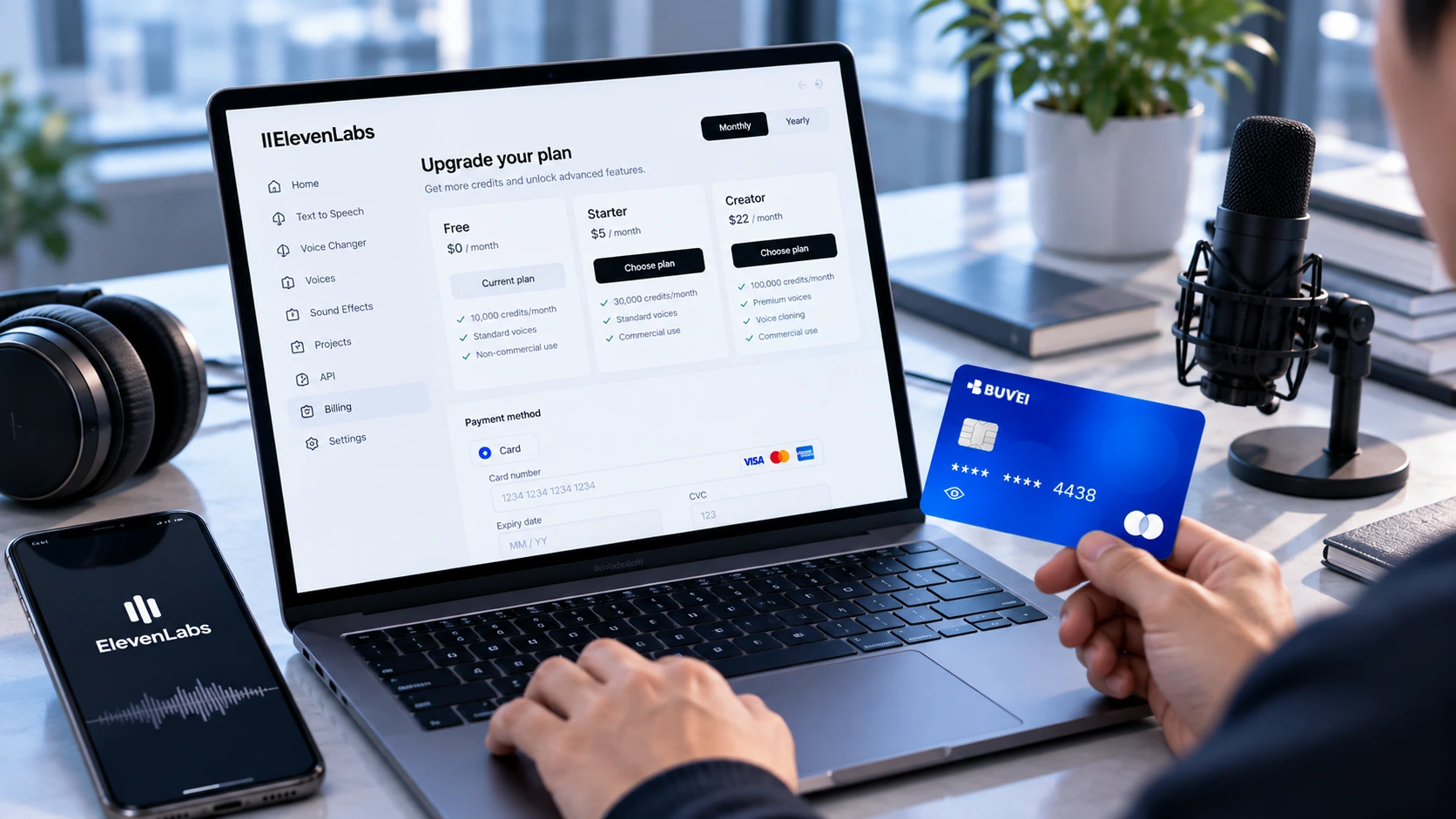
Return to the ElevenLabs payment page and enter your BUVEI card details in the card payment section. If the transaction is approved, your ElevenLabs subscription will be activated according to the plan you selected.
Manage Your Card and Payment Activity
Using a separate card for an AI subscription can make ongoing expenses easier to keep track of. Instead of mixing ElevenLabs charges with everyday purchases, you can keep the subscription on a dedicated BUVEI card and monitor its balance and payment activity separately.
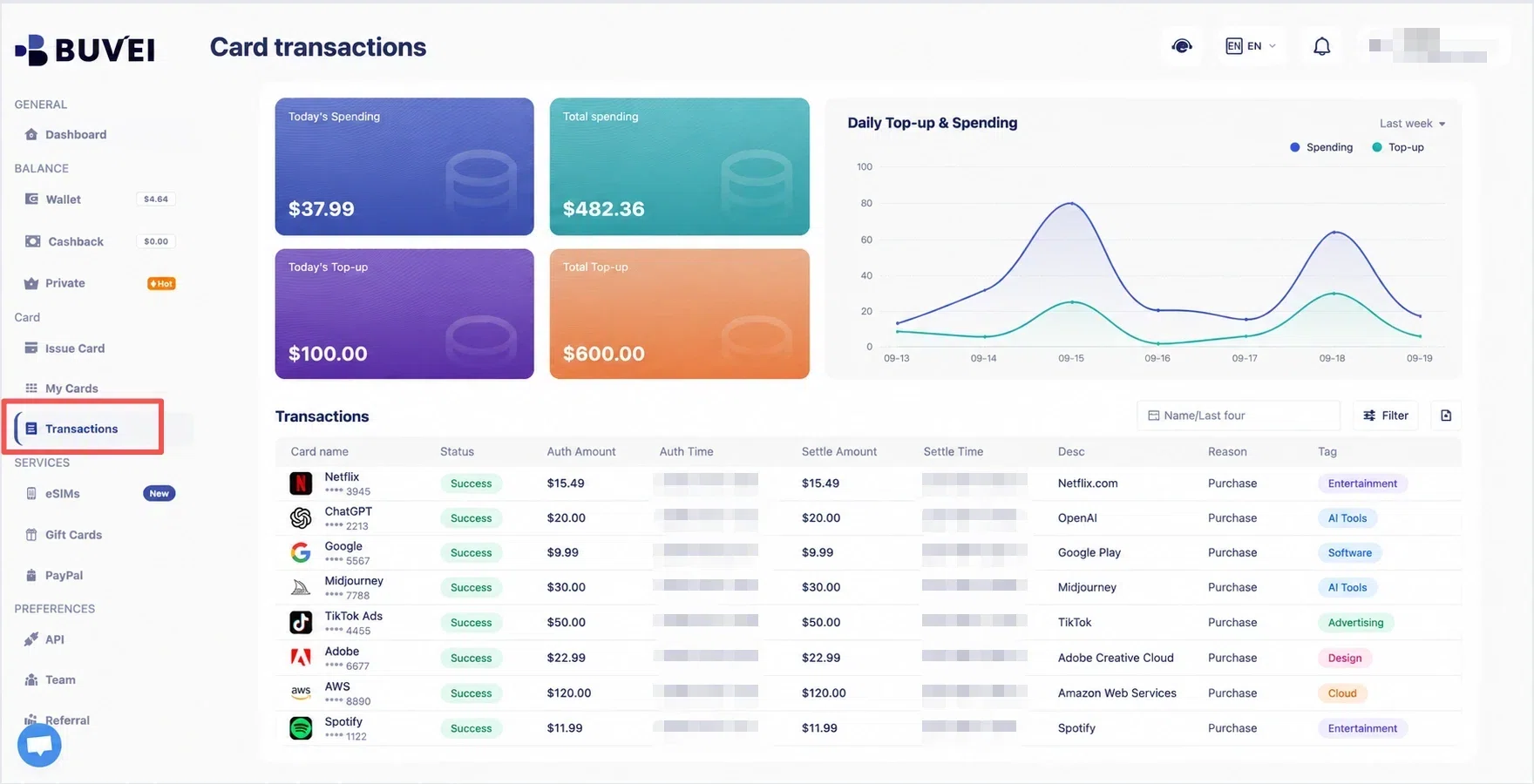
The updated BUVEI App makes this easier to manage from your phone. You can manage your cards and monitor payment activity without having to return to the desktop platform each time. This can be useful when you have several recurring AI or SaaS subscriptions to keep track of.
How ElevenLabs Subscription Billing Works
ElevenLabs subscriptions can be billed monthly or annually, depending on the plan you choose. Paid subscriptions renew automatically unless you cancel or change the subscription before the next billing cycle.
This is important when using a virtual card. A card that works for the initial payment still needs to remain active, valid, and usable when the next renewal is processed.
If you need to change the card used for your subscription, you can manage your payment methods through the ElevenLabs billing settings. Adding a new payment method and setting it as the default can be useful if the original card is no longer available.
How ElevenLabs Subscription Renewals Work
A successful first payment does not necessarily mean every future payment will go through.
Before a renewal, check that your virtual card is still active and has enough available balance. If the card has expired, been disabled, or can no longer be used for the transaction, the renewal may fail.
Keeping a dedicated card for the subscription can make these checks easier, especially if you regularly pay for several online services.
What If Your ElevenLabs Virtual Card Payment Is Declined?
A declined payment can come from the card, card issuer, payment processor, or information entered during checkout.
The Card May Not Be Supported
ElevenLabs states that prepaid cards are not directly supported, and payment attempts can also be affected by issuing banks or the payment processor.
If your virtual card is declined, check whether the card is eligible for this type of transaction and whether the issuer has blocked the payment.
Check Your Balance and Billing Information
Make sure the card has enough available funds and review the card number, expiration date, CVV, and billing information entered at checkout.
If the information is incorrect, correcting it and trying the payment again may resolve the issue.
Try Another Eligible Payment Method
If the virtual card continues to be declined after you have checked the card details and available balance, using another payment method listed by ElevenLabs may be necessary.
If the card itself is not supported by the payment setup, repeatedly submitting the same payment is unlikely to resolve the issue.
Paying for ElevenLabs with Pay As You Go
A subscription is not the only way to pay for ElevenLabs. The platform also offers Pay As You Go, which allows users to prepay for usage without committing to a monthly subscription.
After adding a payment method and funding the PAYG balance, your usage is deducted from that balance. ElevenLabs supports both manual top-ups and Auto Top Up.
This can be useful if you do not want another recurring subscription, although the same payment-method considerations still apply when adding funds.
Frequently Asked Questions
Does ElevenLabs accept prepaid cards?
ElevenLabs states that prepaid cards are not directly supported. Payment attempts can also be affected by the issuing bank or payment processor.
A virtual card should not automatically be treated as a prepaid card, but acceptance still depends on how the card is issued and processed.
Why was my ElevenLabs virtual card payment declined?
A virtual card payment can be declined because of an unsupported card type, insufficient available balance, incorrect billing information, or a restriction from the card issuer or payment processor.
Check the card details and available balance first. If everything appears correct, try another payment method supported by ElevenLabs.
Can I use a virtual card for ElevenLabs recurring payments?
A virtual card may work for a recurring subscription if the payment is accepted and the card remains valid for future charges.
Because ElevenLabs subscriptions renew automatically, the card needs to remain active and have sufficient available funds when the next payment is processed.
Conclusion
A virtual card can be a practical way to keep an ElevenLabs subscription separate from your primary payment card. However, because ElevenLabs does not list virtual cards as a separate supported payment method and does not directly support prepaid cards, acceptance depends on the card and payment setup.
If you choose to use BUVEI, you can create and fund a virtual card for the ElevenLabs payment, then manage the card and monitor payment activity through the updated BUVEI App. This can make it easier to keep a recurring AI subscription separate from your everyday spending.
Before using a virtual card for an ongoing ElevenLabs subscription, make sure it remains active, has enough available funds, and can support the transaction when the next payment is due.