
OVHcloud is a popular European cloud and hosting provider used for servers, VPS, domains, and enterprise infrastructure. However, for crypto-native users, one challenge remains: OVHcloud does not support direct cryptocurrency payments.
This article explains OVHcloud’s payment policies, why crypto payments are restricted, and how crypto-funded virtual cards can be used to pay OVHcloud invoices reliably, with a step-by-step setup using Buvei.

OVHcloud Payment Policy Overview
OVHcloud operates under strict EU payment and compliance standards. Its billing system is designed around:
-
Automated recurring billing
-
Prepaid or postpaid invoices depending on service type
-
Card-based and PayPal payments
-
Account-level payment validation
OVHcloud typically accepts:
-
Visa and Mastercard credit/debit cards
-
PayPal (availability depends on region and account history)
If a payment fails, services may be suspended, auto-renewals may stop, and reactivation may require manual intervention.
Crypto Payment Limitations on OVHcloud
OVHcloud does not allow direct crypto payments due to:
-
EU financial regulations and AML compliance
-
VAT and invoice reconciliation requirements
-
Chargeback and dispute handling mechanisms
-
Volatility and settlement risks associated with crypto assets
As a result, users cannot pay OVHcloud invoices directly from crypto wallets or on-chain transfers.
Why Virtual Cards Solve OVHcloud Payment Issues
Although crypto is not accepted directly, OVHcloud fully supports card payments, which makes virtual cards a practical solution.
The working payment flow is:
Crypto → Virtual Card → OVHcloud Billing
Crypto-funded virtual cards help users:
-
Pay OVHcloud without traditional bank cards
-
Separate hosting expenses from personal finances
-
Control spending with fixed balances
-
Reduce the risk of account-wide payment blocks
For hosting and cloud platforms, virtual cards are widely used and generally treated the same as physical cards.
How to Issue an OVH-Ready Virtual Card with Buvei
Buvei provides virtual cards that can be funded with cryptocurrency and used for global online payments, including cloud services.
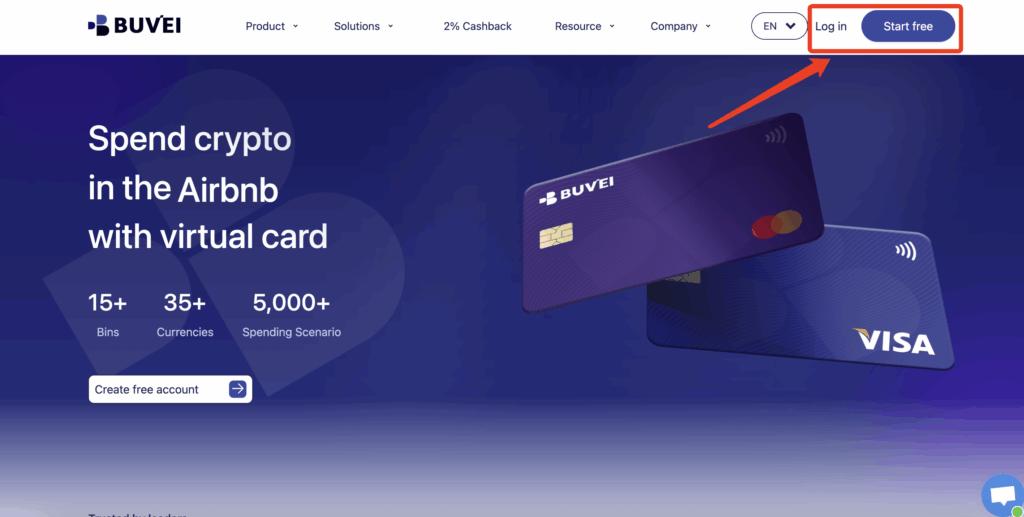
Step 1: Create a Buvei Account
Go to https://buvei.com and register an account.
After email verification, access the Buvei dashboard.
Step 2: Deposit Crypto into Your Buvei Wallet
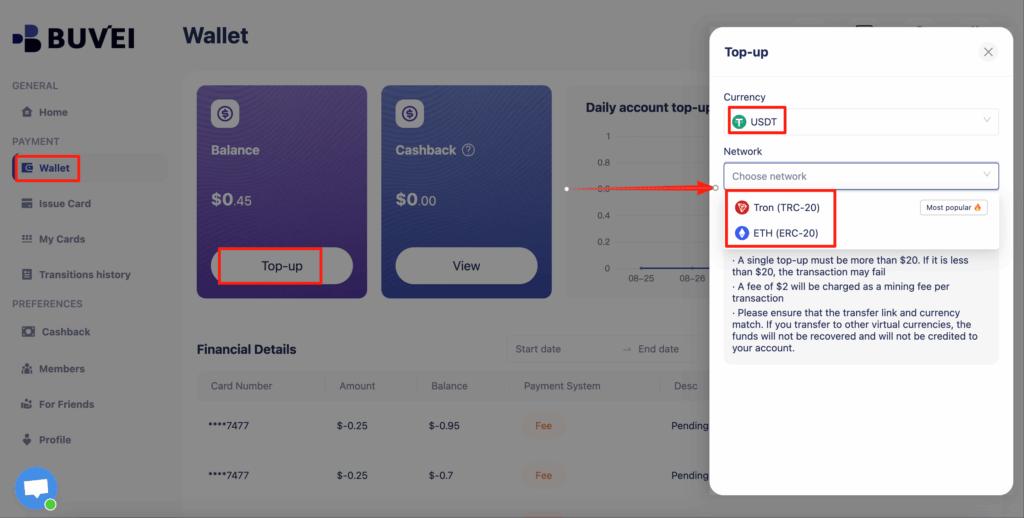
Open the Wallet section and select USDT (TRC20 or ERC20).
Buvei will generate a deposit address.
Once confirmed on-chain, the balance becomes available instantly.
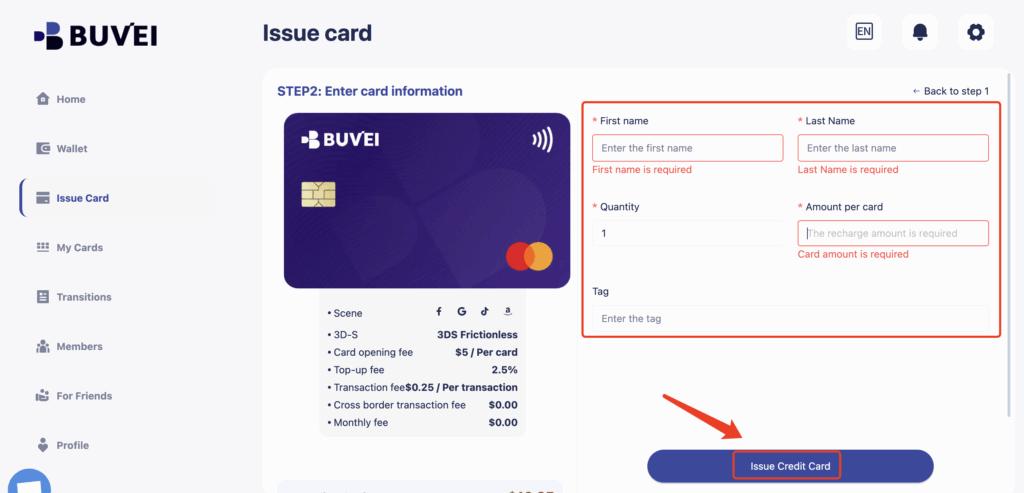
Step 3: Issue a Virtual Card
Navigate to Cards → Create Card.
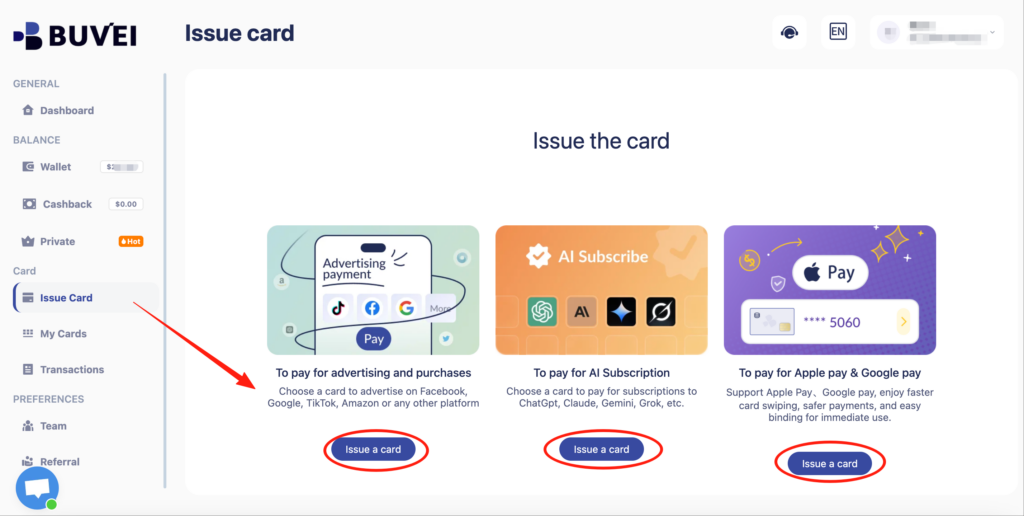
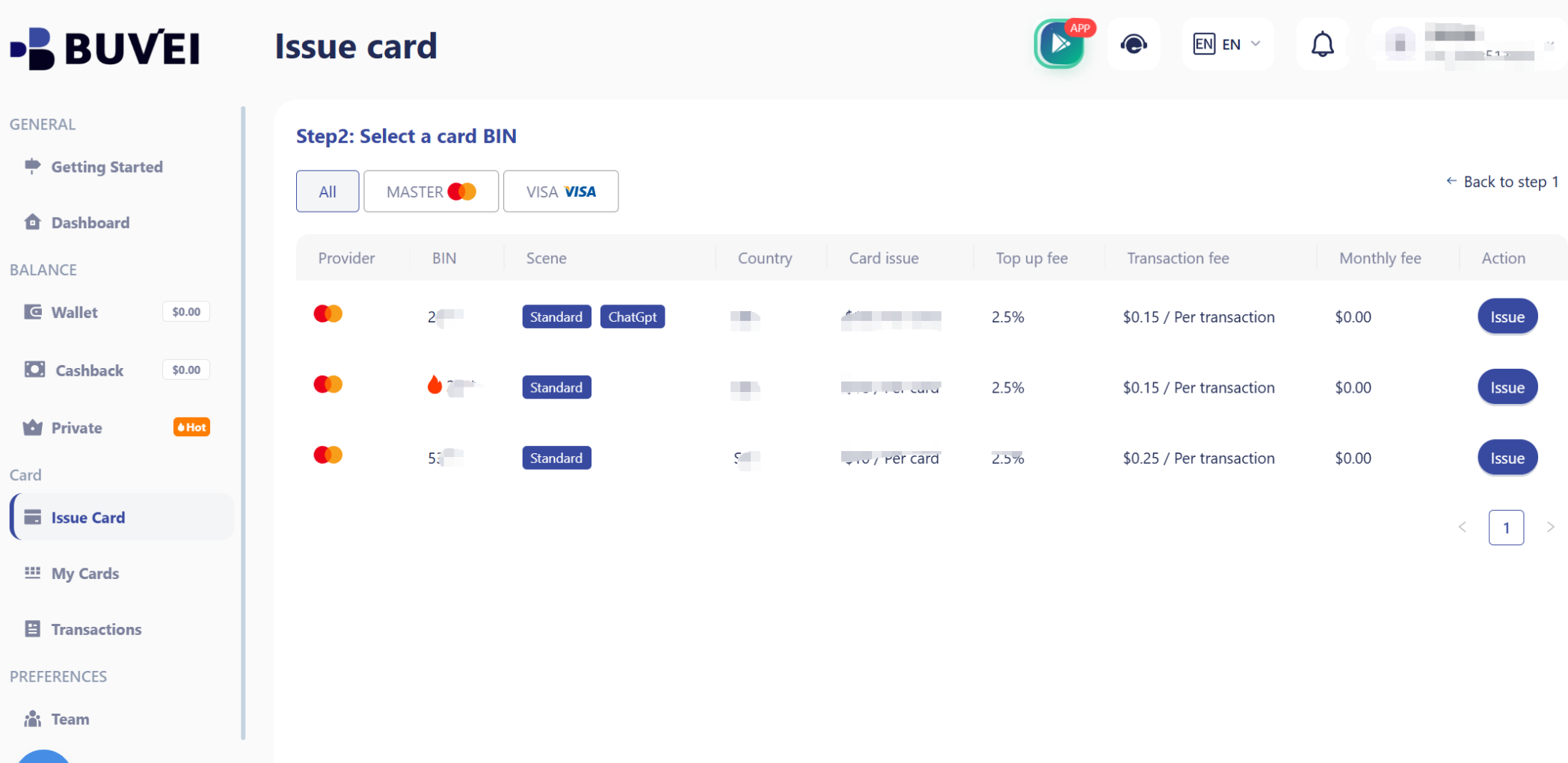
You will:
-
Select a suitable BIN region (EU or US BINs typically work well)
-
Set the card balance
-
Name the card (e.g., “OVHcloud Billing”)
-
Create the virtual card
Card details (number, expiry date, CVV) will be visible immediately after issuance.
Step 4: Add the Card to Your Cloud Account
Use the Buvei virtual card details to complete the payment setup on your chosen cloud platform.
If an ad account receives warnings, payment retries, or early restrictions:
-
Stop using the existing card
-
Issue a new virtual card
-
Attach it only after resolving policy issues
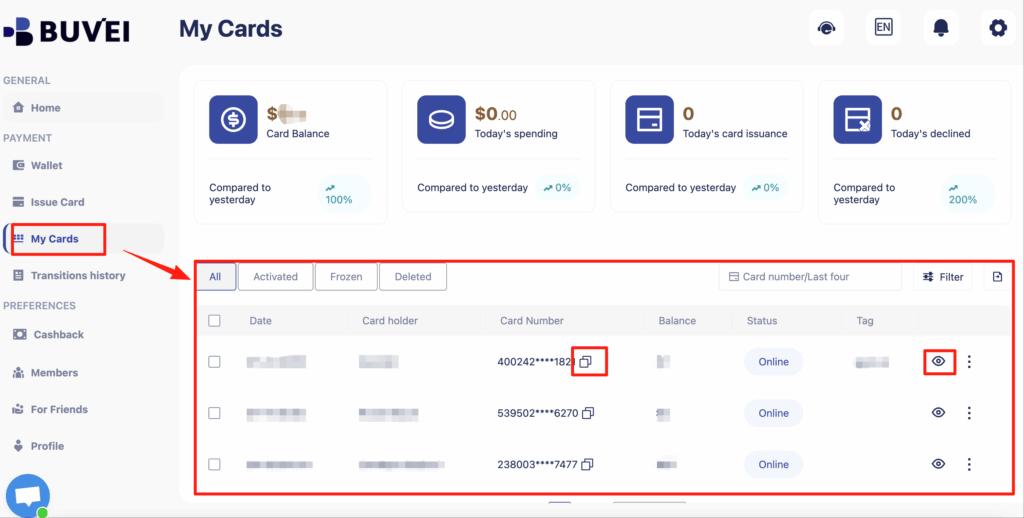
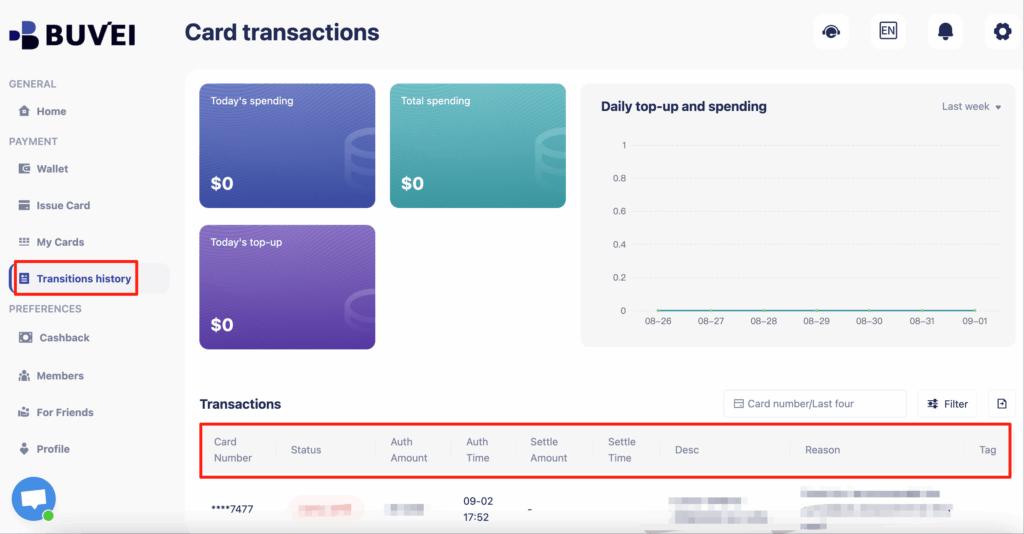
From My Cards, affiliates can monitor balances, spending activity, and transaction history—making it easier to spot early warning signs.
Buvei supports issuing multiple cards quickly, making it easy to match payment structure to campaign structure.
Paying OVHcloud Invoices Step by Step
Once your Buvei virtual card is ready:
-
Log in to your OVHcloud Control Panel
-
Go to Billing → Payment methods
-
Add a new Credit/Debit Card
-
Enter your virtual card details
-
Save the payment method
-
Assign it to pending invoices or default billing
OVHcloud will process payments automatically according to your service renewal cycle.
Auto-Renewal and Balance Management Tips
To ensure uninterrupted OVHcloud services when using virtual cards:
-
Keep sufficient balance before renewal dates
-
Enable OVHcloud billing alerts and invoice notifications
-
Avoid multiple failed payment attempts
-
Use one virtual card per cloud provider
-
Replace declined cards instead of retrying repeatedly
Buvei allows you to:
-
Monitor card balances in real time
-
Top up cards instantly with crypto
-
Create replacement cards within minutes
This helps maintain billing stability for long-term hosting and server deployments.

Final Thoughts
While OVHcloud does not accept cryptocurrency directly, crypto-funded virtual cards provide a compliant and effective alternative. By using Buvei virtual cards, users can bridge crypto assets with OVHcloud’s traditional billing system and maintain stable cloud operations.
For developers, hosting resellers, and crypto-native businesses, this method offers flexibility, control, and reliability.