
Azure uses a centralized billing system tied to Microsoft accounts and subscriptions. Key billing characteristics include:
-
Payments are charged automatically based on usage
-
A valid payment method is required to keep services active
-
Cards must support online recurring billing
-
Failed payments can lead to service suspension or account restrictions
Azure commonly accepts:
-
Credit and debit cards (Visa / Mastercard)
-
Certain local payment methods (region-dependent)
Without an active and valid payment method, Azure resources may be paused or deallocated.

Why Azure Does Not Support Direct Crypto Payments
Azure does not accept direct crypto payments due to several factors:
-
Regulatory compliance requirements
-
Accounting and tax reporting standards
-
Chargeback and dispute handling policies
-
Volatility of cryptocurrencies
As a result, on-chain payments from crypto wallets are not supported for Azure subscriptions, even though many Azure users operate within the crypto ecosystem.
Using Crypto Virtual Cards for Azure Billing
While Azure does not accept crypto directly, it does accept card payments, which creates a practical workaround.
The typical flow is:
Crypto → Virtual Card → Azure Billing
Crypto-funded virtual cards allow users to:
-
Pay Azure bills without a personal credit card
-
Isolate cloud spending from bank accounts
-
Control monthly cloud budgets
-
Replace cards quickly if billing issues occur
This method is widely used across cloud platforms, SaaS tools, and developer services.
How to Set Up a Buvei Virtual Card for Azure
Buvei provides virtual cards that can be funded with crypto, making them suitable for Azure billing.
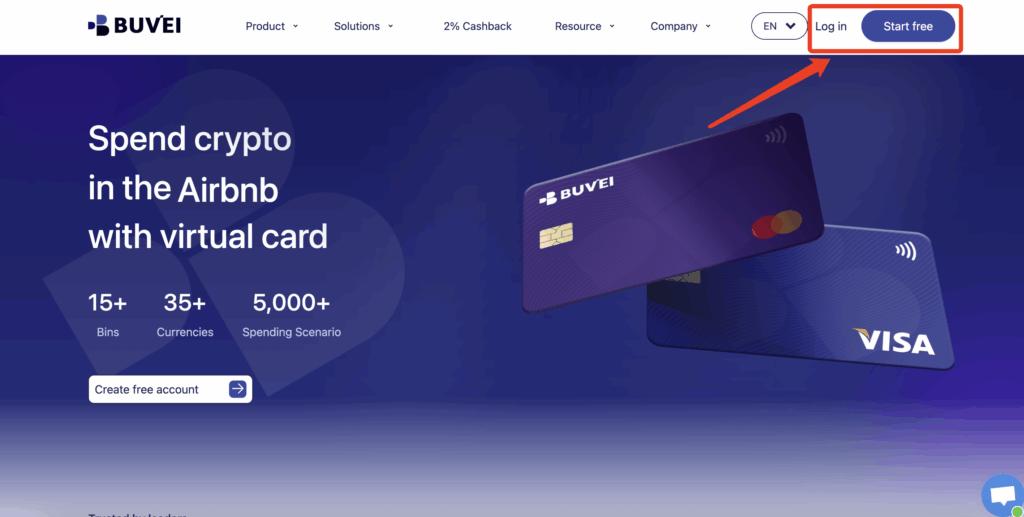
Step 1: Register a Buvei Account
Visit https://buvei.com and create a free account.
After email verification, log in to access the Buvei dashboard.
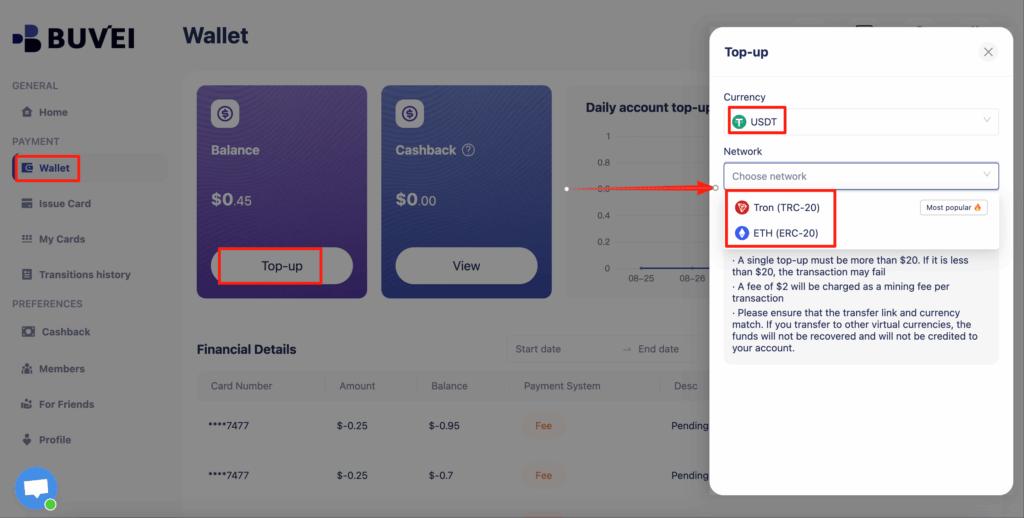
Step 2: Fund Your Buvei Wallet with Crypto
Go to the Wallet section and choose USDT (TRC20 or ERC20).
Buvei will generate a dedicated deposit address.
Once the transaction is confirmed on-chain, your wallet balance will be available immediately.
Step 3: Create a Virtual Card
Navigate to the Cards section and click Create Card.
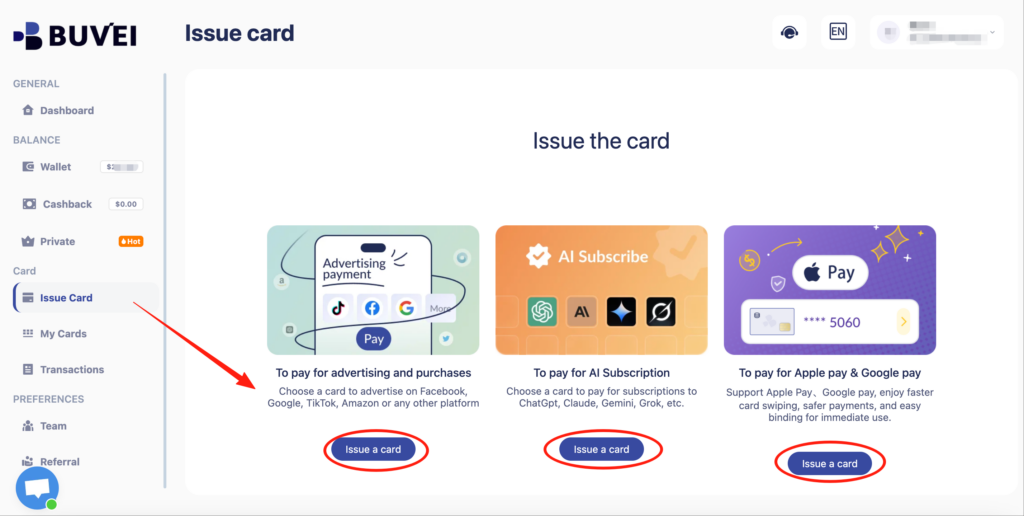
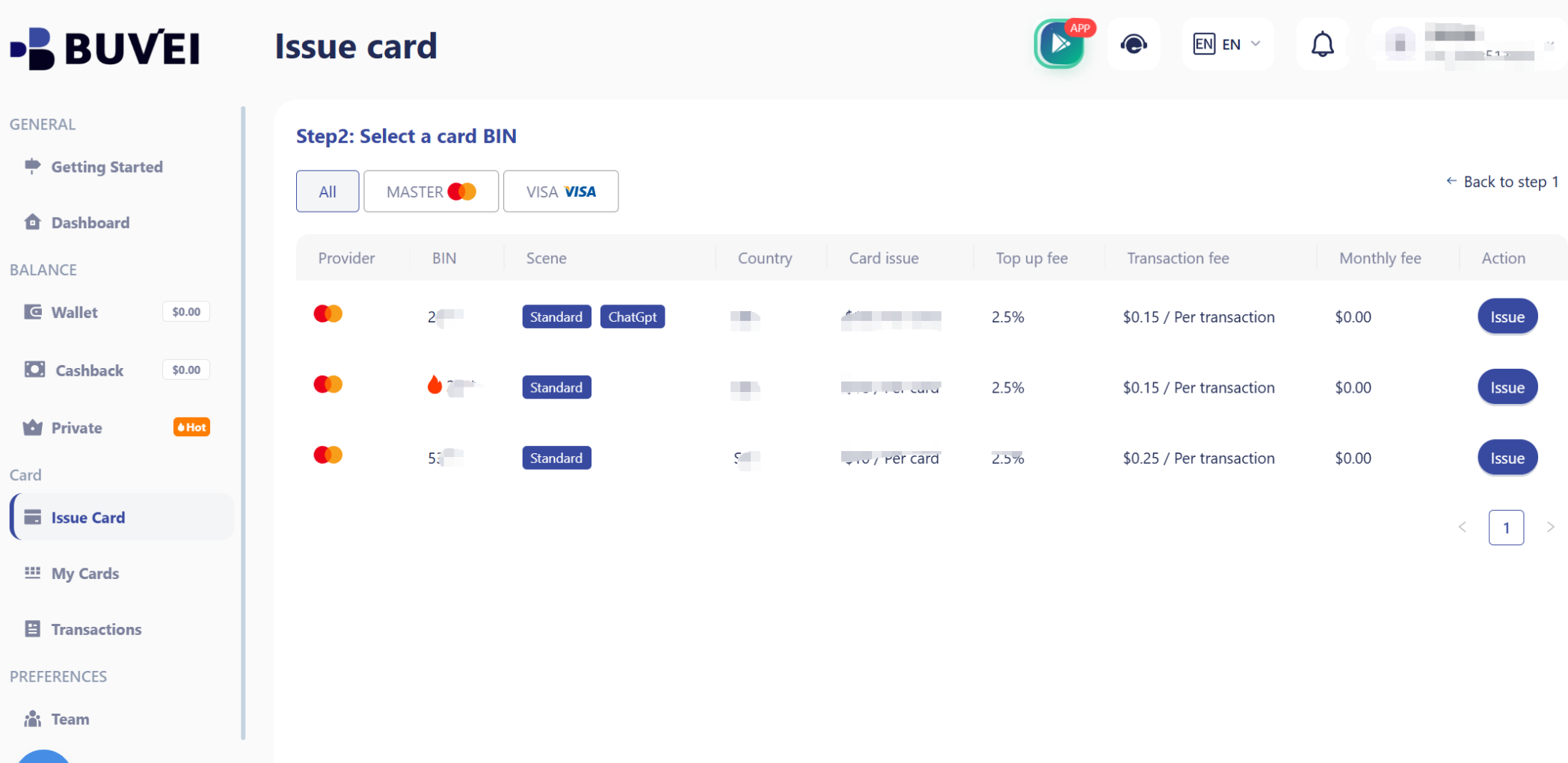
You will:
-
Select a BIN region (US BINs are commonly used for cloud platforms)
-
Choose the card type
-
Set card name, balance, and quantity
-
Issue the virtual card
The card details will appear under My Cards once created.
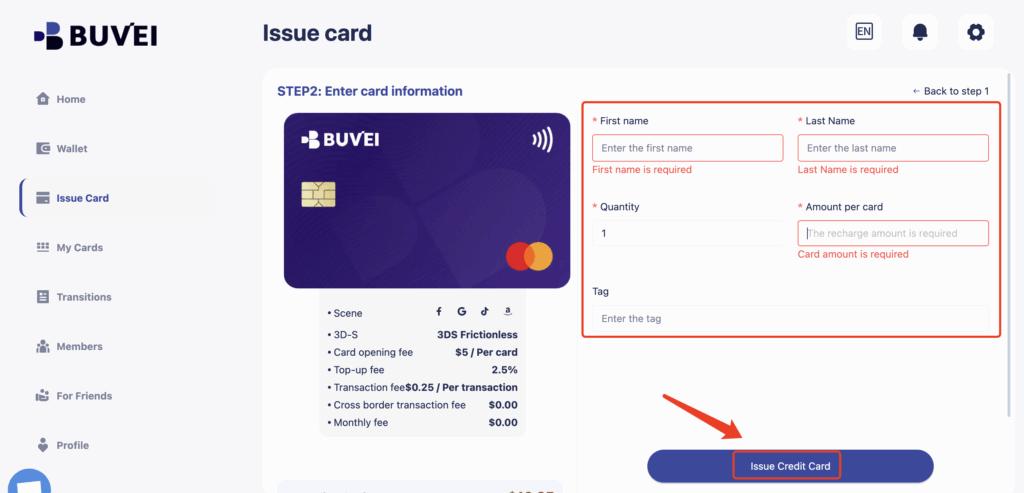
Step 4: Add the Card to Your Cloud Account
Use the Buvei virtual card details to complete the payment setup on your chosen cloud platform.
If an ad account receives warnings, payment retries, or early restrictions:
-
Stop using the existing card
-
Issue a new virtual card
-
Attach it only after resolving policy issues
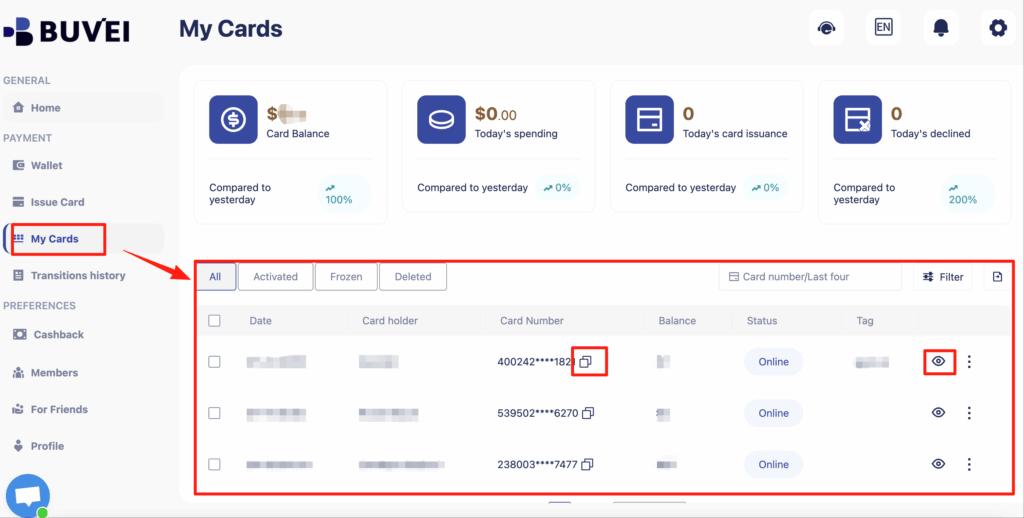
From My Cards, affiliates can monitor balances, spending activity, and transaction history—making it easier to spot early warning signs.
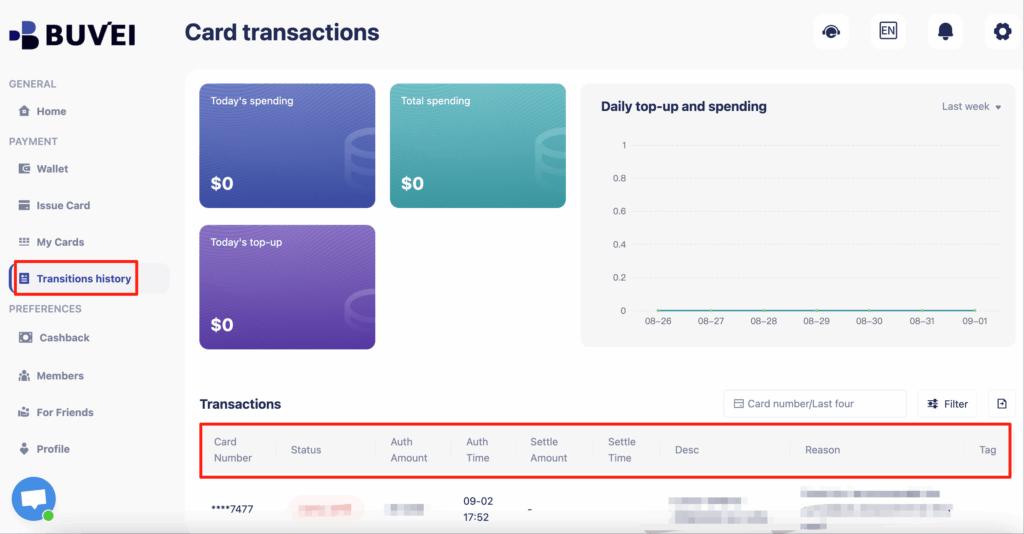
Buvei supports issuing multiple cards quickly, making it easy to match payment structure to campaign structure.
Step-by-Step Azure Payment Setup
After issuing your Buvei virtual card, follow these steps:
-
Log in to the Azure Portal
-
Go to Cost Management + Billing
-
Select Payment methods
-
Add a new Credit/Debit Card
-
Enter your virtual card details:
-
Card number
-
Expiration date
-
CVV
-
-
Save the payment method and assign it to your subscription
Azure will use this card for automatic billing based on your cloud usage.
Managing Cloud Spend and Payment Stability
To maintain stable Azure services when using virtual cards:
-
Keep a balance buffer above expected monthly usage
-
Monitor Azure usage alerts and cost thresholds
-
Avoid repeated failed payment attempts
-
Replace declined cards instead of retrying them
-
Use dedicated cards for cloud services only
With Buvei, you can track balances, top-ups, and all transaction activity from one dashboard, making cloud spend management more predictable and controlled.

Final Thoughts
Although Azure does not support direct cryptocurrency payments, crypto-funded virtual cards provide a reliable and compliant alternative. By using Buvei virtual cards, users can pay Azure bills without traditional credit cards while maintaining full control over cloud spending.
For developers, startups, and crypto-native teams, this approach bridges the gap between decentralized assets and enterprise cloud billing systems.