Noon has become one of the leading e-commerce platforms in the UAE and Saudi Arabia, offering everything from electronics to fashion. With the rise of online shopping, many users turn to virtual cards for safer, more flexible payments. Virtual cards protect your main bank accounts, provide control over spending, and simplify international transactions.
This guide explains how Noon handles card payments, why virtual cards sometimes fail, and how to use Buvei virtual cards to complete purchases smoothly.

How Noon Processes Card Payments in MENA
Noon uses a standard online card payment system with a few region-specific features:
-
Supports Visa, Mastercard, and select local cards
-
Performs initial authorization to verify card validity
-
Processes recurring or one-time payments depending on promotions or subscriptions
-
Applies fraud detection checks, including BIN verification and transaction behavior
Because Noon serves multiple countries, its system pays attention to BIN region, currency, and card type to prevent unauthorized payments.
Why Virtual Cards Sometimes Fail on Noon
Virtual cards are generally accepted on Noon, but failures can occur due to:
-
BIN mismatch, especially non-MENA or non-US BINs
-
Insufficient balance or funds not covering taxes and fees
-
Short-lived or disposable cards that trigger fraud detection
-
Transaction limits on virtual cards, particularly single-use or low-limit cards
These issues can lead to declined transactions even when the card appears valid.
Using Buvei Virtual Cards for Noon Checkout
Buvei provides a reliable way to create virtual cards suitable for MENA online shopping platforms like Noon.
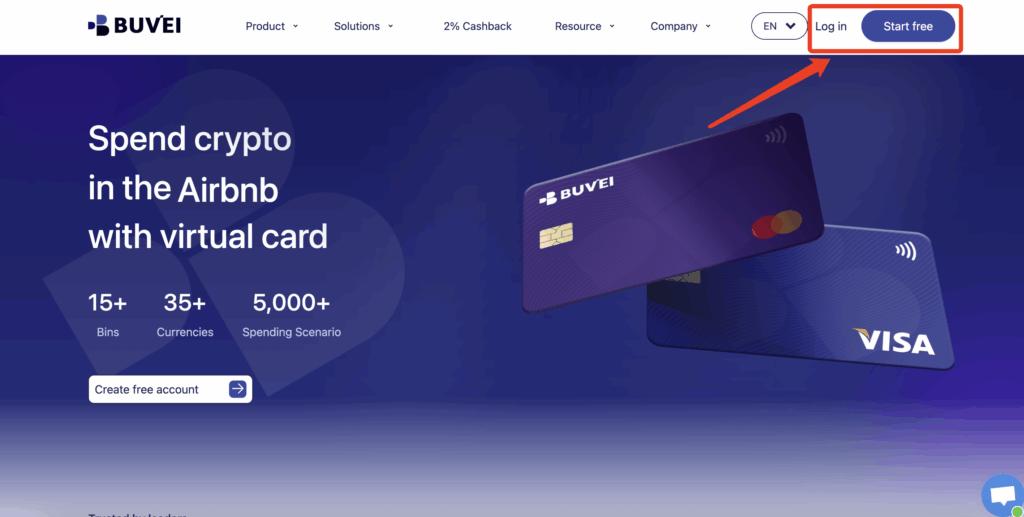
Step 1: Register a Buvei Account
-
Visit https://buvei.com and create a free account
-
Complete email verification
-
Log in to access the Buvei dashboard, where wallets and virtual cards are managed centrally
Step 2: Fund Your Buvei Wallet
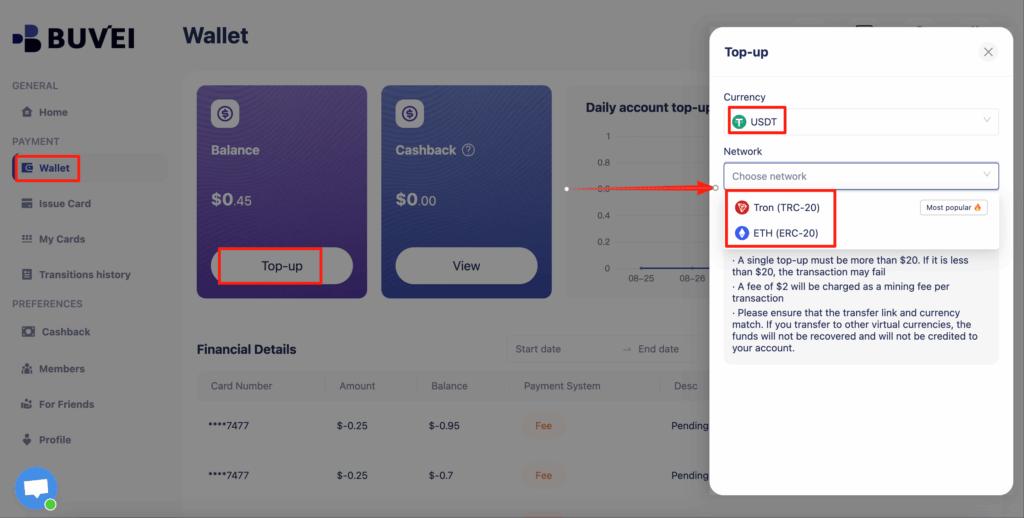
-
Go to the Wallet section
-
Select a stablecoin such as USDT (TRC20 or ERC20) for funding
-
Buvei generates a dedicated deposit address
-
Copy the address and send your funds. Once confirmed on-chain, your balance appears immediately
Step 3: Create Your Virtual Card
-
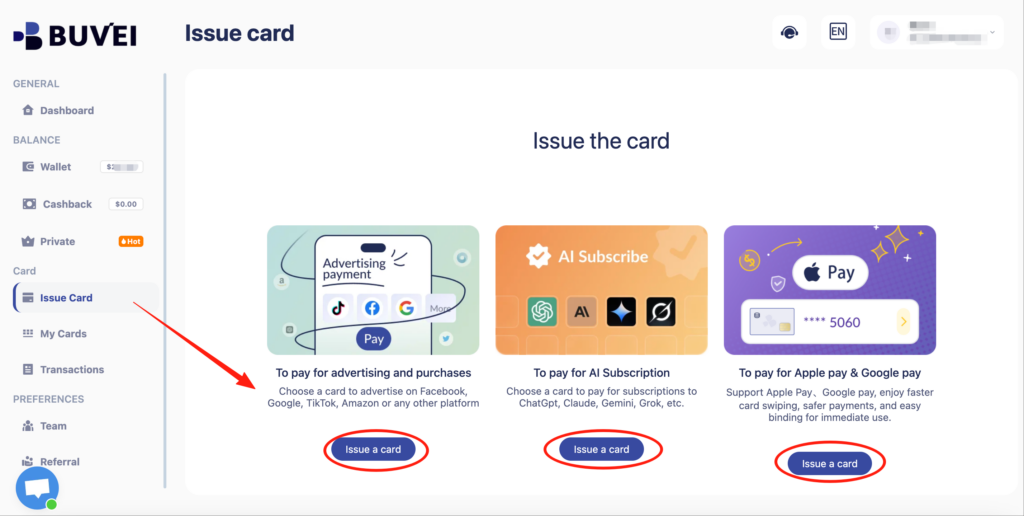
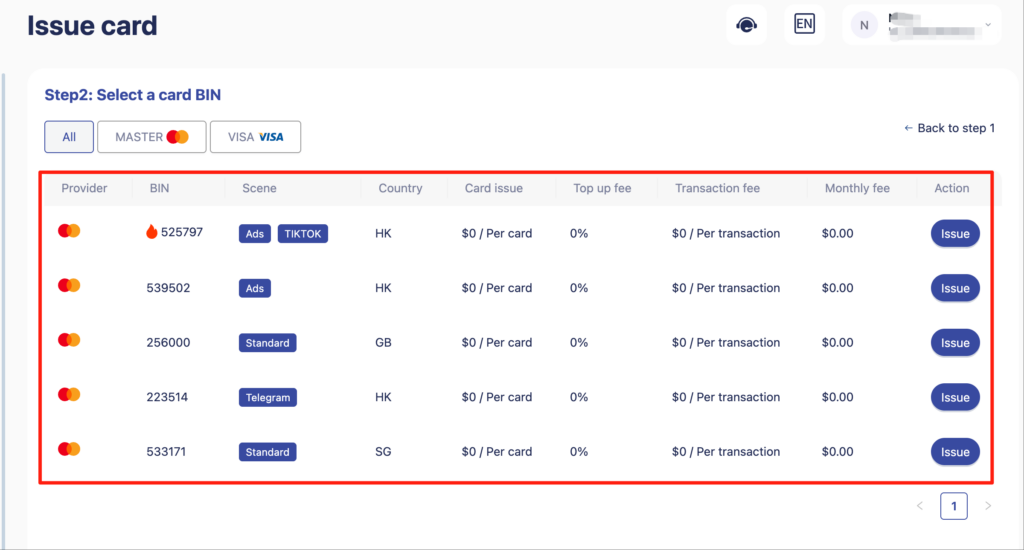
Navigate to Cards → Create Card
-
Configure your card:
-
Select preferred BIN region (US BIN recommended for Noon payments)
-
Choose card type
-
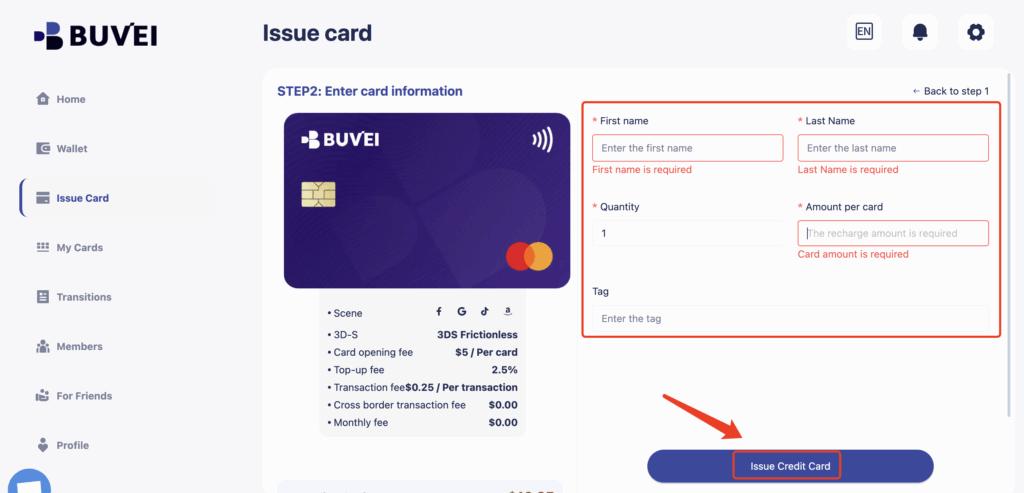
Enter card name, funding amount, and number of cards
-
-
Click Issue Card to generate your virtual card
Step 4: Complete Noon Checkout
-
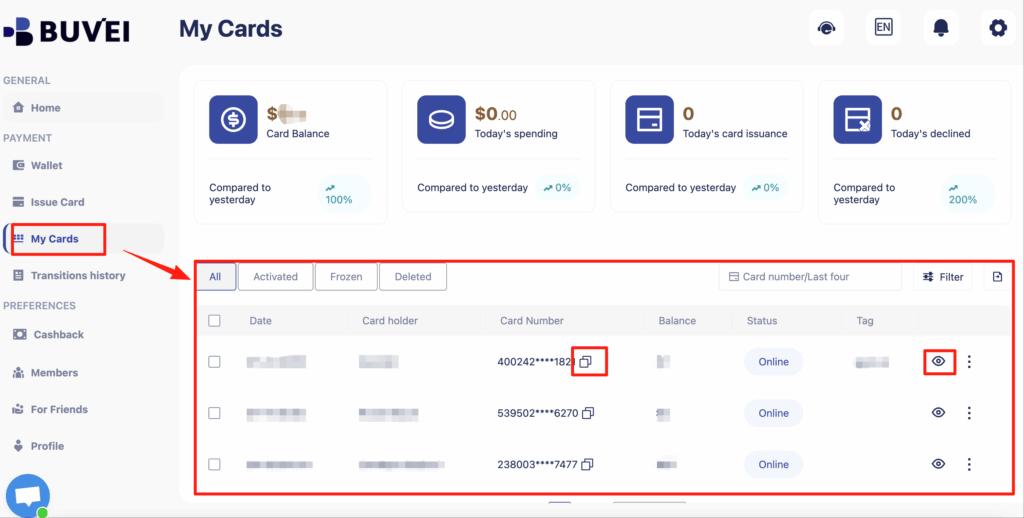
Go to My Cards to view card number, expiration date, and CVV
-
Enter these details on Noon during checkout
-
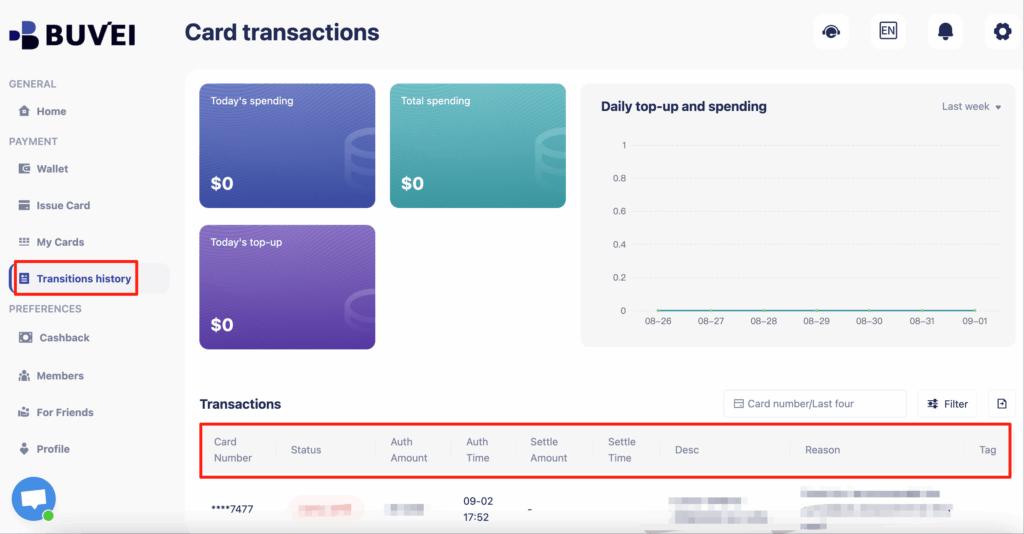
Monitor your card balance and all transaction activity from the Buvei dashboard for full visibility
Checkout Tips to Avoid Declines
To reduce payment issues on Noon:
-
Maintain a small balance buffer above the total purchase amount
-
Use a dedicated virtual card only for Noon transactions
-
Ensure the BIN region matches commonly supported regions (US BIN is generally safest)
-
Avoid frequent card replacements during active purchases

When to Switch Cards or Payment Methods
Sometimes, despite best practices, a virtual card may still decline. Consider switching if:
-
Multiple consecutive attempts fail
-
Your card balance is sufficient but transactions are repeatedly flagged
-
Noon introduces new verification or anti-fraud rules
In these cases, creating a new Buvei virtual card or temporarily using another payment method can prevent checkout interruptions.
Final Thoughts
Virtual cards are a practical, secure way to shop on Noon in the UAE and Saudi Arabia. They offer flexibility, protect your primary bank accounts, and help manage online spending effectively.
With Buvei, you can quickly issue US BIN virtual cards, fund them using stablecoins, and monitor all purchases from one dashboard. By following best practices, you can enjoy a smooth, decline-free shopping experience on Noon.