Payment links have made online business payments faster and more convenient. A supplier can send an invoice, include a payment link, and direct the buyer straight to a hosted checkout page.
But convenience can also create risk.
A payment page may look professional, use HTTPS, display a familiar brand name, and still direct card details to the wrong party.
The key question is not simply:
“Does this payment page look legitimate?”
A safer question is:
“Can we independently verify the supplier, payment request, amount, currency, and final payment destination?”
For businesses managing supplier payments, subscriptions, digital services, advertising, and other online expenses, a few basic verification steps can significantly reduce avoidable payment risks.
1. Start With the Business Context
Before clicking Pay Now, make sure the payment itself makes sense.
Your team should already understand:
- What is being purchased
- Which supplier is requesting payment
- Who approved the purchase
- Which invoice, contract, order, or account the payment relates to
- How much should be paid
- Which currency should be used
A professional-looking checkout page is not evidence that the underlying payment request is genuine.
If a payment link arrives unexpectedly and nobody can identify the related invoice or purchase, stop and verify the request before proceeding.
A simple rule
Match every payment link to an existing business record whenever possible.
That may be:
- An invoice
- Purchase order
- Contract
- Subscription account
- Supplier portal
- Previously approved expense
This gives the payment a clear business context before card details are entered.
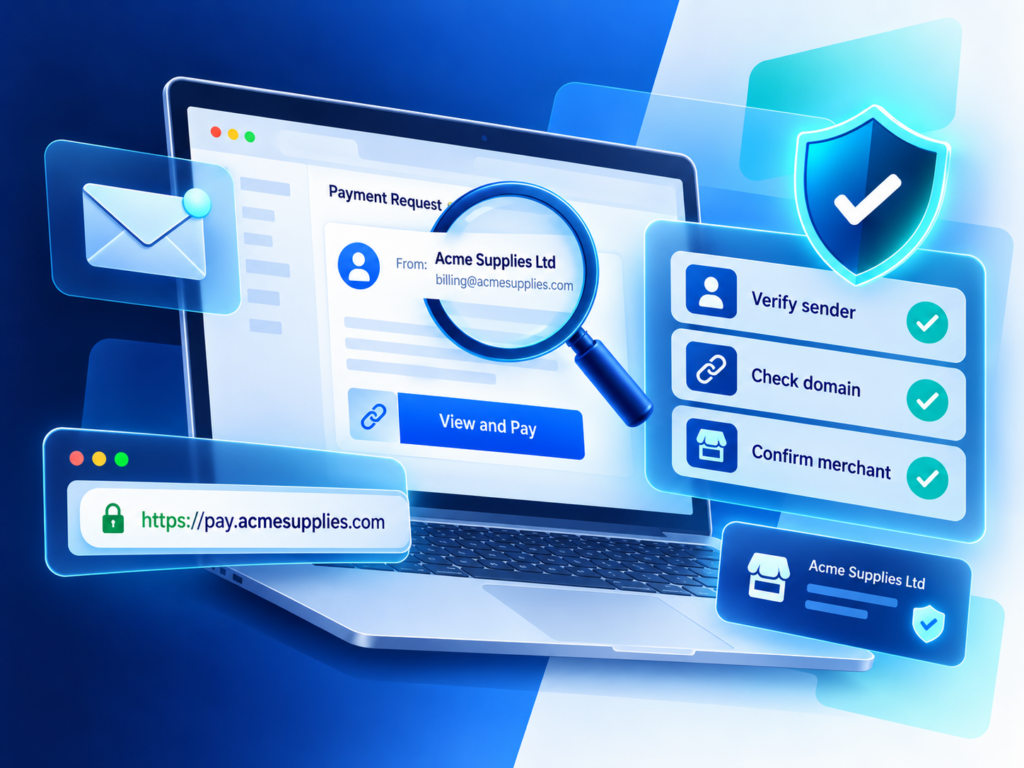
2. Verify the Sender Independently
Email display names, logos, chat profiles, and signatures can all be copied.
If a supplier sends a new or unexpected payment link, do not rely only on the contact information contained in that same message.
Instead, verify the request using a contact method you already trust.
For example:
- Call a phone number already stored in your supplier records
- Use the contact information in an existing contract
- Log in to the supplier's official portal
- Visit the supplier's official website separately
- Contact your existing account manager through a previously used channel
Example
Imagine a supplier emails your finance team saying an invoice is overdue and provides a new payment link.
Instead of replying to the email and asking whether the link is genuine, contact the supplier through the phone number or account details already stored in your records.
This creates a second verification channel and reduces the risk of confirming a fraudulent request with the same person who sent it.
3. Check the Domain Carefully
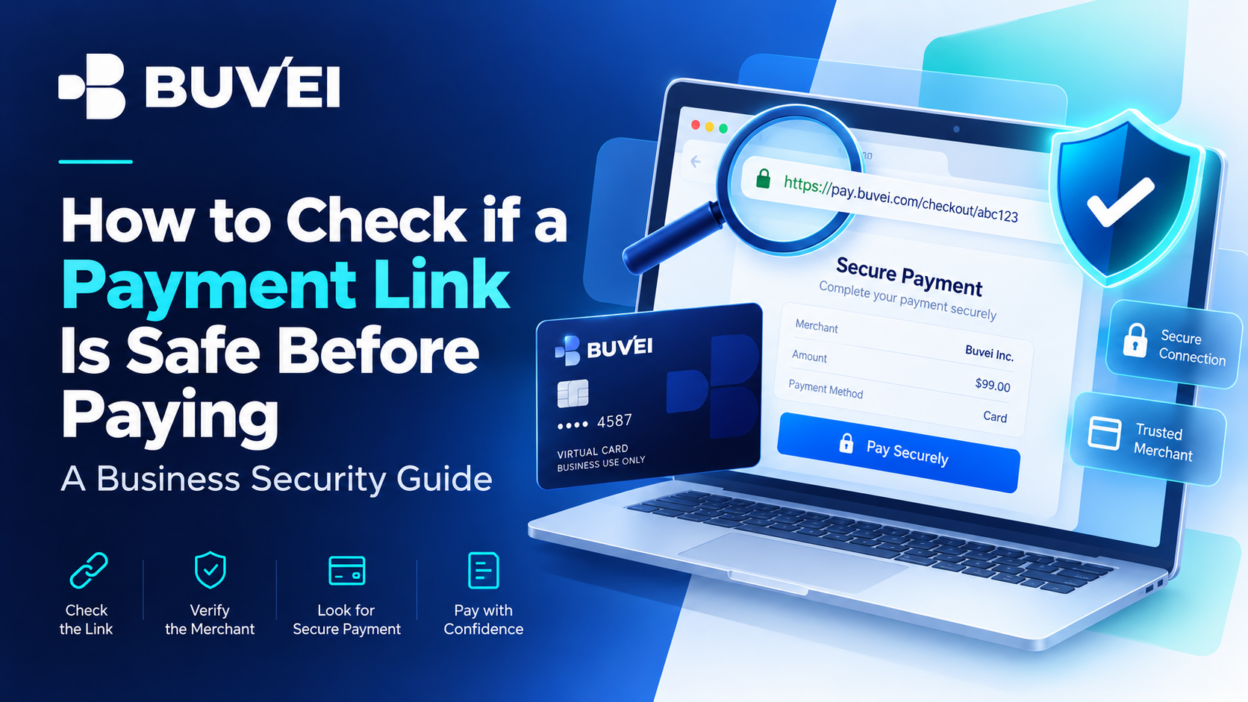
One of the most important parts of a payment link is the actual domain.
Fraudulent pages often use:
- Extra words
- Misspellings
- Hyphens
- Unfamiliar domain endings
- Brand names placed inside misleading subdomains
For example, a URL may contain the name of a familiar company while actually belonging to an unrelated registered domain.
Instead of focusing only on the first part of the URL, identify the actual registered domain.
When possible, open the merchant's official website separately and navigate to its billing or payment section rather than relying entirely on the link you received.
4. Remember: HTTPS Does Not Prove the Merchant Is Legitimate
A padlock icon and an https:// address are useful security signals, but they do not prove that the website belongs to the merchant you intend to pay.
HTTPS means the connection between your browser and that website is encrypted.
It does not confirm:
- That the supplier is genuine
- That the invoice is real
- That the page belongs to the intended merchant
- That the payment request was authorized
A fraudulent website can also have a valid security certificate for its own domain.
Treat HTTPS as one technical check—not the entire verification process.
5. Pay Attention to Redirects
Many legitimate payment links redirect users through billing systems, payment processors, or hosted checkout providers.
That is not automatically suspicious.
However, the final destination should still be consistent with the supplier or payment provider you expect.
Before entering card information:
- Check the final URL.
- Confirm the domain.
- Make sure the payment provider is connected to the supplier.
- Confirm the merchant or legal entity shown on the payment page.
If a link passes through several unfamiliar domains or ends on an unrelated page, pause and verify before continuing.
6. Confirm the Merchant Identity
The merchant name displayed on a payment page may sometimes differ from the brand name you recognize.
A company might use:
- A parent company
- A legal entity
- A regional subsidiary
- A payment processor
- A billing partner
That can be completely legitimate.
The important question is whether the relationship can be explained and verified.
For example, if an invoice comes from Brand A but the checkout page lists Company B, confirm that Company B is the legal or billing entity associated with that supplier.
If the receiving entity, country, or service description has no clear connection to the purchase, do not proceed until the difference is explained.
7. Verify the Amount and Currency
The payment page should generally match the commercial terms that were already approved.
Check:
- Invoice amount
- Currency
- Taxes
- Service fees
- Deposit requirements
- Payment schedule
A change in any of these items is not simply a checkout detail—it may change the actual purchase your business is approving.
Example
An invoice shows EUR 1,000, but the payment page requests payment in USD and includes an unexpected additional fee.
Before paying, confirm why the amount or currency changed.
Material changes should be reviewed and reapproved rather than accepted automatically.
8. Never Share More Information Than the Payment Requires
A legitimate card checkout may request information such as:
- Card number
- Expiration date
- Billing information
- Security code
- Authentication required by the card issuer
However, a normal card payment should not require you to provide unrelated sensitive credentials.
Be especially cautious if a page or support agent asks for:
- Email password
- Account password
- One-time password outside the normal authentication flow
- Crypto wallet private key
- Seed phrase
- Remote access to your device
- Unrelated identity documents
These requests should be treated as warning signs.
You should also avoid sending full card credentials, passwords, OTPs, or wallet private keys through ordinary email or chat when asking support for help.
9. Treat Urgency as a Signal to Verify
Payment requests sometimes come with legitimate deadlines.
However, unusual pressure can also be used to bypass normal approval controls.
Be cautious when a message insists that you:
- Pay immediately
- Skip internal approval
- Use a new payment contact
- Ignore differences in merchant information
- Change payment instructions unexpectedly
- Share an OTP
- Keep the payment confidential
Urgency alone does not prove that a request is fraudulent.
But urgency combined with changed payment instructions or mismatched information is a strong reason to stop and verify independently.
10. Use a Dedicated Virtual Card After Verification
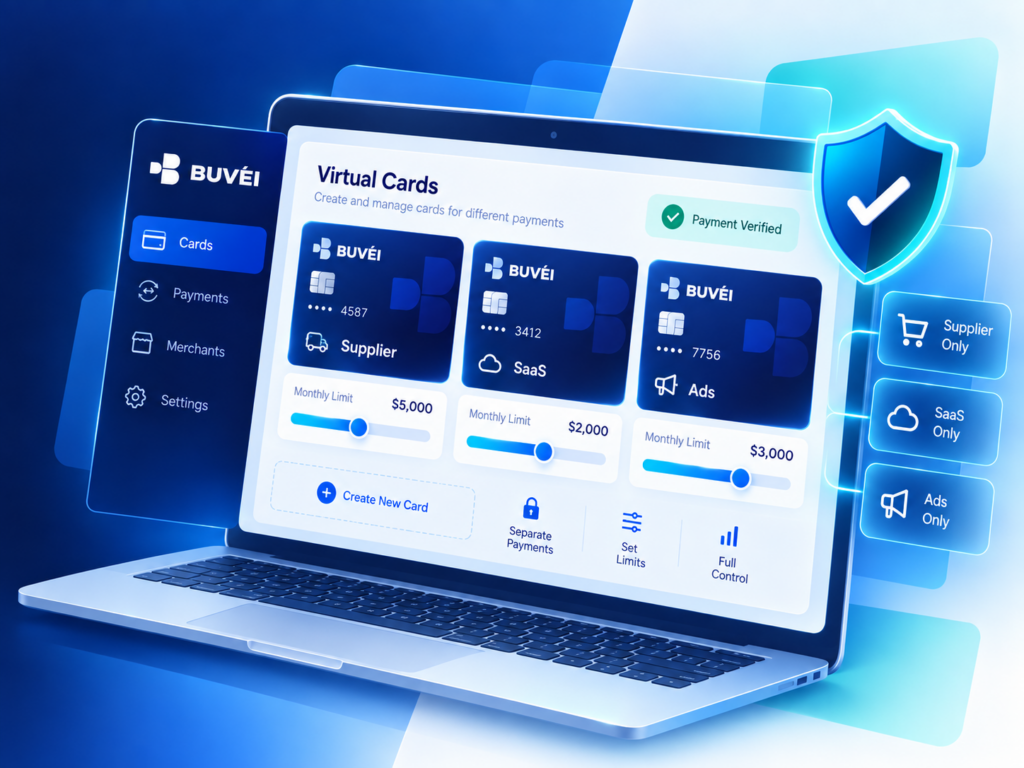
Virtual cards can add another layer of control to business payments, but they should be used after the supplier and payment request have been verified.
A dedicated virtual card may help businesses separate a supplier payment from other company spending and make transactions easier to review later.
For example, a business could create separate cards for:
- Individual suppliers
- SaaS subscriptions
- Advertising accounts
- Online services
- Specific projects
- One-time business payments
Where supported, card-level controls such as spending limits can further reduce unnecessary exposure.
However, an important distinction remains:
A virtual card can help control payment exposure, but it cannot make an unverified merchant legitimate.
Always verify first, then pay.
How Buvei Can Support Business Payment Separation
Once a supplier and payment request have been verified, Buvei virtual cards can help businesses organize different payment purposes more clearly.
Subject to available account and card features, businesses can use separate virtual cards for different suppliers, services, campaigns, or online expenses.
This can help teams:
- Separate business expenses
- Track transactions more clearly
- Manage different payment purposes independently
- Review supplier-specific payment activity
- Apply card-level controls where available
Virtual cards do not replace supplier verification, but they can provide an additional layer of control after the payment has been approved.
A 5-Minute Payment Link Verification Checklist
Before completing an unfamiliar or changed payment request, check the following:
Business context
- Is there a valid invoice, order, subscription, or contract?
- Was the payment already approved?
Supplier
- Is the sender a known supplier?
- Can the request be confirmed through an independent channel?
Website
- Is the registered domain correct?
- Does the final redirect lead to an expected payment provider?
- Does the merchant identity make sense?
Payment
- Does the amount match the invoice?
- Is the currency correct?
- Are any additional fees expected?
Security
- Is the page only requesting information required for payment?
- Has anyone requested passwords, OTPs, private keys, or remote access?
Card controls
- Would a dedicated virtual card or spending limit be appropriate for this payment?
If one of these checks cannot be completed, pause the transaction until the missing information is verified.
Two-Channel Verification Can Prevent Avoidable Loss
For unfamiliar or changed payment links, one of the most effective controls is simple: verify the request through a second trusted channel.
Do not treat a reply to the original email or message as independent confirmation.
Instead, use information already on record, such as:
- Supplier portal
- Known telephone number
- Existing account manager
- Contact details from a signed contract
Confirm the invoice number, amount, currency, receiving entity, and reason for the payment link.
Then open a fresh browser session, check the final domain, and complete the payment only if the information still matches the verified request. The original article makes this two-channel confirmation one of its strongest practical controls.
Safer Payments Start With Verification
Payment security is not about trusting or distrusting every link.
It is about creating a repeatable process that allows your team to answer a few basic questions before money moves:
Who are we paying?
Why are we paying them?
How much was approved?
Where are the card details being submitted?
Can we independently verify the request?
Once those questions have been answered, payment tools such as dedicated virtual cards can help businesses separate spending and maintain clearer transaction records.
The goal is simple:
Verify first. Control the payment. Keep the evidence.