
As crypto adoption grows, many users want to pay for digital services like domain registration using cryptocurrency. However, platforms such as Google Domains do not support direct crypto payments. The good news is that you can still use crypto indirectly by converting it into a virtual card.
This guide explains why Google Domains doesn’t accept crypto, how to use crypto-funded virtual cards, and how to pay for Google Domains step by step using Buvei.

Why Google Domains Doesn’t Accept Direct Crypto Payments
Google Domains operates under Google’s global billing and compliance framework. As a result:
-
Payments must go through card networks such as Visa or Mastercard
-
Google requires KYC-compliant payment processors
-
Crypto wallets are not recognized as valid billing instruments
-
Subscription renewals require stable, recurring payment methods
Because of these requirements, Google Domains only accepts traditional cards, not direct on-chain crypto transfers.
Using Crypto to Create a Virtual Card for Google Domains
Although Google Domains doesn’t accept crypto directly, it does accept standard card payments. This creates a simple workaround:
Crypto → Virtual Card → Google Domains
By funding a virtual card with crypto (usually stablecoins like USDT), users can:
-
Pay for domain registrations and renewals
-
Avoid linking personal bank cards
-
Control balances and renewal exposure
-
Replace cards easily if an issue occurs
This method is widely used for domains, cloud services, and SaaS subscriptions.
How to Create a Virtual Card with Buvei (Crypto Funding)
Buvei provides crypto-funded virtual cards that work like standard Visa or Mastercard payments.
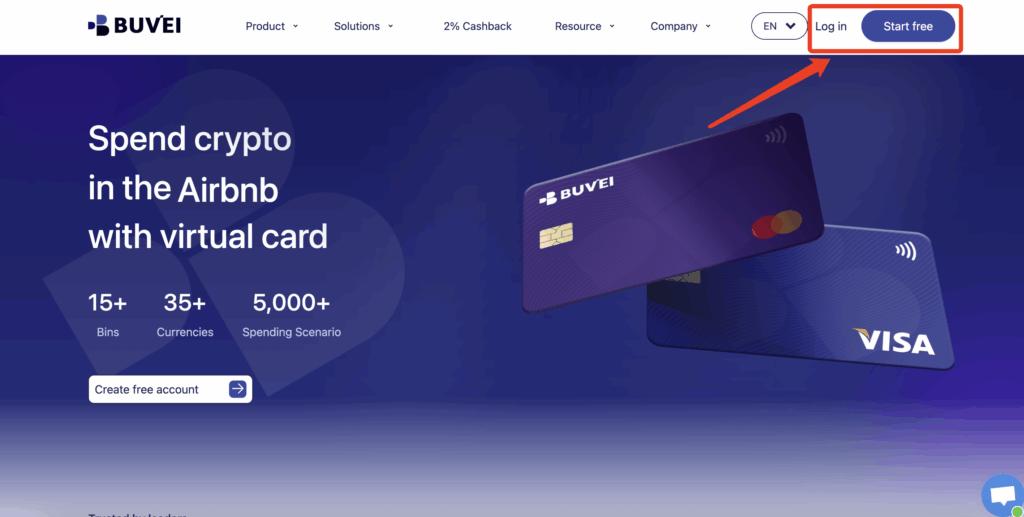
Step 1: Create a Buvei Account
Go to https://buvei.com and register a free account.
After email verification, log in to access the Buvei dashboard.
Step 2: Fund Your Buvei Wallet with Crypto
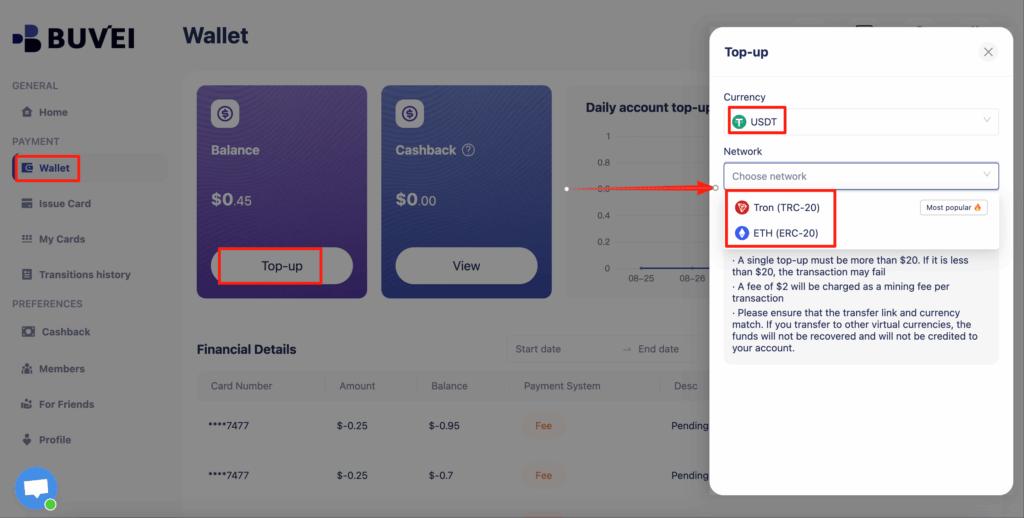
Navigate to the Wallet section and choose USDT (TRC20 or ERC20).
Buvei will generate a unique deposit address.
Send your funds, and once confirmed on-chain, your balance becomes available instantly.
Step 3: Issue a Virtual Card
Go to the Cards section and click Create Card.
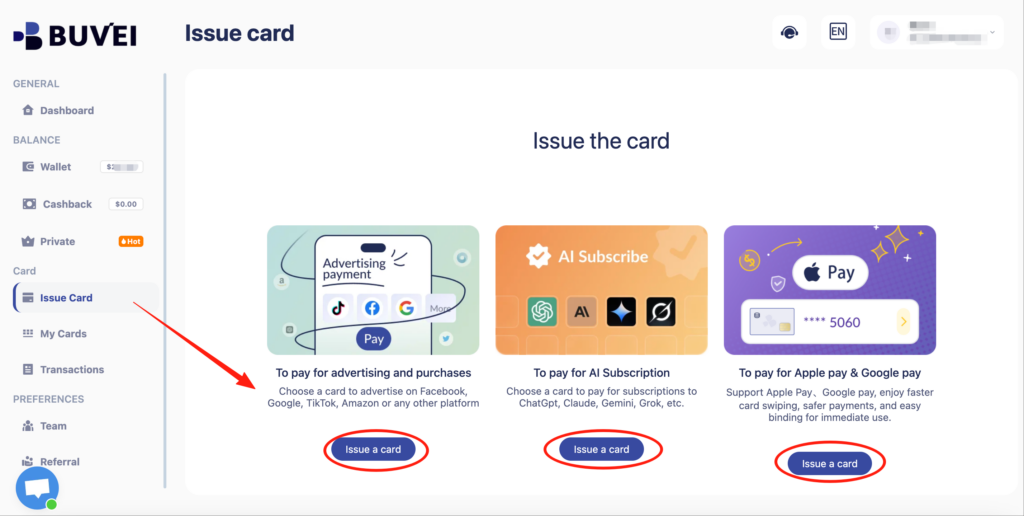
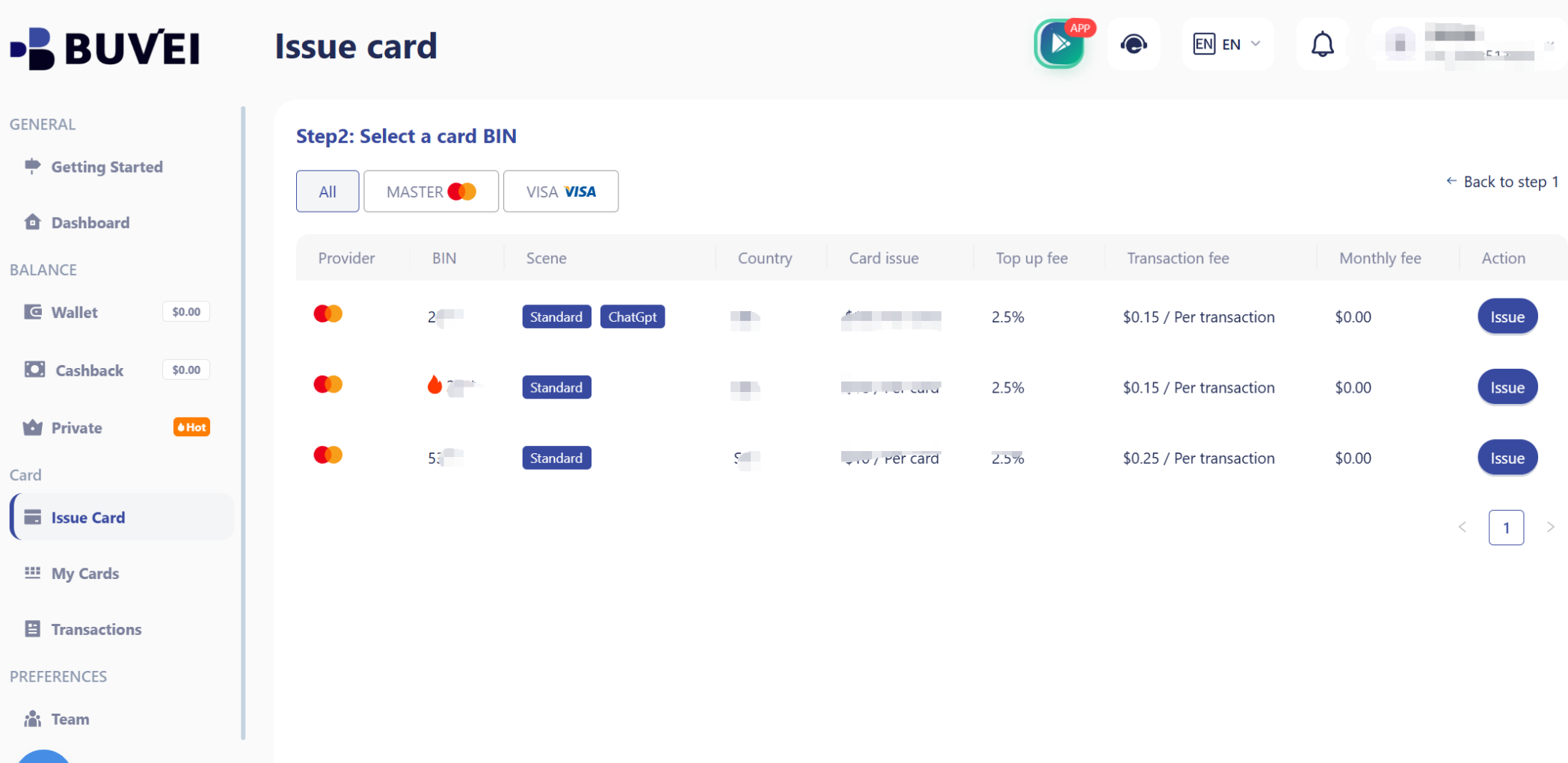
You will need to:
-
Select a BIN region (US BINs work best for Google services)
-
Choose card type
-
Set card balance and card name
-
Confirm issuance
After creation, your virtual card details are ready to use.
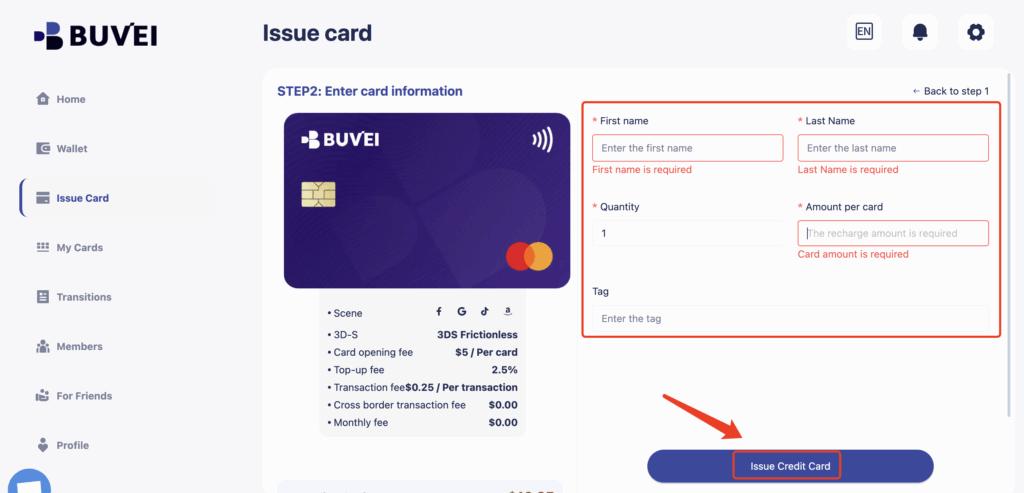
4.Add your virtual card to Google Ads: Go to your Google account settings → Billing & Payment, choose Credit or Debit Card, and enter the virtual card details (card number, expiration date, CVV).
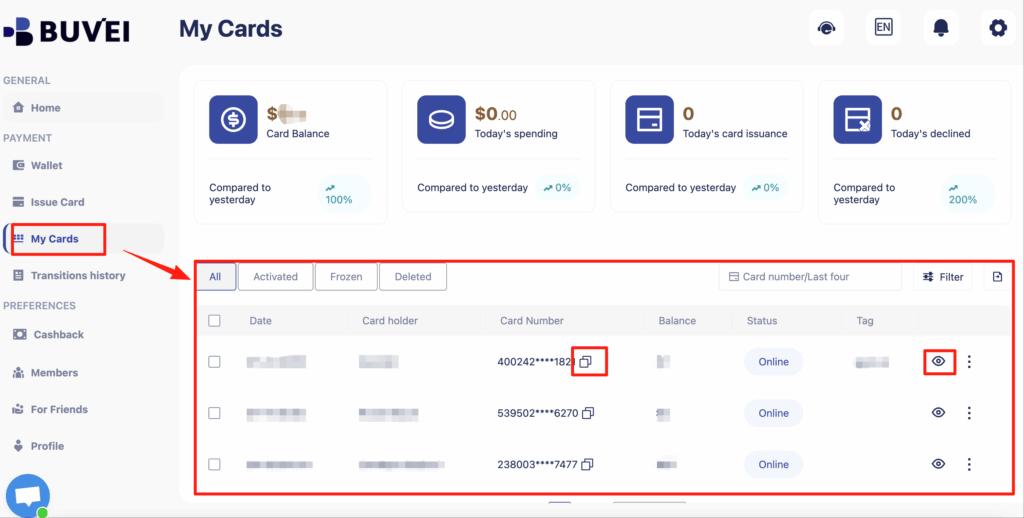
Confirm payment: Ensure your card balance covers the subscription and any applicable taxes. Payment will be processed like a standard card.
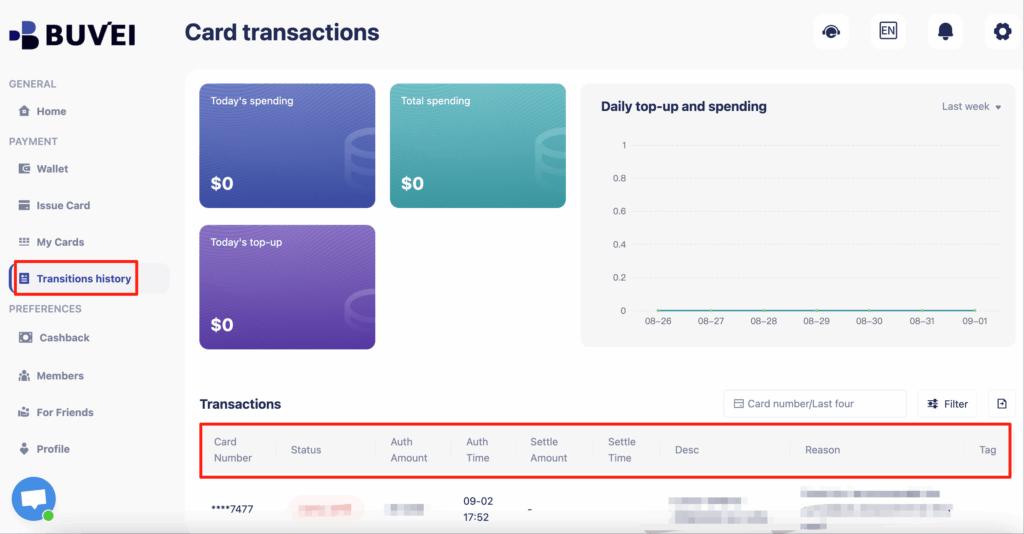
Once set up, your Google subscription is billed automatically using your virtual card, without exposing your main bank account.
Step-by-Step: Paying Google Domains with a Buvei Virtual Card
Once your Buvei virtual card is issued, paying for Google Domains is straightforward:
-
Log in to your Google Domains account
-
Select the domain you want to register or renew
-
Proceed to checkout
-
Choose Credit or Debit Card as the payment method
-
Enter your Buvei virtual card details:
-
Card number
-
Expiration date
-
CVV
-
-
Confirm payment
For renewals, ensure the card remains funded before the billing date.
Common Payment Errors & How to Avoid Them
Some users experience payment issues when using virtual cards on Google Domains. Common causes include:
-
Insufficient balance at checkout or renewal
-
BIN mismatch or unsupported region
-
Card expiration before renewal
-
Rapid retries after a failed payment
How to reduce failures:
-
Use a US BIN virtual card
-
Keep a small balance buffer
-
Avoid frequent card changes on the same Google account
-
Replace declined cards instead of retrying repeatedly
Best Practices for Domain Renewals with Virtual Cards
For long-term domain management, follow these best practices:
-
Assign one virtual card per domain group
-
Use dedicated cards for high-value domains
-
Monitor expiration dates of both domains and cards
-
Renew domains manually if risk tolerance is low
-
Keep renewal cards funded well before due dates
With Buvei, card balances and transaction history can be tracked from a single dashboard, making renewal management easier.

Final Thoughts
While Google Domains does not support direct crypto payments, using crypto-funded virtual cards provides a practical and reliable alternative. By converting crypto into a virtual card, users gain flexibility, security, and control over domain payments.
For users who prefer paying with crypto without relying on traditional banks, Buvei virtual cards offer a simple and effective solution for Google Domains registrations and renewals.