
Many users want to pay for domains using crypto, especially when they don’t have access to international credit cards. However, Google Domains does not accept crypto directly. The good news is that you can still use crypto by combining it with a virtual card solution like Buvei.
This guide explains exactly how it works and how to set everything up step by step.
Why Google Domains Doesn’t Accept Direct Crypto Payments
Google Domains currently only supports traditional payment methods, such as:
-
Credit cards
-
Debit cards
-
Google billing accounts
They do not support direct crypto payments like Bitcoin or USDT. This creates problems for users who:
-
Live in countries with weak banking support
-
Cannot use Visa/Mastercard online
-
Prefer using stablecoins for privacy and flexibility
-
Want to avoid linking personal bank cards
Because of this, many users now rely on crypto-funded virtual cards as a bridge between crypto and Google Domains.
Using Crypto to Create a Virtual Card for Google Domains
A virtual card works like a normal Visa or Mastercard online. The difference is how you fund it.
Instead of using a bank, you fund the card with crypto (such as USDT). Then you use that card directly on Google Domains checkout.
This method allows you to:
-
Pay for domains using crypto indirectly
-
Avoid local banking issues
-
Control spending limits
-
Protect your main funds
-
Reduce the risk of account or payment blocks
One platform that supports this model smoothly is Buvei.
How to Create a Virtual Card with Buvei (Crypto Funding)
Buvei allows you to fund your account using USDT and instantly create virtual cards that work on many global platforms, including domain providers.
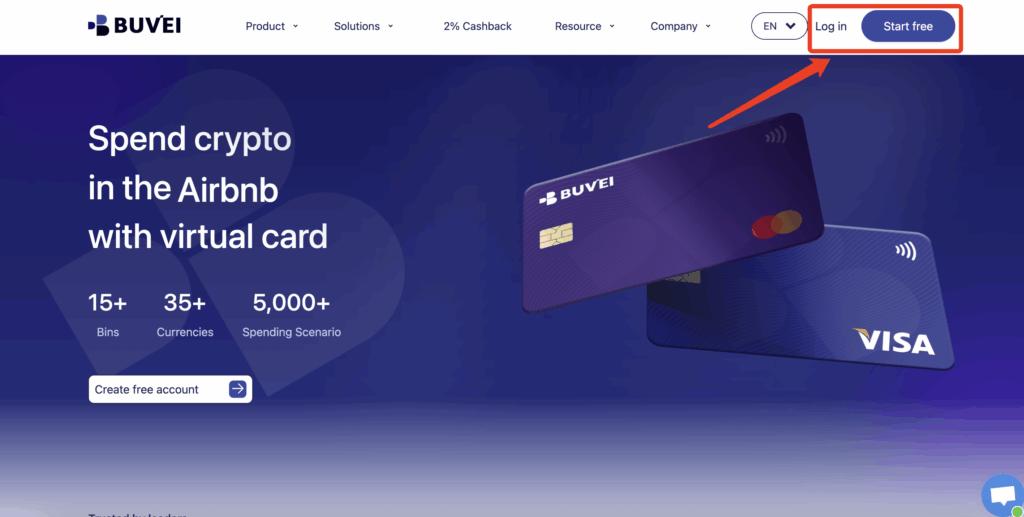
Step 1: Register a Buvei Account
Visit https://buvei.com and create a free account.
After completing email verification, log in to your Buvei dashboard.
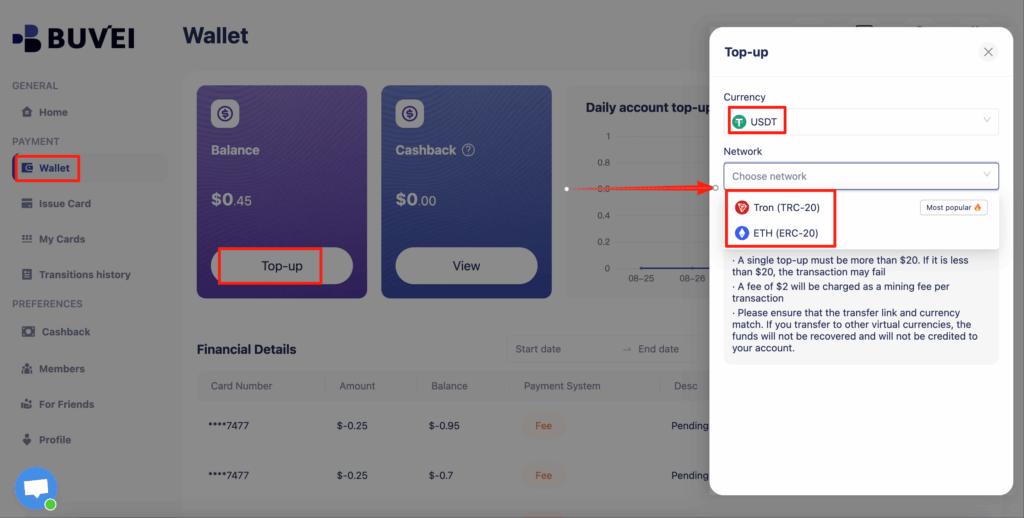
Step 2: Fund Your Account
Go to the Wallet tab.
Top up using USDT (TRC20 or ERC20).
You will receive a unique deposit address.
Send your funds to this address.
After confirmation, your balance will appear in your wallet and be available immediately.
Step 3: Create a Virtual Card
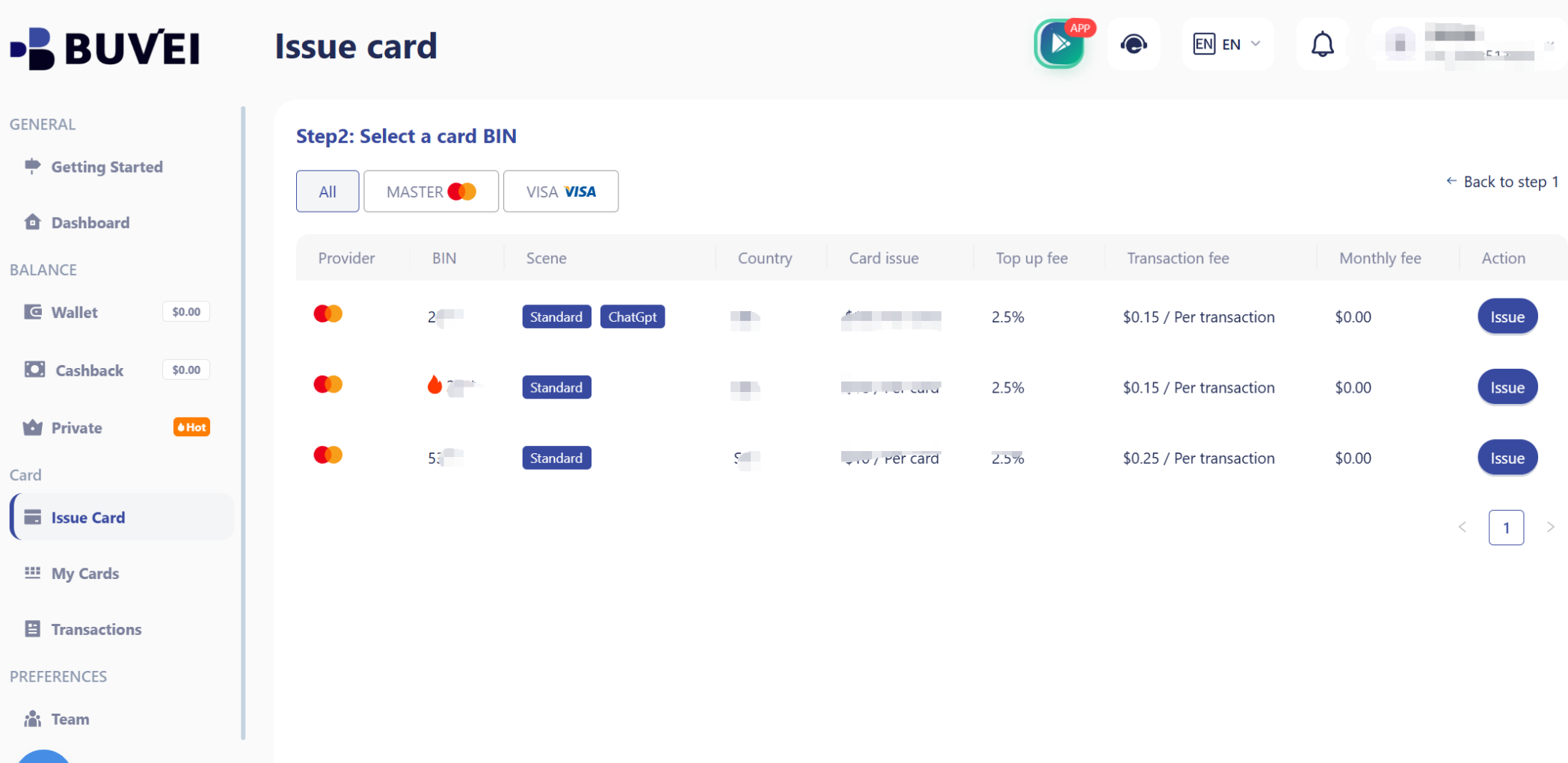
Go to the Cards tab.
Choose your preferred BIN region (US BIN is recommended for higher approval rates).
Select your card type.
Click create.
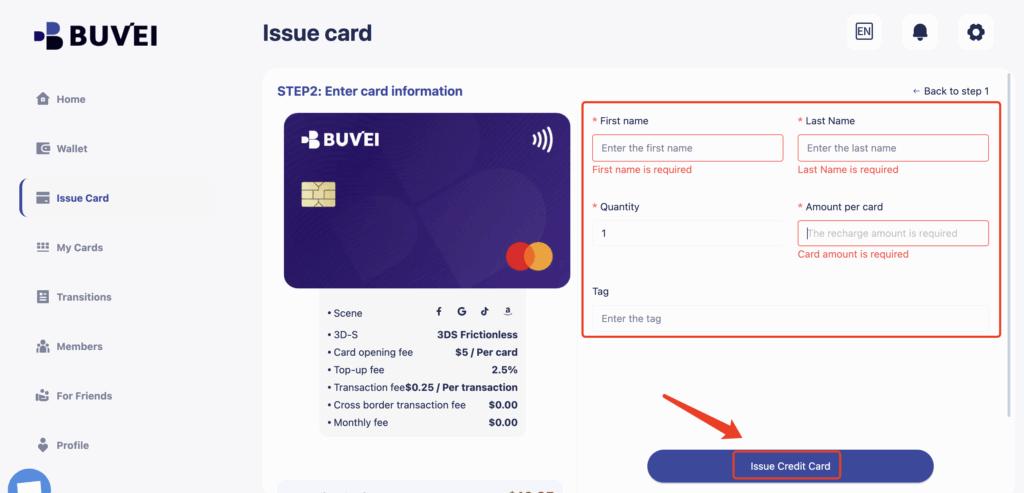
Fill in the card details, including card name, amount, and number of cards.
Click issue card.
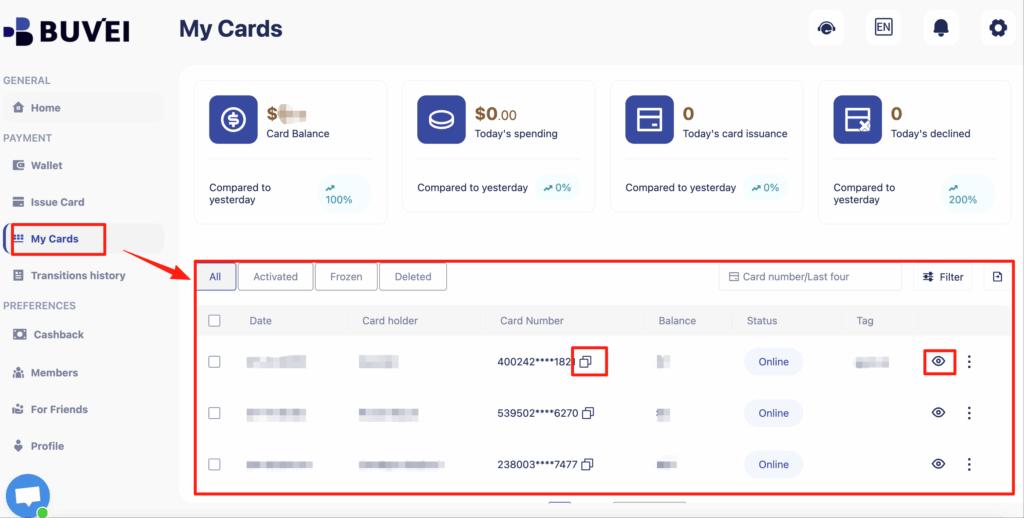
After creation, go to My Cards to view:
-
Card number
-
Expiry date
-
CVV
-
Card balance
-
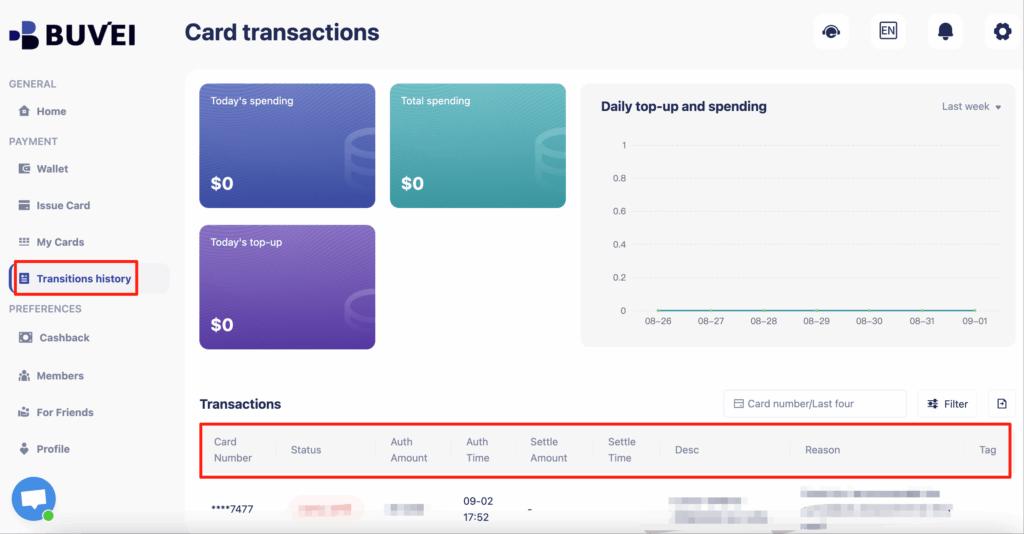
Transaction history
Now your card is ready to use on Google Domains.
Common Payment Errors & How to Avoid Them
Sometimes users face declines when paying for domains. Common causes include:
-
Low balance on the card
-
Non-US BIN with stricter platforms
-
Mismatch between IP location and card region
-
Reusing the same card across too many accounts
-
Using cards without proper 3D verification support
To improve success rate:
-
Use a US BIN when possible
-
Keep sufficient balance on the card
-
Use one card per project
-
Avoid suspicious login environments
-
Keep transactions consistent
Buvei’s ability to easily create multiple cards helps solve most of these problems.
Best Practices for Domain Renewals with Virtual Cards
Domain renewals are often where users get caught off guard. A failed renewal can mean losing a valuable domain.
Here are best practices:
-
Use a dedicated card only for domains
-
Add a small buffer balance before renewal date
-
Avoid using one card across dozens of services
-
Track expiration dates inside Buvei dashboard
-
Rotate cards for different projects if managing many domains
Because Buvei allows fast creation and management of multiple cards, many users use one card per registrar, which greatly reduces risk.

Final Thoughts
While Google Domains does not support crypto directly, combining USDT + Buvei virtual cards provides a reliable workaround. You get the flexibility of crypto with the compatibility of a traditional card.
For users who want more control, fewer declines, and safer online payments, this method is becoming the standard approach.