AI-powered developer tools like Cursor and Warp are increasingly becoming part of daily development workflows. Both platforms rely on subscription-based billing models, often charging monthly fees tied to individual developer accounts or teams.
However, many developers encounter payment failures when using virtual cards—especially during renewals. This article explains how Cursor and Warp process payments, what these AI tools actually expect from a payment card, why virtual cards often fail, and how to set up a stable virtual card using Buvei for reliable AI tool billing.
How Cursor and Warp Handle Developer Subscription Billing
Cursor and Warp both operate on recurring subscription systems designed for professional users. Their billing systems typically include:
-
Initial card authorization to verify validity
-
Automated recurring charges on a monthly or annual basis
-
Periodic reauthorization to confirm card stability
-
Risk checks based on BIN region, transaction history, and usage patterns
Because these tools are used in professional and commercial contexts, their payment systems tend to apply stricter checks than consumer entertainment subscriptions.
What AI Tool Billing Actually Requires from a Payment Card
For developer-focused AI tools, a working payment card needs more than just enough balance. In practice, Cursor and Warp expect:
-
Stable recurring payment capability
-
A BIN region that aligns with the platform’s primary markets
-
Consistent transaction behavior across billing cycles
-
Minimal declines or authorization failures
Cards that appear disposable, short-lived, or inconsistently funded are more likely to be flagged, even if the initial payment succeeds.
Why Virtual Cards Often Fail for Developer Tools
Virtual cards are not inherently incompatible with Cursor or Warp, but many fail due to configuration issues rather than platform restrictions.
Common failure reasons include:
-
Insufficient balance at renewal time
-
BIN regions that trigger additional verification
-
Frequent card replacement that disrupts billing continuity
-
Cards issued with strict transaction or merchant limits
These issues are especially problematic for AI tools, where uninterrupted access is critical for development workflows.
What Makes a Virtual Card Reliable for Cursor and Warp
A virtual card suitable for AI tool billing should behave as closely as possible to a traditional card while still offering flexibility.
Key characteristics include:
-
A dedicated card used only for developer tools
-
A stable BIN region (US BINs generally perform best)
-
Sufficient balance plus a small buffer for renewals
-
Long validity periods to avoid frequent updates
When these conditions are met, virtual cards can perform just as reliably as physical cards for Cursor and Warp subscriptions.
How to Set Up a Stable Virtual Card with Buvei for AI Tool Billing
Buvei offers a streamlined way to issue virtual cards that meet the requirements of developer-focused AI platforms.
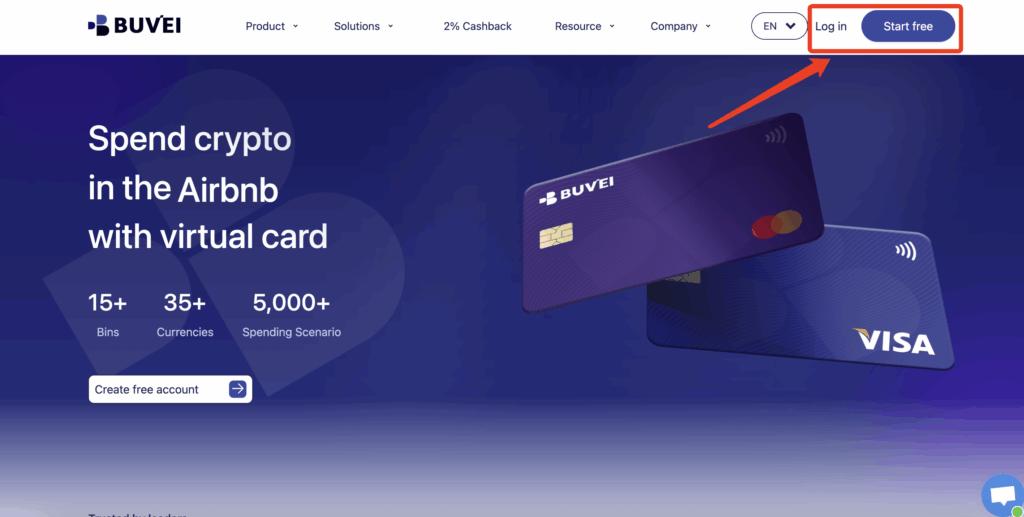
Step 1: Register a Buvei Account
Visit https://buvei.com and create a free account.
After completing email verification, log in to access the Buvei dashboard, where wallets and cards are managed centrally.
Step 2: Fund Your Buvei Wallet
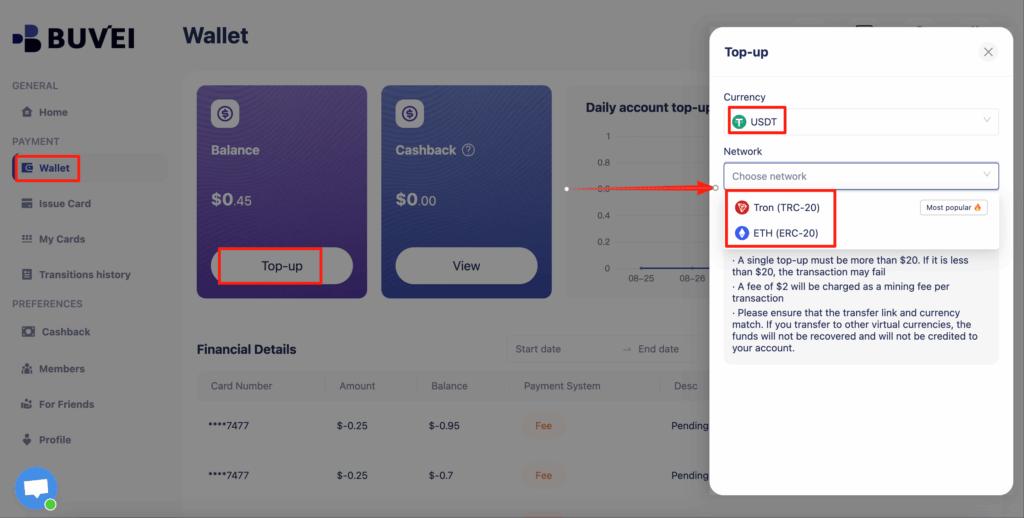
Before issuing a virtual card, you need to add funds:
-
Go to the Wallet section
-
Select USDT (TRC20 or ERC20) as your funding method
-
Buvei generates a dedicated deposit address
Copy the address and transfer your funds. Once the transaction is confirmed on-chain, your balance becomes available immediately.
 Step 3: Create a Virtual Card
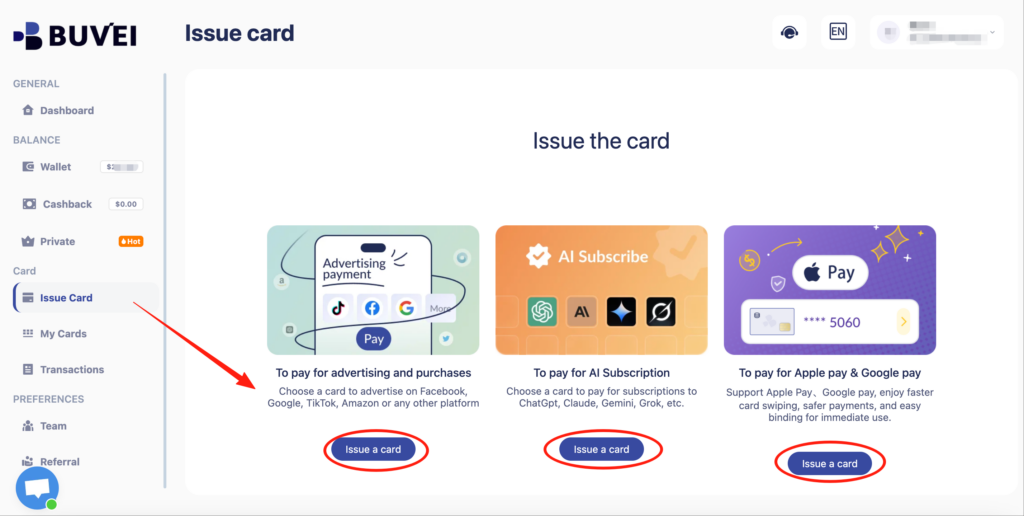
With funds available:
-
Navigate to the Cards section
-
Click Create Card
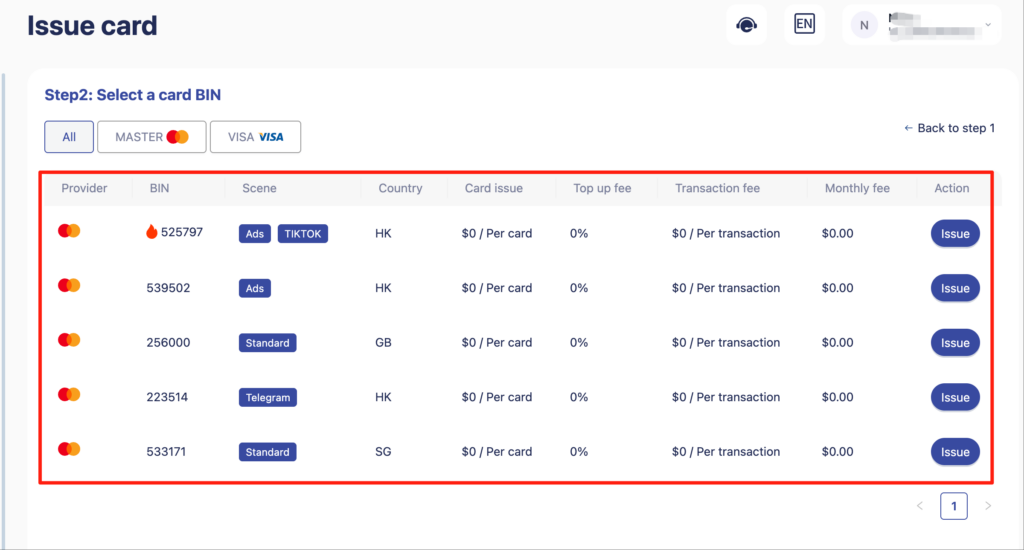
You will be asked to:
-
Select your preferred BIN region (US BIN recommended for Cursor and Warp)
-
Choose your card type
-
Enter card details such as card name, card balance, and card quantity
-
Click Issue Card to complete issuance
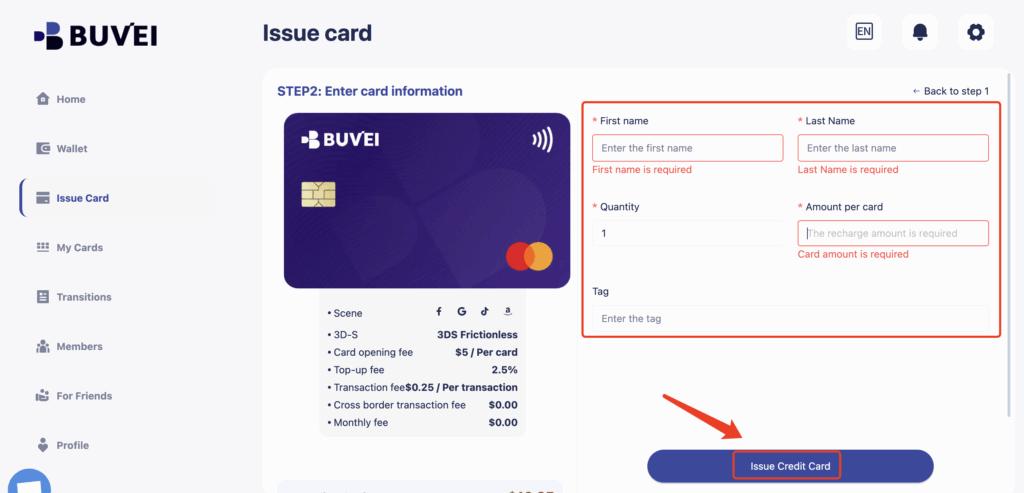
Step 4: Use the Virtual Card for Cursor or Warp Billing
After the card is created, go to My Cards to view:
-
Card number
-
Expiration date
-
CVV
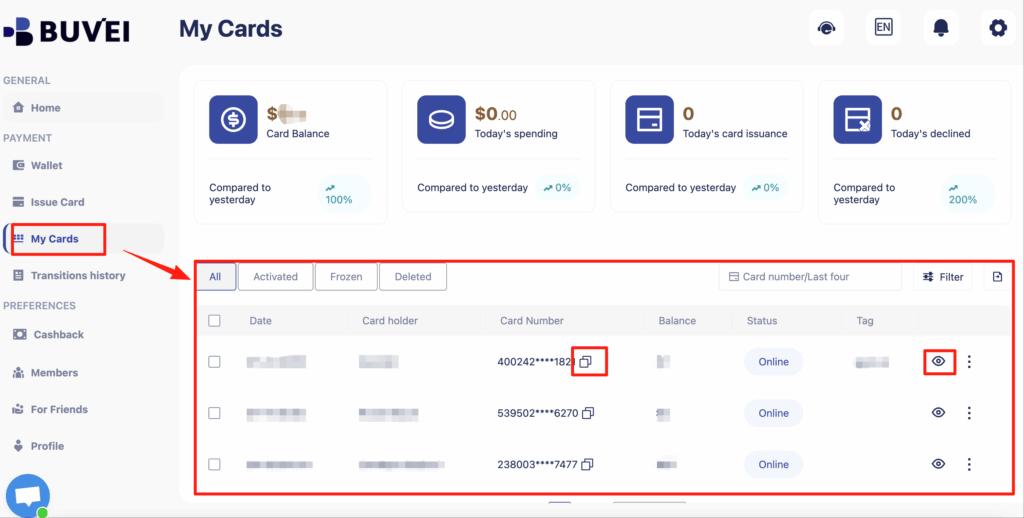
Add these details to your Cursor or Warp billing settings.
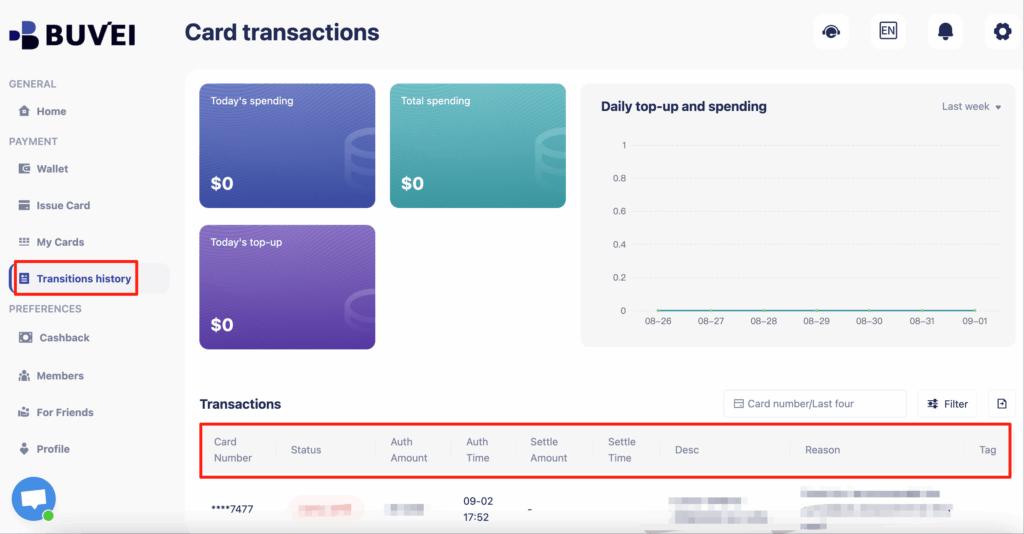
From the same page, you can track balances, review top-ups, and monitor all transaction activity, making it easy to manage AI tool expenses over time.
Final Thoughts
For developers relying on AI tools like Cursor and Warp, payment stability is not optional—it directly affects productivity. While many virtual cards fail due to poor configuration or short-term design, a properly set up virtual card can support long-term, uninterrupted billing.
With Buvei, developers can issue US BIN virtual cards, fund them using stablecoins, and manage all AI tool subscriptions from a single dashboard. For those who want control, security, and reliable access to essential developer tools, virtual cards—when used correctly—are a practical solution.