Many users want to upgrade to ChatGPT Plus but struggle with payment issues. Declines, unsupported cards, and regional restrictions are common. That is why more people now look for ways to pay for ChatGPT without a credit card.
Using a virtual card for ChatGPT is one of the most reliable alternatives. It allows you to subscribe safely, control spending, and avoid exposing your real bank card.
Why ChatGPT Requires a Payment Method
ChatGPT Plus and other paid plans use a recurring subscription model. This means a valid payment method is required to:
-
Verify user identity
-
Enable monthly renewals
-
Reduce fraud and abuse
-
Support global billing systems
-
Maintain account stability
However, not all cards are treated equally by the payment system.
Common Credit Card Issues with ChatGPT Payments
Many users face problems when using traditional bank cards, such as:
-
Payment declined for no clear reason
-
Local debit cards not supported
-
Country mismatch between card and account
-
Bank blocks international subscriptions
-
3D Secure verification failures
-
Card blocked after multiple attempts
These issues often make it difficult to successfully complete a ChatGPT subscription.
Using Virtual Cards as a Credit Card Alternative
A virtual card for ChatGPT payments works like a normal Visa or Mastercard, but with more flexibility and control.
With the right virtual card, you can:
-
Bypass limitations of local bank cards
-
Use a US BIN for higher approval rates
-
Control spending by setting limits
-
Avoid exposing your real bank account
-
Create separate cards for different subscriptions
-
Replace cards easily if issues occur
For users who experience frequent declines, virtual cards are often the most practical solution.
How to Use a Buvei Virtual Card for ChatGPT
Buvei offers a flexible virtual card system that works well for SaaS subscriptions like ChatGPT.
Below is the full setup process.
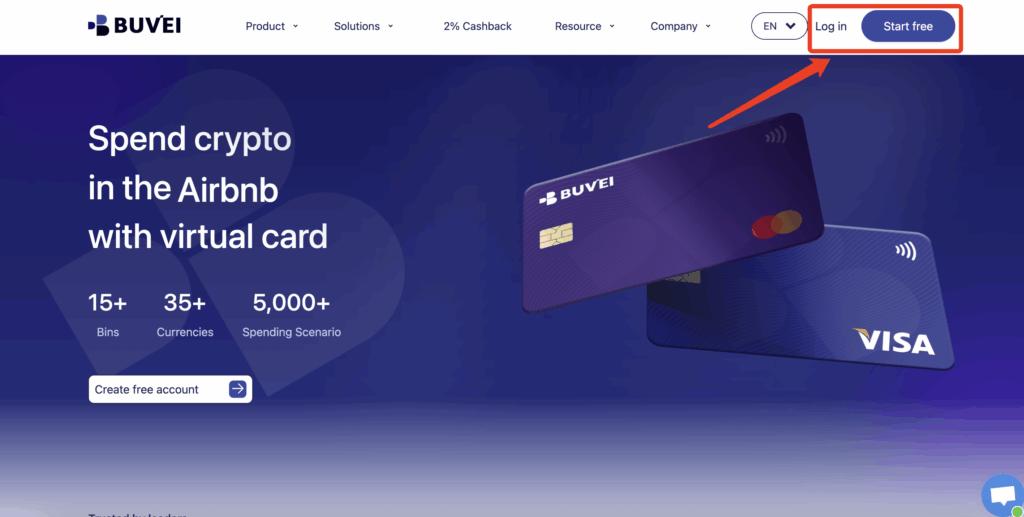
Step 1: Register a Buvei Account
Visit https://buvei.com and create a free account.
After completing email verification, log in to your Buvei dashboard.
Step 2: Fund Your Account
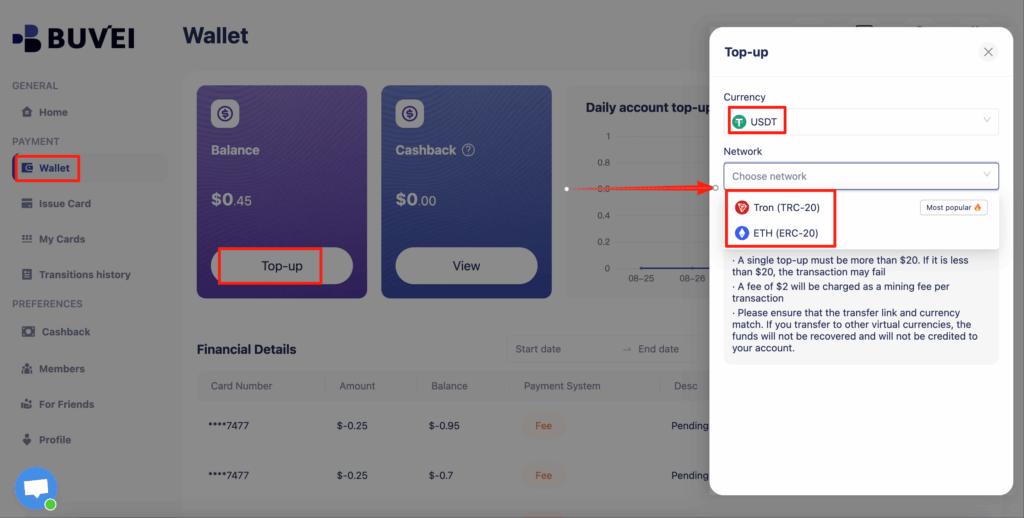
Go to the Wallet tab.
Top up using USDT (TRC20 or ERC20).
You will receive a unique deposit address.
After confirmation, your balance will appear in your wallet and be available immediately.
Step 3: Create a Virtual Card
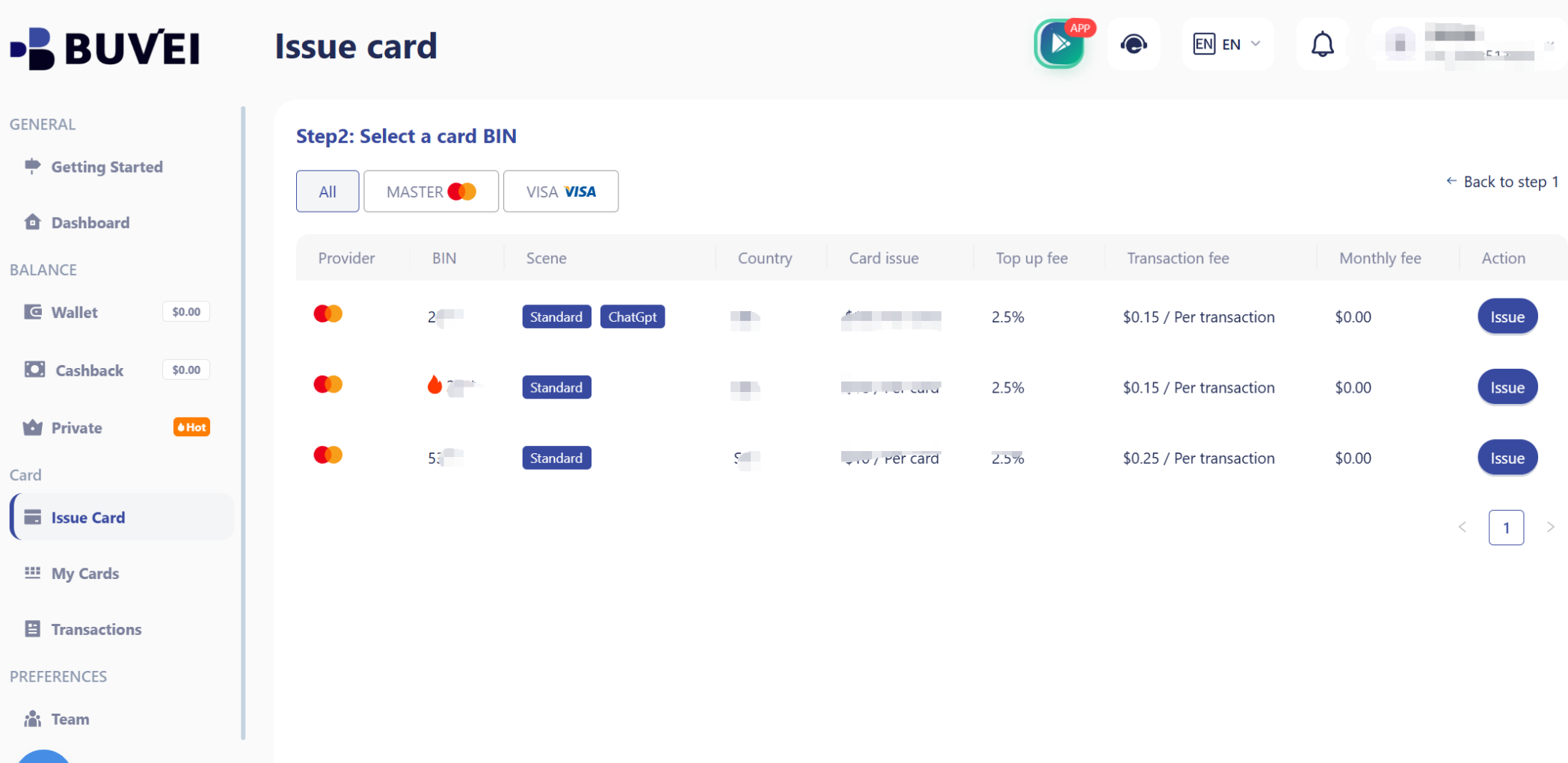
Go to the Cards tab.
Choose your preferred BIN region (US BIN is recommended for higher approval rates).
Select your card type.
Click Create.
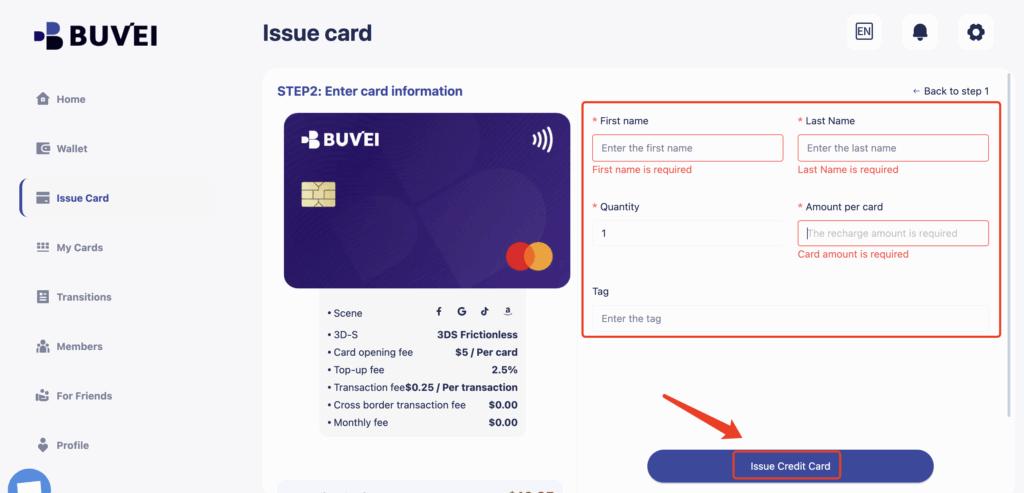
Fill in the card details, including card name, amount, and number of cards.
Click Issue Card.
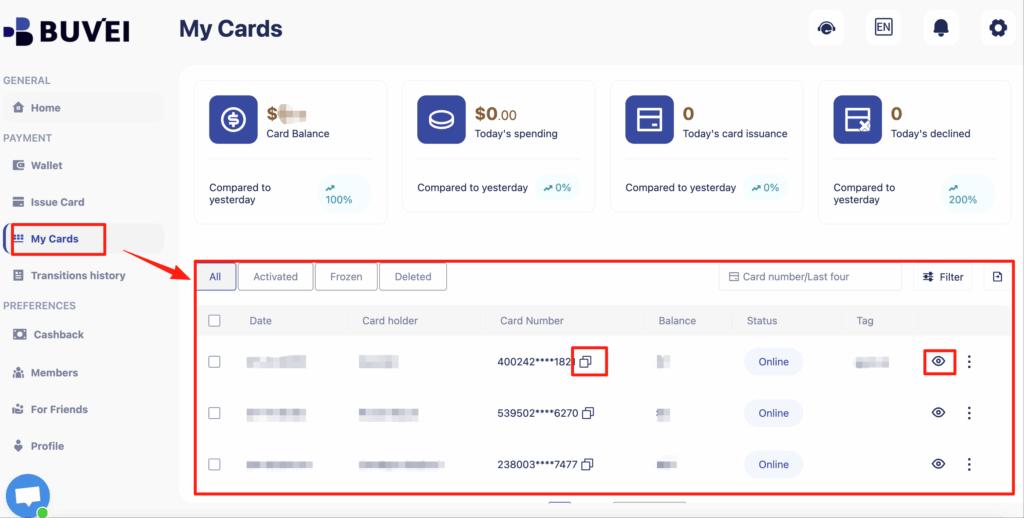
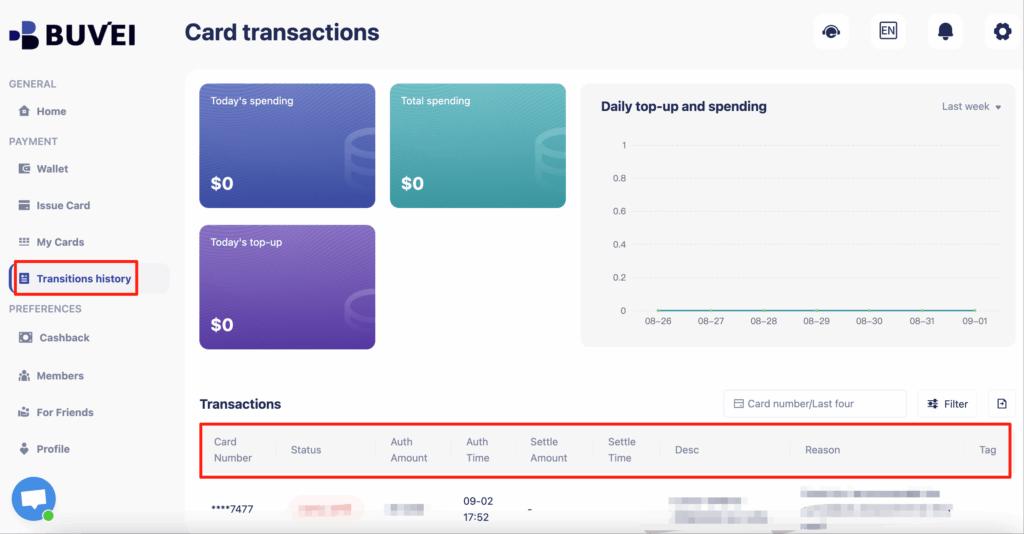
After creation, go to My Cards to view:
-
Card number
-
Expiry date
-
CVV
-
Card balance
-
Transaction history
You can now use this card directly on the ChatGPT payment page.
Tips to Avoid Subscription Payment Failures
To keep your ChatGPT subscription stable when using virtual cards, follow these best practices:
-
Use a US BIN card when possible
-
Keep enough balance for monthly renewal
-
Do not attempt too many failed payments
-
Use one card per subscription
-
Monitor transactions inside your Buvei dashboard
-
Replace the card early if repeated declines occur
These small habits can significantly improve payment success rates.

Final Thoughts
If you are tired of declines and payment errors, learning how to pay for ChatGPT without a credit card can save you time and frustration. Virtual cards offer a practical and flexible alternative, especially for international users.
With Buvei, you gain access to:
-
Easy virtual card creation
-
US BIN support for higher approval rates
-
Transparent fees
-
Strong privacy protection
-
Full control over subscription spending
-
Simple management for multiple cards
For anyone using paid AI tools regularly, using a Buvei virtual card for ChatGPT is a smart and reliable solution.