Founded in Paris in 1969, Sephora is one of the world’s most recognized beauty and cosmetics retailers, offering an extensive catalog that includes:
-
🌍 Global luxury brands like Dior, Estée Lauder, Chanel, and MAC
-
🛍️ Affordable house brand options under the Sephora Collection
-
🎁 Exclusive promotions with free gifts and seasonal offers
-
🧑🤝🧑 Beauty tutorials, in-store consultations, and loyalty perks
-
🛒 Seamless online and offline shopping experiences
Whether you shop via Sephora.com or the mobile app, the platform is trusted by millions for its product variety, authenticity, and customer support. 
Why Use a Virtual Credit Card for Sephora?
Traditional cards are often used across platforms, which may expose them to unauthorized charges, fraud, or accidental overspending.
With a Buvei virtual card, you gain control and security:
-
💳 One card per platform for clean billing
-
🔒 Custom spending limits and merchant locking
-
🔁 Easy to pause, cancel, or issue a new card anytime
-
🌐 Ideal for global eCommerce — supports USDT
Perfect for beauty enthusiasts and gift buyers who want more control.
Step-by-Step: How To Shop on Sephora with a Buvei Virtual Card
-
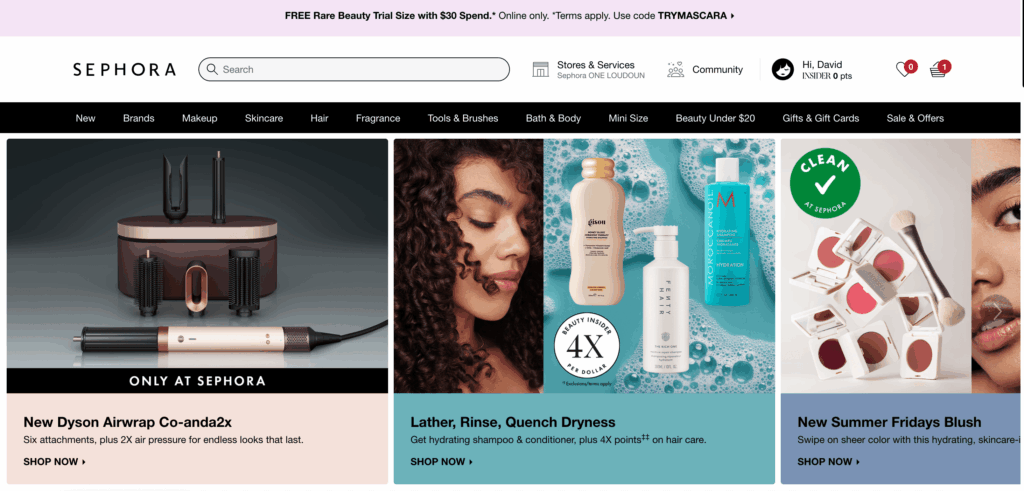
Explore Sephora’s Product Categories
-
Visit Sephora.com or open the mobile app
-
Browse by category: skincare, makeup, fragrance, hair, or tools
-
Use filters or the search bar to narrow your selection
-
Add Products to Your Cart
-
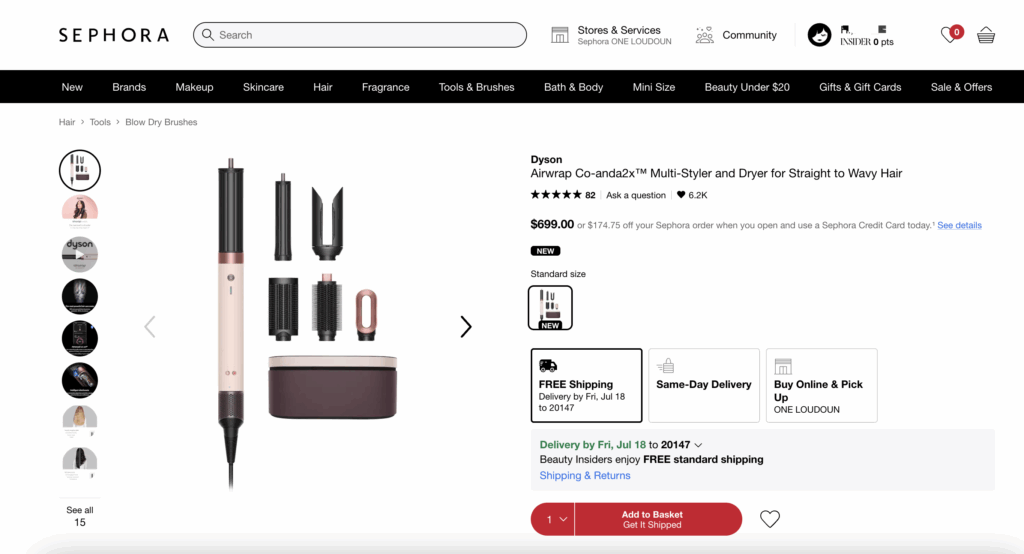
Click into a product page
-
Choose your desired shade, size, or quantity
-
Click “Add to Basket”
You can repeat this for multiple products.
-
View Your Shopping Basket
-
Tap the cart icon in the top-right
-
Review your selected items
-
Make edits to quantity or delete items if needed
-
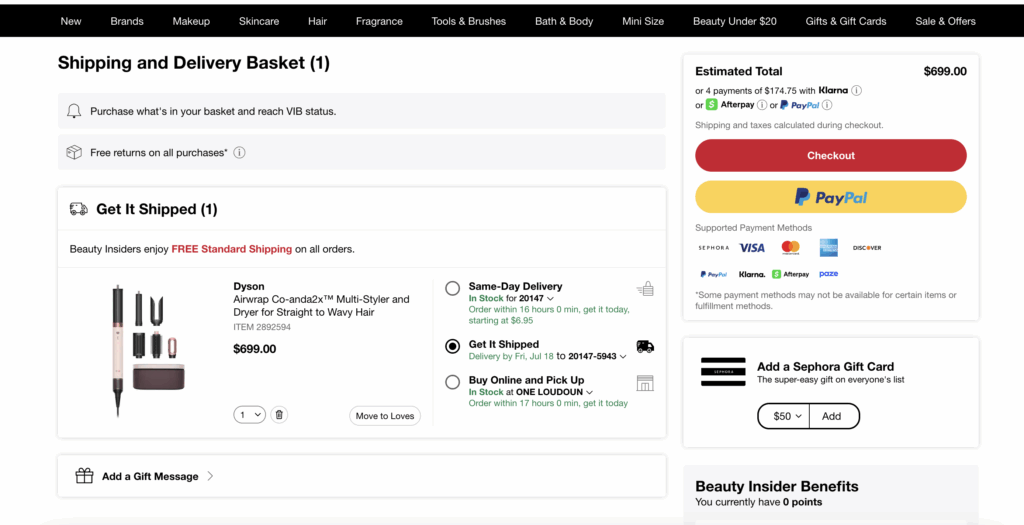
Proceed to Checkout
-
Click “Checkout” to begin payment
-
Sign in or continue as a guest
-
Enter Shipping Information
-
Fill in your full name, phone number, and delivery address
-
Choose from available shipping options (standard, express, etc.)
-
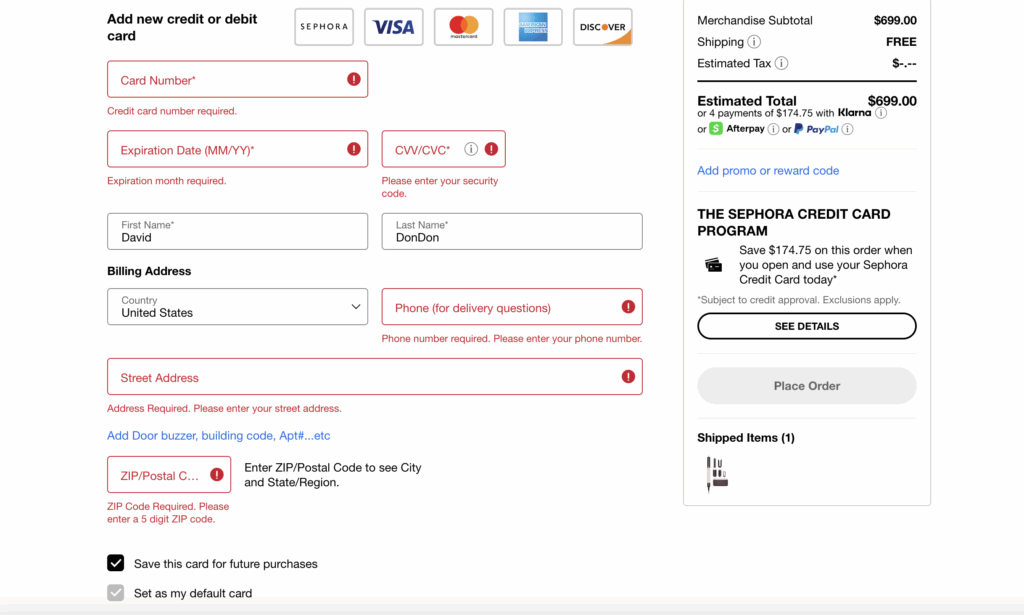
Add Buvei Virtual Card as Payment Method
-
On the Payment page, select “Credit/Debit Card”
-
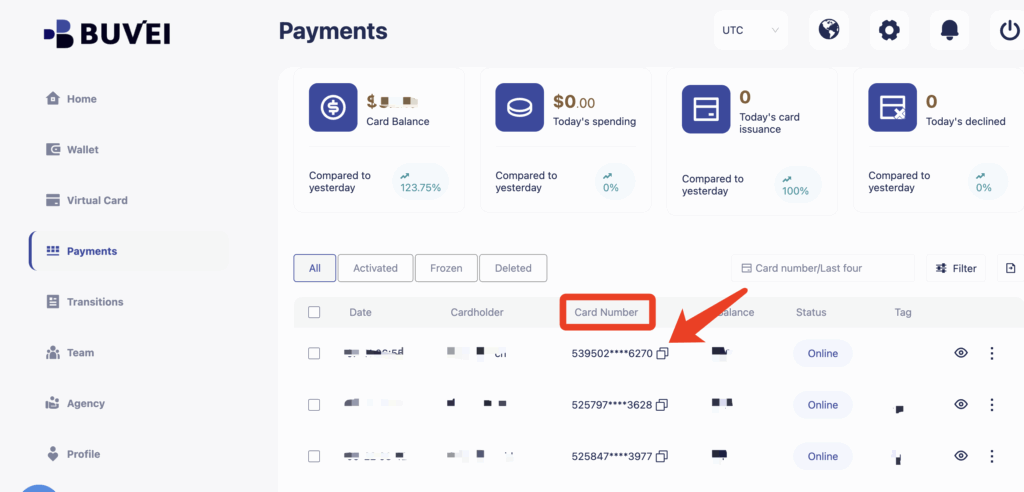
Open your Buvei dashboard
-
Copy your virtual card details:
-
Name on Card
-
Card Number
-
Expiry Date & CVV
-
-
Paste them into Sephora’s form
-
Confirm and Place Your Order
-
Double-check product details, total cost, and delivery info
-
Click “Place Order” or “Pay Now”
Your Buvei virtual card will process the payment instantly.
After Checkout: Track and Receive Your Order
-
You'll receive an email confirmation from Sephora
-
Use the link to track your order status
-
When the package arrives, check your items and enjoy your products!
Haven’t Created a Buvei Virtual Card Yet? Follow These Steps:
-
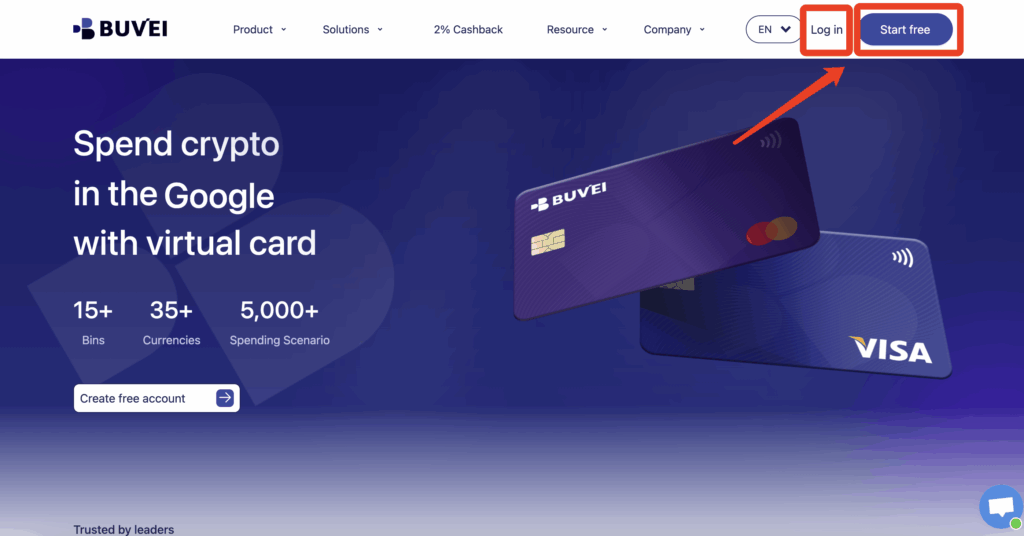
Sign up/Sign in at buvei.com
If you haven’t signed up yet, simply click 'Start Free' to register quickly with your email.
-
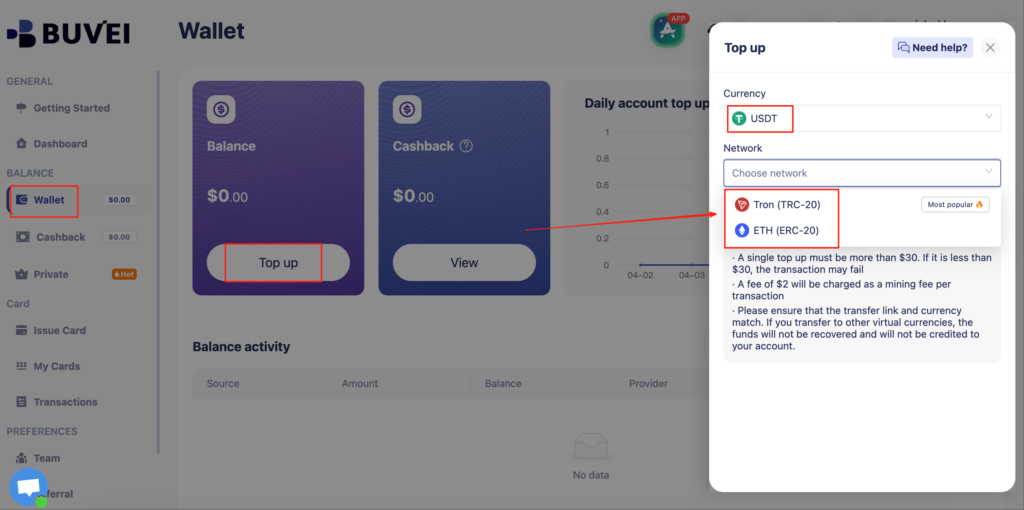
Top up your wallet under the “Wallet” tab
-
Choose TRC20 or ERC20 USDT
-
Use your crypto wallet to send funds
-
Wait for the balance to reflect (Note: Make sure the network matches your transfer — TRC20 or ERC20)
-
Go to “Virtual Cards”
-
Click Confirm and proceed to issue

-
Enter cardholder details, email, card quantity, and desired top-up amount
-
Click Issue Credit Card to generate your virtual card

-
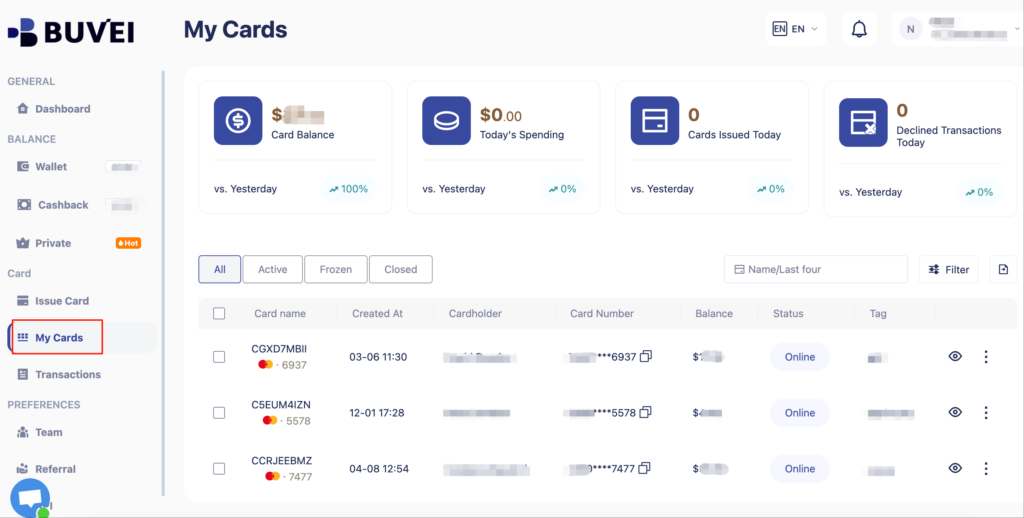
View your card in the “Payments” section:
-
Check card details (name, number, expiry, CVV)
-
Recharge, withdraw, or delete the card at any time
Advantages of Using Buvei for eCommerce Shopping
| Feature | Benefit |
| 🔐 Spend limits | Prevent over-budgeting or accidental spend |
| 🛑 Card lock & delete | Stop future charges with one click |
| 🧾 Usage logs | Transparent history for bookkeeping |
| 🌍 Global-ready | Accepts crypto deposits (TRC20/ERC20 USDT) and auto-converts |
Whether you're shopping at Sephora, Amazon, or any other eCommerce store, Buvei’s programmable virtual cards provide a smarter, safer, and more flexible payment experience.
Ready to Try?
Start using your virtual card today — fast to issue, easy to control, and designed for modern online shoppers.