




Introduction
As a startup grows, AI subscriptions can quickly spread across employee accounts. The marketing team may pay for ChatGPT, developers may use Cursor, and individual employees may maintain separate subscriptions to tools the company already provides. Before long, the business may be paying for the same services more than once.
Without a clear record of who uses each tool and which accounts the company pays for, duplicate subscriptions and forgotten renewals can easily go unnoticed. Founders need a practical way to keep track of these expenses and make sure every subscription is still worth paying for.
Why AI Subscription Costs Get Out of Hand
Multiple Accounts for the Same AI Service
Employees often purchase AI subscriptions independently to meet their immediate work needs. A marketing employee might pay for an individual ChatGPT plan while the company already provides access through another account or team plan.
The same can happen with coding assistants and other AI platforms. Without a shared record of existing subscriptions, employees may unknowingly purchase access the company already pays for.
Too Many Tools Doing Similar Jobs
Different AI platforms offer overlapping features for writing, research, image generation, and coding.
A startup might subscribe to several writing tools even though its content team regularly uses only one. Developers may also maintain multiple coding assistant subscriptions without having a clear reason to keep all of them.
Using several platforms isn't necessarily wasteful. The problem is paying for similar capabilities without getting enough value from each service.
Forgotten Trials and Recurring Payments
Some unnecessary expenses come from subscriptions that have simply outlived their purpose. A project ends, an employee leaves, or a free trial converts into a paid plan without anyone noticing.
It's also important to distinguish between duplicate subscriptions and duplicate charges. Multiple subscriptions mean paying for separate accounts or plans for the same service. A duplicate charge means the same transaction has been billed more than once.
If two similar payments appear, compare their dates, amounts, merchant details, and billing periods. Check the provider's invoices and account history before assuming a duplicate charge has occurred. If the same transaction was processed twice, contact the provider to investigate.
How Founders Can Prevent Duplicate AI Subscription Charges
Audit Existing Accounts and Paid Plans
Start by listing every AI service the company currently pays for. Record:
- Tool name and subscription plan
- Account owner and department
- Number of paid seats
- Monthly or annual cost
- Payment method and renewal date
Look for duplicate accounts, unused paid seats, and subscriptions tied to completed projects or former employees. This gives founders a clear picture of existing commitments before approving new purchases.
Set Clear Purchasing Responsibilities
Assign someone to oversee company-paid AI tools. Before approving a new subscription, employees should check whether the business already has a service that meets the same need.
A new platform may still be worth paying for if it offers capabilities the team genuinely needs. The important thing is to avoid adding subscriptions without considering what's already available.
Review Renewals and Reconcile Payments
Set aside time each month to check upcoming renewals and unfamiliar transactions. When employees leave or projects end, review the subscriptions associated with them.
If a service is no longer needed, cancel it through the provider's billing settings. Freezing or closing a payment card does not automatically cancel an active subscription.
For unfamiliar charges, compare the transaction with the provider's invoice and billing history. This helps distinguish legitimate payments for separate accounts from actual duplicate transactions.

Organize AI Subscription Payments With BUVEI
Once a company has decided which AI subscriptions to keep, it needs a practical way to organize their payments. Charging everything to one company card can make it difficult to distinguish expenses across departments.
BUVEI offers Visa and Mastercard virtual cards that businesses can assign to different tools, teams, and projects.
Assign Separate Cards to AI Tools and Teams
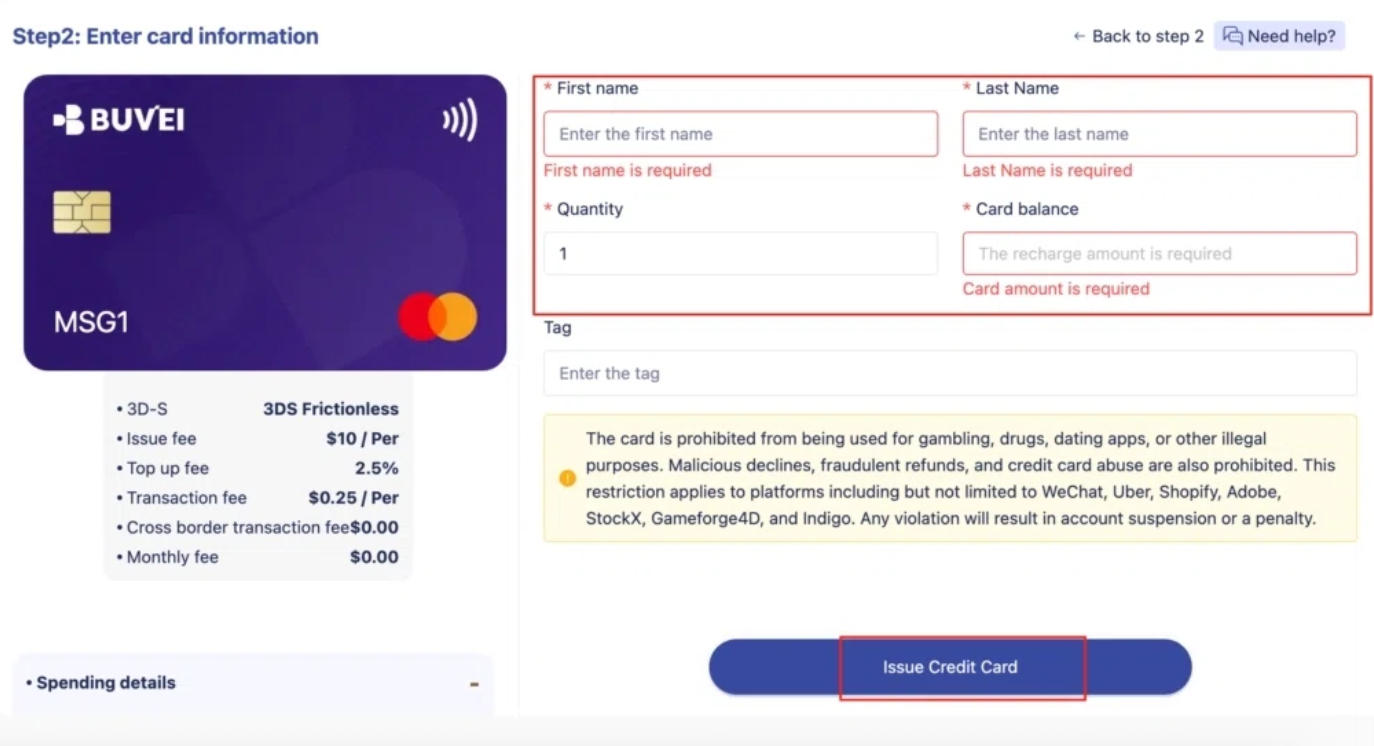
BUVEI supports multiple virtual cards and batch issuance. Businesses can create cards for different subscription services or allocate them by department.
For example, a startup could assign one card to its content team's AI subscriptions and another to development tools. Cards can also be named according to their intended use, making payment responsibilities easier to identify.
Set Spending Limits and Manage Card Access
Different teams have different software budgets. BUVEI allows users to set individual spending limits for each virtual card.
Businesses can also manage card status independently:
- Freeze: Temporarily suspend a card.
- Unfreeze: Restore its availability when needed.
- Close: Permanently close a card that is no longer required.
For example, when a project ends, the business can freeze or close the card assigned to it without affecting other cards in the account.
These controls help manage payment access, but they do not cancel subscriptions. Any unwanted AI service must still be canceled directly with its provider.
Check Transactions Across Different Cards
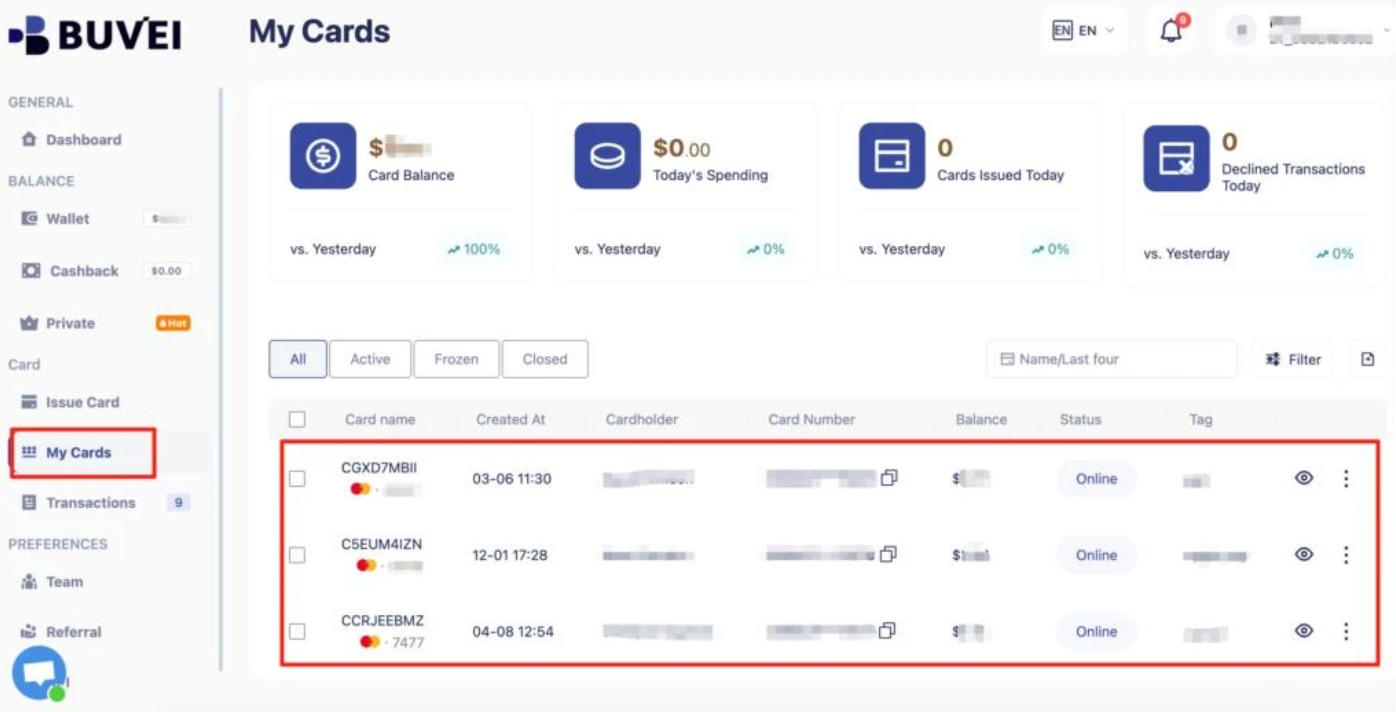
BUVEI's Transactions feature lets users review payment records for individual virtual cards, including transaction amounts, dates, and statuses.
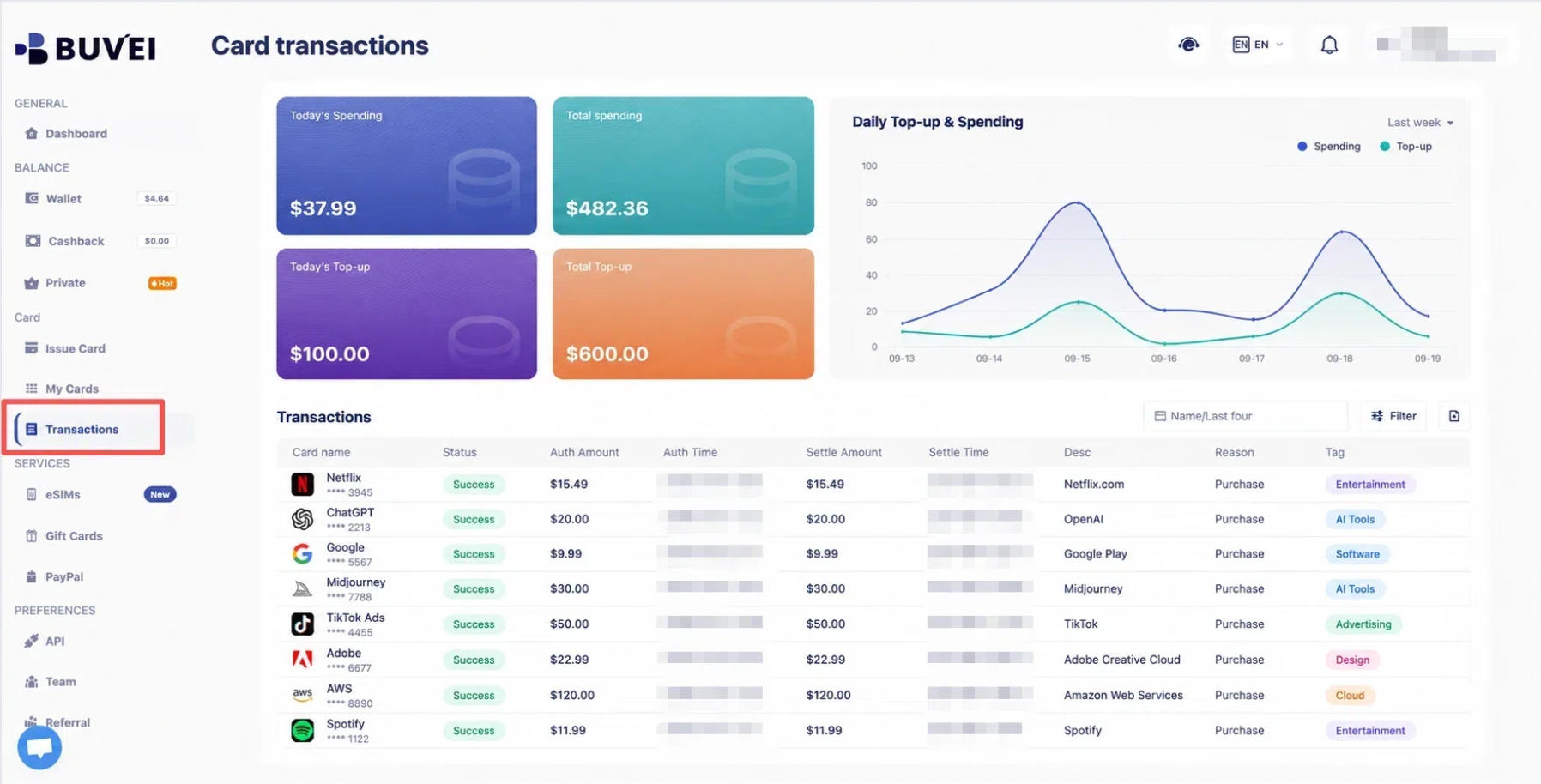
If a card is assigned to a particular AI tool or department, its transaction history provides a useful reference when checking related expenses. Businesses can compare these records with provider invoices and internal subscription lists to investigate unfamiliar payments.
How to Use BUVEI Virtual Cards for AI Subscriptions
Step 1: Create a BUVEI Account
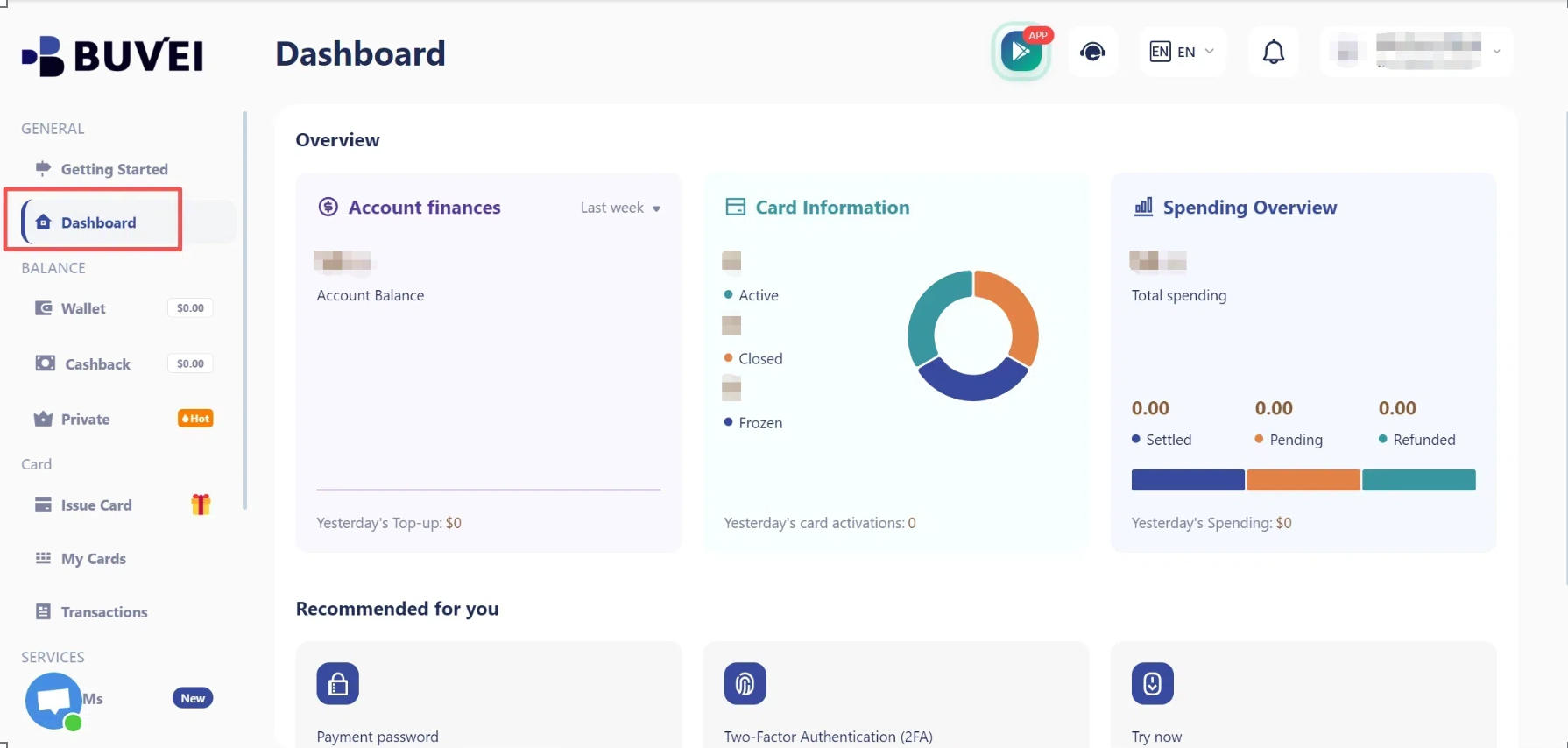
Visit BUVEI and create a free account. Complete email verification, then sign in to access your dashboard.
Step 2: Fund Your Wallet
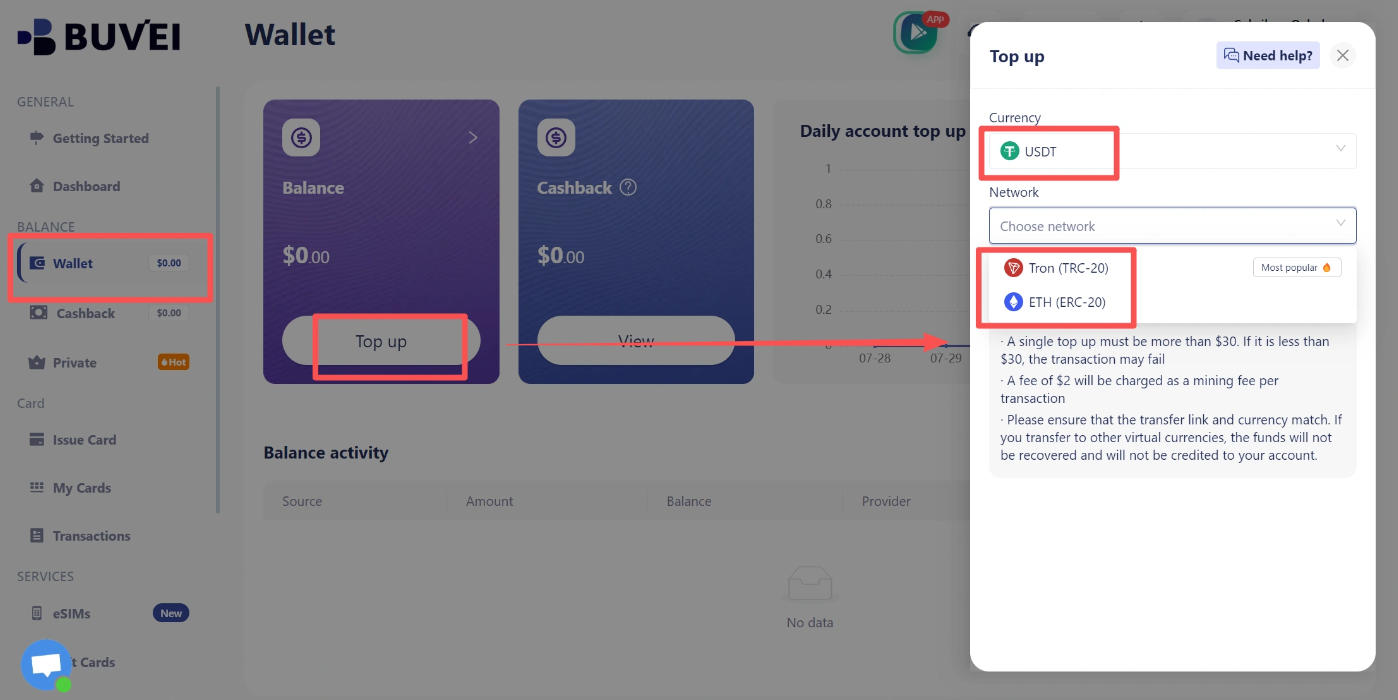
Open the Wallet section and select a supported deposit method, such as USDT TRC20 or ERC20.
Copy the corresponding deposit address and transfer your funds using the same network. Once the deposit is confirmed, your available balance will appear in the wallet.
Step 3: Issue Virtual Cards
Go to Cards and choose your preferred BIN region (a US BIN is recommended) and card type.
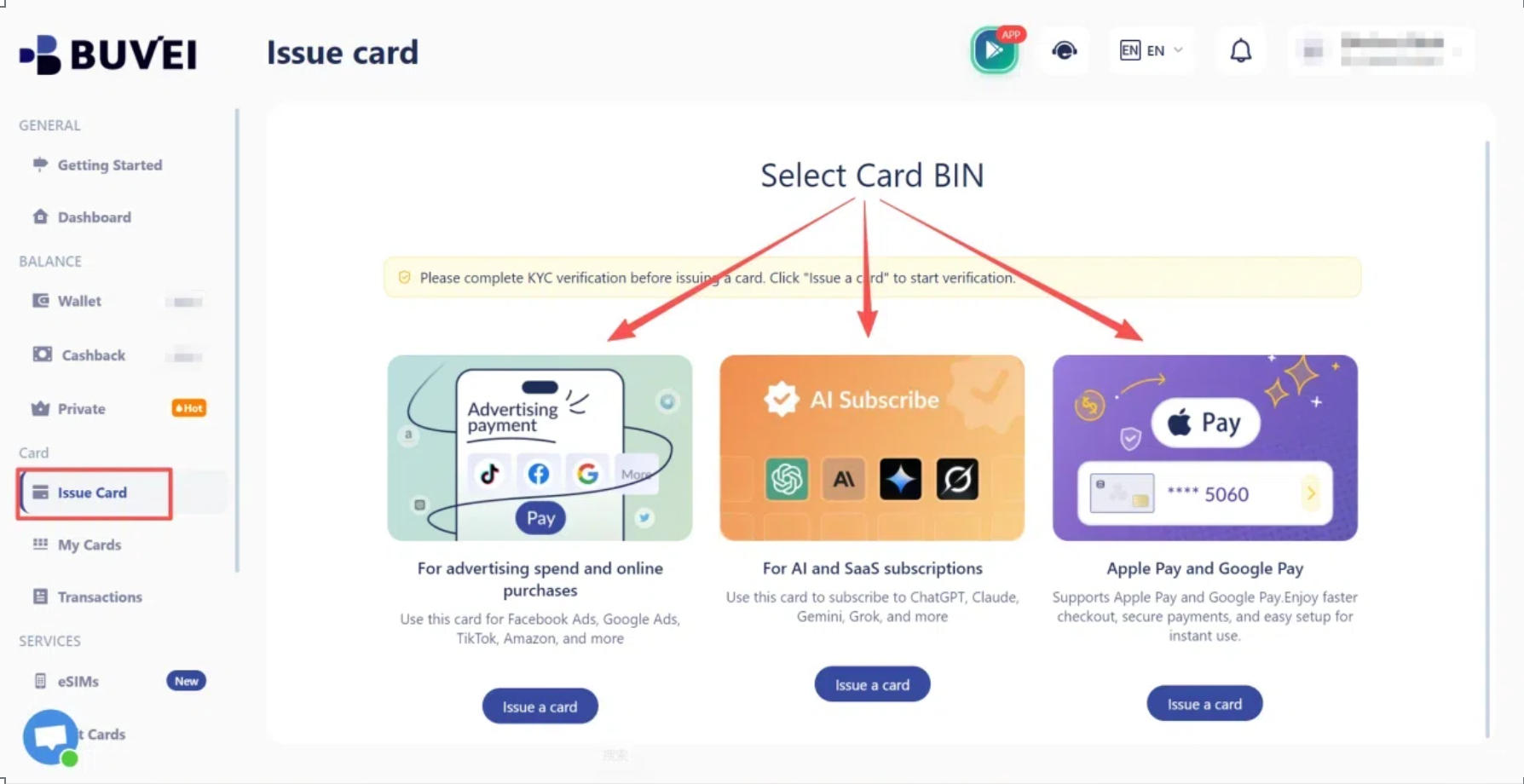
Enter the card name, amount, and number of cards you want to issue, then submit your request.
After issuance, open My Cards to view your card number, expiration date, and CVV. You can also review card activity and transaction details.
Before using a card for an AI subscription, check whether the service provider accepts the selected card type and issuing region.
Conclusion
Duplicate AI subscriptions often happen when teams purchase tools independently without knowing what the company already pays for. Keeping a shared record of subscriptions, assigning clear ownership, and checking recurring payments can help founders catch unnecessary expenses before they add up.
As the number of AI tools grows, having a clear way to organize payments becomes just as important. BUVEI allows businesses to assign virtual cards to different tools or teams, set individual spending limits, and review transactions by card. This gives founders and finance teams a more organized way to handle AI subscription expenses without losing track of where the money goes.