As Temu continues to grow as a global sourcing and B2C shopping platform, many businesses and individual buyers are turning to Buvei virtual cards for secure, flexible, and borderless payments. Whether you're sourcing products for resale or making personal purchases, this guide walks you through the complete process of placing an order on Temu using a Buvei virtual card.

Why Use a Buvei Virtual Card on Temu?
Buvei virtual cards support stablecoin top-ups (USDT TRC20/ERC20), offer multi-BIN options, and are compatible with major e-commerce platforms. For Temu buyers, this means:
-
✅ Seamless cross-border transactions
-
✅ Control over budget with spend limits
-
✅ Enhanced security—no need to expose personal card info
-
✅ Bypass of region-based card acceptance issues

Step 1: Add Your Virtual Card to Temu
Now that your virtual card is ready, go to Temu and:
-
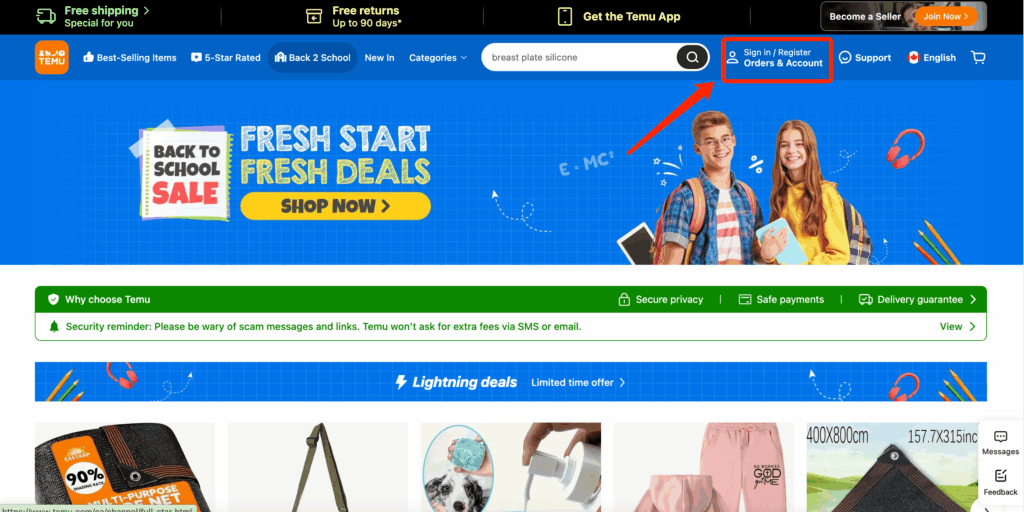
Log in or sign up Temu
-
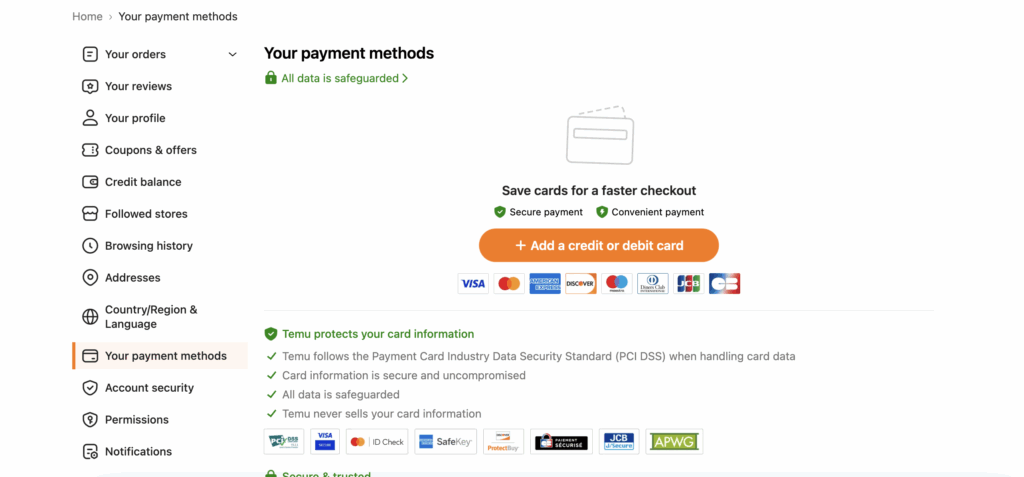
Go to Account > Payment Methods
-
Click Add a Credit/Debit Card
-
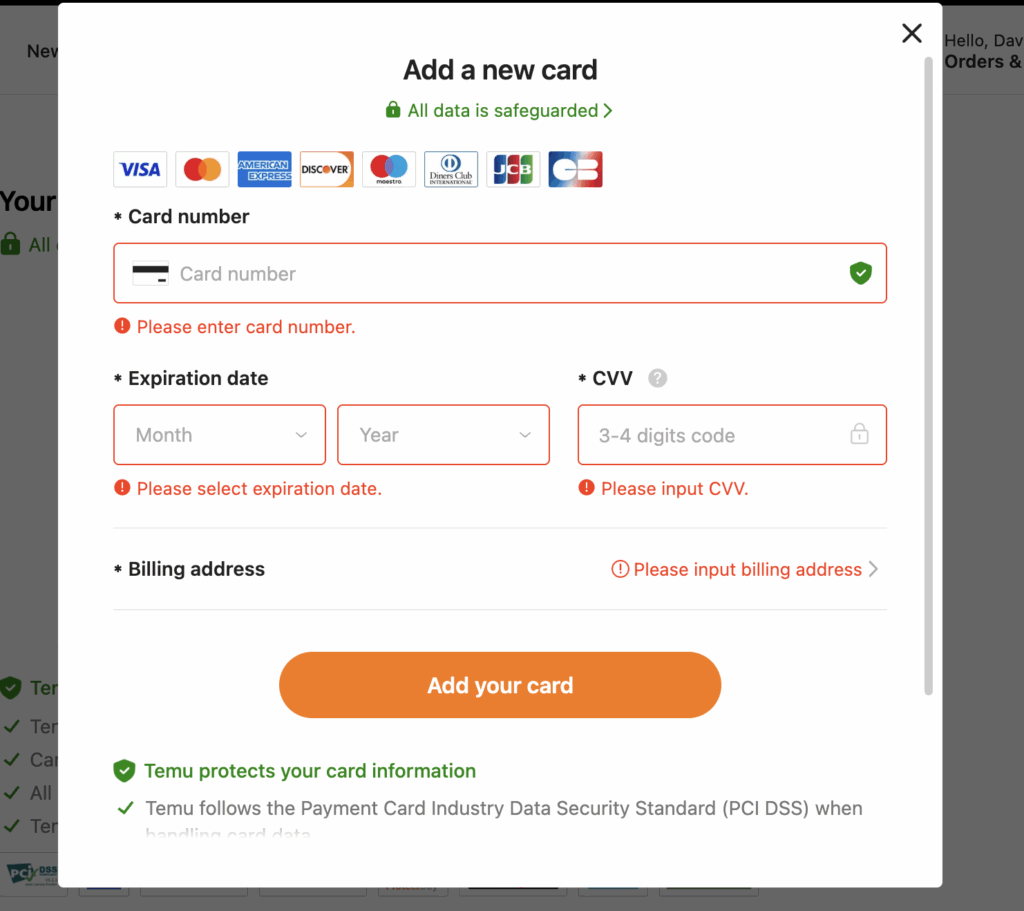
Enter your Buvei virtual card details (card number, expiry, CVV)
-
Ensure your billing country matches the card’s BIN issuing country
Once added successfully, the card will be available during checkout for seamless payment.
Step 2:Place Your Order on Temu
-
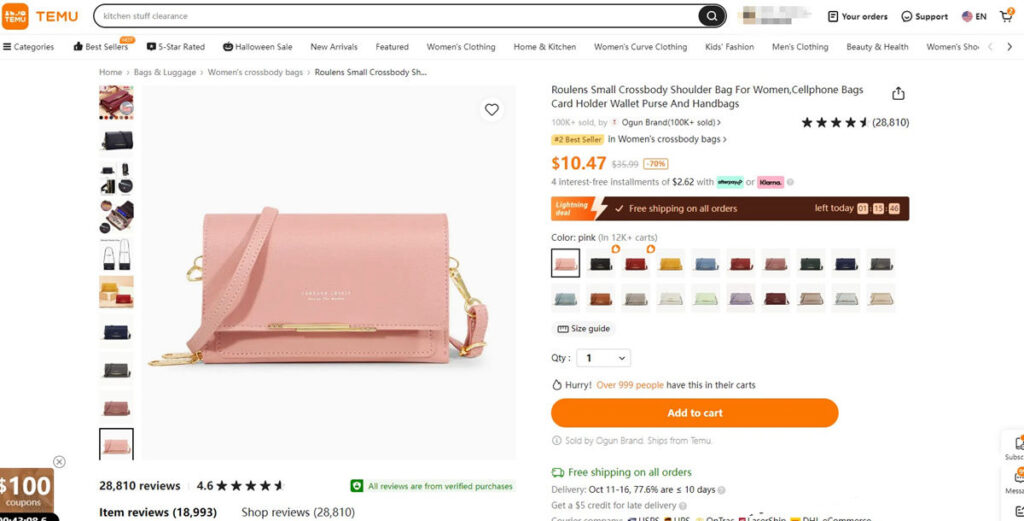
Add your desired products to the cart
-
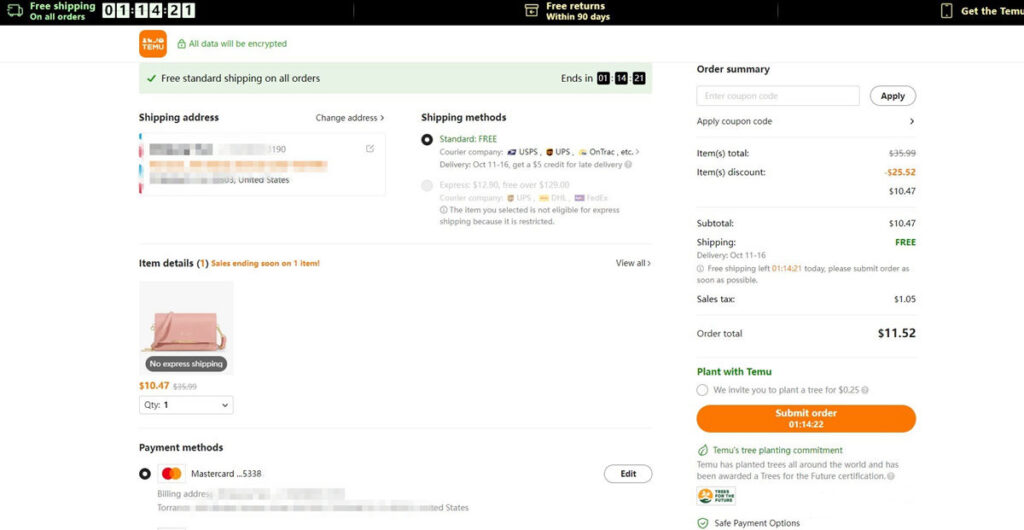
Proceed to checkout
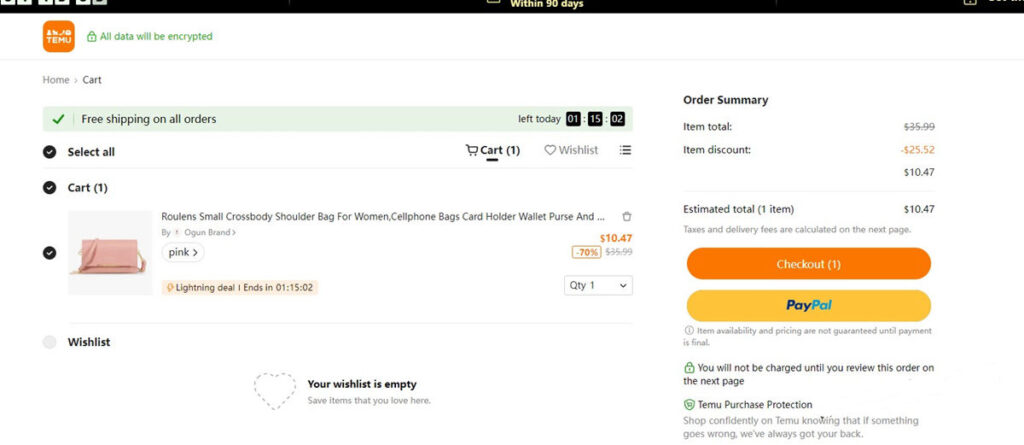
At the payment stage:
- Click Submit Order to finalize your purchase.
- At this point, your credit card will be charged, and you can view the transaction details in your account.
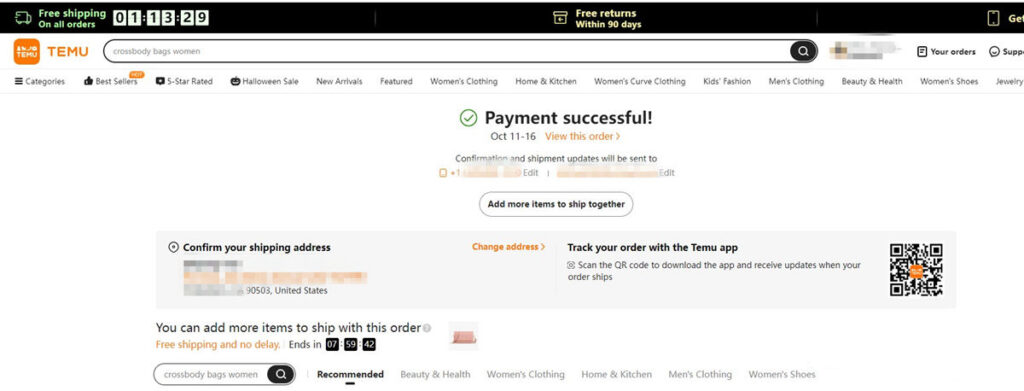
- Once payment is successful, the item will be packed and shipped within the estimated delivery time.
Step 3:Create Virtual Credit Card
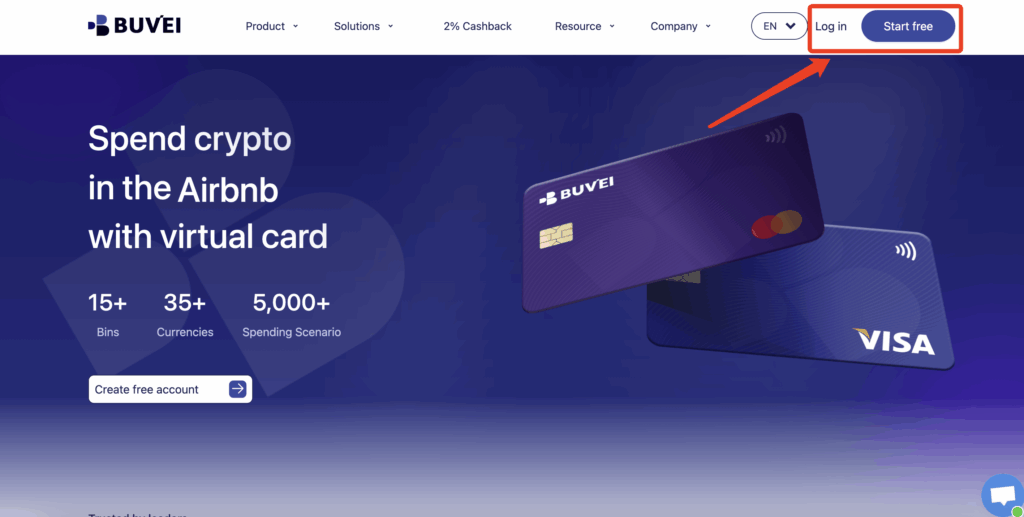
- If you haven’t registered yet, visit https://buvei.com and create a free account.
- After email verification, log in to access the Buvei dashboard.
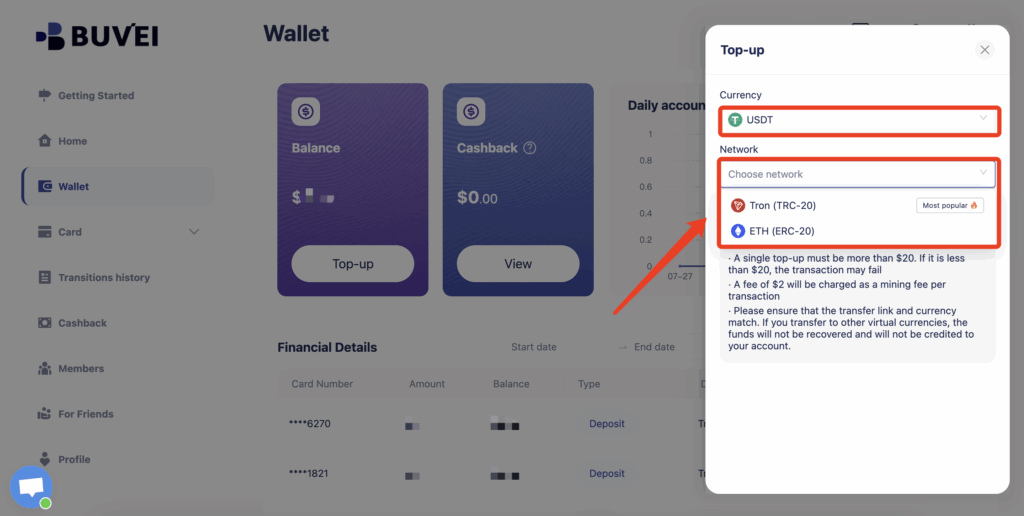
- Navigate to the Wallet tab and top up using supported stablecoins like USDT (TRC20/ERC20). You’ll receive a unique address—copy it and send your funds.
- Once confirmed, your balance will appear in the wallet for immediate use.
Step 4: Create a Virtual Card
-
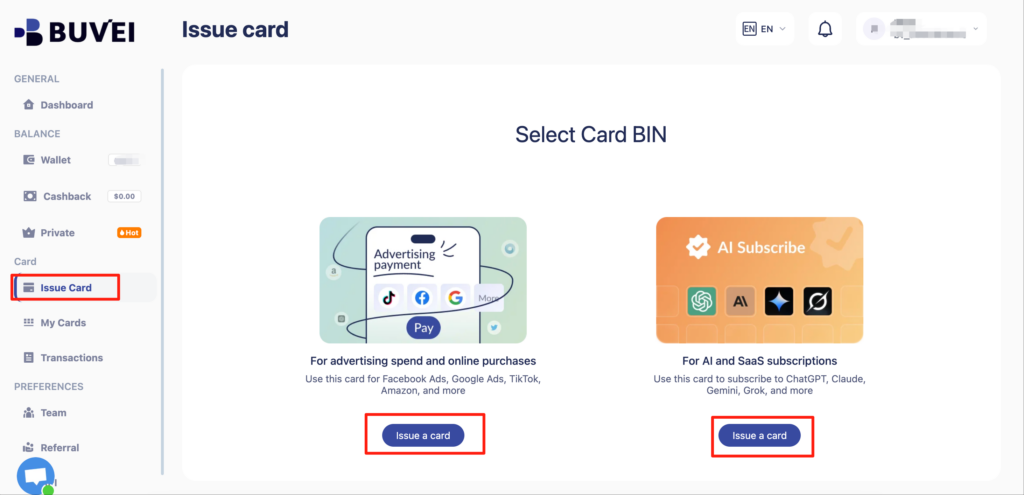
Go to the Card tab
-
Choose your preferred BIN region
-
Select your card type (Visa/Mastercard)
- Click Issue
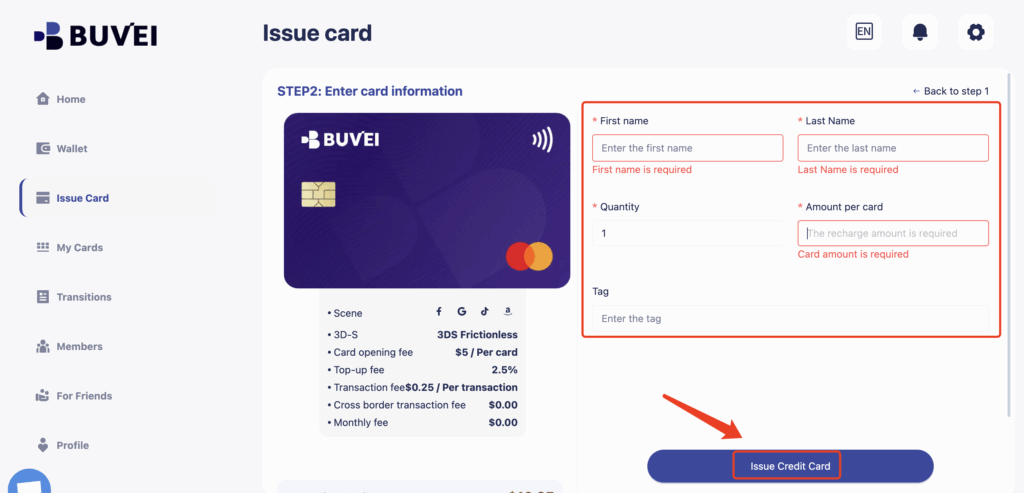
- Fill in the virtual card details, including name, amount, and number of cards.
-
Click Issue Card
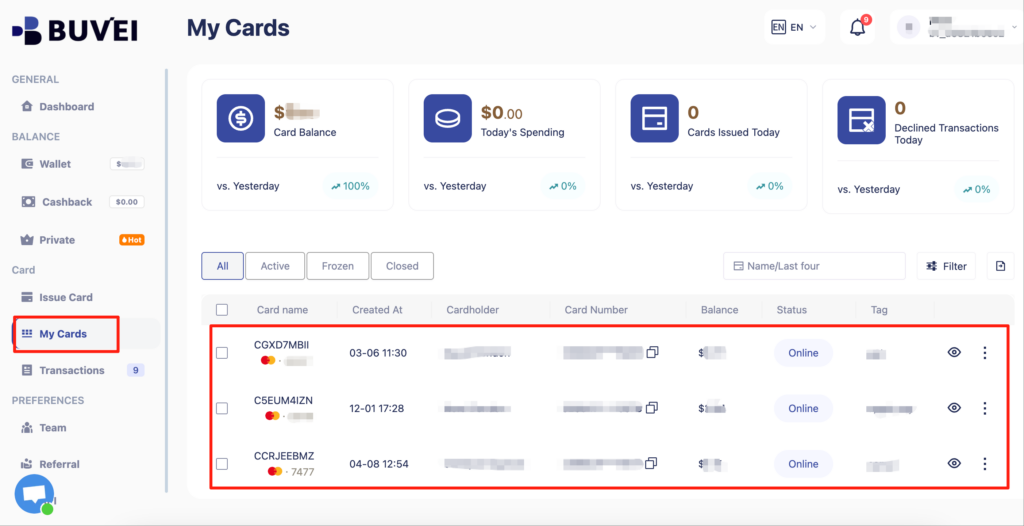
Once created, navigate to My Cards to access your card details:
-
Card Number
-
Expiration Date
-
CVV
Common Troubleshooting Tips
-
Card declined? Check if your Temu account region and card BIN match
-
Currency mismatch? Use cards that support USD, which Temu primarily uses
-
VPN needed? If you’re outside the issuing country, a matching VPN is recommended

Why Businesses Use Buvei for Temu Orders
For resellers, dropshippers, and procurement agents, Buvei offers:
-
Multiple virtual cards per user
-
Spend caps for team controls
-
Compatibility with marketplaces like Temu, AliExpress, and Amazon
-
Stablecoin-friendly funding for crypto-native teams
Ready to Start?
👉 Sign up on Buvei now and take control of your cross-border purchases with ease and precision.