As global teams accelerate digital collaboration, Zoom has become a go-to platform for enterprise communication. But for companies with distributed teams, remote employees, or project-based structures, managing Zoom subscription costs and financial reporting can quickly spiral out of control.
Using a virtual card to pay for Zoom offers not only greater flexibility and security but also allows companies to take full control over SaaS subscription workflows. Here's a complete guide to help you get started.
Why Use a Virtual Card for Zoom?
Linking a company or personal credit card directly to Zoom can introduce serious financial management risks:
📉 Scattered spending records with no centralized visibility
🔐 Card misuse or shared access by team members
🧾 No way to enforce monthly limits—leading to budget overruns
⚠️ Auto-renewals continue after employees leave or projects end
With Buvei virtual cards, you can assign a unique card to each team, subscription, or department—set limits, activate merchant lock, and allow only Zoom to charge the card. That’s programmable payment control from day one.

How to Subscribe to Zoom Using a Virtual Card
Just 3 simple steps to activate your Zoom subscription securely.
Step 1: Log in to Zoom and open the billing page
- Go to Zoom’s official website and log in with your company account.
- Navigate to your account settings → Billing or Subscription.
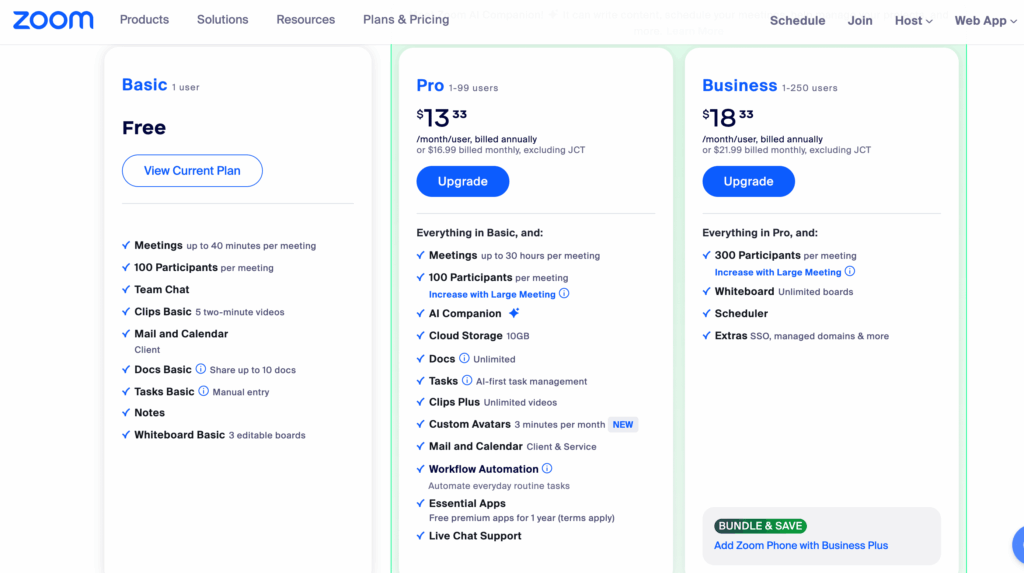
Step 2: Choose a subscription plan
- Select the plan that best fits your needs (Pro, Business, or Enterprise).
- Click Upgrade to proceed to checkout.
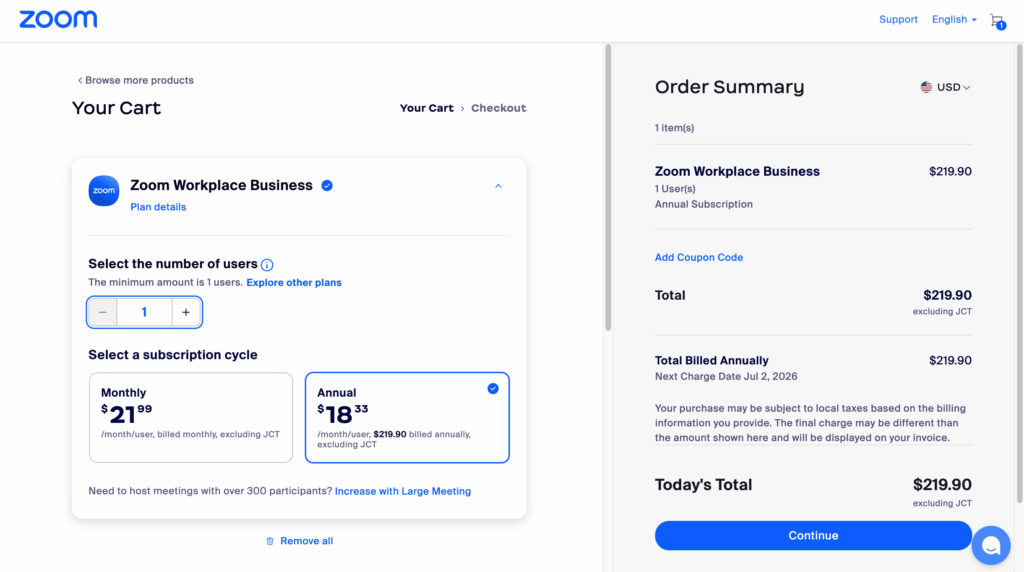
Step 3: Add your Buvei virtual card and pay Choose Credit Card as your payment method.
Enter the following Buvei virtual card details:
-
Card Number
-
Expiration Date
-
CVV Security Code
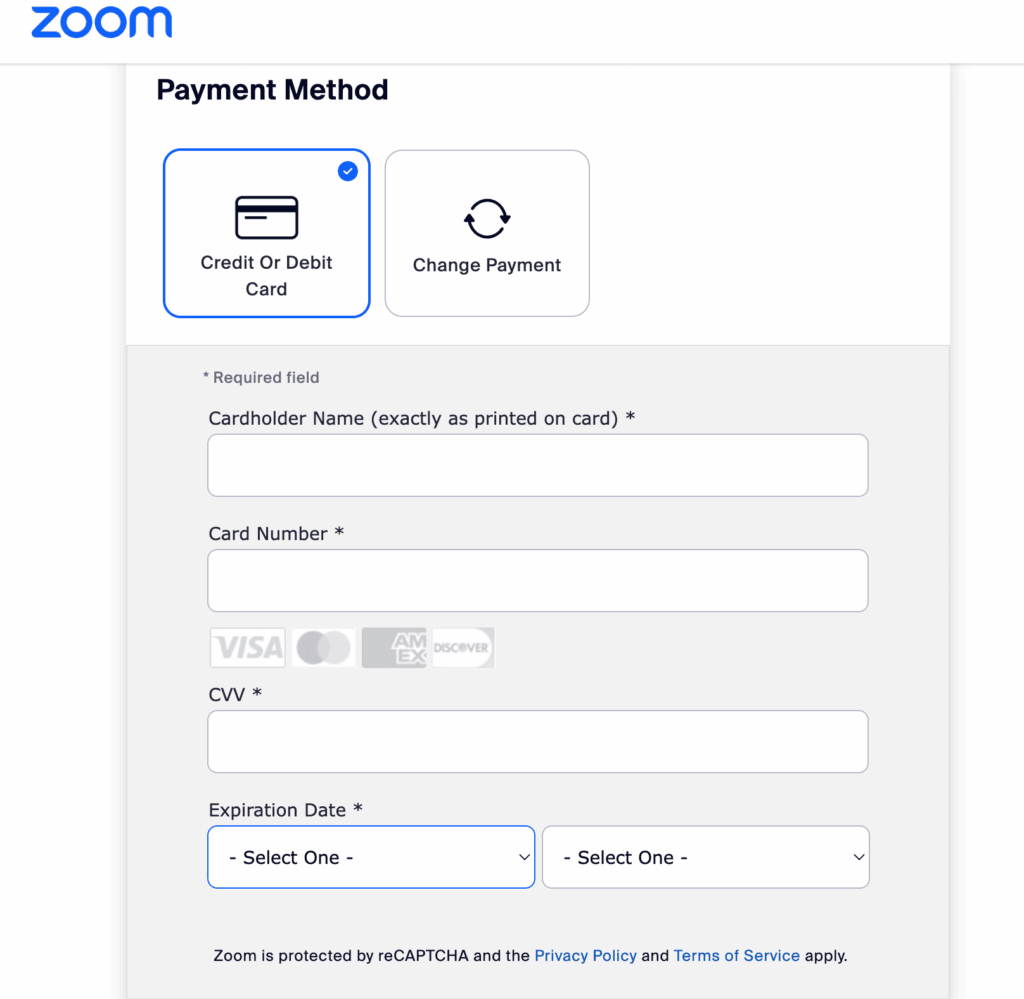
Once submitted, Zoom will charge the card and activate your subscription immediately.
Key Advantages of Using Virtual Cards for Zoom
-
Risk isolation: Each card is locked to Zoom only, reducing cross-platform risks
-
Spend controls: Set monthly charge limits (e.g., $219), block overspending
-
Deactivation on demand: Freeze or cancel cards if a project ends or a team member exits
-
Real-time reporting: All Zoom charges are synced back to the Buvei dashboard for easy reconciliation
If you haven’t created a card yet, here’s how to do it in minutes:
How to Quickly Create a Buvei Virtual Card
-
Visit Buvei.com and log in or create an account
- Go to Wallet to deposit funds (supporting USDT or crypto wallets)
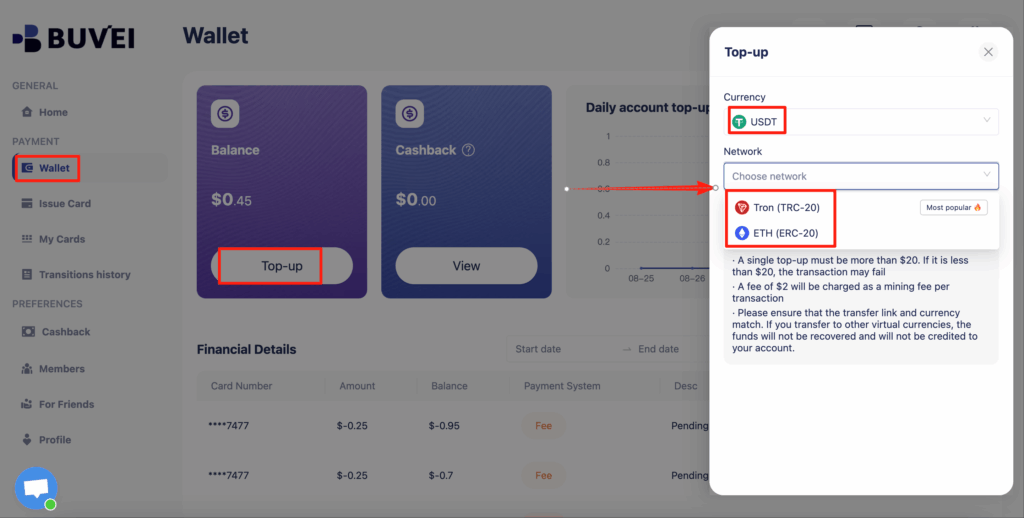
-
After topping up, go to the Virtual Cards page and select your preferred BIN(For example, a US BIN)

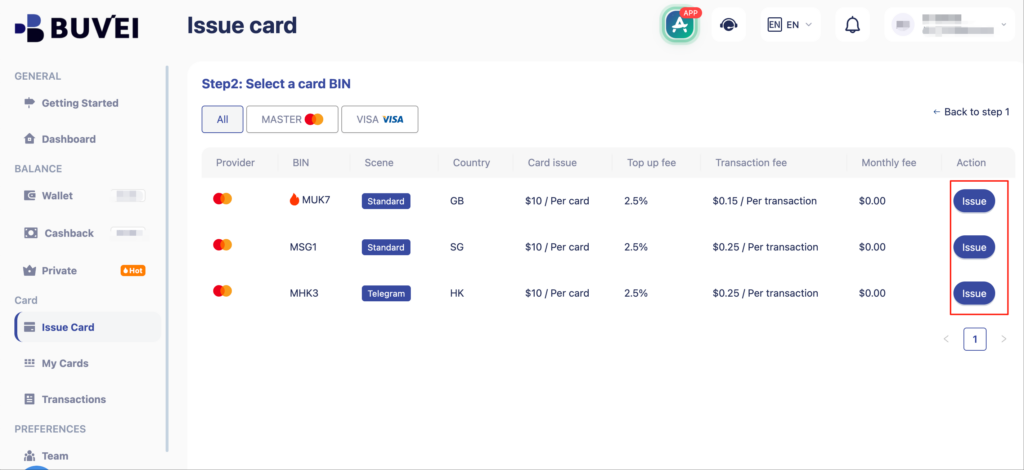
- Fill in card details (name, email, amount to fund) and confirm

- Your card is generated under the My Cards tab—view your card number, expiration, and CVV
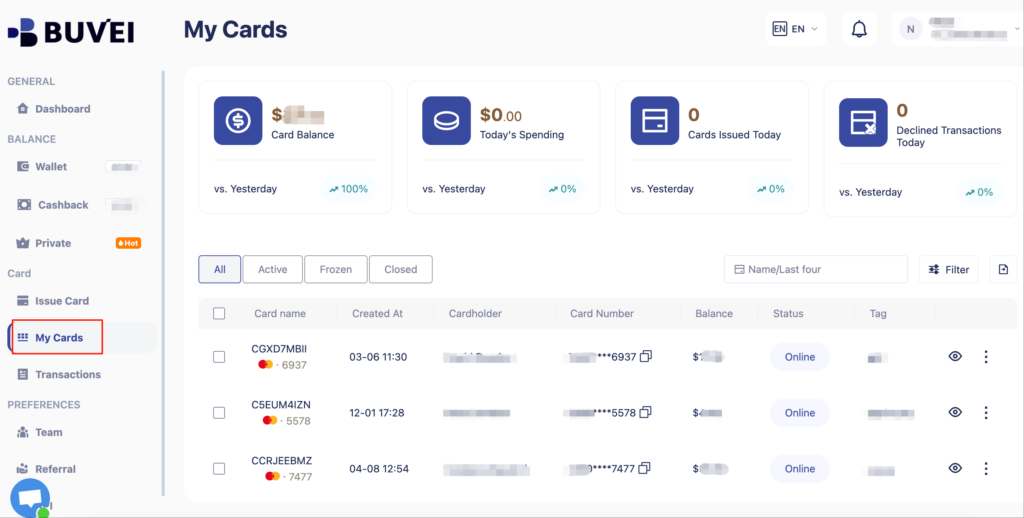
Once the card is created, return to Zoom’s checkout page, enter the card info, and complete the payment.
Pro Tips for Advanced Usage
-
Create different Zoom cards for departments to track costs by team
-
Enable Merchant Lock so the card only works on Zoom
-
Set an auto-expiration—e.g., deactivate the card 1 week after the project ends
Enterprise Subscriptions Deserve Enterprise Payment Tools
Buvei is built for global businesses, Web3 startups, and remote teams. Our virtual cards support crypto-based funding (USDT, ETH), programmable spend limits, and advanced security—making it the go-to solution for managing enterprise SaaS subscriptions like Zoom.
👉 Start issuing virtual cards with Buvei and take control of your Zoom billing today.