



Introduction
Businesses need a reliable way to track virtual card payments when using multiple cards for advertising, SaaS subscriptions, software, and other online services. As transactions add up, it becomes harder to identify which project each charge belongs to and find the corresponding invoice.
A card statement shows payment activity, but it doesn't always explain what was purchased or which billing period the charge covers. Businesses need to compare transaction records with merchant invoices to keep expense records accurate.
This guide explains how to review virtual card transactions, match payments with invoices, and organize expenses for monthly reconciliation.
What Information Can You Track with a Virtual Card?
A virtual card dashboard typically provides a transaction history that helps users review their spending.
Understanding Virtual Card Transaction Records
Depending on the platform, transaction records may include:
| Transaction Detail | What It Shows |
|---|---|
| Transaction Date | When the payment was attempted or processed |
| Merchant Name | The business receiving the payment |
| Transaction Amount | The amount charged |
| Currency | The transaction currency |
| Payment Status | Whether the payment is pending, completed, or declined |
| Card Information | The card used, sometimes identified by its last four digits |
These details are useful when checking recurring subscriptions or identifying unfamiliar charges. For example, a monthly payment to a software provider may appear under a billing descriptor that differs from the product's brand name.
The transaction record helps identify the payment, but you may still need the merchant's invoice to confirm exactly what was purchased.
Transaction Records vs. Merchant Invoices
These two documents serve different purposes.
| Transaction Records | Merchant Invoices |
|---|---|
| Show payment activity | Describe the purchased product or service |
| Record transaction dates | Show invoice dates and billing periods |
| Display transaction amounts | Break down prices, taxes, and fees |
| Identify the merchant | Provide supplier and invoice details |
| Show payment status | Document the billed amount |
For example, a card transaction might show a $49.99 charge from a software provider. The invoice can identify the subscription plan, billing period, and applicable taxes.
For business expense records, keep both. A transaction confirms payment activity, while the invoice provides details about the purchase.
How to Organize Virtual Cards for Easier Expense Tracking
When several projects share the same payment card, identifying individual expenses can become difficult. Assigning cards to different spending needs gives each transaction a clearer purpose.
Assign Cards to Different Expenses
Businesses can organize virtual cards by expense category or project:
- Advertising: Meta Ads, Google Ads, and TikTok Ads.
- SaaS Subscriptions: ChatGPT, Canva, and Notion.
- Software Purchases: Development tools and business software.
- Client Projects: Separate cards for individual clients or campaigns.
For an agency managing multiple clients, using separate cards for different advertising accounts makes it easier to identify which client generated a charge.
Keep a simple record of each card's assigned purpose and responsible employee.
Set Spending Limits
A card used for recurring software subscriptions may need a predictable monthly limit. An advertising card, on the other hand, may need more room when campaign budgets increase.
Review card limits whenever a project receives additional funding or a subscription changes. This helps prevent an outdated limit from interrupting a payment.
How to Track Virtual Card Payments Step by Step
Once your cards are organized, regular transaction reviews help keep payment records accurate.
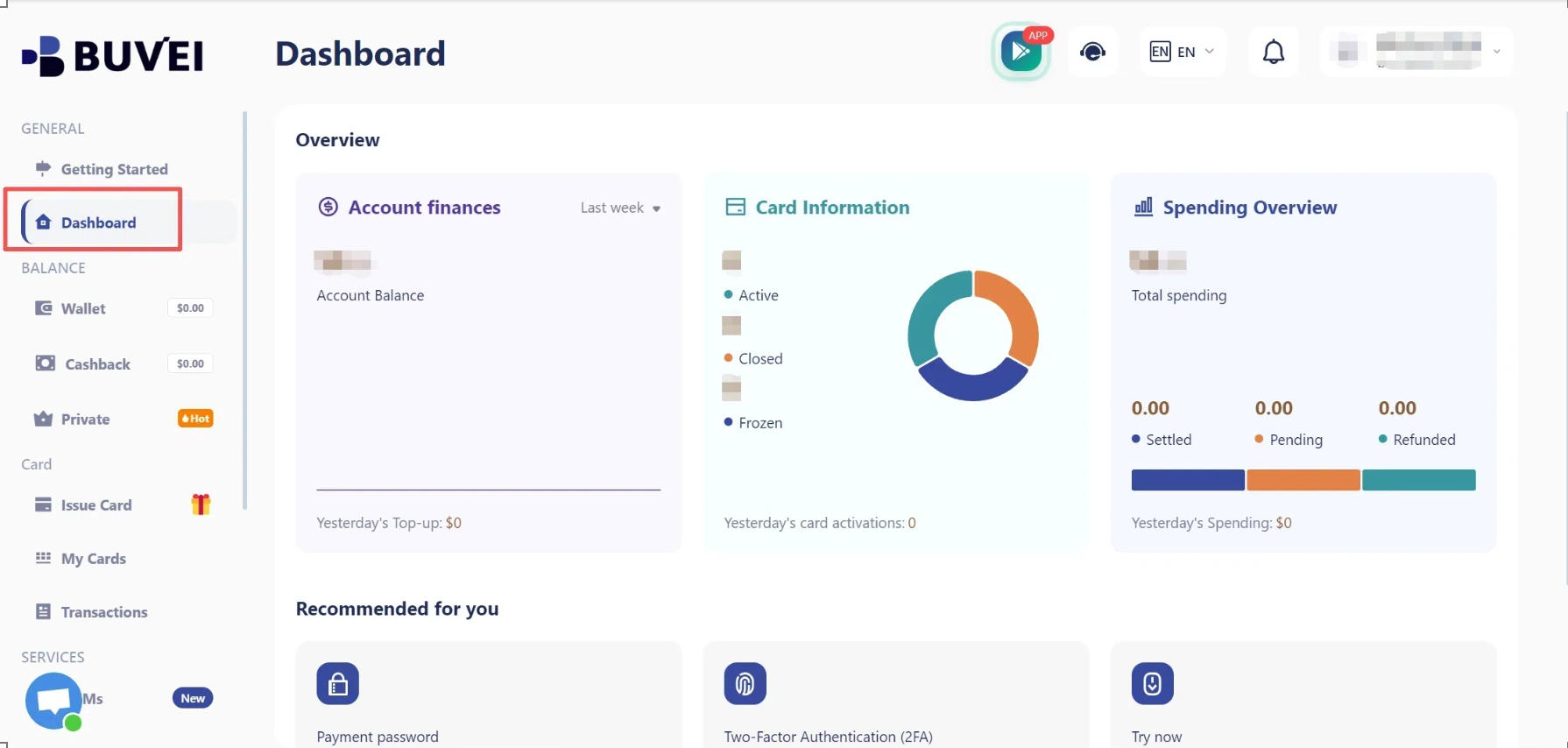
Step 1: Open Your Virtual Card Dashboard
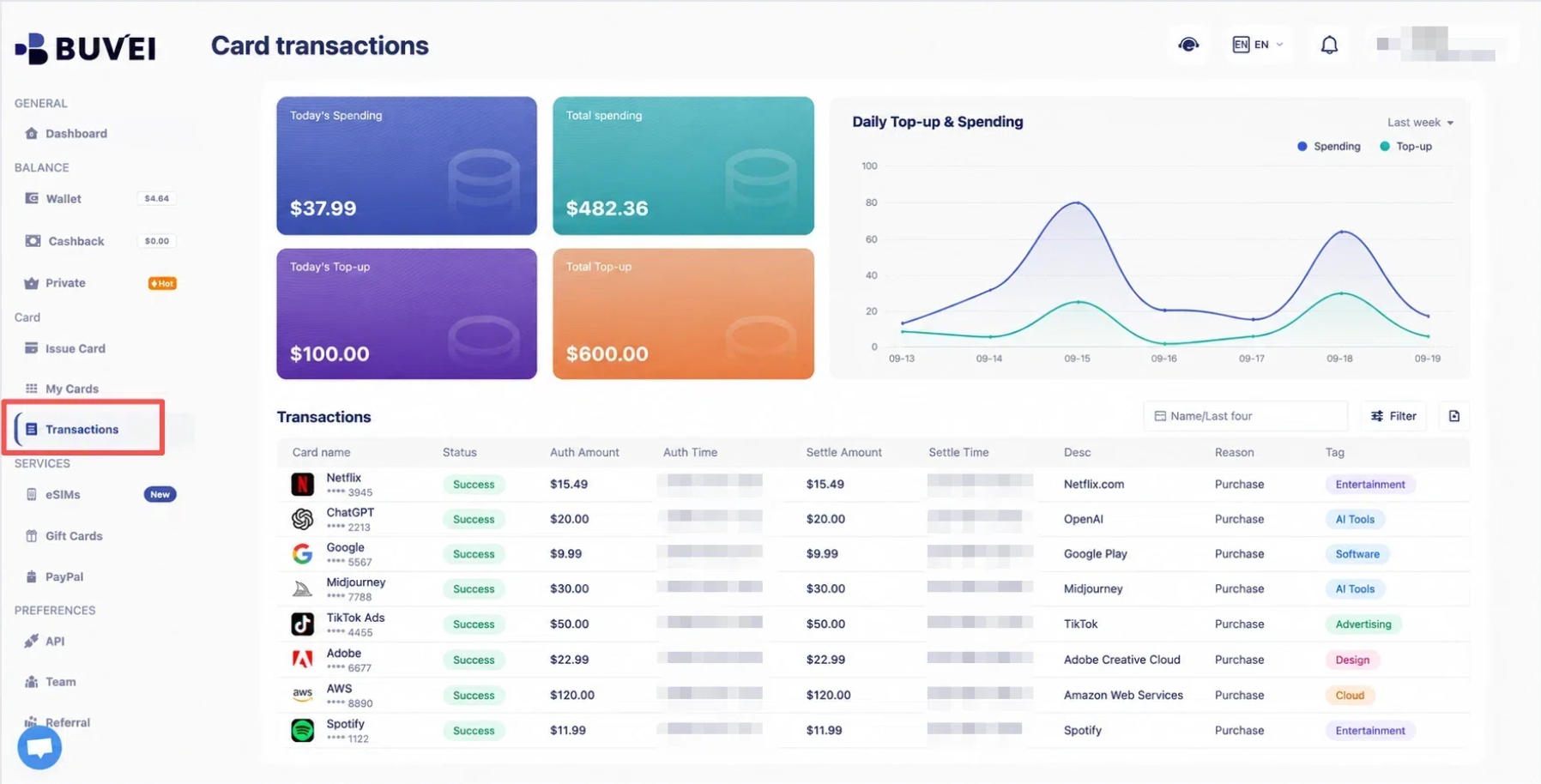
Sign in to your virtual card platform and open the card management or transaction history section.
If the platform provides individual card activity, select the card you want to review. This is particularly useful when different cards are assigned to separate projects or employees.
Step 2: Review Transactions and Payment Status
Check the merchant, transaction date, amount, currency, and card used.
Common payment statuses include:
| Status | Meaning |
|---|---|
| Pending | The transaction has not reached its final status |
| Completed | The transaction has been processed successfully |
| Failed / Declined | The payment was unsuccessful |
| Refunded | A refund has been recorded |
Status names vary between platforms. A refund may appear as a separate credit rather than an update to the original transaction.
Don't record every pending payment as a completed expense. Check its final status before closing your records.
Step 3: Record Transactions by Project or Expense Type
Once you've reviewed the payments, assign each transaction to the right expense category.
For example:
| Merchant | Amount | Category | Project |
|---|---|---|---|
| Meta Ads | $200 | Advertising | Client A |
| ChatGPT | $49.99 | SaaS | Internal Operations |
| Canva | $15 | Software | Client B |
A spreadsheet is often enough for this. Record the transaction date, merchant, amount, category, project, and payment status.

How to Match Virtual Card Payments with Invoices
A transaction tells you that a payment occurred. The invoice tells you what the supplier billed for. Matching the two helps prevent business expenses from being left without supporting documents.
Collect Receipts and Supplier Invoices
Save the receipt or invoice whenever a business purchase is made.
Common documents include:
- SaaS subscription invoices
- Advertising invoices
- Software purchase receipts
- Supplier invoices
- Order confirmations
Most online services provide billing documents through an account dashboard, billing section, or email confirmation.
For recurring subscriptions, download invoices regularly and organize them by billing period. Searching through months of email later to find one missing receipt is an avoidable administrative hobby.
Match Transactions with Invoice Details
Compare the transaction record with the merchant invoice. Focus on:
- Merchant Name: Does the supplier match?
- Transaction Date: Does the payment correspond to the invoice period?
- Invoice Number: Can the document be identified and retrieved later?
- Payment Amount: Does the charge match the invoice total?
- Currency and Tax: Are the currency and applicable taxes consistent?
Consider a business that pays $49.99 for a monthly software subscription using a virtual card.
The transaction history shows a $49.99 payment to the software provider. The corresponding invoice lists the same supplier, amount, and billing period.
The finance team can match these records and assign the expense to the correct subscription category. The invoice number should also be recorded in the expense sheet, since it may not appear in the card transaction history.
Handle Missing or Mismatched Invoices
A difference between the card charge and invoice total doesn't automatically mean something went wrong.
Common reasons include:
- Taxes and Fees: The final charge may include taxes or additional fees.
- Currency Conversion: The invoice and card transaction may use different currencies.
- Partial Charges: A supplier may collect payment through multiple transactions.
- Refunds: A refund may appear separately or take additional time to process.
- Missing Invoices: The document may be available in the merchant's billing portal or sent to another email address.
Start by checking the merchant's billing history and the transaction details. If an invoice is missing, download another copy from the supplier's account portal or contact its billing team.
For amount differences, compare the original invoice, currency conversion, taxes, and any separate transactions before marking the expense as reconciled.
How to Reconcile Virtual Card Expenses Monthly
At the end of each month, bring transaction records and invoices together to review business spending.
Review Spending and Outstanding Items
Group completed transactions by expense category and compare them with the corresponding invoices.
For example:
| Expense Category | Monthly Spending |
|---|---|
| Advertising | $1,200 |
| SaaS Subscriptions | $350 |
| Software Purchases | $180 |
| Other Business Expenses | $270 |
| Total | $2,000 |
These figures are illustrative. Actual totals should come from the business's transaction records.
Before closing the monthly records, check for:
- Payments without corresponding invoices.
- Pending transactions that need another review.
- Refunds that have not appeared.
- Duplicate or unfamiliar charges.
- Differences between transaction amounts and invoice totals.
Keep unresolved items separate and record who is responsible for following up. Don't mark an expense as fully reconciled until the supporting details have been checked.
How BUVEI Helps Organize Virtual Card Payments
Managing several payment methods becomes easier when cards can be assigned to different expenses and monitored separately.
BUVEI provides virtual Visa and Mastercard cards with multiple BIN options and card management features for different online payment needs.
Multiple Cards for Different Expenses
Businesses can issue separate virtual cards for advertising, software subscriptions, individual projects, or different clients.
For an agency, this means using different cards for different client campaigns rather than mixing all advertising charges together.
Transaction Monitoring and Spending Controls
BUVEI provides transaction monitoring and card management capabilities. Users can also manage individual cards through available controls, including:
- Setting spending limits.
- Freezing and unfreezing cards.
- Closing cards when they are no longer needed.
For example, if a project ends or a card is no longer needed, it can be frozen or closed rather than left available for future charges.
BUVEI transaction records can support expense tracking, but merchant invoices and receipts still need to be collected from the relevant service providers.
Frequently Asked Questions
Can Virtual Card Transaction Records Replace Invoices?
No. Transaction records show payment activity, while invoices provide details about the purchased products or services, including supplier information, billing periods, and taxes.
Businesses should keep both records for complete expense documentation.
How Often Should Businesses Reconcile Virtual Card Payments?
It depends on transaction volume. Businesses with relatively few payments may review expenses monthly, while agencies and companies handling frequent advertising or subscription payments may benefit from weekly checks.
Regular reviews make it easier to catch missing invoices, unexpected charges, and outstanding refunds before the end of the accounting period.
Conclusion
Tracking virtual card payments involves more than checking how much money has been spent. Businesses also need to know where each payment went, which project it belongs to, and whether the corresponding invoice has been recorded.
Organizing cards, reviewing transactions, and matching payments with merchant invoices gives businesses a clearer picture of their expenses.
BUVEI's multiple virtual cards and card management features can help organize payment activity across different projects and spending needs. Combined with proper invoice collection and regular reviews, they provide a more structured way to manage business expenses.