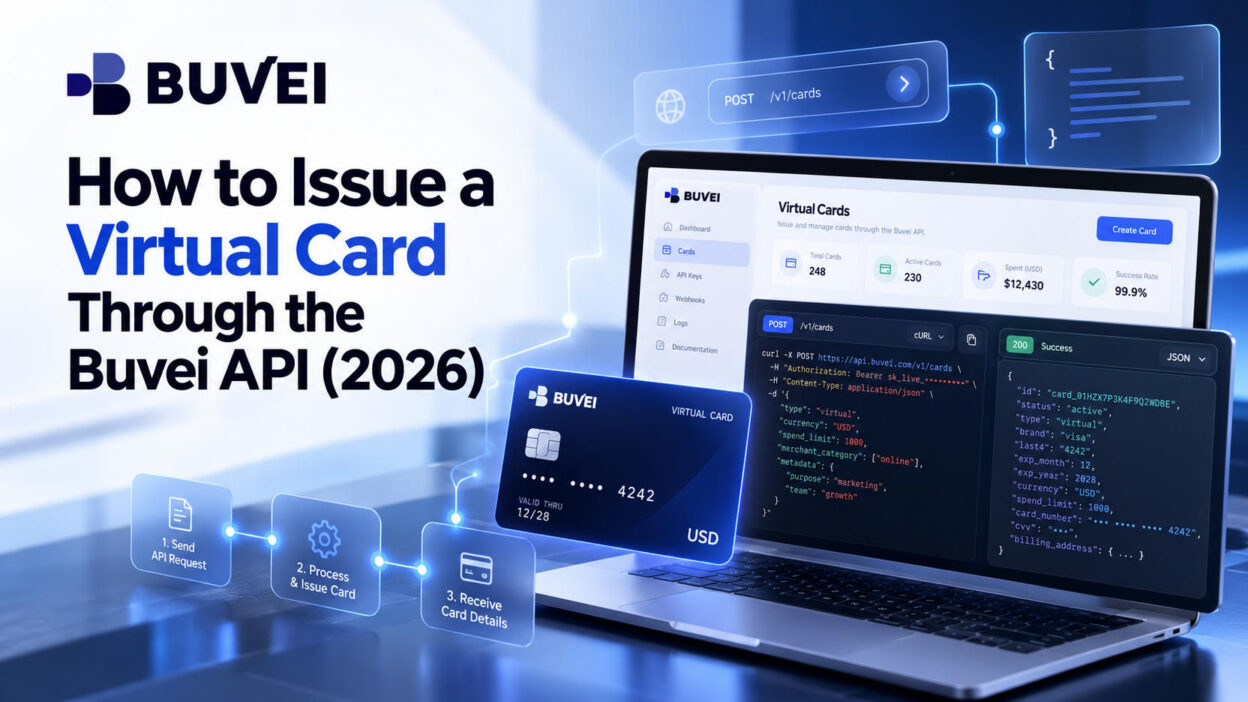
Need to create virtual cards automatically for customers, projects, or business accounts? The Buvei API allows developers to integrate virtual card issuance into their own applications, reducing manual work and making card creation easier to scale.
This guide covers the complete process, from preparing your account and selecting a card BIN to issuing a virtual card and confirming that it is ready to use.
What You Need Before Issuing a Virtual Card
Before getting started, make sure you have:
- A Buvei account with API access enabled
- An API Key and API Secret
- A static outbound IP address approved for API access
- An HTTPS endpoint for receiving Webhook notifications
- Sufficient wallet funds for the intended card issuance
If you're new to Buvei, register an account and familiarize yourself with the card management dashboard before starting the integration.
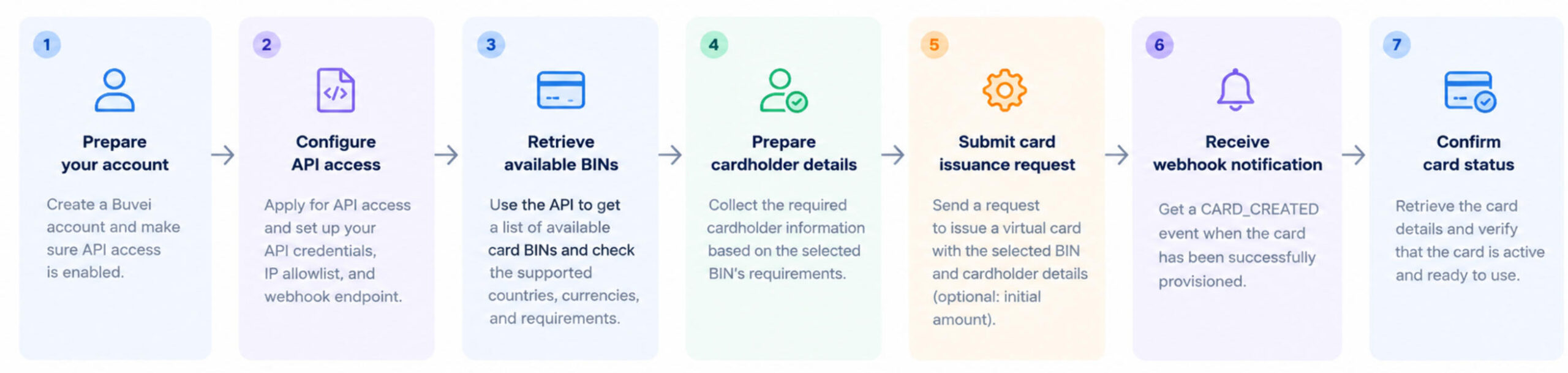
Step 1: Register for Buvei and Fund Your Wallet
Create a Buvei account
Visit Buvei.com, create an account, verify your email address, and log in to the dashboard.
Confirm that API access is available for your account before proceeding.
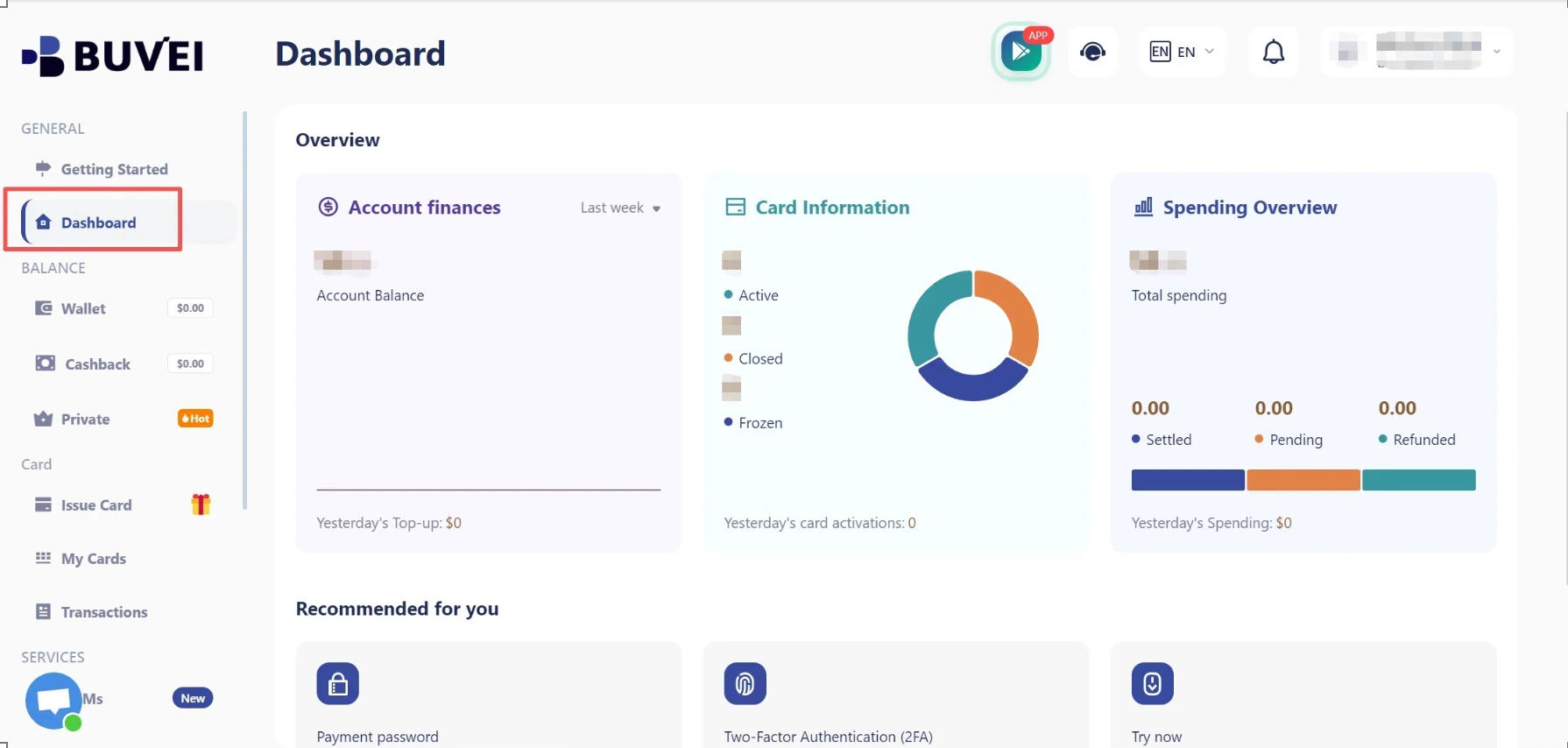
Top up your wallet
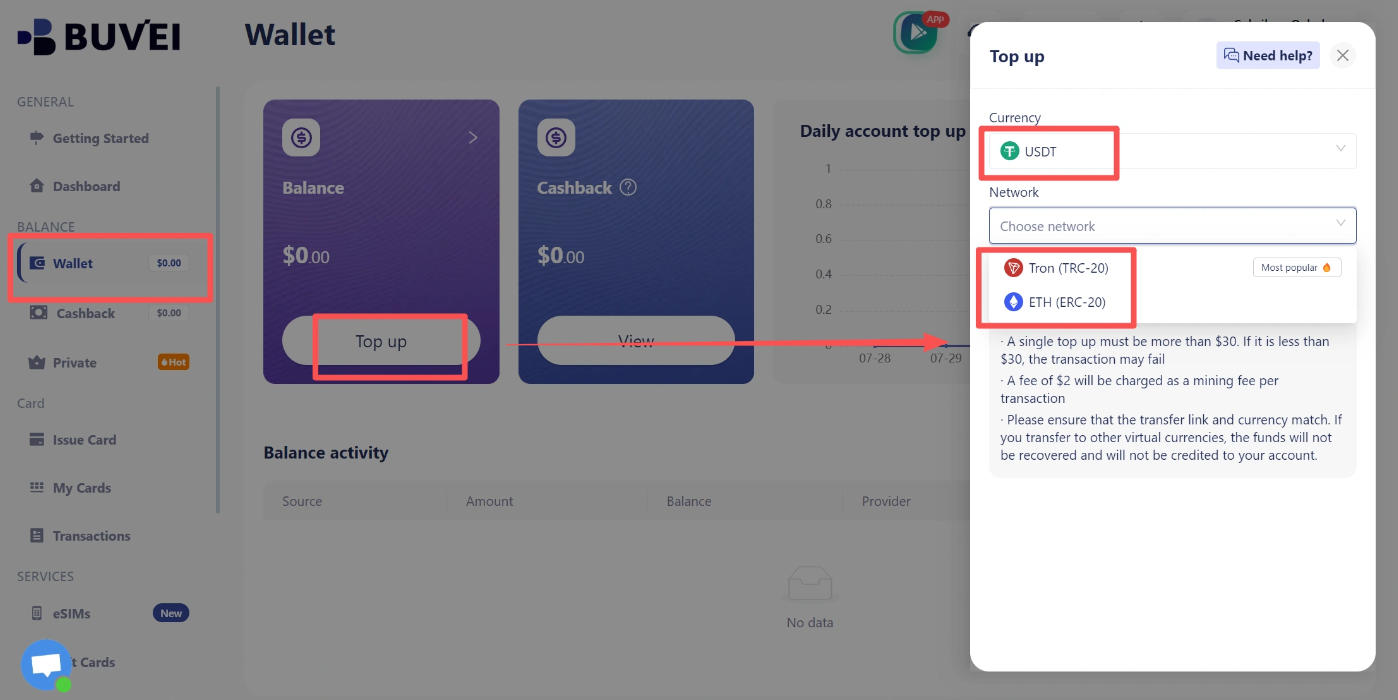
Open the Wallet section and choose a funding method supported by your account. If available, you can deposit USDT through TRC20 or ERC20.
Copy the deposit address, verify that the transfer network matches the selected network, and wait for the funds to arrive. Check your available balance before issuing a card.
Make sure your wallet can cover the initial card funding amount and any applicable fees.
Step 2: Get Your API Credentials and Configure Access
Obtain your API Key and API Secret from the API configuration area in your Buvei account.
The API Key identifies your project, while the API Secret is used to sign requests. Keep your API Secret secure and never expose it in frontend code or public repositories.
Next, provide the static outbound IP address your application uses to connect to Buvei for allowlisting. Requests from unapproved IP addresses may be rejected.
You'll also need an HTTPS endpoint to receive Webhook notifications. These notifications allow your application to respond when a card has finished being created.
Step 3: Authenticate Your Requests and Retrieve Available BINs
Before requesting a virtual card, make sure your API authentication is properly configured.
Each request must include your API credentials, a timestamp, a unique nonce, and a valid signature. Missing or incorrect authentication information may cause the request to be rejected, so check these details before proceeding with card issuance.
Find an available card BIN
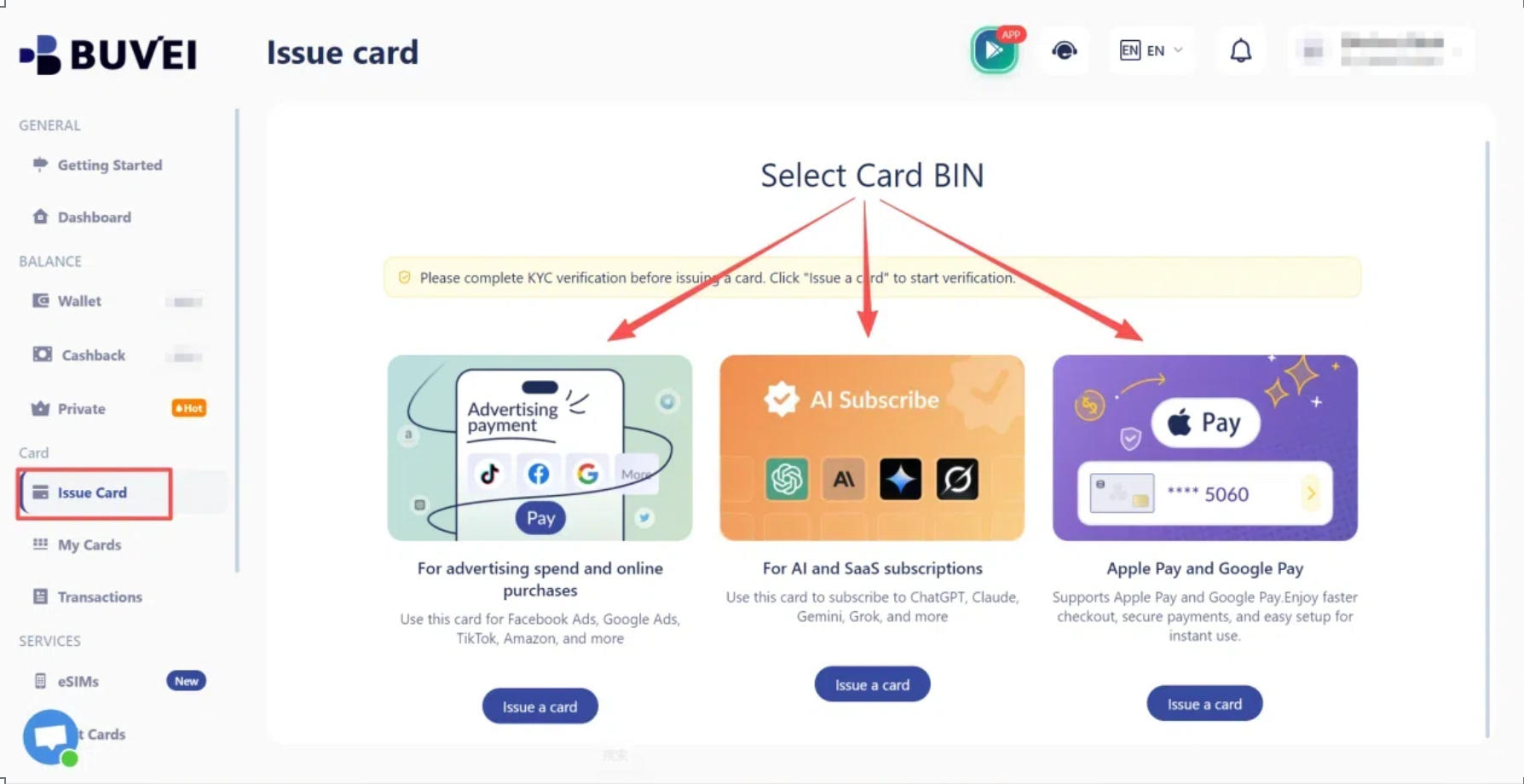
Before issuing a card, check which BINs are available to your project. Review each option's card network, issuing country, currency, and any additional cardholder requirements before choosing the most suitable one.
A BIN determines important card characteristics, including the card network, issuing country, and currency. The available information also indicates whether additional details, such as a mobile number, email address, PIN, billing address, or verified cardholder, are required.
Choose a BIN that fits your intended use case and keep its identifier available for the issuance request.
Check the requirements of your selected BIN before proceeding. Different BINs may have different verification requirements, and the card currency is determined by the selected BIN.
Step 4: Check the Cardholder Requirements
Before submitting a card issuance request, review the requirements for your chosen BIN.
Some BINs require cardholder verification, while others may require specific contact details or billing information. If KYC is required, complete the applicable verification process and confirm that the cardholder has been approved.
Depending on the BIN, you may also need to provide a mobile number, email address, PIN, or billing address.
Preparing these details in advance helps prevent avoidable request failures. Don't assume every virtual card has the same requirements.
Step 5: Issue a Virtual Card Through the Buvei API
Once you've selected a suitable BIN and prepared the required information, proceed with card issuance. Make sure all required cardholder details are complete and your wallet has sufficient funds before submitting the request.
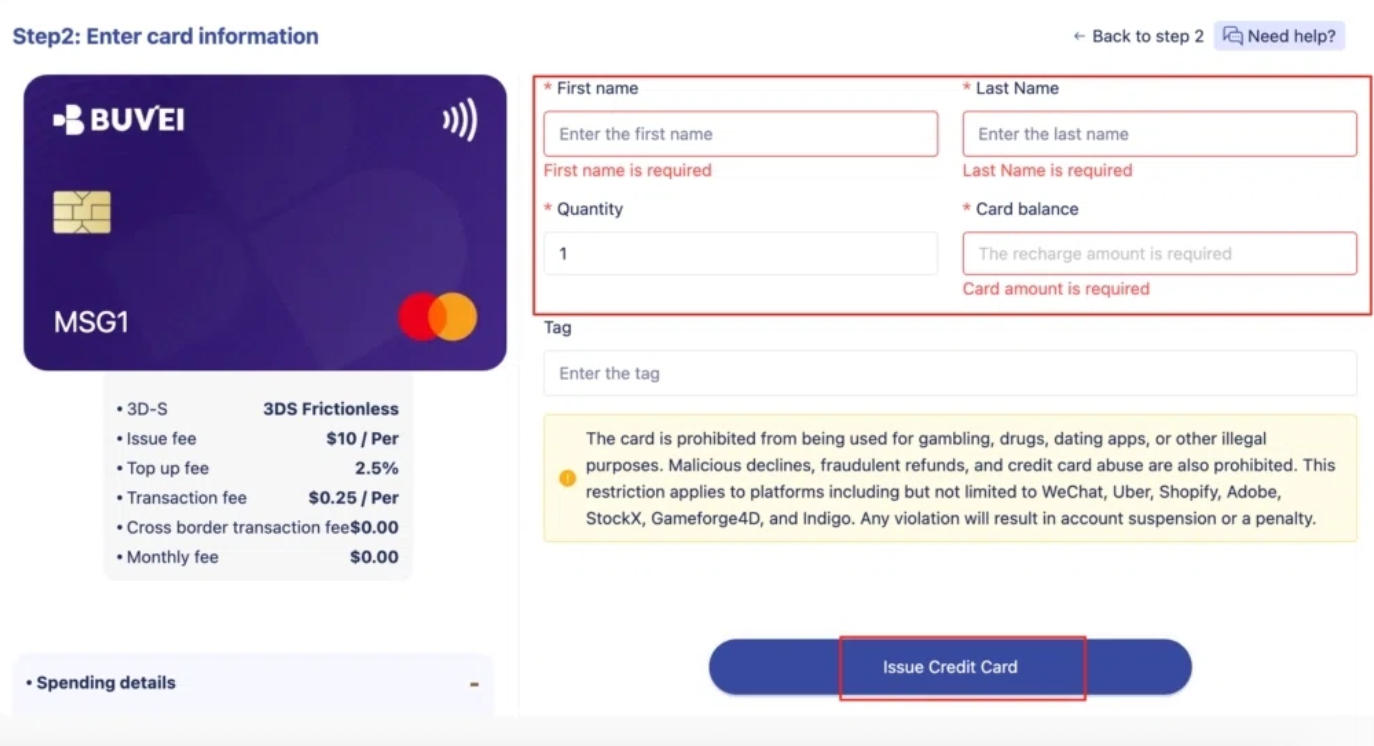
The request must include the selected card BIN, the initial funding amount, and the required cardholder details. Additional information may be necessary depending on the BIN. If cardholder verification is required, make sure the relevant cardholder has been approved before proceeding.
Check the initial funding amount
The initial funding amount must be submitted in the smallest currency unit. For example, an amount of 10,000 represents US$100.00.
The documented range is US$1.00 to US$40,000.00. Your available options may also depend on your account and the selected BIN, so confirm the applicable requirements before submitting the request.
After submission, the API returns a card identifier and an initial status. Card creation is asynchronous, so a successful request does not necessarily mean the card is ready to use.
Avoid duplicate card issuance
If a request times out, don't immediately submit a completely new issuance request.
Where supported, an idempotency key helps identify the same issuance operation during retries and reduces the risk of creating duplicate cards. Reuse the same key for the same request, following Buvei's authentication requirements.
If a request returns a conflict, check whether the original operation was processed before trying again.
Step 6: Confirm Card Creation with a Webhook
After submitting the issuance request, wait for Buvei's CARD_CREATED Webhook notification.
A newly requested card may initially remain in a pending creation state while provisioning is in progress. Once Buvei sends the CARD_CREATED event, the provisioning process has completed.
Your application should verify the Webhook signature, confirm the event type, identify the relevant card, and update its internal records. It should also account for duplicate notifications and temporary delivery failures.
After receiving the notification, check the card's current status through Buvei's card details service and confirm that it is enabled before treating it as ready to use.

Step 7: Troubleshoot Common Buvei API Errors
If card issuance fails, check the returned error message and review these common issues.
| Problem | What to check |
|---|---|
| Invalid request | Required information, BIN requirements, funding amount, and billing address |
| Authentication failure | API credentials, timestamp, nonce, and request signature |
| Access denied | IP allowlist and account permissions |
| Request conflict | Reused nonce or an idempotency key associated with different request details |
| Rate limit exceeded | API usage limits and retry timing |
| Card creation is delayed | Webhook delivery and the card's current status |
For an invalid request, review the required information and error details to identify what needs to be corrected. For authentication or access problems, check your signing process, timestamp, IP configuration, and account permissions.
If a request times out or returns a conflict, determine whether the original issuance request was processed before submitting another one. This helps prevent duplicate cards.
If card creation appears delayed, check whether the Webhook has arrived and review the card's current status. A delayed notification alone does not mean issuance has failed.
Conclusion
The Buvei API makes it possible to integrate virtual card issuance directly into your existing business workflows. By choosing the right BIN, preparing the required cardholder information, and verifying each card's final status, developers can make the issuance process more consistent and easier to manage.
Once the integration is properly configured, automated card creation and Webhook notifications can help teams manage growing card needs with less manual work.