Managing payments reliably is one of the biggest challenges for Amazon sellers—especially for cross-border and multi-store operations. Traditional bank cards often lead to payment failures, account restrictions, or high foreign exchange costs.
Buvei virtual cards are designed specifically to solve these issues, giving Amazon sellers more control, higher stability, and better compatibility with Amazon Seller Central.
Why Amazon Sellers Need Dedicated Virtual Cards
According to J.P. Morgan (2023), Amazon sellers frequently encounter payment-related risks:
• 72% experienced frozen funds due to risk controls
• 65% lost profit because of excessive international FX fees
• 48% had listings removed due to expired or invalid cards
These issues are usually caused by traditional bank cards that lack flexibility and proper risk isolation.

Buvei Virtual Card Solution Highlights
• One dedicated card per store or business unit
• Spend limits aligned with sales and settlement cycles
• Automated reconciliation that matches Amazon payout schedules
This structure significantly reduces operational risk and improves account stability.
How to Link a Buvei Virtual Card to Amazon Seller Central
Sign Up and Fund Your Account
-
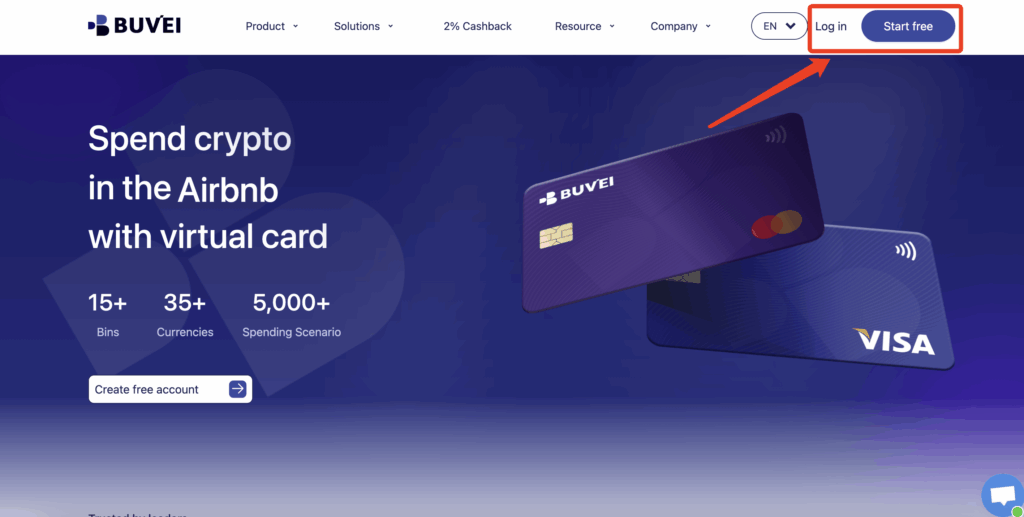
- visit https://buvei.com and create a free account.
- After email verification, log in to access the Buvei dashboard.
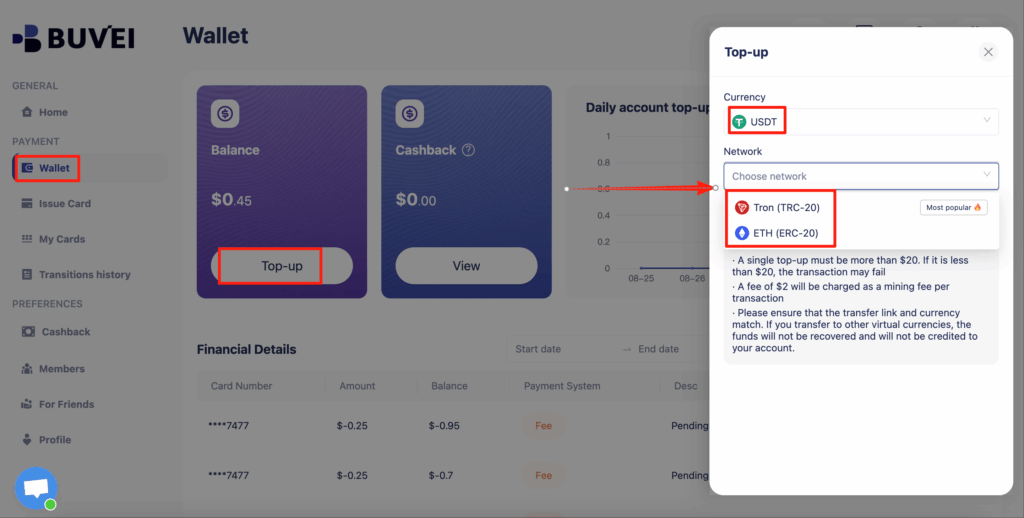
- Navigate to the Wallet tab and top up using supported stablecoins like USDT (TRC20/ERC20). You’ll receive a unique address—copy it and send your funds.
- Once confirmed, your balance will appear in the wallet for immediate use.
Create a Virtual Card
-
Go to the Card tab
-
Choose your preferred BIN region
-
Select your card type (Visa/Mastercard)
- Click Issue

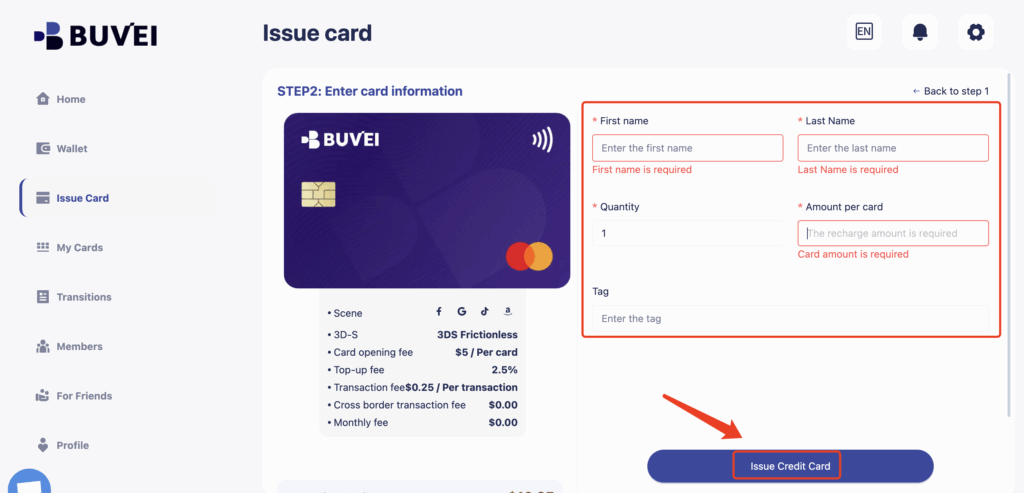
- Fill in the virtual card details, including name, amount, and number of cards.
-
Click Issue Card
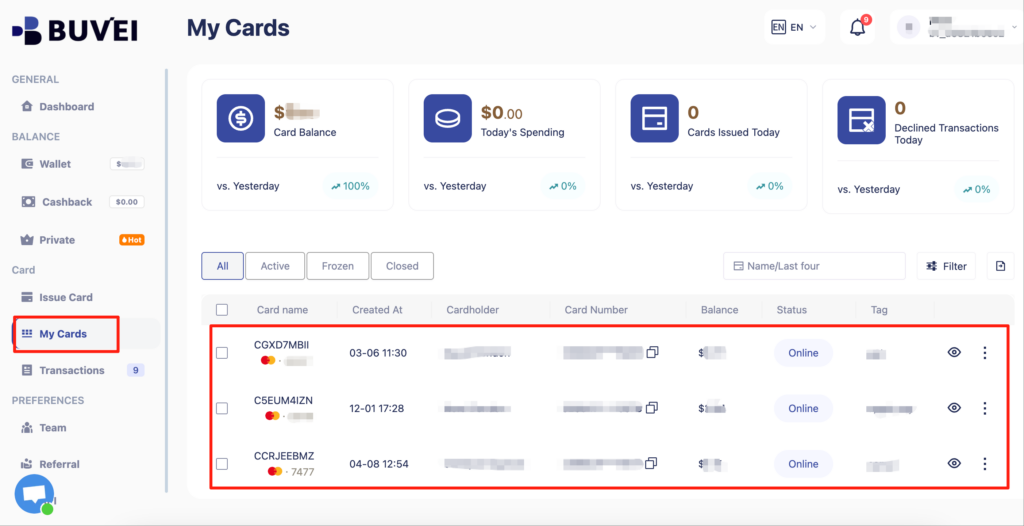
Once created, navigate to My Cards to access your card details:
-
Card Number
-
Expiration Date
-
CVV
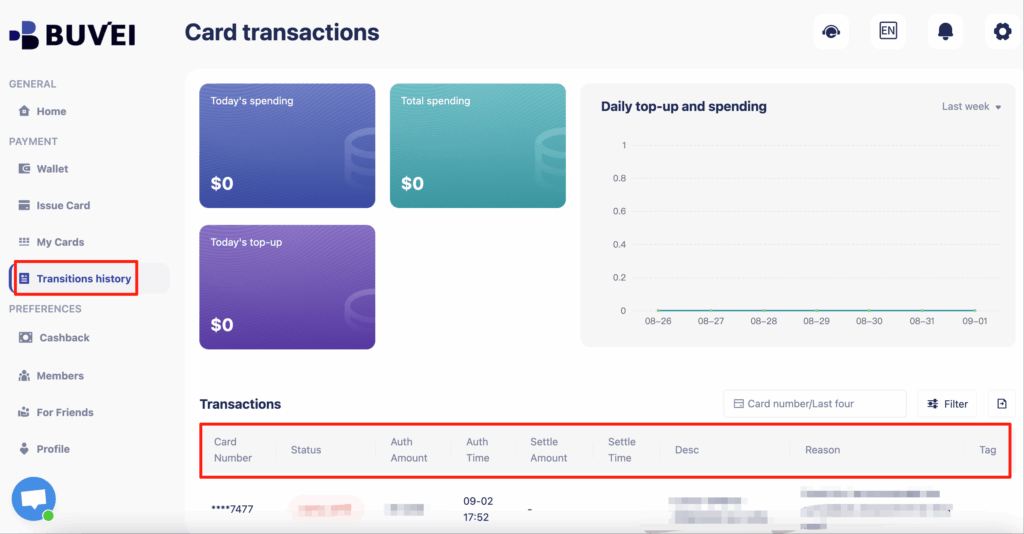
- On this page, users can view an overview of their virtual card top-ups and spending, and check all transaction details.
🧩 Step 2: Add the Card in Amazon Seller Central
-
Go to Amazon’s International SiteVisit www.amazon.com.
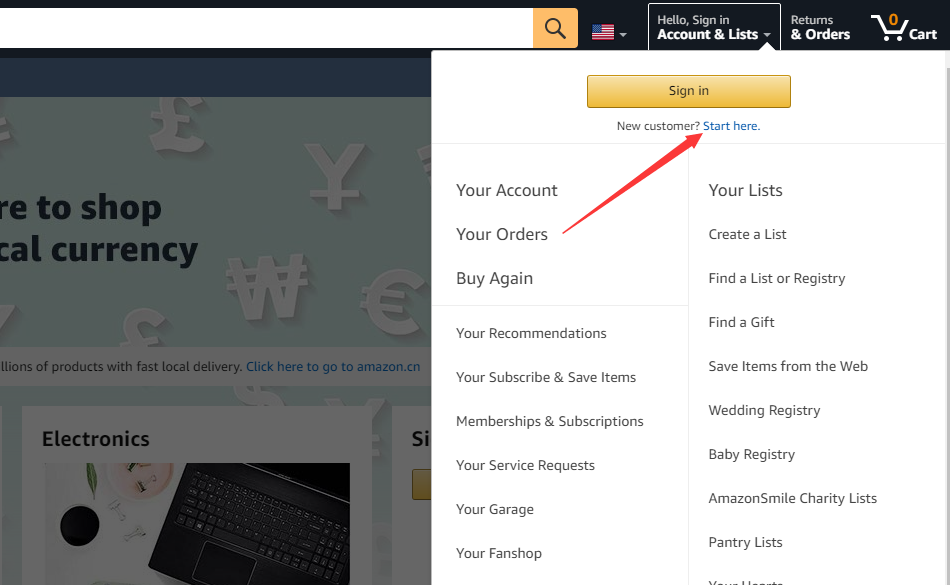
Hover your mouse over the top-right corner to open the account menu, then click “Start here” to begin registration.
Access Your Account Dashboard
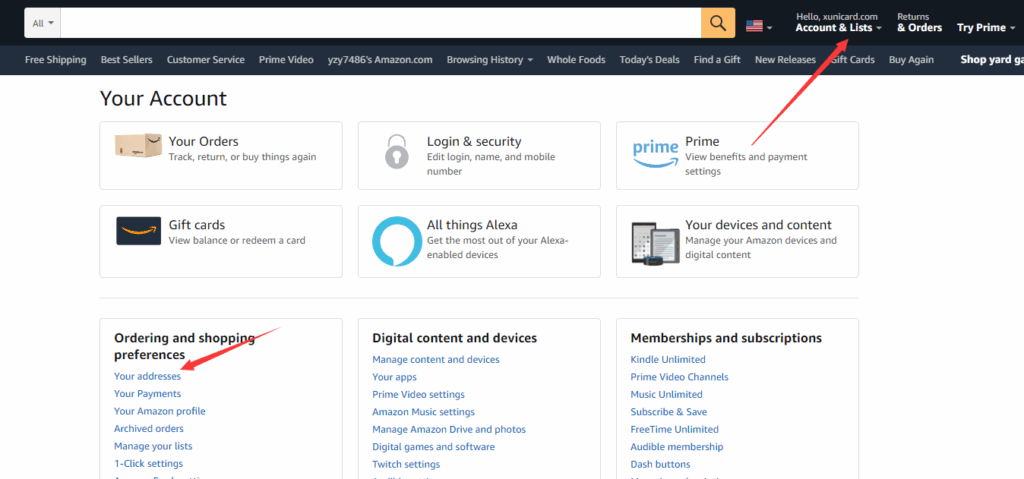
- Once registered and logged in, click on your account name in the top-right corner to access the account panel.
From the menu, select “Your Addresses” to manage your shipping details.
dd a Virtual Credit Card
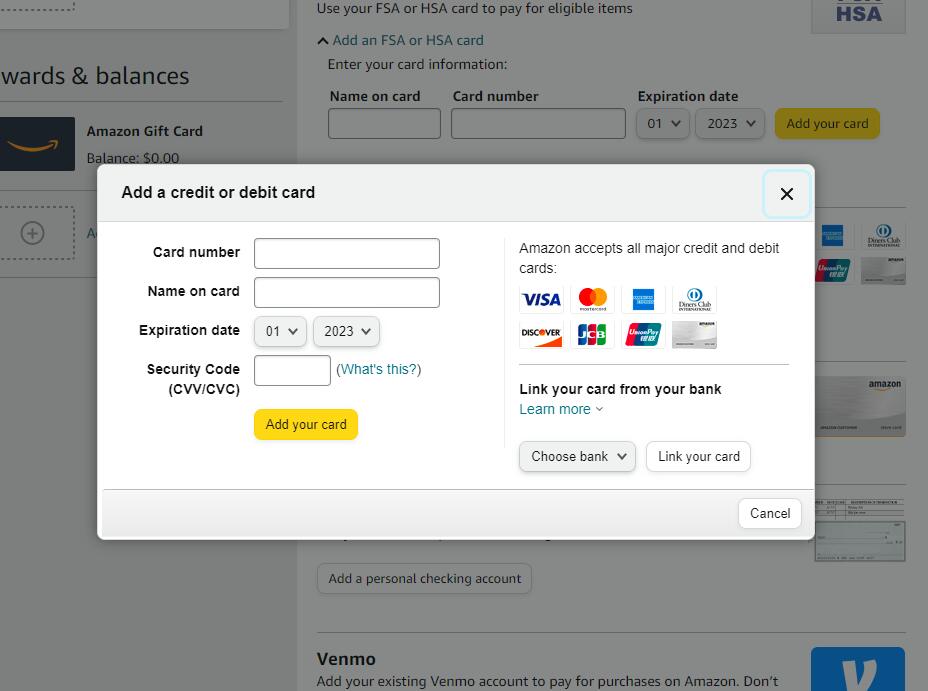
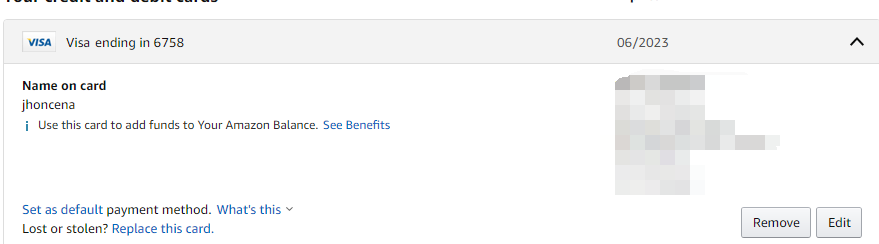
Scroll down to the Credit or debit cards section and click “Add a card”.
Input your virtual credit card information provided by your issuing provider, including:
-
Card Number (16 digits)
-
Name on Card (as per issuer or legal business name)
-
Expiration Date (MM/YY format)
-
Billing Address (should match what was added earlier)
-
Start Shopping
After successfully adding your virtual card, browse to the product you want to purchase.
Select your quantity and any variations, then click “Buy Now”.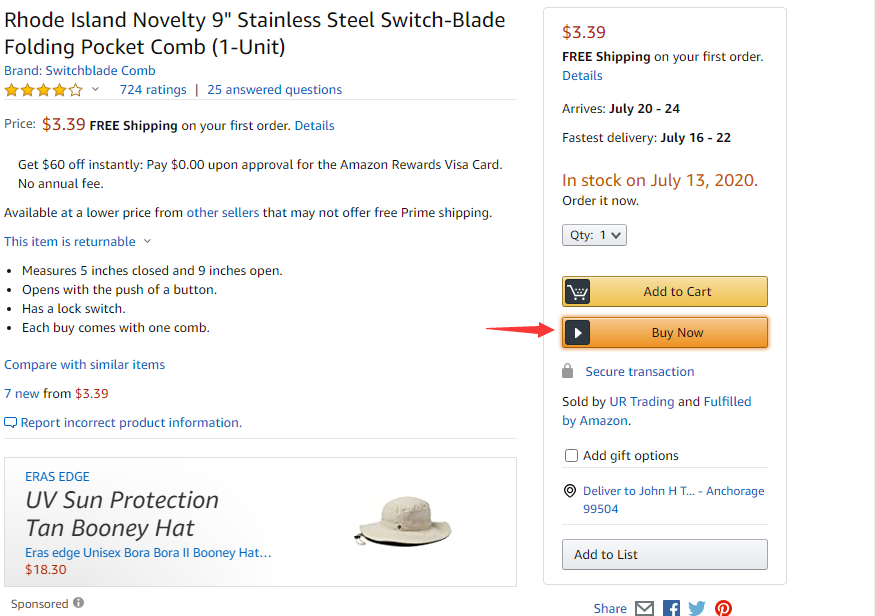
Confirm the Order
You will be directed to the order confirmation page.
Verify the shipping address, payment method, and order summary.
Click “Place your order” to complete the transaction.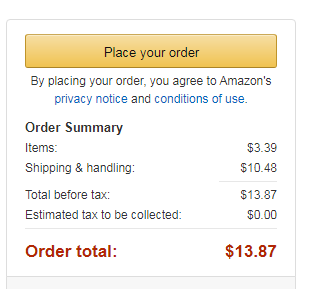
| Amazon Field | Buvei Card Data | Notes |
|---|---|---|
| Card Number | 16-digit Buvei virtual card | Must match exactly |
| Expiry Date | MM/YY format | Auto-renewal before expiration supported |
| Cardholder Name | Legal company representative (EN) | Must match Amazon account info |
| Billing Address | U.S. physical address from Buvei | Virtual or P.O. Boxes not supported |
Advanced Tips: Cost Savings + Risk Management
✅ Multi-store isolation
Create unique cards per store with individual spend caps and authorization trails to prevent chain suspensions.
✅ Dedicated ad spend cards
Suggested naming convention: AMZ_ADS_${CampaignType}
-
MCC locked to 7311 (Advertising Services)
-
Use EUR-denominated cards in the EU to avoid USD conversion loss (save up to 1.8%)
✅ Automated reconciliation
-
Download Amazon settlement reports
-
Configure tagging rules in Buvei
-
Generate PCI-DSS compliant reports for platform audits in one click
Common Issues and Solutions
| Error Code | Cause | Buvei Suggested Fix |
|---|---|---|
| 90683 | BIN blocked by risk | Switch to a commercial BIN range |
| 1325 | Address mismatch | Align Amazon and Buvei billing addresses |
| 1020 | 3D Secure failed | Resend OTP via Buvei dashboard |
Emergency Recovery:
Freeze the old card → Generate replacement → Use Amazon’s emergency card update route → Contact Buvei risk support to whitelist the new card
Why Buvei Outperforms Traditional Banks
| Feature | Buvei Virtual Card | Traditional Credit Card |
|---|---|---|
| Card issuance speed | Instant | 3–5 business days |
| Sub-account support | Unlimited virtual sub-cards | One card per application |
| FX transparency | 0 fees | Avg. 1.5% hidden fees |
| Compliance support | Auto-generated PCI reports | Manual filing required |
Conclusion
For Amazon sellers operating at scale, virtual cards are no longer optional—they are essential.
With Buvei, you gain:
• Dedicated virtual cards for each store
• High compatibility with Amazon Seller Central
• Advanced spending controls
• Infrastructure built for global growth
Buvei helps Amazon sellers stay compliant, reduce costs, and keep their businesses running smoothly.