Mobile wallets have become essential tools for global travel, online shopping, and international subscriptions. But when it comes to cross-border payments, Apple Pay and Google Pay don’t always perform the same way.
Understanding how these platforms work internationally—and when virtual cards can improve success rates—can help users avoid declined payments, hidden fees, and unnecessary friction.
How Apple Pay and Google Pay Handle Cross-Border Payments
Both Apple Pay and Google Pay act as digital wallets, not payment processors. The actual transaction is handled by the underlying card issuer.
In cross-border scenarios:
-
The merchant’s country determines currency and processing rules
-
Your card’s issuing country and BIN affect approval rates
-
Banks apply foreign transaction and compliance checks
If the linked card doesn’t support international transactions, payments may fail regardless of the wallet used.
Key Differences Between Apple Pay and Google Pay for International Use
While similar on the surface, Apple Pay and Google Pay differ in global usage:
-
-
Strong acceptance in North America, Europe, and parts of Asia
-
Tighter ecosystem controls
-
More conservative risk screening
-
-
-
Broader Android device coverage
-
More flexible in emerging markets
-
Acceptance depends heavily on merchant integrations
-
In practice, success depends less on the wallet and more on the card behind it.

Fees, Exchange Rates, and Currency Conversion
Neither Apple Pay nor Google Pay sets exchange rates directly. Instead:
-
Currency conversion is handled by the card network (Visa/Mastercard)
-
Issuing banks may add foreign transaction fees
-
Some merchants apply dynamic currency conversion (DCC)
Using cards with transparent fee structures and stable international BINs helps reduce unexpected costs.
Common Issues When Using Apple Pay or Google Pay Across Borders
Users often encounter:
-
Transaction declines due to regional restrictions
-
Card verification failures abroad
-
Blocked subscriptions on international platforms
-
Inconsistent acceptance in certain countries
These issues are common when using local bank cards that are not optimized for global transactions.
When Virtual Cards Improve Cross-Border Payment Success
Virtual cards solve many international payment challenges:
-
Issued with global-friendly BINs
-
Not tied to local banking restrictions
-
Easier to isolate risk per merchant
-
Better acceptance for overseas e-commerce and subscriptions
For frequent travelers, remote workers, and international shoppers, virtual cards often outperform traditional cards in cross-border use.
How to Create and Use a Virtual Card with Buvei for Cross-Border Payments
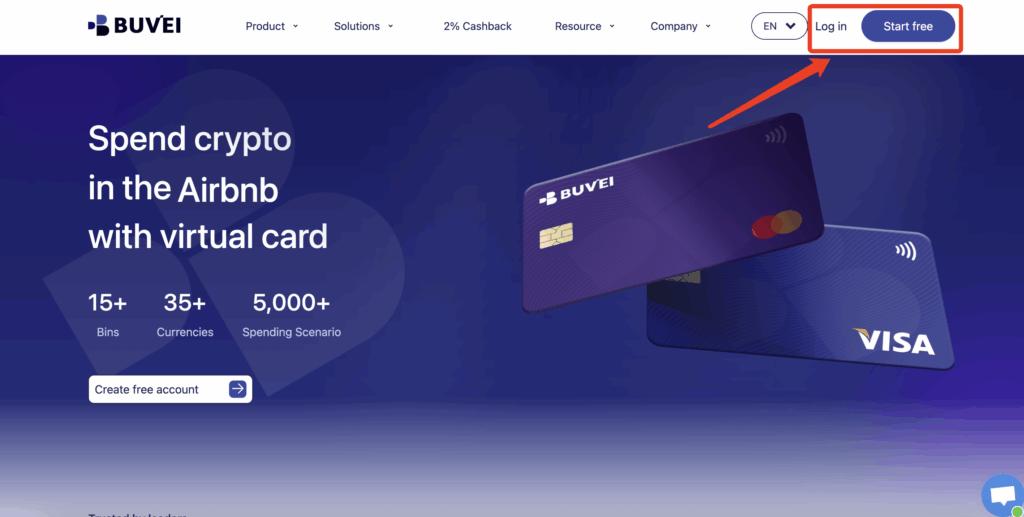
Step 1: Register a Buvei Account
-
Visit https://buvei.com
-
Create a free account
-
Complete email verification and log in to the dashboard
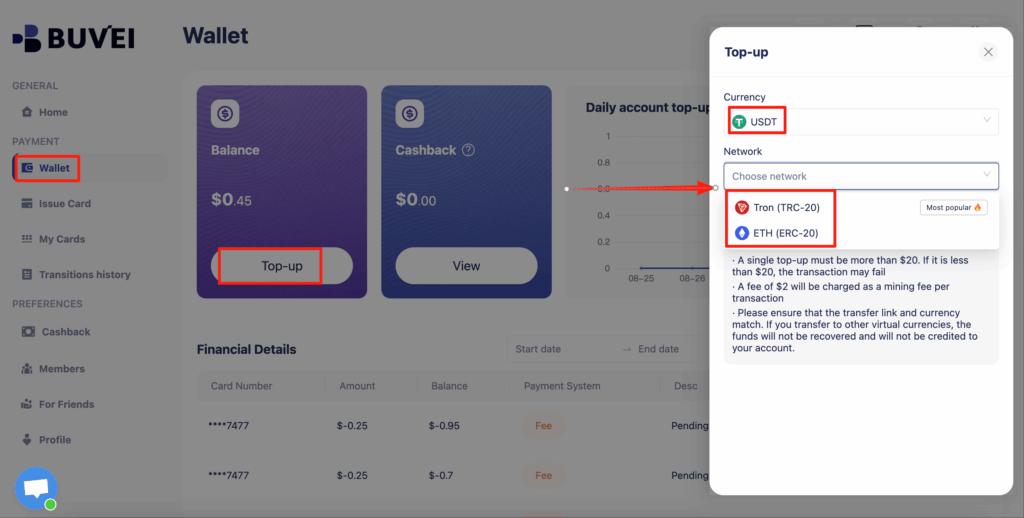
Step 2: Top Up Your Account
-
Go to the Wallet tab
-
Choose USDT (TRC20 or ERC20)
-
Copy your unique deposit address
-
Send USDT to the address
Your balance will appear once confirmed.
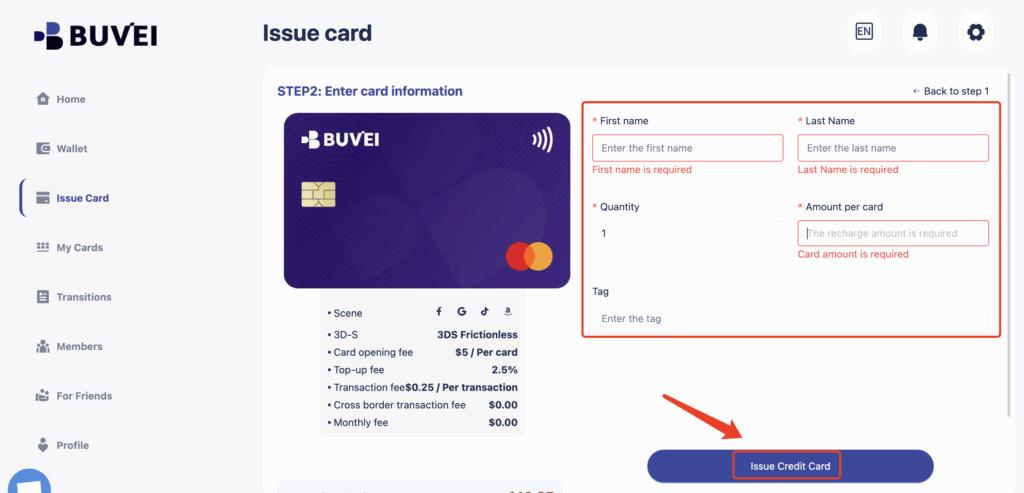
Step 3: Create a Virtual Card
-
Navigate to Cards
-
Select Create Card

-
Choose a preferred BIN region
-
Set your card balance and spending limits
-
Click Issue Card
Step 4: Add the Virtual Card to Apple Pay or Google Pay
-
Open Apple Wallet or Google Pay
-
Select Add Card
-
Enter:
-
Card number
-
Expiration date
-
CVV
-
-
Complete verification
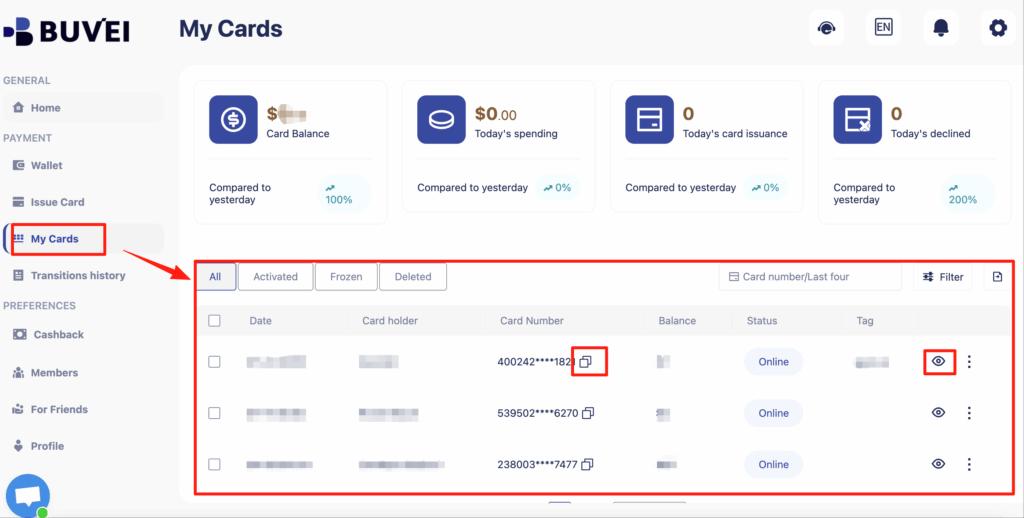
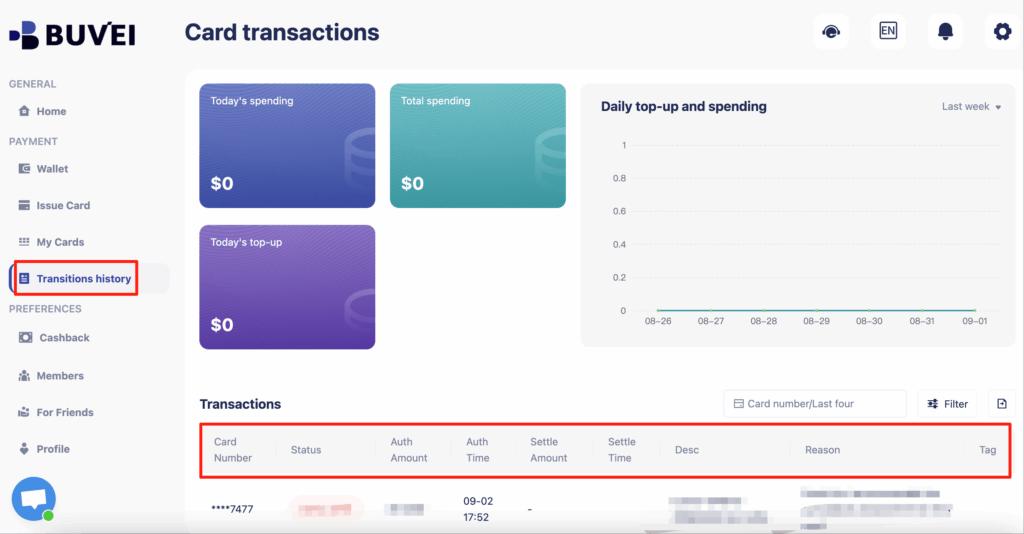
You can also track balances, top-ups, and all transaction activity from this page.The card is now ready for international payments.
Final Thoughts
When it comes to Apple Pay vs Google Pay for cross-border payments, the wallet itself is only part of the equation. The real difference lies in the card used behind the scenes.
By combining mobile wallets with Buvei virtual cards, users gain higher approval rates, better control, and fewer international payment failures—making global transactions smoother and more predictable.