Telegram Premium continues to expand its paid features in 2026, offering faster downloads, higher upload limits, premium stickers, and advanced tools for power users. However, many users still face payment failures when subscribing.
Using a virtual card for Telegram Premium has become one of the most reliable ways to complete subscriptions smoothly, especially for international users.
How Telegram Premium Billing Works
Telegram Premium subscriptions are processed through:
-
In-app payments (mobile)
-
Card-based recurring billing
-
App store intermediaries in some regions
Key billing characteristics:
-
Monthly or annual recurring charges
-
Automatic renewal enabled by default
-
International transaction processing
Because of these factors, many traditional bank cards are blocked or declined by issuing banks.
Does Telegram Premium Accept Virtual Cards?
Yes. Telegram Premium accepts virtual Visa and Mastercard cards, provided that:
-
The card supports online and recurring payments
-
There is sufficient balance for renewal
-
The card is issued from a compatible region
High-quality virtual cards with U.S. or international BINs generally work best.
Common Issues When Linking Virtual Cards to Telegram Premium
Users may encounter issues such as:
-
Payment declined during checkout
-
Card not supported for recurring billing
-
Subscription failing to renew
-
Bank verification or 3D Secure issues
These problems are often caused by:
-
Low-quality virtual cards
-
Regional mismatches
-
Insufficient balance at renewal time
Best Practices for Using Virtual Cards with Telegram Premium
To ensure stable subscriptions:
-
Use a dedicated virtual card only for Telegram Premium
-
Maintain enough balance for renewals
-
Avoid reusing one card across multiple platforms
-
Prefer U.S. or global BIN virtual cards
-
Monitor transactions regularly
Following these practices significantly reduces billing interruptions.
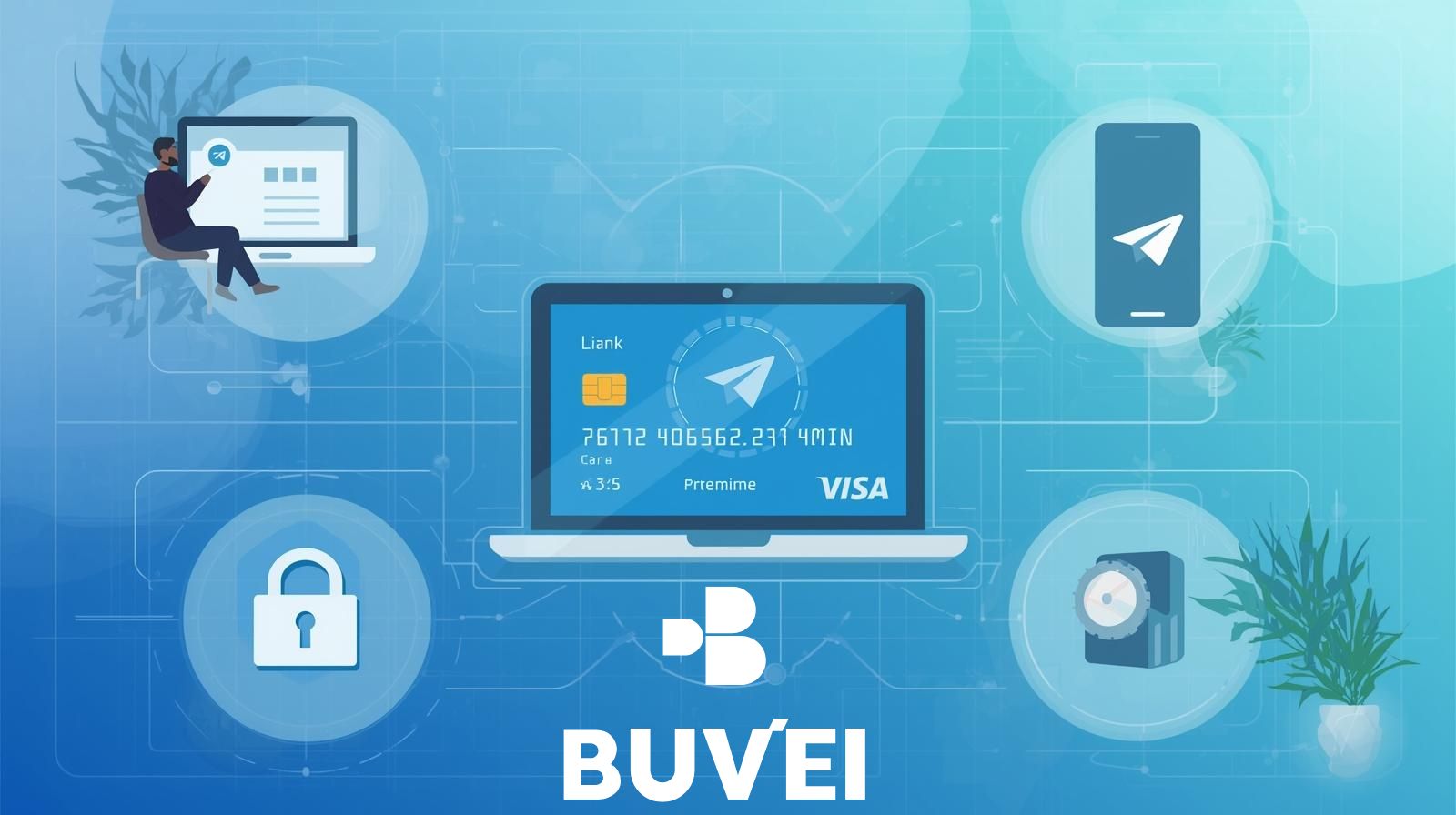
How to Link a Virtual Card to Your Telegram Premium Account
Step-by-Step Instructions
-
Open Telegram (mobile or desktop)
-
Go to Settings → Telegram Premium
-
Select a subscription plan (monthly or yearly)
-
Choose Credit/Debit Card as the payment method
-
Enter your virtual card details:
-
Card number
-
Expiration date
-
CVV
-
-
Confirm and complete the payment
Once successful, Telegram Premium activates immediately.
How to Create and Use a Virtual Card with Buvei
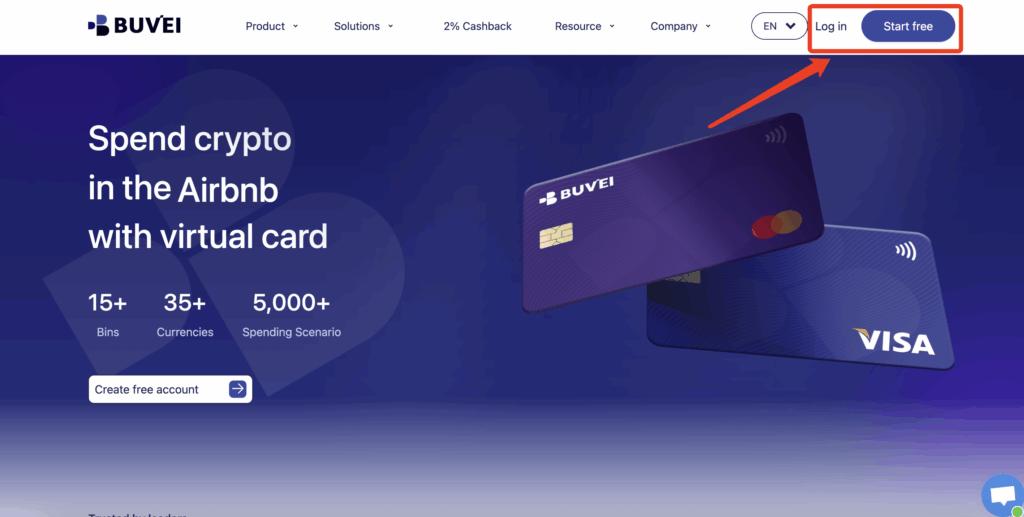
Step 1: Register a Buvei Account
-
Visit https://buvei.com
-
Create a free account
-
Verify your email and log in
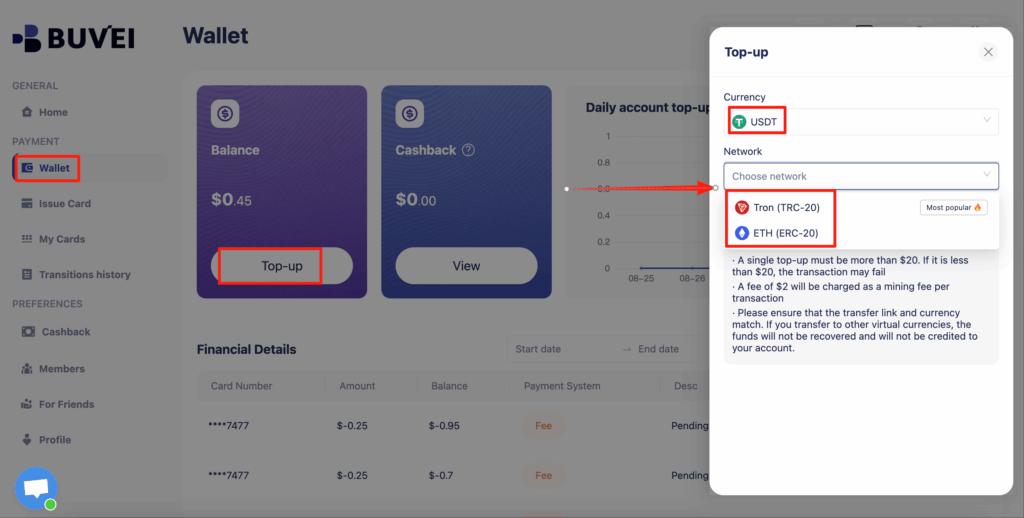
Step 2: Fund Your Buvei Wallet
-
Go to the Wallet tab
-
Select USDT (TRC20 or ERC20)
-
Copy your unique deposit address
-
Transfer USDT to your wallet
Your balance will be available after confirmation.
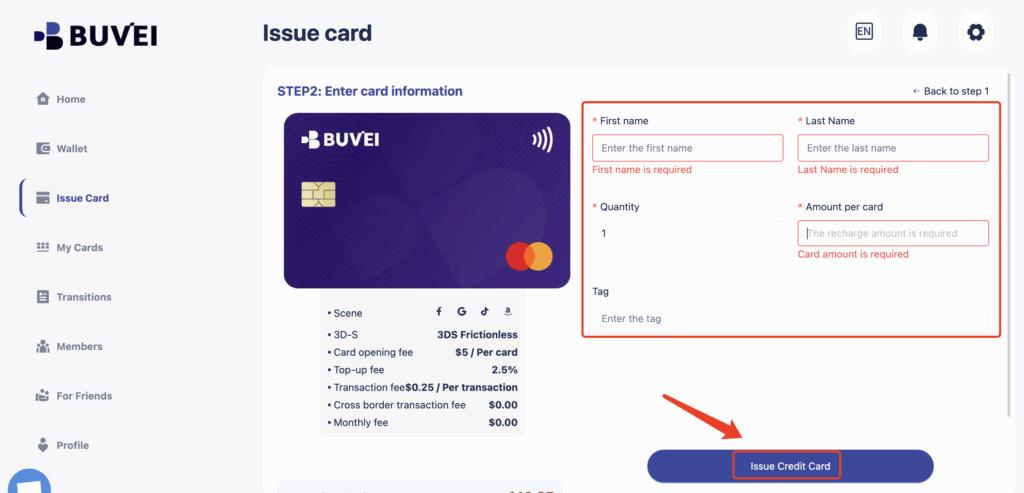
Step 3: Issue a Virtual Card
-
Navigate to Cards → Create Card

-
Choose your preferred BIN region
(U.S. BINs are recommended for Telegram Premium) -
Set the card balance
-
Click Issue Card
Step 4: Use the Card for Telegram Premium
In My Cards, you can view:
-
Card number
-
Expiry date
-
CVV
-
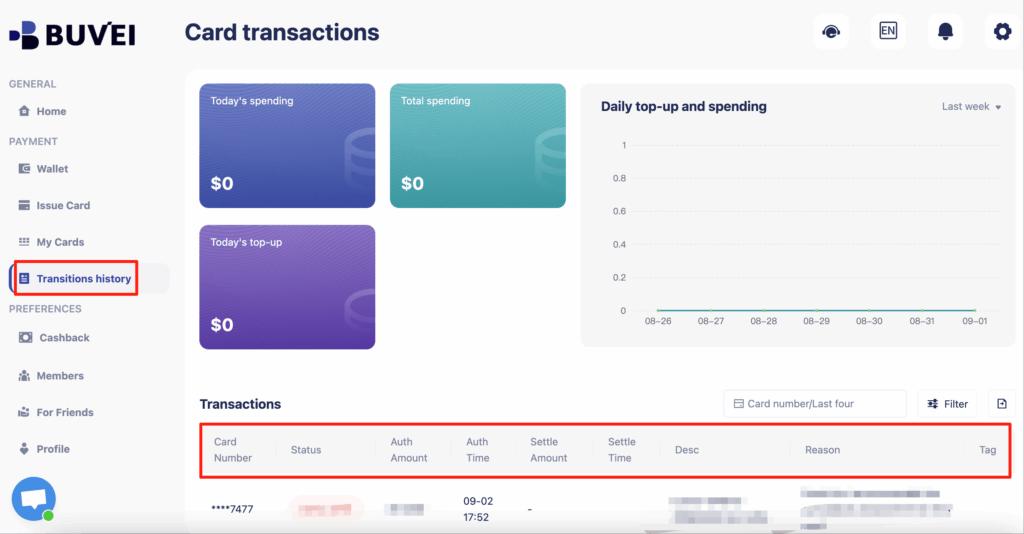
Spending and transaction history
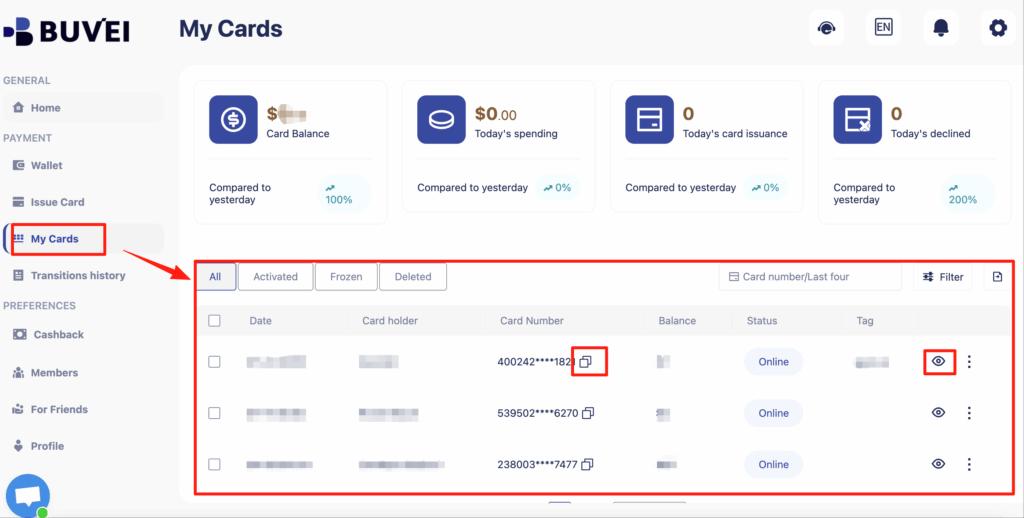
You can also track balances, top-ups, and all transaction activity from this page.
Final Thoughts
Using a virtual card for Telegram Premium is one of the safest and most reliable payment methods in 2026. It helps bypass regional restrictions, prevents bank declines, and gives you full control over recurring payments.
With Buvei virtual cards, linking and managing your Telegram Premium subscription becomes simple, secure, and flexible—no traditional bank card required.