Zoom Pro is widely used by freelancers, remote teams, and businesses worldwide.
However, many users run into a frustrating issue: their Zoom Pro payment gets declined, even when using a funded virtual card.
In most cases, the decline isn’t random.
Instead, it’s caused by how Zoom evaluates subscription and business card payments.
This guide explains how Zoom Pro processes payments, why virtual cards fail, and provides practical fixes that actually work.
How Zoom Pro Processes Subscription and Business Payments
First, it’s important to understand Zoom’s billing model.
Zoom Pro payments are handled as recurring SaaS subscriptions, often combined with business-level risk checks. This means:
-
Cards are stored for automatic renewals
-
Merchant-initiated transactions (MITs) are used
-
Card consistency is monitored
-
Failed attempts increase risk scoring
As a result, Zoom applies stricter rules than many consumer platforms.
A card that works for shopping or ads may still fail on Zoom Pro.
Why Zoom Pro Declines Virtual Card Payments
Virtual cards are not automatically blocked.
However, Zoom looks closely at several signals.
Most declines happen due to:
-
BINs not optimized for SaaS subscriptions
-
Cards without recurring billing support
-
Inconsistent card usage or frequent changes
-
Multiple failed attempts in a short period
In short, Zoom prefers stable, subscription-ready cards.
Common Zoom Pro Payment Decline Scenarios
Recognizing the pattern helps you fix the issue faster.
1. First Payment Works, Renewal Fails
This usually means the card does not support true recurring billing.
2. Virtual Card Works Elsewhere but Not on Zoom
Zoom applies higher risk controls than many platforms, especially for business tools.
3. Rapid Retry Attempts After a Failure
Repeated retries can trigger temporary payment blocks.
4. Balance Too Close to the Subscription Amount
Small taxes or currency conversions can cause an unexpected decline.
Virtual Card Fixes That Work for Zoom Pro
Follow these fixes step by step before retrying payment.
Step 1: Stop Retrying Immediately
If your payment fails:
-
Do not retry multiple times
-
Wait before testing again
This reduces the risk of account-level blocks.
Step 2: Switch to a SaaS-Friendly BIN
U.S. BINs generally perform best for Zoom Pro subscriptions.
Avoid:
-
Newly issued BINs
-
One-time-use virtual cards
Step 3: Add a Balance Buffer
Load at least 10–20% more than the Zoom Pro subscription price.
This helps prevent renewal failures later.
Step 4: Use One Stable Card
Once a card works:
-
Keep using the same card
-
Avoid rotating BINs
-
Don’t change card details
Consistency improves approval rates over time.
Step 5: Confirm Recurring Billing Support
Make sure the card allows:
-
Merchant-initiated transactions
-
Automatic renewals
Without this, long-term success is unlikely.
How to Set Up a Stable Virtual Card with Buvei for Zoom Pro
Below is a proven setup many users follow successfully.
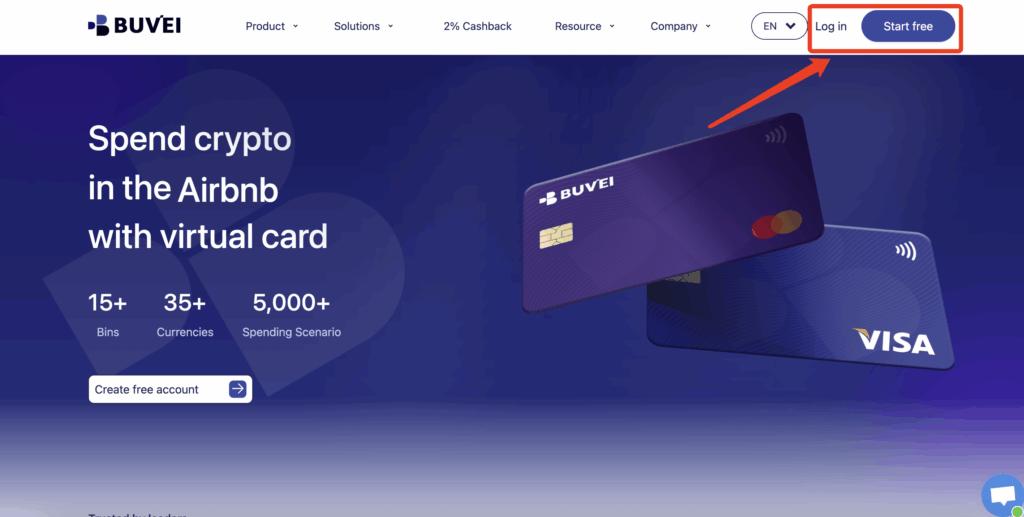
Step 1: Register a Buvei Account
-
Visit https://buvei.com
-
Create a free account
-
Verify your email and log in
You’ll access the Buvei dashboard instantly.
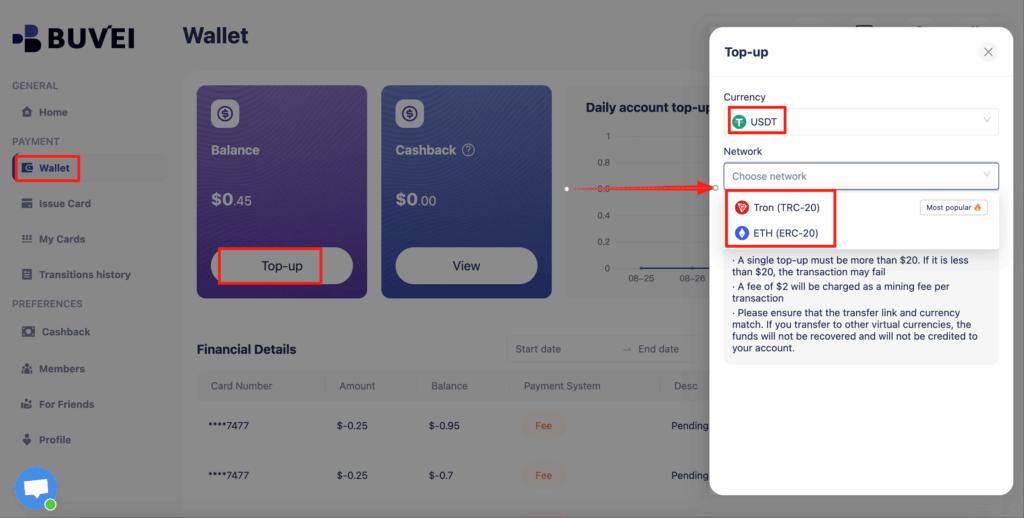
Step 2: Fund Your Wallet with USDT
-
Go to Wallet
-
Choose USDT (TRC20 or ERC20)
-
Send funds to your unique deposit address
Funds arrive quickly after confirmation.
Step 3: Create a Virtual Card
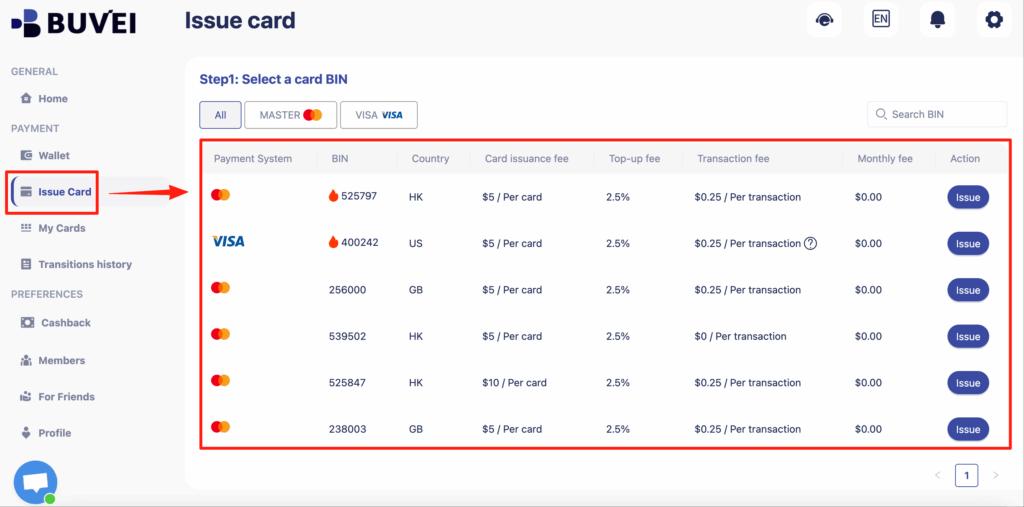
-
Open the Cards tab
-
Select a U.S. BIN (recommended for Zoom Pro)
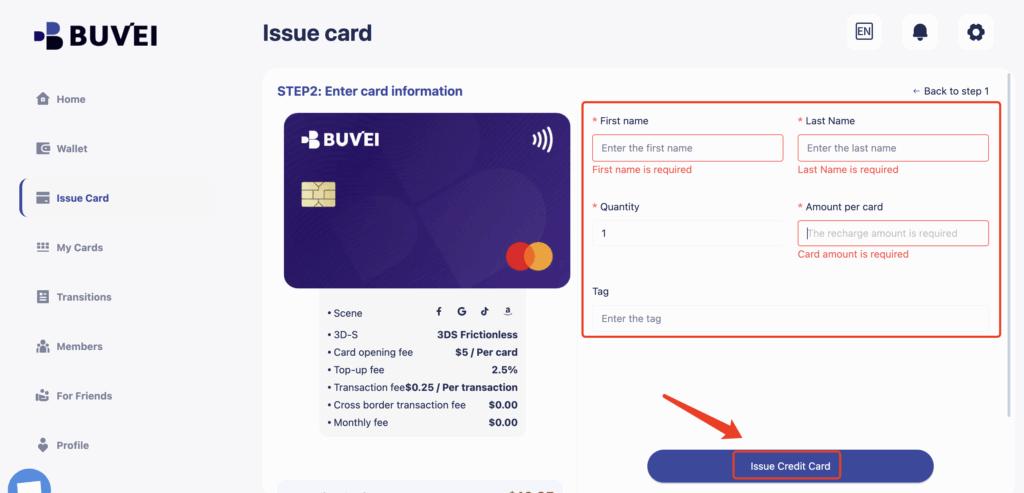
-
Set a balance above the subscription cost
-
Issue the card
Card details are available immediately.
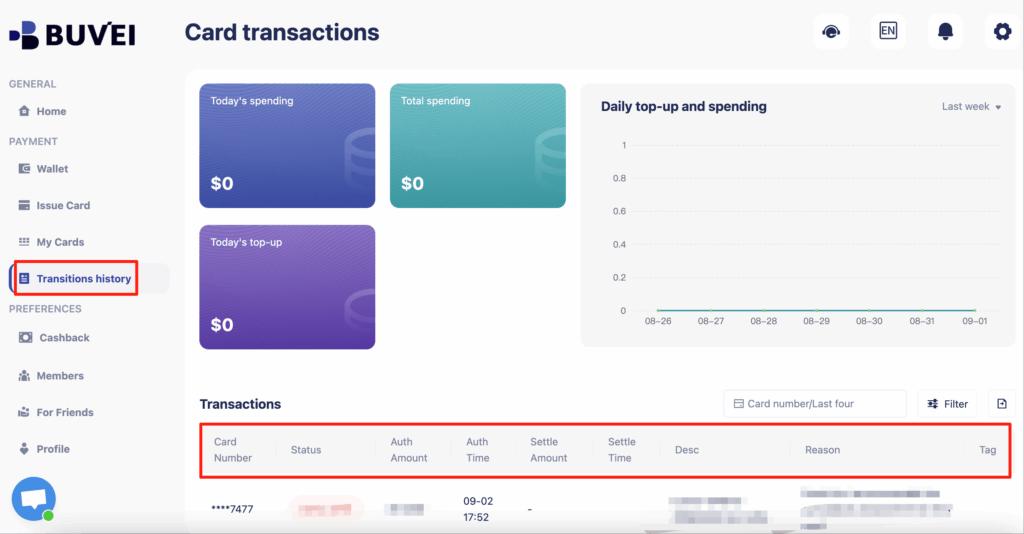
You can view:
-
Card number
-
Expiry date
-
CVV
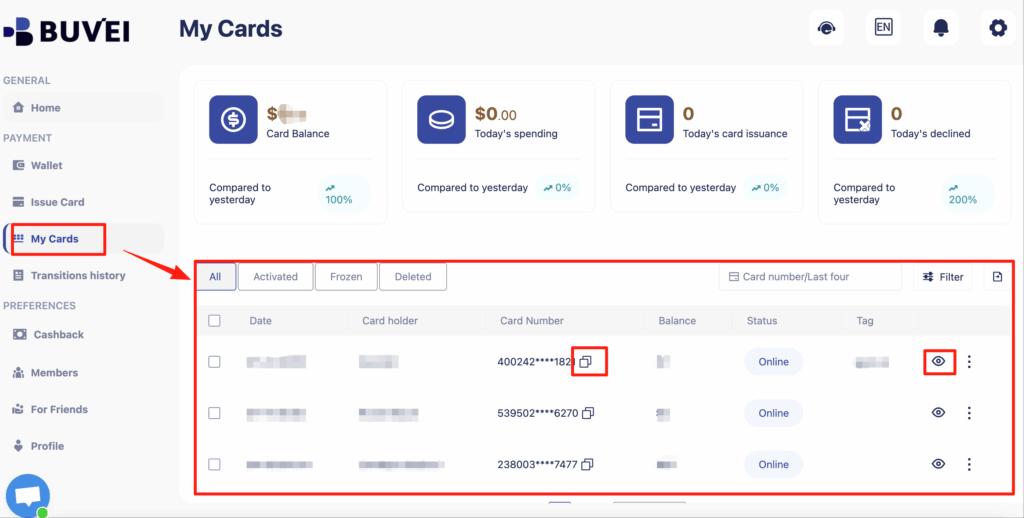
-
Transaction history
Step 4: Pay for Zoom Pro
-
Log in to your Zoom account
-
Choose card payment
-
Enter your Buvei virtual card details
-
Confirm the subscription
If approved, avoid changing the card.
Step 5: Manage Renewals with Full Control
With Buvei, you can:
-
Adjust spending limits anytime
-
Track transactions in real time
-
Freeze or cancel cards instantly
This gives you full control over Zoom subscription payments.
Final Thoughts
Zoom Pro payment declines are rarely caused by insufficient funds alone.
Most failures come down to BIN choice, recurring billing support, and card stability.
By following the fixes above and using a subscription-ready virtual card, you can restore payments and reduce future declines.
Platforms like Buvei simplify the process by offering:
-
Strong BIN options
-
USDT funding
-
Real-time card control
If your Zoom Pro payment was declined, don’t keep retrying — fix the setup first.