
Alibaba Cloud is widely used for domain registration and cloud services, but when it comes to payments, many international users run into crypto limitations, card declines, and regional restrictions.
The good news is that you can still pay using crypto by following a practical route:
Crypto → Buvei Virtual Card → Alibaba Cloud checkout
This guide explains exactly how to do it safely and efficiently.

Does Alibaba Cloud Accept Crypto for Domains?
Currently, Alibaba Cloud does not support direct cryptocurrency payments for domains or cloud services. Accepted methods typically include:
-
Credit and debit cards
-
PayPal (availability varies by region)
-
Local bank transfers
-
Alibaba balance
For users who:
-
Hold most funds in crypto
-
Face frequent card declines
-
Cannot use international cards
-
Operate outside supported regions
This creates a major barrier at checkout.
Why Virtual Cards Are the Best Crypto Workaround
Instead of converting crypto through complicated exchanges or relying on unreliable cards, many users use a simple structure:
USDT → Buvei → Virtual Card → Pay Alibaba Cloud
This approach allows you to:
-
Use crypto value for normal card payments
-
Avoid exposing your personal bank card
-
Improve approval rates using high-quality BINs
-
Separate payments by project or client
-
Maintain stronger privacy and financial control
For domain investors, agencies, and SaaS founders, this method is both practical and scalable.
How to Create a Crypto-Funded Virtual Card with Buvei
Follow the standardized Buvei setup below.
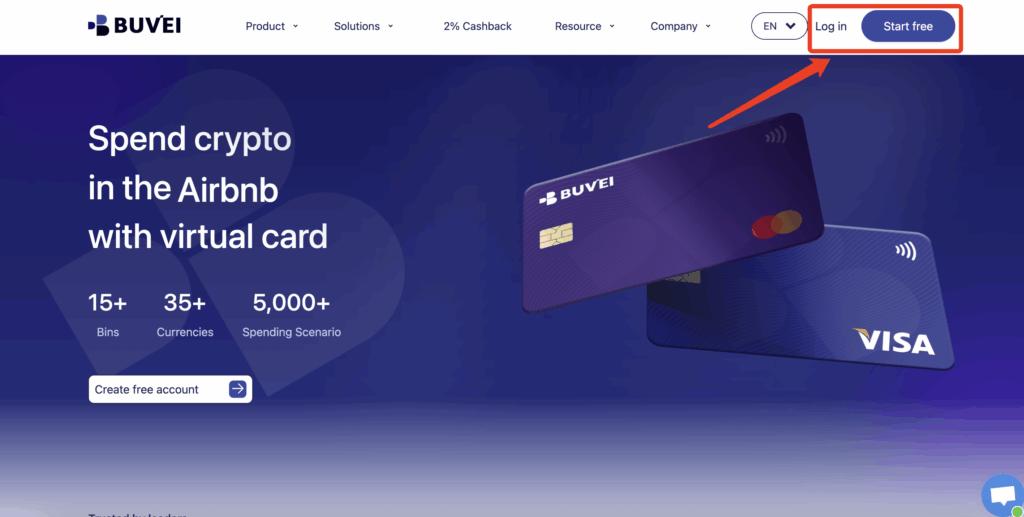
Step 1: Register a Buvei Account
Visit https://buvei.com and create a free account.
After completing email verification, log in to your Buvei dashboard.
Step 2: Fund Your Account
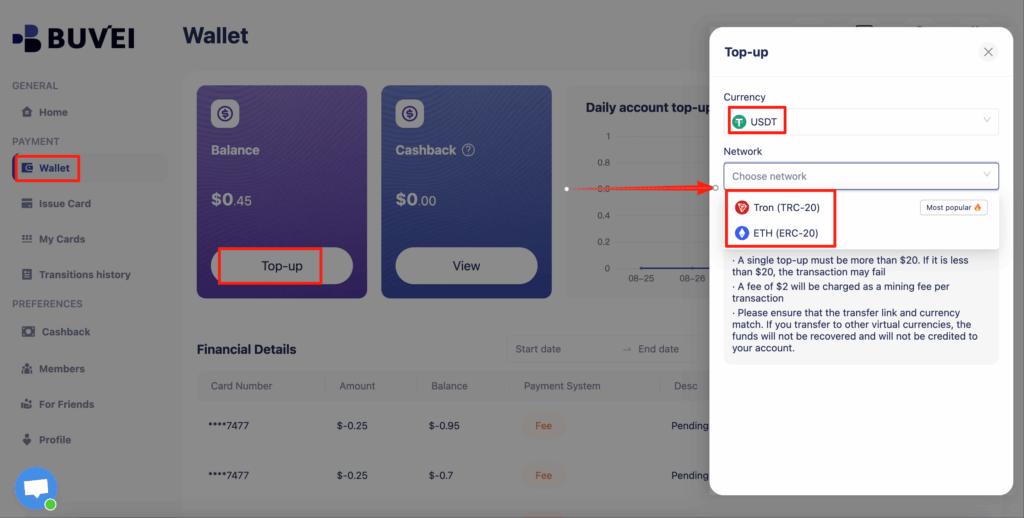
Go to the Wallet tab.
Top up using USDT (TRC20 or ERC20).
You will receive a unique deposit address.
Send your funds to this address.
After confirmation, your balance will appear in your wallet and be available immediately.
Step 3: Create a Virtual Card
Go to the Cards tab.
Choose your preferred BIN region (US BIN is recommended for higher approval rates).
Select your card type.
Click create.
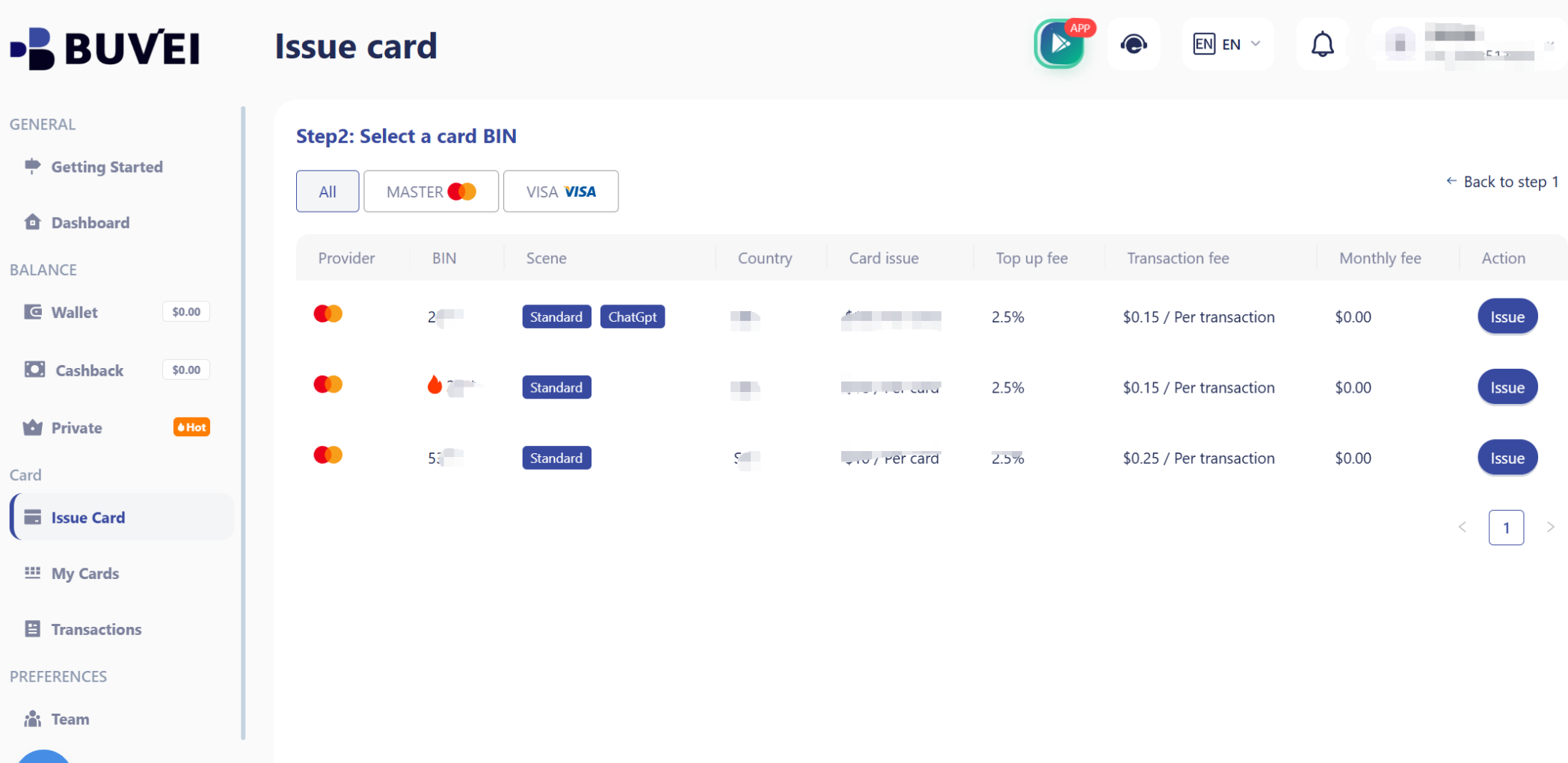
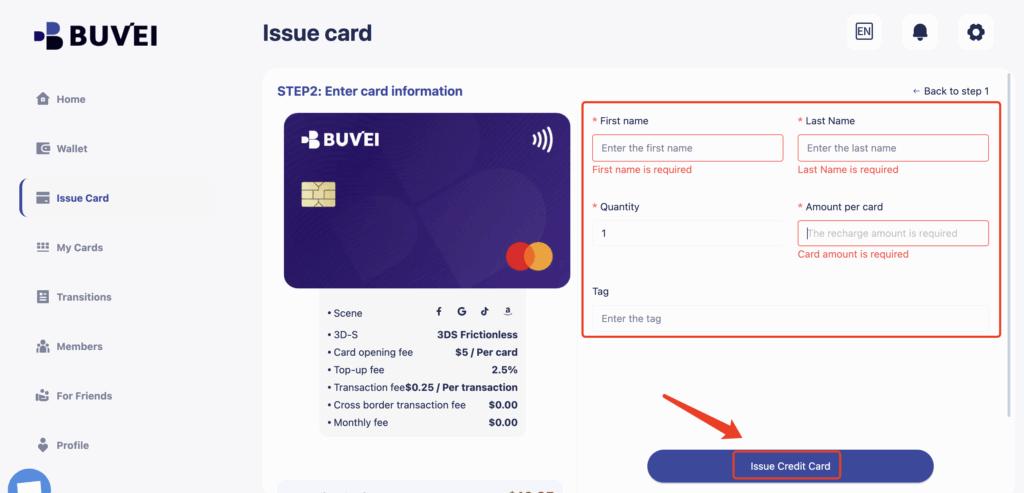
Fill in the card details, including card name, amount, and number of cards.
Click issue card.
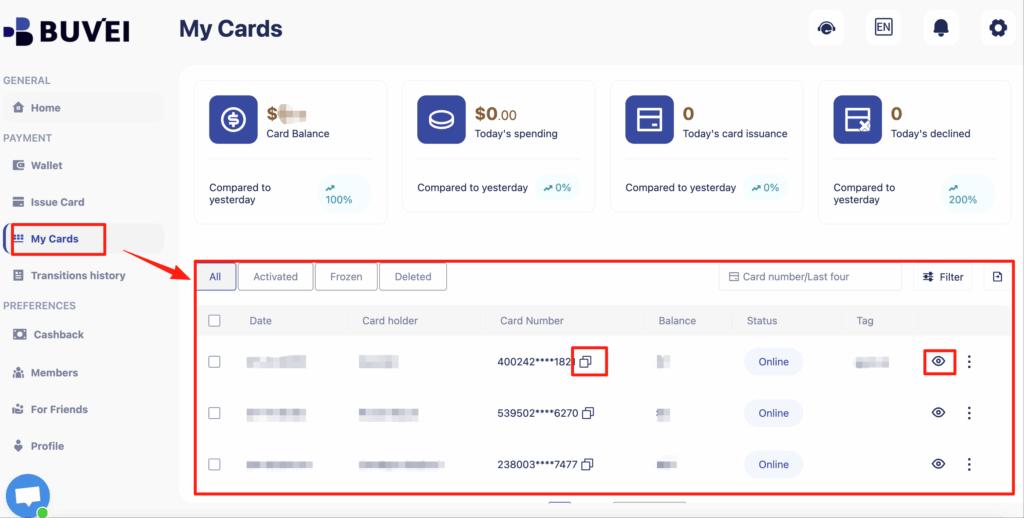
After creation, go to My Cards to view:
-
Card number
-
Expiry date
-
CVV
-
Card balance
-
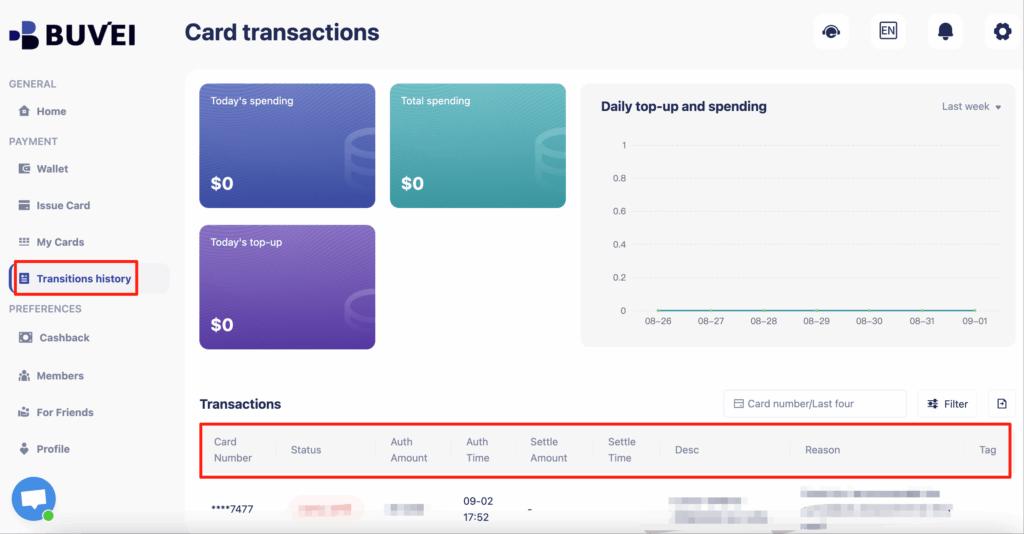
Transaction history
Your card now works like a standard international Visa/Mastercard for online payments.
Common Billing Issues & How to Fix Them
Alibaba Cloud uses strict risk control systems, and billing issues are common when card behavior looks unusual.
Typical problems include:
-
Payment verification failed
-
Card declined due to region mismatch
-
Multiple attempts triggering temporary blocks
-
Account flagged after repeated failures
How virtual cards help reduce these risks:
-
Use a fresh card per account
-
Keep one card dedicated for renewals
-
Avoid rotating cards too frequently on the same account
-
Monitor transaction history in Buvei
This structured approach significantly improves long-term payment stability.
Tips for Managing Multiple Alibaba Cloud Domains
If you manage multiple domains or client accounts, virtual cards give you powerful operational advantages.
You can easily create:
-
One card per client
-
One card per domain portfolio
-
One card for renewals only
-
One card for testing new services
This enables:
-
Clear accounting
-
Easier expense tracking
-
Reduced systemic risk
-
Better control over renewals and failures
For domain investors and agencies, this structure becomes essential as scale increases.

Final Thoughts
Alibaba Cloud does not currently support direct crypto payments, but that doesn’t mean crypto users are locked out.
By using Buvei’s crypto-funded virtual cards, you gain:
-
Reliable access to Alibaba Cloud payments
-
Higher approval success
-
Better financial structure
-
Stronger control over multiple domains
-
A scalable workflow for long-term growth
For many global users, this is now the most practical way to connect crypto with mainstream cloud platforms.