


Introduction
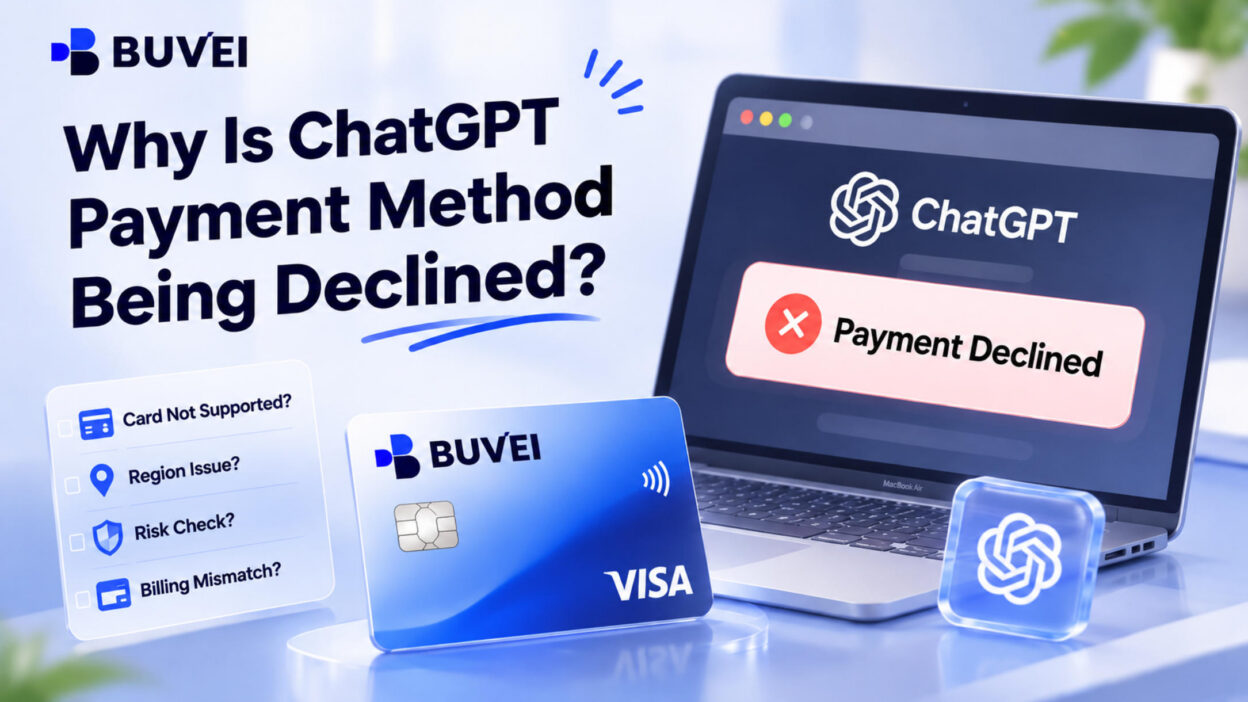
A ChatGPT payment declined message can be frustrating, especially when your card works perfectly well on other websites. This can happen when you first subscribe to ChatGPT Plus or Pro, add a new payment method, or try to renew an existing plan.
There are several possible reasons for a failed payment, including incorrect billing details, bank restrictions, failed security verification, or an unsupported card-issuing region. In this guide, we'll walk through the common causes, explain how to fix them, and look at whether virtual cards offer another option for paying for ChatGPT. We'll also explore how BUVEI can help you manage payments for ChatGPT and other online services.
Why Is ChatGPT Declining My Payment?
A declined payment doesn't necessarily mean your card is invalid. Before trying another payment method, check these common causes.
Incorrect Card Details or Billing Information
Even a small mistake can prevent a payment from going through. Common issues include:
- An incorrect card number, expiration date, or CVV.
- A billing address that doesn't match your bank's records.
- An incorrect ZIP code or postal code.
If you've recently received a replacement card or changed your billing address, double-check the information registered with your card issuer.
Insufficient Funds or Bank Restrictions
A card that works for everyday purchases may still be declined when used for an international subscription. Some banks restrict online, international, or recurring transactions as a security precaution.
Insufficient available funds, spending limits, and temporary security blocks can also cause problems. If your balance is sufficient, contact your bank to find out whether it declined the transaction.
Failed 3D Secure Verification
Some online card payments require additional authentication through 3D Secure (3DS). Depending on your bank, you may need to enter a one-time password (OTP) or approve the transaction through your banking app.
If the verification window doesn't load or you leave before completing authentication, the payment may fail. Check your banking app for pending approval requests before trying again.
Unsupported Country or Card-Issuing Region
Your current location and the country where your card was issued can both affect payment eligibility. Being able to access ChatGPT from a particular location doesn't automatically mean a card issued elsewhere will be accepted.
Check the supported-region requirements before choosing another payment method.
Card, Account, or Checkout Restrictions
A payment can also fail because of card or device purchase limits, or technical problems during checkout. Cached data, cookies, and browser extensions may interfere with payment pages or security verification.

How to Fix a Declined ChatGPT Payment
Once you have an idea of what went wrong, work through these checks before submitting the payment again.
Check Your Card and Billing Details
Re-enter your card number, expiration date, and CVV. Make sure your billing address and postal code match the information registered with your bank. If you're using a replacement card, remove any outdated payment details.
Confirm Your Available Balance
Check your available balance rather than your total account balance. Make sure it covers the subscription price and applicable taxes. If your card has a spending limit, confirm that it's high enough for the transaction.
Contact Your Bank
If your details and balance are correct, ask your card issuer whether it blocked the transaction. It's also worth checking whether your card supports:
- International online payments.
- Recurring subscription charges.
- 3D Secure authentication.
Complete Security Verification
If additional authentication is required, complete the 3D Secure process before leaving checkout. If the verification window doesn't appear, try another browser or an incognito window. Also check whether pop-ups or redirects are being blocked.
Try Another Supported Payment Method
If your current card continues to fail, another eligible payment method may be worth trying. Make sure it meets the merchant's payment and regional requirements.
For a failed ChatGPT Plus or Pro renewal, check your subscription status after updating your card. Adding a new payment method doesn't automatically settle an outstanding payment. If you subscribed through Apple App Store or Google Play, manage your subscription through the corresponding platform.
Can You Use a Virtual Card to Pay for ChatGPT?
If your regular payment card keeps running into problems, a virtual card may be another option to consider.
A virtual card has its own card number, expiration date, and security code. Depending on its type and the merchant's requirements, it can be used for online purchases and recurring subscriptions. For people who regularly pay for AI tools and other software, separate virtual cards can also make subscription expenses easier to organize.
Not every virtual card will work with ChatGPT, though. Before choosing one, check:
- Card network and type: Does it meet the payment requirements at checkout?
- Issuing region: Is it issued in a supported country or region?
- Available funds: Is there enough balance to cover the subscription?
- Recurring payments: Does it support subscription transactions?
- Security verification: Can you complete any required authentication?
The card's BIN (Bank Identification Number) is another detail worth considering. It identifies the issuing institution and is associated with information such as the card's payment network and issuing region. Different BINs may be subject to different merchant requirements, but having more options doesn't guarantee payment approval.
How BUVEI Virtual Cards Help Manage Online Subscription Payments
If you regularly pay for ChatGPT, Claude, Canva, and other online services, putting every subscription on one card can make expenses harder to manage. BUVEI offers Visa and Mastercard virtual cards with multiple BIN options, instant issuance, and individual card controls.
Instead of relying on a single card for every online payment, you can issue separate cards for different services and manage them from one account. This is particularly useful for freelancers, agencies, and businesses handling multiple subscriptions or project-related expenses.
Visa and Mastercard with Multiple BIN Options
BUVEI offers multiple available BIN options across its Visa and Mastercard virtual cards. Users can choose from available card types and issuing regions based on their payment needs.
This flexibility can be useful when managing international payments, as different merchants may have different card and issuing-region requirements. Cards are issued instantly through the platform, so there's no need to wait for physical card delivery.
Separate Cards and Individual Spending Limits
If you subscribe to several AI tools, keeping every payment on one card can make individual expenses difficult to track. With BUVEI, you can assign separate virtual cards to services such as ChatGPT, Claude, and Canva.
Each card can be managed independently. You can:
- Set individual spending limits.
- Freeze or unfreeze cards when needed.
- Close cards you no longer use.
- Issue and manage multiple cards in batches.
For agencies and businesses, separate cards can also help organize payments by client, employee, or project rather than mixing everything into one payment method.
Transaction Records and Wallet Management
BUVEI provides transaction records for individual cards, including transaction amounts, times, and statuses. If a ChatGPT payment doesn't go through, you can check the corresponding card's transaction history to see whether a record appears and what status it shows. This helps you review the payment attempt, although it won't necessarily reveal the bank's exact reason for declining it.
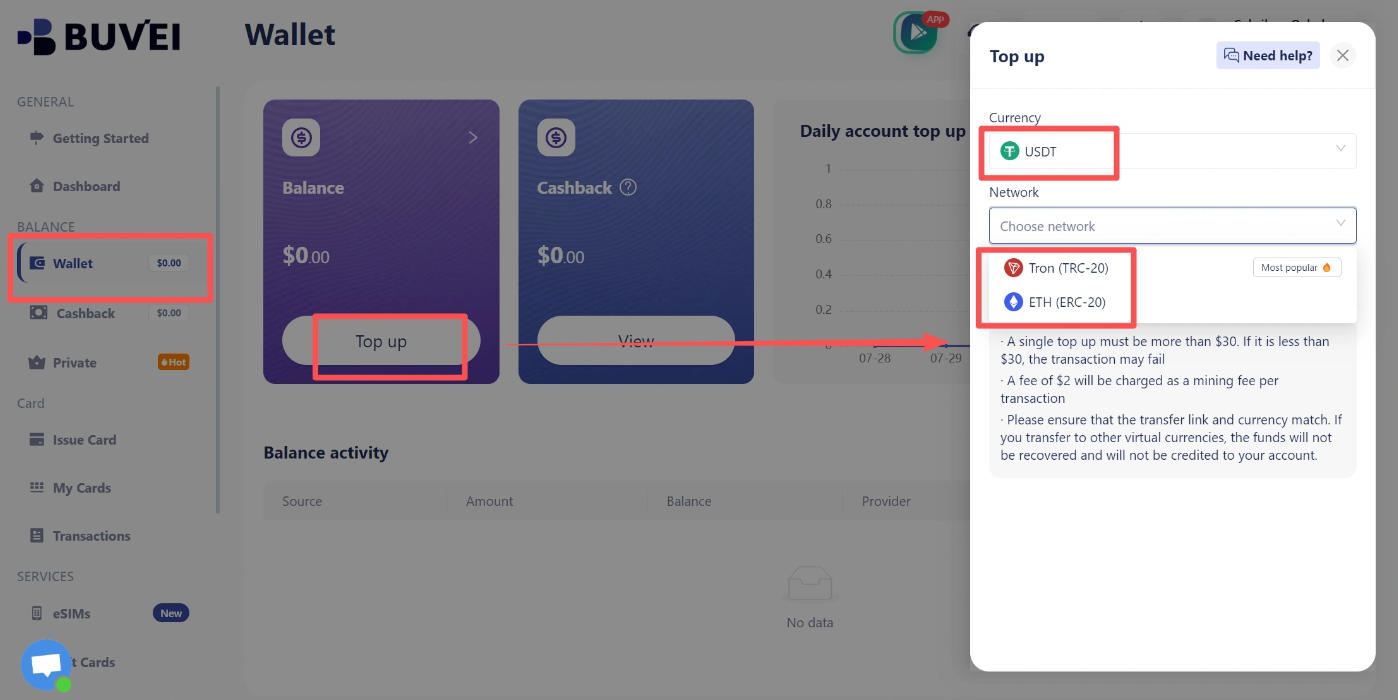
The Wallet section lets users check their account balance, add funds through supported USDT networks (TRC20 and ERC20), and review cashback and balance activity. Always make sure you're using the correct deposit network when transferring USDT.
Your wallet balance and an individual card's available spending amount aren't necessarily the same, so check the relevant card balance and spending limit before making a payment.
How to Create a BUVEI Virtual Card
Creating a BUVEI virtual card involves three basic steps: registering an account, adding funds, and issuing a card.
Register and Add Funds
Visit BUVEI, create an account, and complete email verification. Open the Wallet section, select a supported USDT deposit network, and copy the corresponding deposit address. Transfer USDT using the same network and wait for confirmation.
Choose a BIN and Issue Your Card
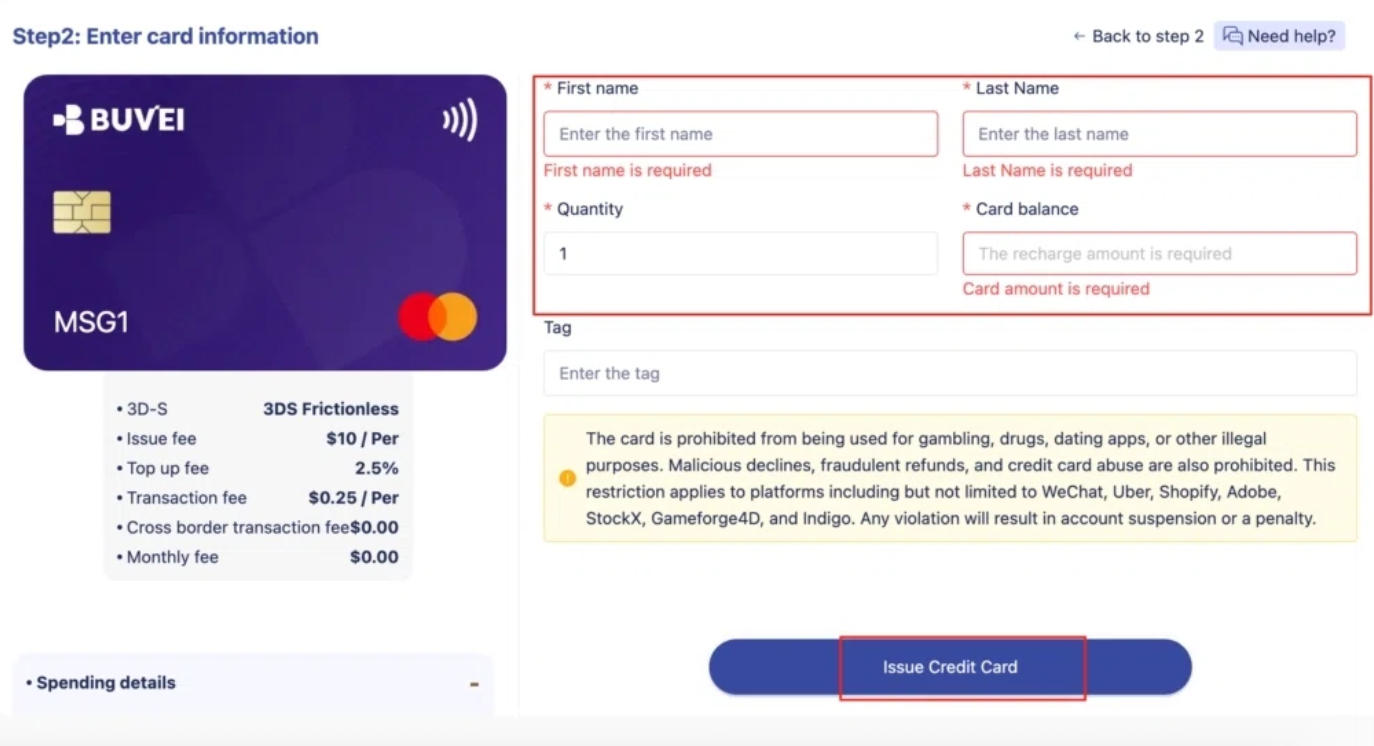
Go to Cards, select an available BIN and card type, and enter the required information, including the card name, amount, and quantity. Click Issue Card to create your virtual card.
View Your Card Details
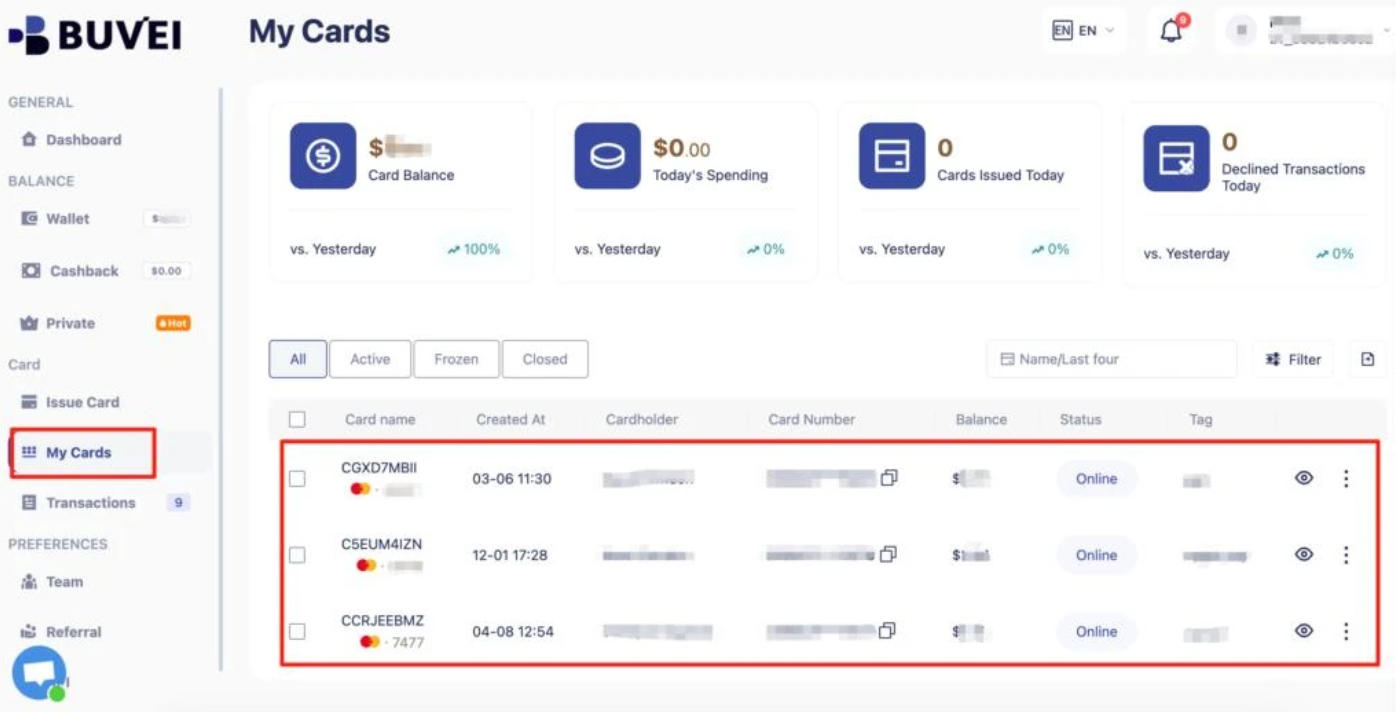
Open My Cards to view the card number, expiration date, and CVV. Before using it for ChatGPT, check its issuing region, available balance, and compatibility with the merchant's payment requirements.
Frequently Asked Questions
Why Does ChatGPT Keep Declining My Card?
Common causes include incorrect billing information, insufficient funds, bank restrictions, failed 3D Secure verification, and unsupported issuing regions. Check the error message first, then contact your bank if necessary.
Can I Use a Virtual Card for ChatGPT Plus?
A virtual card may work if it meets the applicable payment requirements, including issuing-region rules, card type, and authentication requirements. Having a Visa or Mastercard logo doesn't guarantee acceptance.
Why Did My ChatGPT Plus Renewal Fail?
An expired card, insufficient funds, bank restrictions, or failed authentication may prevent a renewal payment. Check your subscription status and update your payment method through the platform where you originally subscribed.
Final Thoughts
A declined ChatGPT payment doesn't always mean there's something wrong with your card. The problem could involve billing details, available funds, bank restrictions, security verification, or regional payment requirements. Checking these details before trying another payment method can save time and prevent repeated failed transactions.
If you regularly pay for ChatGPT and other online services, virtual cards can make subscription management easier. BUVEI brings together multiple BIN options, instant Visa and Mastercard issuance, individual card controls, and transaction records in one platform, giving users more flexibility when organizing their online payments.