
Google Cloud is one of the strictest platforms when it comes to payment verification. In 2026, many developers, startups, and overseas teams find that virtual cards work for ads or SaaS tools—but fail on Google Cloud billing.
This article explains how Google Cloud billing really works, why virtual cards are frequently declined, what Google expects from a payment method, and how to use Buvei virtual cards to reduce holds, declines, and account risk.

How Google Cloud Billing Actually Works
Google Cloud billing is usage-based and postpaid, which makes it fundamentally different from most subscription platforms.
Key characteristics include:
-
Postpaid charging (usage first, charge later)
-
Authorization holds before usage is allowed
-
Monthly invoicing cycle
-
Automatic charge attempts, not manual payments
-
Account-level risk scoring, not just card-level checks
Before resources are fully enabled, Google often places a temporary authorization hold, even if no charges are due yet.
This billing model makes Google Cloud far more sensitive to card reliability than standard SaaS tools.
 Why Virtual Cards Often Fail on Google Cloud
Most virtual card failures on Google Cloud are not random—they are the result of issuer risk, BIN reputation, and billing structure mismatches.
Common failure reasons include:
-
Prepaid or low-trust BINs rejected during authorization
-
Insufficient authorization buffer, even with balance available
-
Blocked MCCs related to cloud infrastructure or data services
-
Issuer refusal of postpaid or recurring charges
-
Country mismatch between Google account and card BIN
-
Repeated verification attempts triggering account flags
Some virtual cards may pass initial verification but fail once real usage begins.
What Google Cloud Expects from a Payment Method
In 2026, Google Cloud effectively expects payment methods that behave like traditional credit or enterprise-grade debit cards.
Google prefers cards that can:
-
Handle authorization holds without failure
-
Support variable monthly billing
-
Maintain consistent issuer behavior
-
Avoid frequent balance exhaustion
-
Pass recurring and delayed charge attempts
This is why disposable, short-lived, or “one-time” virtual cards usually fail on Google Cloud.
Using Buvei Virtual Cards for Google Cloud Billing
When configured correctly, Buvei virtual cards can be used for Google Cloud billing by aligning closely with Google’s expectations.
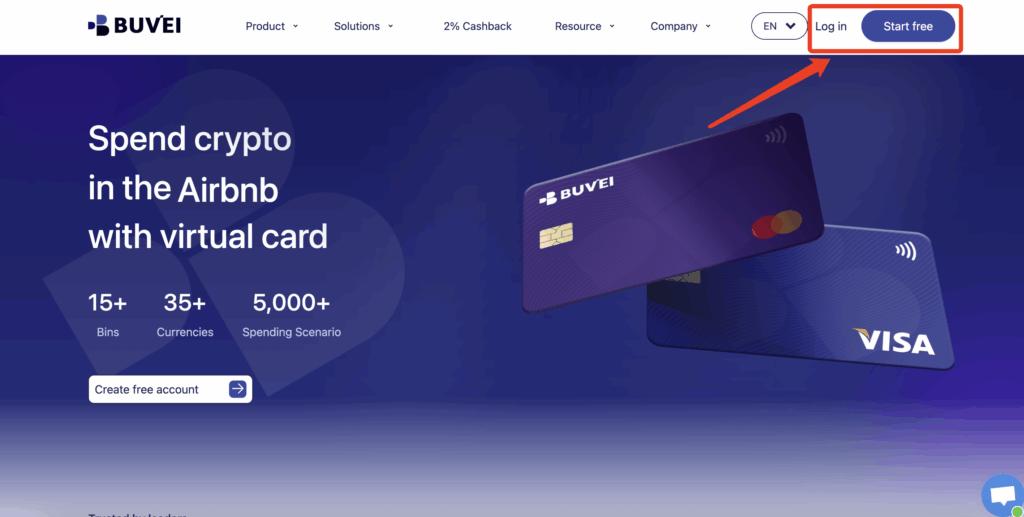
Step 1: Register a Buvei Account
-
Visit https://buvei.com
-
Create an account and verify your email
-
Log in to the Buvei dashboard
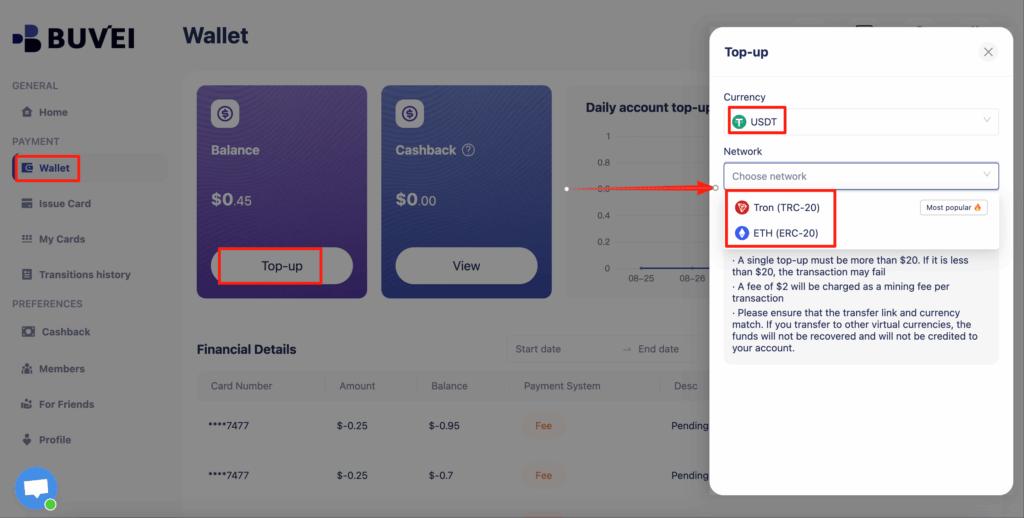
Step 2: Fund Your Buvei Wallet
-
Navigate to Wallet → Deposit
-
Select USDT (TRC20 or ERC20)
-
Copy the provided deposit address
-
Transfer funds and wait for on-chain confirmation
Once confirmed, your wallet balance becomes available immediately.
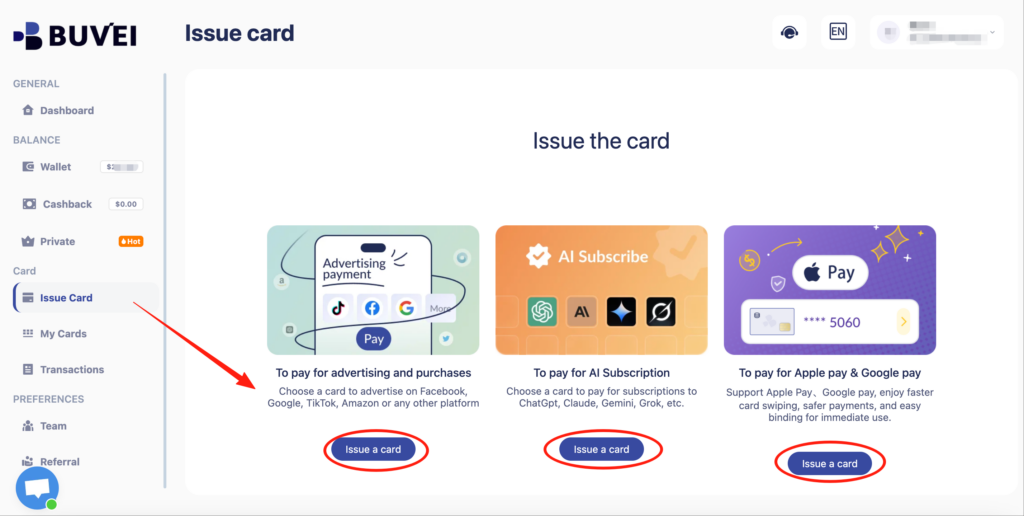
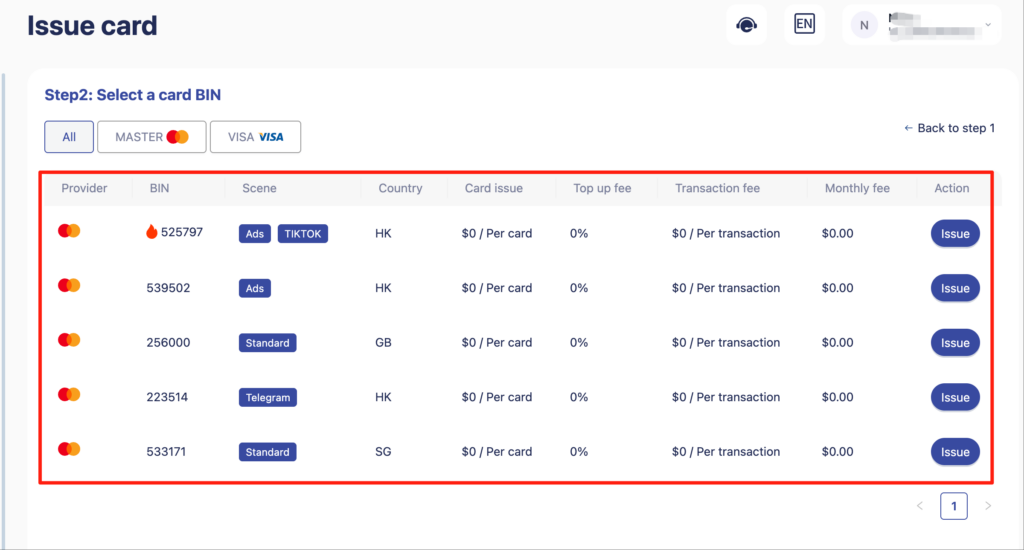
Step 3: Create a Virtual Card for Google Cloud
-
Go to Cards → Create Card
-
Recommended settings:
-
Card type: Virtual debit
-
Network: Visa (preferred), Mastercard as alternative
-
BIN region: US BIN strongly recommended
-
Initial balance: Higher than expected monthly cloud usage
-
-
Click Issue Card
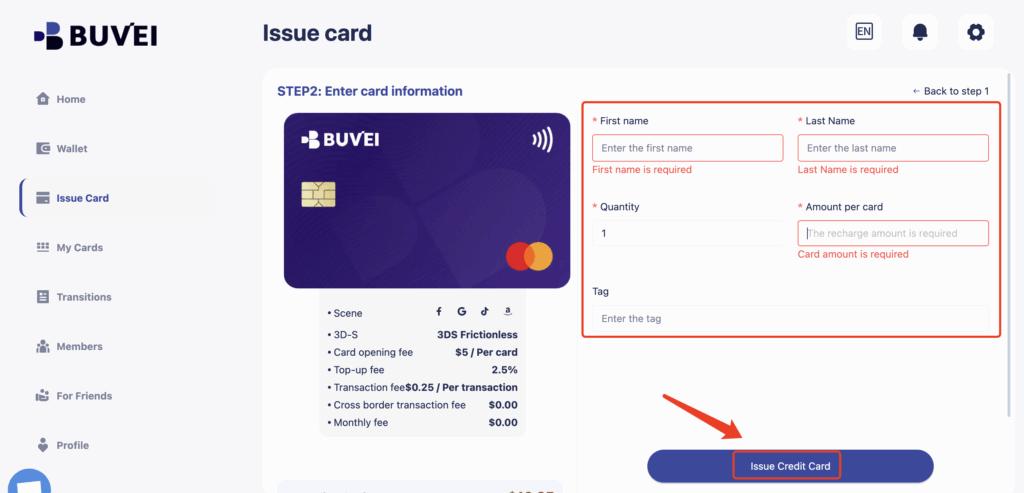
Use one dedicated card per Google Cloud account to avoid risk signals.
Step 4: Add Card to Google Cloud Billing
-
Open Google Cloud Console
-
Go to Billing → Payment methods
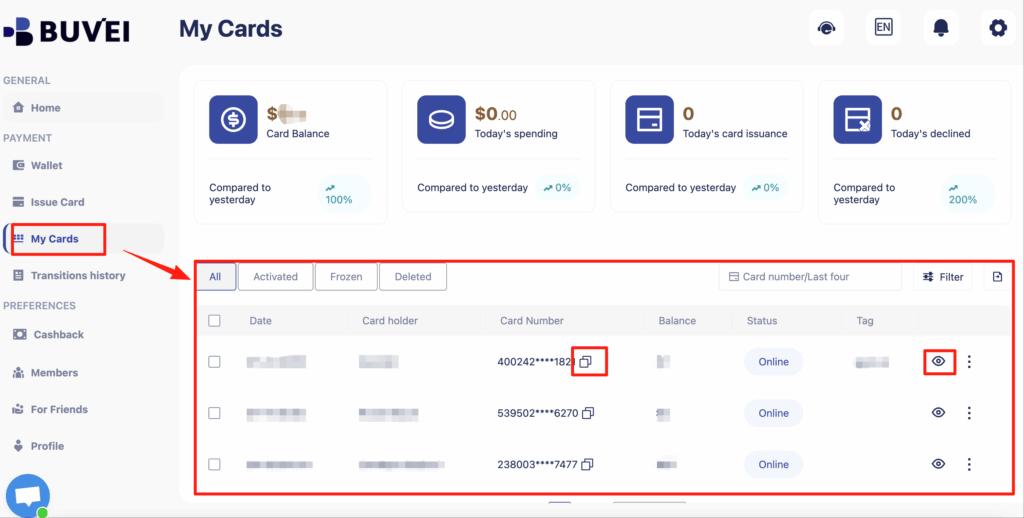
- Add the Buvei virtual card
-
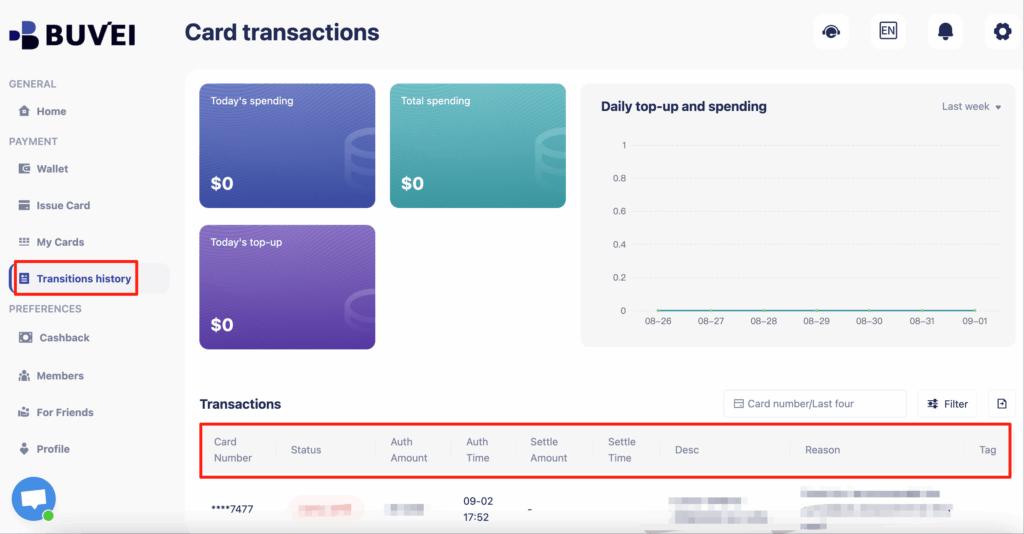
Complete verification and wait for authorization confirmation
Avoid changing cards during the first billing cycle.
How to Reduce Holds, Declines, and Account Flags
To keep Google Cloud billing stable over time, follow these best practices:
-
Maintain 30–50% extra balance beyond expected usage
-
Top up before reaching billing thresholds
-
Avoid frequent card removals or replacements
-
Do not reuse the same card across multiple Google accounts
-
Avoid rapid retries if a charge fails
-
Let one billing cycle complete successfully before scaling usage
Google Cloud rewards payment consistency, not experimentation.

Final Thoughts
In 2026, Google Cloud billing is less forgiving than most platforms. Virtual cards can work—but only when they behave like stable, well-funded, low-risk payment instruments.
By using properly configured virtual cards from providers like Buvei, maintaining sufficient balance, and avoiding risky behaviors, developers and businesses can significantly reduce declines, authorization holds, and billing-related account restrictions.