_颜色搭配:柔和白灰底蓝绿点缀-or-Airbnb-红金融蓝结合_图标建议:加密币(USDT_ETH)、-1248x702.jpg)
Want to book your next Airbnb stay but don’t have a physical credit card? Or maybe you prefer not to reveal your real card details online? Thanks to Web3 innovations and tools like Buvei, you can now use a virtual credit card funded with crypto (USDT, ETH, etc.) to pay on Airbnb — securely, easily, and instantly.
In this guide, you’ll learn how to:
-
Set up a Buvei virtual card
-
Add it to your Airbnb account
-
Book your stay using crypto
-
Stay private and secure while doing it
Who Is This Guide For?
This guide is perfect if:
-
You don’t own a physical credit card
-
You want to protect your financial identity online
-
You’re a Web3 user who wants to spend crypto in the real world
-
You're traveling internationally and want to pay in local currencies
Step 1: Set Up Your Buvei Virtual Credit Card
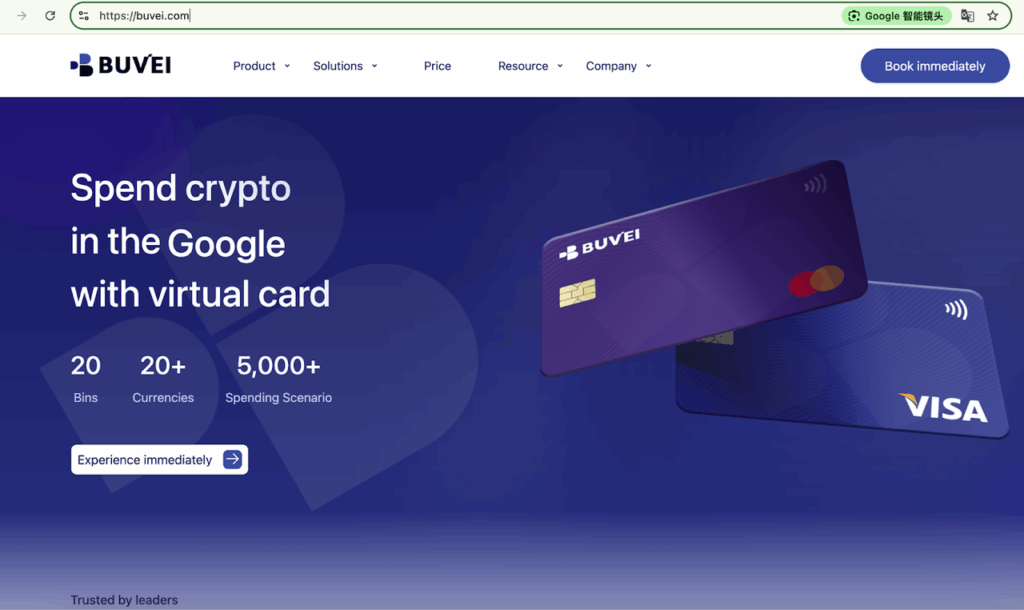
1. Visit Buvei’s Website
- Go to Buvei’s official site and click “Get Started.”
2. Sign Up
- Register with your email address (we recommend Gmail or ProtonMail for better compatibility).

3. Top Up and Activate Your Card
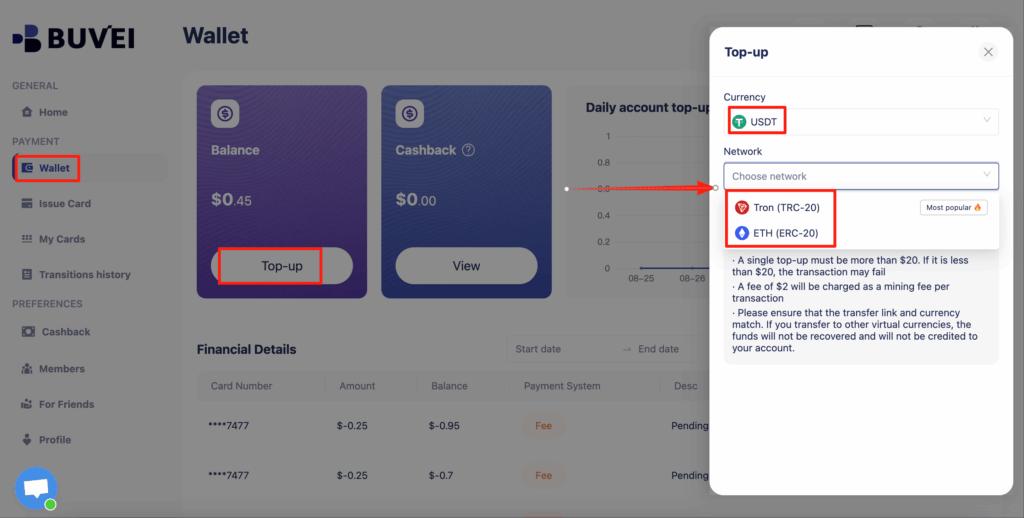
- Click “Wallet” to access your crypto top-up options.
- Choose your crypto (e.g., USDT TRC20, ETH).
- Select your card type: Visa or Mastercard.
- Under card usage, select “Airbnb Payment”.
- Enter your name, email, and the top-up amount.
- Complete the transaction.
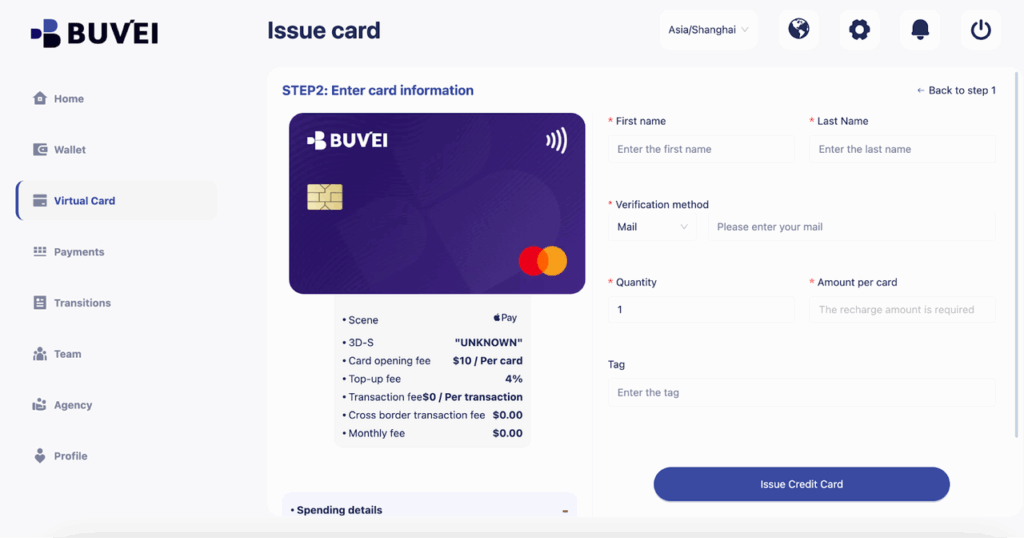
Once done, navigate to the Payments section to generate your unique virtual card info:
-
Card Number
-
Expiration Date
-
CVV Security Code
🔒 Buvei cards support one-time use, spending limits, and automatic card rotation for enhanced privacy and security.
Step 2: Log in or Sign Up on Airbnb
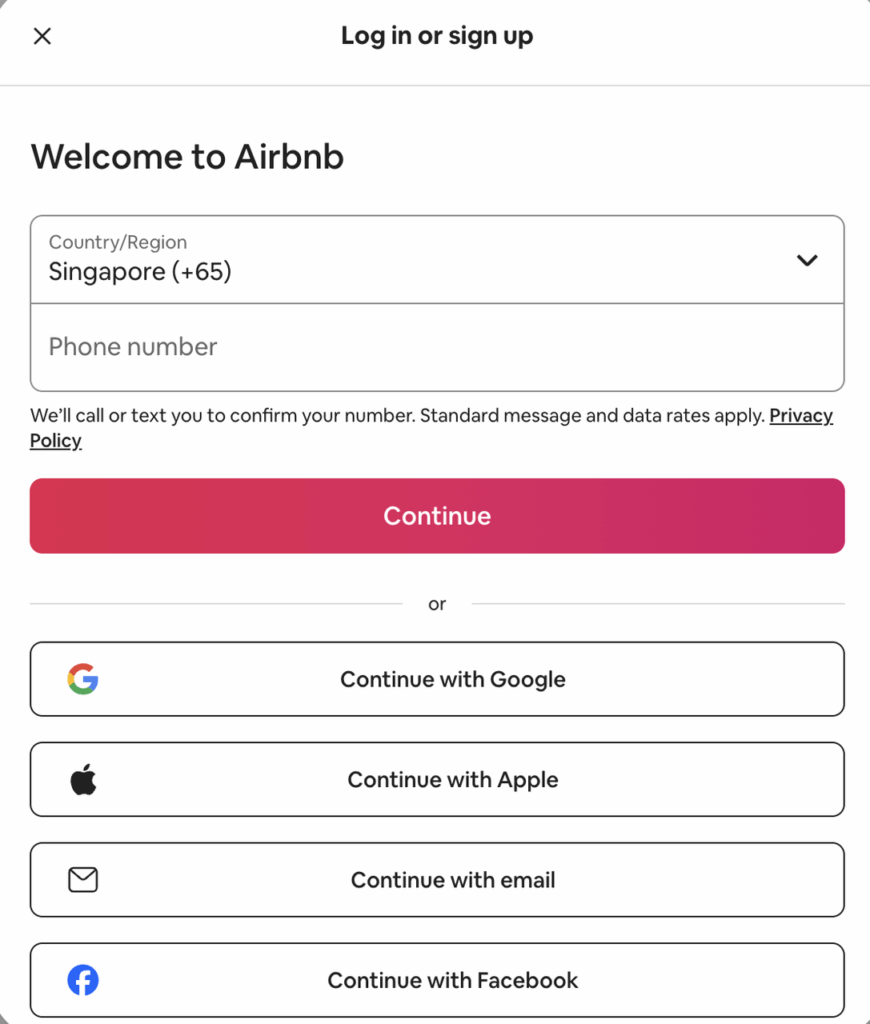
- Go to Airbnb’s website or download the Airbnb app.
- Sign up using your email, Google account, or mobile number.
- Complete your profile (ID verification, contact info, etc.) to increase trust on the platform.
Step 3: Add Your Buvei Virtual Card to Airbnb
- Click your profile icon (top right corner).
- Navigate to Account → Payments & Payouts → Add Payment Method.
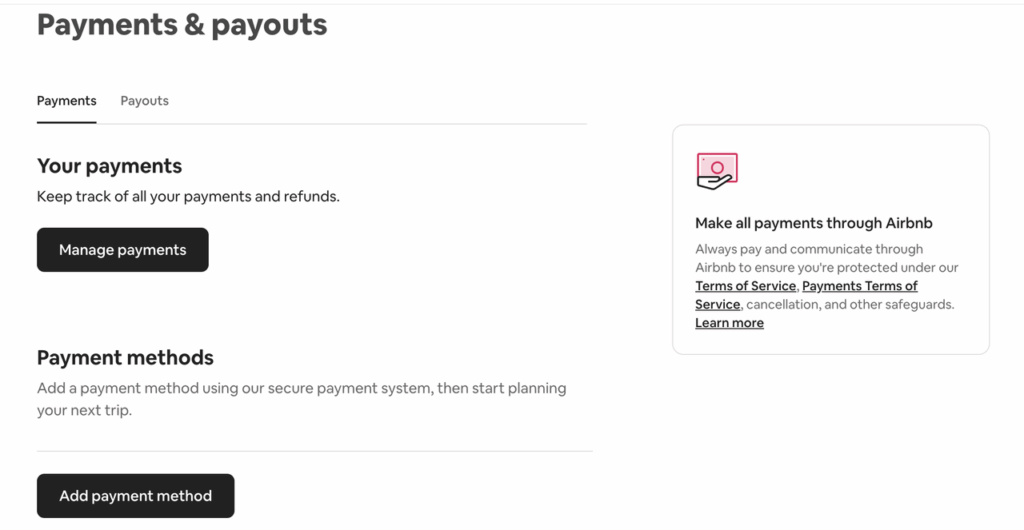
Choose Credit or Debit Card.
Fill in your Buvei virtual card details: -
Card Number
-
Expiration Date
-
CVV Code
-
Name on Card (use your registered English name)
-
Billing Address (use the one provided by Buvei, or your real address if not specified)
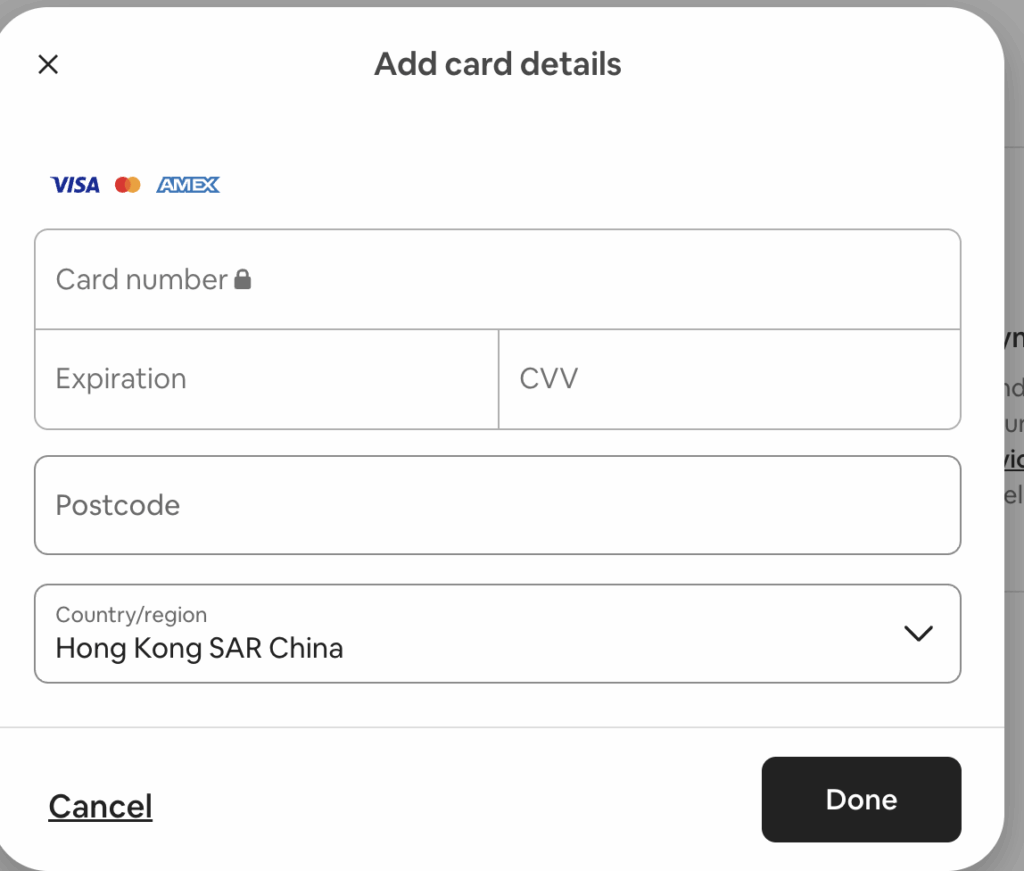
💡 Pro Tip: Ensure your card balance covers both the booking amount and Airbnb’s service fees.
Step 4: Book Your Stay and Pay with Crypto
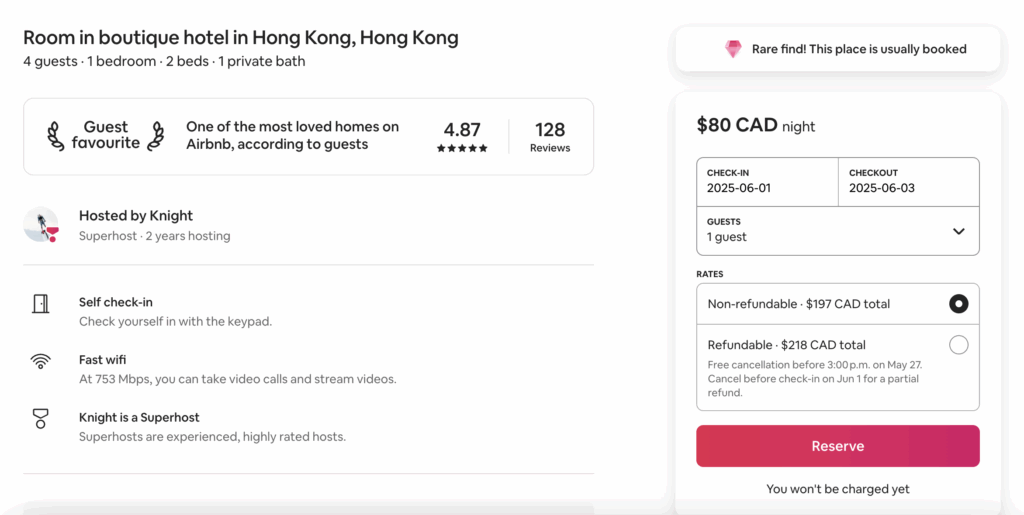
- Find your perfect Airbnb listing, choose dates and guest count.
- Click “Reserve”.
 On the payment screen, select your Buvei virtual card.
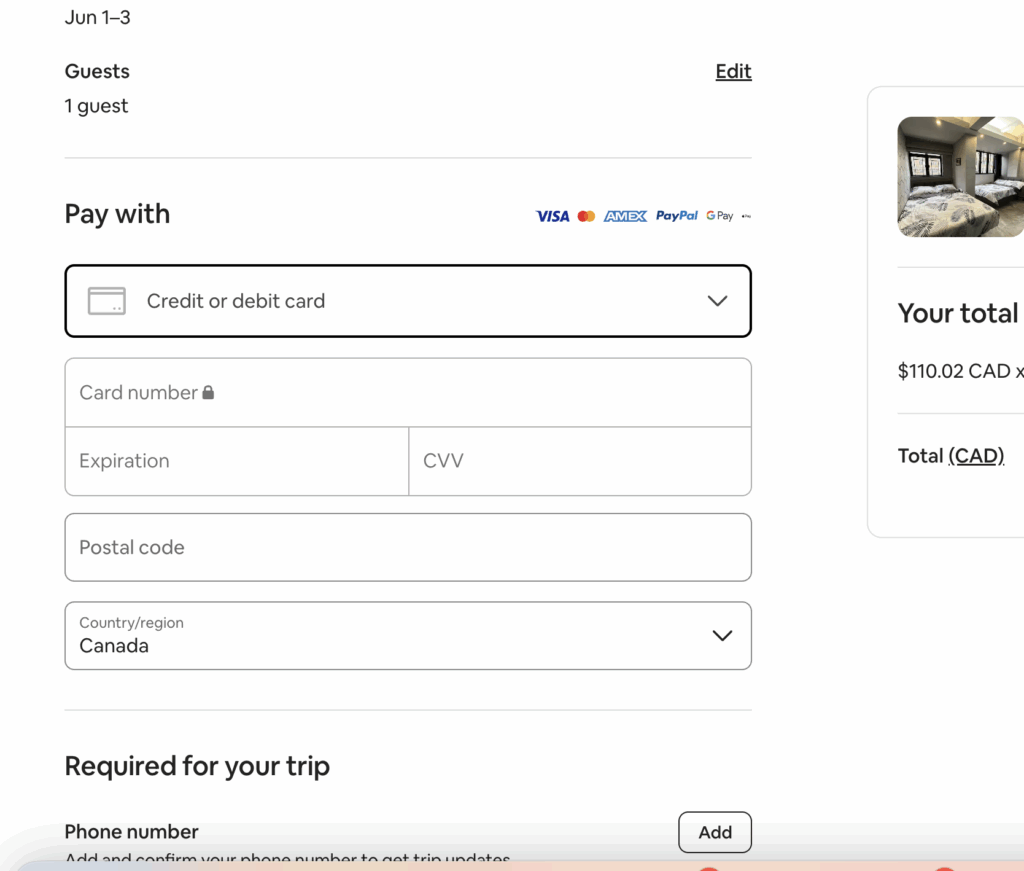 Click “Confirm and Pay”.
- Complete any additional verification (e.g., SMS, micro-charge).
Done! Airbnb will send a booking confirmation to your email. You’ve officially booked your stay with crypto.
Frequently Asked Questions
Can I get a refund to my Buvei card?
- Yes. If your host accepts cancellations, Airbnb will process the refund back to your Buvei card or account balance according to their policy.
Is it safe to use a virtual card?
- Absolutely. Buvei supports one-time-use cards and spending limits to help prevent fraud and protect your privacy.
What crypto assets can I top up with?
- You can use USDT (TRC20/ERC20), ETH, BUSD, and sometimes fiat payment channels depending on your region.
Does Airbnb accept virtual cards?
- Yes. As long as your Buvei card is a valid Visa or Mastercard and billing info is correct, Airbnb will accept it.
Why Use Buvei Virtual Cards to Book on Airbnb?
-
✅ No need for a physical card
-
✅ Works with crypto like USDT, ETH
-
✅ Hide your real financial info for safer online payments
-
✅ Accepted by major platforms: Airbnb, Amazon, Netflix, and more
-
✅ Great for travelers, remote workers, and Web3 natives
Ready to Book with Crypto?
Turn your digital assets into real-world travel.
👉 Sign up at Buvei and create your virtual card in minutes.
__使用蓝白主色调,突出Facebook品牌色__加入箭头或框框强调Ads-Man-400x225.jpg)