In today’s digital-first environment, virtual cards have become the go-to solution for users who prioritize security, privacy, and better control over their online spending. Claude, one of the leading AI platforms, allows users to upgrade to premium plans using virtual cards — an ideal way to manage subscriptions without exposing your primary bank account.
This tutorial walks you through how to use a Buvei virtual card to subscribe to Claude’s paid services efficiently and securely.
Step 1: Log in to Your Claude Account
Visit the Claude official site and sign in to your existing account.

Step 2: Choose Your Subscription Plan
Select the plan that fits your needs (Pro or Max). Click to confirm your upgrade path.
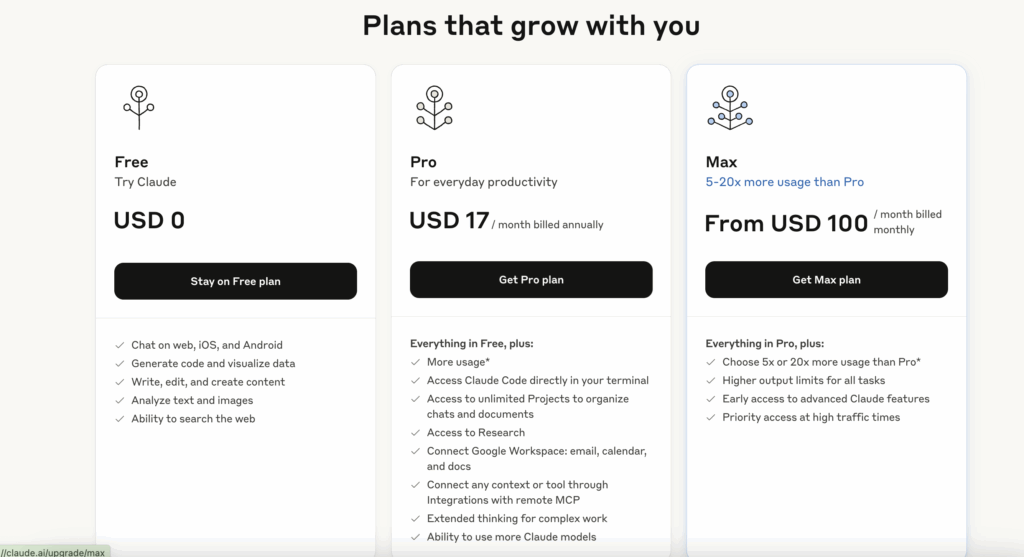
Step 3: Select Billing Frequency
Decide between monthly or annual billing options.
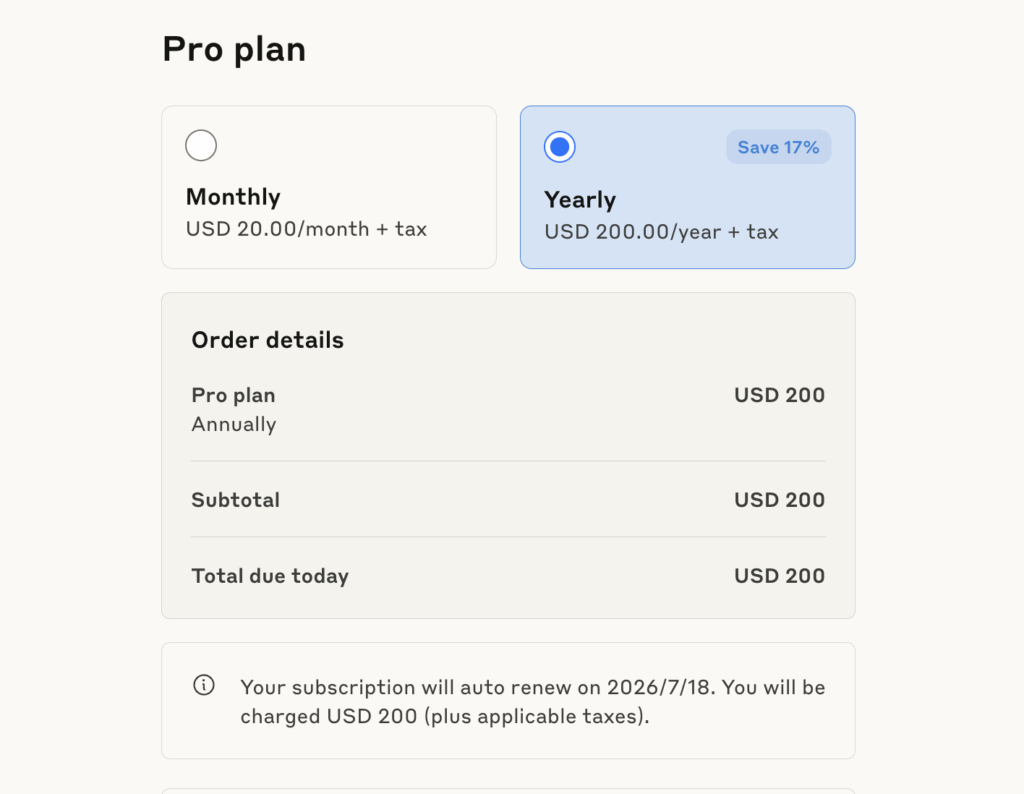
Step 4: Enter Your Payment Information
Fill in the required details:
-
Full name
-
Country or region
-
ZIP code
-
Buvei virtual card details: Card number, Expiry date, CVV
-
Business tax ID (optional)
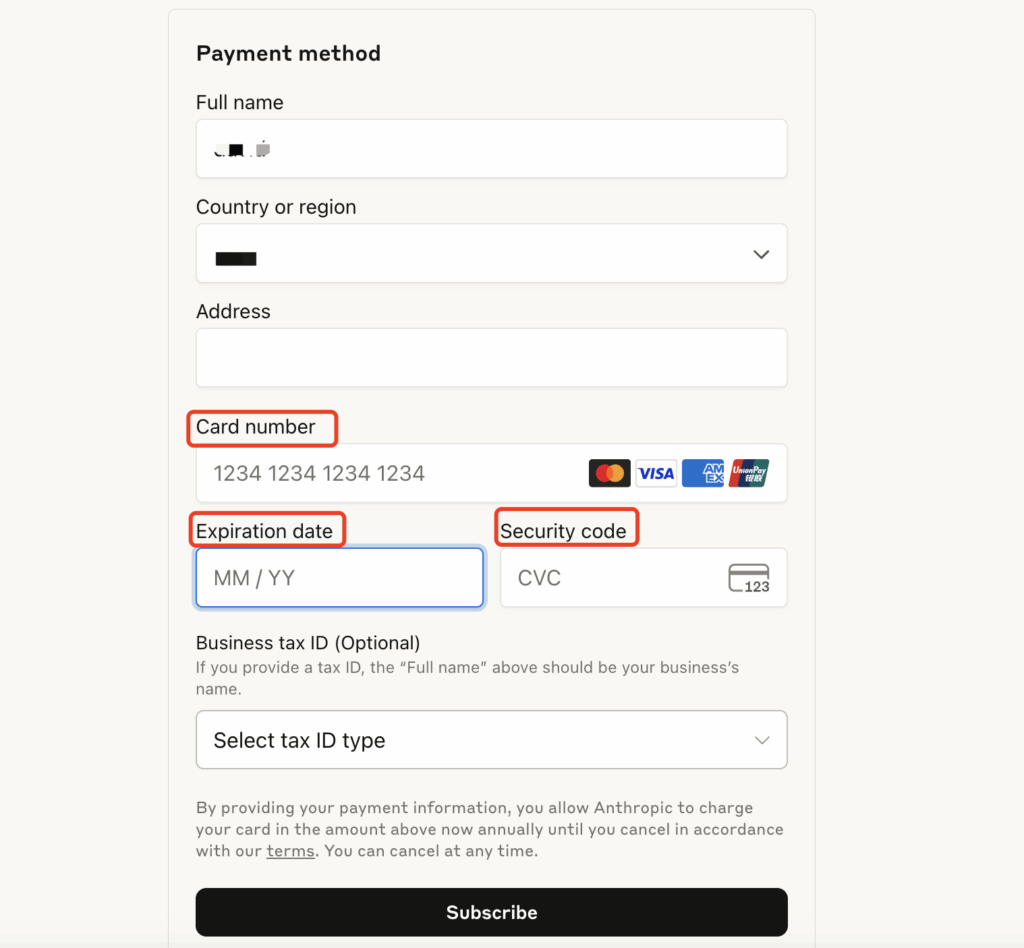
Step 5: Save and Verify
After submission, wait for the transaction to process. Upon approval, your Claude account will be upgraded and ready to use.
Common Errors & Troubleshooting
| Issue | Solution |
| Binding Failed | Double-check card number, expiration date, and CVV. Ensure card balance is sufficient. |
| Authorization Declined | Check card limit or contact Buvei support to remove any restrictions. |
| Payment Rejected | Make sure the card supports international online and subscription payments. |
| Multiple Accounts Using One Card | Use unique virtual cards per account to reduce risk and manage transactions safely. |
Haven’t Created a Buvei Virtual Card Yet? Follow These Steps:
-
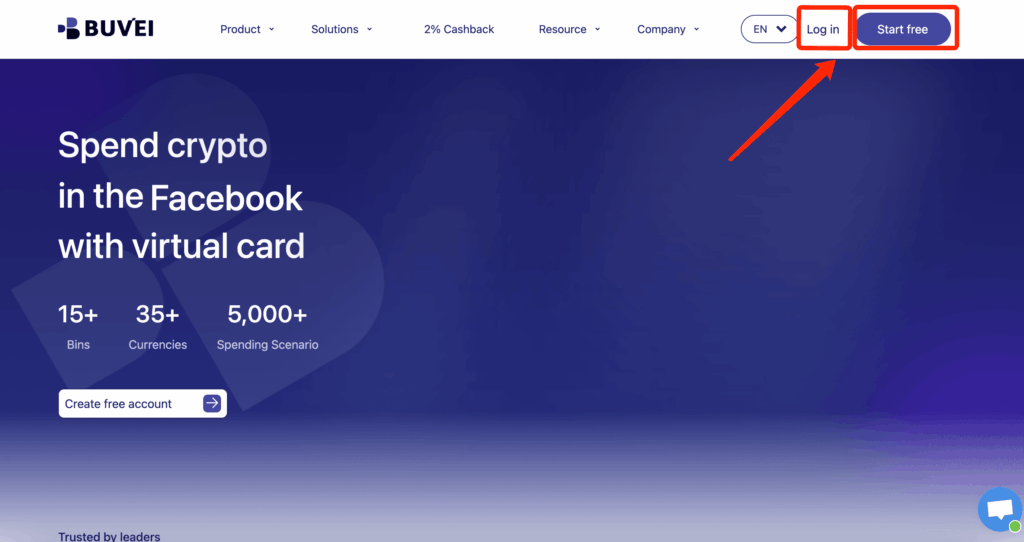
Sign up/Sign in at buvei.com
-
If you haven’t signed up yet, simply click 'Start Free' to register quickly with your email.
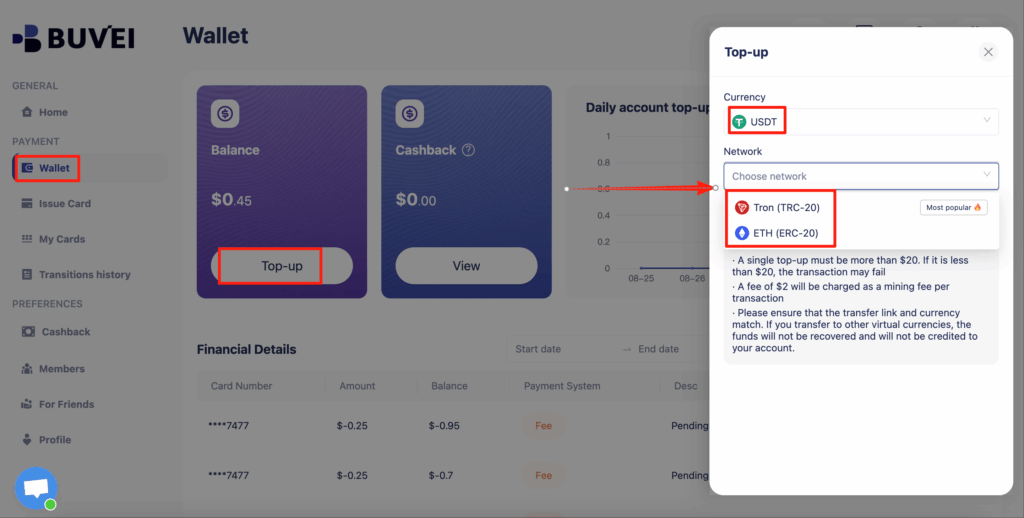
- Navigate to the Wallet tab and top up using supported stablecoins like USDT (TRC20/ERC20). You’ll receive a unique address—copy it and send your funds.
- Once confirmed, your balance will appear in the wallet for immediate use.
- Create a Virtual Card
-
Go to the Card tab
-
Choose your preferred BIN region
-
Select your card type
-
Click Issue
-

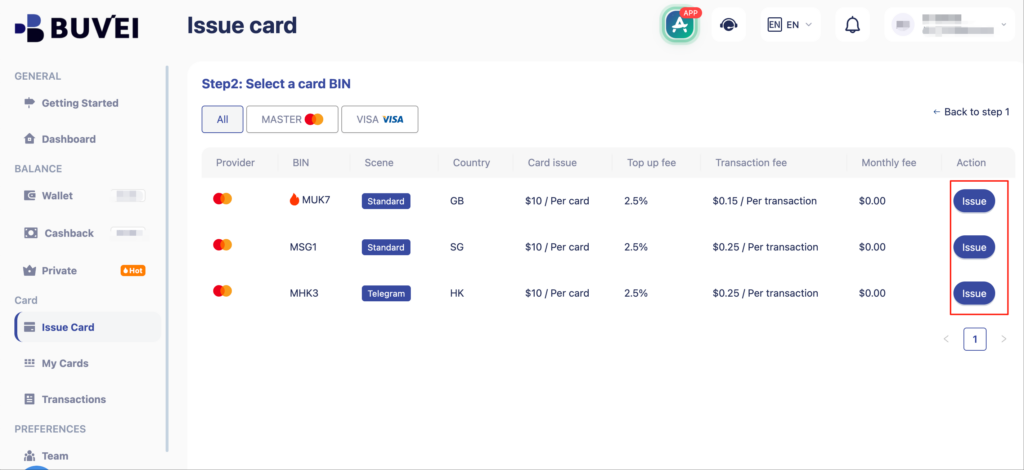
- Fill in the virtual card details, including name, amount, and number of cards.
-
Click Issue Card

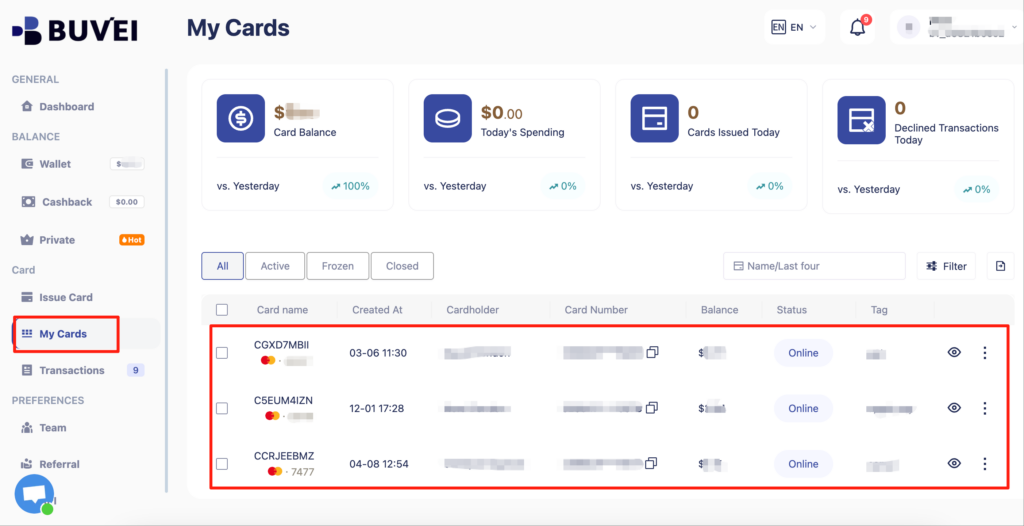
- Once created, navigate to My Cards to access your card details:
-
Card Number
-
Expiration Date
-
CVV
-
Buvei Virtual Card Best Practices
-
Card Segmentation: Use separate cards for different AI tools or subscriptions to streamline expense tracking.
-
Spending Limits: Set per-card limits via your Buvei dashboard to avoid unexpected charges.
-
Real-Time Monitoring: Track your card transactions live and get notified of any unusual activity.
-
Instant Lock: If suspicious activity is detected, disable the card immediately to prevent financial loss.
Conclusion
Linking your Claude AI account with a Buvei virtual card ensures a safer, more controlled payment experience. With simple setup steps and added features like card limits and real-time monitoring, you can confidently subscribe to AI services without compromising security.
Get started with Buvei virtual cards today and take full control of your digital payments.