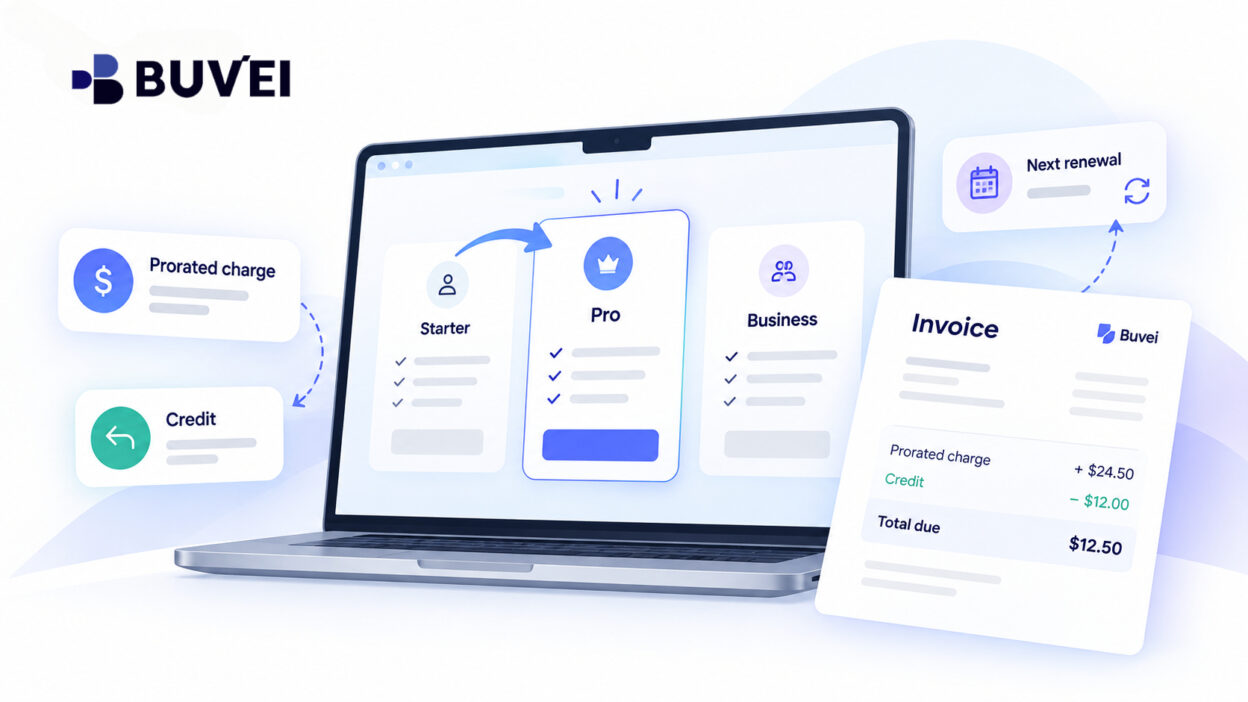
Your team adds two seats to a SaaS workspace in the middle of the month.
The plan costs €20 per seat, but instead of a €40 charge, the card shows €13.33 and the invoice includes a negative credit line.
Has the supplier overcharged, undercharged, or changed the renewal date?
Not necessarily.
A mid-cycle plan change can create prorated charges or credits based on the remaining service period. The vendor’s billing rules determine when those adjustments are invoiced and when payment is collected.
This guide explains how SaaS proration works, why upgrades can create several invoice lines, why a credit does not always mean a cash refund, and what to check before approving a higher recurring commitment.
The figures below are simple examples before tax, rounding, discounts, and vendor-specific rules. The actual invoice, price schedule, and contract determine the amount your business owes.
Start With the Billing Period, Not the Card Transaction
Most recurring SaaS products have a billing anchor — the date that starts the monthly, quarterly, or annual billing period.
If you change the plan halfway through that period, the vendor may:
- charge only for the remaining service period,
- add the adjustment to the next invoice,
- start a new billing period immediately,
- or apply another method under its billing terms.
The change date, service-period end, invoice date, and card charge date can all be different.
That is why a card transaction alone rarely explains a SaaS upgrade.
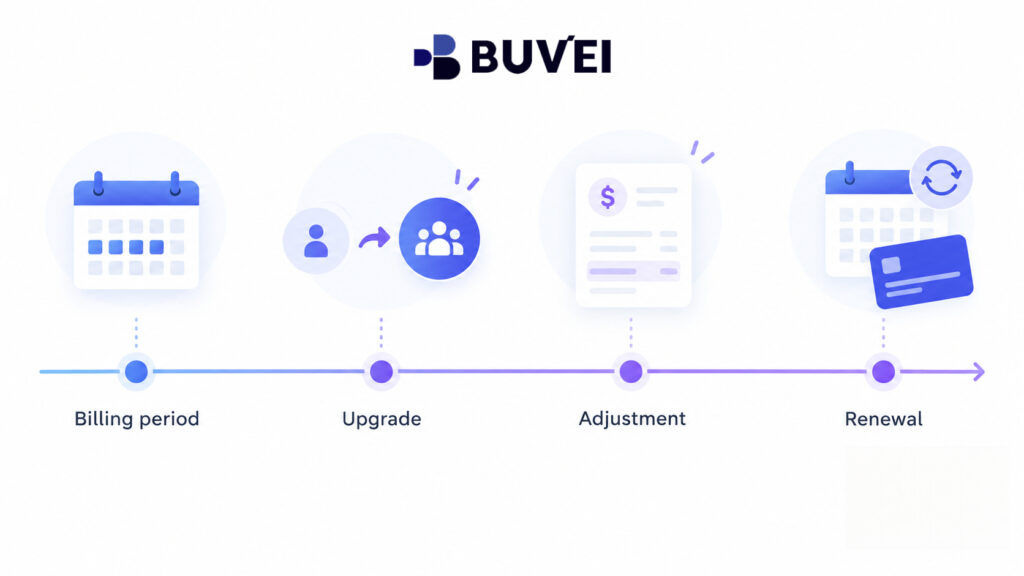
Before reconciling the payment, build a short timeline:
Current billing period → Plan change date → Adjustment → Next renewal
The vendor’s invoice preview and confirmation screen are usually the best indicators of how that specific change will be billed.
Example: Adding Seats Without Changing the Plan
Suppose six seats are already paid through the end of the month at €20 per seat.
You add two more seats with ten days remaining in a simplified 30-day billing period.
The prorated value would be:
2 × €20 × 10/30 = €13.33
So an immediate €13.33 charge can be completely consistent with the regular increase of €40 at the next full monthly renewal.
The vendor may also choose not to collect the €13.33 immediately. Instead, it could include the adjustment in the next invoice.
That is why you should confirm both:
- the short-period adjustment, and
- the new full-period recurring price.
Real SaaS contracts may use daily calculations, seat bands, different currencies, annual commitments, or other pricing rules, so the vendor’s actual invoice remains the source of truth.
A Tier Upgrade Can Create Both a Credit and a Charge
Proration becomes more confusing when the plan itself changes.
Suppose six existing seats cost €20 each per month, and the upgraded plan costs €30 per seat.
Ten days remain in the same 30-day billing period.
The vendor may calculate:
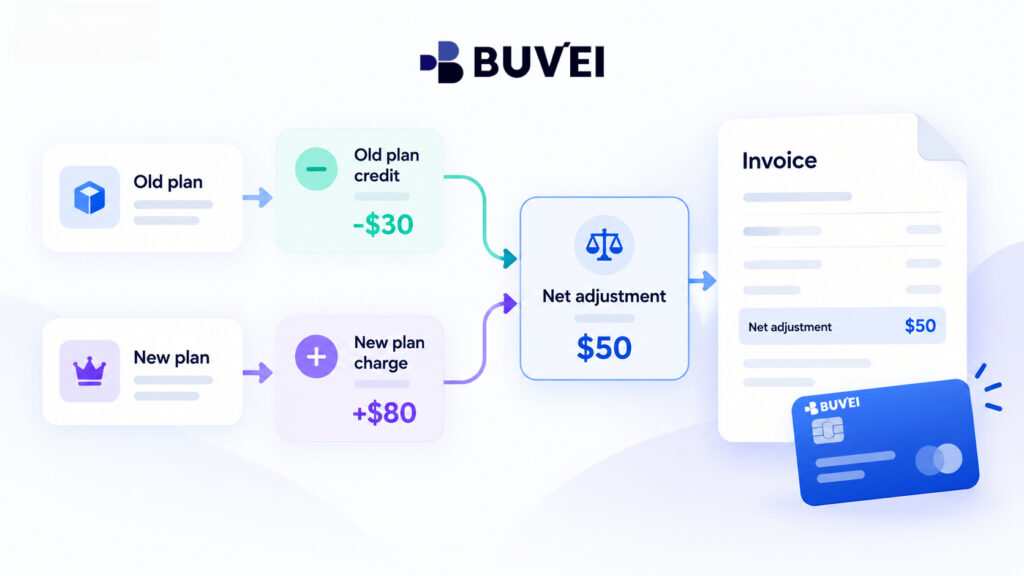
Unused old plan credit
6 × €20 × 10/30 = €40 credit
New plan charge
6 × €30 × 10/30 = €60 charge
Net adjustment
€60 − €40 = €20
An invoice containing a −€40 line and a +€60 line does not necessarily mean a €40 cash refund followed by an unrelated €60 purchase.
They may simply be the two accounting sides of the same plan upgrade.
A Credit Does Not Always Mean Money Is Being Refunded
This distinction matters.
A “credit” on a SaaS invoice might mean:
- an invoice adjustment,
- unused service credit,
- a customer-account balance,
- a credit note,
- or an actual refund.
These are not the same thing.
The credit may simply reduce the amount currently due or be carried forward to the next invoice.
If the plan change is reversed, check whether the vendor will:
- issue a corrected invoice,
- apply the credit to a future balance,
- or return funds to the original payment method.
Finance should verify what actually happened before recording the amount as a refund.
Check the Next Full Renewal Amount
A small charge today can hide a much larger ongoing commitment.
In the previous example, the €20 net adjustment is not the new recurring price.
For a full 30-day period:
6 × €30 = €180 per month
If two additional seats are also added:
8 × €30 = €240 per month
So every plan-change approval should show two numbers:
Amount due now
and
New recurring amount
That makes the commercial impact much clearer.
The same principle applies to downgrades. A vendor may show a credit now, delay the downgrade until renewal, or apply different rules under an annual commitment.
Review the Invoice Preview Before Confirming
The invoice preview is often the most useful screen in the entire upgrade process.
Before confirming the change, look for:
- amount due today,
- next invoice amount,
- service dates,
- old-plan credit,
- new-plan charge,
- seat quantity,
- discounts,
- tax,
- and existing account balance.
If the vendor does not provide a clear preview for a material upgrade, consider asking support or the account manager for a written calculation.
Also distinguish between the immediate payment and the longer-term commitment.
An approver with authority for a €20 adjustment may not automatically have authority for a new €2,000 annual commitment.
A virtual card limit can control payment capacity, but it does not replace internal approval of the underlying SaaS contract.
Why the Preview and Final Card Amount May Differ
Several legitimate factors can change the final amount.
For example:
- VAT or other taxes may be added later,
- the merchant may bill in another currency,
- a coupon may apply only to the current invoice,
- usage-based charges may sit outside seat proration,
- an existing balance may be applied,
- or collection may happen after invoice creation.
So the first number shown on the upgrade screen is not always the final card amount.
Compare the final invoice with the vendor’s terms and then reconcile it with the card transaction.
Also keep the company’s legal entity and tax information up to date so invoices are issued to the correct business.
What If No Card Charge Appears on the Upgrade Day?
Suppose the team adds seats and they become active immediately, but there is no new card transaction.
That does not mean the seats are free.
The vendor may have:
- added the adjustment to the next invoice,
- created a pending invoice item,
- applied an existing credit balance,
- or scheduled collection for a later due date.
Check the SaaS billing page before drawing conclusions.
The opposite can also happen.
A vendor may collect a prorated amount immediately without changing the normal renewal date.
For example:
€13.33 today for the remaining days
followed by
the full new recurring amount on the next regular renewal date
Those are not automatically duplicate charges.
The correct question is:
Which service period and quantity does each invoice cover?
What If Payment Fails During the Upgrade?
SaaS vendors do not all handle failed upgrade payments in the same way.
Some may activate the extra seats first and collect later.
Others may keep the upgrade pending until payment succeeds.
A failed invoice may also affect the existing subscription status.
If the card was authorised but the upgrade did not appear, check:
- the workspace status,
- the subscription status,
- any open invoice,
- and the vendor’s billing notices.
Before retrying the payment, ask the vendor whether an order was created and how the original authorisation will be handled.
This helps avoid unnecessary repeated payment attempts.
For urgent upgrades, also make sure someone can access the billing page and someone has authority to approve the additional cost.
Three Different Questions Behind One “Upgrade”
A SaaS upgrade can mean three different things to different teams.
The user asks:
“When will I get access to the additional seat?”
Procurement asks:
“What is the new contractual quantity and commitment?”
Finance asks:
“What does today’s charge represent, and what will the next invoice contain?”
A simple internal change record can answer all three.
Record:
- old and new plan,
- old and new seat count,
- effective date,
- current period end,
- immediate adjustment,
- next full-period amount,
- tax treatment shown by the vendor,
- invoice number,
- and approver.
The point is not to create more paperwork. It is to stop different teams from using the word “upgrade” to describe different events.
Four Common SaaS Invoice Puzzles
1. More Users, but Fewer New Paid Seats
A team invites four people, but the invoice shows only two additional paid seats.
Before assuming the vendor undercharged, check whether:
- unused paid seats already existed,
- some users were added as guests,
- the vendor counts billable users differently,
- or seat quantity is calculated at a later snapshot.
The number of members visible in a workspace is not always the same as the number of billable seats.
2. A Downgrade Shows a Negative Line but No Refund
A downgrade may create unused-service credit without creating an immediate card refund.
The vendor may apply that credit to the next renewal.
If the contract states that downgrades take effect only at the next billing period, there may be no immediate credit at all.
A negative number on an invoice is something to reconcile — not automatic proof that money is returning to the card.
3. A Quarterly Plan Changes to an Annual Plan
Moving from a quarterly plan to an annual plan can change more than the arithmetic.
The vendor may:
- credit unused quarterly service,
- start the annual period immediately,
- change the renewal date,
- and collect the annual balance.
Or it may schedule the annual plan for the next billing boundary.
The company should record the new contract period and total commitment, not just the credit shown on screen.
4. A Promotional Price Disappears
A business may assume new seats will keep an old promotional price.
The vendor may instead apply its current standard rate to new seats or reset the plan under its pricing terms.
If the new rate is unexpected, ask the vendor to explain:
- the price applied to each invoice line,
- when the promotion ends,
- and whether the new rate affects existing or newly added seats.
The source of the pricing change is the SaaS contract or vendor — not the card provider.
Use a Simple Reconciliation Worksheet
You do not need a complicated finance model to check a SaaS upgrade.
Write down:
- old quantity,
- old unit price,
- new quantity,
- new unit price,
- change date,
- old service-period end,
- and next renewal date.
Then classify each invoice line according to the vendor’s description:
- old service credit,
- new service,
- tax,
- discount,
- prior balance.
First reconcile the invoice total in the merchant’s billing currency.
Then compare that amount with the card transaction, accounting for any currency conversion shown by the payment provider.
If the numbers still do not match, ask the vendor for the transaction reference and a written explanation.
Keep the original preview and final invoice as well. A subscription page may later show only the current plan, making it harder to reconstruct what was approved months earlier.
Annual Plans Can Still Have Prorated Changes
Proration is not limited to monthly SaaS plans.
Suppose five users are committed through 31 December and two additional seats are needed from 1 October.
A simple illustration could value the two extra seats for the remaining three months of the year.
But the vendor may instead:
- require a minimum annual commitment,
- align the new seats with the existing renewal,
- or start a separate annual term.
Ask for the exact service dates of the additional seats and what happens when the original contract renews.
A lower short-term charge does not necessarily mean those seats can be removed freely at the next calendar boundary.
Write an Approval Someone Can Understand Later
A short approval note is often enough.
For example:
Effective 21 September, increase from six to eight seats on the same plan. Estimated adjustment: €13.33 before tax for the remaining ten days, subject to the supplier invoice. Expected next full monthly price: €160 before tax. Approved for the design project.
Replace the sample figures with the actual vendor preview.
Also record:
- source of the quote,
- renewal date,
- tax or discount where known,
- and who approved the change.
This makes it clear that approval of a small immediate proration is not the same thing as unlimited approval of future recurring spend.
How Buvei Can Help With SaaS Spend Tracking
Using dedicated Buvei virtual cards for different SaaS vendors, teams, or purposes can make recurring software payments easier to identify and reconcile.
Card records can help teams confirm:
- which card was used,
- when the payment occurred,
- and the amount charged.
This can make recurring SaaS spend easier to organize alongside invoices and internal approval records.
However, the SaaS provider remains responsible for:
- plan pricing,
- seat calculations,
- proration,
- credits,
- invoice timing,
- and subscription terms.
Payment records help confirm the payment side of the transaction; the vendor’s invoice explains the commercial calculation.
A Final Review Before Confirming a SaaS Upgrade
Before clicking Confirm, check:
- current plan,
- paid-through date,
- effective change date,
- new seat quantity,
- new plan tier,
- amount due now,
- new recurring price,
- treatment of unused service,
- next invoice or collection date,
- tax and discounts,
- and any minimum commitment.
Also confirm whether a “credit” means an invoice adjustment or an actual refund.
If the card amount later differs from expectations, start with the merchant invoice and service dates before assuming the transaction itself is wrong.
Final Takeaway
Proration is simply a way to account for changes in time, quantity, and plan level within a billing period.
It does not mean every SaaS vendor uses the same formula.
The safest approach is to review both:
the immediate adjustment
and
the new recurring commitment
Then keep the vendor’s invoice alongside the relevant card record.
That makes a surprising €13.33 charge much easier to explain:
What changed? Which service period does the charge cover? And what will the business owe at the next renewal?