As advertising on X (formerly Twitter) becomes more automated and compliance-driven, billing errors are one of the most common reasons campaigns pause or accounts get restricted. Many advertisers encounter failed payments, repeated declines, or sudden billing blocks—often without clear explanations.
This guide breaks down the most common X Ads billing problems, explains why they happen, and shows how virtual cards, especially Buvei virtual cards, can help restore stable ad payments.

Common X Ads Billing Problems
Advertisers frequently report the following billing issues on X Ads:
-
Payment declined despite sufficient balance
-
Billing method rejected after being previously accepted
-
Campaigns paused automatically due to failed charges
-
Account under review triggered by payment irregularities
-
Repeated authorization failures on recurring ad spend
Once billing fails multiple times, X Ads may temporarily disable ad delivery until a valid payment method is added.
Reasons X Ads Payments Fail or Get Blocked
X Ads uses automated risk and fraud detection systems. Payment failures usually stem from:
-
Bank restrictions on international or ad-related transactions
-
Card issuer fraud controls triggered by frequent ad charges
-
BIN reputation issues, especially with certain prepaid cards
-
Mismatch between account region and card issuing country
-
Over-limit or unpredictable spend patterns
Even legitimate advertisers can be flagged if billing behavior looks inconsistent.
How Virtual Cards Help Resolve Billing Errors
Virtual cards are increasingly used by advertisers to stabilize X Ads payments. Key advantages include:
-
Dedicated cards for each ad account, reducing risk exposure
-
Clean BINs with better acceptance rates for ad platforms
-
Custom spend limits to match daily or monthly ad budgets
-
Instant replacement if a card gets blocked or flagged
By isolating ad spend from personal or corporate bank cards, virtual cards minimize cascading payment issues.
Step-by-Step: Fixing X Ads Billing Issues
If your X Ads account is facing billing errors, follow these steps:
-
Pause active campaigns to prevent repeated failed charges
-
Remove the failing payment method from X Ads billing settings
-
Create a new virtual card with a supported network (Visa or Mastercard)
-
Ensure sufficient balance and a buffer for authorization checks
-
Add the new card to X Ads and verify billing successfully
-
Resume campaigns gradually to avoid triggering automated reviews
This reset process often clears payment flags tied to previous cards.
How to Use Buvei Virtual Cards for X Ads Payments
Buvei provides virtual cards optimized for global advertising platforms:
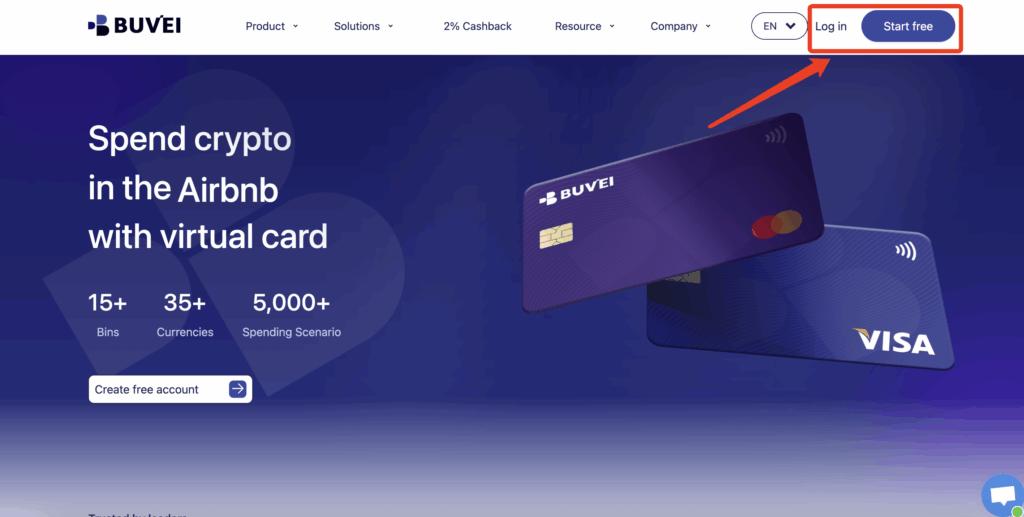
Step 1: Register a Buvei Account
-
Visit https://buvei.com
-
Create a free account and verify your email
-
Log in to access the Buvei dashboard
Step 2: Fund Your Wallet
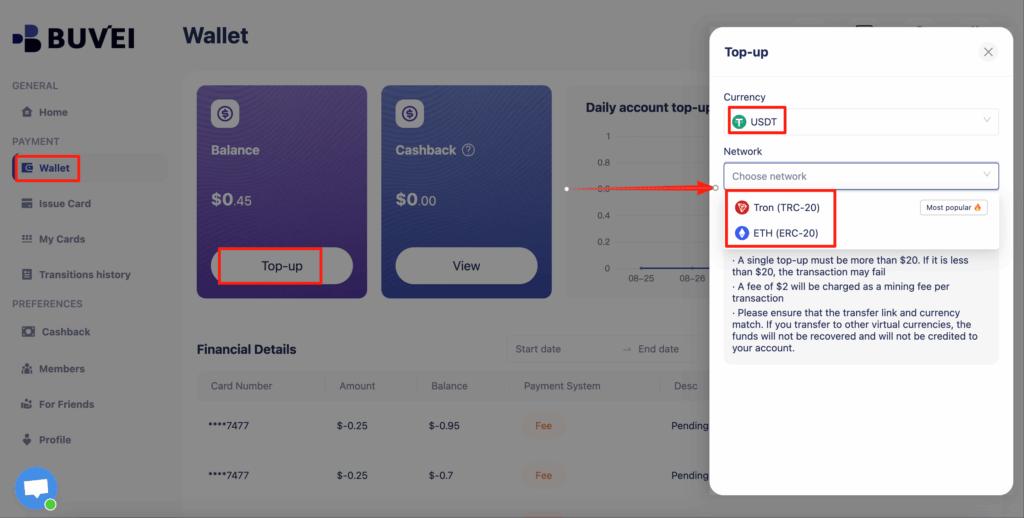
-
Go to Wallet
-
Choose USDT (TRC20 or ERC20)
-
Send funds to your dedicated deposit address
-
Balance becomes available once confirmed
Step 3: Create a Virtual Card for Each Ad Account
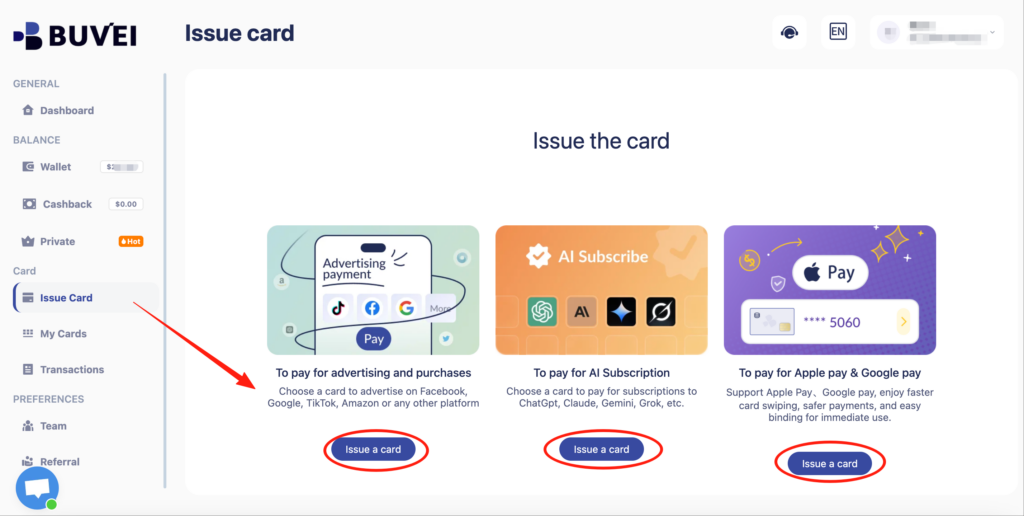
-
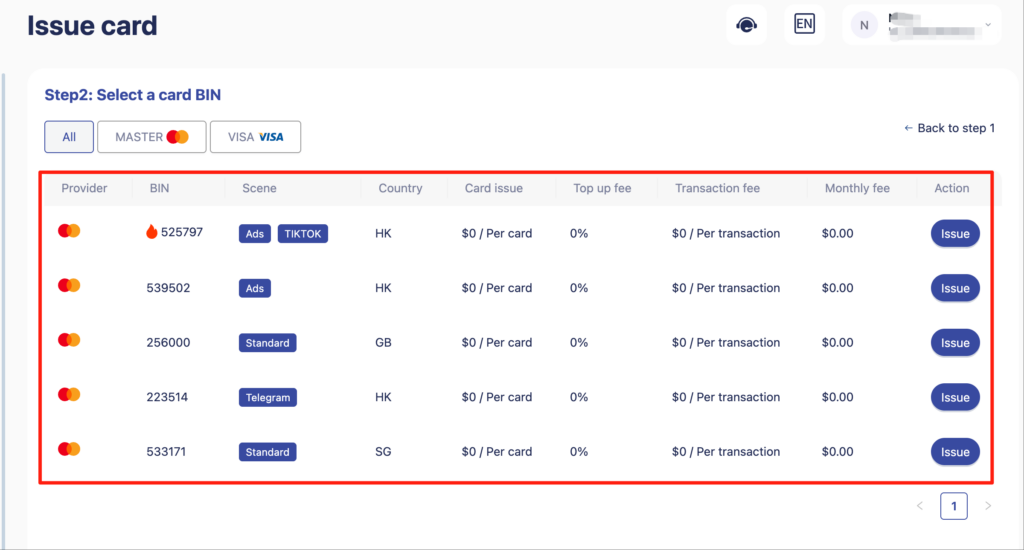
Navigate to Cards → Create Card
-
Configure:
-
BIN region (US BIN recommended)
-
Card type (Visa or Mastercard)
-
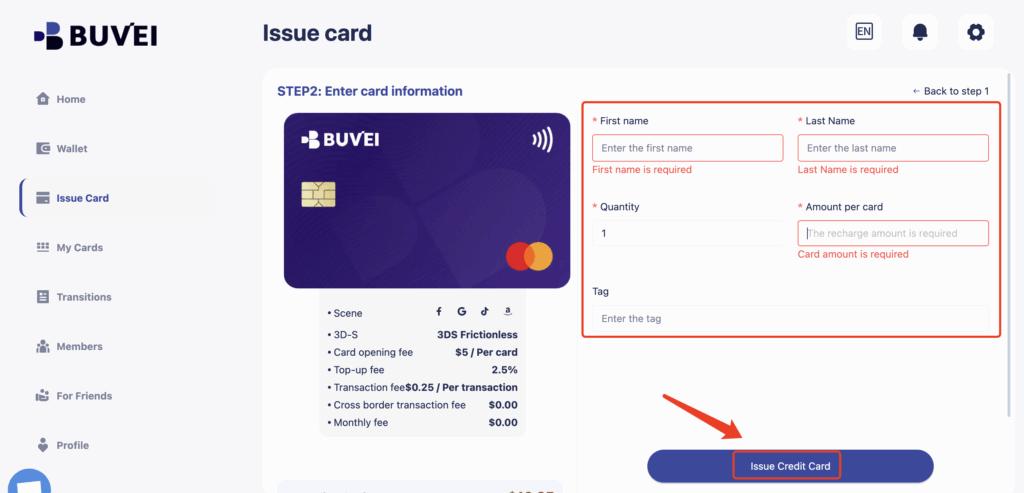
Card balance (matched to expected spend)
-
-
Issue the card
Each card should be assigned to one ad account only.
Step 4: Rotate Cards When Risk Appears
If an ad account receives warnings, payment retries, or early restrictions:
-
Stop using the existing card
-
Issue a new virtual card
-
Attach it only after resolving policy issues
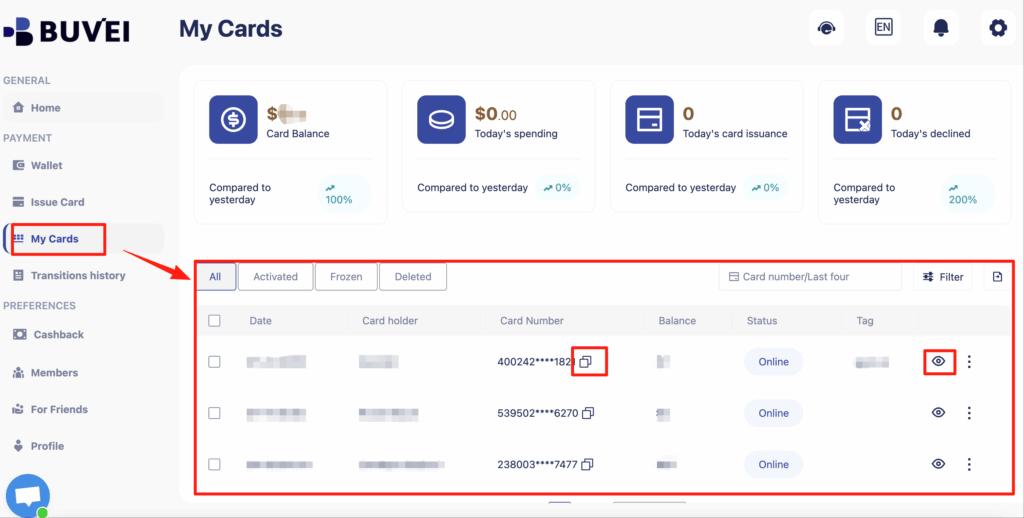
From My Cards, affiliates can monitor balances, spending activity, and transaction history—making it easier to spot early warning signs.
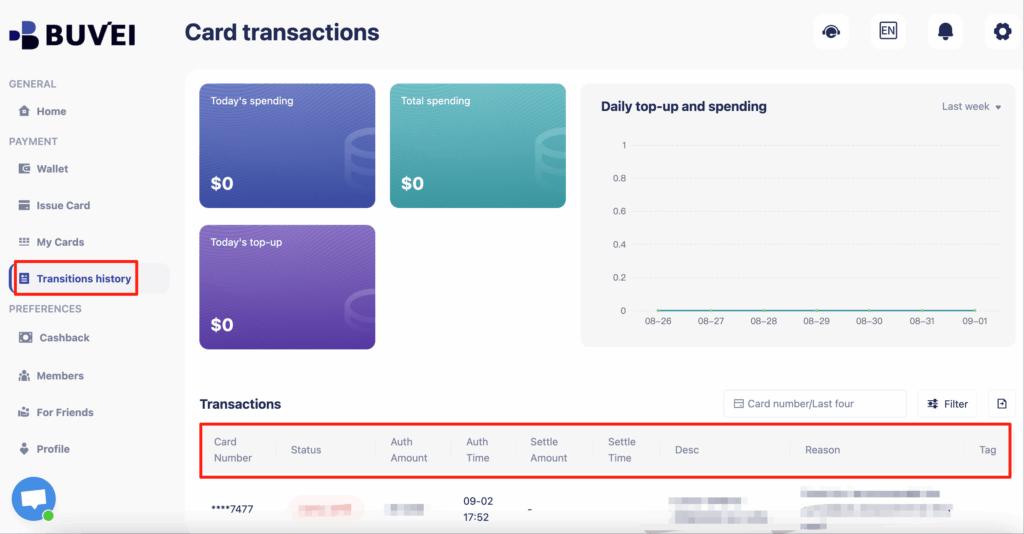
Buvei cards allow advertisers to monitor transactions in real time, top up instantly, and replace cards if needed—without disrupting the entire ad operation.
Best Practices to Keep X Ads Accounts Active
To reduce future billing risks:
-
Use one virtual card per X Ads account
-
Avoid sudden spikes in daily ad spend
-
Maintain a balance buffer above expected charges
-
Replace cards proactively if decline patterns appear
-
Keep billing details consistent with account activity
Stable billing behavior is key to maintaining uninterrupted ad delivery on X Ads.

Final Thoughts
Billing errors are one of the fastest ways for X Ads campaigns to stall. By understanding how X Ads evaluates payments and using virtual cards designed for ad platforms, advertisers can significantly reduce declines, reviews, and account interruptions. Buvei virtual cards offer flexibility, control, and reliability for advertisers managing one or multiple X Ads accounts.