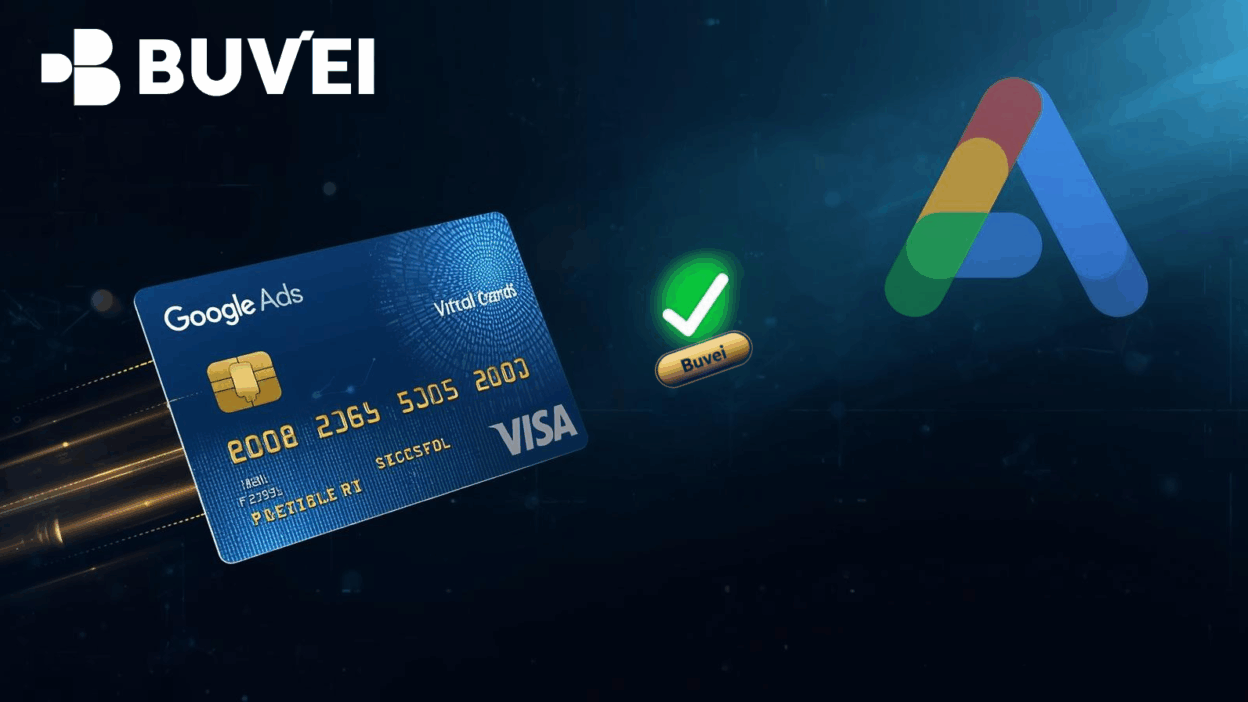
Google Ads relies on consistent, trouble-free billing. Any payment failure—whether caused by card limits, bank reviews, or mismatched regions—can immediately pause ad delivery and affect campaign performance. As more advertisers run campaigns across multiple markets, many are turning to virtual cards to ensure stable payments and prevent unexpected interruptions.
A virtual card offers more control, better security, and greater transparency for advertisers who want flexible billing tools. This article explains how virtual cards support reliable Google Ads payments, what types are compatible, how to add them to your account, and what to do to avoid declines or suspensions. It also highlights why Buvei virtual cards are a strong option for users needing predictable, high-success-rate transactions.

The Benefits of Using Virtual Cards for Google Ads
Advertisers increasingly choose virtual cards because they deliver both stability and operational advantages. Key benefits include:
Improved Payment Reliability
Many regular bank cards trigger declines when Google runs automated billing checks. Virtual cards allow users to set customized limits, adjust available balance instantly, and ensure the billing method always has sufficient funds. This dramatically reduces the risk of failed charges.
Enhanced Security and Risk Management
Virtual cards help advertisers separate Google Ads spending from their main accounts. If card information is compromised, exposure is limited. Some virtual cards also provide single-merchant locking or region-specific usage, lowering the chance of fraudulent activity.
Better Budget and Multi-Account Control
Agencies and advertisers managing multiple campaigns benefit from using different virtual card numbers for each client or ad account. This allows clearer tracking, easier accounting, and minimal crossover risk.
Fast Replacement and Higher Approval Rates
When a physical bank card expires or is blocked, updating payment information can take time. Virtual cards offer quick replacements with instant activation, reducing downtime and keeping campaigns running without interruption.
Which Virtual Cards Work Best With Google Ads
Google Ads accepts various types of prepaid virtual cards, virtual debit cards, and virtual credit cards, but not all providers have high approval rates. Compatibility depends on the issuing institution, region, and risk profile.
Recommended Types
1. Virtual Visa and Virtual Mastercard
Both Visa and Mastercard virtual cards generally have the highest acceptance on Google Ads, especially when issued by reputable fintech or licensed institutions.
2. Virtual Debit Cards Backed by Real Bank Rails
Cards connected to licensed issuers or EMI institutions offer better stability. They often support:
-
International payments
-
Google billing MCCs
-
Higher success rates for recurring charges
3. Reloadable Virtual Cards for Agencies
These allow:
-
Multiple top-ups
-
Recurring charges
-
Spending controls per account
They are ideal for advertisers running several Google Ads accounts at once.
Cards to Avoid
Some virtual cards consistently fail because they restrict international merchant categories or block recurring billing. These often include:
-
Gift-type virtual cards
-
Region-locked local cards
-
Cards lacking merchant category code (MCC) support
Choosing a provider with strong track records for Google Ads is essential.
How to Add a Virtual Card to Google Ads (Step-by-Step)
Adding a virtual card takes only a few minutes, but accuracy is crucial to avoid verification issues. Follow these steps:
Step 1: Open Google Ads Billing Settings
-
Sign in to your Google Ads account.
-
Go to Tools & Settings.
-
Select Billing → Settings.
Step 2: Enter Your Virtual Card Information
Provide:
-
Cardholder name
-
Virtual card number
-
Expiration date
-
CVV
-
Billing address (must match your card provider’s recommended format)
Step 3: Verify Country and Currency
Ensure:
-
The virtual card supports the same billing country you set in Google Ads.
-
The currency is accepted by the card issuer.
Mismatches often result in instant declines.
Step 4: Save the Card and Trigger a Test Charge
Google completes a small authorization to verify the card.
If approved, the card becomes your primary payment method.
Step 5: Maintain Sufficient Balance
Google Ads will run automatic top-ups based on your billing threshold.
Keep your virtual card balance above expected spend to avoid interruptions.

Preventing Declines, Suspensions, and Billing Errors
Even the best virtual cards can fail if advertisers overlook key billing factors. These are the most important strategies for reliable Google Ads payments.
Keep Your Balance Above the Billing Threshold
Your threshold increases over time. Once you reach it, Google will charge the full amount.
Maintain extra funds to avoid last-minute declines.
Match Region and Currency Settings
Google checks for regional consistency.
If your Google Ads location is set to the U.S., ensure the virtual card supports U.S. billing behavior.
Monitor Bank Flags and Fraud Checks
Virtual cards sometimes trigger automated risk reviews.
Choose cards designed specifically for online advertising categories (MCC 7311).
Avoid Frequent Card Replacements
Changing your payment method too often can trigger account reviews.
Use long-term, stable virtual cards for consistent performance.
Set Alerts for Balance Drops
Low balance alerts help you refill before Google’s automatic charge attempts.
Why Buvei Virtual Cards Are Effective for Google Ads Billing
Many advertisers prefer Buvei virtual cards for their high reliability and compatibility with global advertising platforms. Key advantages include:
High Approval Rates for Google Billing
Buvei cards support recurring charges, advertising merchant categories, and international payments, which significantly reduces decline rates.
Strong Fraud-Control and Anti-Risk Features
Cards can be locked to specific merchants, preventing unauthorized use and ensuring clean billing records.
Flexible Balance Management
Users can top up instantly, set spending limits, and issue multiple cards for different ad accounts. This is particularly valuable for agencies and multi-brand advertisers.
Stable Issuer Infrastructure
Buvei partners with licensed financial institutions, offering stronger stability than many low-tier virtual card providers. This increases long-term payment success and minimizes the risk of unexpected account suspension.
Conclusion
Virtual cards have become an essential tool for advertisers running Google Ads. They offer better control, stronger security, and significantly improved billing reliability. By choosing a compatible virtual card, adding it properly, and following best practices to prevent declines, advertisers can keep campaigns running smoothly and avoid costly interruptions. Buvei virtual cards provide the stability, approval rates, and control features that many businesses need to maintain consistent Google Ads payments.
For advertisers seeking safer, more predictable billing, virtual cards are one of the most effective solutions available today.