
Cloud platforms have become essential for developers, startups, and enterprises running modern applications. Among them, Microsoft Azure is one of the leading cloud service providers, offering flexible infrastructure, computing, and AI services. However, managing payments for cloud usage—especially across regions—can be challenging.
This guide explains how Azure billing works, common payment issues, and how virtual cards can help simplify and control cloud spending.

How Microsoft Azure Billing Works
Microsoft Azure operates on a pay-as-you-go and subscription-based billing model. Users are charged based on resource consumption, such as:
-
Virtual machines and compute usage
-
Storage and databases
-
Networking and bandwidth
-
AI and analytics services
Billing is typically structured as:
-
Monthly invoices for usage
-
Automatic charges to a linked payment method
-
Optional prepaid credits for certain accounts
To keep services running, Azure requires a valid and active payment method. If billing fails, services may be suspended or limited.

Why Developers Use Virtual Cards for Cloud Payments
Many developers and teams are turning to virtual cards as an alternative to traditional credit cards when paying for cloud services.
Better Budget Control
Virtual cards allow users to set fixed spending limits, making it easier to manage cloud costs and avoid unexpected overcharges.
Multi-Project Separation
Teams can create separate cards for different projects, environments, or clients, improving financial organization.
Faster Setup
Unlike traditional bank-issued cards, virtual cards can be generated instantly and used immediately.
Cross-Border Compatibility
For users outside the US, virtual cards can help overcome issues with international payments and currency mismatches.
Common Azure Payment Problems
Users of Microsoft Azure may encounter several payment-related issues, especially when working across regions.
Card Declines
Some local bank cards may block international or recurring transactions, leading to failed payments.
Currency Conversion Issues
Azure billing is often processed in USD or other major currencies, which may create additional fees or authorization problems for local cards.
Subscription Interruptions
If a payment fails, Azure may:
-
Suspend services
-
Restrict resource access
-
Delay deployments
Risk and Fraud Checks
Cloud providers use automated systems to detect suspicious payments. Mismatched regions between account, IP, and card issuer can trigger declines.
Managing Cloud Costs with Virtual Cards
Virtual cards offer practical tools for managing cloud expenses more effectively.
Set Spending Limits
Users can assign a maximum budget to each card, ensuring that cloud usage does not exceed planned costs.
Isolate Environments
Separate cards can be used for:
-
Development
-
Testing
-
Production
This prevents one environment from impacting another financially.
Track Expenses Easily
Each virtual card generates its own transaction history, making it easier to audit cloud spending.
Reduce Risk Exposure
If a card is compromised or misused, it can be frozen or replaced instantly without affecting other services.
 Using Buvei Virtual Card for Azure Billing
Buvei provides virtual cards designed for global online payments, making them suitable for cloud platforms like Microsoft Azure.
Key features include:
-
Instant virtual card issuance
-
Multiple cards for different projects
-
Custom spending controls
-
Support for international online payments
These capabilities make it easier for developers and businesses to manage Azure billing across multiple workloads.
How to Create a Virtual Card on the Buvei Platform
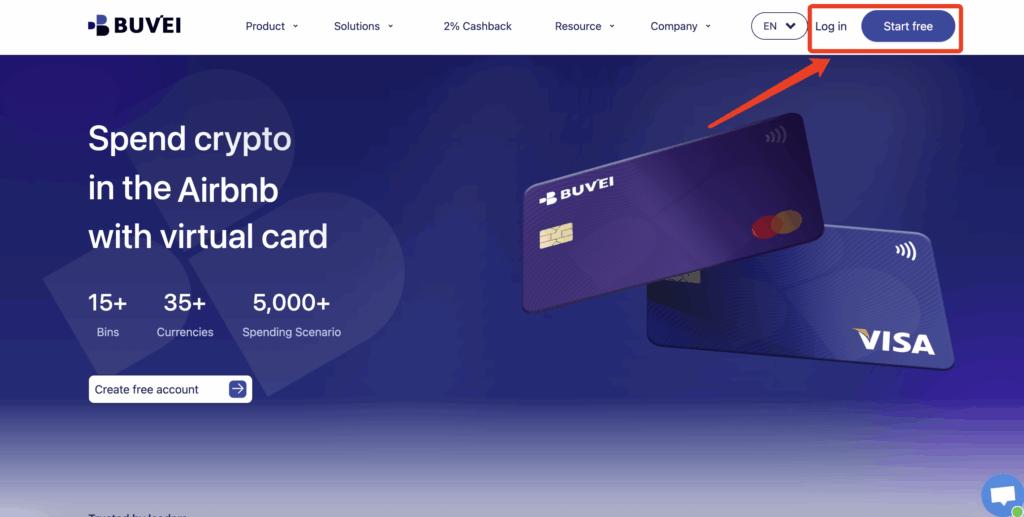
Step 1: Register an Account
Sign up on the Buvei platform using your email address and complete the verification process.
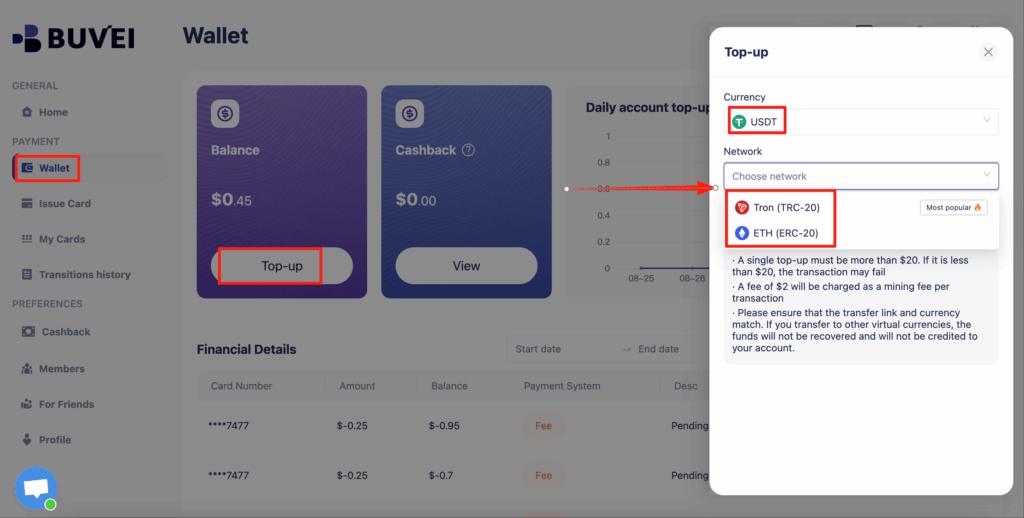
 Step 2: Deposit Funds
Go to the Wallet section and deposit funds using supported stablecoins:
-
USDT (TRC20)
-
USDT (ERC20)
After the transaction is confirmed, your wallet balance will be available.
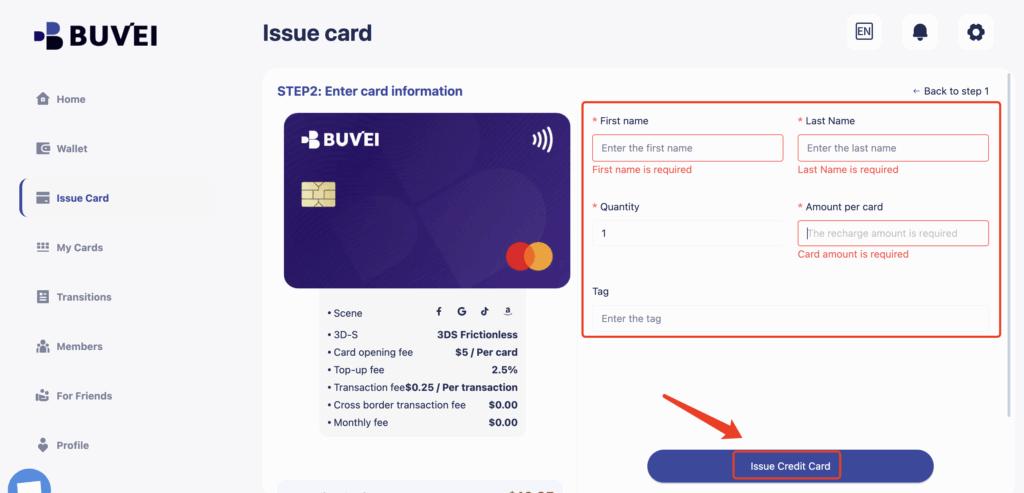
 Step 3: Issue a Virtual Card
-
Navigate to the Cards section
-
Select the preferred BIN region
-
Choose the card type
-
Enter the card name, initial balance, and number of cards
-
Click Create Card
The virtual card will be generated instantly.

You will be able to view:
-
Card number
-
Expiration date
-
CVV
-
Card balance
-
Transaction history
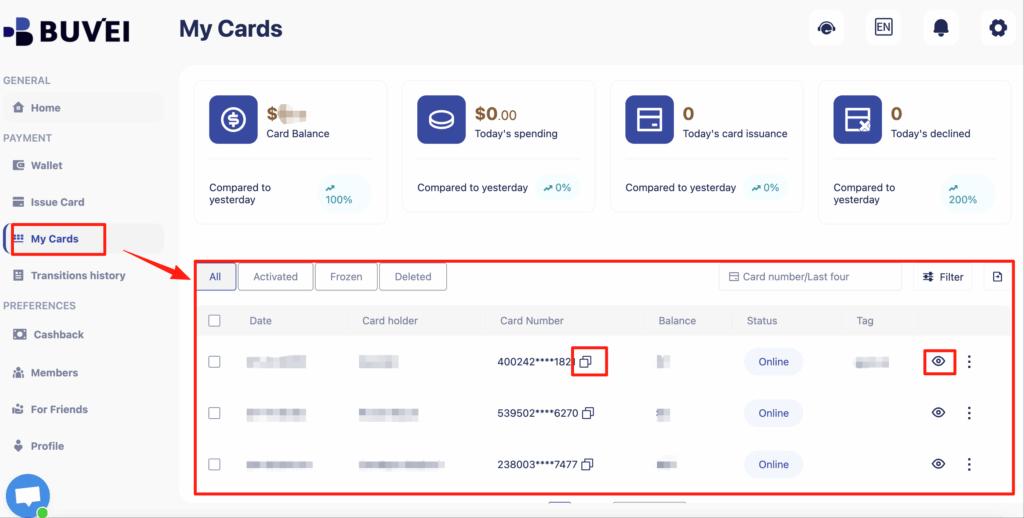
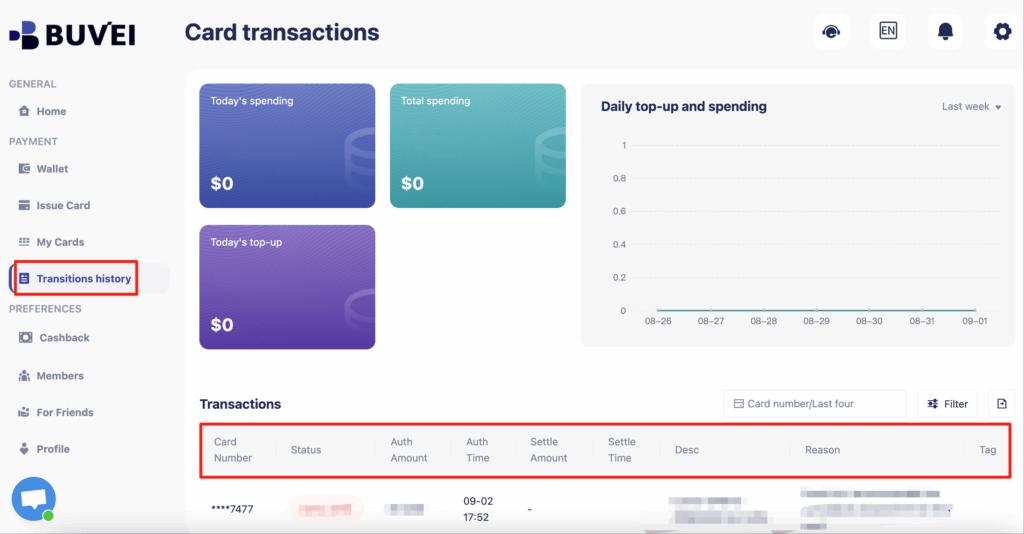
This process ensures that Buvei’s virtual cards are ideal for controlling your spending and managing online payments securely.
Conclusion
Managing cloud payments efficiently is essential for developers and businesses using Microsoft Azure. Traditional payment methods can create limitations, especially for international users or teams managing multiple projects.
Virtual cards provide a flexible and secure alternative, offering better control over spending, improved organization, and compatibility with global billing systems. Solutions like buvei help streamline Azure payments and ensure reliable access to cloud services.