Buying and managing domain names often requires fast, reliable payments. However, many domain investors, developers, and online businesses run into issues when using traditional debit or credit cards—especially when registering domains across multiple platforms or regions.
That’s why virtual cards have become an increasingly popular payment method for domain registration. In this guide, we’ll explain how virtual cards work for domain purchases, how to use them on platforms like Namecheap and GoDaddy, and how to manage multiple domains efficiently using dedicated virtual cards.

Why Virtual Cards Are Ideal for Domain Registration
Virtual cards function like standard payment cards but exist entirely online. For domain purchases, they offer several practical advantages:
-
Higher payment success rates compared to traditional cards
-
Better spending control, especially when managing renewals
-
Reduced risk of card exposure on third-party platforms
-
Easy separation of expenses across projects or clients
Many domain registrars accept virtual cards at checkout, making them a flexible option for both individual buyers and businesses managing large domain portfolios.
How to Open and Use a Virtual Card With BUVEI?
For users who prefer a fast, crypto-friendly solution, BUVEI offers a simple way to issue virtual cards suitable for domain registration and other online payments.
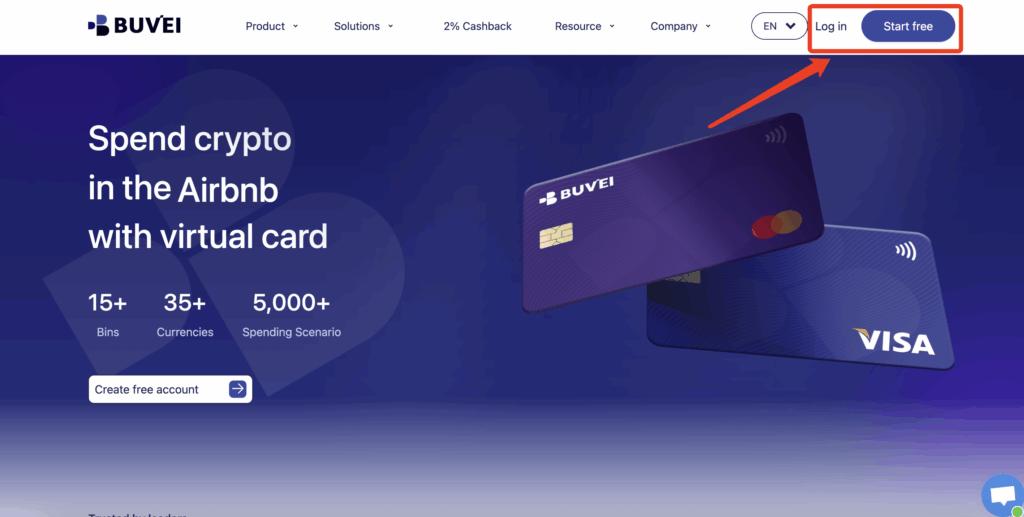
Step 1: Create a BUVEI Account
Visit https://buvei.com and register for a free BUVEI account.
After completing email verification, you’ll be able to log in and access the BUVEI control panel, where all wallets and cards are managed.
Step 2: Fund Your Account
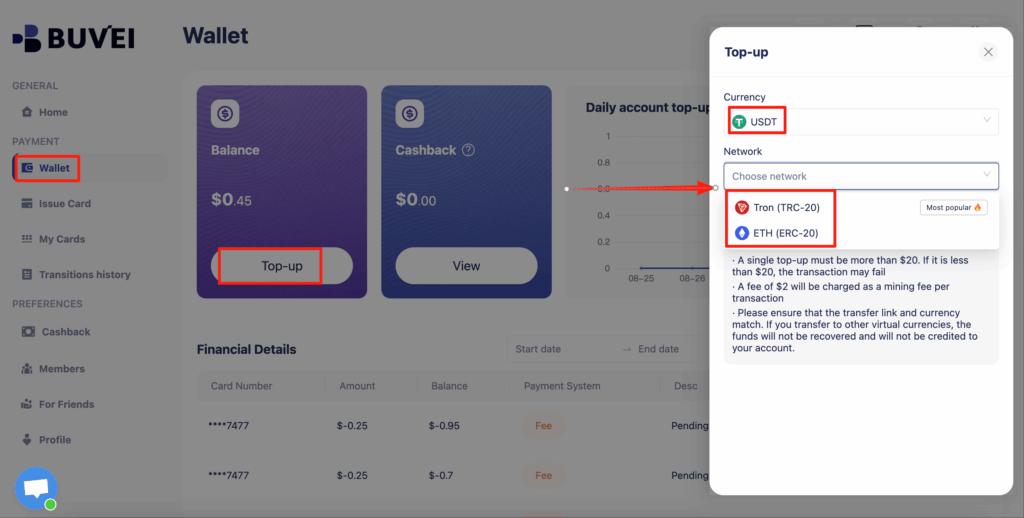
Go to the “Wallet” tab and choose a supported stablecoin, such as USDT (TRC20 or ERC20).
BUVEI will generate a unique deposit address for your account. Copy this address and transfer your funds. Once the transaction is confirmed, your wallet balance will be available immediately for card issuance.
Step 3: Create Your Virtual Card
Navigate to the “Cards” tab to issue a new virtual card.
-
Select your preferred BIN region (US BINs are generally recommended for better compatibility with domain registrars)
-
Choose your card type
-
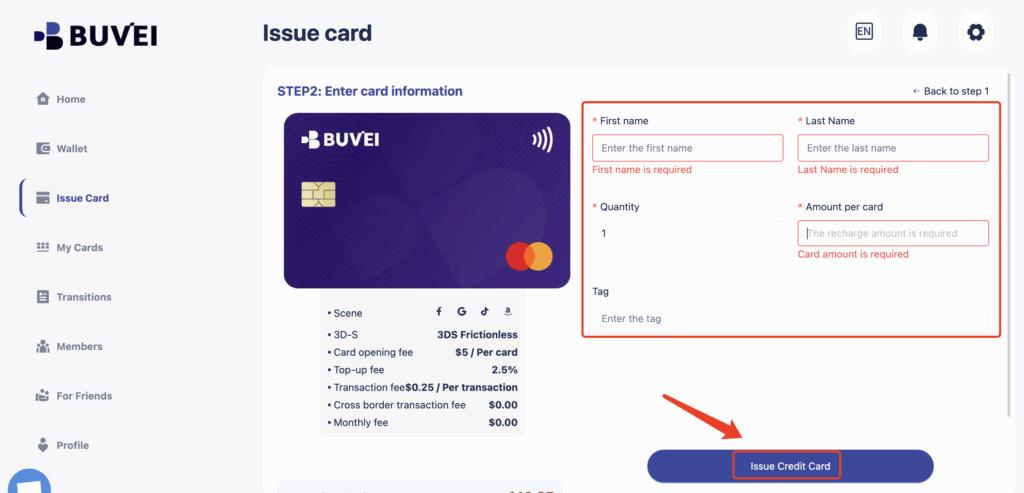
Enter card details, including card name, funding amount, and number of cards
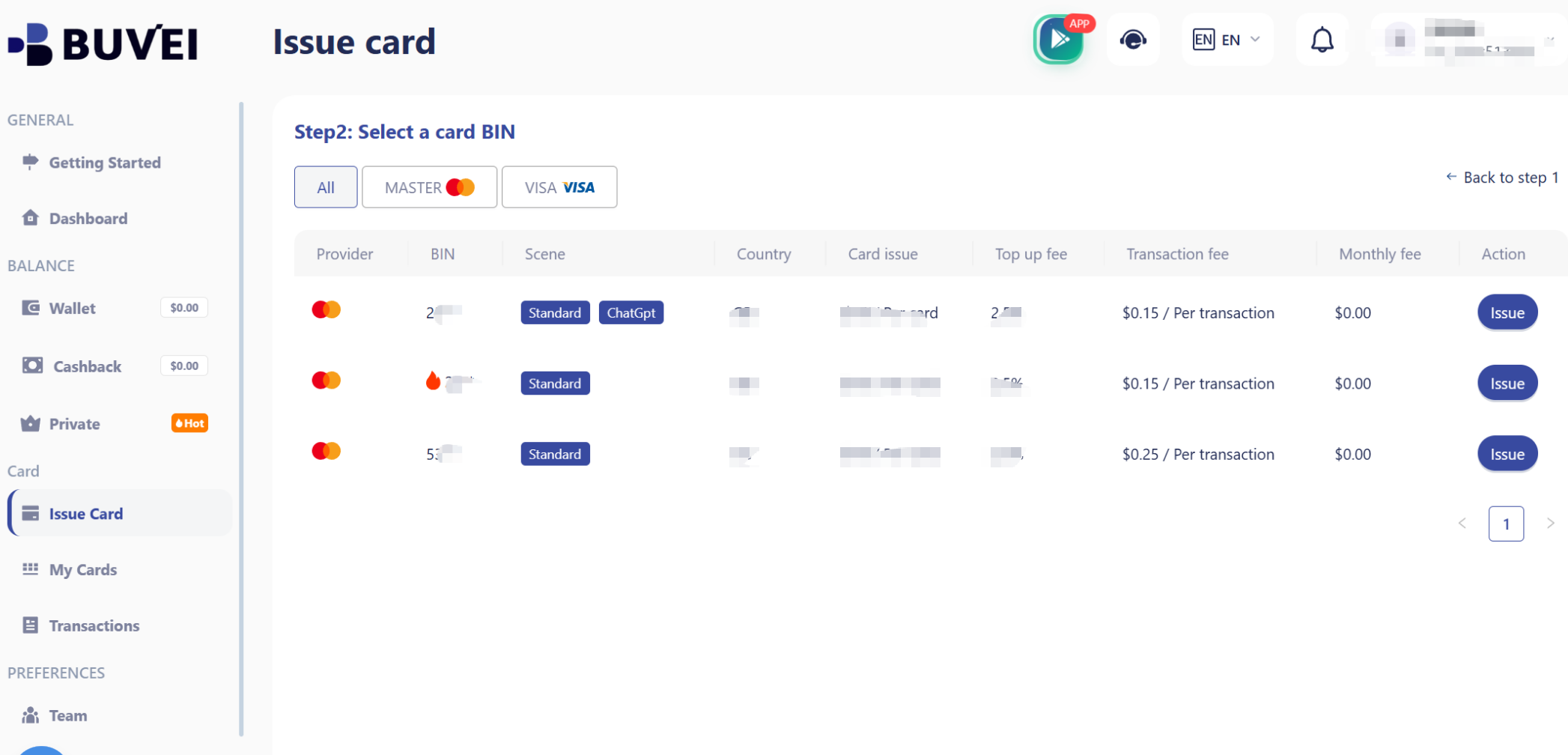
Click “Issue Card” to complete the process.
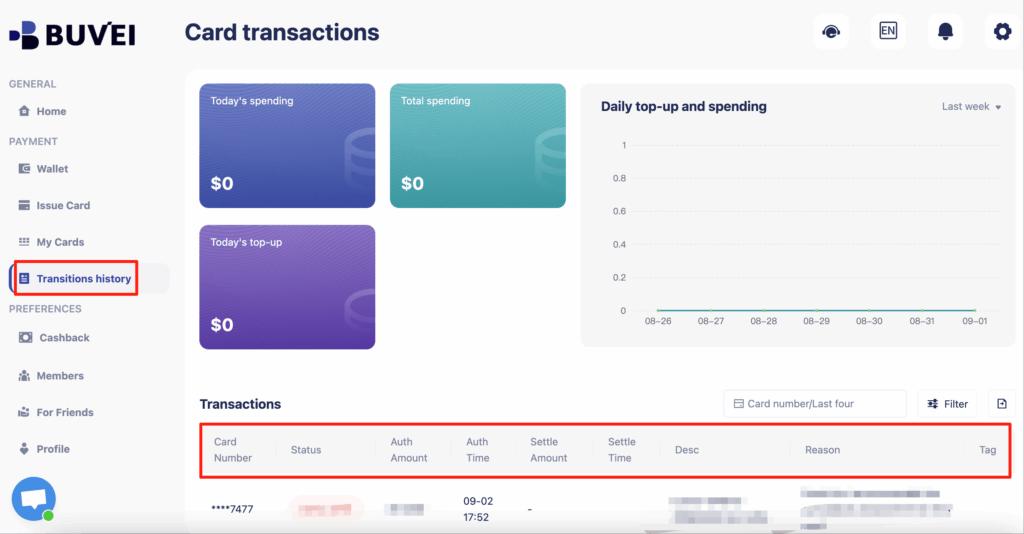
After issuance, head to
After creation,“My Cards” to view your card number, expiration date, CVV, balance, and transaction history.
Paying for Domains on Namecheap With Virtual Cards
Namecheap supports card payments at checkout, making it compatible with most virtual cards.
When using a virtual card on Namecheap:
-
Ensure the card has sufficient balance for the domain price and taxes
-
Use a US BIN virtual card for higher authorization success
-
Avoid frequent rapid retries if a payment fails
Many users prefer assigning a dedicated virtual card solely for Namecheap purchases, making renewals easier to track and manage.
Using Virtual Cards at GoDaddy Checkout
GoDaddy also accepts virtual cards for domain registration, renewals, and add-on services.
To improve payment success on GoDaddy:
-
Match the card’s billing country with the selected BIN region
-
Avoid using cards with strict single-transaction limits
-
Keep a small buffer balance to cover taxes or currency adjustments
Virtual cards are particularly useful when managing multiple GoDaddy accounts or client-owned domains.
Managing Multiple Domains With Multiple Virtual Cards
If you manage domains for different projects, brands, or clients, using multiple virtual cards can significantly simplify accounting.
With virtual cards, you can:
-
Assign one card per registrar (Namecheap, GoDaddy, etc.)
-
Use separate cards for renewals vs. new registrations
-
Instantly freeze or cancel cards when a project ends
This approach reduces payment confusion and lowers the risk of accidental renewals or failed charges.
Tips to Avoid Payment Failures When Buying Domains
Even with virtual cards, occasional payment issues can happen. Here are a few practical tips:
-
Use US BIN virtual cards whenever possible
-
Avoid funding cards with exact amounts—leave a small margin
-
Don’t reuse cards across too many platforms
-
Keep cards active and monitor expiration dates
If a card fails repeatedly, issuing a new virtual card is often faster than troubleshooting the old one.
Final Thoughts
Virtual cards offer a secure and flexible way to pay for domain registrations on platforms like Namecheap and GoDaddy. They’re especially useful for users managing multiple domains, working with international registrars, or looking for better control over online payments.
If you’re looking for a fast setup and crypto-supported funding option, BUVEI provides an efficient solution for issuing US BIN virtual cards and managing domain-related expenses with greater control.