OpenAI’s ChatGPT subscription services require a payment method for billing, whether for ChatGPT Plus or API usage. However, not all users have access to a traditional credit card, and some prefer not to link their primary bank cards for recurring payments. Virtual cards offer a practical, secure, and flexible alternative.
This guide explains why ChatGPT needs a payment method, why traditional cards sometimes fail, and how to pay using a Buvei virtual card safely.

Why ChatGPT Requires a Payment Method
ChatGPT subscriptions are billed monthly. OpenAI needs a verified payment method to:
-
Ensure subscription continuity
-
Prevent abuse and spam accounts
-
Process international payments securely
Without a valid payment method, users cannot access premium features, and free trials may be limited.
Common Issues with Traditional Credit Cards
Many users experience problems when paying for ChatGPT with standard credit cards:
-
Card declines due to insufficient funds or expired cards
-
International transaction restrictions for foreign cards
-
High fraud detection sensitivity for multiple or unusual transactions
-
Bank blocks on recurring digital subscriptions
These issues can prevent you from activating your subscription, interrupt access, or trigger OpenAI’s verification procedures.
How Virtual Cards Work for ChatGPT Payments
A virtual card is a digital payment card that functions like a physical debit or credit card but offers more control and security. Benefits for ChatGPT subscriptions include:
-
No need to link your main bank account
-
Set limits for recurring payments to prevent overspending
-
Easy replacement if a card is blocked or payment fails
-
Isolated card usage reduces risk for multiple accounts
Virtual cards are fully compatible with ChatGPT as long as they are issued under supported networks like Visa or Mastercard.
Step-by-Step: Paying for ChatGPT Without a Credit Card
Here’s how to pay for ChatGPT using a virtual card instead of a traditional credit card:
1.Sign up for a virtual card provider: Create an account with Buvei at https://buvei.com.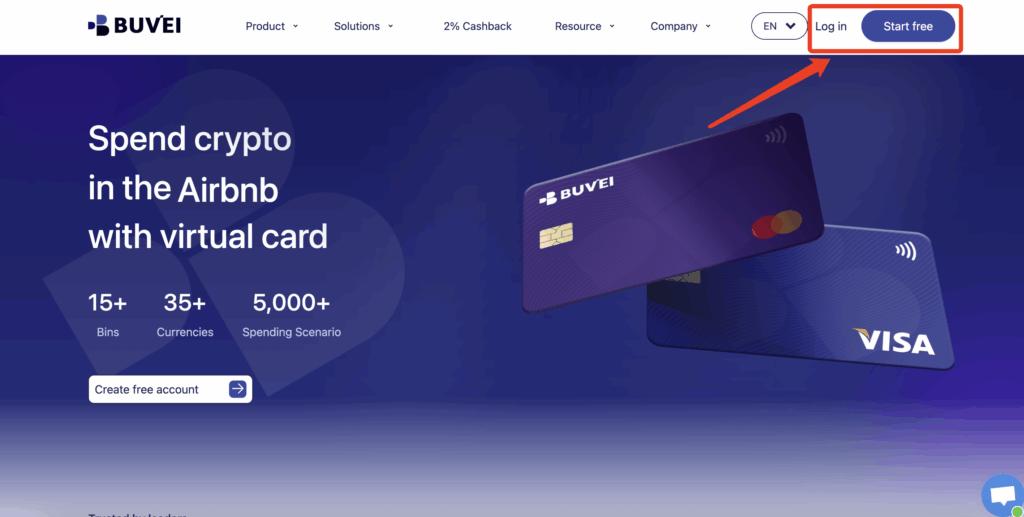
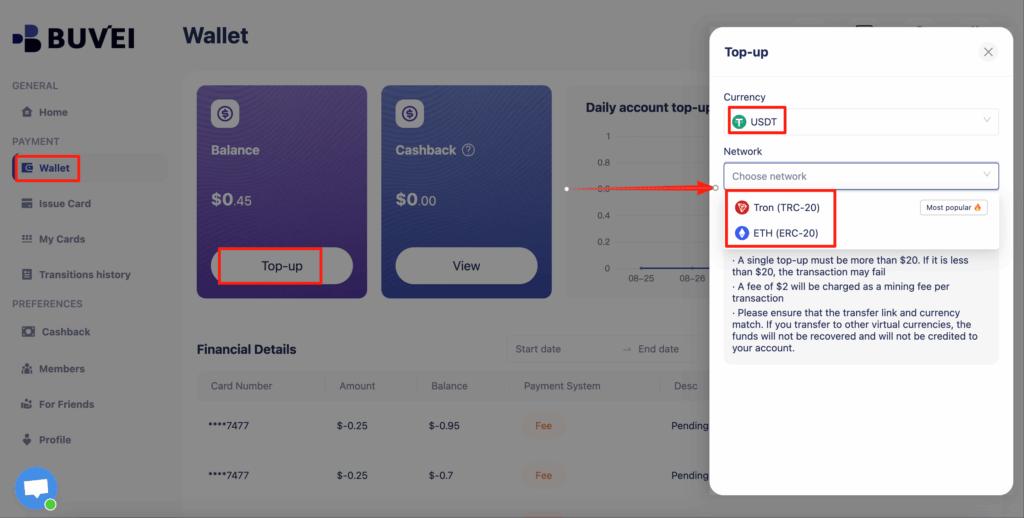
2.Fund your virtual card: Deposit USDT (TRC20 or ERC20) into your Buvei wallet. Once confirmed, your balance is available for card issuance.
3.Issue a virtual card: In the Buvei dashboard, go to Cards → Create Card
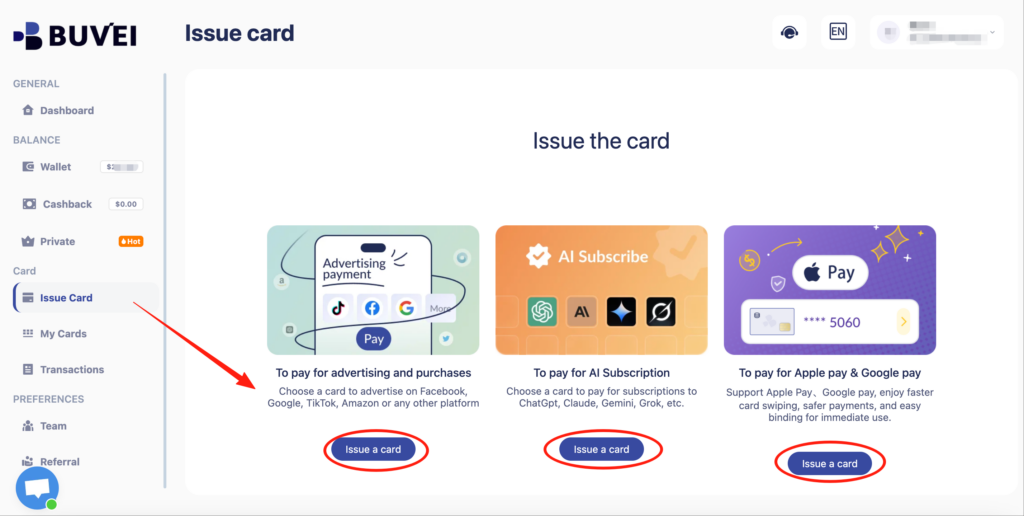
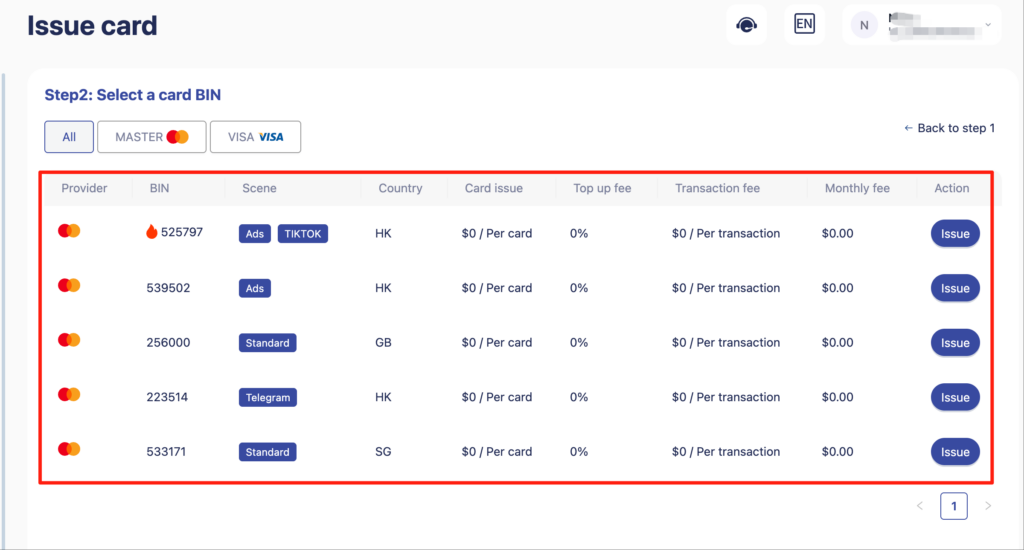
select a US BIN region for ChatGPT compatibility, set the card balance, and click Issue Card.
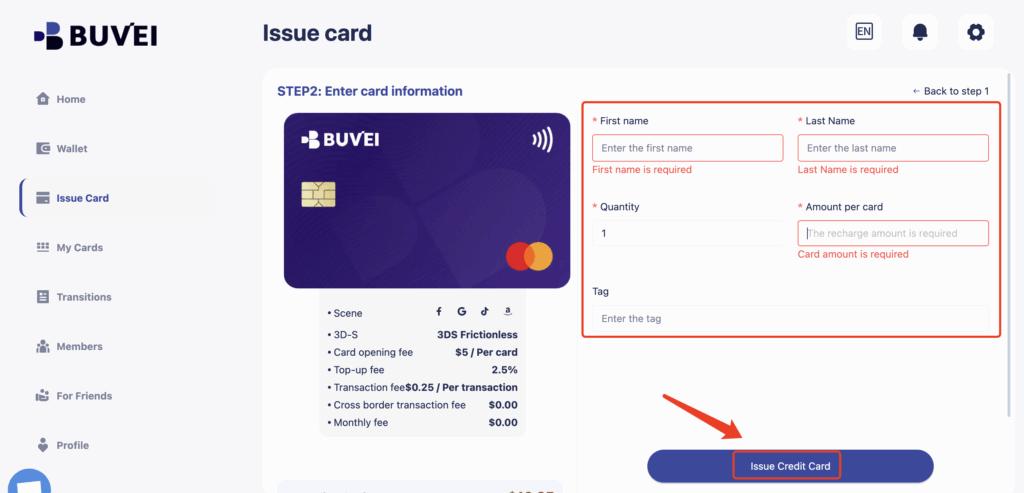
4.Add your virtual card to ChatGPT: Go to your ChatGPT account settings → Billing & Payment, choose Credit or Debit Card, and enter the virtual card details (card number, expiration date, CVV).
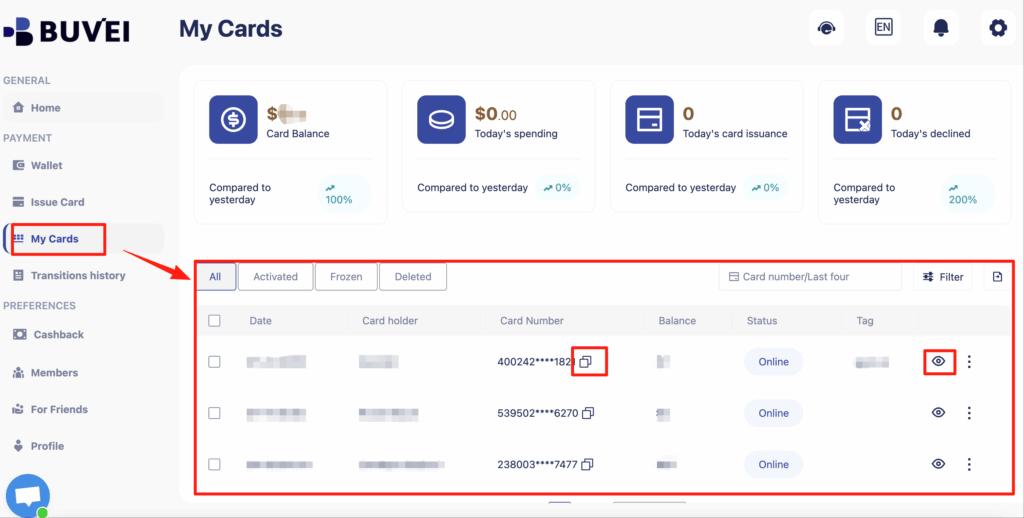
Confirm payment: Ensure your card balance covers the subscription and any applicable taxes. Payment will be processed like a standard card.
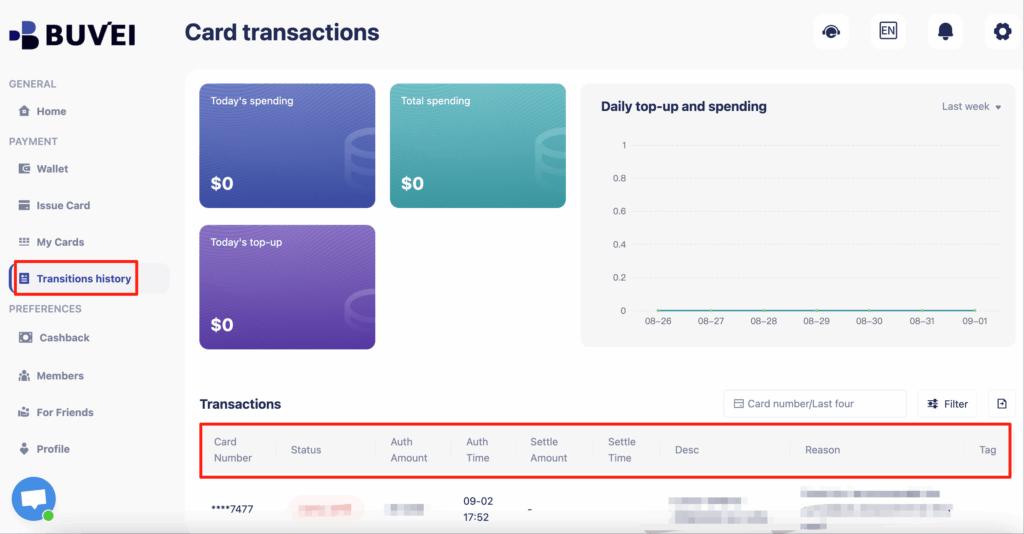
Once set up, your ChatGPT subscription is billed automatically using your virtual card, without exposing your main bank account.
Using a Buvei Virtual Card for ChatGPT Subscriptions
Buvei simplifies virtual card management for recurring payments:
-
Assign one virtual card per subscription for clear tracking
-
Monitor balances, top-ups, and all transaction activity directly in the dashboard
-
Instantly replace a card if a payment fails or is declined
-
Set spend limits to control monthly subscription costs
This approach ensures smooth billing and minimizes payment interruptions.
Tips to Avoid Payment Failures
To reduce the chance of payment issues:
-
Keep a small balance buffer on the virtual card
-
Use a dedicated card for ChatGPT to avoid conflicts with other subscriptions
-
Monitor expiration dates and issue new cards proactively
-
Always verify that the card supports US BINs or international transactions
By following these steps, ChatGPT payments remain seamless, secure, and uninterrupted.
Final Thoughts
Virtual cards provide a secure, flexible, and reliable solution for paying ChatGPT subscriptions without a traditional credit card. With Buvei, users can create US BIN virtual cards funded via stablecoins, manage recurring payments, and avoid common payment issues. For users who prioritize privacy, control, and smooth subscription management, virtual cards are an ideal option.